
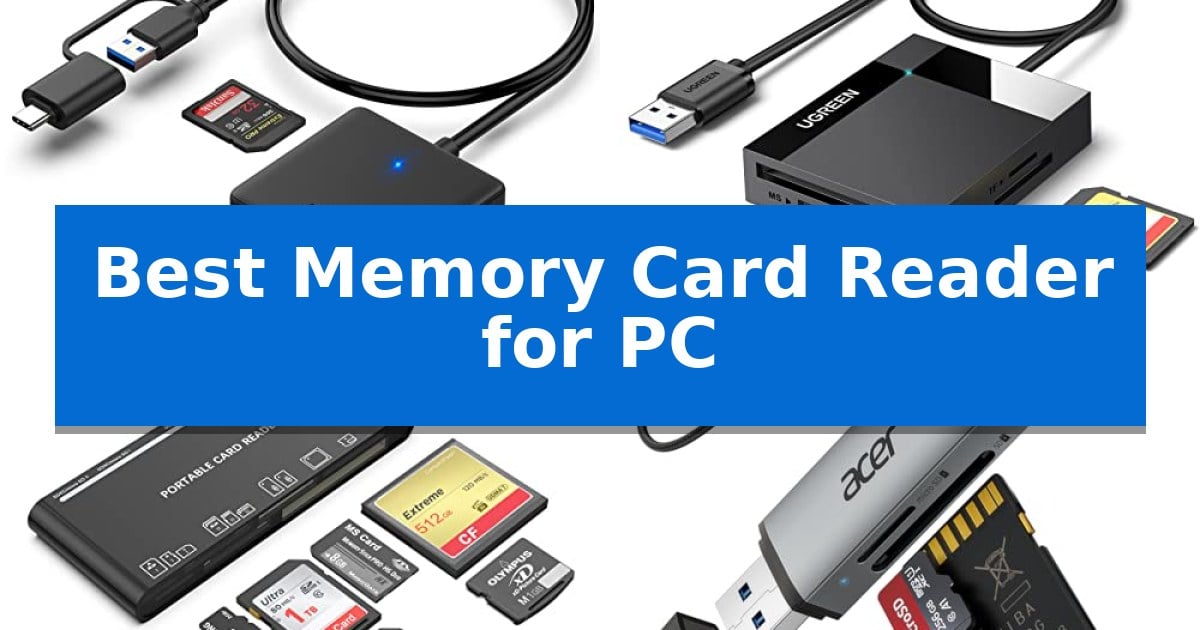
Managing high-resolution photos and 4K video files requires a reliable way to move data from your camera or drone to your workstation. If your computer lacks a built-in slot or you need to handle multiple formats simultaneously, finding the Best Memory Card Reader for PC is essential for maintaining a smooth creative workflow.
A quality reader acts as a bridge between your storage media and your computer, ensuring that file transfers are both fast and stable. Whether you are a professional photographer dealing with CompactFlash cards or a casual user needing to access microSD files, choosing the right adapter can save you significant time and prevent data corruption.
You may also want to compare Best Memory Card Reader for iPhone, Best Memory Card Reader for iPad, and Best Memory Card for Weddings.
Best Memory Card Reader for PC
Quick Comparison
| Product | Best For | Key Strength | Score |
|---|---|---|---|
| BENFEI 4-in-1 Card Reader | Best Overall | Simultaneous access to four different card slots. | 4.9 |
| UGREEN USB 3.0 Card Reader | Fast Multi-Card Workflow | Simultaneous multi-card access for up to four cards at once. | 4.8 |
| Rocketek 7-in-1 Card Reader | Maximum Card Format Support | Simultaneous multi-card read/write capability for five cards at once. | 4.4 |
| Acer USB-C Card Reader | Portable Dual-Slot Connectivity | Dual-slot design allows for simultaneous reading and writing of SD and microSD cards. | 4.5 |
| SmartQ C368 Card Reader | Reliable Plug-and-Play Design | Four-in-one design supports simultaneous independent reading of multiple card types. | 4.5 |
How We Chose
- Format Support: We prioritized devices that accommodate common standards like SD, microSD, CF, and MS to ensure broad utility.
- Connection Versatility: We looked for dual-interface designs featuring both USB-A and USB-C to ensure compatibility with modern laptops and older desktop towers.
- Simultaneous Read Capability: We favored models that allow multiple cards to be accessed at once, which is critical for multi-camera setups.
- Transfer Speed: We assessed the interface standards, specifically looking for USB 3.0 or higher, to ensure efficient data throughput.
- Portability and Build: We considered the physical footprint and material durability for users who frequently work on location.
1 BENFEI 4-in-1 Card Reader — Reads Four Cards Simultaneously
Managing multiple storage media formats often leads to cluttered desks and disconnected workflows. The BENFEI 4-in-1 Card Reader addresses this by offering a centralized hub that supports SD, Micro SD, MS, and CF cards simultaneously, allowing for efficient data management across diverse hardware.
Engineered with an integrated design, this adapter features both USB-C and USB 3.0 connectivity, ensuring compatibility with modern laptops, tablets, and legacy desktop ports. It utilizes an advanced IC chip to maintain signal integrity during high-speed transfers, supporting UHS-I mode with rates up to 160MB/sec when paired with compatible cards and host slots.
The device is built for versatility, functioning as a bridge between professional photography gear and mobile devices like the iPhone 15 series or MacBook Pro. It allows for the simultaneous reading and writing of four cards, which streamlines the process of transferring HD movies or large photo libraries. Users should note that it is incompatible with Memory Stick (Standard), Memory Stick Micro (M2), and CF Type I cards.
To ensure long-term reliability, the unit is backed by an 18-month unconditional warranty. Its compact form factor makes it a practical addition for users who require a portable, multi-format solution for their PC or mobile setup.
Best for: Users who need to manage multiple card formats simultaneously across both USB-C and USB-A devices.
Skip if: Users who specifically require support for CF Type I, Memory Stick Standard, or Memory Stick Micro (M2) cards.
PROS
- Simultaneous access to four different card slots.
- Dual interface with both USB-C and USB 3.0 connectors.
- Broad compatibility with modern laptops, tablets, and smartphones.
- 18-month warranty for long-term support.
CONS
- Incompatible with specific formats including CF Type I and Memory Stick (Standard/M2).
- Final transfer speed is dependent on the specific card and USB port type.
2 UGREEN USB 3.0 Card Reader — Fast Multi-Card Workflow
Managing multiple memory cards simultaneously is a common bottleneck for photographers and videographers who need to offload large volumes of data quickly. The UGREEN USB 3.0 Card Reader addresses this by allowing users to read and write to four different memory cards at the same time, effectively eliminating the need for constant plugging and unplugging.
Equipped with a USB 3.0 interface, this device supports transmission rates of up to 5Gbps, which helps in transferring large files in seconds. The unit is designed to handle a wide range of formats, including SD, Micro SD, CF, and MS cards, and supports capacities up to 2TB, making it a versatile hub for various storage needs.
The UGREEN USB 3.0 Card Reader features a compact design measuring 2.17 by 2.68 by 0.59 inches, paired with a 1.7-foot cable for easy placement on a desk or inside a laptop bag. It is a plug and play device, requiring no additional drivers, and maintains compatibility with Windows, Mac OS, Linux, and Chrome OS.
This card reader is an efficient tool for those who juggle multiple media formats and want to streamline their file management workflow. By supporting UHS-I and a variety of high-capacity cards, it provides a stable connection for users who need to move data between their cameras and computers without the hassle of swapping individual adapters.
Best for: Photographers and creators who need to transfer data from multiple memory card formats simultaneously.
Skip if: Users who require specialized high-speed interfaces like USB 4 or Thunderbolt for professional-grade cinema cameras.
PROS
- Simultaneous multi-card access for up to four cards at once.
- High-speed USB 3.0 performance up to 5Gbps.
- Broad compatibility with major operating systems and card formats.
- Compact and portable design with an integrated cable.
CONS
- Limited to USB 3.0 speeds, which may be slower than newer USB 3.2 or Thunderbolt standards.
3 Rocketek 7-in-1 Card Reader — Maximum Card Format Support
Managing multiple flash memory formats often requires a versatile hub to maintain workflow efficiency. The Rocketek 7-in-1 Card Reader addresses this by integrating seven distinct slots into a single adapter, allowing users to read and write to five different memory cards simultaneously.
Designed for broad compatibility, this device supports a wide array of formats including CF, SD, SDXC (up to 2 TB), SDHC, micro SD, micro SDXC, micro SDHC, TF, MS, and XD cards. The inclusion of both USB-C and USB 3.0 connectors ensures that it connects seamlessly to a variety of modern laptops, tablets, and smartphones without requiring additional drivers.
Performance is centered on 5Gbps super speed transfer capabilities, which significantly reduces the time required to move high-resolution images and video files to a computer. The unit is also backward compatible with USB 2.0 and 1.1 ports, maintaining utility for older hardware setups.
Built for durability, the reader has been tested for thousands of cycles to ensure long-term reliability. Its plug-and-play functionality simplifies the user experience across various operating systems, including Windows, Mac, Linux, and Android, making it a practical choice for those who frequently handle diverse media storage.
Best for: Users who need to manage multiple memory card formats simultaneously across both USB-C and USB-A devices.
Skip if: Users who require specialized high-speed interfaces like Thunderbolt or those who only need a single-slot reader for a specific card type.
PROS
- Simultaneous multi-card read/write capability for five cards at once.
- Dual-connector design featuring both USB-C and USB 3.0 for broad device compatibility.
- High-speed 5Gbps data transfer for efficient file management.
- Extensive format support including CF, SD, and micro SD.
CONS
- Multi-slot form factor may be larger than single-purpose card readers.
4 Acer USB-C Card Reader — Portable Dual-Slot Connectivity
Managing multiple memory cards across various devices requires a reliable bridge between your storage media and your computer. The Acer USB-C Card Reader simplifies this workflow by offering a dual-slot design that supports both SD and microSD cards, allowing for simultaneous reading and writing to save time during file transfers.
Engineered for versatility, this device features a USB-A and USB-C dual header, ensuring compatibility with a wide range of hardware including laptops, PCs, tablets, and smartphones. It supports 5Gbps data transfer speeds via USB 3.0, providing an efficient way to move high-resolution photos and videos. The unit is constructed from heat-resistant aluminum, which aids in durability during extended use.
Portability is a core aspect of its design, as the reader is both slim and lightweight, making it easy to stow in a camera bag or laptop sleeve. It includes protective covers for both ends to shield the ports from dust and liquid, along with an attached cord to keep the caps secure. The plug-and-play functionality means no drivers or additional software are required to begin transferring files immediately upon connection.
While this reader is highly compatible with most modern operating systems and hardware, users should note that it does not support CF express, SIM, XQD, or Memory Stick formats. Additionally, the physical design may face clearance issues with very thick device cases, so ensuring a direct connection is necessary for optimal performance.
Best for: Professionals and creators who need a portable, dual-slot solution for transferring files between SD/microSD cards and multiple USB-C or USB-A enabled devices.
Skip if: Users who require support for specialized memory formats like CF express, XQD, or Memory Stick, or those who prefer a reader with a fixed cable connection.
PROS
- Dual-slot design allows for simultaneous reading and writing of SD and microSD cards.
- USB-A and USB-C dual header provides broad compatibility across PCs, laptops, and mobile devices.
- Heat-resistant aluminum construction enhances durability during long working sessions.
- Plug-and-play functionality requires no drivers or software installation.
CONS
- Limited card support as it does not read CF express, SIM, XQD, or Memory Stick cards.
- Physical clearance may be restricted when using devices with thick protective cases.
5 SmartQ C368 Card Reader — Reliable Plug-and-Play Design
Managing multiple memory cards across different formats requires a reliable interface that does not bottleneck your workflow. The SmartQ C368 USB 3.0 Card Reader simplifies this by utilizing a four-in-one design that supports SD, Micro SD, MS, and CF cards, allowing you to access data from various devices independently without needing multiple adapters.
Engineered for efficiency, this reader supports data transfer speeds up to 5GB per second when connected via the USB 3.0 standard. It maintains backward compatibility with USB 2.0 ports, ensuring it functions across a wide range of hardware configurations. The inclusion of a blue LED light indicator provides immediate visual confirmation of the device's working status, so you always know when a connection is active.
Portability is a core strength of this device, which measures just 2.78 inches in length and weighs only 0.07 pounds. It is a plug and play solution that requires no drivers, making it compatible with Windows, Mac OS, and Linux systems right out of the box. The package includes a cable organizer to keep your workspace tidy, which is particularly useful for those who frequently move their equipment between locations.
While the device is built for versatility, it is important to note that it is designed primarily for standard memory card management. Users who rely on specialized high-speed professional formats or proprietary card types may find their specific media unsupported, as this unit focuses on the most common SD, Micro SD, MS, and CF standards.
Best for: Users who need a compact, driver-free solution for managing multiple common memory card formats on both Windows and Mac systems.
Skip if: Users who require support for specialized, high-end professional memory card formats not included in the SD, Micro SD, MS, or CF standards.
PROS
- Four-in-one design supports simultaneous independent reading of multiple card types.
- Plug and play functionality requires no driver installation across major operating systems.
- High-speed USB 3.0 interface supports data transfers up to 5GB per second.
- Compact and lightweight build includes a cable organizer for improved portability.
CONS
- Limited card format support excludes specialized professional-grade memory cards.
- No memory card included in the package, requiring a separate purchase.
Best Memory Card Reader for PC Buying Guide
Understanding Interface Standards
The interface determines how quickly your data moves from the card to your computer. Most modern readers utilize USB 3.0 or USB-C, which provide the bandwidth necessary for large file transfers. Always check if your computer's ports support these speeds to avoid bottlenecks.
If you are using older hardware, ensure your reader is backward compatible with USB 2.0. While this will limit your transfer speed, it ensures that your device remains functional across a wider range of legacy systems.
The Importance of Simultaneous Access
For professionals, the ability to read multiple cards at once is a major productivity booster. A reader that supports simultaneous read/write functionality allows you to offload footage from several cameras without needing to swap cards repeatedly.
This feature is particularly useful for video editors who need to organize files from different sources into a single project folder. It reduces the physical wear on the card slots and minimizes the time spent waiting for transfers to complete.
Card Format Compatibility
Not all readers support every card type. While SD and microSD are nearly universal, specialized formats like CompactFlash (CF) or Memory Stick (MS) require specific hardware support. Verify your primary storage media before purchasing.
Some high-capacity cards, such as SDXC (64GB or larger), require specific file systems like exFAT. Ensure your chosen reader and your operating system are compatible with these formats to avoid recognition issues.
Portability vs. Desktop Stability
If you travel frequently, a compact, lightweight reader with a protective cover is ideal. These models are designed to fit easily into camera bags or laptop sleeves without adding unnecessary bulk.
Conversely, if you work primarily at a desk, a reader with a slightly heavier build or a longer cable can provide better stability. This prevents the device from being dragged off your desk by the weight of connected cables.
Build Quality and Durability
A card reader is a tool that will likely be plugged and unplugged hundreds of times. Look for models constructed from heat-resistant materials like aluminum, which help dissipate heat during long file transfers and protect internal components.
Integrated designs with reinforced connectors are generally more durable than those with flimsy, exposed ports. Investing in a well-built reader reduces the risk of connection failures that could lead to interrupted transfers or data loss.
Frequently Asked Questions
Do I need to install drivers for these card readers?
Most modern card readers are plug-and-play, meaning they do not require specific software or driver installations. They should be recognized automatically by Windows, macOS, and Linux systems.
Why is my card reader not recognizing my high-capacity SD card?
High-capacity cards (64GB and above) often use the exFAT file system. Ensure your operating system is updated, as older versions of Windows or macOS may not support this format natively.
Can I use a USB-C card reader on a computer with only USB-A ports?
Many modern card readers feature a 2-in-1 design with both USB-C and USB-A connectors. If your model only has USB-C, you would need a separate adapter to connect it to a USB-A port.
Does the speed of my memory card affect the transfer rate?
Yes. The final data transfer speed is limited by the slowest component in the chain, which is typically the memory card itself. Even with a fast reader, a slow card will result in slower transfer times.
Are these readers compatible with all camera memory cards?
No. Always check the specific slots available on the reader. For example, some readers do not support CF Type I cards or specialized formats like XQD or CFexpress.
Conclusion: Our Top Pick
Selecting the right hardware for your data management needs is a critical step in maintaining an efficient digital workflow. After reviewing the available options, the BENFEI 4-in-1 Card Reader stands out as the most versatile choice for most users. Its integrated design and ability to handle four card types simultaneously make it a reliable partner for photographers and videographers who need consistent performance across different devices.
While other models offer specific advantages like extra slots or specialized form factors, the BENFEI provides the best balance of broad compatibility and high-speed data access. Its dual-connector design ensures it remains useful as you upgrade your computer hardware, providing long-term value for your setup.