
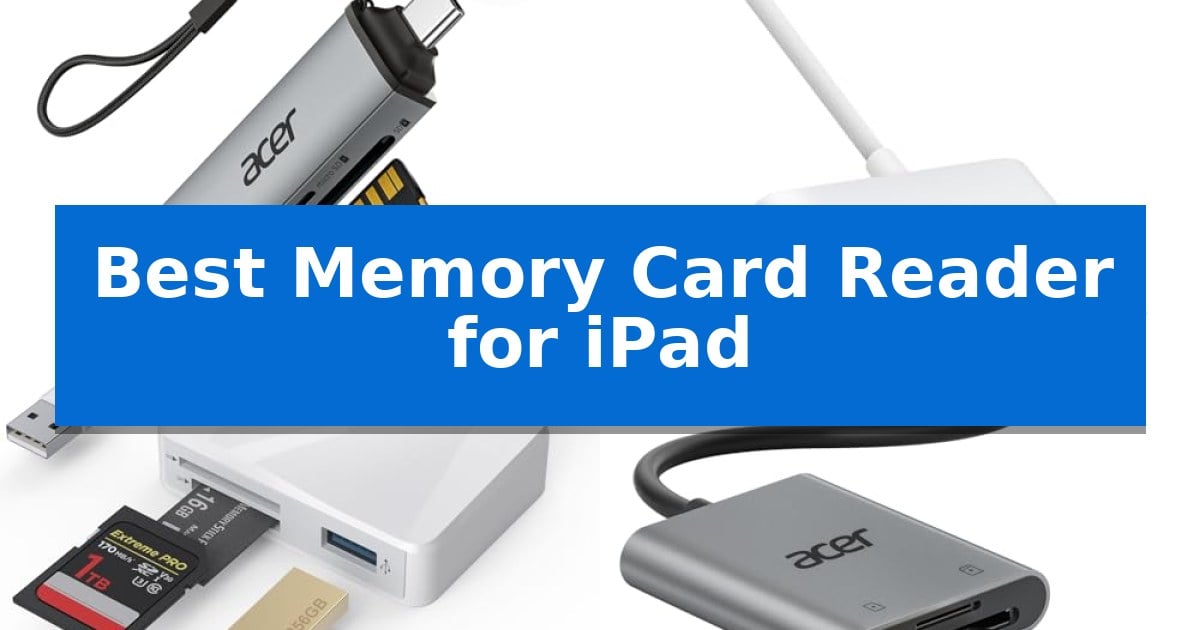
Transferring high-resolution photos and 4K video files from your camera to your tablet shouldn't be a bottleneck in your creative process. Finding the Best Memory Card Reader for iPad is essential for photographers and videographers who need to move large files quickly without relying on cloud services or slow wireless connections.
Modern iPad models equipped with USB-C ports have opened up new possibilities for external storage and peripheral connectivity. Whether you are editing on the move or backing up footage in the field, selecting a reliable, compatible, and portable card reader ensures your workflow remains efficient and uninterrupted.
You may also want to compare Best Memory Card for Weddings, Best Memory Card for Wedding Photography, and Best Memory Card for Video Recording.
Best Memory Card Reader for iPad
Quick Comparison
| Product | Best For | Key Strength | Score |
|---|---|---|---|
| Acer USB-C SD Card Reader | Best Overall | Simultaneous dual-slot reading and writing capability. | 4.9 |
| BnmxTek USB-C SD Card Reader | Includes Extra USB-A Port | Universal USB-C compatibility for wide device support. | 4.5 |
| Xoqby 5-in-1 USB-C Card Adapter | Versatile Multi-Port Connectivity | Versatile connectivity with both USB-C and USB-A interfaces. | 4.8 |
| Acer Aluminum USB-C Card Reader | Heat-Dissipating Metal Design | Dual card slots for simultaneous read and write capabilities. | 4.9 |
| Oyuiasle USB-C SD Card Reader | Simple Plug-and-Play Setup | Built-in USB-C cord design prevents port blocking. | 4.3 |
How We Chose
- Compatibility with iPadOS and USB-C standards
- Data transfer speeds and support for high-capacity cards
- Physical design, including cable length and port accessibility
- Durability of materials and heat dissipation during operation
- Versatility of additional ports for peripheral expansion
1 Acer USB-C SD Card Reader — Fast Dual-Slot Data Transfers
Managing media files on your tablet is simplified with the Acer USB-C SD Card Reader, a compact accessory that bridges the gap between your camera's memory cards and your iPad. Featuring a dual-slot design, this device allows for the simultaneous reading and writing of both microSD and SD cards, making it a practical tool for photographers and creators who need to move files quickly without relying on cloud services or internet connections.
The reader is engineered for efficiency, supporting 5Gbps data transfer speeds to handle high-resolution photos and videos. Its plug-and-play functionality ensures that you can connect it to your USB-C enabled iPad or laptop without the need for additional software or drivers. The build quality utilizes heat-resistant aluminum, which provides durability during extended use, while the slim, lightweight profile ensures it fits easily into a camera bag or laptop sleeve.
Versatility is a core component of this adapter, as it includes both USB-C and USB-A headers, allowing it to work across a wide range of devices including PCs, smartphones, and tablets. Protective covers are included at both ends to shield the ports from dust and liquid, and an attached cord helps keep the unit secure when not in use. It is important to note that while it is highly compatible with modern USB-C devices, it will not function with older Lightning port hardware.
When integrating this into your workflow, keep in mind that the physical design requires a direct connection; users with thick protective cases on their tablets may find that the connector does not seat fully. Additionally, the reader is optimized for standard SD and TF cards and does not support specialized formats like CFexpress, XQD, or Memory Stick, making it a specialized tool for standard media management.
Best for: Photographers and content creators who need a portable, plug-and-play solution to transfer media directly from SD and microSD cards to USB-C tablets and laptops.
Skip if: Users who rely on devices with Lightning ports or those who require support for specialized memory formats like CFexpress, XQD, or Memory Stick.
PROS
- Simultaneous dual-slot reading and writing capability.
- 5Gbps data transfer speeds for efficient file management.
- Dual-header design featuring both USB-C and USB-A connectors.
- Heat-resistant aluminum construction for improved durability.
CONS
- Thick tablet cases may interfere with the physical connection.
- Limited format support as it does not read CFexpress, XQD, or Memory Stick cards.
2 BnmxTek USB-C SD Card Reader — Includes Extra USB-A Port
Managing high-resolution media on a tablet requires a reliable bridge between your camera gear and your device. The BnmxTek USB-C SD Card Reader simplifies this workflow by utilizing a direct USB-C connection, allowing for seamless file transfers to iPad Pro, iPad Air, and other USB-C enabled tablets without the need for additional drivers or third-party software.
Designed with a dual-slot configuration, this adapter supports both SD and MicroSD cards, making it a versatile tool for photographers and drone operators who frequently switch between storage formats. The unit is engineered for plug-and-play functionality, integrating directly with the native iPadOS "Files" app for straightforward import and export of photos, videos, and documents.
Beyond its primary card-reading capabilities, the device includes a USB-A OTG expansion port. This feature enables the connection of external peripherals such as flash drives, hard disks, or even a mouse and keyboard, effectively turning a mobile tablet into a more capable workstation. Its compact, port-friendly design ensures that the built-in USB-C cable does not obstruct adjacent ports on your device.
While highly functional, users should note that this reader does not support simultaneous access to both the SD and MicroSD slots. Additionally, it is strictly designed for USB-C devices and is not compatible with older iPad models utilizing the Lightning connector. For those with a modern USB-C setup, however, it provides a streamlined solution for managing large 4K video files and high-resolution images on the go.
Best for: Photographers and creators who need a compact, multi-functional adapter to transfer media and connect peripherals to their USB-C iPad or laptop.
Skip if: Users who rely on legacy iPad models with Lightning ports or those who require the ability to read from an SD card and a MicroSD card at the same time.
PROS
- Universal USB-C compatibility for wide device support.
- Dual-slot design accommodates both SD and MicroSD cards.
- Integrated USB-A port allows for peripheral expansion.
- Plug-and-play operation requires no extra software.
CONS
- Cannot read SD and MicroSD cards simultaneously.
- Not compatible with devices using Lightning connectors.
3 Xoqby 5-in-1 USB-C Card Adapter — Versatile Multi-Port Connectivity
Managing digital files across multiple devices is simplified with the Xoqby 5-in-1 USB-C Card Adapter, which features a detachable USB-C to USB adapter to ensure connectivity across both modern tablets and legacy computer systems. This tool allows for seamless data movement between iOS, Android, Windows, and macOS, serving as a versatile bridge for photographers and mobile professionals.
The device is equipped with triple card slots supporting SD, MicroSD, and MS formats, with compatibility for high-capacity cards up to 2TB. This capacity enables users to archive large volumes of photos and videos directly from camera media to an iPad or other USB-C enabled tablets without needing a computer intermediary.
Beyond its card-reading capabilities, the adapter includes dual USB-A ports, allowing the simultaneous connection of peripherals like keyboards, mice, or flash drives alongside memory cards. This functionality effectively turns a tablet into a more capable workstation, supported by plug-and-play operation that requires no driver installation.
Safety and efficiency are prioritized through a built-in chip designed to ensure transfer safety and speed. The unit also features over-current and short-circuit protection, providing a layer of security for data integrity during file transfers between devices.
Best for: Users needing to connect multiple peripherals and various memory card formats to a single USB-C port on an iPad or laptop.
Skip if: Users who require high-speed UHS-II performance or Thunderbolt-level transfer rates may find this standard USB-C interface limiting for professional-grade video workflows.
PROS
- Versatile connectivity with both USB-C and USB-A interfaces.
- Supports large capacity storage up to 2TB.
- Plug-and-play functionality with no driver requirements.
- Includes over-current and short-circuit protection for hardware safety.
CONS
- Limited to standard transfer speeds compared to specialized high-speed interfaces.
- Physical footprint may be bulky when using all ports simultaneously.
4 Acer Aluminum USB-C Card Reader — Heat-Dissipating Metal Design
Managing digital files on a tablet requires a reliable connection, and the Acer Aluminum USB-C Card Reader simplifies this by offering dual slots that allow you to read and write to SD and microSD cards simultaneously. This device is specifically engineered for modern workflows, featuring an aluminum alloy exterior that provides excellent heat dissipation to maintain stable performance during extended data transfers.
Designed for portability, the adapter includes a 15cm cable that ensures your other ports remain accessible while the reader is in use. It supports high-speed transfers up to 5Gbps, making it a practical tool for moving large files from security cameras, wildlife monitors, or action cams directly to your iPad or laptop. The plug-and-play nature of the device means no drivers are required for operation across Windows, macOS, Linux, or Chrome OS.
Compatibility is a primary focus, as the reader supports SD/SDHC/SDXC and microSD/microSDHC/microSDXC cards up to 2TB. It is compatible with a wide range of USB-C devices, including the iPad Pro and iPad Air, provided the tablet supports OTG functionality. Its compact, lightweight build makes it an ideal companion for mobile workstations or remote photography shoots where space is at a premium.
While the Acer Aluminum USB-C Card Reader is highly versatile, users should note that thick protective cases on tablets may interfere with the physical connection. Additionally, the device is designed exclusively for data transfer between cards and host devices, meaning it does not support direct connections to cameras or non-USB-C hardware.
Best for: The Acer Aluminum USB-C Card Reader is best for users needing to transfer data between multiple SD or microSD cards simultaneously on USB-C tablets and laptops.
Skip if: Skip this reader if your device uses a Lightning port or if you require compatibility with specialized formats like CF, XQD, or UFS cards.
PROS
- Dual card slots for simultaneous read and write capabilities.
- Aluminum alloy housing for effective heat management.
- 5Gbps transfer speeds for efficient file management.
- Compact, lightweight design with a 15cm cable for easy portability.
CONS
- Thick device cases may prevent a secure connection to the USB-C port.
- Limited format support as it does not read CF, SIM, or XQD cards.
5 Oyuiasle USB-C SD Card Reader — Simple Plug-and-Play Setup
Managing file transfers on a mobile device requires a reliable connection that does not interfere with your workspace, and the Oyuiasle USB-C SD Card Reader addresses this with a built-in USB-C cord designed to keep adjacent ports accessible. This compact adapter functions as a direct bridge between your memory cards and USB-C enabled tablets or phones, facilitating data movement without the need for additional drivers, network access, or external power.
The device features a 3-slot design that supports SD and Micro SD cards, allowing you to browse and copy media directly to your iPad or smartphone. Beyond card reading, the unit doubles as a USB OTG adapter, providing the versatility to connect peripherals such as flash drives, keyboards, mice, or hard disks. This multi-functional approach simplifies the process of managing files across different hardware ecosystems.
Compatibility is a core strength of this adapter, as it is engineered to work with a wide range of USB-C devices, including various generations of the iPad Pro, iPad Air, and iPad mini, as well as recent iPhone models. Users can utilize the built-in "Files" app on iPadOS to manage two-way transfers, making it a practical tool for those who need to move photos or videos between a camera and a tablet on the go.
While the adapter is highly functional, it is important to note that the SD and Micro SD slots cannot be read simultaneously. However, the device does allow for the simultaneous recognition of a memory card and a connected USB peripheral, ensuring that you can still maintain a productive workflow even with this limitation.
Best for: Users who need a compact, plug-and-play solution for transferring media from cameras to USB-C iPads and smartphones while maintaining access to other ports.
Skip if: Users who require simultaneous read/write access to both an SD card and a Micro SD card at the same time.
PROS
- Built-in USB-C cord design prevents port blocking.
- Plug and play functionality requires no extra apps or drivers.
- Dual-purpose as both a card reader and a USB OTG adapter.
- Wide compatibility with modern USB-C iPads, iPhones, and laptops.
CONS
- Cannot read SD and Micro SD cards simultaneously.
Best Memory Card Reader for iPad Buying Guide
Understanding Port Compatibility
The most critical factor when selecting a reader is ensuring it utilizes a USB-C connector. Modern iPads, including the Pro, Air, and mini models, rely on this standard for high-bandwidth data transfer. Always verify that the reader is compatible with your specific iPad generation to avoid connection issues.
Some readers feature dual-header designs or included adapters for legacy USB-A ports. While these are useful for connecting to older computers, the primary connection to your iPad must be a stable, direct USB-C interface to ensure the fastest possible transfer speeds.
Card Slot Versatility
Consider the types of memory cards you use most frequently. Many readers offer dual slots for SD and microSD cards, which is highly beneficial for users who switch between cameras and action cams. Some advanced models even support simultaneous reading, allowing you to copy files from two cards at once.
Check the supported card standards, such as SDHC, SDXC, and UHS-I/II. While most standard readers handle common formats, ensure the device supports the high-capacity cards you rely on for long-form video projects or extensive photo shoots.
Design and Portability
A card reader for an iPad should be travel-friendly. Look for slim, lightweight designs that fit easily into a camera bag or laptop sleeve. Readers with protective covers or attached cords help prevent dust and liquid damage to the ports, which is vital for field work.
Cable length is another practical consideration. A slightly longer integrated cable can prevent the reader from blocking adjacent ports on your iPad or laptop, providing more flexibility when your device is resting on a flat surface.
Heat Management and Durability
Data transfers, especially of large video files, can generate significant heat. Readers constructed from aluminum alloy often provide better heat dissipation than plastic alternatives, which helps maintain consistent transfer speeds and protects internal components during extended use.
Durability is key for gear that lives in a camera bag. A robust, heat-resistant build ensures the reader can withstand the rigors of daily transport and frequent plugging and unplugging without failing.
Peripheral Expansion
Some multi-port adapters offer more than just card slots, including USB-A ports for connecting flash drives, keyboards, or mice. This can turn your iPad into a more capable workstation, allowing you to manage files and peripherals through a single connection.
Evaluate whether you need this extra functionality. While a simple, dedicated card reader is often more compact, a multi-port hub can be a space-saving solution if you frequently connect multiple USB devices to your tablet.
Frequently Asked Questions
Do I need to install software or drivers to use these readers with my iPad?
No, all the featured card readers are plug-and-play. They work directly with the built-in 'Files' app on iPadOS, allowing you to import and export files without additional software.
Can I read an SD card and a microSD card at the same time?
This depends on the specific model. Some readers support simultaneous dual-card access, while others require you to use only one slot at a time. Check the product features for your chosen reader.
Will these readers work with an iPad that has a thick case?
Thick cases can sometimes prevent the USB-C connector from fully seating into the port. You may need to remove the case or use a thin-profile case to ensure a secure connection.
Are these readers compatible with iPhones?
Yes, most USB-C card readers are compatible with iPhone 15 and 16 series, as they share the same USB-C connectivity as modern iPads.
Do these readers require external power?
No, these readers are powered directly by your iPad or connected device, making them ideal for mobile use without needing extra cables or power bricks.
Conclusion: Our Top Pick
When choosing the right tool for your mobile editing setup, the Acer USB-C SD Card Reader stands out as the most reliable choice for most users. Its combination of a compact, heat-dissipating aluminum design and support for simultaneous dual-card transfers makes it a highly efficient companion for photographers and videographers.
While other options offer additional USB-A ports or different form factors, the Acer reader prioritizes the core functionality of fast, stable data movement. It is a durable, no-fuss solution that integrates perfectly with the USB-C ecosystem of modern iPads, ensuring your workflow remains smooth regardless of your location.