
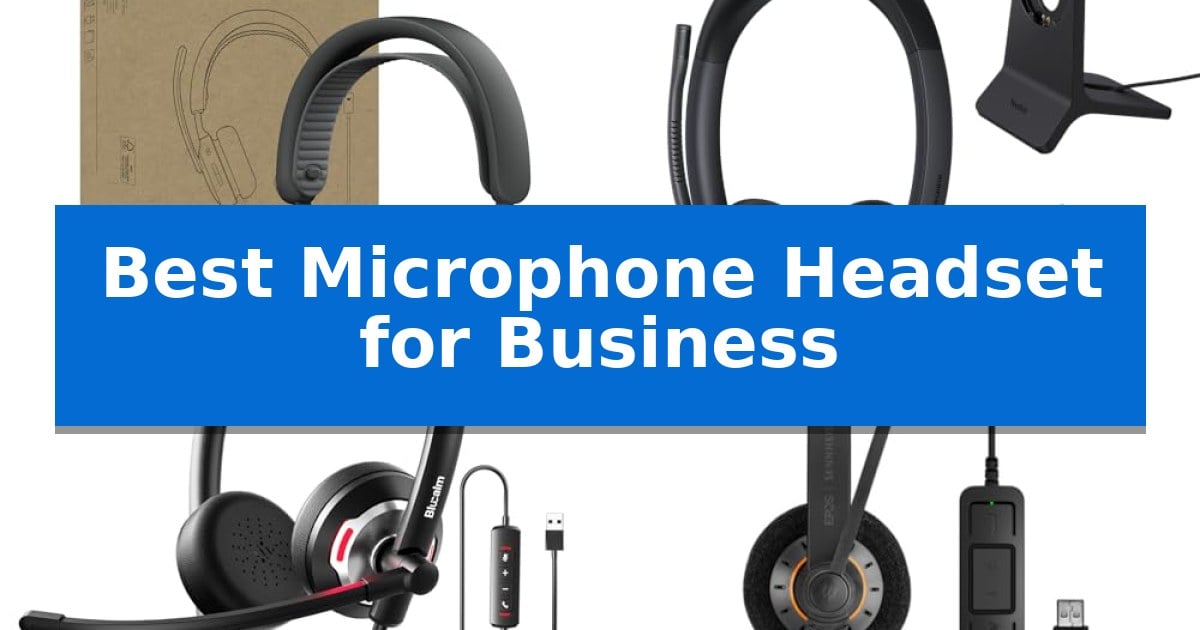
Finding the right communication tool is essential for maintaining professional standards during virtual meetings and client calls. A high-quality device ensures your voice is heard clearly while minimizing background distractions, which is why selecting the Best Microphone Headset for Business is a critical decision for any professional.
Whether you are working from a busy open office or a quiet home setup, the right headset balances audio fidelity with long-term wearability. We have analyzed current market offerings to help you identify the hardware that best fits your specific communication needs and daily workflow requirements.
You may also want to compare Best Microphone for Zoom Meetings, Best Microphone for Xbox One, and Best Microphone for Work from Home.
Best Microphone Headset for Business
Quick Comparison
| Product | Best For | Key Strength | Score |
|---|---|---|---|
| Logitech Zone Wired 2 Headset | Best Overall | Adaptive Hybrid ANC provides real-time noise adjustment without battery concerns. | 4.9 |
| Yealink BH74 Wireless Headset | Premium Teams Certified Performance | 6 AI-powered microphones for effective background noise suppression | 4.6 |
| Blucalm Wired Business Headset | Superior Background Noise Blocking | 3-microphone array effectively filters out over 96% of background noise. | 4.6 |
| EPOS Sennheiser SC 60 Headset | Reliable HD Audio Clarity | InLine Call Control for quick volume and mute management | 4.7 |
| OTYHVV Wireless Work Headset | Longest Battery for Remote Work | 40-hour talk time provides extended reliability for heavy users. | 4.9 |
How We Chose
- Microphone noise suppression capabilities for open office environments.
- Compatibility with major unified communications platforms like Microsoft Teams.
- Ergonomic design features for extended daily wear.
- Connectivity options including USB-C, USB-A, and wireless range.
- Battery performance and charging convenience for wireless models.
1 Logitech Zone Wired 2 Headset — Best for Open Office Focus
Maintaining clear communication in a bustling environment requires specialized hardware, and the Logitech Zone Wired 2 for Business Headset addresses this with its AI-based algorithms and dual noise-canceling microphones. By suppressing background chatter from nearby talkers, this device ensures that your voice remains the primary focus during conference calls, even in open office settings.
Engineered for sustained professional use, this headset features proprietary 40 mm drivers that are purpose-built to deliver both enhanced bass and precise sound tuning. The inclusion of Adaptive Hybrid ANC allows the headset to adjust noise cancellation in real time, helping users maintain concentration without the need for battery management, as the wired design provides a consistent, reliable connection.
Ergonomics play a significant role in all-day comfort, which is why the Logitech Zone Wired 2 for Business Headset utilizes a specialized strap design for balanced weight distribution. The package includes a USB-C to USB-A adapter, ensuring broad compatibility across various workstation setups, while its certification for Microsoft Teams confirms it meets strict requirements for high-quality audio in professional environments.
This headset is a practical solution for professionals who prioritize consistent performance and comfort over wireless mobility. By eliminating battery-related concerns and focusing on effective noise suppression, it serves as a reliable tool for those who spend their workday in collaborative or high-traffic office spaces.
Best for: Professionals working in open office environments who require reliable, battery-free noise cancellation and clear microphone performance.
Skip if: Users who require wireless freedom or mobility away from their desk will find the tethered nature of this wired headset restrictive.
PROS
- Adaptive Hybrid ANC provides real-time noise adjustment without battery concerns.
- AI-based microphone algorithms effectively suppress ambient office noise for clearer calls.
- Microsoft Teams certification ensures compatibility with professional communication standards.
- Balanced weight distribution design promotes comfort during extended wear.
CONS
- Wired-only connectivity limits movement compared to wireless alternatives.
2 Yealink BH74 Wireless Headset — Premium Teams Certified Performance
The Yealink BH74 Wireless Headset distinguishes itself through its 6 AI-powered microphones designed to isolate voices from common office distractions like keyboard clicks, background chatter, and even household noises. This headset is engineered for professionals who require consistent audio clarity in hybrid work environments, utilizing Yealink Acoustic Shield Technology 3.0 to filter ambient noise from all directions.
Designed for long-duration use, the headset features an ultra-lightweight 152g build with an ergonomic headband and soft memory foam cushions. The float-on-air design aims to distribute pressure evenly across the head, supporting comfort during extended meetings. Practical controls are integrated directly into the hardware, including a flip-to-mute microphone and a dual busy light that provides visual indicators to colleagues during active calls.
Connectivity and power management are central to its business utility, offering 32 hours of talk time and a rapid-charge feature that provides 45 minutes of usage from a 5-minute charge. It supports Bluetooth 5.3 with a wireless range of up to 50 meters, allowing for movement throughout an office space. The device is Microsoft Teams Certified and supports simultaneous connections to two devices, with a USB-C/A dongle included for seamless switching between platforms.
While the headset is optimized for business communication, the Adaptive EQ ensures a balanced sound profile for music playback as well. The inclusion of a charging dock and a dedicated storage bag with a mesh pocket for the dongle highlights its focus on organized, professional workflows.
Best for: Hybrid professionals who require high-quality noise cancellation and long battery life for frequent Microsoft Teams meetings.
Skip if: Users who prefer a wired connection or those who do not require advanced AI-powered noise cancellation for their work environment.
PROS
- 6 AI-powered microphones for effective background noise suppression
- 32-hour talk time with fast-charging capabilities
- Microsoft Teams Certified for seamless platform integration
- Ultra-lightweight 152g design with memory foam for all-day comfort
CONS
- Requires USB dongle management for multi-device switching if not using native Bluetooth
3 Blucalm Wired Business Headset — Superior Background Noise Blocking
Maintaining clear communication in a busy office environment requires equipment that can isolate your voice from the surrounding chaos. The Blucalm Wired Business Headset addresses this with a specialized 3-microphone array designed to intelligently block over 96% of background noise, ensuring your professional presence remains undisturbed by ambient office activity.
Beyond its noise-canceling capabilities, this headset prioritizes user awareness through an integrated 360° visible Busylight. This feature provides real-time status indicators, glowing red when you are on a call to prevent unnecessary interruptions, while also serving as an incoming call alert specifically for Microsoft Teams users.
Designed for extended work sessions, the headset features an adjustable headband and skin-friendly leather cushions over memory foam to provide comfort during long hours of use. The lightweight construction is complemented by a convenient in-line controller, which allows for immediate access to volume adjustments, microphone muting, and call management without needing to navigate software menus.
Connectivity is streamlined through a simple USB-A plug-and-play interface, removing the need for complex driver installations or software configurations. This straightforward design ensures the device is ready for use across various computer and laptop setups, providing a reliable audio solution for daily business operations and virtual meetings.
Best for: Professionals working in shared office spaces or call centers who require active background noise suppression and clear status indicators.
Skip if: Users who require wireless mobility or those whose workstations lack a standard USB-A port.
PROS
- 3-microphone array effectively filters out over 96% of background noise.
- Integrated 360° Busylight provides clear visual status updates to colleagues.
- Plug-and-play USB-A connectivity eliminates the need for software installation.
- In-line control allows for quick management of calls and audio levels.
CONS
- Wired connection limits movement compared to wireless alternatives.
- USB-A interface may require adapters for modern laptops lacking legacy ports.
4 EPOS Sennheiser SC 60 Headset — Reliable HD Audio Clarity
The EPOS Sennheiser SC 60 Headset prioritizes professional communication through its integrated InLine Call Control Unit, which allows users to manage volume, mute, and answer calls without reaching for their computer. This double-sided headset is engineered specifically for environments where clear, hands-free interaction is essential.
Audio quality is managed by a neodymium speaker that delivers HD sound, aiming for a natural voice experience during business calls. To maintain clarity in busy workspaces, the device features noise-cancelling technology designed to filter out background interference. The bendable boom arm ensures the microphone remains positioned correctly throughout extended use.
Designed for immediate deployment, the USB plug and play connectivity simplifies setup across compatible systems. The build focuses on comfort with large ear pads and a lightweight frame, while Active Gard technology provides a safety feature by protecting against sudden sound bursts on the line.
This headset is backed by a 2-year warranty that covers the unit, offering a reliable solution for professionals who require consistent performance. Its combination of durable construction and specialized audio features makes it a practical choice for daily business communication.
Best for: Professionals who need a reliable, plug-and-play USB headset for daily business calls and Skype for Business environments.
Skip if: Users who require wireless freedom or 3.5mm analog connectivity will find this USB-only, wired headset unsuitable for their needs.
PROS
- InLine Call Control for quick volume and mute management
- Noise-cancelling microphone to reduce background interference
- Active Gard technology for acoustic burst protection
- USB plug and play for simple, immediate deployment
CONS
- Wired USB connection limits mobility compared to wireless alternatives
- USB-only interface lacks compatibility with standard 3.5mm audio jacks
5 OTYHVV Wireless Work Headset — Longest Battery for Remote Work
Maintaining focus during back-to-back meetings requires reliable hardware, and the OTYHVV Wireless Work Headset addresses this with a 40-hour battery life and a dedicated charging base that keeps the device powered and organized. Designed for professionals who juggle multiple tasks, this headset simplifies daily workflows through a physical on/off toggle switch that ensures instant reconnection to your devices without the need for complex software menus.
The OTYHVV Wireless Work Headset features an AI-powered noise-canceling microphone mounted on a 270° rotatable boom. This design is specifically engineered to isolate your voice from common office or home distractions like keyboard clatter and background chatter. By utilizing the included USB dongle, users gain plug-and-play connectivity and reliable mute control, which is essential for maintaining professional standards during calls on platforms such as Zoom, Teams, and Skype.
Comfort and usability are central to this design, which weighs only 102g and features a single-ear configuration with memory foam cushioning. This allows users to remain aware of their surroundings while benefiting from a secure fit. Additionally, the multi-function button provides hands-free access to voice assistants like Siri, Google Assistant, or Alexa, allowing for quick adjustments or commands without interrupting your primary tasks.
For those working in hybrid environments or high-call-volume roles, the OTYHVV Wireless Work Headset offers a practical balance of performance and convenience. The inclusion of a dedicated mute button on the microphone boom provides immediate feedback, helping to prevent common communication errors during important discussions. It is a robust tool for anyone seeking to streamline their audio setup with a focus on long-term reliability and ease of use.
Best for: Remote workers and office professionals who require long battery life and reliable, noise-canceling audio for frequent, back-to-back virtual meetings.
Skip if: Users who prefer a binaural (dual-ear) headset for complete immersion or those who require high-fidelity stereo sound for music production.
PROS
- 40-hour talk time provides extended reliability for heavy users.
- AI-powered noise cancellation effectively isolates voice from background distractions.
- USB dongle included for stable, driver-free connectivity and PC mute support.
- Charging base keeps the device organized and powered between calls.
CONS
- Single-ear design may not be suitable for environments where total noise isolation is required.
- PC mute functionality is dependent on the use of the included USB dongle.
Best Microphone Headset for Business Buying Guide
Connectivity and Compatibility
The foundation of a reliable business headset is how it connects to your workstation. Most modern devices utilize USB-C or USB-A adapters to ensure a stable, plug-and-play experience that avoids the latency sometimes associated with standard Bluetooth connections.
For professionals using specific platforms like Microsoft Teams, choosing a certified headset ensures that call controls—such as mute, volume, and answer/end functions—work seamlessly without additional software configuration.
Noise Cancellation Technology
In a professional setting, the ability to filter out ambient noise is paramount. Adaptive Hybrid ANC and AI-based microphone algorithms are designed to isolate your voice from common distractions like keyboard clicks, nearby conversations, or household noise.
When evaluating headsets, consider whether you need active noise cancellation for the speakers to help you focus, or if your primary concern is the microphone's ability to transmit a clean signal to your listeners.
Ergonomics and Long-Term Comfort
Since business calls can last for hours, the physical design of the headset is as important as its technical specs. Look for balanced weight distribution and adjustable headbands that prevent pressure points during back-to-back meetings.
Materials like memory foam ear cushions and skin-friendly leatherette provide the comfort necessary for all-day use. A lightweight build also reduces neck strain, allowing you to remain focused on your tasks rather than your equipment.
Battery Life and Charging
For wireless users, battery capacity determines your freedom of movement. High-performance headsets often provide over 30 hours of talk time, which is sufficient for several full working days on a single charge.
Charging docks or fast-charging capabilities are valuable additions for busy professionals. These features minimize downtime and ensure your headset is ready for the next call, even if you forget to charge it overnight.
Call Management and Controls
Efficient call management is facilitated by intuitive controls located directly on the headset or an in-line controller. Features like flip-to-mute microphones or dedicated mute buttons provide instant status control, preventing accidental audio leaks.
Visual indicators, such as integrated busylights, serve as a helpful signal to colleagues in an office environment, letting them know when you are in a meeting and should not be interrupted.
Frequently Asked Questions
Do I need a Microsoft Teams certified headset?
While not strictly required, a Teams-certified headset ensures that hardware buttons for muting, volume, and call answering are natively supported by the software, providing a more reliable experience.
Is a wired or wireless headset better for business?
Wired headsets are ideal for users who want to avoid battery anxiety and ensure the most stable connection. Wireless headsets offer greater mobility, which is beneficial for those who need to move around their workspace during calls.
How does AI noise cancellation help in an office?
AI-powered microphones analyze the sound environment to actively suppress non-human noises and background chatter, ensuring that your voice remains the primary focus for the listener.
Can I use these headsets for music as well as calls?
Yes, most business headsets are designed with high-quality drivers that handle music playback well, though their primary focus remains on voice frequency response for clear communication.
What is the benefit of a charging dock?
A charging dock keeps your headset organized and powered when not in use, ensuring you always have a dedicated spot for your device and reducing cable clutter on your desk.
Conclusion: Our Top Pick
Selecting the right equipment is a vital step in maintaining professional communication. After reviewing the available options, the Logitech Zone Wired 2 Headset stands out as a reliable choice for those who prioritize focus and consistent performance in an office environment.
Its combination of adaptive noise cancellation, Microsoft Teams certification, and a comfortable design makes it a highly effective tool for daily business operations. While wireless alternatives offer more mobility, the wired design of this model ensures you never have to worry about battery life during critical meetings.