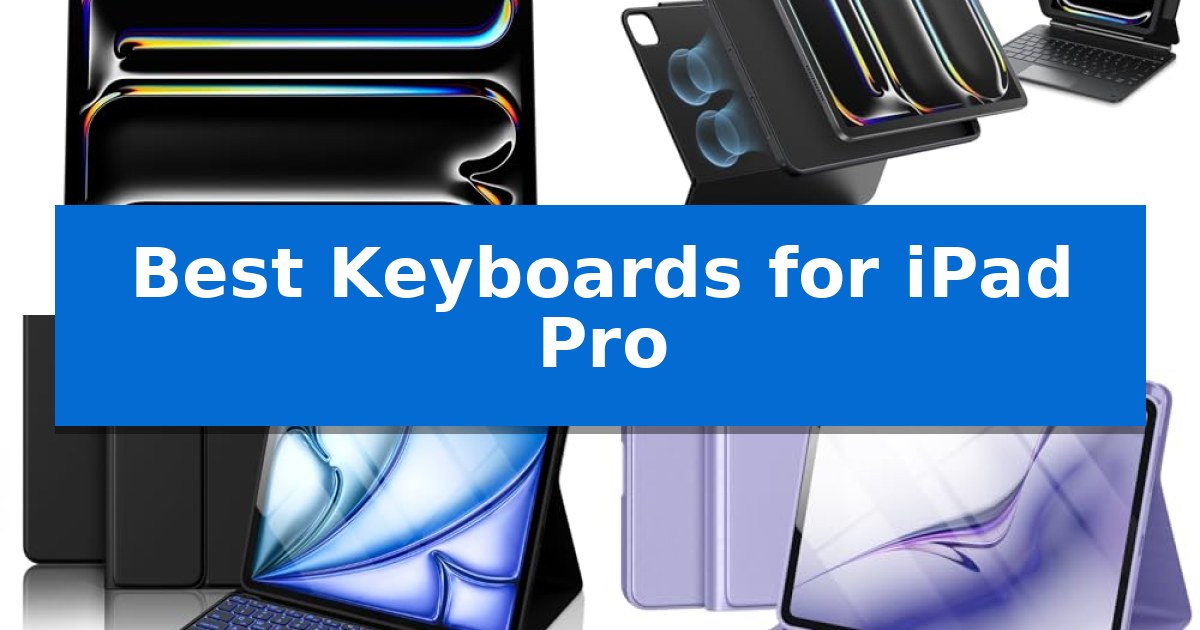
Best Keyboards for Laptops in 2026

Best Keyboards for Laptops

Finding the right peripheral can significantly transform your daily computing experience. If you find yourself struggling with cramped keys or limited input options on your portable device, the Best Keyboards for Laptops can provide the necessary ergonomic support and layout efficiency to streamline your workflow.

Whether you prioritize a clutter-free wireless setup or a simple, reliable wired connection, selecting the right model depends on your specific desk environment and typing habits. We have analyzed several popular options to help you identify which features—from spill-resistant designs to high-visibility keys—best suit your professional or personal setup.
Best Keyboards for Laptops in 2026

Our Top Picks
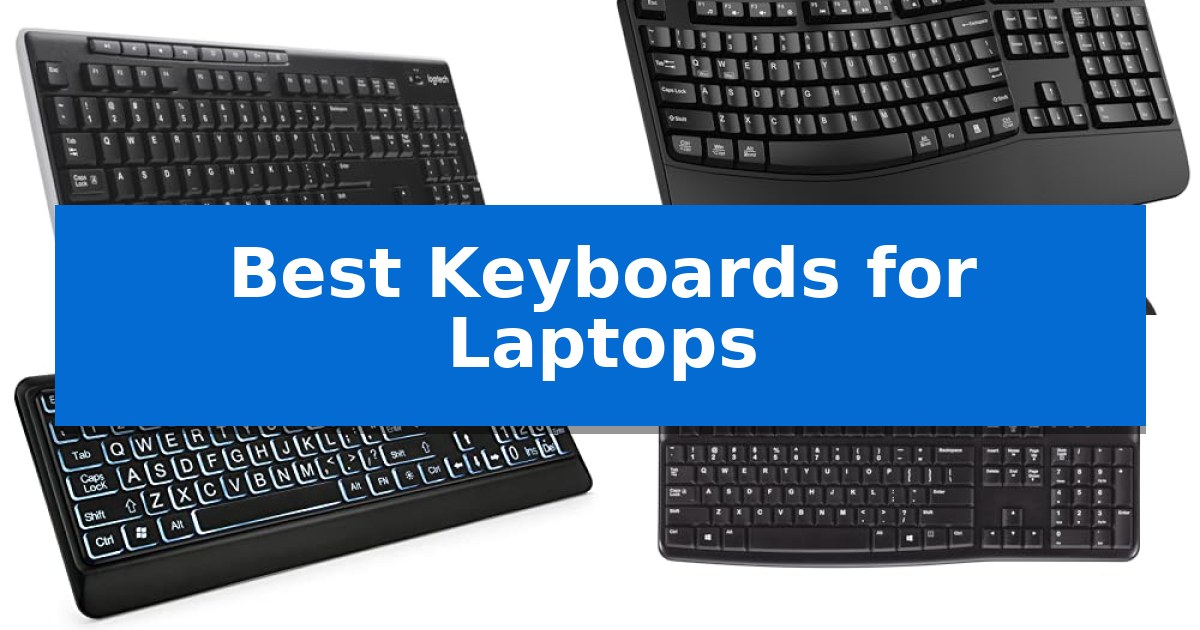
  1. Simple Plug-and-Play Logitech K120 Wired Keyboard
  2. Budget Friendly Essential Amazon Basics Wired QWERTY Keyboard

Quick Comparison

Product Best For Key Strength Score
Logitech MK270 Wireless Keyboard and Mouse Best Overall Single USB-A Nano Receiver for clutter-free connectivity. 4.9
ULSOU EK30 Wireless Keyboard and Mouse Ergonomic Wave Design Wave ergonomic design with integrated wrist rest to reduce strain. 4.3
KOPJIPPOM Large Print Backlit Keyboard High Visibility Keys 4X larger font size for superior readability 4.3
Logitech K120 Wired Keyboard Simple Plug-and-Play Plug-and-play USB connectivity requires no software installation. 4.4
Amazon Basics Wired QWERTY Keyboard Budget Friendly Essential Plug and play USB wired connectivity for immediate setup. 4.3

How We Chose

  • Connectivity stability and range for wireless models.
  • Ergonomic features including wrist support and key layout.
  • Durability factors such as spill-resistant construction.
  • Accessibility options like large-print keys and backlighting.
  • Compatibility with common operating systems including Windows and macOS.

1 Logitech MK270 Wireless Keyboard and Mouse — Reliable Wireless Connectivity

The Logitech MK270 Wireless Keyboard and Mouse provides a streamlined workspace solution by utilizing a single USB-A Nano Receiver to connect both peripherals. This setup eliminates cable clutter while maintaining a reliable wireless connection up to 33 feet, making it a practical choice for users who frequently switch between different laptop workstations or need to clear desk space.

Designed for daily utility, the keyboard features a full-size layout that includes a dedicated number pad, arrow keys, and full-size F-keys. The low-profile, quiet keys are engineered for comfortable typing, while the spill-resistant design and adjustable tilt legs add a layer of durability for long-term use. Users can manage media and system functions quickly using the eight integrated multimedia hotkeys.

The included compact mouse is built for ambidextrous use, ensuring comfort for both left- and right-handed individuals. It offers smooth cursor control across most surfaces, providing consistent navigation. Both devices are designed with efficiency in mind, featuring on/off switches that contribute to an impressive battery life of up to 36 months for the keyboard and 12 months for the mouse.

Sustainability is integrated into the build, as the plastic components contain certified post-consumer recycled plastic—49% in the mouse and 54% in the keyboard. This combination offers a straightforward, plug-and-play experience for those seeking a reliable, full-sized input method for their laptop without the complexity of software installation.

Best for: Users seeking a reliable, full-sized wireless keyboard and mouse combo that simplifies desk connectivity via a single USB receiver.

Skip if: Users who require a compact, portable keyboard for travel or those who prefer mechanical switches and advanced customization software.

PROS

  • Single USB-A Nano Receiver for clutter-free connectivity.
  • Spill-resistant design and durable construction.
  • Extended battery life up to 36 months for the keyboard.
  • Eight multimedia hotkeys for quick system access.

CONS

  • Requires a USB-A port, which may necessitate an adapter for modern laptops lacking legacy ports.

2 ULSOU EK30 Wireless Keyboard and Mouse — Ergonomic Wave Design

Improving your workstation comfort often begins with a more ergonomic approach to your input devices, and the ULSOU EK30 Wireless Keyboard and Mouse is designed to address this through its specialized wave key and wrist rest design. By conforming to the natural position of your fingers and providing integrated support for your wrists, this setup aims to reduce strain during extended typing sessions.

The ULSOU EK30 Wireless Keyboard and Mouse utilizes a 2.4 GHz wireless connection via a single USB receiver, which manages both devices simultaneously to keep your desk clutter-free. This plug-and-play system requires no software installation and maintains a reliable signal at distances up to 33 feet. For added convenience, the keyboard includes an adjustable stand to customize the typing angle to your personal preference.

Efficiency is supported by an automatic power-saving function that triggers sleep mode after 30 seconds of inactivity for the keyboard and 15 minutes for the mouse, helping to preserve the life of the required AA batteries. The mouse features a contoured shape for right-handed use and includes dedicated forward and back buttons to streamline web navigation.

Compatibility is broad, supporting Windows and macOS systems with a quick FN+Q or FN+W shortcut to toggle between layouts. Whether you are working on a laptop, desktop, or Chromebook, this combo provides a consistent interface for your daily tasks.

Best for: Users seeking an ergonomic, full-sized keyboard and mouse combo that supports both Windows and macOS with a simple, clutter-free wireless connection.

Skip if: Users who require a compact, low-profile keyboard for travel or those who prefer mechanical switches for tactile feedback.

PROS

  • Wave ergonomic design with integrated wrist rest to reduce strain.
  • Single 2.4 GHz USB receiver for both keyboard and mouse.
  • Dual system layout with easy switching between Windows and macOS.
  • Automatic power-saving mode to extend battery life.

CONS

  • Batteries not included in the package.
  • Full-size footprint may be too large for small desk setups.

3 KOPJIPPOM Large Print Backlit Keyboard — High Visibility Keys

For users who require enhanced visibility and reliable performance, the KOPJIPPOM Large Print Backlit Keyboard offers a practical solution with its 4X larger font size compared to standard keys. This design choice ensures that characters remain clear and easy to identify, providing a more accessible typing experience for those who need extra visual clarity during daily tasks.

The keyboard features a full-size 104-key QWERTY layout, complete with a dedicated numeric keypad, allowing for seamless integration into existing workflows without the need to relearn typing habits. Its white LED backlight is adjustable, enabling comfortable use in low-light environments, which is particularly beneficial for office or studio settings where lighting conditions may vary.

Built for durability and ease of use, the unit includes a spill-resistant design to protect against accidental liquid contact. The plug-and-play USB connectivity eliminates the need for drivers or battery management, ensuring consistent power and immediate compatibility with Windows systems, Raspberry Pi, and Mac OS environments.

Ergonomics are addressed through foldable rear feet, which allow users to adjust the typing angle to help reduce hand fatigue during extended sessions. With a rated key life exceeding 50 million presses, this keyboard is engineered to provide a stable and long-lasting input method for both laptop and desktop setups.

Best for: Users who prioritize high-visibility key legends and a standard full-size layout for improved accessibility and comfort.

Skip if: Users who require a compact, space-saving design or wireless connectivity for a clutter-free desk setup.

PROS

  • 4X larger font size for superior readability
  • Adjustable white LED backlighting for low-light visibility
  • Spill-resistant construction for increased durability
  • Plug-and-play USB connectivity requires no drivers or batteries

CONS

  • Full-size footprint may be too large for small workstations
  • Wired-only connection limits portability

4 Logitech K120 Wired Keyboard — Simple Plug-and-Play

Reliability in a workspace often comes down to the simplicity of your tools, and the Logitech K120 Wired Keyboard focuses on providing a straightforward, no-nonsense typing experience. By utilizing a standard full-size layout complete with a dedicated number pad and F-keys, this peripheral ensures that you have all the necessary inputs for productivity without the need for complex software installations.

Designed with daily utility in mind, the keyboard features deep-profile keys that offer a familiar tactile feel. Its spill-resistant design adds a layer of durability against accidental liquid exposure, while the sturdy tilt legs allow you to adjust the typing angle to suit your desk setup. The construction also incorporates 51% certified post-consumer recycled plastic, reflecting a focus on material sourcing.

Setting up the device is instantaneous, as it connects via a standard USB port, making it compatible with Windows 7, 8, 10, or later versions. Whether you are working from a desktop or a laptop, the plug-and-play functionality removes the friction of driver management. With a 2-year warranty included, it serves as a dependable, long-term input solution for home or office environments.

For users searching for the Best Keyboards for Laptops, this model offers a reliable wired alternative to integrated laptop keyboards. The full-size layout provides a significant ergonomic advantage for data entry tasks that require a dedicated number pad, which is often missing from portable machines. While the wired connection requires a USB port, it eliminates concerns regarding battery life or wireless interference, ensuring consistent performance throughout the workday.

Best for: Users seeking a durable, full-size, plug-and-play wired keyboard for standard office or home productivity tasks.

Skip if: Users who require wireless connectivity, mechanical switches, or a compact, space-saving footprint for travel.

PROS

  • Plug-and-play USB connectivity requires no software installation.
  • Spill-resistant design protects against minor accidents.
  • Full-size layout includes a number pad and dedicated F-keys.
  • Adjustable tilt legs provide customizable typing angles.

CONS

  • Wired-only connection limits desk cable management options.
  • Full-size footprint may be too large for small or minimalist workspaces.

5 Amazon Basics Wired QWERTY Keyboard — Budget Friendly Essential

The Amazon Basics Wired QWERTY Keyboard provides a straightforward, full-sized typing experience for users who prefer a reliable, plug-and-play connection. Measuring 17.39 inches in length, this keyboard offers a standard layout that integrates seamlessly into professional or personal workspaces without requiring complex software installation.

Designed with a focus on functional efficiency, the device features dedicated hot keys that provide quick access to media controls, volume adjustment, mute, and the calculator. This layout ensures that essential tasks remain accessible, reducing the need to navigate through on-screen menus while working on Windows-based systems.

The keyboard is constructed with a sleek black finish, allowing it to blend into most office or home setups. Its wired USB connection ensures consistent performance, eliminating the need for battery management or wireless pairing concerns. This makes it a practical choice for those who prioritize a stable, always-ready input device for their daily computing needs.

Compatibility is a primary strength of this model, as it is engineered to function across multiple versions of Windows, including 7, 8, and 10. By maintaining a familiar QWERTY configuration, it supports a comfortable transition for users accustomed to standard desktop layouts, ensuring that the device remains a versatile addition to any workstation.

Best for: Users who require a reliable, full-sized, and simple wired keyboard for Windows-based desktop or laptop setups.

Skip if: Users who need a wireless connection, a compact footprint for travel, or compatibility with non-Windows operating systems.

PROS

  • Plug and play USB wired connectivity for immediate setup.
  • Full-sized QWERTY layout provides a familiar and comfortable typing experience.
  • Dedicated hot keys for media control, volume, and calculator access.
  • Broad compatibility with multiple Windows operating systems.

CONS

  • Wired-only connection limits portability and cable-free desk management.
  • Full-sized dimensions may be too large for small or minimalist workspaces.

Best Keyboards for Laptops Buying Guide

Connectivity and Setup

The primary decision when choosing a keyboard is between wired and wireless connectivity. Wired keyboards, such as those using a standard USB-A connection, offer a plug-and-play experience that requires no battery management, making them ideal for stationary desk setups.

Wireless options typically utilize a 2.4 GHz USB receiver, providing freedom from cable clutter while maintaining a reliable connection. When selecting a wireless model, consider the battery life and the convenience of on/off switches to ensure long-term usability without frequent maintenance.

Ergonomics and Typing Comfort

Typing for extended periods requires a layout that minimizes strain. Look for features like adjustable tilt legs, which allow you to customize the keyboard angle to a more natural position for your wrists.

Some models incorporate a wave key design or integrated wrist rests. These ergonomic enhancements are specifically engineered to fit the natural curve of your fingers and reduce the physical fatigue often associated with long-term data entry or writing tasks.

Durability and Maintenance

Accidental spills are a common hazard in any workspace. Many modern keyboards feature a spill-resistant design, which helps protect the internal electronics from minor liquid mishaps. This is a critical factor for users who frequently have beverages at their desks.

Durable construction also extends to the keys themselves. Features like anti-fade key labels ensure that your keyboard remains legible even after years of heavy use, maintaining both its aesthetic appeal and functional clarity.

Accessibility and Visibility

For users who require extra visual assistance, keyboards with large-print fonts are an essential consideration. These keys are often significantly larger than standard lettering, making them easier to identify for those with visual impairments or for use in low-light environments.

Additionally, LED backlighting provides clear visibility in dim rooms or late-night work sessions. Adjustable brightness levels allow you to tailor the illumination to your specific environment, ensuring that you can always see your keys clearly.

Layout and Multimedia Controls

A full-size layout includes a dedicated numeric keypad and function keys, which are vital for productivity tasks like accounting or data management. These layouts provide a familiar experience that mimics standard desktop setups.

Look for integrated multimedia hotkeys that offer instant access to volume, playback, and system tools. These shortcuts can significantly speed up your workflow by reducing the need to navigate through software menus for basic system adjustments.

Frequently Asked Questions

Are these keyboards compatible with both Windows and Mac?

Most of these keyboards are designed for Windows compatibility. While many will function with macOS, some specific multimedia keys or features may have limited functionality depending on the operating system.

Do I need to install software for these keyboards?

Most of the models listed are plug-and-play, meaning they do not require any additional software or driver downloads to function immediately upon connecting to your laptop.

How do I know if a wireless keyboard is compatible with my laptop?

If your laptop has a standard USB-A port, you can use the included USB Nano Receiver. Ensure your laptop supports the necessary port type for the receiver provided with the keyboard.

What is the benefit of a spill-resistant design?

A spill-resistant design is built to allow liquid to drain out of the keyboard, helping to prevent damage to the internal circuitry in the event of an accidental spill.

How often will I need to change the batteries in a wireless keyboard?

Battery life varies by model, but many modern wireless keyboards feature power-saving modes that can extend battery life for months or even years, depending on usage frequency.

Conclusion: Our Top Pick

For most users seeking a balance of reliability and convenience, the Logitech MK270 Wireless Keyboard and Mouse stands out as the most practical choice. Its combination of a spill-resistant design, long battery life, and simple plug-and-play connectivity makes it a dependable addition to any laptop setup.

While other models offer specialized features like ergonomic wave designs or high-visibility backlighting, the MK270 provides a consistent, high-quality typing experience that fits the needs of a wide range of professionals and casual users alike.
Best Keyboards for Lap Use in 2026: Stable Typing on Any Surface

Best Keyboards for Lap Use

Finding the right setup for working from a sofa or armchair can be a challenge, especially when your hardware lacks the stability required for a flat surface. The Best Keyboards for Lap Use must balance portability with a rigid design that prevents unwanted flexing or collapsing during use.

Whether you are looking for a dedicated lap desk to support your existing gear or a specialized foldable keyboard designed for stability on soft surfaces, selecting the right tool is essential for maintaining comfort. This guide evaluates top options to help you achieve a reliable and ergonomic typing experience wherever you choose to sit.

Best Keyboards for Lap Use in 2026: Stable Typing on Any Surface

Our Top Picks
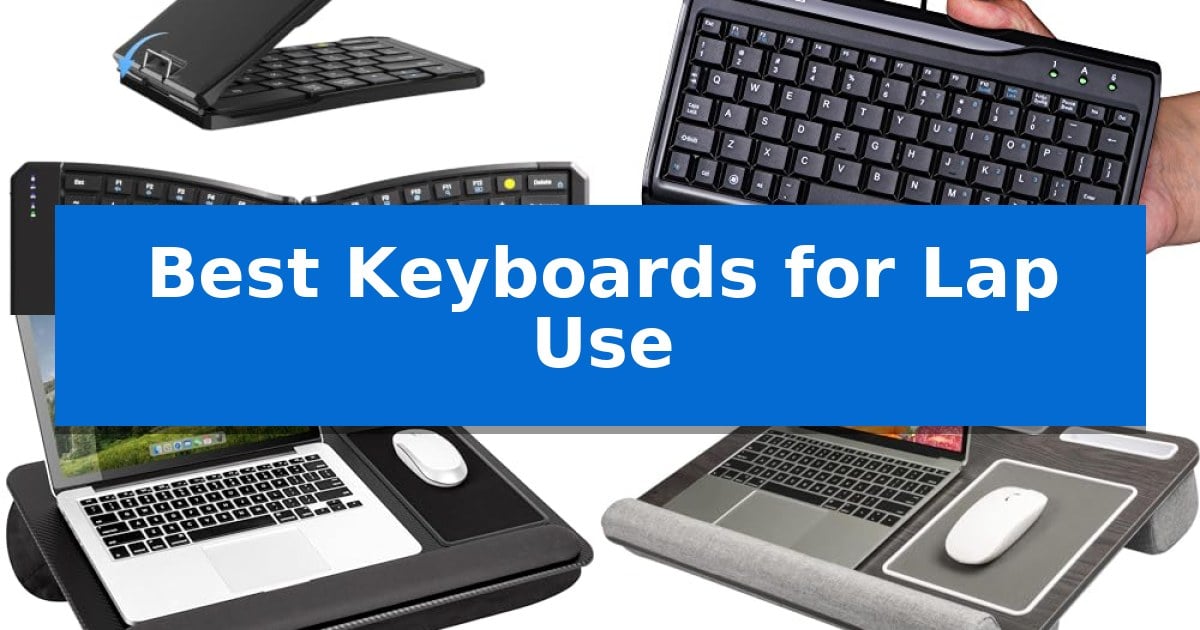
  1. Compact footprint for tight spaces MCSaite Super Mini Wired Keyboard
  2. Integrated mouse pad and phone slot LapGear Home Office Pro Lap Desk
  3. Supports larger laptop setups HUANUO Lap Desk
  4. Lightweight for easy portability LapGear Compact Lap Desk

Quick Comparison

Product Best For Key Strength Score
Yadkbo Ergonomic Foldable Keyboard Best Overall Built-in metal support ensures stability on soft surfaces. 4.9
MCSaite Super Mini Wired Keyboard Compact footprint for tight spaces Compact 8.66-inch length fits easily on laps or small desks. 4.7
LapGear Home Office Pro Lap Desk Integrated mouse pad and phone slot Integrated mouse pad and phone slot for improved workflow. 4.8
HUANUO Lap Desk Supports larger laptop setups Supports up to 17-inch laptops with a spacious wood panel. 4.3
LapGear Compact Lap Desk Lightweight for easy portability Microbead cushion provides long-lasting comfort and stability on the lap. 4.8

How We Chose

  • Structural rigidity to prevent folding or sagging on soft surfaces.
  • Ergonomic layout options to reduce wrist strain during extended sessions.
  • Multi-device connectivity for seamless switching between tablets and laptops.
  • Portability features including weight and integrated storage designs.
  • Surface compatibility to ensure a secure grip on fabrics and cushions.

1 Yadkbo Ergonomic Foldable Keyboard — Stable typing on soft surfaces

Achieving a stable typing experience on soft surfaces like your lap requires a keyboard that resists flexing and folding under pressure. The Yadkbo Ergonomic Foldable Keyboard addresses this with a built-in rear metal support structure that locks the device flat, ensuring it remains rigid during use on knees or cushions.

Designed for portability without sacrificing ergonomics, this keyboard features a 166-degree split V-shape layout intended to align wrists and hands in a more natural posture. While it requires a brief 1–2 day adaptation period, the design aims to reduce joint strain during extended typing sessions. The unit is constructed with scratch-resistant PU leather and utilizes magnetic adsorption to stay securely closed while in transit.

The keyboard offers versatile connectivity, supporting up to 3 devices simultaneously via dual Bluetooth channels and an included 2.4G USB wireless receiver. Users can toggle between devices using dedicated hotkeys, maintaining a stable connection up to 33 feet. It is compatible with Windows, macOS, iOS, iPadOS, and Android systems, making it a flexible tool for multi-device workflows.

For those who prioritize a quiet environment, the low-profile scissor-switch keys are engineered to eliminate up to 90% of click noise while providing responsive tactile feedback. The device is powered by a 210mAh rechargeable battery, offering up to 70 hours of continuous typing. An integrated LED flash system allows for quick power checks, and an auto-sleep mode activates after 10 minutes of inactivity to preserve battery life.

Best for: Users who need a portable, ergonomic typing solution that remains stable when used on laps or soft surfaces.

Skip if: Users who prefer a traditional, non-split keyboard layout or require a full-sized numeric keypad.

PROS

  • Built-in metal support ensures stability on soft surfaces.
  • Split V-shape design promotes a more natural hand and wrist posture.
  • Multi-device connectivity allows switching between three devices via Bluetooth or 2.4G.
  • Whisper-quiet scissor switches reduce typing noise by up to 90%.

CONS

  • Adaptation period required to adjust to the split ergonomic layout.

2 MCSaite Super Mini Wired Keyboard — Compact footprint for tight spaces

Finding a reliable typing surface while working from a couch or chair requires a balance of stability and physical dimensions. The MCSaite Super Mini Wired Keyboard addresses this by offering a compact 8.66 x 4.64-inch footprint, making it a practical choice for those who need to maintain a workspace on their lap without the bulk of a full-sized peripheral.

This device features a 78-key layout that provides essential functionality in a small stature. Constructed from high-grade PVC material, the keyboard is designed for durability during frequent handling. It utilizes a wired USB connection to ensure consistent, plug-and-play operation with any laptop or desktop, eliminating concerns about wireless signal interference or battery depletion during use.

Stability is a primary concern when using a keyboard on uneven surfaces like a lap. To address this, the unit includes a non-slip mat on the base to prevent sliding during operation. The keys are built for comfort, having undergone a 1 million-cycle test to ensure reliable performance over time, while the laser-engraved keypad ensures the characters remain legible through extended use.

While the wired connection offers simplicity, users should note the 1.5-meter cable length, which may require careful positioning depending on the distance to the host computer. The MCSaite Super Mini Wired Keyboard prioritizes a minimalist design, making it an efficient solution for users who value a stable, compact typing experience over advanced wireless features.

Best for: Users needing a stable, compact, and reliable wired keyboard for tight spaces or lap-based computing.

Skip if: Users who require wireless freedom or a full-sized layout with a dedicated number pad will find this compact model too restrictive.

PROS

  • Compact 8.66-inch length fits easily on laps or small desks.
  • Non-slip base provides stability on uneven surfaces.
  • Wired USB plug-and-play ensures consistent connectivity.
  • Durable PVC construction tested for 1 million cycles.

CONS

  • Wired cable limits range of motion compared to wireless alternatives.
  • 78-key layout lacks the dedicated number pad found on larger keyboards.

3 LapGear Home Office Pro Lap Desk — Integrated mouse pad and phone slot

Maintaining a stable workspace while working from a couch or recliner requires a platform that balances surface area with lap comfort. The LapGear Home Office Pro Lap Desk addresses this by providing a 21.1-inch by 14.1-inch workspace, specifically designed to accommodate laptops up to 15.6 inches while incorporating dedicated utility features.

The desk features a dual-bolster micro-bead cushion system, which is engineered to provide airflow and stability, helping to keep the user's lap cool during extended sessions. The solid surface is finished in a black carbon aesthetic and includes a built-in precision tracking mouse pad measuring 5×9 inches, alongside a dedicated phone slot for device management.

Ergonomics are supported by an integrated cushioned wrist rest, which provides a stable point of contact for typing. For portability, the unit weighs 2.8 lbs and includes an integrated carry handle, allowing for easy transport between rooms or during travel.

Designed for versatility, the LapGear Home Office Pro Lap Desk offers a rigid foundation that prevents laptop overheating by promoting air circulation. This makes it a practical solution for users who require a dedicated, portable surface that integrates essential accessories like a mouse and smartphone into a single, cohesive setup.

Best for: Users who need a stable, all-in-one portable workspace that integrates a mouse pad and phone slot for 15.6-inch laptops.

Skip if: Users who require a height-adjustable stand or a desk with integrated cooling fans for high-performance thermal management.

PROS

  • Integrated mouse pad and phone slot for improved workflow.
  • Dual-bolster cushion design promotes airflow and comfort.
  • Lightweight construction with a built-in carry handle for portability.
  • Spacious surface fits laptops up to 15.6 inches.

CONS

  • Fixed height design lacks ergonomic adjustability for viewing angles.

4 HUANUO Lap Desk — Supports larger laptop setups

Working from a couch or chair often leads to poor posture and unstable surfaces for your hardware. The HUANUO Lap Desk addresses this by providing a stable, environmentally friendly engineered wood panel that supports laptops up to 17 inches in size. Its design focuses on creating a dedicated workspace that remains comfortable whether you are sitting on a sofa or working while traveling.

The desk integrates several practical features to keep your peripherals organized. It includes a tablet holder and a phone holder, ensuring your secondary devices are always within reach. For those who prefer using an external mouse, the integrated mouse pad on the right side provides a dedicated surface, while the left side offers enough room to accommodate a 14-inch laptop comfortably.

Stability and comfort are central to its construction. The dual cushion base is designed to conform to the shape of your lap, providing a secure foundation that prevents the desk from shifting. Additionally, the wrist pad serves a dual purpose: it provides ergonomic support during typing and acts as a physical barrier to prevent your laptop from sliding off the wood surface.

Portability is a key advantage for users who move between rooms or travel frequently. Weighing only 4.3lbs and featuring a built-in handle, the HUANUO Lap Desk is easy to transport to a coffee shop, library, or office. This lightweight design allows you to maintain a consistent, organized setup regardless of your environment.

Best for: Users who need a stable, portable, and organized surface for 17-inch laptops and mobile devices while working from a lap.

Skip if: Users who require an adjustable-height stand or a desk with integrated cooling fans, as this model is a stationary surface.

PROS

  • Supports up to 17-inch laptops with a spacious wood panel.
  • Built-in device holders for tablets and phones.
  • Dual cushion base for improved lap comfort and stability.
  • Lightweight design with a handle for easy transport.

CONS

  • Fixed angle design lacks adjustable height or tilt options.
  • No integrated cooling or active airflow features.

5 LapGear Compact Lap Desk — Lightweight for easy portability

Working from a couch or recliner often leads to an unstable surface for your laptop, but the LapGear Compact Lap Desk addresses this with a dedicated microbead cushion base. This design choice provides a stable, contoured foundation that conforms to your legs, ensuring your device remains level while you work, study, or browse.

The LapGear Compact Lap Desk features a cool, flat work surface measuring 14.5" x 10.5", specifically sized to accommodate laptops up to 14 inches. The platform is designed to be sturdy, offering a reliable workspace that keeps your device elevated and away from direct contact with your lap, which can help with airflow.

For added utility, the desk includes a built-in pencil slot to keep writing instruments secure while you are active. Its lightweight design and integrated carry handle make it simple to transport between rooms or store away in tight spaces, such as under a bed or beside furniture, when not in use.

This desk is built for those who prioritize portability and simple organization in their home office setup. While it lacks the extra device ledge found on larger models, the LapGear Compact Lap Desk remains a functional, space-saving solution for anyone needing a consistent surface for mobile computing.

Best for: Users needing a portable, stable, and compact surface for 14-inch laptops while working from a couch or chair.

Skip if: Users who require a larger workspace for 17-inch laptops or those who need a dedicated device ledge for screen stability should consider the larger version of this product.

PROS

  • Microbead cushion provides long-lasting comfort and stability on the lap.
  • Lightweight design with a built-in handle for easy storage and portability.
  • Sturdy, flat platform creates a dedicated workspace for 14-inch laptops.

CONS

  • Limited surface area restricts use to smaller laptops compared to the 17-inch model.
  • Lacks a device ledge for extra screen security.

Best Keyboards for Lap Use Buying Guide

Stability and Surface Support

The most critical factor for any keyboard used on a lap is its ability to remain rigid. Unlike a desk, a lap is an uneven, soft surface that can cause standard thin keyboards to flex or even fold if they are not designed with a reinforced chassis.

Look for models that feature a built-in rear metal support structure or a dedicated lap desk base. These designs ensure that the keyboard remains flat, providing a consistent typing surface that does not shift or collapse under the pressure of your hands.

Ergonomics for Mobile Productivity

Typing on a lap often forces your wrists into awkward angles. Keyboards with an ergonomic V-shape design or split key layout can help align your hands more naturally, significantly reducing joint strain during long sessions.

While these designs may require a short adaptation period, the long-term benefit is a more comfortable posture. Always check for low-profile switches that provide tactile feedback without requiring excessive force, which helps minimize fatigue.

Connectivity and Multi-Device Use

Modern mobile workflows often involve switching between a laptop, tablet, and smartphone. A keyboard that supports multi-device connectivity via Bluetooth or a 2.4G wireless receiver is highly advantageous.

Ensure the model you choose allows for quick toggling between devices using dedicated hotkeys. This functionality streamlines your workflow, allowing you to move from a document on your laptop to a quick message on your phone without re-pairing.

Portability and Battery Life

If you frequently work in coffee shops or while traveling, the weight and size of your keyboard are paramount. Foldable designs are excellent for saving space in a bag, provided they include magnetic adsorption to keep them securely closed.

Battery efficiency is equally important. Look for rechargeable units that offer at least 70 hours of continuous typing and include an intelligent auto-sleep mode to preserve power when the device is inactive.

Integrated Features for Convenience

Some lap-based solutions include extra features like built-in mouse pads, phone slots, or dedicated media hotkeys. These additions can significantly improve your efficiency by keeping all your essential tools within reach.

A dedicated Fn Lock function is particularly useful for users who rely on shortcuts for screen capture, volume, and task switching. These small design choices can make a substantial difference in your daily productivity.

Frequently Asked Questions

Can I use a standard keyboard on my lap?

While possible, standard keyboards often lack the structural rigidity to remain flat on a soft surface. Using a lap desk or a keyboard specifically designed for lap use is recommended to prevent flexing.

How do I ensure my keyboard stays stable on a soft surface?

Look for keyboards with a reinforced metal support structure or use a lap desk with a dual-bolster cushion. These features provide a solid platform and improve airflow to keep your lap cool.

Are ergonomic keyboards difficult to learn?

Most ergonomic keyboards, such as those with a V-shape layout, require a brief 1–2 day adaptation period. Once you adjust to the natural hand alignment, they often provide superior long-term comfort.

What is the benefit of a multi-device keyboard?

A multi-device keyboard allows you to connect to and toggle between several devices, such as a laptop and an iPad, using quick hotkeys, which is ideal for multitasking.

How can I check the battery level on my wireless keyboard?

Many modern wireless keyboards feature intuitive LED flash indicators that display remaining power when you press a specific key combination, such as Fn + Shift.

Conclusion: Our Top Pick

For those seeking the most versatile and stable solution for working from a couch or chair, the Yadkbo Ergonomic Foldable Keyboard stands out as our top recommendation. Its unique combination of a reinforced metal support structure and an ergonomic split-key layout provides a level of comfort and stability that is difficult to match in a portable form factor.

While it is an excellent choice for most users, keep in mind that the ergonomic V-shape design may require a short adjustment period if you are transitioning from a traditional flat keyboard. Its ability to connect to three devices simultaneously and its long-lasting rechargeable battery make it a highly efficient tool for any mobile professional.

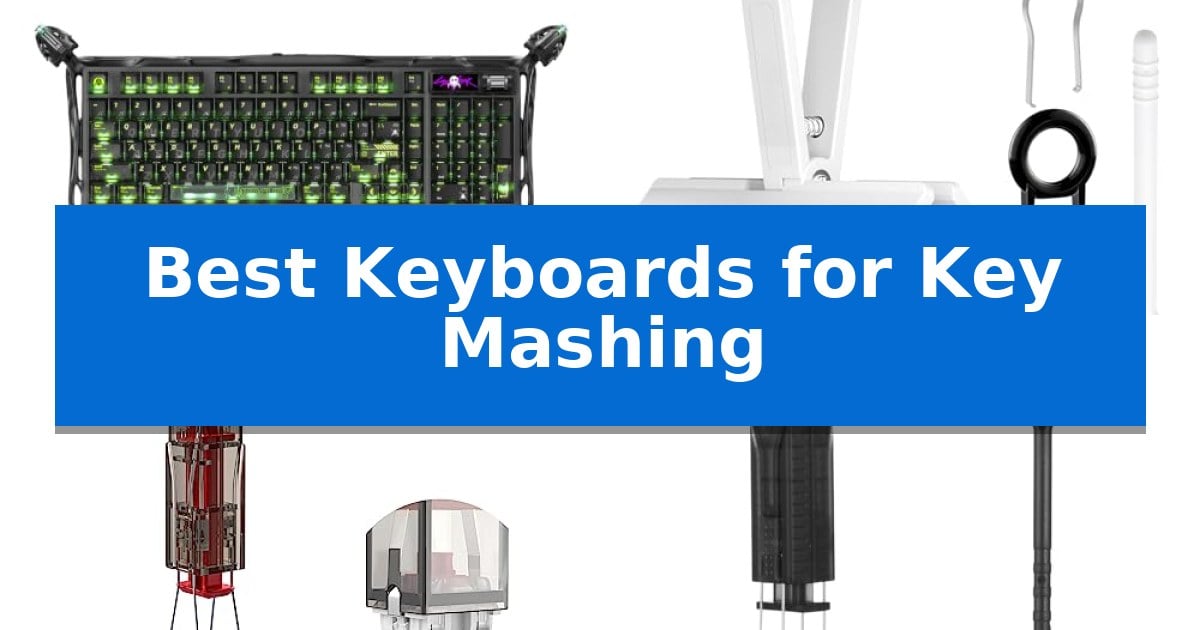
Best Keyboards for Key Mashing in 2026

Best Keyboards for Key Mashing

High-intensity typing and gaming often involve rapid, repetitive inputs that put significant stress on your hardware. Finding the Best Keyboards for Key Mashing requires prioritizing build quality, switch durability, and reliable connectivity to ensure every command registers accurately during intense sessions.

Beyond the keyboard itself, maintaining your gear is vital for longevity. Whether you are a competitive gamer or a heavy typist, having the right tools for cleaning and component replacement can prevent sticky keys and switch failure, keeping your setup in peak condition.

Best Keyboards for Key Mashing in 2026

Our Top Picks
  1. Fast Maintenance for Heavy Users JM.JEEMI 4-Key Keycap Puller
  2. Gentle Removal for Frequent Modding KEMOVE P10 Switch and Keycap Puller
  3. Efficient Tool for Rapid Disassembly Alrhso 2-in-1 Keycap and Switch Puller
  4. Complete Deep Cleaning Solution Vtyzcm 8-Piece Keyboard Maintenance Kit

Quick Comparison

Product Best For Key Strength Score
GravaStar Mercury K98 Pro Mechanical Keyboard Best Overall 8000Hz polling rate for ultra-fast input response. 4.9
JM.JEEMI 4-Key Keycap Puller Fast Maintenance for Heavy Users 4-arm synchronous design reduces removal time by approximately 75 percent. 4.5
KEMOVE P10 Switch and Keycap Puller Gentle Removal for Frequent Modding Semi-auto design for faster, more controlled switch removal. 4.9
Alrhso 2-in-1 Keycap and Switch Puller Efficient Tool for Rapid Disassembly 2-in-1 design combines keycap and switch removal to reduce tool clutter. 4.7
Vtyzcm 8-Piece Keyboard Maintenance Kit Complete Deep Cleaning Solution Durable metal construction ensures long-term reliability for repeated component removal. 4.6

How We Chose

  • Switch Durability: Prioritizing mechanical switches rated for millions of actuations to withstand constant, rapid inputs.
  • Build Integrity: Evaluating chassis materials and gasket structures that reduce resonance and handle physical stress.
  • Input Responsiveness: Selecting devices with high polling rates and N-key rollover to ensure accurate registration of simultaneous keystrokes.
  • Maintenance Accessibility: Including tools that facilitate safe, efficient cleaning and component swapping to extend the life of your hardware.
  • Connectivity Reliability: Ensuring stable wired and wireless options to prevent input lag during critical moments.

1 GravaStar Mercury K98 Pro Mechanical Keyboard — Built for Intense Gaming Sessions

High-intensity typing and rapid-fire inputs require hardware that prioritizes both responsiveness and structural integrity. The GravaStar Mercury K98 Pro Mechanical Keyboard addresses these demands with a 5-layer dampened gasket structure that minimizes resonance and provides a consistent, deep "thock" sound profile during heavy use.

Engineered for precision, this keyboard features GravaStar Custom UFO linear switches that are factory pre-lubed to ensure smooth keystrokes across all 98 keys. The inclusion of full N-key rollover and anti-ghosting ensures that every rapid input is registered accurately, making it a reliable choice for demanding gaming sessions or high-speed data entry.

The device offers versatile connectivity through tri-mode support, including lag-free 2.4GHz wireless, Bluetooth 5.4, and USB-C wired connections. For competitive scenarios, the wired and 2.4GHz modes support a true 8000Hz polling rate, providing a 0.125ms polling interval for immediate input feedback.

Durability is central to its design, featuring a premium glossy aluminum alloy exoskeleton that provides a stable base for aggressive typing. The keyboard also integrates a 1.65" TFT smart display and a multifunction knob, allowing users to monitor system data or adjust settings on the fly without exiting their current application.

Best for: Competitive gamers and power users who require high-speed 8000Hz polling and a durable, gasket-mounted typing experience.

Skip if: Users who prefer a standard full-size layout or those who do not require high-polling-rate wireless connectivity may find the 98% compact layout or the specialized exoskeleton design unnecessary.

PROS

  • 8000Hz polling rate for ultra-fast input response.
  • 5-layer gasket mount for a refined, consistent typing feel.
  • Tri-mode connectivity including 2.4GHz, Bluetooth 5.4, and wired options.
  • Hot-swappable switches for easy customization.

CONS

  • Heavy 3.42 lbs weight may be less ideal for frequent transport.
  • Compact 98% layout requires adjustment for users accustomed to traditional full-size spacing.

2 JM.JEEMI 4-Key Keycap Puller — Fast Maintenance for Heavy Users

Maintaining a mechanical keyboard requires frequent keycap removal, a task that can become tedious when performed one key at a time. The JM.JEEMI 4-Key Keycap Puller addresses this by utilizing a 4-arm synchronous design, allowing users to remove four keycaps simultaneously. This tool is engineered to streamline maintenance routines, making it one of the most efficient Best Keyboards for Key Mashing accessories for enthusiasts who frequently swap sets or clean their boards.

The device features a polycarbonate handle shaped for a natural palm grip, which helps reduce hand fatigue during extended cleaning sessions. Its pulling arms are constructed from 420 high carbon stainless steel, providing the structural rigidity necessary for repeated use. The tool is designed to accommodate standard to spacebar-sized keycaps, ranging from 1U to 6.25U, ensuring broad compatibility across 60%, 75%, TKL, and full-size layouts.

Beyond speed, the JM.JEEMI 4-Key Keycap Puller focuses on protecting your hardware. The smooth contact finish and precision clamping mechanism are intended to minimize the risk of scratching keycap surfaces or legends during the removal process. Furthermore, the jaw mechanism releases keycaps in a grouped, upward-facing sequence, which keeps the keys organized and simplifies the reinstallation process.

To ensure the longevity of the tool, it is recommended to apply steady, moderate force rather than excessive pressure or lateral twisting. While the design significantly accelerates the maintenance process, users should remain mindful of the force applied to avoid potential damage to delicate keycap stems. This tool is a practical addition for those who prioritize efficiency in their keyboard care routine.

Best for: Users who frequently perform full keycap swaps or deep cleaning on mechanical keyboards and want to reduce maintenance time.

Skip if: Users with non-standard or specialty keycap profiles that may not fit the tool's 1U to 6.25U clamping width.

PROS

  • 4-arm synchronous design reduces removal time by approximately 75 percent.
  • 420 high carbon stainless steel arms provide long-term durability.
  • Ergonomic polycarbonate handle improves comfort during extended use.
  • Upward release mechanism keeps keycaps organized for faster reinstallation.

CONS

  • Requires steady, controlled force to prevent potential surface marks or stem damage.
  • Limited to standard keycap sizes up to 6.25U, excluding some oversized specialty keys.

3 KEMOVE P10 Switch and Keycap Puller — Gentle Removal for Frequent Modding

Maintaining a custom mechanical keyboard often requires repetitive, tedious tasks that can lead to hand fatigue or accidental damage. The KEMOVE P10 2-in-1 Semi-Auto Switch & Keycap Puller addresses this by utilizing a specialized semi-auto design that aligns with switch latches to pull them straight upward, significantly reducing the physical effort required for maintenance.

Designed for efficiency, this tool helps streamline the process of cleaning, lubing, and modding. By providing a stable vertical pull-up motion, it minimizes the risk of bent clips, scratched plates, or damaged switch housings that often occur with manual, imprecise tools. It is constructed from 304 stainless steel and manganese steel to ensure durability during frequent use.

The KEMOVE P10 is highly versatile, featuring wide compatibility with most MX-style hot-swappable switches, including brands like Gateron, CHERRY MX, and Kailh. The integrated keycap puller is equally functional, supporting keycaps ranging from 1U to 6.25U+, making it a comprehensive solution for those who frequently swap components.

For users who find traditional wire or plastic pullers difficult to manage, this tool offers a more ergonomic experience. By eliminating the need to pinch thin metal clamps, it helps reduce hand strain, making it a practical addition to any keyboard enthusiast's toolkit.

Best for: Keyboard enthusiasts and modders who frequently clean or customize their mechanical boards and want to reduce hand strain and component damage.

Skip if: Users who only need to remove keycaps occasionally and do not require a specialized, semi-auto mechanism for switch maintenance.

PROS

  • Semi-auto design for faster, more controlled switch removal.
  • Stable vertical pull-up action helps prevent damage to switch housings and plates.
  • Durable construction using 304 stainless steel and manganese steel.
  • Wide compatibility with most MX-style hot-swappable switches and various keycap sizes.

CONS

  • Specialized design is primarily optimized for hot-swappable mechanical keyboards.

4 Alrhso 2-in-1 Keycap and Switch Puller — Efficient Tool for Rapid Disassembly

Maintaining a mechanical keyboard requires precision, especially when frequent use leads to debris buildup or the need for switch customization. The Alrhso 2-in-1 Keycap and Switch Puller simplifies this process by integrating two essential maintenance functions into a single, lightweight 60-gram ABS body.

The tool features a specialized 4-Claw Grip designed to clamp onto mechanical switches from multiple angles. This structure ensures even pressure distribution, which helps maintain stability and reduces the risk of damage during the removal process. For those performing full board rebuilds or deep cleans, the one-press ejection spring mechanism allows for efficient, single-handed operation, enabling users to clamp and release switches quickly.

Beyond switch management, the device functions as a standard keycap puller, making it a versatile addition to any desk setup. It is designed for broad compatibility with most hot-swappable mechanical keyboards and standard MX-style switches. To assist with the cleaning aspect of maintenance, the kit includes a mini cleaning brush specifically shaped to reach into slots and switch housings to clear out dust and debris.

This tool is a practical choice for enthusiasts who regularly modify their hardware or perform routine upkeep. Its ergonomic handle is shaped to provide a comfortable grip, which is beneficial during extended cleaning sessions. By combining multiple functions into one compact unit, it reduces the clutter of specialized tools while providing the necessary leverage for safe component removal.

Best for: Users who frequently customize or clean hot-swappable mechanical keyboards and want a single, ergonomic tool for both keycaps and switches.

Skip if: Users who require specialized tools for non-MX style switches or those who do not perform regular keyboard maintenance.

PROS

  • 2-in-1 design combines keycap and switch removal to reduce tool clutter.
  • 4-Claw Grip structure provides stable, even pressure during switch extraction.
  • One-press ejection mechanism enables efficient, single-handed operation.
  • Ergonomic ABS body weighs only 60 grams to minimize hand fatigue.

CONS

  • Limited to MX-style switches and may not be compatible with proprietary or non-standard switch designs.

5 Vtyzcm 8-Piece Keyboard Maintenance Kit — Complete Deep Cleaning Solution

Maintaining a keyboard that endures frequent, heavy-handed use requires tools capable of withstanding repetitive mechanical stress. The Vtyzcm 8-Piece Keyboard Maintenance Kit provides a comprehensive solution for users who need to perform deep cleaning and component swaps without damaging delicate internal hardware. By utilizing specialized tools rather than improvised household items, users can safely remove components without the need for soldering or risking damage to stabilizers and internal circuits.

This 8-piece maintenance kit is built with durable metal construction, ensuring the included keycap and switch pullers resist bending or warping during intensive sessions. The set includes dual-style keycap pullers, two switch pullers, precision tweezers, and three cleaning brushes. These components allow for precise debris extraction and component positioning, making the kit suitable for both standard and hot-swappable mechanical keyboards.

Designed for gamers, IT technicians, and enthusiasts, this kit simplifies the process of keeping a keyboard responsive. Its focus on user-friendly operation ensures that even frequent maintenance does not introduce unnecessary wear to the keyboard's structural integrity. The fine-tip tweezers provide the necessary control to handle tiny internal components, while the brushes facilitate the removal of dust and debris that can accumulate during heavy use.

For those who frequently engage in key mashing or high-intensity typing, this kit ensures that switches and stabilizers remain in optimal condition. By providing the correct leverage for component removal, the Vtyzcm 8-Piece Keyboard Maintenance Kit helps prevent the accidental snapping of plastic stems or the bending of pins, which are common risks when using improper tools. This kit is a practical investment for anyone looking to extend the lifespan of their mechanical hardware.

Best for: Keyboard enthusiasts and gamers who frequently perform deep cleaning or switch swaps on mechanical keyboards.

Skip if: Users who only require basic surface dusting and do not need to remove keycaps or switches for maintenance.

PROS

  • Durable metal construction ensures long-term reliability for repeated component removal.
  • Includes a complete 8-piece set covering all essential maintenance tasks.
  • Precision tweezers allow for safe handling of tiny internal components.
  • Safe design prevents unnecessary stress on switches and stabilizers.

CONS

  • Requires manual dexterity to utilize the precision tools effectively during deep cleaning.

Best Keyboards for Key Mashing Buying Guide

Understanding Switch Longevity

Mechanical switches are the heart of any keyboard built for heavy use. Look for switches with high actuation ratings, often measured in the tens of millions of presses, to ensure they remain consistent over time.

Factory pre-lubed switches often provide a smoother experience and reduced friction, which can help prevent wear on the internal components during rapid, repetitive mashing.

The Importance of Gasket Mounting

A gasket-mounted structure uses dampening materials like Poron foam or silicone to isolate the plate from the case. This design is excellent for heavy users because it absorbs the impact of bottoming out keys.

By reducing the harshness of every keystroke, a well-implemented gasket mount can make long sessions more comfortable and protect the internal PCB from excessive vibration.

Polling Rates and Input Accuracy

For those who mash keys in competitive gaming, the polling rate determines how often the keyboard reports its state to the computer. A higher polling rate, such as 8000Hz, reduces the interval between inputs.

Full N-key rollover (NKRO) is a non-negotiable feature for heavy input. It ensures that every single keypress is registered independently, even if you are pressing multiple keys simultaneously.

Essential Maintenance Tools

Regular cleaning is the best way to maintain responsiveness. Using a dedicated keycap puller prevents damage to the keycap stems and the switch housings underneath.

For hot-swappable keyboards, a switch puller is an essential tool. It allows you to replace individual failing switches without needing to solder, saving you from having to replace the entire board.

Layout and Ergonomics

The physical layout of your keyboard impacts how you interact with it during high-speed tasks. Compact layouts like 98% designs offer a balance between desk space and full functionality.

Consider the weight and stability of the keyboard. A heavier, aluminum-alloy chassis is less likely to slide or shift during aggressive typing or gaming, providing a more secure foundation.

Frequently Asked Questions

What is the benefit of a hot-swappable keyboard?

A hot-swappable keyboard allows you to remove and replace mechanical switches without soldering. This is ideal for heavy users because you can easily swap out a faulty switch to keep the board functional.

Why do I need a specific keycap puller?

Using a proper keycap puller ensures that force is applied evenly, which minimizes the risk of scratching the keycap surface or snapping the plastic stems during removal.

Does a higher polling rate actually matter?

A higher polling rate, such as 8000Hz, reduces input latency by reporting keystrokes more frequently. While the difference is measured in fractions of a millisecond, it is a preferred spec for competitive users.

How often should I clean my keyboard?

For heavy users, a light cleaning every few weeks is recommended. This prevents debris from building up under the switches, which can lead to sticking or unresponsive keys.

What is N-key rollover?

N-key rollover (NKRO) allows the keyboard to register every keypress simultaneously. This is critical for users who press multiple keys at once, ensuring no commands are dropped.

Conclusion: Our Top Pick

Selecting the right equipment for heavy-duty input involves balancing raw performance with the ability to maintain your hardware over time. The GravaStar Mercury K98 Pro Mechanical Keyboard stands out as our top pick due to its robust aluminum alloy exoskeleton, high-speed 8K polling rate, and gasket-mounted design that effectively manages the impact of intense keystrokes.

While the keyboard provides the performance needed for rapid input, remember that regular maintenance is the key to longevity. Pairing your board with a reliable tool kit ensures that your investment remains responsive and clean, allowing you to focus on your work or gaming without hardware-related interruptions.

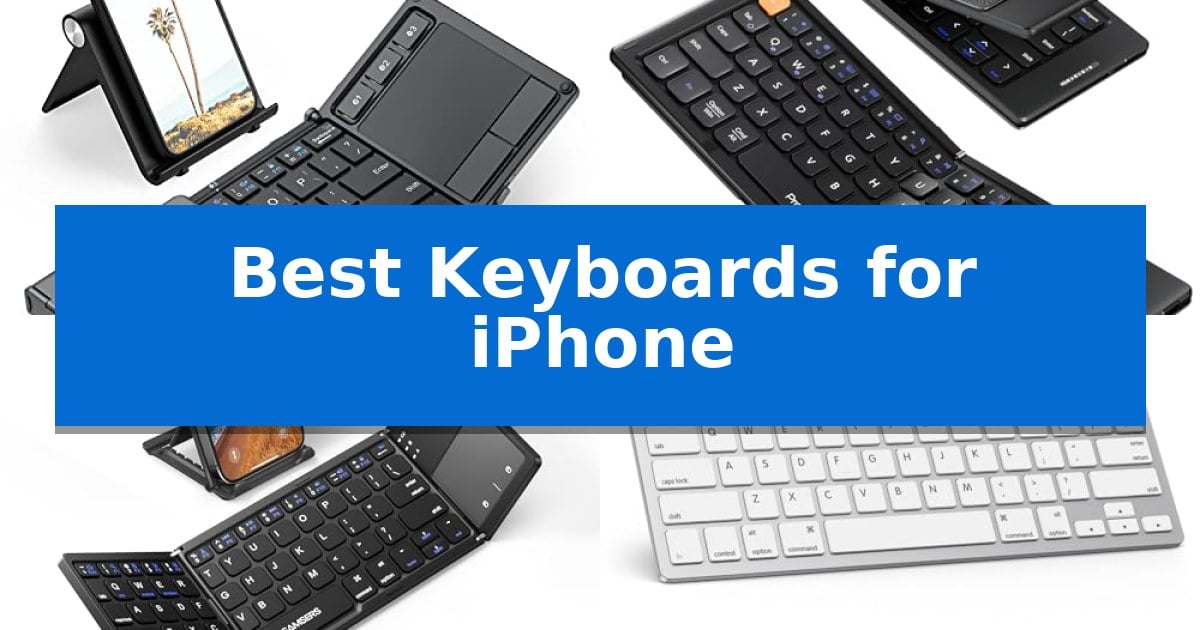
Best Keyboards for iPhone in 2026: Portable Typing Solutions

Best Keyboards for iPhone

Transforming your smartphone into a mobile workstation requires a reliable input method that balances portability with typing comfort. Whether you are drafting long emails on a commute or managing documents from a cafe, the Best Keyboards for iPhone provide the tactile feedback and speed that touchscreens simply cannot match.

Selecting the right accessory depends on your specific workflow, such as whether you prioritize an integrated trackpad for navigation or a minimalist design for maximum space savings. This guide examines top-rated options, focusing on connectivity, physical dimensions, and compatibility to ensure you find a tool that integrates seamlessly with your mobile lifestyle.

Best Keyboards for iPhone in 2026: Portable Typing Solutions

Our Top Picks
  1. Premium Leather Protection ProtoArc XK04 Foldable Keyboard
  2. Includes Dedicated Phone Stand Samsers Foldable Bluetooth Keyboard
  3. Optimized iOS Multimedia Keys OMOTON Ultra-Slim Bluetooth Keyboard

Quick Comparison

Product Best For Key Strength Score
iClever BK08 Foldable Keyboard Best Overall Integrated touchpad eliminates the need for a separate mouse. 4.9
ProtoArc XK04 Foldable Keyboard Premium Leather Protection Pocket-sized, foldable design with an integrated PU leather cover for easy transport. 4.6
Samsers Foldable Bluetooth Keyboard Includes Dedicated Phone Stand Integrated phone stand for optimal viewing angles 4.5
OMOTON Ultra-Slim Bluetooth Keyboard Optimized iOS Multimedia Keys 12 dedicated multimedia hotkeys for efficient iOS control. 4.4
Doohoeek Universal Bluetooth Mini Keyboard Color-Coded Keys for Speed Color-coded orange keys enhance visibility and help reduce typing errors. 4.4

How We Chose

  • Connectivity stability and multi-device switching capabilities.
  • Physical dimensions and weight for everyday carry.
  • Compatibility with iOS multimedia shortcuts and system functions.
  • Battery efficiency and charging standards like USB-C.
  • Build quality and protective features for travel durability.

1 iClever BK08 Foldable Keyboard — Integrated Touchpad for Mouse Control

The iClever BK08 Foldable Keyboard offers a distinct advantage for mobile users by integrating a built-in touchpad into a pocket-sized, folding form factor. This design choice allows for mouse-like navigation on your phone or tablet, effectively turning a handheld device into a compact workstation without requiring additional peripherals.

Constructed from aircraft-grade aluminum with reinforced hinges, this keyboard is engineered for durability during transit. It weighs only 7.05oz and folds down to a compact size, making it suitable for travel or remote work setups. The device supports multi-device Bluetooth connectivity, allowing you to switch between up to three paired devices with a single tap.

Power management is handled via USB-C charging, providing up to 60 days of use on a single two-hour charge. The unit includes an auto-sleep feature that activates when the keyboard is folded, helping to conserve battery life. It is compatible with iOS, Android, Windows, macOS, and Chrome OS, ensuring versatility across various hardware ecosystems.

While highly portable, the iClever BK08 Foldable Keyboard does not include backlighting and is not spill-proof. It relies exclusively on Bluetooth connectivity, meaning it lacks a wired mode or a USB receiver. For users who prioritize a full-sized typing experience or require specific OS-level features like Samsung DeX support, these design trade-offs are important to consider.

Best for: On-the-go professionals and travelers who need a compact, multi-device keyboard with integrated mouse control for their phone or tablet.

Skip if: Users who require a spill-proof design, backlit keys, or specific compatibility with Samsung DeX mode.

PROS

  • Integrated touchpad eliminates the need for a separate mouse.
  • Multi-device Bluetooth switching for up to three devices.
  • Durable aircraft-grade aluminum construction.
  • USB-C rechargeable battery with up to 60 days of life.

CONS

  • Non-backlit keys may be difficult to use in low-light conditions.
  • Not spill-proof and lacks water resistance.
  • Touchpad incompatibility with Samsung DeX mode.

2 ProtoArc XK04 Foldable Keyboard — Premium Leather Protection

The ProtoArc XK04 Foldable Compact Keyboard streamlines mobile productivity by offering a physical typing interface that fits into a pocket. Designed specifically for users who need to transition from touchscreens to tactile input on the go, this device features a two-fold design that collapses into a compact form factor protected by an integrated PU leather cover.

Equipped with Bluetooth 5.1 technology, the keyboard supports a 3-device workflow, allowing users to switch between an iPhone, iPad, or other tablets using dedicated keys. This multi-device capability eliminates the need for constant re-pairing, making it a practical tool for managing notes and messaging across different hardware setups.

The layout is optimized for mobile use, featuring 0.55-inch keycaps that maintain a balance between portability and usability. Measuring 10.76 x 4.07 inches when unfolded, it is sized to fit on cramped surfaces like airplane trays or small cafe tables. The unit is USB-C rechargeable and includes an auto-sleep standby mode that supports up to 150 days of battery life, ensuring it remains ready for travel.

This keyboard is a suitable choice for travelers and professionals who require a lightweight, protective, and versatile typing solution for mobile devices. Its combination of a durable leather exterior and a foldable, space-saving design provides a balance between portability and functional workspace creation.

Best for: Business travelers and mobile professionals who need a compact, multi-device physical keyboard for their iPhone or tablet.

Skip if: Users who require a full-sized desktop keyboard with a numeric keypad or those who prefer mechanical switches for heavy-duty typing tasks.

PROS

  • Pocket-sized, foldable design with an integrated PU leather cover for easy transport.
  • Bluetooth 5.1 supports simultaneous connection and switching between up to 3 devices.
  • USB-C rechargeable battery with up to 150 days of standby time.
  • Compact layout specifically optimized for mobile devices and tight workspaces.

CONS

  • Small form factor may require an adjustment period for users accustomed to full-sized keyboards.

3 Samsers Foldable Bluetooth Keyboard — Includes Dedicated Phone Stand

The Samsers Foldable Bluetooth Keyboard simplifies mobile typing by integrating a dedicated phone stand directly into its folding chassis, ensuring your device remains at a stable, ergonomic viewing angle. This ultra-slim accessory is designed for portability, weighing only 5.53 ounces and featuring a matte black finish that resists daily wear.

Beyond its compact form, this keyboard includes a multi-touch trackpad that allows for cursor navigation without requiring a separate mouse. It connects via Bluetooth to iOS, Android, and Windows devices, maintaining a stable signal within a 10-meter range. The built-in rechargeable battery supports extended use, requiring only 2-3 hours of charging to provide up to 48 hours of active operation.

The device features a near-standard key layout designed to facilitate accurate and quiet typing. Its folding mechanism allows it to collapse into a palm-sized footprint, making it a practical choice for those who need a full-sized typing experience while traveling or working remotely. The unit also includes a USB-C charging port for modern power compatibility.

Compatibility is a key consideration for iPhone users, as the integrated trackpad requires iOS 13.4 or higher to function. The keyboard automatically pairs with the last connected device upon activation, streamlining the setup process for frequent users.

Best for: Travelers and mobile professionals who need a compact, all-in-one typing and navigation solution for their smartphone or tablet.

Skip if: Users requiring a full-sized desktop keyboard with a numeric keypad or those using older iOS versions below 13.4.

PROS

  • Integrated phone stand for optimal viewing angles
  • Multi-touch trackpad for mouse-free navigation
  • Ultra-slim, foldable design weighing only 5.53 ounces
  • USB-C charging with long battery life

CONS

  • Trackpad functionality limited to newer iOS and Android versions
  • Single-device connectivity only

4 OMOTON Ultra-Slim Bluetooth Keyboard — Optimized iOS Multimedia Keys

The OMOTON Ultra-Slim Bluetooth Keyboard streamlines mobile typing by integrating 12 dedicated multimedia hotkeys directly into its layout, allowing for one-key control over volume, brightness, and music playback on iOS devices. This compact peripheral is designed to bridge the gap between a touchscreen interface and a traditional tactile typing experience, making it a practical addition for users who frequently switch between office work, study, and travel.

Measuring just 0.2 inches in thickness, the keyboard maintains a portable 11.2-inch by 4.7-inch footprint. It utilizes a standard 78-key QWERTY layout constructed from high-quality ABS material, providing a familiar feel for those accustomed to desktop typing. The device relies on stable wireless Bluetooth connectivity to pair with various iPhone and iPad models, ensuring a clutter-free workspace without the need for physical cables.

Power efficiency is managed through an auto-sleep function that triggers after 10 minutes of inactivity, helping to extend the lifespan of the two required AAA batteries. The manufacturer estimates up to 400 hours of battery life, assuming standard daily usage patterns. This energy-saving design is intended to minimize the frequency of battery replacements for mobile professionals.

While the keyboard is optimized for the Apple ecosystem, including specific support for iPad and iPhone series, users should note that the function keys are tailored specifically for iOS and iPadOS. This ensures high efficiency within those environments but may result in limited functionality if the device is paired with non-Apple systems.

Best for: Users seeking a portable, dedicated typing solution for iPhone and iPad that prioritizes iOS-specific multimedia controls.

Skip if: Users who require a full-sized keyboard with a numeric keypad or those who prefer rechargeable internal batteries over replaceable AAA batteries.

PROS

  • 12 dedicated multimedia hotkeys for efficient iOS control.
  • Ultra-slim 0.2-inch profile for enhanced portability.
  • Stable wireless Bluetooth connectivity.
  • Auto-sleep energy-saving feature to extend battery life.

CONS

  • Batteries not included in the package.
  • Function keys limited to iOS and iPadOS compatibility.

5 Doohoeek Universal Bluetooth Mini Keyboard — Color-Coded Keys for Speed

The Doohoeek Universal Bluetooth Mini Keyboard streamlines mobile typing with a unique color-coded layout, featuring orange navigation keys designed to improve key positioning and minimize input errors during fast-paced work. This ultra-portable device weighs only 6oz and maintains a slim 0.6in profile, allowing it to fold via a flexible hinge for easy storage in handbags or travel gear.

Engineered for versatility, this keyboard offers multi-OS compatibility across Android, Windows, and iOS, ensuring it functions with a variety of mobile devices including tablets and smartphones. Users can manage multiple workflows efficiently through its dual-device connectivity, which supports seamless switching between two paired Bluetooth devices using simple Fn+1 or Fn+2 key combinations.

For those working in shared spaces or while traveling, the integrated any-angle stand provides a stable base for phones and tablets, facilitating a more ergonomic viewing experience. The device is powered by a straightforward pairing process, and the manufacturer includes a 1-year warranty to support the hardware.

While the compact design is ideal for portability, the folding nature of the keyboard means it requires a flat surface for optimal stability during use. It serves as a practical solution for users who need a dedicated typing interface for their mobile devices without the bulk of a standard desktop keyboard.

Best for: Mobile professionals and students who need a highly portable, foldable keyboard for switching between two devices on the go.

Skip if: Users who require a full-sized, rigid mechanical keyboard for heavy-duty desktop typing or those who primarily work on uneven surfaces where a folding hinge may lack stability.

PROS

  • Color-coded orange keys enhance visibility and help reduce typing errors.
  • Dual-device Bluetooth switching allows for quick transitions between two paired devices.
  • Ultra-compact foldable design makes it highly portable for travel.
  • Integrated any-angle stand supports various mobile device sizes.

CONS

  • Folding hinge design requires a flat surface for stable operation.
  • Compact form factor may feel cramped for users accustomed to full-sized layouts.

Best Keyboards for iPhone Buying Guide

Connectivity and Multi-Device Support

The most critical factor for any mobile keyboard is its ability to maintain a stable Bluetooth connection. Look for models that support multi-device switching, which allows you to toggle between your iPhone, iPad, and laptop with a single command. This is essential for users who manage multiple workflows throughout the day.

Ensure the keyboard uses a modern Bluetooth standard for reduced latency and faster pairing. Reliable connectivity ensures that your typing remains fluid without the frustrating delays often associated with older wireless peripherals.

Portability and Form Factor

Since you are pairing these with an iPhone, the keyboard should be designed for on-the-go use. Foldable designs are excellent for saving space in a bag, while ultra-slim profiles allow for easy storage in a laptop sleeve or travel pouch.

Consider the weight of the unit. A keyboard that weighs under 8 ounces is generally ideal for travel, as it adds minimal bulk to your daily carry while still providing a stable base for typing on uneven surfaces like airplane trays or cafe tables.

Integrated Navigation and Touchpads

Some keyboards feature a built-in touchpad, which can significantly enhance productivity by allowing you to navigate your device without reaching for the screen. This is particularly useful for document editing and web browsing.

Check the compatibility of the trackpad with your specific OS version. While many offer multi-touch support, ensure the manufacturer confirms it works with the current version of iOS to avoid functionality limitations.

Battery Life and Charging

A keyboard that requires frequent battery changes can become a nuisance. Opt for models with USB-C rechargeable batteries, which offer a more sustainable and convenient power solution compared to replaceable AAA batteries.

Look for auto-sleep functionality, which preserves battery life by putting the device into standby mode when it is folded or inactive. This feature can extend the time between charges to weeks or even months, depending on your usage patterns.

Build Quality and Protection

Mobile accessories are subject to the rigors of travel, so durable materials like aircraft-grade aluminum or reinforced hinges are highly recommended. These materials help the device withstand accidental drops and pressure inside a crowded bag.

Some models include protective covers made of PU leather or similar materials. These not only shield the keys from scratches and debris but also provide a professional aesthetic that complements your other mobile gear.

Frequently Asked Questions

Are these keyboards compatible with all iPhone models?

Most Bluetooth keyboards are compatible with any iPhone that supports standard Bluetooth HID profiles. However, always check the specific product specifications for iOS compatibility.

Do I need a mouse if my keyboard has a touchpad?

No, a keyboard with an integrated touchpad is designed to replace the need for a separate mouse, allowing you to control the cursor and perform gestures directly from the keyboard.

How do I charge these keyboards?

Most modern portable keyboards use a USB-C charging port, which allows you to charge them using the same cable you likely use for your other mobile devices.

Can I use these keyboards with my laptop as well?

Yes, most of the keyboards listed support multi-device connectivity, meaning you can pair them with your laptop, tablet, and phone simultaneously and switch between them.

Are these keyboards spill-proof?

Most portable and foldable keyboards are not rated as spill-proof. It is best to keep them away from liquids to ensure the longevity of the internal electronics.

Conclusion: Our Top Pick

When choosing the right tool for your mobile setup, the iClever BK08 Foldable Keyboard stands out as the most versatile option. Its combination of an integrated touchpad, durable aluminum construction, and multi-device switching makes it an excellent choice for professionals who need a full-featured workstation in a pocket-sized form factor.

While other models offer specific benefits like dedicated phone stands or color-coded keys, the iClever BK08 provides the most balanced feature set for general productivity. Ensure you verify that your specific iOS version supports the touchpad features, as this will determine the full extent of the device's utility for your unique workflow.

Best Keyboards for iPad Pro in 2026: Elevate Your Mobile Workflow

Best Keyboards for iPad Pro

Finding the right typing companion for your tablet can transform how you handle daily tasks. Whether you are drafting documents, managing emails, or navigating complex applications, the Best Keyboards for iPad Pro offer the tactile feedback and interface control necessary to turn a mobile device into a serious productivity tool.

Selecting the ideal model requires balancing your need for a desktop-like experience against the portability that makes the iPad Pro so versatile. From integrated trackpads to detachable designs, we have analyzed the latest options to help you find the perfect match for your specific workflow and travel habits.

Best Keyboards for iPad Pro in 2026: Elevate Your Mobile Workflow

Our Top Picks
  1. Versatile Magnetic Stand Modes ESR Rebound 360 Keyboard Case
  2. Vibrant Backlit Keys for Typing Hamile Keyboard Case
  3. Detachable Design for Flexible Use Harvopu Keyboard Case
  4. Compact Portable Wireless Solution OMOTON Ultra-Slim Bluetooth Keyboard

Quick Comparison

Product Best For Key Strength Score
Apple Magic Keyboard Best Overall Magnetic attachability for instant, cable-free connection. 4.9
ESR Rebound 360 Keyboard Case Versatile Magnetic Stand Modes Detachable back case for flexible usage modes 4.5
Hamile Keyboard Case Vibrant Backlit Keys for Typing Multi-touch trackpad for efficient navigation and gesture control. 4.9
Harvopu Keyboard Case Detachable Design for Flexible Use Magnetic detachable keyboard for flexible usage modes. 4.4
OMOTON Ultra-Slim Bluetooth Keyboard Compact Portable Wireless Solution Ultra-slim 0.2-inch design enhances portability for travel. 4.4

How We Chose

  • Compatibility with specific iPad Pro models and generations.
  • Typing feel, including key travel, scissor mechanisms, and backlighting.
  • Trackpad responsiveness, gesture support, and cursor navigation accuracy.
  • Portability, weight, and the security of the magnetic or case attachment.
  • Versatility of viewing angles and stand stability for different work environments.

1 Apple Magic Keyboard — Seamlessly Integrated Typing Experience

The Apple iPad Magic Keyboard Case for iPad Pro 13-inch (M4 and M5) elevates the tablet experience through a sophisticated two-cantilever hinge design, providing smooth, adjustable viewing angles that transform the device into a versatile workstation. This accessory eliminates the need for manual pairing or charging, as it utilizes a magnetic attachability system to connect directly to the tablet.

Designed for productivity, the keyboard features a full 10-key function row and a scissor mechanism under each key for a responsive typing feel. The integrated glass trackpad is a standout component, offering haptic feedback and full support for Multi-Touch gestures, allowing for precise cursor control that mirrors a traditional laptop experience.

Beyond its input capabilities, the case serves as a protective shell, folding to provide both front and back coverage when the tablet is not in use. It also includes a convenient USB-C pass-through charging port, ensuring the device remains powered without occupying the tablet's primary port.

While this keyboard offers a premium typing and navigation experience, it is specifically engineered for the 13-inch iPad Pro (M4 and M5) models. Users seeking a lightweight, minimalist cover or those using different iPad generations will need to consider alternative options, as this unit is tailored for a specific hardware footprint and feature set.

Best for: Users of the 13-inch iPad Pro (M4 and M5) who require a high-performance, laptop-like typing and trackpad experience.

Skip if: Users who prioritize an ultra-lightweight, minimalist case or those who own an iPad model outside of the specified 13-inch M4/M5 generation.

PROS

  • Magnetic attachability for instant, cable-free connection.
  • Haptic feedback glass trackpad with Multi-Touch gesture support.
  • USB-C pass-through charging port for convenient power management.
  • 10-key function row for increased versatility and control.

CONS

  • Limited compatibility restricted to specific 13-inch iPad Pro models.
  • Added weight and thickness compared to standard protective covers.

2 ESR Rebound 360 Keyboard Case — Versatile Magnetic Stand Modes

Transforming an iPad Pro into a dedicated workstation requires a balance of portability and tactile input. The ESR Rebound 360 Keyboard Case addresses this by utilizing a Quick-Set Magnetic Stand that allows users to transition between a floating cantilever typing angle and a detached, protective mode for handheld use.

Designed specifically for the 13-inch iPad Pro (M5/M4 models), this accessory focuses on functional versatility. The detachable back case provides full-body protection while maintaining the ability to switch into a raised screen view or portrait mode for video calls. This modular approach ensures the tablet remains protected even when the keyboard is not in use.

Navigation is handled by an extended, ultra-sensitive multi-touch trackpad. This component is engineered to support standard gestures like tapping, pinching, and swiping, aiming to replicate a laptop-like interface for managing files and applications. The magnetic attachment system ensures a secure lock between the tablet and the stand, providing stability during typing sessions.

Choosing the right keyboard depends on whether you prioritize a fixed, laptop-style experience or the flexibility of a detachable design. The ESR Rebound 360 Keyboard Case is built for those who need to frequently switch between typing-intensive tasks and casual, hands-on tablet interaction.

Best for: Users who require a versatile, modular keyboard setup that allows for easy switching between laptop-style typing and handheld tablet use.

Skip if: Users who prefer a traditional, non-detachable keyboard folio or those who do not require a trackpad for their specific workflow.

PROS

  • Detachable back case for flexible usage modes
  • Quick-Set Magnetic Stand for stable typing angles
  • Ultra-sensitive multi-touch trackpad for precise navigation
  • Full-body protection while maintaining a slim profile

CONS

  • Compatibility limited strictly to 13-inch iPad Pro M5/M4 models

3 Hamile Keyboard Case — Vibrant Backlit Keys for Typing

The Hamile Keyboard Case provides a versatile typing experience for iPad Pro users by integrating a multi-touch trackpad and a magnetically detachable keyboard into a single folio design. This setup allows for quick transitions between tablet and laptop-style workflows, supported by a 500mAh rechargeable battery that charges via Type-C.

Designed for utility, the case features upgraded mechanical scissor keys that offer a quiet, responsive feel during extended typing sessions. The keyboard includes 7-color backlit keys with three levels of brightness, ensuring visibility in dim environments. Its magnetic attachment allows the keyboard to be removed entirely when not needed, leaving the protective folio cover in place.

The folio cover is constructed from stain-proof PU material, designed to be easily wiped clean of spills or marks. Inside, the flexible TPU case features a honeycomb grid pattern to assist with heat dissipation. Users can choose from three viewing angles using the integrated grooves, which hold the tablet steady for tasks ranging from writing to watching videos.

Compatibility is a key focus, with the case designed to fit various iPad Pro 12.9-inch (3rd through 6th generation) and iPad Air 13-inch models. The design includes a dedicated pencil holder that supports magnetic charging for the Pencil Pro and 2nd generation, alongside precise cutouts for full access to all ports, speakers, and cameras.

Best for: Users who need a versatile, backlit keyboard and trackpad combo that protects their iPad Pro while offering multiple viewing angles.

Skip if: Users who prefer a slim, minimalist cover without a keyboard or those who require a rigid, non-detachable laptop-style hinge.

PROS

  • Multi-touch trackpad for efficient navigation and gesture control.
  • 7-color backlit keys with adjustable brightness for low-light use.
  • Stain-proof PU material that is easy to clean.
  • Magnetic keyboard allows for easy removal and flexible positioning.
  • Integrated pencil holder with support for magnetic charging.

CONS

  • Added weight and thickness compared to standard protective cases.
  • Manual viewing angle adjustment via grooves rather than a continuous hinge.

4 Harvopu Keyboard Case — Detachable Design for Flexible Use

Transforming a tablet into a versatile workstation requires a reliable input method, and the Harvopu Keyboard Case offers a flexible solution by combining a protective folio with a magnetic detachable keyboard. This design allows users to transition between a traditional laptop-like typing experience and a handheld tablet mode, making it suitable for both focused productivity and casual media consumption.

The keyboard features 7 colors of backlighting with three brightness levels, ensuring visibility in various lighting conditions. For navigation, the integrated multi-touch trackpad provides an alternative to screen interaction, which can streamline tasks like document editing and web browsing. The unit is powered by a 500mAh rechargeable battery that supports efficient energy management, entering an automatic power-saving mode after 15 minutes of inactivity.

Constructed with anti-fingerprint PU leather and a TPU internal cover featuring a honeycomb grid, the case is engineered for durability and heat dissipation. It supports 3 adjustable viewing angles, allowing users to position the device for typing, drawing, or watching videos. Connectivity is handled via a straightforward Bluetooth pairing process, and the keyboard recharges quickly through a Type-C port.

Compatibility is a primary consideration for this accessory, as it is designed for specific iPad Air 13-inch (M4/M3/M2) and iPad Pro 12.9-inch (3rd through 6th generation) models. Users should verify their specific model number in the device settings before purchase to ensure a proper fit.

Best for: Users who need a versatile, detachable keyboard and trackpad setup for iPad Air 13-inch or iPad Pro 12.9-inch models.

Skip if: Users who prefer a rigid, integrated hinge design or those who do not require a trackpad for their workflow.

PROS

  • Magnetic detachable keyboard for flexible usage modes.
  • Multi-touch trackpad for efficient navigation.
  • 7-color backlit keys with adjustable brightness.
  • Honeycomb TPU design for improved heat dissipation.

CONS

  • Specific model compatibility requires careful verification of the 'AXXXX' model number.
  • Manual Bluetooth pairing and mode switching required for initial setup.

5 OMOTON Ultra-Slim Bluetooth Keyboard — Compact Portable Wireless Solution

The OMOTON Ultra-Slim Bluetooth Keyboard provides a dedicated, portable typing solution for iPad Pro users, featuring a slim 0.2-inch profile and a 78-key QWERTY layout. Designed specifically for mobile productivity, this keyboard integrates 12 multimedia hotkeys that allow for direct control over volume, brightness, and media playback on iPadOS and iOS devices.

Engineered for efficiency, the device utilizes stable wireless Bluetooth connectivity to maintain a reliable link with your tablet. The keyboard is constructed from high-quality ABS material, ensuring a durable build while remaining lightweight for travel, office, or school environments. Its compact dimensions of 11.2 inches by 4.7 inches ensure it fits easily into most bags alongside a tablet.

Power management is handled through an energy-saving design that includes an auto-sleep function after 10 minutes of inactivity. The keyboard operates on two AAA batteries (not included), offering up to 400 hours of battery life. This power-efficient approach is intended to support extended use without frequent battery replacements, making it a practical choice for users who prioritize longevity and portability.

Compatibility is a primary focus, with the keyboard supporting a wide range of Apple devices including various iPad Pro, iPad Air, and iPad mini models, as well as iPhones. While the hardware is optimized for the iPad ecosystem, users should note that certain function keys may have limited compatibility when paired with non-iOS systems.

Best for: Mobile professionals and students who need a lightweight, dedicated physical keyboard for their iPad Pro or other iOS devices.

Skip if: Users who require a backlit keyboard, integrated trackpad, or a protective case-style keyboard cover will find this standalone model insufficient for those specific needs.

PROS

  • Ultra-slim 0.2-inch design enhances portability for travel.
  • 12 dedicated multimedia hotkeys provide efficient control over iPadOS functions.
  • Extended battery life of up to 400 hours with auto-sleep functionality.
  • Broad compatibility across multiple iPad Pro and iPhone generations.

CONS

  • Batteries not included in the package, requiring separate purchase.
  • Limited function key compatibility when used with non-iOS operating systems.

Best Keyboards for iPad Pro Buying Guide

Compatibility and Connectivity

Before purchasing, verify that the keyboard is designed for your specific iPad Pro model. Because Apple frequently updates dimensions and connector placements, a case designed for an M4 or M5 model may not align with older versions. Always check the model number (starting with 'A') found on the back of your tablet to ensure a perfect fit.

Consider how the keyboard connects to your device. Some models use a Smart Connector for a seamless, power-sharing link that requires no pairing, while others rely on Bluetooth connectivity. Bluetooth options often offer broader compatibility across different devices but require their own battery management.

Typing Experience and Ergonomics

The quality of the scissor mechanism is the most significant factor in long-term typing comfort. Look for keys that provide a satisfying, tactile rebound, which helps reduce fatigue during extended writing sessions. A dedicated function row is also a major advantage, allowing you to control volume, screen brightness, and media playback without touching the screen.

If you work in low-light environments, backlit keys are essential. Many modern keyboard cases offer adjustable brightness levels and multiple color options, which not only improve visibility but also allow you to customize the aesthetic of your workspace.

Trackpad and Navigation

A high-quality multi-touch trackpad is what truly separates a basic cover from a productivity-focused keyboard. Look for models that support native iPadOS gestures, such as swiping between apps, pinching to zoom, and scrolling. A trackpad with haptic feedback provides a more precise, clicky feel that mimics a high-end laptop.

If your work involves spreadsheet management or precise text selection, the surface area and sensitivity of the trackpad are critical. Ensure the trackpad is large enough to allow for fluid cursor movement across the entire screen without requiring multiple swipes.

Portability and Protection

The iPad Pro is designed for mobility, so your keyboard case should not add unnecessary bulk. Consider the weight of the unit, especially if you carry your device in a backpack daily. Detachable designs offer the best of both worlds, allowing you to remove the keyboard when you only need the tablet for reading or media consumption.

Protection is another key consideration. A robust folio cover should provide front and back protection against scratches and minor impacts. Look for cases that feature a pencil holder or a dedicated slot that supports magnetic charging for your stylus, ensuring your accessories are always ready for use.

Viewing Angles and Stability

A floating cantilever design or multiple groove settings allow you to adjust the viewing angle to suit your posture. Whether you are typing at a desk or browsing on your lap, the ability to tilt the screen is vital for reducing neck strain and glare.

Stability is equally important. Ensure the magnetic attachment is strong enough to keep the tablet secure in various positions. A well-designed stand should prevent the device from tipping over when you are tapping on the screen or using the trackpad.

Frequently Asked Questions

Do I need to charge my keyboard separately?

It depends on the model. Keyboards that use the Apple Smart Connector draw power directly from the iPad Pro, so they do not require separate charging. Bluetooth keyboards, however, have their own internal batteries and must be recharged via USB-C or replaced periodically.

Can I use a keyboard case with a screen protector?

Most keyboard cases are designed to fit the iPad Pro precisely. While thin screen protectors usually fit without issue, thicker tempered glass protectors might interfere with the magnetic seal or the closing mechanism of some slim-profile cases.

Are these keyboards compatible with other iPad models?

Compatibility is highly specific to the iPad Pro generation and size. Always check the manufacturer's list of supported model numbers (e.g., A2925, A3461) to ensure the keyboard fits your specific tablet.

Does the trackpad support all iPadOS gestures?

Most modern keyboard cases with trackpads support standard multi-touch gestures like scrolling, swiping, and clicking. However, the level of precision and the feel of the haptic feedback can vary between premium models and third-party alternatives.

How do I know if the keyboard is connected?

For Smart Connector keyboards, the connection is automatic upon attachment. For Bluetooth models, you typically need to press a pairing button (often 'Fn + C') and select the keyboard in your iPad's Bluetooth settings menu.

Conclusion: Our Top Pick

When choosing the best typing accessory for your tablet, the Apple Magic Keyboard stands out as the most refined option. Its seamless integration, haptic-feedback trackpad, and elegant cantilever design provide a cohesive experience that feels like a natural extension of the iPad Pro hardware.

While other models offer unique features like detachable backs or vibrant backlighting, the Apple Magic Keyboard remains the gold standard for those who prioritize a premium, hassle-free typing experience. It is the most reliable choice for users who want to maximize their productivity without worrying about pairing, charging, or compatibility issues.

Best Keyboards for iPad Mini in 2026: Unlock Laptop-Style Productivity

Best Keyboards for iPad Mini

Finding the right accessory to transform your compact tablet into a functional workstation can be challenging. The Best Keyboards for iPad Mini must balance a portable form factor with a comfortable typing experience, ensuring you can handle emails, notes, and documents without sacrificing the device's inherent mobility.

Whether you are a student, a frequent traveler, or a professional needing a lightweight setup, selecting the right case is essential. We have analyzed the top options currently available to help you identify which model best suits your specific workflow, viewing preferences, and travel needs.

Best Keyboards for iPad Mini in 2026: Unlock Laptop-Style Productivity

Our Top Picks
  1. Smooth Trackpad Navigation typecase Keyboard Case
  2. Premium Ergonomic Typing Experience ZAGG Slim Book Keyboard Case
  3. Includes Bonus Bluetooth Mouse TUNKARMOR Keyboard Case
  4. Lightweight Design for Travel EAMPANG Keyboard Case

Quick Comparison

Product Best For Key Strength Score
GreenLaw 360 Rotating Keyboard Case Best Overall 360° rotating hinge for flexible viewing positions. 4.9
typecase Keyboard Case Smooth Trackpad Navigation 360-degree rotating hinge supports seven different viewing and typing modes. 4.7
ZAGG Slim Book Keyboard Case Premium Ergonomic Typing Experience Detachable Bluetooth keyboard provides flexible typing positions. 4.4
TUNKARMOR Keyboard Case Includes Bonus Bluetooth Mouse Includes a rechargeable Bluetooth mouse for enhanced navigation. 4.4
EAMPANG Keyboard Case Lightweight Design for Travel Detachable keyboard allows for versatile use cases. 4.9

How We Chose

  • Device Compatibility: Verifying that the case fits the specific dimensions and port alignment of the latest iPad Mini models.
  • Typing Ergonomics: Assessing the key travel, layout, and overall tactile feedback provided by the keyboard.
  • Versatility and Viewing: Evaluating the hinge design and available angles for typing, media consumption, and sketching.
  • Navigation and Control: Checking for integrated trackpads or included peripherals that enhance cursor control and multi-tasking.
  • Portability and Protection: Considering the weight, slimness, and durability of the case for users on the move.

1 GreenLaw 360 Rotating Keyboard Case — Best for Versatile Viewing Angles

The GreenLaw 360 Rotating Keyboard Case provides a versatile workstation for the iPad mini by utilizing an integrated 360° free rotation hinge. This design allows users to adjust their tablet to multiple viewing angles, facilitating a stable, laptop-like experience that remains highly portable for users on the move.

Productivity is supported by a Multi-Gesture Trackpad, which enables precise navigation for document editing and web browsing. The keyboard also features 7-color backlighting with three adjustable brightness levels, ensuring that keys remain visible and comfortable to use in various lighting environments.

Efficiency is managed through an energy-saving automatic sleep function that preserves battery life during periods of inactivity. The device features a USB-C rechargeable interface, providing up to 60 hours of operation with the backlight off, or 3 hours when the backlight is active, depending on individual usage patterns.

Compatibility is strictly limited to the iPad Mini 7th Generation (2024) and iPad Mini 6th Generation (2021). Users should be aware that a charging cable is not included in the package, and the manufacturer recommends utilizing the existing cable provided with the iPad for optimal charging performance.

Best for: Users seeking a compact, versatile typing solution that converts an iPad mini into a laptop-like device with adjustable viewing angles.

Skip if: Users who require a lightweight, minimalist folio cover without the added bulk of a mechanical keyboard and trackpad assembly.

PROS

  • 360° rotating hinge for flexible viewing positions.
  • Multi-gesture trackpad for improved navigation and productivity.
  • 7-color backlit keys for operation in low-light environments.
  • USB-C rechargeable battery with automatic sleep mode.

CONS

  • Charging cable not included in the package.
  • Increased weight and thickness compared to standard protective cases.

2 typecase Keyboard Case — Smooth Trackpad Navigation

The typecase Keyboard Case transforms the iPad mini 7 and 6 into a versatile workstation by integrating a multi-touch trackpad and a 360-degree rotating hinge directly into a protective cover. This design allows users to switch between seven distinct modes, including typing, drawing, and presentation orientations, providing a stable foundation for mobile productivity.

Navigation is streamlined through the responsive trackpad, which supports gestures for scrolling, app switching, and file management. The keyboard features 11-color backlit keys with three brightness levels, ensuring visibility in varied environments such as dimly lit classrooms or during travel. The inclusion of a dedicated Pencil holder keeps the stylus secure and accessible for note-taking.

Built for durability, the case guards against daily wear and bumps while maintaining a compact footprint. The sturdy swivel hinge is tested for 20,000 cycles, emphasizing long-term reliability for users who frequently adjust their viewing angles. A rechargeable battery powers the backlit keys, reducing the need for frequent charging sessions during extended use.

Compatibility is a primary focus, as the unit is specifically engineered to fit both the 2024 iPad mini 7 (A17 Pro) and the 2021 iPad mini 6. This dual-model support makes it a practical choice for those upgrading their hardware while retaining their existing accessory ecosystem.

Best for: Users who require a versatile, protective, and trackpad-enabled keyboard solution for the iPad mini 7 or 6.

Skip if: Users who prefer an ultra-minimalist, lightweight tablet sleeve without an integrated keyboard or trackpad.

PROS

  • 360-degree rotating hinge supports seven different viewing and typing modes.
  • Integrated multi-touch trackpad enables laptop-like navigation and gesture control.
  • 11-color backlit keys provide adjustable lighting for various environments.
  • Dedicated Pencil holder ensures the stylus is always ready for use.

CONS

  • Added weight and bulk compared to a standard protective case or folio.

3 ZAGG Slim Book Keyboard Case — Premium Ergonomic Typing Experience

Transforming a tablet into a mobile workstation requires a balance of portability and input comfort, a challenge addressed by the ZAGG Slim Book Keyboard Case. This accessory features a magnetic hinge that allows for multiple viewing angles, enabling users to transition between typing and media consumption without needing to remove the device from its protective housing.

The ZAGG Slim Book Keyboard Case prioritizes versatility through its detachable keyboard design. This allows the keyboard to be used at a distance from the iPad mini, providing flexibility for different work setups. The keys are engineered for smooth, ergonomic typing, catering to users who frequently draft emails, take notes, or manage documents while traveling.

Designed with a slim, travel-friendly form factor, this case is built for mobile professionals who require a compact footprint. Despite its thin profile, the unit provides durable protection against bumps and scratches, maintaining a professional aesthetic. The case is specifically tailored for the iPad mini (A17 Pro) and (Gen 6), ensuring a secure fit.

While the device offers significant utility for productivity, it is important to note that this model does not include a trackpad. Users who rely heavily on cursor navigation for their workflow may find this a notable trade-off compared to integrated laptop-style setups. However, for those focused on text-heavy tasks, the responsive key layout remains a primary benefit.

Best for: Mobile professionals and students who prioritize a lightweight, detachable keyboard for text-heavy productivity on the iPad mini.

Skip if: Users who require an integrated trackpad for precise cursor control or gesture-based navigation in their daily workflow.

PROS

  • Detachable Bluetooth keyboard provides flexible typing positions.
  • Magnetic hinge offers adjustable viewing angles for various tasks.
  • Slim, compact design is optimized for travel and portability.
  • Durable protective case shields the device from daily wear.

CONS

  • No integrated trackpad for cursor navigation.
  • Bluetooth connectivity requires periodic charging of the keyboard.

4 TUNKARMOR Keyboard Case — Includes Bonus Bluetooth Mouse

The TUNKARMOR Keyboard Case serves as a comprehensive workstation for the iPad Mini 7 and 6, featuring a magnetically detachable Bluetooth keyboard and a rechargeable Bluetooth mouse. By integrating these peripherals, the accessory allows users to transition their tablet into a laptop-like setup for tasks requiring precise input or extended typing sessions.

Designed for stability and utility, the case incorporates three adjustable viewing angles via anti-slip slots, accommodating various tasks from drawing to reading. A dedicated pencil holder ensures the stylus remains accessible, while the integrated auto sleep and wake function helps manage battery efficiency by responding to the lid's position.

Protection is managed through full edge coverage and an internal honeycomb grid pattern. This construction provides 360-degree defense against impacts and scratches while facilitating airflow, which helps prevent the device from overheating during prolonged use. The package includes the case, keyboard, mouse, and a Type-C charging cable.

This accessory is specifically engineered for the 8.3-inch iPad Mini 7th (2024) and 6th (2021) generations. Users should verify their specific model number on the back of the tablet to ensure compatibility, as the fit is precise and limited to these versions.

Best for: Users seeking a complete, portable laptop-style setup for their iPad Mini 7 or 6 that includes both a keyboard and a mouse.

Skip if: Users who prefer a minimalist, ultra-slim tablet cover without additional peripherals or those who do not require a physical keyboard and mouse.

PROS

  • Includes a rechargeable Bluetooth mouse for enhanced navigation.
  • Magnetically detachable keyboard allows for flexible positioning.
  • Honeycomb grid interior helps with heat dissipation.
  • Full 360-degree protection with edge coverage.

CONS

  • Model-specific compatibility limited strictly to iPad Mini 7 and 6.
  • Adds bulk compared to standard, non-keyboard protective cases.

5 EAMPANG Keyboard Case — Lightweight Design for Travel

The EAMPANG Keyboard Case offers a tailored solution for iPad mini 7th and 6th generation users, featuring a detachable Bluetooth keyboard that provides flexibility for both typing and tablet-only use. Its design incorporates a built-in pen slot to secure a capacitive stylus, ensuring the accessory remains integrated with the device during travel.

Engineered with a soft TPU inner shell featuring a honeycomb design, the case assists with heat dissipation to support consistent tablet performance. The exterior is constructed from high-quality soft PU leather, providing 360° protection against accidental drops and scratches while maintaining a slim profile.

The keyboard includes 7 adjustable rainbow backlight colors and a breathing light mode, facilitating use in low-light environments. It utilizes rich function shortcut keys to streamline document editing and application navigation. For ergonomic comfort, the case supports three viewing angles at 100°, 110°, and 120° via anti-slip grooves.

Designed for mobile efficiency, the keyboard is rechargeable via USB-C and offers up to 50 hours of continuous use without the backlight enabled. It includes an automatic sleep mode to conserve power, with a standby duration of up to 90 days, making it a practical companion for users who prioritize portability.

Best for: Users seeking a protective, backlit keyboard case with a dedicated stylus slot for the iPad mini 6 or 7.

Skip if: Users who require a rigid, integrated hinge design or those who do not need a detachable keyboard for their workflow.

PROS

  • Detachable keyboard allows for versatile use cases.
  • 7-color rainbow backlight improves visibility in dark settings.
  • Honeycomb heat dissipation design protects internal components.
  • Built-in pen slot keeps accessories organized.

CONS

  • Keyboard requires manual charging via USB-C.
  • Not compatible with iPad models outside the mini 6 and 7 series.

Best Keyboards for iPad Mini Buying Guide

Understanding Compatibility

Before purchasing, always verify the specific model generation of your tablet. While many cases are designed to fit both the 6th and 7th generations, slight variations in dimensions or camera cutouts can affect the fit. Checking the model number, typically found on the back of the device, is the most reliable way to ensure a perfect match.

A well-fitted case not only protects your investment from scratches and minor drops but also ensures that buttons and ports remain accessible. Avoid forcing a case onto a device if it does not align perfectly, as this can lead to damage to the tablet's frame or screen.

Typing Feel and Layout

Because the iPad Mini is compact, the keyboard layout is often smaller than a standard desktop keyboard. Look for keys that offer sufficient travel and a tactile response, which helps reduce typing errors. Some models include shortcut keys that allow you to control volume, brightness, and media playback directly from the keyboard.

If you plan to do significant amounts of writing, prioritize keyboards that offer a more traditional spacing. While a smaller footprint is great for travel, it can lead to hand fatigue during long sessions if the keys are too cramped or lack adequate feedback.

The Role of Trackpads

An integrated trackpad can significantly change how you interact with your tablet, allowing for cursor control similar to a laptop. This is particularly useful for editing documents, navigating complex websites, or managing multiple apps simultaneously. Ensure the trackpad supports multi-gesture inputs for the best experience.

If you prefer using a mouse, some keyboard cases come bundled with a separate Bluetooth mouse. This can be a more ergonomic solution for some users, though it does add another item to carry in your bag.

Viewing Angles and Hinge Design

The hinge design dictates how flexible your setup is throughout the day. A 360-degree rotating hinge offers the most versatility, allowing you to switch between typing, viewing, and drawing modes easily. This is ideal for users who frequently transition between different tasks.

Fixed-angle cases are often more lightweight and may offer a more stable base for typing on your lap. Consider how you primarily use your tablet: if you frequently watch videos or present work, a rotating hinge is likely worth the extra weight.

Battery Life and Charging

Most modern Bluetooth keyboards for tablets use USB-C charging, which is convenient if you already use the same cable for your iPad. Check the estimated battery life, particularly if you use the backlight feature, as this will drain the battery faster than standard use.

Many keyboards feature an automatic sleep function to conserve power when not in use. This is a critical feature for mobile users, as it prevents the keyboard from running out of charge while stored in a bag between uses.

Frequently Asked Questions

Are these keyboards compatible with all iPad Mini models?

No, compatibility is specific to the model generation. Most of these options are designed for the 6th and 7th generations. Always check your specific model number before buying.

Do I need to charge the keyboard separately from my iPad?

Yes, these keyboards have their own internal batteries and require separate charging via a USB-C cable.

Can I use the keyboard case without the keyboard attached?

Many models feature a detachable keyboard or a design that allows you to fold the keyboard back, giving you the flexibility to use the case as a protective cover alone.

Will the keyboard case add significant weight to my device?

While these cases add some weight for protection and functionality, many are designed to be slim and travel-friendly. Check the product specifications for the exact weight if portability is your main concern.

Do these keyboards support backlighting?

Many of the models listed include multi-color backlighting, which is helpful for typing in low-light environments. Check the individual product features to confirm.

Conclusion: Our Top Pick

Choosing the right keyboard case depends on your specific needs for mobility, typing comfort, and navigation. After reviewing the available options, the GreenLaw 360 Rotating Keyboard Case stands out as the most versatile choice for most users. Its combination of a 360-degree rotating hinge, multi-gesture trackpad, and backlit keys provides a comprehensive laptop-like experience in a compact form factor.

While other models offer unique benefits like bundled mice or ultra-lightweight designs, the GreenLaw case provides the best balance of features for productivity and flexible viewing. Ensure your specific iPad Mini model is compatible before finalizing your purchase to enjoy the best possible experience.

Best Keyboards for iPad Air in 2026

Best Keyboards for iPad Air

Finding the right accessory for your tablet can transform how you work, turning a mobile device into a capable workstation. Whether you are drafting documents, responding to emails, or managing creative projects, the Best Keyboards for iPad Air provide the tactile feedback and efficiency that touchscreens often lack.

Selecting the right model depends on your specific workflow, whether you prioritize a seamless, integrated experience or a portable, standalone setup. This guide evaluates the top options currently available, focusing on how their design, connectivity, and features align with the needs of modern tablet users.

Best Keyboards for iPad Air in 2026

Our Top Picks
  1. Lightweight with extra-large trackpad ESR Flex Series Keyboard Case
  2. Detachable design with backlit keys Harvopu Keyboard Folio Cover
  3. Compact standalone portable typing OMOTON Ultra-Slim Bluetooth Keyboard

Quick Comparison

Product Best For Key Strength Score
Apple Magic Keyboard Best Overall Floating cantilever design for adjustable viewing angles 4.9
ESR Flex Series Keyboard Case Lightweight with extra-large trackpad Ultra-thin 6.9 mm profile for easy portability. 4.5
Harvopu Keyboard Folio Cover Detachable design with backlit keys Detachable wireless keyboard with 7-color backlighting. 4.3
OMOTON Ultra-Slim Bluetooth Keyboard Compact standalone portable typing Ultra-slim 0.2-inch design for enhanced portability. 4.8

How We Chose

  • Device compatibility and secure attachment mechanisms.
  • Typing comfort, including key travel and layout ergonomics.
  • Portability and weight for on-the-go use.
  • Connectivity reliability and power management.
  • Additional functional features like trackpad precision and backlighting.

1 Apple Magic Keyboard — Premium integrated typing experience

The Apple Magic Keyboard for iPad Air transforms your tablet into a versatile workstation by utilizing a unique floating cantilever design that allows for smooth, adjustable viewing angles. This integrated keyboard and case combination eliminates the need for manual pairing or charging, as it connects directly to your device to provide a seamless typing experience.

Designed for both utility and protection, the Apple Magic Keyboard features a full 14-key function row that grants quick access to essential controls. The physical keycaps utilize a reliable scissor mechanism to provide a tactile typing feel, while the built-in trackpad expands the input capabilities of your iPad Air. A USB-C pass-through charging port is integrated into the hinge, allowing you to keep your device powered without occupying the iPad's own port.

This accessory is engineered specifically for the iPad Air 11-inch (M2, M3, and M4) and iPad Air (4th and 5th generation). Beyond its input features, the unit serves as a protective cover, folding to provide both front and back coverage when you are on the move. Its slim, portable profile ensures that the added bulk remains minimal while maintaining a secure magnetic attachment to your tablet.

Best for: Users seeking a seamless, integrated typing and trackpad experience that doubles as a protective case for compatible iPad Air models.

Skip if: Users who require a detachable keyboard that can be used separately from the tablet or those who prefer a lighter, non-case-integrated keyboard solution.

PROS

  • Floating cantilever design for adjustable viewing angles
  • No pairing or charging required for the keyboard
  • USB-C pass-through charging port
  • Full 14-key function row for enhanced control

CONS

  • Integrated design limits use to a specific form factor
  • Weight of 2 pounds adds noticeable heft to the iPad

2 ESR Flex Series Keyboard Case — Lightweight with extra-large trackpad

The ESR Flex Series Keyboard Case prioritizes portability and versatility for iPad Air users by incorporating an ultra-thin 6.9 mm design that minimizes bulk for mobile workflows. Its magnetic detachable keyboard allows for a quick transition between a productive typing setup and a lightweight tablet mode, catering to users who frequently switch between creative tasks and media consumption.

Navigation is enhanced by an extra-large precision trackpad, which is 65% larger than those found on standard keyboard cases, supporting intuitive multi-finger gestures for efficient app switching and browsing. While the keyboard lacks backlighting, the focus remains on a slim, responsive interface that integrates seamlessly with the iPad Air.

The case provides dual-angle functionality with a 65° working angle for typing and a 20° angle optimized for sketching or writing. Stability is maintained through a triangular support system designed to prevent wobbling during use. Protection is handled by a durable form-fit cover featuring reinforced Air Guard corners and magnetic strips to secure the device against daily wear.

Compatibility is broad, covering the iPad Air 11-inch (M4, M3, M2) and 5th/4th generation models. The design ensures full access to all ports, speakers, and buttons through precise cutouts, allowing for a functional experience without requiring the removal of the protective case.

Best for: Users who prioritize a slim, lightweight profile and a large trackpad for productivity on the go.

Skip if: Users who require a backlit keyboard for working in low-light environments.

PROS

  • Ultra-thin 6.9 mm profile for easy portability.
  • Magnetic detachable design for flexible usage modes.
  • Extra-large precision trackpad for improved navigation.
  • Dual-angle stand for stable typing and sketching.

CONS

  • No keyboard backlighting available.
  • Fixed viewing angles limited to two positions.

3 Harvopu Keyboard Folio Cover — Detachable design with backlit keys

The Harvopu Keyboard Folio Cover distinguishes itself through a versatile detachable keyboard design, allowing users to transition between a laptop-like typing experience and a slim tablet-only mode via strong magnets. This folio is engineered for broad compatibility across multiple iPad Air generations, including the 11-inch M4, M3, and M2 models, as well as the 4th and 5th generation 10.9-inch tablets.

Designed for productivity, the keyboard features 7-color backlit keys with a breathing mode, facilitating comfortable typing in low-light environments. The unit connects via Bluetooth for a stable wireless link and includes a high-capacity 400mAh battery, which supports rapid recharging through a Type-C port in just 2-3 hours.

Usability is enhanced by an integrated Apple Pencil holder that supports direct charging for the 2nd Gen Apple Pencil and Apple Pencil Pro, ensuring the stylus remains powered and secure. The case structure incorporates three anti-slip grooves that provide multiple adjustable viewing angles, making it suitable for tasks ranging from drafting documents to digital drawing.

Protection and thermal management are addressed through a durable PU leather exterior and a soft TPU back cover featuring a honeycomb pattern for improved heat dissipation. The design maintains full access to essential tablet functions, including the Touch ID sensor, cameras, speakers, and microphone ports.

Best for: Users who need a versatile, backlit keyboard case that supports magnetic detachment and integrated charging for an Apple Pencil.

Skip if: Users who prefer a slim, non-detachable keyboard or those who require a trackpad, as this model does not include one.

PROS

  • Detachable wireless keyboard with 7-color backlighting.
  • Integrated pen tray with support for direct Apple Pencil charging.
  • Adjustable stand angles using three anti-slip grooves.
  • Honeycomb heat dissipation design for improved thermal management.

CONS

  • No integrated trackpad for cursor navigation.
  • Adds bulk compared to standard protective-only cases.

4 OMOTON Ultra-Slim Bluetooth Keyboard — Compact standalone portable typing

The OMOTON Ultra-Slim Bluetooth Keyboard provides a dedicated typing solution for iPad users who prefer a tactile experience over a glass screen. Measuring just 0.2 inches thick, this keyboard is designed to integrate seamlessly into a mobile workflow, whether for office tasks, school assignments, or travel.

Equipped with a standard 78-key QWERTY layout, the device utilizes stable wireless Bluetooth connectivity to pair with various iPad and iPhone models. The inclusion of 12 dedicated multimedia hotkeys allows for direct control over volume, brightness, and media playback, which helps streamline navigation within iPadOS.

Power efficiency is managed through an auto-sleep feature that activates after 10 minutes of inactivity, helping the unit achieve up to 400 hours of battery life using two AAA batteries. The construction features high-quality ABS material, balancing durability with a lightweight, portable form factor that fits easily into bags.

While the keyboard is highly compatible across the iPad and iPhone series, it is important to note that the function keys are optimized specifically for iOS and iPadOS. This makes it a specialized tool for Apple ecosystem users rather than a universal peripheral for other operating systems.

Best for: Users seeking a lightweight, portable, and dedicated physical keyboard for iPad and iPhone productivity.

Skip if: Users who require a keyboard with multi-device switching or full function-key compatibility with non-Apple operating systems.

PROS

  • Ultra-slim 0.2-inch design for enhanced portability.
  • 12 dedicated multimedia hotkeys for efficient iPadOS control.
  • Long battery life of up to 400 hours with auto-sleep functionality.

CONS

  • Batteries not included in the package.
  • Function keys are not fully compatible with non-iOS systems.

Best Keyboards for iPad Air Buying Guide

Understanding Keyboard Connectivity

Most keyboards for tablets connect via Bluetooth or a physical Smart Connector. Bluetooth models offer broad compatibility across various devices, making them a versatile choice if you frequently switch between your tablet, phone, and computer.

Alternatively, keyboards utilizing the Smart Connector provide a more seamless experience. These models draw power directly from the tablet, eliminating the need for separate charging or manual pairing, which simplifies your setup significantly.

Ergonomics and Typing Feel

The physical construction of the keys is a primary factor in typing comfort. Scissor mechanisms are common in high-end models, offering a stable and responsive feel that mimics traditional laptop keyboards. This is essential for users who spend long hours typing.

Consider the layout and spacing of the keys as well. A full-sized layout is generally more comfortable for touch-typing, while compact designs may require an adjustment period. Ensure the keyboard provides enough resistance to prevent accidental keystrokes while remaining light enough for rapid input.

Trackpad Integration

A built-in trackpad significantly enhances navigation, allowing you to use gestures to switch apps, scroll, and manage your workspace without reaching for the screen. This feature is particularly useful for productivity tasks that involve text selection or precise editing.

When choosing a keyboard with a trackpad, look for surface area and responsiveness. Larger trackpads generally offer more fluid movement, while support for multi-touch gestures ensures that your workflow remains intuitive and efficient.

Protection and Portability

Many keyboards double as protective cases, shielding your tablet from scratches and minor impacts. If you travel frequently, a folio-style design that covers both the front and back of the device is often the most practical choice.

Weight is a critical consideration for portability. While integrated cases offer superior protection and convenience, they can add bulk. If you prefer a lightweight setup, a standalone keyboard paired with a slim protective sleeve may be a better alternative.

Battery Life and Charging

Battery longevity varies widely between models. Some keyboards rely on internal rechargeable batteries, often charged via USB-C, while others use replaceable batteries. Rechargeable options are generally more convenient for daily use.

If you opt for a Bluetooth keyboard, check the standby time and power-saving features. Many modern keyboards include auto-sleep functionality, which helps preserve battery life when the device is inactive, ensuring your keyboard is ready when you need it.

Frequently Asked Questions

Do all iPad Air keyboards work with every generation?

No. Compatibility is specific to the model and generation of your iPad Air. Always check the model number on the back of your tablet against the manufacturer's compatibility list before purchasing.

Is a trackpad necessary for my keyboard?

A trackpad is highly recommended if you use your tablet for productivity tasks like word processing or web browsing, as it allows for easier navigation and text selection compared to touch-only controls.

How do I connect a Bluetooth keyboard to my iPad?

Go to Settings on your tablet, ensure Bluetooth is enabled, and put your keyboard into pairing mode. Select the keyboard from the list of available devices on your screen to complete the connection.

Can I use a keyboard while the tablet is in a case?

Yes, many keyboard folio cases are designed to hold the tablet securely while providing full access to ports and buttons. If you use a standalone keyboard, you can use any case that supports a stand function.

Do these keyboards require separate charging?

It depends on the model. Keyboards that use the Smart Connector draw power from the tablet, while Bluetooth keyboards typically require their own charging via USB-C or replaceable batteries.

Conclusion: Our Top Pick

Choosing the right keyboard depends on whether you value the seamless integration of a dedicated case or the flexibility of a standalone unit. For users seeking the most refined experience, the Apple Magic Keyboard stands out as the top choice. Its floating cantilever design, integrated trackpad, and direct power connection provide a level of convenience and stability that is difficult to match.

While other options offer excellent portability or backlit keys, the Apple Magic Keyboard remains the most cohesive solution for those who want their tablet to function like a high-end laptop. Its precise key feel and effortless attachment make it the most reliable tool for sustained productivity.

Best Keyboards for iPad in 2026: Maximize Your Tablet Productivity

Best Keyboards for iPad

Finding the right accessory can transform your tablet into a capable workstation, but the sheer variety of options makes selecting the Best Keyboards for iPad a challenge. Whether you need a full-featured case with a trackpad or a slim, portable solution for travel, the right choice depends on how you balance protection, ergonomics, and connectivity.

This guide evaluates five distinct options to help you determine which model aligns with your specific workflow. By focusing on essential factors like device compatibility and input precision, we aim to simplify your decision-making process and ensure you invest in a tool that enhances your daily tasks.

Best Keyboards for iPad in 2026: Maximize Your Tablet Productivity

Our Top Picks
  1. Premium Official Accessory Experience Apple Magic Keyboard Folio
  2. Versatile Backlit Folio Pick Harvopu iPad Keyboard Case
  3. Compact Portable Typing Solution OMOTON Ultra-Slim Bluetooth Keyboard
  4. Complete Desktop-Style Setup Hamile Bluetooth Keyboard and Mouse

Quick Comparison

Product Best For Key Strength Score
Logitech Combo Touch Keyboard Case Best Overall No charging required due to the Smart Connector power source. 4.9
Apple Magic Keyboard Folio Premium Official Accessory Experience Detachable two-piece design for flexible usage modes 4.4
Harvopu iPad Keyboard Case Versatile Backlit Folio Pick Magnetically detachable keyboard for flexible use cases. 4.8
OMOTON Ultra-Slim Bluetooth Keyboard Compact Portable Typing Solution Ultra-slim 0.2-inch profile for maximum portability. 4.3
Hamile Bluetooth Keyboard and Mouse Complete Desktop-Style Setup 7-color rainbow backlight for improved visibility. 4.7

How We Chose

  • Device compatibility and secure attachment methods
  • Typing ergonomics and key travel quality
  • Trackpad responsiveness and multi-gesture support
  • Power management and connectivity standards
  • Portability and protective case features

1 Logitech Combo Touch Keyboard Case — Best for Seamless System Integration

The Logitech Combo Touch Keyboard Case eliminates the need for manual charging by utilizing the iPad's Smart Connector, which draws power directly from the tablet to keep the keyboard operational. This design choice ensures that the accessory is always ready for use without requiring separate battery management or cables.

Designed specifically for the 10th generation iPad, this case features a full-size backlit keyboard equipped with a dedicated row of iPadOS shortcut keys, including specialized controls for Screenshot and Dictation. The integrated precision trackpad supports multi-gesture navigation, allowing users to move through apps and edit documents with increased control.

The case offers a versatile kickstand with 50° of tilt, enabling users to transition between four distinct modes: Type, Read, Sketch, and View. When the keyboard is not required, it can be detached, allowing the user to utilize the iPad in a more streamlined configuration while maintaining protection against scuffs, scratches, and spills.

Constructed with premium materials, the Logitech Combo Touch Keyboard Case acts as a protective shell that mirrors the aesthetic of the tablet. By using the Smart Connector for both pairing and power, it provides a seamless integration that simplifies the workflow for users who prioritize efficiency and a clutter-free workspace.

Best for: Users seeking a seamless, battery-free typing and navigation experience that integrates directly with the iPad's hardware.

Skip if: Users who prefer a lightweight, minimalist cover without a trackpad or those who require a keyboard that can be used wirelessly away from the iPad.

PROS

  • No charging required due to the Smart Connector power source.
  • Large precision trackpad for enhanced multi-gesture navigation.
  • Detachable keyboard design offers flexibility for different use modes.
  • Backlit keys with dedicated iPadOS shortcuts for improved productivity.

CONS

  • Added weight and bulk compared to standard protective cases.
  • Fixed compatibility limited to the iPad 10th generation.

2 Apple Magic Keyboard Folio — Premium Official Accessory Experience

The Apple Magic Keyboard Folio serves as a specialized workstation accessory for the iPad (10th generation), utilizing a unique two-piece magnetic design that separates the keyboard from the protective back panel. This configuration allows for fluid transitions between typing, viewing, and tablet-only modes, providing both physical protection and an adjustable stand for customized viewing angles.

Engineered for seamless integration, this accessory eliminates the need for manual pairing or external charging by connecting directly to the device. The typing experience is supported by a 14-key function row, which provides quick access to system controls, while the large, click-anywhere trackpad enables precise cursor navigation and support for Multi-Touch gestures.

Because the keyboard and back panel attach magnetically, users can easily detach the typing surface while keeping the rear of the iPad protected. This modularity makes it a practical solution for those who frequently switch between intensive typing tasks and media consumption or handheld use.

Compatibility is strictly limited to the iPad (10th generation). Prospective users should verify their specific device model to ensure the magnetic interface and physical dimensions align correctly before selecting this accessory.

Best for: Users of the iPad (10th generation) who require a versatile, integrated keyboard and trackpad solution for productivity and viewing.

Skip if: Users who own a different iPad model or those who prefer a lightweight, non-keyboard protective case.

PROS

  • Detachable two-piece design for flexible usage modes
  • No charging or pairing required for immediate use
  • Large click-anywhere trackpad with Multi-Touch support
  • 14-key function row for efficient system control

CONS

  • Limited compatibility restricted to iPad (10th generation) only

3 Harvopu iPad Keyboard Case — Versatile Backlit Folio Pick

Transforming a tablet into a versatile workstation requires a reliable input device, and the Harvopu iPad Keyboard Case offers a comprehensive solution by combining a protective folio with a functional, detachable typing interface. This accessory is specifically engineered for the iPad 11th generation (2025) and 10th generation (2022), ensuring precise fitment for these models.

The keyboard features a built-in high-sensitive trackpad that supports multi-finger gestures, such as tapping, scrolling, and switching between apps, which streamlines navigation during document editing or web browsing. For typing in low-light environments, it includes 7-color RGB backlighting with three adjustable brightness levels, paired with a dedicated row of iPadOS shortcut keys for quick system control.

Designed for flexibility, the magnetically detachable keyboard allows users to transition between a laptop-style setup and a simple protective cover. The folio case itself incorporates three anti-slip grooves, enabling multiple viewing angles for tasks ranging from typing to drawing. The interior is constructed with a honeycomb design to facilitate heat dissipation, while the exterior uses a stain-resistant organosilicon PU material.

Power management is handled by a 420mAh rechargeable battery that supports an energy-saving mode, automatically activating after 15 minutes of inactivity. The keyboard utilizes a Type-C charging port for efficient power replenishment, typically requiring 2-3 hours for a full charge. Connectivity is maintained via a stable Bluetooth link, which supports automatic reconnection once the initial pairing is established.

Best for: Users who need a versatile, detachable keyboard and trackpad combination for the iPad 11th or 10th generation.

Skip if: Users who require a rigid, non-detachable hinge design or those who own an iPad model outside of the 11th or 10th generation specifications.

PROS

  • Magnetically detachable keyboard for flexible use cases.
  • Multi-touch trackpad enables gesture-based navigation.
  • 7-color RGB backlit keys with adjustable brightness.
  • Stain-resistant protective folio with heat-dissipating interior.

CONS

  • Specific model compatibility limited to iPad 11th and 10th generation only.
  • Pencil not included with the case purchase.

4 OMOTON Ultra-Slim Bluetooth Keyboard — Compact Portable Typing Solution

Transforming an iPad into a portable workstation requires a reliable input method, and the OMOTON Ultra-Slim Bluetooth Keyboard offers a dedicated solution for users prioritizing mobility. At only 0.2 inches thick, this keyboard is engineered to slide easily into bags, making it a practical companion for travel, office tasks, or academic environments.

The device features a standard 78-key QWERTY layout constructed from high-quality ABS material, providing a tactile typing experience. It connects via stable wireless Bluetooth, ensuring a consistent link to your device without the clutter of cables. The keyboard is specifically optimized for Apple ecosystems, supporting a wide range of iPad and iPhone models.

Efficiency is managed through 12 dedicated multimedia hotkeys, allowing for one-key control over volume, screen brightness, and music playback. These shortcuts are designed to streamline navigation within iPadOS and iOS, reducing the need to touch the screen during document creation or media consumption.

Power management is handled by two AAA batteries, which are not included. The unit includes an auto-sleep function that activates after 10 minutes of inactivity to conserve energy, supporting up to 400 hours of battery life. This energy-efficient design is intended to minimize the frequency of battery replacements for daily users.

Best for: Users seeking a lightweight, portable, and dedicated wireless typing peripheral for iPad and iPhone devices.

Skip if: Users who require a keyboard with integrated trackpad functionality, mechanical switches, or a built-in rechargeable battery.

PROS

  • Ultra-slim 0.2-inch profile for maximum portability.
  • 12 dedicated multimedia hotkeys for efficient iPadOS control.
  • Stable wireless Bluetooth connectivity tailored for Apple devices.
  • Energy-saving auto-sleep mode extends battery life up to 400 hours.

CONS

  • Batteries not included in the package.
  • Function keys limited to iOS/iPadOS compatibility.

5 Hamile Bluetooth Keyboard and Mouse — Complete Desktop-Style Setup

The Hamile Bluetooth Keyboard and Mouse provides a comprehensive input solution for tablet users, featuring a 7-color rainbow backlight that enhances visibility in low-light environments. This combo is designed to integrate with various devices, including iPad models from the 9th generation onward, as well as iPad Pro, Air, and Mini series.

Portability is a core focus of this set, which utilizes an ultra-slim and lightweight design to ensure it fits easily into travel bags. The included mouse offers three adjustable DPI levels (800, 1200, and 1600), allowing users to customize cursor speed, while the silent button design ensures quiet operation suitable for shared workspaces or libraries.

Power management is handled by a built-in 420mAh rechargeable battery. The system supports up to 90 days of standby time and approximately 45 hours of continuous use with the backlight disabled. A full charge is achieved in 3 to 4 hours, though an initial 6-hour charge is recommended to optimize long-term battery performance.

Compatibility extends beyond Apple products, as the keyboard and mouse are designed to work with Windows and Android systems via Bluetooth. Users should ensure their device is running iPadOS or iOS 13 or higher to maintain a stable connection for daily productivity tasks.

Best for: Users seeking a portable, backlit keyboard and mouse combo for multi-device tablet productivity.

Skip if: Users who require a mechanical keyboard feel or those who prefer a mouse with a physical power switch for lighting effects.

PROS

  • 7-color rainbow backlight for improved visibility.
  • Adjustable DPI settings for customized cursor control.
  • Silent button design for quiet environments.
  • Rechargeable battery with long standby time.

CONS

  • Mouse lighting cannot be turned off independently.
  • Requires iPadOS/iOS 13 or above for full compatibility.

Best Keyboards for iPad Buying Guide

Connectivity and Power

The most convenient keyboards utilize the Smart Connector, which allows the device to draw power directly from the tablet and eliminates the need for Bluetooth pairing or manual charging. This creates a seamless, plug-and-play experience that is ideal for users who want to start working immediately without managing battery levels.

Alternatively, Bluetooth keyboards offer greater flexibility by allowing you to connect to multiple devices, including iPhones or other tablets. While these require their own power source—often via replaceable batteries or USB-C charging—they are generally more versatile for users who switch between different hardware ecosystems.

Ergonomics and Typing Feel

A keyboard's layout and key spacing are critical for long-term comfort. Look for models that provide a full-size layout with sufficient travel distance, as this mimics the tactile feedback of a traditional laptop. Backlit keys are another important consideration, especially if you frequently work in dim environments or late at night.

The inclusion of a function row can significantly speed up your workflow by providing one-touch access to volume, brightness, and media controls. These shortcuts reduce the need to reach for the screen, keeping your hands on the keys and your focus on the task at hand.

Trackpad Integration

Modern iPadOS workflows rely heavily on cursor navigation. A precision trackpad that supports multi-touch gestures allows you to scroll, switch apps, and manage documents with the same fluidity you would expect from a desktop computer. Ensure the trackpad surface is large enough to accommodate your natural hand movements.

Some keyboards feature "click-anywhere" trackpads, which offer a more consistent experience compared to models with a dedicated physical button. This design choice often results in a cleaner aesthetic and more intuitive navigation across the entire surface area.

Protection and Versatility

If you carry your tablet frequently, a keyboard case that provides robust protection against scuffs, scratches, and spills is essential. Many folio-style cases offer multiple viewing angles, allowing you to adjust the tilt for typing, sketching, or watching media.

Consider the weight and bulk of the case. A detachable keyboard design is a great trade-off, as it allows you to remove the typing component when you only need to use the tablet for reading or media consumption, keeping the overall setup lightweight and slim.

Material and Build Quality

The materials used in your keyboard case affect both its durability and its feel. High-quality polyurethane or silicone-based materials are often chosen for their stain resistance and smooth, premium texture. These materials are also easier to wipe clean, keeping your setup looking new over time.

Internal design features like a honeycomb pattern in the TPU interior can improve heat dissipation, protecting your tablet during intensive tasks. A well-built case should feel like a natural extension of the device, providing a secure fit without interfering with ports or camera access.

Frequently Asked Questions

Do I need to charge my iPad keyboard?

It depends on the connection type. Keyboards using the Smart Connector draw power from the tablet and do not require charging. Bluetooth keyboards require their own power source, either through replaceable batteries or internal rechargeable batteries.

Are these keyboards compatible with all iPad models?

Compatibility varies by model. Always check the specific model number (e.g., AXXXX) on the back of your device to ensure the keyboard case fits your specific generation.

Can I use a Bluetooth keyboard with other devices?

Yes, most Bluetooth-enabled keyboards are compatible with iPhones, Android devices, and Windows computers, making them a versatile choice for multi-device users.

What is the benefit of a backlit keyboard?

Backlit keys improve visibility in low-light conditions, allowing you to type accurately in dark rooms or during evening travel without needing external light sources.

Is a trackpad necessary for iPad work?

While not strictly necessary, a trackpad significantly enhances productivity for tasks involving document editing, web browsing, and app navigation by providing precise cursor control.

Conclusion: Our Top Pick

For users seeking the most reliable and integrated experience, the Logitech Combo Touch Keyboard Case stands out as the premier choice. Its use of Smart Connector technology means you never have to worry about pairing or charging, while the large, multi-gesture trackpad and well-spaced keys offer a typing experience that closely mimics a high-end laptop.

While it is a dedicated case solution that prioritizes system integration, its versatility—offering four distinct modes for typing, viewing, reading, and sketching—makes it an excellent investment for anyone looking to maximize their tablet's potential. If you prioritize a seamless, all-in-one setup that protects your device while boosting productivity, this model is the most effective match.

Best Keyboards for iMac in 2026: Enhance Your Mac Desktop Setup

Best Keyboards for iMac

Finding the right peripheral for your desktop can significantly impact your daily workflow. Whether you are managing complex spreadsheets or drafting long documents, the Best Keyboards for iMac should offer seamless integration with macOS while providing a tactile experience that suits your personal typing style.

Our guide evaluates a range of models, from sleek wireless designs that complement your desk aesthetic to reliable wired options for consistent connectivity. We focus on essential factors like layout, key travel, and device switching to help you identify the hardware that best supports your specific computing needs.

Best Keyboards for iMac in 2026: Enhance Your Mac Desktop Setup

Our Top Picks
  1. Seamless Native Apple Integration Apple Magic Keyboard Numeric Keypad
  2. Multi-Device Backlit Versatility ProtoArc KM100-A Mac Keyboard
  3. High Visibility Key Design Macally Wired Large Print Keyboard
  4. Reliable Compact Wired Connection Macally USB C Wired Keyboard

Quick Comparison

Product Best For Key Strength Score
Logitech MX Keys S Mac Keyboard Best Overall Mac-specific layout with matching aesthetic finishes. 4.9
Apple Magic Keyboard Numeric Keypad Seamless Native Apple Integration Extended layout with dedicated numeric keypad and navigation controls. 4.3
ProtoArc KM100-A Mac Keyboard Multi-Device Backlit Versatility Full-size layout with a dedicated numeric keypad for efficient data entry. 4.9
Macally Wired Large Print Keyboard High Visibility Key Design Oversized key print for enhanced visibility. 4.6
Macally USB C Wired Keyboard Reliable Compact Wired Connection Dual USB-C and USB-A connectivity for broad system compatibility. 4.6

How We Chose

  • Native macOS layout support and dedicated function keys.
  • Connectivity options, including Bluetooth stability and wired USB-C integration.
  • Physical design, focusing on key travel, spacing, and overall desk footprint.
  • Productivity enhancements such as backlighting, multi-device switching, and programmable shortcuts.
  • Build materials and long-term reliability for daily office or creative use.

1 Logitech MX Keys S Mac Keyboard — Premium Fluid Typing Experience

The Logitech MX Keys S Mac Keyboard is engineered specifically for the Apple ecosystem, featuring a dedicated Mac key layout and a finish designed to complement your existing setup. Its low-profile, laptop-like design incorporates spherically dished keys that are shaped to match your fingertips, promoting a fluid and precise typing experience.

Beyond its physical design, this keyboard enhances productivity through Smart Actions shortcuts accessible via the Logi Options+ app, allowing you to trigger multiple tasks with a single keystroke. The integrated smarter illumination system detects your hands as they approach, automatically adjusting the backlight intensity based on your current environment to maintain focus.

Connectivity is a core strength, supporting seamless pairing with up to three devices across macOS, iPadOS, and iOS via Bluetooth Low Energy. The unit is USB-C rechargeable, providing a convenient power solution that fits into modern workflows. Its optimized keyboard angle is specifically intended to support better wrist posture during extended periods of use.

Built with sustainability in mind, the Space Grey model incorporates 26% certified post-consumer recycled plastic. For users who utilize multiple peripherals, the keyboard is designed to pair effectively with the MX Master 3S for Mac, enabling cross-computer file and text transfers between up to three Apple machines.

Best for: Users deeply integrated into the Apple ecosystem who require a multi-device, backlit, and ergonomic typing solution.

Skip if: Users who prefer mechanical switches with high-travel actuation or those who require a wired-only connection.

PROS

  • Mac-specific layout with matching aesthetic finishes.
  • Smarter illumination that adjusts to ambient light and hand proximity.
  • Multi-device pairing for up to three Apple devices.
  • Customizable Smart Actions for automating repetitive tasks.

CONS

  • Non-mechanical key switches may not suit users preferring tactile or clicky feedback.
  • Fixed internal battery requires recharging rather than allowing for user-replaceable batteries.

2 Apple Magic Keyboard Numeric Keypad — Seamless Native Apple Integration

The Apple Magic Keyboard Numeric Keypad offers a streamlined typing experience specifically engineered for the Apple ecosystem, featuring a stable scissor mechanism beneath each key for enhanced precision. Its extended layout includes dedicated document navigation controls and full-size arrow keys, providing a familiar and efficient interface for users who frequently manage spreadsheets or data-heavy applications.

Designed for seamless integration, this keyboard connects wirelessly via Bluetooth to your Mac, iPad, or iPhone. The internal rechargeable battery eliminates the need for disposable cells, and the device includes a Lightning to USB cable to facilitate both pairing and charging through a standard USB port on your computer. Users can expect the battery to last for about a month or more between charges, depending on usage patterns.

The keyboard maintains a slim profile that complements the aesthetic of an iMac while providing the necessary tactile feedback for extended typing sessions. By prioritizing native compatibility, it ensures that users can begin working immediately upon pairing without the need for additional drivers or complex configuration steps.

While the extended layout provides significant utility for productivity, the physical footprint is larger than compact alternatives. It is an ideal choice for those who prioritize a consistent, reliable connection and a dedicated numeric input area within their workspace.

Best for: Users who require a dedicated numeric keypad and a seamless, native wireless connection for their Mac, iPad, or iPhone.

Skip if: Users who prefer a compact, minimalist desk footprint or those who require mechanical key switches for a different tactile feel.

PROS

  • Extended layout with dedicated numeric keypad and navigation controls.
  • Rechargeable internal battery eliminates the need for disposable batteries.
  • Seamless Bluetooth connectivity across Mac, iPad, and iPhone devices.
  • Low-profile design with stable scissor-switch keys for precise typing.

CONS

  • Larger physical footprint compared to compact keyboard models.
  • Non-mechanical key switches may not suit users seeking specific tactile or audible feedback.

3 ProtoArc KM100-A Mac Keyboard — Multi-Device Backlit Versatility

The ProtoArc KM100-A Mac Keyboard prioritizes ergonomic comfort with an intentionally flat design that promotes a neutral wrist position, helping to minimize strain during extended typing sessions. This full-size layout includes a dedicated numeric keypad, making it a practical choice for users who frequently manage data or spreadsheets on their Mac devices.

Equipped with soft white LED backlighting, this keyboard offers three adjustable brightness levels to ensure visibility in low-light environments. The keys utilize responsive scissor switches designed for quiet, efficient typing, while the included mouse provides customizable sensitivity with three DPI levels—1000, 1600, and 2400—to suit different workflow requirements.

Versatility is a core feature, as the system allows you to switch between three different devices simultaneously via dedicated Bluetooth channels. Both the keyboard and mouse are rechargeable, featuring built-in batteries and an automatic sleep mode that activates after 60 minutes of inactivity to conserve power.

Compatibility is tailored specifically for the Apple ecosystem, supporting macOS 10.12 or later, as well as iOS and iPadOS 13.0 or above. Because this is a full-size peripheral set, it provides a comprehensive input solution for MacBook, Mac Pro, and Mac Mini users who have sufficient desk space to accommodate the larger footprint.

Best for: Users who require a full-size, backlit keyboard and mouse combo for multi-device workflows on macOS and iPadOS.

Skip if: Users with limited desk space or those who require compatibility with Windows or Linux operating systems.

PROS

  • Full-size layout with a dedicated numeric keypad for efficient data entry.
  • Triple-device connectivity allows for seamless switching between Mac and iPad.
  • Adjustable LED backlighting enhances visibility in dim lighting.
  • Rechargeable batteries eliminate the need for disposable replacements.

CONS

  • Large footprint requires more desk space than compact alternatives.
  • Bluetooth-only connection lacks a USB dongle option for non-Bluetooth devices.

4 Macally Wired Large Print Keyboard — High Visibility Key Design

Navigating the desktop experience requires hardware that prioritizes visibility and seamless integration, especially for those who spend long hours at their workstation. The Macally Wired Keyboard for Mac addresses these specific needs by featuring oversized key print that is four times larger than standard lettering, ensuring that every character remains legible at a glance.

Beyond its high-visibility design, this 107-key full-size keyboard is engineered specifically for the macOS environment. It includes 16 dedicated shortcut keys that mirror the intuitive layout users expect from Apple peripherals, allowing for quick adjustments to volume, screen brightness, and media playback without needing to navigate through system menus.

The device offers versatile 2-in-1 wired connectivity, featuring a dual-port plug that supports both USB-A and USB-C interfaces. This design choice ensures compatibility with a wide range of hardware, from older Mac models to the latest MacBook Pro and Mac mini setups, providing a stable, battery-free connection that eliminates the need for charging or pairing.

For environments with varying lighting conditions, the keyboard is equipped with backlit keys that offer three distinct levels of brightness. This feature ensures that the large-print characters remain easy to identify in dim workspaces, providing a consistent typing experience regardless of the time of day.

Best for: Users who require high-visibility key legends and a reliable, battery-free wired connection for their Mac workstation.

Skip if: Users who prefer a wireless, minimalist desk setup or those who require mechanical switches for tactile feedback.

PROS

  • Oversized key print for enhanced visibility.
  • Dual USB-C and USB-A connectivity for broad compatibility.
  • 3-level adjustable backlighting for various lighting environments.
  • Dedicated macOS shortcut keys for efficient workflow.

CONS

  • Wired-only connection limits desk mobility.
  • Full-size footprint requires more desk space than compact alternatives.

5 Macally USB C Wired Keyboard — Reliable Compact Wired Connection

Maintaining a clean, efficient workspace requires hardware that respects your desk real estate while providing the tactile feedback necessary for daily tasks. The Macally USB C Wired Keyboard addresses this by combining a slim, space-efficient footprint with a reliable, tethered connection that eliminates the need for batteries or wireless pairing.

Designed for users who prioritize consistent performance, this keyboard features responsive scissor switch keys. These provide a low-profile typing experience with reduced noise and shorter key travel, mimicking the feel of a standard laptop keyboard. This design choice ensures that every keystroke is stable and quiet, which is particularly beneficial in shared office environments or quiet home setups.

Integration with the macOS ecosystem is handled through 13 dedicated shortcut keys. These provide immediate, one-touch access to essential system controls such as Mission Control, screen brightness, media playback, and volume adjustment. By mapping these functions directly to the top row, the keyboard maintains the familiar workflow expected from Apple-compatible peripherals.

The hardware is built for broad compatibility, featuring a dual USB-C and USB-A connection. This hybrid plug design allows for direct connectivity to both modern USB-C enabled Macs and older systems without requiring additional adapters. As a plug-and-play device, it offers a dependable, uninterrupted typing experience that is ready for use immediately upon connection.

Best for: Users who require a reliable, battery-free typing solution that integrates seamlessly with both legacy and modern Mac hardware.

Skip if: Users who prefer the freedom of wireless connectivity or require a mechanical switch feel for their typing tasks.

PROS

  • Dual USB-C and USB-A connectivity for broad system compatibility.
  • Space-saving slim design ideal for minimalist or crowded workspaces.
  • 13 dedicated shortcut keys for quick access to macOS system controls.
  • Responsive scissor switch keys for quiet, stable typing.

CONS

  • Wired-only connection limits desk mobility compared to wireless alternatives.

Best Keyboards for iMac Buying Guide

Connectivity and Compatibility

The most critical factor for any iMac user is how the keyboard connects to the system. While many modern keyboards offer Bluetooth wireless connectivity, ensuring the device supports macOS natively is vital for accessing system-level shortcuts like Mission Control or brightness adjustments.

For users who prefer a zero-latency connection or want to avoid battery management, wired USB-C keyboards provide a reliable, plug-and-play solution. Always verify if your chosen model includes the necessary cables or adapters to match your specific iMac port configuration.

Layout and Ergonomics

Keyboards for iMac come in various sizes, ranging from compact layouts that save desk space to full-size designs that include a dedicated numeric keypad. If your work involves heavy data entry or financial software, the extended numeric pad is an essential feature for efficiency.

Consider the key profile and switch mechanism as well. Low-profile, scissor-switch keys often mimic the feel of a laptop, which can be more comfortable for those transitioning from a MacBook, whereas mechanical options may offer more travel and tactile feedback.

Backlighting and Visibility

Working in low-light environments is much easier with a backlit keyboard. Many modern models feature smart illumination that adjusts brightness based on ambient light or detects when your hands are approaching the keys to save power.

For users who require extra clarity, some manufacturers offer large-print key designs. These high-visibility layouts ensure that characters are easy to read at a glance, reducing eye strain during long working sessions.

Multi-Device Functionality

If you use multiple Apple devices, such as an iPad or a secondary MacBook alongside your iMac, look for a keyboard with multi-device pairing. This allows you to switch between your computer, tablet, and phone with a single button press.

This feature is particularly useful for users who need to copy and paste text or move files between different Apple hardware, streamlining your creative or administrative workflow significantly.

Customization and Shortcuts

Advanced keyboards often include companion software that lets you assign custom shortcuts to specific keys. These macros can automate repetitive tasks, such as opening specific apps or executing complex system commands with one keystroke.

While standard media keys are sufficient for basic users, power users should prioritize models that offer robust software support for creating these time-saving actions, ensuring your hardware works as hard as you do.

Frequently Asked Questions

Do all keyboards work with an iMac?

While many USB and Bluetooth keyboards will technically type on an iMac, they may not have the correct Mac-specific layout or function keys. It is best to choose a model explicitly designed for macOS to ensure full feature compatibility.

Is a wired or wireless keyboard better for an iMac?

Wireless keyboards offer a cleaner desk aesthetic and portability, while wired keyboards eliminate the need for charging and provide a consistent, uninterrupted connection. Your choice depends on whether you prioritize desk organization or reliability.

Can I use a Windows keyboard on my iMac?

You can, but the Command and Option keys will be swapped, and some media keys may not function as expected. You can remap keys in macOS settings, but a dedicated Mac keyboard is generally more intuitive.

How do I know if a keyboard is compatible with my iMac's ports?

Most modern iMacs use USB-C ports. If you choose a wired keyboard, ensure it has a USB-C connector or comes with a reliable adapter to avoid compatibility issues.

Do I need special software for my keyboard to work?

Basic typing functions usually work immediately via plug-and-play. However, to enable advanced features like custom shortcuts, backlighting adjustments, or firmware updates, you may need to install the manufacturer's specific software.

Conclusion: Our Top Pick

Selecting the right hardware for your desktop setup requires balancing your specific productivity needs with the aesthetic and functional requirements of your iMac. After reviewing the available options, the Logitech MX Keys S Mac Keyboard stands out as the most versatile choice for most users.

With its dedicated Mac layout, fluid typing experience, and the ability to seamlessly switch between three devices, it provides a comprehensive solution for both creative and office tasks. While other models offer specific benefits like high-visibility keys or wired simplicity, the overall balance of features in this model makes it a reliable centerpiece for any modern workspace.

Best Keyboards for HTPC in 2026: Simplify Your Living Room Media Control

Best Keyboards for HTPC

Navigating a PC-connected television from the comfort of your couch requires a specialized input device that combines mouse and keyboard functionality into one compact footprint. Finding the Best Keyboards for HTPC involves balancing wireless range, integrated trackpad responsiveness, and overall ergonomics to ensure you can manage media libraries and web browsing without needing a desk.

Whether you are setting up a dedicated home theater PC or simply connecting a laptop to your main display, the right peripheral can transform your viewing experience. We have analyzed current market offerings to help you identify which device best suits your specific living room setup and connectivity requirements.

Best Keyboards for HTPC in 2026: Simplify Your Living Room Media Control

Our Top Picks
  1. Durable Stainless Steel Build Arteck 2.4G Wireless Touch Keyboard
  2. Seamless Multi-Device Switching Arteck Universal Wireless Touch Keyboard
  3. Compact Handheld Media Control Rii X8 Mini Wireless Keyboard
  4. Premium Aluminum Frame Design Miritz K809 Mini Wireless Keyboard

Quick Comparison

Product Best For Key Strength Score
Logitech K400 Plus Wireless Keyboard Best Overall Integrated touchpad removes the need for a separate mouse. 4.9
Arteck 2.4G Wireless Touch Keyboard Durable Stainless Steel Build Integrated touchpad eliminates the need for a separate mouse. 4.9
Arteck Universal Wireless Touch Keyboard Seamless Multi-Device Switching Multi-device switching between 2.4G wireless and two Bluetooth connections. 4.8
Rii X8 Mini Wireless Keyboard Compact Handheld Media Control Dual-mode connectivity via Bluetooth 5.0 and 2.4GHz RF. 4.7
Miritz K809 Mini Wireless Keyboard Premium Aluminum Frame Design Dual-mode connectivity via Bluetooth 5.2 and 2.4GHz wireless. 4.6

How We Chose

  • Integrated Touchpad Performance: We assessed the responsiveness and size of the built-in trackpad for cursor control.
  • Wireless Connectivity: We reviewed the range and connection methods, including 2.4GHz USB receivers and Bluetooth capabilities.
  • Form Factor and Portability: We considered the physical dimensions and weight to ensure the device remains comfortable for lap-based use.
  • Compatibility and Setup: We checked support for various operating systems like Windows, Android, and Chrome OS to ensure broad device integration.
  • Battery Management: We evaluated power options, prioritizing rechargeable batteries or long-lasting power-efficient designs.

1 Logitech K400 Plus Wireless Keyboard — Standard for Couch Navigation

Navigating a PC-connected television setup from the comfort of a couch requires a device that bridges the gap between desktop precision and living room convenience. The Logitech K400 Plus Wireless Keyboard addresses this by integrating a built-in 3.5-inch touchpad, which eliminates the need for a separate mouse and surface space in your entertainment area.

Designed specifically for HTPC environments, this keyboard features a 33-foot wireless range via a compact USB Unifying receiver. This plug-and-play connectivity allows for seamless navigation across Windows, Android, and Chrome OS devices. The layout includes dedicated media controls and volume adjustments, ensuring that common playback tasks are accessible without navigating through complex software menus.

The hardware is built for longevity and reliability in a high-traffic living room setting. It boasts an 18-month battery life and includes an on/off switch to conserve power when not in use. Furthermore, the chassis features a spill-resistant design and durable keys, providing protection against common household mishaps.

While this unit excels at media navigation, it is optimized for casual input rather than intensive typing tasks. The compact form factor prioritizes portability and ease of use on a lap, making it a practical solution for managing home theater PCs or smart TV interfaces.

Best for: Users seeking an all-in-one, space-saving solution for controlling PC-based home theater systems from a couch.

Skip if: Users who require a full-sized mechanical keyboard for heavy typing or those who prefer a dedicated mouse for high-precision navigation.

PROS

  • Integrated touchpad removes the need for a separate mouse.
  • 33-foot wireless range ensures reliable connectivity in larger rooms.
  • 18-month battery life reduces the frequency of maintenance.
  • Spill-resistant design adds durability for living room use.

CONS

  • Compact key layout is less comfortable for extended typing sessions.
  • USB receiver dependency requires an available port on the host device.

2 Arteck 2.4G Wireless Touch Keyboard — Durable Stainless Steel Build

Navigating a media center from the comfort of a couch requires a peripheral that bridges the gap between traditional typing and mouse-like navigation. The Arteck 2.4G Wireless Touch TV Keyboard addresses this by integrating a built-in touchpad mouse directly into its ultra-compact stainless steel frame, allowing users to control their HTPC or smart TV without needing a separate surface for a mouse.

Designed for seamless integration, the device utilizes a nano USB receiver for an easy setup that works across Windows, Chrome OS, and various TV-connected systems. Its 10-meter (33-foot) wireless range ensures reliable connectivity from across most living rooms, providing the freedom to manage media playback or web browsing without being tethered to the hardware.

The keyboard features dedicated media hot keys to streamline common playback tasks, while the full-size layout maintains a familiar typing experience despite the space-saving design. At just 0.67 inches in height, the solid stainless construction offers a durable build that fits easily into a home theater environment.

Included with the unit are two AAA batteries and a 24-month warranty, providing a straightforward out-of-the-box experience. This device serves as an all-in-one solution for those looking to declutter their living space while maintaining full control over their connected computing devices.

Best for: Users seeking a space-saving, all-in-one input solution for controlling HTPCs or smart TVs from a distance.

Skip if: Users who require a mechanical typing experience or backlighting for use in completely dark rooms.

PROS

  • Integrated touchpad eliminates the need for a separate mouse.
  • Durable stainless steel construction provides a solid, premium feel.
  • 10-meter wireless range supports flexible use across larger rooms.
  • Media hot keys simplify navigation and playback control.

CONS

  • Requires a USB port for the nano receiver, which may be limited on some devices.
  • No backlighting for low-light environments.

3 Arteck Universal Wireless Touch Keyboard — Seamless Multi-Device Switching

Navigating a home theater setup from the comfort of a couch requires a peripheral that bridges the gap between traditional computing and media consumption. The Arteck Universal Wireless Touch Keyboard addresses this by integrating a built-in touchpad directly into its chassis, allowing users to manage navigation, volume, and playback without needing a separate mouse.

Designed for versatility, this keyboard supports multi-device connectivity through a combination of a 2.4G USB wireless receiver and two distinct Bluetooth channels. This allows for seamless switching between three separate devices, such as an HTPC, a smart TV, and a laptop, with a single key click. The unit is built to maintain a stable connection up to 10 meters (33 feet), ensuring reliable control even in larger living spaces.

Compatibility is a core strength of this device, as it is engineered to function across major operating systems including Windows, Mac, Android, and Chrome OS. The inclusion of media hot keys further streamlines the experience, providing quick access to common playback functions. With a slim profile measuring just 0.16 inches in height, it is designed to be unobtrusive when stored in a living room environment.

The package includes the necessary nano USB receiver and a charging cable, supported by a 24-month warranty. While it offers a comprehensive set of features for media-centric tasks, users should note that the compact, thin design prioritizes portability and integrated control over the tactile travel found in full-sized mechanical desktop keyboards.

Best for: Users who need a single, compact input device to control multiple media sources like HTPCs, smart TVs, and computers from a distance.

Skip if: Users who prefer the deep tactile feedback and travel distance of mechanical switches for heavy typing tasks.

PROS

  • Multi-device switching between 2.4G wireless and two Bluetooth connections.
  • Integrated touchpad eliminates the need for a separate mouse.
  • Broad compatibility with Windows, Mac, Android, and Chrome OS.
  • 33-foot wireless range suitable for living room environments.

CONS

  • Slim profile may not provide the tactile typing experience of a full-sized mechanical keyboard.

4 Rii X8 Mini Wireless Keyboard — Compact Handheld Media Control

Navigating a media center setup often requires a compact interface that bridges the gap between a traditional keyboard and a remote control. The Rii X8 Mini Wireless Keyboard addresses this by integrating a multi-finger touchpad directly into a handheld, pocket-sized chassis, allowing for intuitive cursor navigation without needing a flat surface.

Designed for versatility, this device features dual-mode connectivity, supporting both Bluetooth 5.0 and a 2.4GHz RF connection via an included USB receiver. This flexibility enables seamless switching between devices like HTPCs, Android TVs, and streaming sticks. The inclusion of a Type-C charging port for the built-in lithium-ion battery simplifies maintenance, while the 8-color RGB backlit keys ensure visibility in low-light environments typical of home theater setups.

The physical design prioritizes portability, measuring approximately 5.43 by 3.78 inches. Users can manage connections through specific key combinations, such as Fn+Tab for Bluetooth or Fn+Caps for the 2.4GHz receiver. The multi-finger touchpad provides a practical solution for browsing web pages or navigating menus on smart TVs, effectively replacing the need for a separate mouse in a living room environment.

While the device is highly portable, its compact form factor means it is best suited for casual media navigation rather than extensive typing tasks. It offers a 2-year manufacturer warranty, providing long-term support for its integrated hardware and wireless components.

Best for: Users seeking a compact, handheld controller for HTPC, smart TV, and streaming device navigation.

Skip if: Users who require a full-sized keyboard for heavy typing or professional productivity tasks.

PROS

  • Dual-mode connectivity via Bluetooth 5.0 and 2.4GHz RF.
  • Integrated multi-finger touchpad for mouse-free navigation.
  • 8-color RGB backlit keys for use in dark rooms.
  • Rechargeable battery with convenient Type-C charging.

CONS

  • Compact handheld size is not optimized for long-form typing.
  • Requires specific key combinations for mode switching.

5 Miritz K809 Mini Wireless Keyboard — Premium Aluminum Frame Design

The Miritz K809 Mini Wireless Keyboard features a durable aluminum frame that provides a premium feel while maintaining a compact, lightweight design roughly the size of an iPhone. This handheld device is engineered for seamless media navigation, integrating a sensitive touchpad that eliminates the need for on-screen cursor control when managing HTPCs, Smart TVs, or Android-based TV boxes.

Connectivity is handled via dual-mode wireless support, offering both Bluetooth 5.2 for mobile devices and a 2.4GHz USB receiver for plug-and-play compatibility with PCs and gaming consoles. The keyboard includes RGB backlighting with one-touch cycling, ensuring visibility in low-light home theater environments, while the non-slip keycaps provide tactile, mechanical-like feedback for precise input.

Power management is supported by a 1000mAh rechargeable lithium-ion battery that utilizes USB-C charging. To maximize runtime, the unit incorporates an auto sleep/wake function that conserves energy during periods of inactivity. With a wireless range of up to 33 feet (10 meters), it offers sufficient flexibility for living room setups.

Measuring just 5.98 x 2.36 x 0.45 inches, the device is designed for portability and ease of storage. It serves as a comprehensive solution for users seeking to consolidate media control into a single, ergonomic handheld peripheral that fits comfortably in the palm of the hand.

Best for: Users who need a compact, handheld controller for navigating media interfaces on HTPCs, Smart TVs, and streaming boxes.

Skip if: Users who require a full-sized keyboard layout for extensive typing or professional word processing tasks.

PROS

  • Dual-mode connectivity via Bluetooth 5.2 and 2.4GHz wireless.
  • Durable aluminum frame construction.
  • Integrated sensitive touchpad for mouse-free navigation.
  • Rechargeable 1000mAh battery with USB-C charging.

CONS

  • Compact size may be less comfortable for long-form typing compared to standard keyboards.

Best Keyboards for HTPC Buying Guide

Understanding Connectivity Standards

Most HTPC keyboards utilize either a 2.4GHz USB receiver or Bluetooth to communicate with your device. A 2.4GHz connection is typically plug-and-play, offering a stable link that does not require pairing, which is ideal for dedicated PC setups.

Bluetooth connectivity offers greater flexibility for users who switch between multiple devices, such as tablets, smart TVs, and laptops. Ensure your host device supports the required protocol before choosing between a dedicated dongle or a wireless-only model.

The Importance of Integrated Trackpads

Because a traditional mouse is impractical on a couch, an integrated touchpad is the most critical feature for HTPC navigation. A larger surface area generally allows for more precise cursor movement, which is essential when interacting with small UI elements on a large screen.

Look for touchpads that support multi-touch gestures, as these can significantly speed up navigation through web browsers or media applications. The placement of the trackpad—whether on the side or center—can also affect your comfort during extended use.

Ergonomics for Lap-Based Use

When using a keyboard on your lap, weight and structural rigidity are paramount. A lightweight design is easier to hold for long periods, but it must be sturdy enough to prevent flexing while typing.

Consider the key feel and layout. While compact keyboards often shrink key sizes, some models use mechanical-like feedback or ergonomic keycap shapes to maintain typing accuracy despite the reduced footprint.

Battery Life and Power Management

HTPC peripherals should ideally be low-maintenance. Many models feature auto-sleep/wake functionality to conserve power, extending the time between charges or battery replacements.

Rechargeable batteries, often charged via USB-C, are becoming the standard for modern mini keyboards. If you prefer not to manage cables, look for models that boast long battery life, sometimes reaching up to 18 months on standard replaceable cells.

Durability and Build Quality

Living room environments can be unpredictable, making features like spill-resistant designs or durable materials like aluminum frames valuable for longevity. A robust build protects the internal components from accidental drops or liquid exposure.

Check the keycap material and construction. High-quality finishes ensure that the keys remain legible and tactile even after frequent use in a media-heavy environment.

Frequently Asked Questions

Can I use an HTPC keyboard with my Smart TV?

Most HTPC keyboards are compatible with Smart TVs that support standard USB or Bluetooth HID (Human Interface Device) profiles. However, functionality may vary depending on the TV's operating system.

Do these keyboards work with gaming consoles?

Many HTPC keyboards will function for basic text input on consoles like the PlayStation or Xbox, but they are not designed to replace dedicated gaming controllers.

What is the typical wireless range for these keyboards?

Most wireless HTPC keyboards are rated for a range of up to 33 feet (10 meters), though actual performance can be affected by physical obstructions and wireless interference in your home.

Are these keyboards backlit?

Some models, particularly compact and mini versions, include RGB or single-color backlighting to improve visibility in dark home theater environments. Check the specific product features for this capability.

Can I connect one keyboard to multiple devices?

Yes, some advanced models support multi-device switching, allowing you to toggle between a PC, a tablet, and a TV box using dedicated buttons or key combinations.

Conclusion: Our Top Pick

Selecting the right keyboard for your home theater setup depends on your specific navigation needs and device ecosystem. For most users, the Logitech K400 Plus Wireless Keyboard stands out as the most reliable choice due to its proven track record, long battery life, and intuitive integration of a large touchpad for seamless couch-based control.

While other models offer specialized features like aluminum frames or multi-device Bluetooth switching, the Logitech remains the standard for those prioritizing a plug-and-play experience. Ensure your chosen device matches your primary host's connectivity options to enjoy the most stable and comfortable media management experience.