
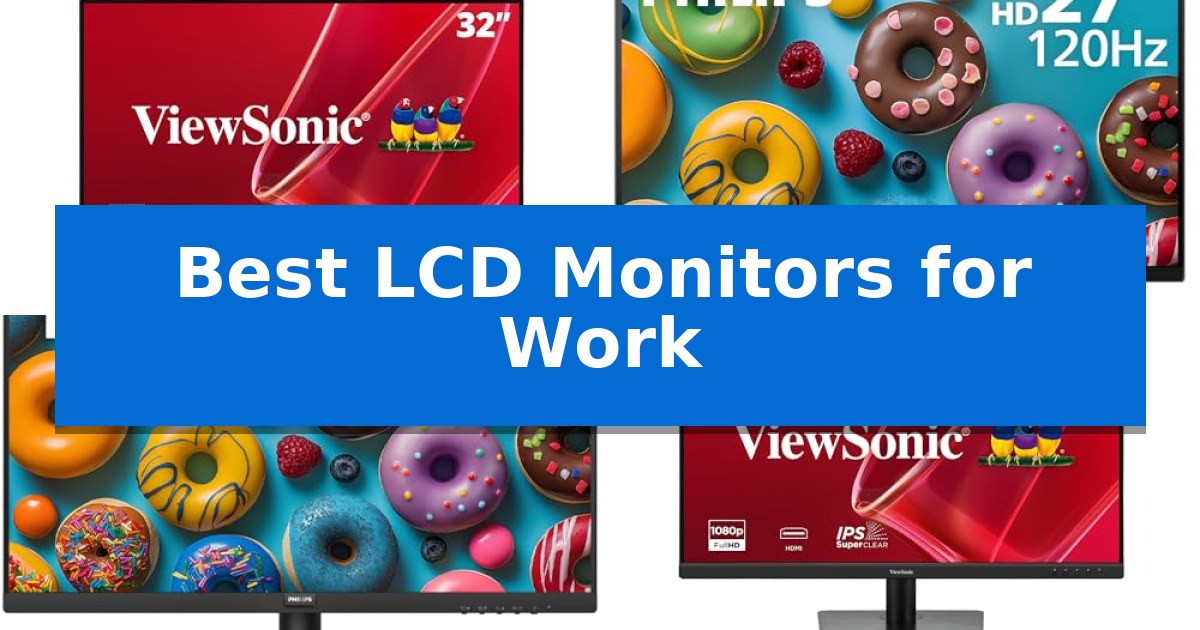
Finding the right display is essential for maintaining focus and comfort during long hours at your desk. The Best LCD Monitors for Work provide the clarity and screen real estate necessary to manage complex spreadsheets, multiple documents, and creative projects without constant window switching.
Our guide examines key display specifications to help you select a monitor that fits your specific workflow. Whether you prioritize high-resolution detail for data analysis or fluid motion for daily navigation, these options offer reliable solutions for any professional environment.
You may also want to compare Best LCD Monitors for Photo Editing, Best LCD Monitors for PC Gaming, and Best LCD Monitors for PC Builds.
Best LCD Monitors for Work
Quick Comparison
| Product | Best For | Key Strength | Score |
|---|---|---|---|
| ViewSonic VS3225-2K QHD Monitor | Best Overall | Expansive 32-inch QHD display for increased multitasking area. | 4.9 |
| Philips 27E2N2100 IPS Monitor | Fluid Motion for Daily Tasks | 120Hz refresh rate for fluid motion | 4.4 |
| Philips 241V8LB VA Monitor | Optimized for Document Reading | EasyRead mode for improved document viewing comfort | 4.7 |
| ViewSonic VA3209M IPS Monitor | Consistent Colors for Wide Views | Large 32-inch IPS panel provides ample workspace for multitasking. | 4.6 |
| Samsung S36GD Curved Monitor | Immersive Screen for Focus | 1800R curvature for an immersive viewing experience. | 4.8 |
How We Chose
- Panel technology (IPS vs. VA) for color consistency and contrast.
- Screen resolution and size for effective multitasking.
- Refresh rate and adaptive sync for smooth interface navigation.
- Ergonomic features and eye-care technology for long-term comfort.
- Connectivity standards including HDMI, DisplayPort, and VGA compatibility.
1 ViewSonic VS3225-2K QHD Monitor — Sharp Detail for Spreadsheets
Maximizing screen real estate for complex workflows requires a display that balances resolution with physical size. The ViewSonic VS3225-2K QHD Monitor provides an expansive 32-inch workspace, utilizing a SuperClear VA panel to offer 2560 x 1440 resolution that brings clarity to dense spreadsheets and multi-window multitasking.
Designed for professional environments, this monitor integrates HDR10 support to enhance color depth and contrast, ensuring that visual presentations and media appear with greater detail than standard SDR displays. The 75Hz variable refresh rate provides a smoother visual experience during daily tasks like scrolling through long documents or navigating web-based applications, reducing the stutter often found on standard 60Hz panels.
Ergonomics and connectivity are central to its utility in a home office. The monitor features Flicker-Free technology and Low Blue Light support to assist with visual comfort during extended work sessions. With dual HDMI 1.4 ports and a DisplayPort input, it accommodates multiple devices simultaneously, while the 100 x 100 mm VESA mount allows for flexible mounting options to suit various desk configurations.
For those who prefer a streamlined desk setup, the inclusion of dual 2.5W speakers eliminates the immediate need for external audio hardware. The frameless, anti-glare design minimizes distractions, focusing the user's attention on the content rather than the hardware, making it a functional choice for productivity-focused users.
Best for: Professionals and home office users who require a large, high-resolution display for multitasking, spreadsheet management, and document-heavy workflows.
Skip if: Users requiring high-precision color accuracy for professional photo editing or those with limited desk space who would find a 32-inch footprint too cumbersome.
PROS
- Expansive 32-inch QHD display for increased multitasking area.
- 75Hz variable refresh rate for smoother scrolling and navigation.
- Integrated eye-care features including flicker-free and low blue light modes.
- Flexible connectivity with multiple HDMI and DisplayPort inputs.
CONS
- 250-nit brightness may be insufficient for extremely bright, sunlit workspaces.
- Dual 2.5W speakers offer limited audio fidelity compared to dedicated sound systems.
2 Philips 27E2N2100 IPS Monitor — Fluid Motion for Daily Tasks
Achieving a fluid workspace requires hardware that keeps pace with your daily tasks, and the Philips 27E2N2100 IPS Monitor offers a high 120Hz refresh rate to ensure smoother motion for both productivity and entertainment. By moving beyond the standard 60Hz experience, this display provides a more responsive feel when navigating complex documents or switching between multiple windows.
The 27-inch Full HD IPS display delivers consistent color accuracy and clarity, making it a reliable choice for standard office applications and media consumption. Its ultra-narrow, 3-sided frameless design is specifically engineered to maximize screen real estate, which is particularly beneficial for those who prefer a seamless multi-monitor setup to organize their workflow.
Designed with long-term usability in mind, the monitor incorporates LowBlue Mode and flicker-free technology to assist in reducing eye fatigue during extended work sessions. These features prioritize user comfort without compromising the visual quality of the 1920×1080 resolution panel.
Connectivity is handled through a versatile array of inputs, including HDMI, DisplayPort, and VGA, ensuring broad compatibility with various desktop and laptop configurations. The inclusion of an audio out port further simplifies desk cable management, while the 4-year advance replacement warranty provides long-term support for your investment.
Best for: Professionals and home office users who prioritize smooth motion and multi-monitor compatibility for daily productivity tasks.
Skip if: Users requiring higher than 1080p resolution for detailed creative work or those needing advanced ergonomic adjustments like height, tilt, or swivel.
PROS
- 120Hz refresh rate for fluid motion
- 3-sided frameless design for multi-monitor setups
- 4-year advance replacement warranty
- LowBlue Mode and flicker-free technology for eye comfort
CONS
- 1080p resolution may limit workspace for high-density tasks
- Lack of advanced ergonomic stand adjustments
3 Philips 241V8LB VA Monitor — Optimized for Document Reading
The Philips 241V8LB VA Monitor is built to support focused office tasks through its specialized EasyRead mode, which adjusts the display to provide a paper-like experience for reviewing lengthy documents. This 23.8-inch display is designed to minimize visual clutter, featuring a virtually bezel-free design on three sides that facilitates seamless multi-monitor configurations for expanded workspace.
Equipped with a VA panel, this monitor achieves high contrast ratios, delivering deeper blacks and brighter whites across its 1920×1080 resolution. The display supports a 100Hz refresh rate and Adaptive Sync technology, which helps maintain smooth visuals during standard daily operation. Users benefit from a wide 178/178 degree viewing angle, ensuring color consistency even when the screen is viewed from an offset position.
Designed for long-term reliability in professional environments, the unit includes a 4-year advance replacement warranty. The monitor also incorporates Low Blue Light technology to assist with comfort during extended work sessions. Its physical design includes tilt adjustment, allowing users to position the screen for optimal ergonomics at their desk.
For those managing complex workflows, the ability to align multiple units side-by-side without thick borders is a primary advantage. While the Philips 241V8LB VA Monitor provides essential features for document-heavy tasks, it remains a straightforward, dedicated tool for productivity rather than a high-end multimedia display.
Best for: Office professionals and students who prioritize document readability and multi-monitor setups for productivity.
Skip if: Users requiring high color accuracy for professional photo or video editing should look for an IPS panel instead.
PROS
- EasyRead mode for improved document viewing comfort
- Virtually bezel-free design ideal for multi-monitor arrays
- 4-year advance replacement warranty for long-term support
- VA panel provides high contrast for clear text and graphics
CONS
- Limited ergonomic adjustments beyond basic tilt
- VA panel technology may not meet the color precision needs of creative professionals
4 ViewSonic VA3209M IPS Monitor — Consistent Colors for Wide Views
A large-format display can significantly impact daily productivity by providing expansive screen real estate for multitasking. The ViewSonic VA3209M IPS Monitor offers a 32-inch Full HD (1920 x 1080) panel designed to provide consistent color reproduction and wide viewing angles, making it a practical choice for home office or study environments.
This monitor prioritizes user comfort during extended sessions through integrated Flicker-Free technology and a Blue Light Filter, which work to minimize eye fatigue. For those managing diverse workflows, the ViewMode presets allow for quick adjustments to gamma, contrast, and brightness, with specific profiles for web browsing, text-heavy documents, and multimedia tasks.
Fluidity in visual performance is supported by VESA Adaptive Sync technology and a 75Hz refresh rate, which help maintain consistent frame rates and reduce screen tearing during casual use. The unit features a frameless design that maximizes the active display area, contributing to a clean aesthetic on any desk.
Connectivity is handled through standard HDMI and VGA inputs, ensuring compatibility with a wide range of modern laptops, PCs, and legacy hardware. The inclusion of built-in dual speakers provides a space-saving audio solution, reducing the need for external peripherals in a minimalist workspace setup.
Best for: Professionals and students who require a large, comfortable display for multitasking and daily office tasks.
Skip if: Users who require higher pixel density for detailed creative work, as the 1080p resolution on a 32-inch screen results in a lower PPI compared to 1440p or 4K monitors.
PROS
- Large 32-inch IPS panel provides ample workspace for multitasking.
- Integrated eye care features include Flicker-Free technology and Blue Light Filter.
- Adaptive Sync support with 75Hz refresh rate for smoother visuals.
- Versatile connectivity with both HDMI and VGA ports.
CONS
- 1080p resolution may appear less sharp on a screen of this size.
- Limited to basic input options without modern USB-C or DisplayPort connectivity.
5 Samsung S36GD Curved Monitor — Immersive Screen for Focus
The Samsung S36GD Curved Monitor features an 1800R curvature designed to wrap around your field of view, providing a more immersive experience for long work sessions. This 27-inch display utilizes a Vertical Alignment (VA) panel to deliver a 3,000:1 static contrast ratio, ensuring deep blacks and distinct separation between light and dark areas on your screen.
Engineered for productivity, the monitor offers a 100Hz refresh rate and a 4 ms response time, which helps maintain smooth motion during daily navigation and scrolling. It supports 16.7 million colors with 95% sRGB color coverage, providing reliable color reproduction for general office tasks and creative projects. The inclusion of VGA and HDMI inputs ensures compatibility with a variety of desktop and laptop setups.
To support extended hours at the desk, the display includes Eye Saver Mode and Flicker-Free technology, which are intended to reduce visual strain. The VESA mount compatibility allows for flexible installation on monitor arms or wall mounts, helping you optimize your workspace ergonomics. Please note that this model does not include an integrated camera, making it a dedicated display solution.
The Samsung S36GD Curved Monitor balances performance and comfort through its high-contrast VA panel and ergonomic design features. While it lacks built-in audio or camera hardware, its focus on visual clarity and eye-comfort technologies makes it a practical choice for a dedicated workstation.
Best for: Users seeking an immersive, high-contrast display for extended office work and general productivity tasks.
Skip if: Users who require an integrated webcam for video conferencing or those needing a flat panel display for professional color-critical design work.
PROS
- 1800R curvature for an immersive viewing experience.
- 3,000:1 static contrast ratio provides deep, rich blacks.
- Eye Saver and Flicker-Free technology to help reduce eye fatigue.
- 100Hz refresh rate for smoother motion than standard 60Hz panels.
CONS
- No integrated camera for video conferencing.
- VA panel may have more limited viewing angles compared to IPS alternatives.
Best LCD Monitors for Work Buying Guide
Understanding Panel Technology
The choice between IPS and VA panels significantly affects your viewing experience. IPS panels are generally preferred for their wide viewing angles and consistent color reproduction, making them ideal for collaborative work or design tasks where color accuracy is paramount.
Conversely, VA panels typically offer superior static contrast ratios, which result in deeper blacks and brighter whites. This makes them highly effective for document-heavy workflows, as the increased contrast can make text appear sharper and easier to read over extended periods.
Resolution and Screen Size
For most professional tasks, QHD (1440p) resolution on a 32-inch display provides a significant increase in workspace compared to standard Full HD (1080p). This extra resolution allows you to place more windows side-by-side, reducing the need to toggle between applications.
If you are limited by desk space, a 24-inch or 27-inch Full HD monitor remains a practical choice. These sizes are often sufficient for standard office applications, provided the pixel density remains comfortable for your typical viewing distance.
Refresh Rate and Motion
While high refresh rates are often associated with gaming, a monitor with a 75Hz or 120Hz refresh rate can make daily tasks feel more responsive. Smoother cursor movement and fluid scrolling through long documents or web pages can reduce visual stutter, contributing to a more pleasant user experience.
Adaptive sync technology, when supported, further enhances this by aligning the monitor's refresh rate with your system's output. This helps eliminate screen tearing during rapid window movement or multimedia playback, ensuring a stable visual environment.
Ergonomics and Eye Care
Features like Flicker-Free technology and Low Blue Light filters are essential for professionals who spend eight or more hours in front of a screen. These technologies work to minimize eye strain and fatigue, which are common complaints during intensive work sessions.
Additionally, consider the physical mounting options of your monitor. A VESA-compatible design allows you to attach the display to an adjustable monitor arm, enabling you to position the screen at the perfect height and angle to maintain proper posture throughout the day.
Connectivity and Compatibility
Before purchasing, verify that the monitor's inputs match your computer's output ports. Most modern monitors offer a combination of HDMI and DisplayPort, which are standard for high-definition video transmission. Some models also include VGA ports for compatibility with legacy hardware.
If you use a laptop, ensure the monitor supports the necessary resolution through your preferred connection method. Having multiple inputs allows you to keep both a desktop and a laptop connected simultaneously, streamlining your ability to switch between devices as your workflow demands.
Frequently Asked Questions
What is the benefit of a curved monitor for work?
A curved monitor, such as the Samsung S36GD, can provide a more immersive experience by keeping the edges of the screen at a more consistent distance from your eyes, which may help reduce peripheral distortion.
Is 1080p resolution enough for a 32-inch monitor?
While 1080p on a 32-inch screen results in lower pixel density compared to QHD, it is often sufficient for general office tasks, document reading, and web browsing where fine detail is less critical than screen size.
Do I need a high refresh rate monitor for office work?
A higher refresh rate like 120Hz is not strictly necessary for office work, but it does make the interface feel more fluid and responsive, which can be a noticeable upgrade over standard 60Hz displays.
What does VESA mount compatibility mean?
VESA compatibility means the monitor has a standardized hole pattern on the back, allowing you to attach it to third-party monitor arms or wall mounts instead of using the included stand.
How do I reduce eye strain while working?
Look for monitors with built-in eye-care features like flicker-free backlighting and blue light filters. Additionally, ensure your monitor is positioned at eye level to maintain good posture.
Conclusion: Our Top Pick
Selecting the right monitor is a foundational step in building an efficient workspace. After reviewing the available options, the ViewSonic VS3225-2K QHD Monitor stands out as the most versatile choice for professional environments. Its combination of a 32-inch QHD panel, HDR10 support, and flexible connectivity provides the necessary detail and screen real estate to handle demanding multitasking and document-heavy workflows effectively.
While other models offer specific advantages like higher refresh rates or curved designs, the ViewSonic model balances resolution and screen size in a way that directly benefits daily productivity. It is a reliable, feature-rich solution for users who need a clear, expansive view of their work without unnecessary complexity.