
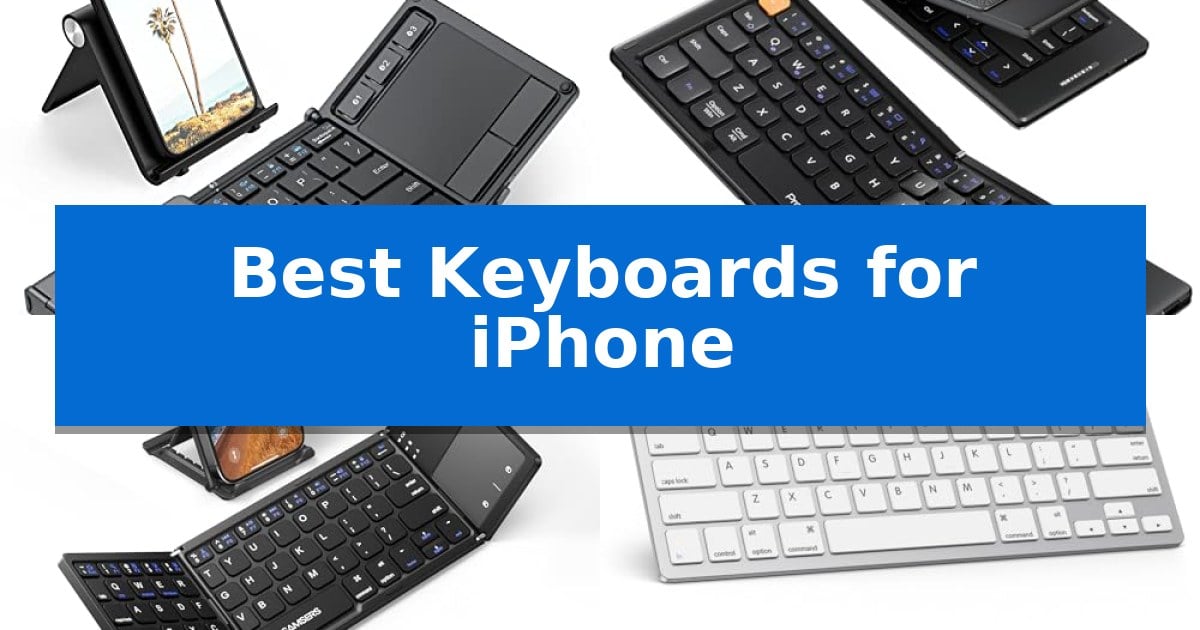
Transforming your smartphone into a mobile workstation requires a reliable input method that balances portability with typing comfort. Whether you are drafting long emails on a commute or managing documents from a cafe, the Best Keyboards for iPhone provide the tactile feedback and speed that touchscreens simply cannot match.
Selecting the right accessory depends on your specific workflow, such as whether you prioritize an integrated trackpad for navigation or a minimalist design for maximum space savings. This guide examines top-rated options, focusing on connectivity, physical dimensions, and compatibility to ensure you find a tool that integrates seamlessly with your mobile lifestyle.
Best Keyboards for iPhone in 2026: Portable Typing Solutions
Quick Comparison
| Product | Best For | Key Strength | Score |
|---|---|---|---|
| iClever BK08 Foldable Keyboard | Best Overall | Integrated touchpad eliminates the need for a separate mouse. | 4.9 |
| ProtoArc XK04 Foldable Keyboard | Premium Leather Protection | Pocket-sized, foldable design with an integrated PU leather cover for easy transport. | 4.6 |
| Samsers Foldable Bluetooth Keyboard | Includes Dedicated Phone Stand | Integrated phone stand for optimal viewing angles | 4.5 |
| OMOTON Ultra-Slim Bluetooth Keyboard | Optimized iOS Multimedia Keys | 12 dedicated multimedia hotkeys for efficient iOS control. | 4.4 |
| Doohoeek Universal Bluetooth Mini Keyboard | Color-Coded Keys for Speed | Color-coded orange keys enhance visibility and help reduce typing errors. | 4.4 |
How We Chose
- Connectivity stability and multi-device switching capabilities.
- Physical dimensions and weight for everyday carry.
- Compatibility with iOS multimedia shortcuts and system functions.
- Battery efficiency and charging standards like USB-C.
- Build quality and protective features for travel durability.
1 iClever BK08 Foldable Keyboard — Integrated Touchpad for Mouse Control
The iClever BK08 Foldable Keyboard offers a distinct advantage for mobile users by integrating a built-in touchpad into a pocket-sized, folding form factor. This design choice allows for mouse-like navigation on your phone or tablet, effectively turning a handheld device into a compact workstation without requiring additional peripherals.
Constructed from aircraft-grade aluminum with reinforced hinges, this keyboard is engineered for durability during transit. It weighs only 7.05oz and folds down to a compact size, making it suitable for travel or remote work setups. The device supports multi-device Bluetooth connectivity, allowing you to switch between up to three paired devices with a single tap.
Power management is handled via USB-C charging, providing up to 60 days of use on a single two-hour charge. The unit includes an auto-sleep feature that activates when the keyboard is folded, helping to conserve battery life. It is compatible with iOS, Android, Windows, macOS, and Chrome OS, ensuring versatility across various hardware ecosystems.
While highly portable, the iClever BK08 Foldable Keyboard does not include backlighting and is not spill-proof. It relies exclusively on Bluetooth connectivity, meaning it lacks a wired mode or a USB receiver. For users who prioritize a full-sized typing experience or require specific OS-level features like Samsung DeX support, these design trade-offs are important to consider.
Best for: On-the-go professionals and travelers who need a compact, multi-device keyboard with integrated mouse control for their phone or tablet.
Skip if: Users who require a spill-proof design, backlit keys, or specific compatibility with Samsung DeX mode.
PROS
- Integrated touchpad eliminates the need for a separate mouse.
- Multi-device Bluetooth switching for up to three devices.
- Durable aircraft-grade aluminum construction.
- USB-C rechargeable battery with up to 60 days of life.
CONS
- Non-backlit keys may be difficult to use in low-light conditions.
- Not spill-proof and lacks water resistance.
- Touchpad incompatibility with Samsung DeX mode.
2 ProtoArc XK04 Foldable Keyboard — Premium Leather Protection
The ProtoArc XK04 Foldable Compact Keyboard streamlines mobile productivity by offering a physical typing interface that fits into a pocket. Designed specifically for users who need to transition from touchscreens to tactile input on the go, this device features a two-fold design that collapses into a compact form factor protected by an integrated PU leather cover.
Equipped with Bluetooth 5.1 technology, the keyboard supports a 3-device workflow, allowing users to switch between an iPhone, iPad, or other tablets using dedicated keys. This multi-device capability eliminates the need for constant re-pairing, making it a practical tool for managing notes and messaging across different hardware setups.
The layout is optimized for mobile use, featuring 0.55-inch keycaps that maintain a balance between portability and usability. Measuring 10.76 x 4.07 inches when unfolded, it is sized to fit on cramped surfaces like airplane trays or small cafe tables. The unit is USB-C rechargeable and includes an auto-sleep standby mode that supports up to 150 days of battery life, ensuring it remains ready for travel.
This keyboard is a suitable choice for travelers and professionals who require a lightweight, protective, and versatile typing solution for mobile devices. Its combination of a durable leather exterior and a foldable, space-saving design provides a balance between portability and functional workspace creation.
Best for: Business travelers and mobile professionals who need a compact, multi-device physical keyboard for their iPhone or tablet.
Skip if: Users who require a full-sized desktop keyboard with a numeric keypad or those who prefer mechanical switches for heavy-duty typing tasks.
PROS
- Pocket-sized, foldable design with an integrated PU leather cover for easy transport.
- Bluetooth 5.1 supports simultaneous connection and switching between up to 3 devices.
- USB-C rechargeable battery with up to 150 days of standby time.
- Compact layout specifically optimized for mobile devices and tight workspaces.
CONS
- Small form factor may require an adjustment period for users accustomed to full-sized keyboards.
3 Samsers Foldable Bluetooth Keyboard — Includes Dedicated Phone Stand
The Samsers Foldable Bluetooth Keyboard simplifies mobile typing by integrating a dedicated phone stand directly into its folding chassis, ensuring your device remains at a stable, ergonomic viewing angle. This ultra-slim accessory is designed for portability, weighing only 5.53 ounces and featuring a matte black finish that resists daily wear.
Beyond its compact form, this keyboard includes a multi-touch trackpad that allows for cursor navigation without requiring a separate mouse. It connects via Bluetooth to iOS, Android, and Windows devices, maintaining a stable signal within a 10-meter range. The built-in rechargeable battery supports extended use, requiring only 2-3 hours of charging to provide up to 48 hours of active operation.
The device features a near-standard key layout designed to facilitate accurate and quiet typing. Its folding mechanism allows it to collapse into a palm-sized footprint, making it a practical choice for those who need a full-sized typing experience while traveling or working remotely. The unit also includes a USB-C charging port for modern power compatibility.
Compatibility is a key consideration for iPhone users, as the integrated trackpad requires iOS 13.4 or higher to function. The keyboard automatically pairs with the last connected device upon activation, streamlining the setup process for frequent users.
Best for: Travelers and mobile professionals who need a compact, all-in-one typing and navigation solution for their smartphone or tablet.
Skip if: Users requiring a full-sized desktop keyboard with a numeric keypad or those using older iOS versions below 13.4.
PROS
- Integrated phone stand for optimal viewing angles
- Multi-touch trackpad for mouse-free navigation
- Ultra-slim, foldable design weighing only 5.53 ounces
- USB-C charging with long battery life
CONS
- Trackpad functionality limited to newer iOS and Android versions
- Single-device connectivity only
4 OMOTON Ultra-Slim Bluetooth Keyboard — Optimized iOS Multimedia Keys
The OMOTON Ultra-Slim Bluetooth Keyboard streamlines mobile typing by integrating 12 dedicated multimedia hotkeys directly into its layout, allowing for one-key control over volume, brightness, and music playback on iOS devices. This compact peripheral is designed to bridge the gap between a touchscreen interface and a traditional tactile typing experience, making it a practical addition for users who frequently switch between office work, study, and travel.
Measuring just 0.2 inches in thickness, the keyboard maintains a portable 11.2-inch by 4.7-inch footprint. It utilizes a standard 78-key QWERTY layout constructed from high-quality ABS material, providing a familiar feel for those accustomed to desktop typing. The device relies on stable wireless Bluetooth connectivity to pair with various iPhone and iPad models, ensuring a clutter-free workspace without the need for physical cables.
Power efficiency is managed through an auto-sleep function that triggers after 10 minutes of inactivity, helping to extend the lifespan of the two required AAA batteries. The manufacturer estimates up to 400 hours of battery life, assuming standard daily usage patterns. This energy-saving design is intended to minimize the frequency of battery replacements for mobile professionals.
While the keyboard is optimized for the Apple ecosystem, including specific support for iPad and iPhone series, users should note that the function keys are tailored specifically for iOS and iPadOS. This ensures high efficiency within those environments but may result in limited functionality if the device is paired with non-Apple systems.
Best for: Users seeking a portable, dedicated typing solution for iPhone and iPad that prioritizes iOS-specific multimedia controls.
Skip if: Users who require a full-sized keyboard with a numeric keypad or those who prefer rechargeable internal batteries over replaceable AAA batteries.
PROS
- 12 dedicated multimedia hotkeys for efficient iOS control.
- Ultra-slim 0.2-inch profile for enhanced portability.
- Stable wireless Bluetooth connectivity.
- Auto-sleep energy-saving feature to extend battery life.
CONS
- Batteries not included in the package.
- Function keys limited to iOS and iPadOS compatibility.
5 Doohoeek Universal Bluetooth Mini Keyboard — Color-Coded Keys for Speed
The Doohoeek Universal Bluetooth Mini Keyboard streamlines mobile typing with a unique color-coded layout, featuring orange navigation keys designed to improve key positioning and minimize input errors during fast-paced work. This ultra-portable device weighs only 6oz and maintains a slim 0.6in profile, allowing it to fold via a flexible hinge for easy storage in handbags or travel gear.
Engineered for versatility, this keyboard offers multi-OS compatibility across Android, Windows, and iOS, ensuring it functions with a variety of mobile devices including tablets and smartphones. Users can manage multiple workflows efficiently through its dual-device connectivity, which supports seamless switching between two paired Bluetooth devices using simple Fn+1 or Fn+2 key combinations.
For those working in shared spaces or while traveling, the integrated any-angle stand provides a stable base for phones and tablets, facilitating a more ergonomic viewing experience. The device is powered by a straightforward pairing process, and the manufacturer includes a 1-year warranty to support the hardware.
While the compact design is ideal for portability, the folding nature of the keyboard means it requires a flat surface for optimal stability during use. It serves as a practical solution for users who need a dedicated typing interface for their mobile devices without the bulk of a standard desktop keyboard.
Best for: Mobile professionals and students who need a highly portable, foldable keyboard for switching between two devices on the go.
Skip if: Users who require a full-sized, rigid mechanical keyboard for heavy-duty desktop typing or those who primarily work on uneven surfaces where a folding hinge may lack stability.
PROS
- Color-coded orange keys enhance visibility and help reduce typing errors.
- Dual-device Bluetooth switching allows for quick transitions between two paired devices.
- Ultra-compact foldable design makes it highly portable for travel.
- Integrated any-angle stand supports various mobile device sizes.
CONS
- Folding hinge design requires a flat surface for stable operation.
- Compact form factor may feel cramped for users accustomed to full-sized layouts.
Best Keyboards for iPhone Buying Guide
Connectivity and Multi-Device Support
The most critical factor for any mobile keyboard is its ability to maintain a stable Bluetooth connection. Look for models that support multi-device switching, which allows you to toggle between your iPhone, iPad, and laptop with a single command. This is essential for users who manage multiple workflows throughout the day.
Ensure the keyboard uses a modern Bluetooth standard for reduced latency and faster pairing. Reliable connectivity ensures that your typing remains fluid without the frustrating delays often associated with older wireless peripherals.
Portability and Form Factor
Since you are pairing these with an iPhone, the keyboard should be designed for on-the-go use. Foldable designs are excellent for saving space in a bag, while ultra-slim profiles allow for easy storage in a laptop sleeve or travel pouch.
Consider the weight of the unit. A keyboard that weighs under 8 ounces is generally ideal for travel, as it adds minimal bulk to your daily carry while still providing a stable base for typing on uneven surfaces like airplane trays or cafe tables.
Integrated Navigation and Touchpads
Some keyboards feature a built-in touchpad, which can significantly enhance productivity by allowing you to navigate your device without reaching for the screen. This is particularly useful for document editing and web browsing.
Check the compatibility of the trackpad with your specific OS version. While many offer multi-touch support, ensure the manufacturer confirms it works with the current version of iOS to avoid functionality limitations.
Battery Life and Charging
A keyboard that requires frequent battery changes can become a nuisance. Opt for models with USB-C rechargeable batteries, which offer a more sustainable and convenient power solution compared to replaceable AAA batteries.
Look for auto-sleep functionality, which preserves battery life by putting the device into standby mode when it is folded or inactive. This feature can extend the time between charges to weeks or even months, depending on your usage patterns.
Build Quality and Protection
Mobile accessories are subject to the rigors of travel, so durable materials like aircraft-grade aluminum or reinforced hinges are highly recommended. These materials help the device withstand accidental drops and pressure inside a crowded bag.
Some models include protective covers made of PU leather or similar materials. These not only shield the keys from scratches and debris but also provide a professional aesthetic that complements your other mobile gear.
Frequently Asked Questions
Are these keyboards compatible with all iPhone models?
Most Bluetooth keyboards are compatible with any iPhone that supports standard Bluetooth HID profiles. However, always check the specific product specifications for iOS compatibility.
Do I need a mouse if my keyboard has a touchpad?
No, a keyboard with an integrated touchpad is designed to replace the need for a separate mouse, allowing you to control the cursor and perform gestures directly from the keyboard.
How do I charge these keyboards?
Most modern portable keyboards use a USB-C charging port, which allows you to charge them using the same cable you likely use for your other mobile devices.
Can I use these keyboards with my laptop as well?
Yes, most of the keyboards listed support multi-device connectivity, meaning you can pair them with your laptop, tablet, and phone simultaneously and switch between them.
Are these keyboards spill-proof?
Most portable and foldable keyboards are not rated as spill-proof. It is best to keep them away from liquids to ensure the longevity of the internal electronics.
Conclusion: Our Top Pick
When choosing the right tool for your mobile setup, the iClever BK08 Foldable Keyboard stands out as the most versatile option. Its combination of an integrated touchpad, durable aluminum construction, and multi-device switching makes it an excellent choice for professionals who need a full-featured workstation in a pocket-sized form factor.
While other models offer specific benefits like dedicated phone stands or color-coded keys, the iClever BK08 provides the most balanced feature set for general productivity. Ensure you verify that your specific iOS version supports the touchpad features, as this will determine the full extent of the device's utility for your unique workflow.