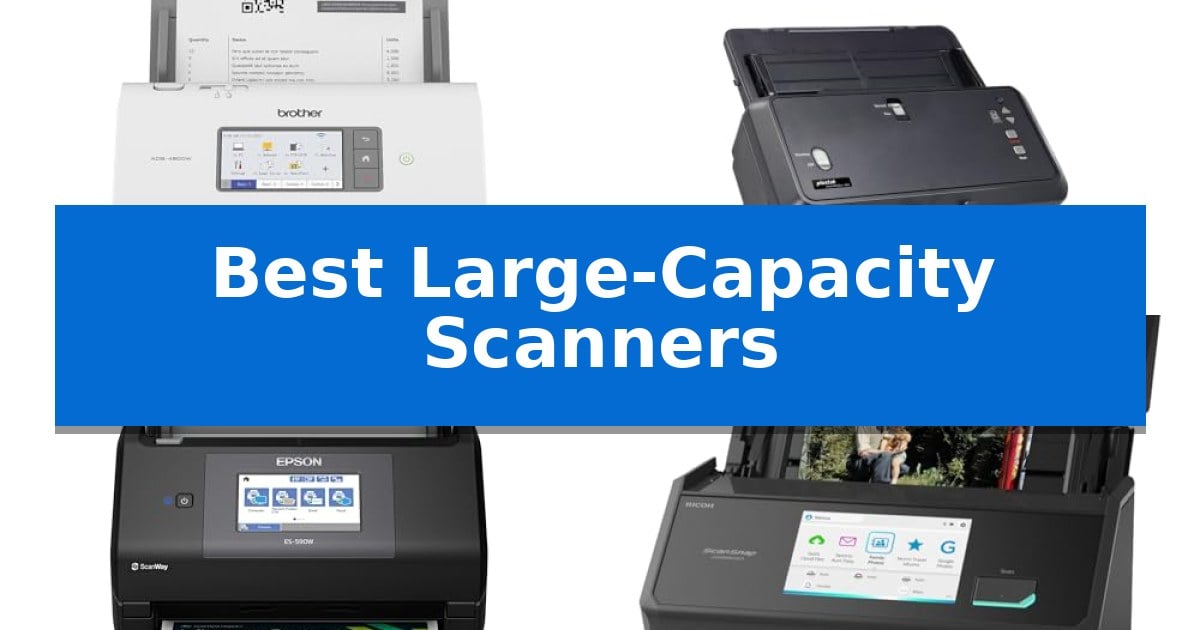
Best Large-Capacity Scanners in 2026

Best Large-Capacity Scanners

Managing large volumes of physical documentation requires hardware that balances throughput with reliability. When your daily workflow involves hundreds of pages, standard flatbed devices often become a bottleneck, leading to time-consuming manual intervention and increased risk of paper jams.

The Best Large-Capacity Scanners are engineered to address these challenges by combining high-speed automatic document feeders with intelligent software integration. Whether you are digitizing bound books, oversized blueprints, or stacks of financial records, selecting the right hardware ensures your archiving process remains efficient and accurate.
Best Large-Capacity Scanners in 2026

Our Top Picks
  1. Handles Oversized Ledger Documents Plustek S60 Large Format Scanner
  2. Smart AI-Ready Document Processing Epson Workforce ES-590W Desktop Scanner
  3. Versatile for Photos and Documents ScanSnap iX2500 Photo Edition Scanner
  4. Overhead Capture for Bound Books VIISAN S21 Large Format Scanner

Quick Comparison

Product Best For Key Strength Score
Brother ADS-4900W Desktop Scanner Best Overall Fast 60ppm scanning for both single and double-sided documents. 4.9
Plustek S60 Large Format Scanner Handles Oversized Ledger Documents Wide-format support for documents up to 12" x 17" and long-paper mode up to 200 inches. 4.4
Epson Workforce ES-590W Desktop Scanner Smart AI-Ready Document Processing Fast 45 ppm duplex scanning for efficient batch processing. 4.6
ScanSnap iX2500 Photo Edition Scanner Versatile for Photos and Documents Large 5-inch touchscreen for intuitive profile management. 4.5
VIISAN S21 Large Format Scanner Overhead Capture for Bound Books A2 large format scanning capability for oversized documents. 4.5

How We Chose

  • Document Feeder Capacity and Reliability
  • Scanning Speed and Duplex Throughput
  • Support for Diverse Paper Sizes and Media Types
  • Software Integration and Workflow Automation Features
  • Connectivity Options for Networked Environments

1 Brother ADS-4900W Desktop Scanner — Fastest High-Volume Office Workhorse

Managing high-volume document workflows requires hardware that balances speed with consistent reliability. The Brother ADS-4900W Professional Desktop Scanner addresses these demands by offering a robust capture solution designed for busy office environments, featuring a 100-page capacity auto document feeder that handles multi-page batches with ease.

Efficiency is central to this model's design, as it delivers scan speeds of up to 60ppm for both single and double-sided materials. The integration of dual-band wireless (2.4GHz/5GHz) and Ethernet connectivity ensures the device fits seamlessly into existing network infrastructures, while a USB 3.0 interface provides a dependable option for local, direct-to-PC scanning.

Usability is enhanced by a 4.3-inch color touchscreen display, which allows users to navigate menus and configure up to 56 customizable shortcuts. These shortcuts enable one-touch scanning to common destinations, including email, cloud services like Google Drive and Dropbox, and secure network locations via SSH Server (SFTP).

The device prioritizes document integrity and network safety through Triple Layer Security features. With broad driver support including TWAIN, WIA, ISIS, and SANE, the scanner integrates into diverse software environments, making it a versatile tool for organizations requiring a secure and adaptable digitizing workflow.

Best for: Busy offices and workgroups requiring high-speed, secure, and networked document digitization.

Skip if: Users who only require occasional, low-volume scanning or those who lack the desk space for a dedicated, high-capacity desktop unit.

PROS

  • Fast 60ppm scanning for both single and double-sided documents.
  • Large 100-page auto document feeder capacity for batch processing.
  • Flexible connectivity including dual-band Wi-Fi, Ethernet, and USB 3.0.
  • Triple Layer Security to protect sensitive documents and network connections.
  • Customizable touchscreen with 56 shortcuts for streamlined workflows.

CONS

  • Large physical footprint may not be suitable for compact or crowded workspaces.

2 Plustek S60 Large Format Scanner — Handles Oversized Ledger Documents

Digitizing oversized documents requires hardware that can accommodate width and length without compromising throughput. The Plustek S60 Large Format Scanner addresses this by supporting media up to 12 inches wide and 200 inches long, making it a specialized tool for engineering blueprints, financial ledgers, and continuous data charts.

Efficiency in high-volume environments is supported by a 64 ppm / 128 ipm scan speed in landscape orientation. The unit features a 100-sheet Auto Document Feeder (ADF), which allows for batch processing of large stacks. To maintain document integrity during rapid scanning, the device integrates ultrasonic multi-feed detection to identify and prevent overlapping pages.

The physical design prioritizes workspace management with a 50% collapsible structure that reduces the scanner's footprint when not in use. For specialized media, a straight paper path allows for the manual feeding of thick items like passports, while 9 customizable one-touch keys enable users to route digital files directly to specific folders or email destinations.

Connectivity is handled via USB 3.2 for high-bandwidth data transfer, and the unit maintains broad compatibility through TWAIN compliance across Windows 7, 8, 10, and 11. This combination of wide-format support and automated workflow features makes it a functional choice for commercial-grade document archiving.

Best for: Professional offices and engineering firms requiring high-speed digitization of large-format documents like blueprints, ledgers, and long-form charts.

Skip if: Users with limited desk space who only require standard A4/Letter scanning, as the wide-format footprint and specialized ADF are unnecessary for smaller document types.

PROS

  • Wide-format support for documents up to 12" x 17" and long-paper mode up to 200 inches.
  • High-capacity 100-sheet ADF with a 18,000-sheet daily duty cycle.
  • Ultrasonic multi-feed detection ensures accuracy during high-speed batch scanning.
  • Collapsible design saves significant desktop space when the scanner is idle.

CONS

  • Large physical footprint even when collapsed compared to standard compact document scanners.
  • Manual feed requirement for thick items like passports rather than automated batch processing.

3 Epson Workforce ES-590W Desktop Scanner — Smart AI-Ready Document Processing

High-volume document digitization requires hardware that balances speed with intelligent processing. The Epson Workforce ES-590W Desktop Scanner addresses this by integrating a 100-sheet Auto Document Feeder capable of handling large batches in a single session. This unit is designed to maintain efficiency, reaching speeds of up to 45 ppm while performing double-sided scanning in a single pass.

Beyond raw speed, the device emphasizes workflow integration through its 4.3" color touchscreen. This interface enables ScanWay computer-free scanning, allowing users to route documents directly to email, cloud storage, or USB flash drives without needing a tethered PC. The inclusion of built-in Wi-Fi further supports flexible placement within an office environment, ensuring secure WPA2 connectivity for mobile or desktop users.

For organizations looking to bridge the gap between physical archives and digital workflows, the scanner utilizes Epson ScanSmart AI Technology. This feature is engineered to convert paper documents into AI-ready data, optimizing files for use with modern AI applications. This capability transforms the scanner from a simple imaging device into an active component of a data-processing pipeline.

The Epson Workforce ES-590W Desktop Scanner is built for high-productivity environments where space and connectivity are critical. By combining a robust feeder, wireless capabilities, and intelligent data conversion, it provides a comprehensive solution for heavy document loads.

Best for: High-volume office environments requiring fast, wireless, and AI-optimized document digitization.

Skip if: Users who only require occasional, low-volume scanning or those who lack the desk space for a dedicated high-capacity desktop unit.

PROS

  • Fast 45 ppm duplex scanning for efficient batch processing.
  • 100-sheet Auto Document Feeder reduces manual intervention.
  • 4.3" color touchscreen enables convenient computer-free operation.
  • AI-ready data conversion via integrated software.

CONS

  • Large physical footprint may not suit compact workstations.

4 ScanSnap iX2500 Photo Edition Scanner — Versatile for Photos and Documents

The ScanSnap iX2500 Photo Edition Scanner simplifies the transition from physical archives to digital libraries by integrating a large 5-inch touchscreen that allows for direct profile selection and workflow management without needing a computer. This device is specifically engineered to handle diverse media, including delicate prints, through the inclusion of 3 photo carrier sheets and a specialized quick-start guide for photo scanning.

Designed for high-volume tasks, the scanner features an Automatic Document Feeder capable of holding up to 100 documents or 36 photos, with the ability to process up to 100 photos per minute. The integration of Wi-Fi 6 ensures stable, secure wireless connectivity, while the Quick Menu functionality enables users to drag and drop scanned files directly into preferred applications, streamlining the organization of receipts, business cards, and documents.

Versatility is a core component of this model, offering both Wi-Fi and USB-C connectivity to accommodate various workspace setups. The system includes automatic optimizations that handle file naming and sorting, reducing the manual effort required to manage large batches of scanned data. By supporting direct cloud service integration, it provides a flexible solution for users who need to digitize and share content across multiple platforms.

While the unit is built for efficiency, its physical footprint measures 11.5 inches in width and 6.34 inches in height, weighing 7.7 pounds. The 1-year manufacturer warranty covers the hardware, providing a baseline for reliability in office or home-use environments. This scanner balances high-speed processing with user-friendly controls, making it a functional tool for those managing significant quantities of paper and photographic media.

Best for: Users who need to digitize large volumes of mixed photos and documents with a streamlined, touchscreen-based workflow.

Skip if: Users who require a portable, battery-powered scanner or those who do not need the advanced photo-specific carrier sheets and high-capacity feeder.

PROS

  • Large 5-inch touchscreen for intuitive profile management.
  • High-speed processing of up to 100 photos per minute.
  • Wi-Fi 6 and USB-C connectivity options for versatile integration.
  • Includes photo carrier sheets for protecting delicate prints.

CONS

  • Larger footprint compared to portable or single-sheet scanners.
  • Requires AC power as it lacks a built-in battery.

5 VIISAN S21 Large Format Scanner — Overhead Capture for Bound Books

Capturing large-format documents and bound books requires a specialized approach that traditional flatbed scanners often cannot accommodate. The VIISAN S21 Large Format Scanner addresses this by utilizing an overhead document camera design, allowing users to scan materials up to A2 size (594 x 420 mm) without the constraints of a glass platen.

The device features an adjustable height design with a 90-degree foldable hinge, providing the flexibility to switch between A2 and A3 scanning areas. With a resolution of up to 26MP and software-enhanced capabilities reaching 600 DPI, it is engineered to capture fine details in manuscripts, maps, and journals. The integration of a built-in 3-level LED light control ensures consistent illumination, though it is optimized for use in environments without excessive ambient glare.

Efficiency is driven by the bundled OfficeCam software, which includes intelligent processing tools such as automatic page flattening, fingerprint removal, and edge repair. The software also supports multi-language OCR, enabling the conversion of physical pages into searchable PDF, Word, Excel, or Epub formats. For remote workflows, the scanner functions as a UVC/UAC compliant device, allowing it to be used as a camera for video conferencing or project demonstrations.

Compatibility is a key consideration for this hardware. The software suite is designed for x64 and x86 architectures on Windows and macOS, meaning it does not support ARM-based systems like the Surface Pro X. With its 1-year warranty and included scan pad, the VIISAN S21 Large Format Scanner offers a comprehensive solution for digitizing bulky or delicate materials that require a non-contact scanning method.

Best for: Users needing to digitize large-format bound books, maps, or delicate manuscripts using a non-contact overhead capture method.

Skip if: Users operating on ARM-based hardware or those requiring a traditional flatbed scanner for high-speed, automated sheet-fed document processing.

PROS

  • A2 large format scanning capability for oversized documents.
  • Intelligent software features including auto-flattening and OCR.
  • Adjustable height design with a foldable hinge for portability.
  • UVC/UAC compliance for use in remote collaboration and video calls.

CONS

  • Incompatibility with ARM-based devices such as the Surface Pro X.
  • Performance limitations when used in high-glare lighting conditions.

Best Large-Capacity Scanners Buying Guide

Understanding Document Feeder Capacity

The capacity of the Automatic Document Feeder (ADF) is the primary metric for high-volume scanning. A larger feeder allows you to load substantial stacks of paper at once, significantly reducing the time spent standing by the machine to reload.

For busy workgroups, look for feeders that hold at least 100 sheets. This capacity minimizes interruptions and allows for continuous scanning modes, which are essential when digitizing archives or large project files.

Evaluating Scanning Speed and Efficiency

Scanning speed is measured in pages per minute (ppm) and images per minute (ipm) for double-sided documents. High-performance scanners should handle duplex scanning in a single pass to maximize productivity.

Consider how the device handles different paper weights and sizes. A scanner that maintains consistent speed regardless of document type will prevent bottlenecks during mixed-media batches.

Connectivity and Workflow Integration

Modern scanners must integrate seamlessly into your existing digital infrastructure. Options like dual-band wireless and Ethernet connectivity allow for flexible placement and shared access across a network.

Look for devices that support standard drivers such as TWAIN, WIA, and ISIS. These ensure compatibility with document management systems, cloud services, and specialized software, allowing you to route files directly to their final destination.

Handling Oversized and Specialized Media

Standard scanners are often limited to letter or legal sizes. If your work involves blueprints, ledger sheets, or bound journals, you need a device designed for large-format or overhead capture.

Overhead scanners provide a non-contact solution for fragile or bound materials, using software to flatten curved pages and remove artifacts like fingers from the final digital image.

Security and Data Protection

When handling sensitive financial or legal documents, security is paramount. Features such as triple-layer security help protect data during transmission and ensure that only authorized users can access the device.

Additionally, ultrasonic multi-feed detection is a critical feature that prevents errors by identifying when two or more pages are fed simultaneously, ensuring 100% accuracy in your digital archives.

Frequently Asked Questions

What is the difference between an ADF scanner and an overhead scanner?

An ADF scanner pulls sheets through a motorized path, making it ideal for stacks of loose documents. An overhead scanner uses a camera to capture images from above, which is better for bound books or fragile items that cannot be fed through a traditional path.

Do I need TWAIN compliance for my scanner?

TWAIN is a standard interface that allows your scanner to communicate with various software applications. If you plan to scan directly into document management systems or specific business software, TWAIN compliance is highly recommended.

How does ultrasonic multi-feed detection work?

This feature uses sound waves to detect the thickness of the paper passing through the scanner. If the sensor detects that two sheets are stuck together, it pauses the scan to prevent data loss or jams.

Can I scan long documents like strip charts?

Some scanners offer a long-paper mode that allows you to digitize continuous data or specialized forms that exceed standard page lengths, sometimes up to 200 inches.

Is wireless connectivity secure for office scanning?

Yes, provided the scanner supports secure protocols like WPA2. Many professional-grade scanners include built-in security layers to safeguard documents during wireless transmission.

Conclusion: Our Top Pick

For offices and workgroups requiring a reliable, high-speed solution, the Brother ADS-4900W Desktop Scanner stands out as the most capable choice. Its combination of a 100-page ADF, rapid duplex scanning speeds, and robust network integration makes it well-suited for demanding, high-volume environments.

While other models offer specialized features for large-format or overhead capture, the Brother ADS-4900W provides the best balance of speed, security, and workflow flexibility for standard document digitization tasks.
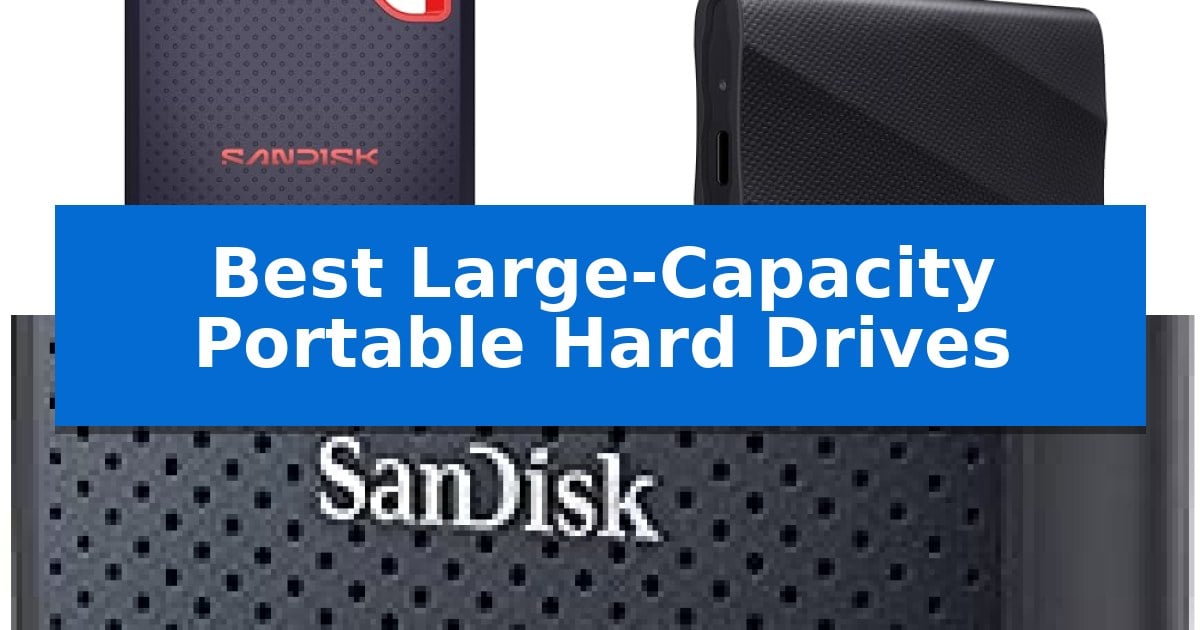
Best Large-Capacity Portable Hard Drives in 2026

Best Large-Capacity Portable Hard Drives

Managing massive media libraries or extensive project files requires reliable storage that can keep up with your pace. Finding the Best Large-Capacity Portable Hard Drives involves balancing high-speed data transfer with the physical durability needed for field work or daily commutes.

Whether you are a professional editor handling 4K footage or a student backing up important research, the right drive ensures your data remains accessible and secure. We have evaluated the latest portable solid-state options to help you identify which device best suits your storage capacity and performance requirements.

Best Large-Capacity Portable Hard Drives in 2026

Our Top Picks
  1. Stays Cool During Heavy Transfers SAMSUNG T9 Portable SSD
  2. Rugged Build for Outdoor Use SANDISK 2TB Extreme Portable SSD

Quick Comparison

Product Best For Key Strength Score
SANDISK Extreme Portable SSD Best Overall High-speed data transfer up to 2000MB/s for efficient file management. 4.9
SAMSUNG T9 Portable SSD Stays Cool During Heavy Transfers Sustained transfer speeds up to 2,000 MB/s 4.6
SANDISK 2TB Extreme Portable SSD Rugged Build for Outdoor Use Rugged design with IP65 water/dust resistance and 3-meter drop protection. 4.9

How We Chose

  • Data Transfer Speeds: We prioritize drives with high-speed interfaces that minimize downtime during large file migrations.
  • Durability Ratings: We look for IP-rated water and dust resistance alongside drop protection to ensure data safety in varied environments.
  • Compatibility: We assess support for modern USB standards across desktops, laptops, and mobile devices.
  • Security Features: We evaluate the presence of hardware-based encryption to protect sensitive information.
  • Portability: We consider the physical footprint and weight to ensure the drive remains easy to carry in bags or pockets.

1 SANDISK Extreme Portable SSD — Fastest Speeds for Creative Work

Managing massive creative projects requires reliable storage that can keep pace with high-resolution workflows. The SANDISK 4TB Extreme Portable SSD offers a substantial capacity for storing AI-generated content, high-res clips, and photo edits in a remarkably compact, pocket-sized form factor.

Built for demanding environments, this drive features an IP65 rating for water and dust resistance, alongside up to 3M drop protection to safeguard your data during travel. It utilizes USB-C 3.2 Gen 2 connectivity to achieve transfer speeds of up to 2000MB/s, enabling users to move large volumes of data, such as 1,000 high-res photos, in under 60 seconds.

Security is integrated through 256-bit AES encryption, allowing for password protection to keep private files secure. The drive is designed to be highly portable, measuring just 0.39 inches in height and weighing only 0.1 pounds, making it an efficient choice for creators who need to carry their entire library in a small bag or pocket.

Backed by a 5-year Limited Manufacturer Warranty, this drive provides a durable solution for professionals who need both high-speed performance and significant storage space. It is a practical tool for those who prioritize portability without sacrificing the capacity required for modern digital content.

Best for: Creative professionals and content creators who need high-speed, high-capacity storage that can withstand travel and outdoor environments.

Skip if: Users who do not require high-speed data transfers or the ruggedized IP65-rated design may find more cost-effective, standard-speed external drives suitable for their needs.

PROS

  • High-speed data transfer up to 2000MB/s for efficient file management.
  • Rugged design with IP65 water/dust resistance and 3M drop protection.
  • Compact and lightweight dimensions for easy portability.
  • Secure storage with built-in 256-bit AES encryption.

CONS

  • Premium pricing associated with high-performance SSD technology compared to traditional mechanical drives.

2 SAMSUNG T9 Portable SSD — Stays Cool During Heavy Transfers

Managing large-scale creative projects or high-resolution media workflows requires a drive that balances speed with consistent thermal management. The SAMSUNG T9 Portable SSD addresses these demands by utilizing an advanced Dynamic Thermal Guard solution, which actively monitors and controls heat output to maintain stable performance during extended data transfers.

Engineered for versatility, this 4TB drive leverages a USB 3.2 Gen 2×2 interface to achieve sustained read and write speeds of up to 2,000 MB/s. This throughput is designed to handle heavy-duty application usage, making it a capable companion for gaming consoles, desktop workstations, and mobile devices, including support for iPhone 15 Pro ProRes 4K at 60fps recording.

Durability and maintenance are central to its design, featuring a robust build that supports long-term reliability. Users can manage the drive's health, perform firmware updates, and apply extra encryption through the integrated Magician Software. As a product from a brand that produces its own DRAM and NAND in-house, it is built to provide consistent operation from concept to completion.

While the drive offers high-performance capabilities, its physical footprint remains compact at approximately 3.46 inches in length and 0.55 inches in height. This small form factor ensures it remains portable for professionals on the move, though users should ensure their host hardware supports the USB 3.2 Gen 2×2 standard to fully realize the maximum advertised transfer speeds.

Best for: Creators and professionals requiring high-speed, sustained data transfer for 4K video editing and large file management.

Skip if: Users who do not have hardware supporting USB 3.2 Gen 2×2 will not be able to utilize the drive's maximum potential speeds.

PROS

  • Sustained transfer speeds up to 2,000 MB/s
  • Dynamic Thermal Guard prevents overheating during heavy use
  • Extensive compatibility with desktops, consoles, and iPhone 15 Pro
  • Magician Software for drive health and security management

CONS

  • Requires USB 3.2 Gen 2×2 host support for peak performance

3 SANDISK 2TB Extreme Portable SSD — Rugged Build for Outdoor Use

When your workflow demands high-speed data transfers and rugged protection in the field, the SANDISK 2TB Extreme Portable SSD provides a reliable solution. This drive is built for demanding environments, featuring IP65 water and dust resistance and up to 3-meter drop protection, ensuring your files remain secure even if the drive takes a physical impact during transit.

Performance is driven by NVMe solid state technology, which enables read speeds of up to 1050MB/s and write speeds of up to 1000MB/s. These speeds facilitate efficient file management, whether you are backing up large projects or accessing high-resolution media directly from the drive. The inclusion of a USB-C 3.2 Gen 2 interface ensures compatibility with modern hardware, while the compact dimensions of 3.97 x 2.07 x 0.38 inches make it easy to carry.

Data security is addressed through integrated 256-bit AES hardware encryption, allowing you to password-protect sensitive content. For added convenience, the drive includes a carabiner loop for secure attachment to backpacks or gear, and it supports the SanDisk Memory Zone app for simplified file management and storage optimization on the go.

Designed for versatility, this drive operates across a wide temperature range of -20°C to 85°C. It is backed by a 5-year limited manufacturer warranty, providing long-term support for your storage investment.

Best for: Creators and professionals who require high-speed NVMe performance and rugged, weather-resistant storage for outdoor or travel-heavy workflows.

Skip if: Users who do not require high-speed NVMe performance or extreme environmental protection and would prefer a more affordable, standard-speed external hard drive.

PROS

  • Rugged design with IP65 water/dust resistance and 3-meter drop protection.
  • Fast NVMe performance with up to 1050MB/s read speeds.
  • Enhanced security via 256-bit AES hardware encryption.
  • Portable form factor with a built-in carabiner loop for easy transport.

CONS

  • Performance variability depending on the host device and connection factors.

Best Large-Capacity Portable Hard Drives Buying Guide

Understanding Transfer Interfaces

The interface of your drive, such as USB 3.2 Gen 2, dictates how quickly you can move files between your computer and the storage device. Faster interfaces are essential for users who frequently transfer high-resolution video or large batches of RAW images.

Always ensure your host computer supports the same standard to achieve the advertised speeds. Using a high-performance drive on an older, slower port will result in a bottleneck, preventing you from utilizing the full potential of your hardware.

The Importance of Ruggedization

Portable drives are frequently exposed to physical hazards, from accidental drops to environmental dust and moisture. An IP65 rating provides a standardized measure of protection against these elements, which is critical for those who work outside of a traditional office.

Look for drives that explicitly mention drop protection specifications. While no drive is indestructible, reinforced casings and internal shock-absorbing materials significantly reduce the risk of data loss caused by physical impact.

Security and Data Encryption

If you store sensitive or proprietary information, 256-bit AES hardware encryption is a vital feature. Unlike software-based solutions, hardware encryption is handled directly by the drive, ensuring that your data remains inaccessible without the correct password.

This level of security is particularly important for professionals who carry client data or personal records. It provides peace of mind that even if the drive is lost or stolen, your private files remain protected from unauthorized access.

Capacity Requirements

Choosing the right capacity depends on your specific workflow. For 4K video editing or large-scale photography projects, 4TB models provide the necessary headroom to store multiple projects without needing to clear space constantly.

If your needs are more modest, a 2TB drive may offer a better balance between cost and storage. Always estimate your storage growth over the next two years to avoid needing a replacement sooner than expected.

Thermal Management

High-speed data transfers generate significant heat, which can lead to performance throttling if not managed correctly. Look for drives featuring Dynamic Thermal Guard or similar advanced cooling solutions to maintain consistent speeds during long operations.

Effective heat dissipation not only preserves performance but also contributes to the long-term longevity of the drive's internal components. A drive that stays cool under pressure is more reliable for sustained, heavy-duty tasks.

Frequently Asked Questions

Are these portable hard drives compatible with my smartphone?

Many modern portable SSDs, such as the Samsung T9, support connection to devices like the iPhone 15 Pro, provided you use the correct cable and the device supports the necessary file transfer protocols.

What does an IP65 rating mean for my drive?

An IP65 rating indicates that the device is protected against dust ingress and can withstand low-pressure water jets, making it suitable for outdoor use where it might be exposed to light rain or dust.

Do I need special software to use the encryption features?

While some drives include proprietary software for managing encryption and firmware updates, the hardware encryption itself is typically managed through the drive's controller, though you will need to set up a password via the provided utility.

Can I use these drives for gaming consoles?

Yes, many portable SSDs are compatible with gaming consoles to expand library storage. Check your console's specific requirements regarding USB standards and drive formatting before purchase.

How often should I update my drive's firmware?

It is recommended to check for firmware updates periodically using the manufacturer's software, such as Samsung Magician, to ensure optimal performance, security, and compatibility with newer operating systems.

Conclusion: Our Top Pick

When selecting a storage solution, the SANDISK Extreme Portable SSD stands out as a top choice for those requiring a blend of high-speed performance and rugged reliability. Its ability to handle intensive creative workloads while offering robust protection against environmental hazards makes it an ideal companion for professionals on the move.

While other options offer excellent thermal management or specific compatibility features, the SANDISK Extreme Portable SSD provides the most well-rounded feature set for users who prioritize both speed and durability in a compact, portable form factor.

Best Large-Capacity Paper Shredders in 2026

Best Large-Capacity Paper Shredders

Managing high volumes of sensitive paperwork requires a reliable solution that minimizes manual effort and downtime. The Best Large-Capacity Paper Shredders are designed to handle stacks of documents automatically, allowing you to focus on your work while the machine securely disposes of your files.

Whether you are running a small business or managing a busy home office, selecting the right shredder involves balancing sheet capacity, security levels, and operational convenience. This guide examines top-performing models to help you find a unit that fits your specific document destruction requirements.

Best Large-Capacity Paper Shredders in 2026

Our Top Picks
  1. Longest Continuous Run Time Bonsaii 200-Sheet Auto Feed Paper Shredder
  2. Reliable Hands-Free Document Destruction Amazon Basics 200-Sheet Auto Feed Shredder
  3. Efficient Dual-Mode Shredding BONSEN 160-Sheet Auto Feed Paper Shredder
  4. Superior Manual Feed Throughput BONSEN 20-Sheet Heavy Duty Paper Shredder

Quick Comparison

Product Best For Key Strength Score
Kitnery 400-Sheet Auto Feed Micro-Cut Shredder Best Overall 400-sheet automatic feed capacity for efficient, hands-free batch processing. 4.9
Bonsaii 200-Sheet Auto Feed Paper Shredder Longest Continuous Run Time 200-sheet auto-feed capacity for hands-free operation 4.6
Amazon Basics 200-Sheet Auto Feed Shredder Reliable Hands-Free Document Destruction 200-sheet auto-feed capacity for unattended operation 4.9
BONSEN 160-Sheet Auto Feed Paper Shredder Efficient Dual-Mode Shredding Dual feeding modes for both bulk auto-shredding and manual item handling 4.4
BONSEN 20-Sheet Heavy Duty Paper Shredder Superior Manual Feed Throughput 60-minute continuous run time for high-volume tasks. 4.9

How We Chose

  • Automatic feed capacity for batch processing efficiency.
  • Security level (P-4 or P-5) for confidential document protection.
  • Continuous run time to ensure uninterrupted operation during large tasks.
  • Bin capacity and ease of maintenance to reduce emptying frequency.
  • Noise levels and jam-prevention technology for a better workspace environment.

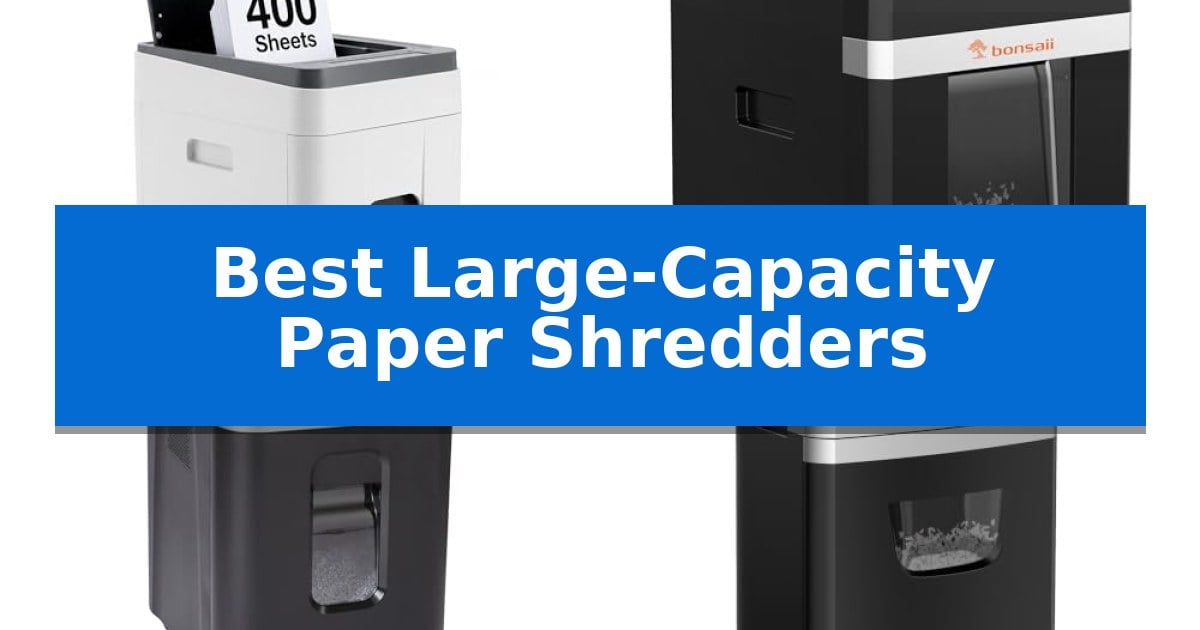
1 Kitnery 400-Sheet Auto Feed Micro-Cut Shredder — Best for High-Volume Batch Processing

Managing high-volume document disposal requires a machine that balances throughput with consistent security, and the Kitnery 400-Sheet Auto Feed Micro-Cut Shredder is engineered specifically for this demand. By allowing users to load up to 400 sheets into the automatic feed tray, it enables continuous, unattended batch processing, which is ideal for clearing out large stacks of paperwork in a professional or home office setting.

This unit utilizes P-5 micro-cut technology, reducing documents into tiny 2 x 12 mm particles. This level of shredding provides a high degree of security for sensitive materials such as tax files, payroll records, and personal statements. For more immediate tasks, the machine includes an 8-sheet manual feed slot that is reinforced to handle credit cards and stapled documents, providing the versatility needed to manage mixed media without switching equipment.

Designed for shared workspaces, the shredder operates at a noise level of less than 56 dB, prioritizing a quieter environment during operation. The 13.2-gallon (50L) pull-out bin minimizes the frequency of emptying, while the integrated wheels with front brakes allow for easy mobility and stable placement under desks or beside filing cabinets.

Reliability is supported by a jam-resistant feeding system and a suite of safety alerts, including indicators for overload and overheating. These features, combined with a manual reverse function, help maintain consistent operation during heavy-duty use, making it a practical choice for small businesses and light industrial environments that require dependable document destruction.

Best for: Small businesses and home offices that need to process large batches of confidential documents with minimal manual intervention.

Skip if: Users who require a compact, portable shredder for light, occasional use may find the 35.8-pound weight and larger footprint of this professional unit unnecessary.

PROS

  • 400-sheet automatic feed capacity for efficient, hands-free batch processing.
  • P-5 micro-cut security ensures sensitive documents are reduced to highly confidential 2 x 12 mm particles.
  • Quiet operation under 56 dB, suitable for shared office environments.
  • Versatile manual feed slot capable of handling credit cards and stapled documents.

CONS

  • Significant physical footprint and weight may limit placement options in smaller workspaces.

2 Bonsaii 200-Sheet Auto Feed Paper Shredder — Longest Continuous Run Time

Managing high-volume document disposal requires a machine that balances hands-free convenience with consistent endurance. The Bonsaii 200-Sheet Auto Feed Paper Shredder distinguishes itself with a dedicated auto-feed mode capable of processing 200 sheets of letter-size paper in a single session, allowing for extended, unattended operation in busy office environments.

Beyond its automated capabilities, this heavy-duty shredder offers a manual-feed entry that handles up to 12 sheets at once, along with credit cards, staples, and paper clips. It is engineered for longevity, featuring a 60-minute continuous run time in auto-feed mode and 30 minutes in manual mode, which supports sustained productivity without frequent cooling breaks.

Security and maintenance are integrated into the core design. The unit utilizes P-4 high-security micro-cut technology, reducing documents into 5/32" x 15/32" pieces to protect sensitive information. To simplify upkeep, the manufacturer includes 12 lubricant sheets, and the device incorporates an anti-jam mechanism to maintain smooth operation during high-volume tasks.

Designed for shared workspaces, the machine operates at a quiet ≤58dB, minimizing noise disruption. The 8.1-gallon pull-out bin is mounted on four smooth-rolling casters, providing easy mobility across office floors. Additionally, a smart auto-sleep mode activates after 10 minutes of inactivity, which helps manage power consumption and preserves the motor's lifespan.

Best for: Office environments requiring high-volume, hands-free document disposal with extended continuous run times.

Skip if: Users who only need to shred occasional single documents or those with extremely limited floor space for an 8.1-gallon unit.

PROS

  • 200-sheet auto-feed capacity for hands-free operation
  • 60-minute continuous run time for high-volume tasks
  • P-4 micro-cut security for sensitive document destruction
  • Quiet operation at 58dB to reduce office noise

CONS

  • Large physical footprint compared to compact personal shredders

3 Amazon Basics 200-Sheet Auto Feed Shredder — Reliable Hands-Free Document Destruction

Efficiency in document management often hinges on minimizing manual intervention, and the Amazon Basics 200-Sheet Auto Feed Cross-Cut Paper Shredder is engineered specifically for this purpose. By utilizing an integrated auto-feed tray, this device allows users to process up to 200 sheets of paper without constant supervision, effectively streamlining high-volume shredding tasks.

This shredder is built to handle the demands of a busy workspace, offering a 60-minute continuous run time when using the auto-feed function. For smaller, immediate tasks, a manual feed slot accommodates up to 10 sheets at once. The unit is designed for security, employing a P-4 cross-cut mechanism that reduces documents into 5/32 x 25/32-inch confetti-like pieces, ensuring sensitive information is thoroughly obscured.

Usability is enhanced through a 4-mode control switch that includes auto-start, off, forward, and reverse functions. To prevent operational interruptions, the machine features an anti-jam auto-reverse system. Safety is prioritized with an automatic shut-off feature that protects the motor from overheating, while an 8.5-gallon pull-out bin simplifies the disposal process.

Practical design elements include LED indicators that provide clear alerts for bin status, door position, and potential feed errors. The unit operates with an energy-saving sleep mode and is compact enough for office placement, measuring 18.35 x 14.02 x 22.83 inches. Users should note that the shredder is intended for paper and staples only; it is not designed to process items like metallic credit cards.

Best for: Office environments requiring hands-free, high-volume document destruction with P-4 security standards.

Skip if: Users who need to shred credit cards or other non-paper materials, as this model is not designed for those items.

PROS

  • 200-sheet auto-feed capacity for unattended operation
  • P-4 high-security cross-cut shredding
  • 60-minute run time for extended shredding sessions
  • Anti-jam auto-reverse technology

CONS

  • Not compatible with metallic credit cards
  • Requires a 45-minute cool down after continuous use

4 BONSEN 160-Sheet Auto Feed Paper Shredder — Efficient Dual-Mode Shredding

Managing high volumes of sensitive documents requires a reliable system that balances speed with security. The BONSEN 160-Sheet Auto Feed Paper Shredder simplifies this task by offering dual feeding modes, allowing users to choose between an automated process for large stacks or manual feeding for mixed materials like mail and staples.

This unit is engineered for extended use, providing up to 60 minutes of continuous shredding in auto mode. Its P-4 high security micro-cut mechanism reduces paper into tiny 5/32" x 15/32" particles, ensuring that confidential information remains protected. The inclusion of an anti-jam system helps maintain workflow efficiency during heavy-duty tasks.

Designed for office mobility, the shredder features a 6-gallon pullout waste bin and 360° universal casters for easy relocation. While it offers significant capacity, users should note that the unit requires a 60-minute cooldown period after its maximum continuous run time to ensure longevity.

The BONSEN 160-Sheet Auto Feed Paper Shredder is a practical solution for environments that demand both high-volume processing and consistent security standards without constant manual intervention.

Best for: Small businesses and home offices that need to process large stacks of paper automatically while maintaining high security standards.

Skip if: Users who require a portable, desktop-sized shredder or those who need to shred non-paper items like metallic credit cards.

PROS

  • Dual feeding modes for both bulk auto-shredding and manual item handling
  • 60-minute continuous run time for high-volume workloads
  • P-4 security level micro-cut shredding for sensitive documents
  • Large 6-gallon bin with casters for easy mobility

CONS

  • 60-minute cooldown period required after continuous use
  • Not suitable for metallic items or non-paper materials

5 BONSEN 20-Sheet Heavy Duty Paper Shredder — Superior Manual Feed Throughput

Maintaining document security in a busy office requires equipment that balances high-volume throughput with consistent reliability. The BONSEN 20-Sheet Heavy Duty Paper Shredder is engineered for demanding environments, featuring a 60-minute continuous run time that allows for extended shredding sessions without the need for frequent cooling pauses.

This unit utilizes a high-quality nitrided steel cutter capable of processing up to 20 sheets in a single pass. By reducing documents into 13/64 by 63/64 inch particles, it achieves a P-4 high-security level, ensuring that sensitive information is thoroughly obscured. The inclusion of an anti-jam system further supports workflow efficiency by automatically addressing potential blockages during operation.

Design considerations focus on both durability and user comfort. The BONSEN 20-Sheet Heavy Duty Paper Shredder is constructed with thickened materials to resist abrasion, contributing to a robust build that weighs approximately 26.6 pounds. Despite its heavy-duty classification, the machine is engineered to operate at 60dB or lower, minimizing noise disruption in shared workspaces.

Practicality is enhanced by the 6.6-gallon pullout bin, which holds up to 520 shredded sheets, reducing the frequency of manual emptying. The unit is mounted on casters, allowing for easy mobility across office floors. Every machine undergoes a 100% production test to verify functionality, and the package includes a one-year warranty for added support.

Best for: Small to medium-sized offices requiring high-security P-4 shredding and long, continuous operation cycles.

Skip if: Users with limited floor space or those who only require occasional, low-volume shredding may find the 26.6-pound weight and larger footprint unnecessary.

PROS

  • 60-minute continuous run time for high-volume tasks.
  • P-4 high-security cross-cut shredding for sensitive documents.
  • Anti-jam system to maintain consistent throughput.
  • Ultra-quiet operation at 60dB or less.

CONS

  • Heavier build at 26.6 pounds may be less portable than lighter, entry-level models.

Best Large-Capacity Paper Shredders Buying Guide

Understanding Shredder Security Levels

Security levels are defined by the size of the shredded particles, with higher P-ratings indicating smaller, more secure output. For most businesses, a P-4 or P-5 rating is essential to ensure that sensitive information like payroll records or tax files cannot be reconstructed.

While P-4 provides a standard level of security for general office documents, P-5 micro-cut shredders offer a higher level of protection by creating significantly smaller particles. Choosing the right level depends on the sensitivity of the data you handle daily.

The Importance of Auto-Feed Capacity

The primary advantage of a large-capacity shredder is the automatic feed tray, which allows you to load dozens or hundreds of sheets at once. This feature eliminates the need to stand by the machine, drastically improving productivity in busy office settings.

When comparing models, consider the maximum sheet count the auto-feed tray can hold. A higher capacity means fewer trips to the shredder, allowing you to process large backlogs of paperwork with minimal intervention.

Continuous Run Time and Cooling

Heavy-duty shredding generates significant heat, which can cause standard machines to shut down for long cooling periods. Look for models that offer extended continuous run times, as these are engineered to handle sustained workloads without frequent interruptions.

Advanced cooling systems are a key differentiator in commercial-grade shredders. A machine that can run for 60 minutes or more is far more practical for clearing out entire filing cabinets compared to units that require frequent cooldowns.

Bin Capacity and Workspace Integration

A larger waste bin is essential for high-volume shredding, as it reduces the frequency of emptying the unit. Most large-capacity models feature pull-out bins that make disposal quick and clean, often including windows to monitor fill levels.

Consider the physical footprint of the shredder in your office. Many modern high-capacity units include casters or wheels, which allow you to move the machine easily between desks or store it under a workstation when not in use.

Jam Prevention and Maintenance

Paper jams are the most common frustration in document destruction. Look for models with anti-jam technology or auto-reverse features that detect overloads and clear the path automatically, saving you time and preventing motor strain.

Regular maintenance, such as using lubricant sheets, is vital for keeping the cutting blades sharp and the machine operating smoothly. Some shredders are designed with durable, high-quality steel cutters that resist wear and provide long-term reliability.

Frequently Asked Questions

What is the difference between cross-cut and micro-cut shredders?

Cross-cut shredders typically produce confetti-like pieces, while micro-cut shredders create much smaller particles, offering higher security for sensitive documents.

Can I shred credit cards and staples in these machines?

Most heavy-duty shredders can handle staples and credit cards through a dedicated manual feed slot, but you should always check the manufacturer's guidelines for specific limitations.

How often should I oil my shredder?

It is recommended to oil your shredder whenever you empty the bin or at least once a month to ensure the cutters remain lubricated and prevent jams.

What does the P-4 security rating mean?

P-4 is a common security standard that ensures paper is shredded into small enough pieces to make reconstruction extremely difficult, suitable for most confidential business documents.

Do these shredders require a cooldown period?

Yes, most shredders have a duty cycle. While heavy-duty models offer long continuous run times, they will eventually require a cooldown period to protect the motor from overheating.

Conclusion: Our Top Pick

Choosing the right equipment for your office is essential for maintaining productivity and data security. After reviewing the options, the Kitnery 400-Sheet Auto Feed Micro-Cut Shredder stands out as the most capable solution for high-volume batch processing due to its massive 400-sheet capacity and P-5 micro-cut security.

This model effectively balances high-speed automated destruction with a quiet operating volume, making it an excellent choice for busy workspaces that demand both efficiency and peace of mind. While other models offer specific benefits like longer run times or manual throughput, the Kitnery provides the most comprehensive feature set for professional document management.

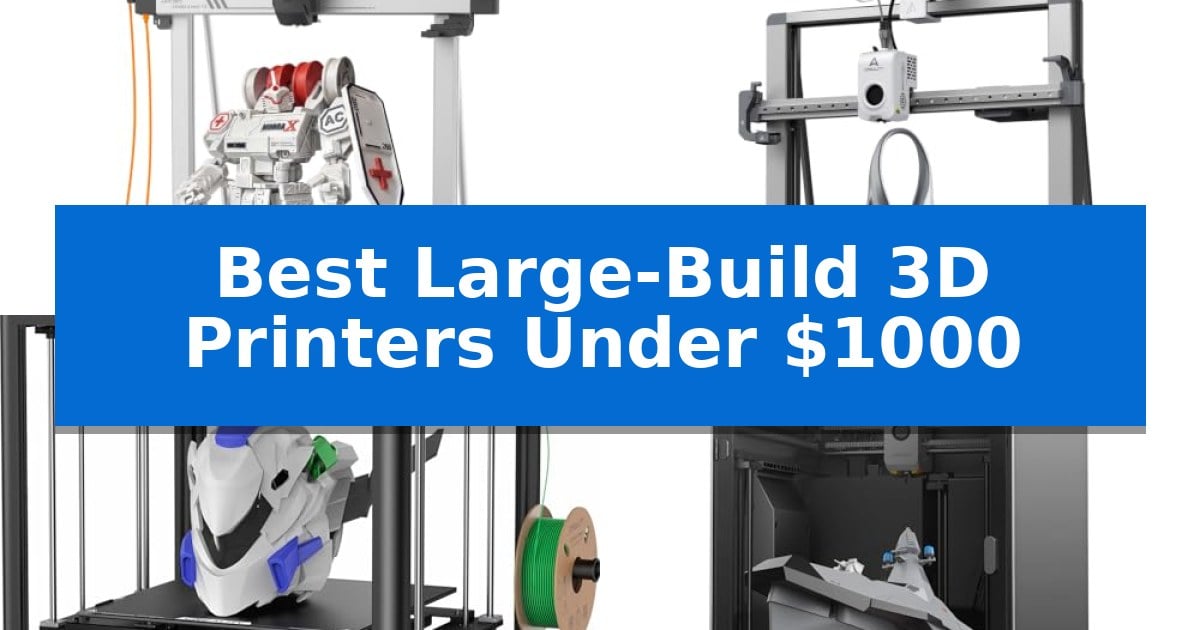
Best Large-Build 3D Printers Under $1000 in 2026: Scale Up Your Prints

Best Large-Build 3D Printers Under $1000

Finding a reliable machine that handles expansive projects without breaking your budget is a common challenge for makers and small-business owners. When you need to print large prototypes, cosplay props, or functional parts in a single piece, the Best Large-Build 3D Printers Under $1000 offer the necessary volume and stability to get the job done.

These printers are designed to balance high-speed output with the structural integrity required for massive prints. Whether you are looking for an enclosed chamber for engineering materials or a high-speed open-frame system for rapid prototyping, this guide breaks down the top options currently available to help you maximize your production capabilities.

Best Large-Build 3D Printers Under $1000 in 2026: Scale Up Your Prints

Our Top Picks
  1. Large Format with High-Speed Precision Creality Ender 3 V3 Mega
  2. Stable Frame for Tall Models Creality Ender 5 Max
  3. Enclosed Chamber for Engineering Materials Anycubic Kobra S1 Max Combo
  4. Advanced Multicolor Production Power Creality K2 Pro Combo

Quick Comparison

Product Best For Key Strength Score
Anycubic Kobra 3 Max V2 Best Overall Expansive 88L build volume for large-scale creations. 4.9
Creality Ender 3 V3 Mega Large Format with High-Speed Precision Massive 420mm⊃3 build volume for large-format projects. 4.6
Creality Ender 5 Max Stable Frame for Tall Models Expansive 400mm³ build volume for oversized prototypes. 4.6
Anycubic Kobra S1 Max Combo Enclosed Chamber for Engineering Materials Massive 350x350x350mm build volume for large-scale projects. 4.4
Creality K2 Pro Combo Advanced Multicolor Production Power 300x300x300mm build volume for large-scale projects. 4.9

How We Chose

  • Build Volume: We prioritized machines offering at least 300mm in all dimensions to accommodate large-scale, single-piece printing.
  • Material Compatibility: We assessed the hotend temperature and chamber design to see which printers handle advanced filaments like TPU, ABS, or ASA.
  • Speed and Acceleration: We reviewed the rated print speeds and acceleration capabilities to identify machines that minimize downtime on long, complex prints.
  • Structural Stability: We looked for reinforced frames, linear rails, and CoreXY systems that maintain precision despite the increased mass of large models.
  • Automation Features: We considered the inclusion of auto-leveling, flow control, and filament management systems that simplify the workflow for large-scale production.

1 Anycubic Kobra 3 Max V2 — Massive Volume for Oversized Projects

The Anycubic Kobra 3 Max V2 provides an expansive 88L build volume, measuring 16.5"x16.5"x19.7", which allows for the creation of large-scale props, reliefs, and functional parts in fewer individual pieces. This printer is engineered for efficiency, featuring a high-speed capability of up to 600mm/s and 10,000mm/s² acceleration, significantly reducing the time required to complete large projects.

Equipped with a 300°C full-metal hotend, this machine offers versatility across various materials including PLA, PETG, and TPU. The optimized extrusion path is designed to ensure consistent filament feeding and retraction, which is critical for maintaining reliability during long, complex print jobs.

Precision is managed through one-click calibration and smart flow adjustment, which work to minimize vibration marks and excess material. These features help produce smoother surfaces and cleaner details on finished models, while the Anycubic Slicer Next software provides preset parameters to simplify the preparation process.

For those looking to expand their creative capabilities, the system supports multicolor printing when paired with one or two Anycubic ACE 2 Pro units, enabling up to 8-color output. Users can also monitor and adjust their prints remotely using the Anycubic App, providing flexibility in managing the printing workflow.

Best for: Users requiring a large-format build volume for oversized projects who want high-speed performance and the option for multicolor printing.

Skip if: Users with limited workspace or those who only print small, simple objects that do not require an 88L build capacity.

PROS

  • Expansive 88L build volume for large-scale creations.
  • High-speed printing up to 600mm/s.
  • 300°C full-metal hotend for material versatility.
  • Multicolor printing support with optional ACE 2 Pro units.

CONS

  • Large physical footprint requires significant dedicated workspace.

2 Creality Ender 3 V3 Mega — Large Format with High-Speed Precision

The Creality Ender 3 V3 Mega provides a massive 420 × 420 × 420mm build volume, allowing for the production of large-scale prototypes, cosplay props, and functional parts in a single piece. This expansive workspace reduces the need for splitting models, which minimizes assembly time and eliminates visible seams on large prints.

Engineered for versatility, the printer supports 85A, 90A, and 95A TPU flexible filaments alongside standard materials like PLA and PETG. An optimized extrusion system ensures reliable feeding for flexible components, while the dual gear extruder promotes consistent material flow. For high-speed requirements, the unit achieves print speeds up to 500mm/s with 8,000mm/s⊃2 acceleration, supported by vibration compensation to maintain surface quality.

Operational efficiency is managed through 81-point auto leveling, which establishes a consistent first layer across the large platform. Maintenance is simplified by a quick-swap hotend design, facilitating rapid nozzle changes or repairs. The printer also includes smart filament management, featuring an automatic relay that switches to a secondary spool when the primary runs out, as well as sensors for filament runout and tangle detection.

Connectivity and control are handled via WLAN multi-printer control, allowing for streamlined management in workshop or small-batch production environments. With a weight of approximately 46.7 pounds and a robust frame, this machine is built to handle extended print cycles for demanding projects.

Best for: Makers and small-batch producers who require a large build volume for printing functional parts, cosplay props, or flexible TPU components.

Skip if: Users with limited workspace or those who only print small-scale items will find the 420mm footprint and overall machine size unnecessary for their needs.

PROS

  • Massive 420mm⊃3 build volume for large-format projects.
  • High-speed printing capabilities up to 500mm/s with vibration compensation.
  • Flexible filament support for 85A–95A TPU materials.
  • Smart filament management with automatic spool relay and tangle detection.
  • 81-point auto leveling for consistent first-layer adhesion.

CONS

  • Large physical footprint requires significant dedicated workspace.
  • Heavier unit weight compared to standard-sized desktop 3D printers.

3 Creality Ender 5 Max — Stable Frame for Tall Models

Achieving consistent results across large-scale projects requires a machine that balances volume with structural stability. The Creality Ender 5 Max addresses this by offering an expansive 400×400×400 mm build volume housed within a rigid, die-cast aluminum frame designed to minimize vibration during high-speed operation.

Engineered for efficiency, the printer utilizes a CoreXY structure capable of reaching speeds up to 700 mm/s. This performance is supported by a 1000W rapid-heating bed that reaches operational temperatures in minutes, ensuring that large prints or batch production runs can begin with minimal downtime.

Reliability in continuous production is managed through a direct-drive dual-gear extruder with hardened gears, which provides the consistent feeding force necessary to reduce clogging during long print cycles. The machine also integrates a 64-point auto-leveling system with an automatic Z-offset, removing the need for manual first-layer calibration.

For studio environments, the Creality Ender 5 Max supports WLAN multi-printer control and grouped management, allowing users to monitor multiple units simultaneously via a tri-color status indicator. This connectivity, paired with a precise X-axis linear rail, makes it a practical choice for those scaling up their 3D printing output.

Best for: Businesses and creators requiring high-speed, large-format production with multi-printer management capabilities.

Skip if: Users with limited workspace or those who only require small-scale, hobbyist-level printing will find the large footprint and industrial feature set unnecessary.

PROS

  • Expansive 400mm³ build volume for oversized prototypes.
  • High-speed CoreXY system supporting up to 700 mm/s.
  • Automated 64-point leveling for consistent first-layer adhesion.
  • WLAN-based multi-printer control for farm management.

CONS

  • Large physical footprint requires significant dedicated workspace.

4 Anycubic Kobra S1 Max Combo — Enclosed Chamber for Engineering Materials

The Anycubic Kobra S1 Max Combo provides a massive 350x350x350mm build volume, enabling the production of full-scale industrial prototypes and large enclosures in a single piece without the need for splitting or gluing. This expansive workspace is supported by a fully-enclosed CoreXY structure, which utilizes a solid all-metal frame to maintain stability and eliminate wobbling during high-speed operations.

Engineered for efficiency, this system supports print speeds up to 600mm/s and 20,000mm/s² acceleration, significantly reducing project timelines. The inclusion of the ACE 2 Pro allows for native 4-color printing, with the potential to expand to 16 colors, eliminating the need for manual filament swaps during complex multi-color builds.

For advanced material compatibility, the printer features a 65°C heated chamber and a 350°C hotend. This thermal management system is designed to prevent warping and cracking when working with engineering-grade filaments such as ABS, ASA, and TPU. The setup is further refined by LeviQ 3.0 49-point auto-leveling, which works in tandem with real-time flow dynamics calibration to ensure consistent first-layer adhesion.

As a comprehensive solution for professional and hobbyist needs, the Anycubic Kobra S1 Max Combo balances high-speed output with the structural integrity required for functional parts. It is a suitable choice for those prioritizing large-format production and multi-material capabilities within an enclosed environment.

Best for: Engineers and designers requiring a large, enclosed build volume for high-speed, multi-color functional prototyping.

Skip if: Users with limited workspace or those who do not require an enclosed chamber for advanced engineering materials.

PROS

  • Massive 350x350x350mm build volume for large-scale projects.
  • Native 4-color printing capability with ACE 2 Pro integration.
  • 65°C heated chamber for reliable printing of advanced materials.
  • 600mm/s high-speed printing to reduce project completion time.

CONS

  • Large physical footprint may be restrictive for smaller work areas.

5 Creality K2 Pro Combo — Advanced Multicolor Production Power

Achieving large-scale 3D printing projects requires a machine capable of balancing speed with structural precision. The Creality K2 Pro Combo addresses this with a substantial 300x300x300mm build volume, providing the necessary space for ambitious prototypes or high-volume batch production without sacrificing stability.

Engineered for high-performance workflows, this system utilizes FOC step-servo motors and linear rails to reach print speeds of up to 600mm/s with 20,000mm/s² acceleration. To maintain consistency during long prints, it features active chamber heating that reaches up to 60°C, which is essential for preventing warping when working with professional-grade materials like ASA, PPA-CF, and PET-CF.

The integration of the CFS Smart Filament System enables advanced multicolor and multi-material printing with support for up to 16 colors. This system automates filament identification and feeding, while the high-performance direct drive extruder—equipped with hardened steel gears—ensures reliable extrusion for abrasive carbon-fiber composites. Maintenance is simplified through a quick-swap hotend design.

Precision is further supported by Smart Dual AI Cameras. The chamber camera provides 24-hour monitoring and failure detection, while the nozzle-mounted AI camera performs real-time flow rate optimization and pressure advance tuning. Combined with intelligent auto-leveling that probes only the active print area, the Creality K2 Pro Combo is built to minimize setup time and ensure reliable first-layer adhesion.

Best for: Professional creators and engineers requiring high-speed, multicolor, and large-format printing with advanced material compatibility.

Skip if: Users seeking a compact, entry-level machine for simple PLA projects will find the complex multi-material system and large footprint unnecessary.

PROS

  • 300x300x300mm build volume for large-scale projects.
  • 600mm/s high-speed printing with FOC step-servo motors.
  • Active chamber heating up to 60°C for professional materials.
  • 16-color capability via the integrated CFS Smart Filament System.
  • Dual AI cameras for real-time flow tuning and failure detection.

CONS

  • Large physical footprint requires significant dedicated workspace.
  • High-speed operation necessitates a stable, vibration-free surface.

Best Large-Build 3D Printers Under $1000 Buying Guide

Understanding Build Volume Requirements

The primary reason to invest in these machines is the build volume. A larger workspace allows you to print oversized items without the need for cutting, gluing, or post-processing multiple smaller parts. This not only saves time but also results in structurally stronger finished models.

When selecting a printer, consider the specific dimensions of your most common projects. While a 300mm cube is standard for many, some models offer even greater depth or height, which can be critical for tall vertical prints or long horizontal prototypes.

Material Versatility and Thermal Management

Not all filaments behave the same way, especially when printing large objects. High-temperature hotends are essential for working with materials like PETG or TPU, which require specific heat profiles to prevent clogging and ensure layer adhesion.

For advanced materials like ABS or ASA, an enclosed chamber or active heating is highly recommended. These features maintain a stable environment, significantly reducing the risk of warping or cracking during long print cycles.

The Importance of Structural Rigidity

As a print grows in size and height, the mechanical stresses on the printer increase. A rigid all-metal frame and high-quality linear rails are vital to minimize vibrations that can cause surface artifacts or layer shifts.

Printers utilizing a CoreXY structure often provide better stability at high speeds compared to traditional bed-slingers. This design keeps the build plate moving only on the Z-axis, which is crucial for maintaining precision on heavy, tall models.

Automation and Workflow Efficiency

Large prints can take days to complete, making filament runout detection and automatic filament relay essential features. These tools allow the printer to pause or switch spools automatically, preventing failed prints due to empty material rolls.

Additionally, auto-leveling systems are non-negotiable for large build plates. Achieving a perfect first layer across a 400mm surface manually is nearly impossible, so a reliable multi-point leveling sensor is a key productivity booster.

Speed vs. Quality Trade-offs

While high-speed printing (up to 600mm/s) is a major selling point, it is important to balance speed with the desired surface finish. High-speed settings often require vibration compensation and smart flow control to ensure that the increased speed does not compromise the structural integrity of the part.

For functional parts where strength is more important than aesthetics, you may find that slightly lower speeds provide more consistent results. Always check if the printer offers software presets that allow you to toggle between speed-focused and quality-focused modes.

Frequently Asked Questions

Do I need an enclosed printer for large prints?

It depends on the material. If you are printing with PLA, an open frame is usually sufficient. However, for materials prone to warping like ABS, ASA, or PPA, an enclosed chamber is necessary to maintain consistent temperatures.

How does build volume affect print time?

Larger prints naturally take longer due to the volume of material being deposited. High-speed printers help mitigate this, but the total time is primarily determined by the model's geometry and the layer height settings you choose.

Is auto-leveling accurate on large beds?

Yes, modern printers use multi-point leveling (ranging from 49 to 81 points) to map the bed surface. This ensures that even if the bed has slight variations, the printer compensates to maintain a consistent first layer.

Can I print flexible materials on these large printers?

Many of these models feature direct-drive extruders specifically designed to handle flexible filaments like TPU. Check the specifications for the supported Shore hardness range to ensure compatibility with your specific filament.

What is the benefit of a CoreXY system?

A CoreXY system provides superior stability and speed by keeping the build plate stationary on the X and Y axes. This reduces the moving mass, allowing for faster, more precise movements, which is especially beneficial for tall, heavy prints.

Conclusion: Our Top Pick

When evaluating the options for large-scale production, the Anycubic Kobra 3 Max V2 stands out as the most versatile choice for those needing a massive 88L build volume. Its combination of a 300°C hotend and high-speed capabilities makes it well-suited for a wide range of projects, from oversized props to functional engineering parts.

While other models offer specific advantages like enclosed chambers or multi-color systems, the Kobra 3 Max V2 provides the best balance of size, speed, and ease of use for the price. It is a reliable workhorse for any maker looking to scale up their creative output without the complexity of more expensive industrial machines.

Best Large-Bed Budget 3D Printers in 2026

Best Large-Bed Budget 3D Printers

Finding the right machine for expansive 3D printing projects often feels like a balancing act between cost and build capacity. When you need to print full-size prototypes or large artistic models, standard desktop printers simply cannot accommodate the dimensions required for your vision.

We have analyzed the current market to identify the Best Large-Bed Budget 3D Printers that offer reliable performance without requiring a professional-grade investment. These machines prioritize build volume and structural stability, ensuring you can tackle larger prints with confidence and precision.

Best Large-Bed Budget 3D Printers in 2026

Our Top Picks
  1. Multicolor Printing with Large Volume Creality K2 Combo 3D Printer
  2. AI-Powered Large Format Creation Creality Sparkx i7 Combo 3D Printer
  3. High-Speed CoreXY Performance Flashforge Adventurer 5M 3D Printer
  4. Reliable Multi-Color Prototyping Flashforge AD5X 3D Printer

Quick Comparison

Product Best For Key Strength Score
Longer LK5 Pro 3D Printer Best Overall Large 300x300x400mm build volume for oversized projects. 4.9
Creality K2 Combo 3D Printer Multicolor Printing with Large Volume Multicolor printing support for up to 16 colors via the CFS. 4.5
Creality Sparkx i7 Combo 3D Printer AI-Powered Large Format Creation 95% pre-assembled design for quick setup 4.3
Flashforge Adventurer 5M 3D Printer High-Speed CoreXY Performance CoreXY structure enables high-speed printing up to 600mm/s. 4.9
Flashforge AD5X 3D Printer Reliable Multi-Color Prototyping Advanced multi-color printing for up to four colors simultaneously. 4.8

How We Chose

  • Build Volume: We prioritized printers offering significant X, Y, and Z dimensions to accommodate large-scale model requirements.
  • Structural Stability: We assessed the frame design and calibration systems that minimize vibration during the extended travel times required for large prints.
  • Extrusion Reliability: We looked for advanced extruder technology and cooling systems that maintain consistent material flow over long print sessions.
  • User-Friendly Setup: We evaluated the assembly process and automated features like bed leveling that reduce the barrier to entry for large-format printing.
  • Material Versatility: We considered the compatibility with various filaments to ensure the printer can handle diverse project needs.

1 Longer LK5 Pro 3D Printer — Expansive Build for Large Projects

Expanding your creative workspace often requires a larger canvas, and the Longer LK5 Pro 3D Printer addresses this by offering a substantial build volume of 11.8 x 11.8 x 15.7 inches. This FDM printer is engineered for stability, utilizing a reinforced triangular structure with inclined rods to minimize vibration, which supports high-precision printing up to 0.1 mm.

Designed with both efficiency and usability in mind, the unit arrives 90% pre-assembled, allowing for a quicker setup process. It features a silicon carbide lattice glass platform that promotes uniform heating and strong print adhesion. The integration of dual fans and a Teflon tube ensures consistent material flow and effective cooling, which helps maintain quality across various filaments including PLA, ABS, PETG, and WOOD.

For those managing longer print jobs, the Longer LK5 Pro 3D Printer includes intelligent safety and recovery features. An upgraded 32-bit mainboard powers the system, while sensors for filament depletion and power loss detection allow the machine to pause and resume automatically. This functionality helps prevent material waste and saves time during unexpected interruptions.

The printer operates with an ultra-quiet TMC2209 driver, making it suitable for home or school environments where noise reduction is a priority. Additionally, the inclusion of open-source firmware provides flexibility for users interested in G-code modifications and advanced customization of their printing parameters.

Best for: Users requiring a large build volume for expansive FDM projects who prefer a partially pre-assembled machine with quiet operation.

Skip if: Users with limited desk space or those who require specialized industrial-grade features not supported by this open-source FDM platform.

PROS

  • Large 300x300x400mm build volume for oversized projects.
  • 90% pre-assembled design reduces initial setup time.
  • Ultra-quiet TMC2209 driver minimizes operational noise.
  • Auto-resume printing and filament detection protect long-duration prints.

CONS

  • Large footprint may not fit on smaller workbenches.
  • Manual calibration requirements for X and Y-axis may demand attention for optimal precision.

2 Creality K2 Combo 3D Printer — Multicolor Printing with Large Volume

Scaling up production requires a reliable foundation, and the Creality K2 Combo 3D Printer addresses this by integrating a generous 260 x 260 x 260 mm build volume with advanced automated systems. Designed to minimize manual intervention, this machine arrives 95% pre-assembled, allowing for a near plug-and-play experience that prioritizes efficiency for users managing larger or more complex print projects.

At the core of its performance is the 4 x CFS (Creality Filament System), which enables multicolor 3D printing by supporting up to 16 colors when multiple units are daisy-chained. This capability eliminates the need for post-print painting, streamlining the workflow for creators who require vibrant, multi-material outputs without the manual labor typically associated with color changes.

Precision and speed are managed through a robust step-servo motor system on the X/Y axes and the extruder. These motors provide dynamic torque adjustment in under a millisecond, ensuring consistent extrusion and high print accuracy even at speeds reaching 600mm/s. To maintain a professional environment, the printer utilizes dynamically balanced fans and silent-mode operation, keeping noise levels comparable to typing on a laptop.

The integration of a Smart AI Camera and Smart Auto Leveling provides essential oversight. The leveling sensor probes only the target print area for faster calibration, while the camera monitors for common issues like spaghetti failure or idling in real-time. This combination of intelligent monitoring and structural rigidity makes the Creality K2 Combo 3D Printer a capable tool for those seeking a balance between large-format capacity and automated reliability.

Best for: Creators and hobbyists who require large-format, multi-color printing capabilities with automated monitoring and high-speed performance.

Skip if: Users who require a compact footprint or those who do not have a need for multi-color material management or high-speed automated systems.

PROS

  • Multicolor printing support for up to 16 colors via the CFS.
  • Large 260 x 260 x 260 mm build volume for versatile project sizes.
  • High-speed printing up to 600mm/s with dynamic torque adjustment.
  • Smart AI monitoring and targeted auto-leveling for improved print success.

CONS

  • Requires significant desk space due to the large build volume and external CFS unit.
  • Complexity of multi-unit setup for users who do not intend to utilize the full 16-color capacity.

3 Creality Sparkx i7 Combo 3D Printer — AI-Powered Large Format Creation

Achieving a balance between a spacious build area and an accessible price point is a common hurdle in 3D printing. The Creality Sparkx i7 Combo 3D Printer addresses this by offering a generous 260 x 260 x 255 mm build volume in a package that prioritizes ease of use and automated features for creators who need more room for their projects.

Designed for immediate operation, the Creality Sparkx i7 Combo 3D Printer arrives 95% pre-assembled, allowing users to transition from unboxing to their first print in approximately five minutes. This model simplifies the creative process with CubeMe AI, which enables users to upload portraits to generate 3D models automatically, bypassing the need for complex manual modeling software.

Reliability during long print jobs is managed through a built-in AI camera that monitors for common failures such as spaghetti, filament tangles, and air printing, providing alerts to help maximize success rates. For those working in shared spaces or overnight, the printer includes a Night Mode that reduces operational noise to a level comparable to a turning page.

Efficiency is further supported by the four-color printing capability of the included CFS Lite system. This setup is engineered to provide smoother color transitions and faster printing while reducing filament waste by 50% compared to traditional multicolor systems, making it a practical choice for those producing custom desktop items or gaming accessories.

Best for: Creators who need a large build volume and automated AI features to simplify the transition from 2D portraits to 3D models.

Skip if: Users who require a compact footprint for small desks or those who prefer manual control over every aspect of the slicing and modeling process.

PROS

  • 95% pre-assembled design for quick setup
  • 260 x 260 x 255 mm large build volume
  • AI-driven failure detection for improved success rates
  • Four-color printing with reduced filament waste

CONS

  • Large physical footprint may not fit on all workspaces
  • AI-dependent features may limit manual customization for advanced users

4 Flashforge Adventurer 5M 3D Printer — High-Speed CoreXY Performance

Achieving rapid production cycles requires hardware capable of high-speed movement without sacrificing structural integrity. The Flashforge Adventurer 5M 3D Printer utilizes a CoreXY all-metal structure to achieve travel speeds of up to 600mm/s and acceleration of 20000mm/s², positioning it as a high-efficiency tool for those who prioritize output speed.

Beyond its structural speed, the machine is engineered for streamlined operation. It features one-click automatic bed leveling, which eliminates manual calibration to ensure consistent first-layer adhesion. The 280°C direct drive extruder is paired with a 3S detachable nozzle system, allowing for rapid nozzle swaps in just three seconds, which minimizes downtime during maintenance or when switching between different print requirements.

Thermal management and precision are central to its design. The printer includes a high-flow 32mm³/s nozzle and a dual-fan cooling system to maintain print quality during high-speed operation. To further enhance accuracy, it incorporates vibration compensation technology, which helps mitigate the artifacts often associated with fast-paced additive manufacturing.

Usability extends to remote management through the Flash Studio application. This integration allows users to monitor print progress and adjust settings from a mobile device, providing a level of oversight that is useful for long-duration projects. The inclusion of a dual-sided PEI platform simplifies the removal of finished prints, rounding out a design focused on practical, high-throughput utility.

Best for: Users who require rapid prototyping and high-speed production with minimal manual calibration.

Skip if: Users who require a build volume larger than 220x220x220mm or those who prefer a fully enclosed chamber for advanced material compatibility.

PROS

  • CoreXY structure enables high-speed printing up to 600mm/s.
  • Automatic bed leveling ensures consistent first-layer quality.
  • 3S detachable nozzle system allows for rapid maintenance and swaps.
  • Remote monitoring via mobile app provides real-time status updates.

CONS

  • Fixed build volume of 220x220x220mm may limit larger-scale projects.

5 Flashforge AD5X 3D Printer — Reliable Multi-Color Prototyping

The FLASHFORGE AD5X 3D Printer simplifies complex multi-color projects by utilizing an innovative four-color printing system, making it a capable tool for artists and designers who require vibrant, intricate models. This unit integrates an Intelligent Filament System (IFS) that automates filament detection and refilling, effectively reducing manual intervention during long print jobs.

Designed for efficiency, the printer achieves a maximum printing speed of 600mm/s and an acceleration of 20,000mm/s. These specifications allow for rapid project turnaround without sacrificing precision. The machine is built around a robust all-metal Core XY structure, which is engineered to minimize vibrations and ensure consistent, smooth output across diverse print geometries.

Versatility is a core strength of this model, as it supports flexible TPU printing alongside standard materials. With a build volume of 220 x 220 x 220mm, it provides sufficient space for functional prototypes and artistic creations. The inclusion of fully automatic leveling further streamlines the setup process, ensuring the print bed is properly calibrated for each session.

While the FLASHFORGE AD5X 3D Printer offers advanced features, its performance is best suited for users who prioritize speed and multi-material capabilities in a compact footprint. The 12-month warranty provides a standard level of support for the hardware, ensuring that the core components remain reliable for consistent use in a professional or hobbyist workspace.

Best for: Artists and hobbyists who require high-speed, multi-color printing capabilities and automated filament management.

Skip if: Users who require a significantly larger build volume than 220mm cubed for industrial-scale prototyping.

PROS

  • Advanced multi-color printing for up to four colors simultaneously.
  • Intelligent Filament System automates refills to minimize downtime.
  • High-speed performance reaching 600mm/s for rapid production.
  • All-metal Core XY structure provides enhanced stability.

CONS

  • Fixed build volume of 220 x 220 x 220mm may limit larger projects.

Best Large-Bed Budget 3D Printers Buying Guide

Understanding Build Volume Requirements

The primary reason to invest in a large-bed printer is the ability to print objects in a single piece rather than slicing them into smaller, assemblable parts. When evaluating build volume, consider the specific dimensions of your intended projects, as a few extra centimeters in height or width can significantly expand your creative possibilities.

Remember that larger build plates require more time to heat evenly. Look for machines that feature high-quality platforms, such as silicon carbide lattice glass, which help maintain uniform temperatures across the entire surface to prevent warping or adhesion issues.

The Importance of Structural Stability

Large prints involve longer travel distances for the print head, which increases the risk of vibration-induced artifacts. A stable frame is essential for maintaining precision over these longer paths. Look for reinforced structures, such as triangular supports or rigid metal frames, which dampen movement.

Automatic calibration technologies are also vital for large beds. Because the surface area is larger, even minor leveling inconsistencies can lead to failed prints. Systems that probe the bed area specifically for your print provide a more reliable first layer.

Extrusion and Cooling Performance

For large-format printing, the extruder must be capable of consistent performance over many hours. Direct drive extruders often provide better control over filament flow, which is beneficial when switching between different types of materials like PLA, ABS, or PETG.

Efficient cooling is equally important. Upgraded dual-fan systems help solidify the filament quickly, which is critical when printing complex geometries or overhangs that are common in large-scale artistic models.

Smart Features for Long Prints

Large prints often take days to complete, making features like filament depletion detection and power-loss recovery essential. These sensors allow the printer to pause automatically if you run out of material or experience a power flicker, saving you from losing hours of progress.

Modern printers also include AI-powered monitoring, which uses cameras to detect common failures like spaghetti or filament tangles. This provides peace of mind, allowing you to monitor your print remotely without needing to be in the room constantly.

Assembly and Maintenance

Most budget-friendly large printers arrive partially pre-assembled, which significantly reduces the time from unboxing to your first print. Look for models that boast 90% or higher pre-assembly to ensure you can start creating without needing advanced technical skills.

Maintenance is a reality of 3D printing, so prioritize machines with quick-swap nozzle systems. Being able to change a nozzle in seconds without complex tools makes it easier to adapt to different print resolutions and keeps your machine running smoothly over the long term.

Frequently Asked Questions

What is the main benefit of a large-bed 3D printer?

The primary benefit is the ability to print larger, single-piece objects, which reduces the need for post-processing, gluing, or assembling multiple smaller parts.

Do large-bed printers require more maintenance?

Generally, yes. Because the build plate is larger, keeping it level and clean is crucial for successful prints. Features like automatic bed leveling help mitigate this, but regular maintenance remains important.

Can I print with different materials on these machines?

Most modern large-bed printers are compatible with a wide range of materials, including PLA, ABS, PETG, and sometimes flexible filaments like TPU, depending on the extruder type.

How do I prevent warping on a large print bed?

Using a high-quality build platform, such as a lattice glass surface, helps maintain uniform heat. Additionally, ensuring your bed is perfectly leveled and using proper adhesion techniques will minimize warping.

Are these printers suitable for beginners?

Yes, many current models come 90% pre-assembled and include automated features like auto-leveling, making them much more accessible for beginners compared to older, fully DIY kits.

Conclusion: Our Top Pick

Selecting the right printer depends on your specific project needs, but for those prioritizing a balance of expansive build volume and reliable performance, the Longer LK5 Pro 3D Printer stands out as a top choice. Its stable triangular structure and large 11.8 x 11.8 x 15.7-inch build area provide a solid foundation for ambitious DIY projects.

While other models offer advanced features like multicolor printing or AI-powered monitoring, the Longer LK5 Pro 3D Printer remains the most straightforward and effective option for users who need a large canvas for their creative work without unnecessary complexity.

Best Large Zoom Point and Shoot Camera in 2026

Best Large Zoom Point and Shoot Camera

Finding the right balance between reach and portability is the primary challenge when selecting a camera for travel or wildlife. A Best Large Zoom Point and Shoot Camera simplifies this by offering significant magnification in a single, integrated body, eliminating the need to carry multiple heavy lenses.

Whether you are framing distant landscapes or capturing candid moments from afar, these cameras provide the versatility required for various shooting conditions. We have analyzed the latest models to help you identify which device best fits your specific photography needs and travel style.

Best Large Zoom Point and Shoot Camera in 2026

Our Top Picks
  1. Pocketable 30x zoom power Panasonic Lumix ZS99 Digital Camera
  2. Versatile 6x optical zoom Sevenat 5K Digital Camera
  3. Reliable 5x zoom performance Kodak Pixpro FZ55 Digital Camera
  4. Accessible 4x optical zoom Kodak Pixpro FZ45 Digital Camera

Quick Comparison

Product Best For Key Strength Score
Panasonic Lumix FZ80D Digital Camera Best Overall 60X optical zoom provides exceptional reach for distant subjects. 4.9
Panasonic Lumix ZS99 Digital Camera Pocketable 30x zoom power 30x optical zoom covering a 24-720mm range. 4.6
Sevenat 5K Digital Camera Versatile 6x optical zoom Includes a 6X optical zoom for clear long-distance shots. 4.3
Kodak Pixpro FZ55 Digital Camera Reliable 5x zoom performance Compact and lightweight design for easy portability. 4.7
Kodak Pixpro FZ45 Digital Camera Accessible 4x optical zoom 4x optical zoom provides versatile framing for various distances. 4.8

How We Chose

  • Optical zoom range and lens versatility
  • Image stabilization effectiveness for long-range shots
  • Sensor resolution and video recording capabilities
  • Physical size, weight, and portability
  • Ease of use, including menu navigation and connectivity

1 Panasonic Lumix FZ80D Digital Camera — Unmatched 60x optical reach

Capturing distant subjects with precision requires a lens capable of significant reach, and the Panasonic Lumix FZ80D Digital Camera addresses this with an integrated 60X optical zoom lens. Designed for those who prioritize versatility in a single body, this camera utilizes POWER O.I.S. (Optical Image Stabilizer) to counteract hand-shake vibrations, which is essential when shooting at the extreme telephoto end of the zoom range.

Beyond its reach, the camera is built to handle diverse lighting conditions through its 2,360K-dot Large LVF (Live View Finder), which provides a clear, glare-free view even under bright sunlight. This electronic viewfinder allows for stable composition, a distinct advantage over relying solely on a rear LCD screen when working outdoors.

For video enthusiasts and photographers who value post-capture flexibility, the device features 4K Video Mode and the 4K Photo function. The latter allows users to extract 8-megapixel still images directly from 4K video footage, ensuring that fleeting moments are not missed. Additionally, the Post Focus feature offers the ability to adjust the focus point after the image has been captured, providing a unique safety net for critical shots.

The Panasonic Lumix FZ80D Digital Camera serves as a comprehensive tool for travelers who want to avoid carrying multiple lenses. While it offers extensive zoom capabilities and high-resolution video, it remains a compact point-and-shoot solution, balancing advanced optical performance with a streamlined, all-in-one design.

Best for: Travelers and hobbyists who require an all-in-one camera with extreme zoom reach for wildlife or distant subjects.

Skip if: Users who prioritize low-light performance or shallow depth-of-field effects, as those typically require a larger sensor and interchangeable lens system.

PROS

  • 60X optical zoom provides exceptional reach for distant subjects.
  • POWER O.I.S. effectively stabilizes images at high zoom levels.
  • 4K Photo functionality allows for extracting high-resolution stills from video.
  • Large LVF ensures clear visibility in bright outdoor conditions.

CONS

  • Fixed-lens design limits the ability to upgrade optics for specialized photography needs.

2 Panasonic Lumix ZS99 Digital Camera — Pocketable 30x zoom power

Capturing distant subjects while maintaining a compact form factor is the primary challenge for travel photography, and the Panasonic Lumix ZS99 Digital Camera addresses this with a versatile 30x optical zoom lens. This camera manages a focal range of 24-720mm, allowing users to transition from wide-angle landscapes to tight telephoto shots without needing to swap lenses.

Beyond its reach, the device integrates 4K video recording at 30p and a 4K PHOTO mode that captures bursts at 30fps. For those interested in creative motion, the camera supports HD high-speed video at 120fps, which provides options for slow-motion playback. The inclusion of a 1,840k-dot tiltable touchscreen allows for flexible framing, enabling shots from high or low angles with ease.

Connectivity and portability are central to its design. The unit features universal USB Type-C charging, simplifying power management while traveling. For quick sharing, built-in Bluetooth v5.0 works in tandem with a dedicated Send Image button, which facilitates the transfer of media to a smartphone via the Panasonic Image App.

This camera is built for those who prioritize a lightweight, all-in-one solution over interchangeable lens systems. While it offers significant zoom capabilities, users should note that its performance is tailored for convenience and portability rather than the specialized low-light or depth-of-field advantages found in larger sensor cameras.

Best for: Travelers and photographers who require an extensive zoom range in a pocketable, easy-to-carry body.

Skip if: Users who prioritize professional-grade low-light performance or shallow depth-of-field effects, as those typically require larger sensors and lenses.

PROS

  • 30x optical zoom covering a 24-720mm range.
  • Tiltable touchscreen for flexible shooting angles.
  • USB Type-C charging for convenient power replenishment.
  • 4K video and photo capabilities for high-resolution capture.

CONS

  • Compact sensor size may limit performance in challenging lighting conditions compared to larger cameras.

3 Sevenat 5K Digital Camera — Versatile 6x optical zoom

Capturing distant subjects or framing a vlog requires hardware that balances reach with portability. The Sevenat 5K Digital Camera addresses this by integrating a 6X optical zoom lens, allowing users to bring far-off details closer without the quality loss often associated with digital cropping. This camera is designed for those who need a versatile, all-in-one tool for travel, school events, and content creation.

Beyond its zoom capabilities, the device features a dual-camera system with both front and rear lenses. This configuration simplifies the process for vloggers and those capturing selfies, as it allows for quick transitions between perspectives. The camera supports up to 5K video recording and 64MP photo resolution, providing high-definition output for everyday documentation.

Usability is a core focus of this model, which includes autofocus to help maintain subject clarity and anti-shake support to assist with stability during handheld recording. With 8 shooting modes and an integrated flash, the camera offers creative flexibility without requiring advanced technical knowledge. It is built for simplicity, making it accessible for beginners and teens.

The package is designed for immediate use, arriving with a 64GB memory card and 2 rechargeable batteries. This kit ensures that users have sufficient storage and power for extended outings. Its compact, lightweight frame allows it to fit easily into a backpack or purse, making it a practical choice for those who prioritize mobility.

Best for: Beginners, teens, and casual content creators who need a portable, all-in-one camera for vlogging and travel.

Skip if: Professional photographers or videographers who require interchangeable lenses, manual exposure controls, or advanced sensor performance.

PROS

  • Includes a 6X optical zoom for clear long-distance shots.
  • Features dual front and rear cameras for easy vlogging.
  • Comes as a complete kit with a 64GB card and two batteries.
  • Supports high-resolution 5K video and 64MP photos.

CONS

  • Lacks advanced manual settings for experienced photographers.
  • Form factor is optimized for casual use rather than professional durability.

4 Kodak Pixpro FZ55 Digital Camera — Reliable 5x zoom performance

Capturing everyday moments with simplicity, the Kodak Pixpro FZ55 Digital Camera offers a straightforward approach to photography through its 16MP CMOS sensor. This compact device is designed for those who want to move beyond smartphone photography without the complexity of interchangeable lens systems, providing a reliable tool for travel clips and family gatherings.

The camera features a 5x optical zoom paired with a 28mm wide-angle lens, allowing users to frame subjects flexibly whether shooting indoors or outdoors. For video needs, it supports 1080p Full HD recording, making it a functional choice for basic vlogging or capturing quick video clips on the go.

Usability is centered around its 2.7-inch LCD screen, which provides a clear view for framing shots and navigating settings. The device is powered by an included LB-012 lithium-ion battery, which charges directly inside the camera via USB, requiring approximately 2 hours for a full charge. For storage, it accommodates Class 10 SD, SDHC, or SDXC cards up to 512GB, ensuring ample space for high-resolution images.

Weighing just under a quarter of a pound, the Kodak Pixpro FZ55 Digital Camera is built for portability. While it lacks the advanced manual controls found in professional-grade gear, its design prioritizes ease of use and immediate readiness for everyday shooting scenarios.

Best for: Casual photographers and vloggers seeking a lightweight, portable camera for everyday use and travel.

Skip if: Users requiring professional-grade manual controls, high-speed burst shooting, or advanced low-light performance will find this entry-level model limiting.

PROS

  • Compact and lightweight design for easy portability.
  • 5x optical zoom provides versatile framing options.
  • In-camera USB charging simplifies battery management.
  • Supports high-capacity SD cards up to 512GB.

CONS

  • Limited manual control compared to advanced mirrorless or DSLR cameras.
  • Battery requires a 4-hour initial charge before first use.

5 Kodak Pixpro FZ45 Digital Camera — Accessible 4x optical zoom

Capturing distant subjects or wide-angle family shots requires a balance of portability and reach, which is where the Kodak Pixpro FZ45 Digital Camera offers a practical solution. Designed for everyday use, this compact device features a 4x optical zoom paired with a 27mm wide-angle lens, allowing users to frame subjects flexibly without needing to change lenses.

The camera is built around a 16MP CMOS sensor, providing the resolution necessary for clear, detailed everyday photography. For those interested in capturing motion, the device supports 1080p Full HD video recording, making it suitable for travel clips or documenting family events. The interface is managed via a 2.7-inch LCD screen, which serves as the primary viewfinder and menu navigation tool.

Portability is a core design choice for this model, which measures approximately 3.66 x 2.37 x 1.12 inches and weighs just over a quarter-pound. It utilizes 2 AA alkaline batteries, a power choice that emphasizes convenience for on-the-go shooting where recharging cables might be impractical. Storage is handled through Class 10 SD, SDHC, or SDXC cards, with support for capacities up to 512GB to accommodate extensive photo and video libraries.

While this camera provides a straightforward, accessible entry point for photography, it is best suited for casual users who prioritize ease of use over manual control. Its reliance on standard batteries and compact form factor makes it a reliable companion for travel, though users seeking advanced manual settings or professional-grade optics may find its feature set limited.

Best for: Casual photographers and families looking for a compact, easy-to-use camera for travel and daily snapshots.

Skip if: Users who require advanced manual exposure controls, high-speed burst shooting, or professional-grade low-light performance.

PROS

  • 4x optical zoom provides versatile framing for various distances.
  • Compact and lightweight design fits easily into pockets or small bags.
  • Convenient power source using widely available AA batteries.
  • 1080p Full HD video capability for simple content creation.

CONS

  • Limited manual settings may restrict creative control for experienced photographers.
  • AA battery reliance requires frequent replacement compared to dedicated rechargeable lithium-ion packs.

Best Large Zoom Point and Shoot Camera Buying Guide

Understanding Optical Zoom

The primary advantage of a large zoom camera is its ability to bring distant subjects closer without sacrificing image quality, unlike digital zoom which simply crops the image. A higher optical zoom factor allows for greater framing flexibility, making it ideal for wildlife or sports photography where you cannot physically get closer to your subject.

When evaluating zoom, consider the focal length range. A wider starting point, such as 24mm, is beneficial for sweeping landscapes, while a long telephoto end allows you to isolate details. Always look for built-in optical image stabilization when using high zoom levels, as even minor hand tremors can cause significant blur at maximum magnification.

Sensor Size and Image Quality

While point and shoot cameras prioritize convenience, the sensor size remains a critical factor for image clarity, especially in low-light environments. Larger sensors generally capture more light and detail, resulting in cleaner images with less digital noise.

Many modern compact cameras now feature high-resolution sensors that support 4K video recording. This is a significant benefit for users who want to capture high-quality motion content alongside their still photography, providing more flexibility for editing and cropping later.

Portability and Ergonomics

The main appeal of these cameras is their all-in-one design, but size can vary significantly based on the zoom lens integrated into the body. A camera that fits in a jacket pocket offers the most convenience, while larger models with extensive zoom ranges may require a dedicated camera bag.

Check for ergonomic features like a comfortable grip and a tilting screen. A tilting or articulating display is particularly useful for vlogging or shooting from difficult angles, such as ground-level or overhead, without needing to strain your neck.

Connectivity and Sharing

Modern photography is often about instant sharing. Look for cameras with built-in Bluetooth or Wi-Fi connectivity, which allow you to transfer photos directly to your smartphone or tablet. This feature is essential for travelers who want to share their experiences on social media without needing a computer.

Some models include dedicated buttons for image transfer, streamlining the workflow. Ensure the camera's companion app is compatible with your mobile device to guarantee a smooth and reliable connection every time you need to move your files.

Power and Storage

Battery life is a common concern for travel photographers. Some cameras use proprietary rechargeable batteries, while others rely on standard AA batteries. Rechargeable options are generally more efficient and environmentally friendly, but AA-compatible cameras offer the convenience of finding replacements anywhere in the world.

Always verify the memory card compatibility. Most modern cameras support high-capacity SD, SDHC, or SDXC cards. Using a high-speed card is recommended, especially if you plan to record 4K video, as slower cards may struggle to keep up with the data write speeds required for high-resolution footage.

Frequently Asked Questions

What is the difference between optical and digital zoom?

Optical zoom uses the physical movement of the lens elements to magnify the image, maintaining full resolution. Digital zoom simply crops the center of the image and enlarges it, which significantly reduces image quality and detail.

Do I need image stabilization for a large zoom camera?

Yes, image stabilization is essential for large zoom cameras. At high magnification, even the slightest movement of your hands is amplified, which can lead to blurry photos. Stabilization helps counteract this vibration for sharper results.

Can these cameras record 4K video?

Many modern point and shoot cameras support 4K video recording. Check the specific product specifications, as some entry-level models may be limited to 1080p Full HD resolution.

Are these cameras suitable for vlogging?

Yes, many models are excellent for vlogging, especially those with tilting screens and compact designs. Look for features like front-facing displays or dedicated vlogging modes to enhance your content creation.

How do I transfer photos to my phone?

Most modern cameras feature built-in Wi-Fi or Bluetooth. By using the manufacturer's dedicated mobile app, you can wirelessly transfer your photos and videos directly to your smartphone for easy sharing.

Conclusion: Our Top Pick

After reviewing the available options, the Panasonic Lumix FZ80D Digital Camera stands out as the most versatile choice for photographers needing extreme reach. Its impressive 60x optical zoom combined with effective image stabilization makes it a reliable tool for capturing distant subjects that would be impossible to reach with a standard lens.

While it offers powerful capabilities, users should note that its size is larger than pocket-sized alternatives, reflecting the substantial lens required for its zoom range. For those prioritizing maximum magnification and a clear viewfinder experience, this camera provides the best balance of features and performance.

Best Large Woodworking CNC Router in 2026: Scale Up Your Shop Projects

Best Large Woodworking CNC Router

When your creative ambitions outgrow standard desktop machines, you need a Best Large Woodworking CNC Router capable of handling full-sized panels and complex, multi-part designs. Stepping up to a larger footprint allows you to move beyond small trinkets and into furniture making, large-scale signage, and batch production without the constant need for tiling or repositioning your stock.

Selecting the right machine requires balancing your available shop space against the rigidity needed for precise cuts. Whether you are prioritizing a massive cutting area for ambitious furniture builds or seeking a stable, reinforced gantry for consistent depth, finding the right balance of motor torque and structural integrity is essential for your long-term woodworking success.

Best Large Woodworking CNC Router in 2026: Scale Up Your Shop Projects

Our Top Picks
  1. High-Power Spindle for Deeper Cuts Axiscreat 6060 CNC Router
  2. Intuitive Touch Control for Batch Work Twotrees TTC450 Pro CNC Router
  3. Reinforced Gantry for Stable Routing LUNYEE 4040 Pro Max CNC Router
  4. Consistent Depth Across Larger Surfaces Genmitsu 4040-PRO CNC Router

Quick Comparison

Product Best For Key Strength Score
FoxAlien XE-Ultra 8080 CNC Router Best Overall Mega-Scale 33"x33"x4.72" workspace for large projects. 4.9
Axiscreat 6060 CNC Router High-Power Spindle for Deeper Cuts Generous 23.6 x 23.6 inch work area for larger projects. 4.7
Twotrees TTC450 Pro CNC Router Intuitive Touch Control for Batch Work High-precision Z-axis with 0.0025 mm positioning accuracy. 4.9
LUNYEE 4040 Pro Max CNC Router Reinforced Gantry for Stable Routing Reinforced gantry and ball screw drive for improved routing stability. 4.5
Genmitsu 4040-PRO CNC Router Consistent Depth Across Larger Surfaces Reinforced hybrid spoilboard with center support to prevent bed sagging. 4.8

How We Chose

  • Working Area Dimensions: Assessing the maximum XYZ travel to ensure the machine accommodates your specific project scale.
  • Structural Rigidity: Examining frame materials, rail types, and drive systems like ball screws versus belts for consistent motion.
  • Spindle Versatility: Checking for compatibility with various router motors and the ability to handle different material densities.
  • Control and Connectivity: Reviewing the ease of use for offline controllers and compatibility with standard design software.
  • Ease of Setup: Considering the modularity and assembly requirements for getting your shop up and running quickly.

1 FoxAlien XE-Ultra 8080 CNC Router — Expansive Workspace for Ambitious Projects

The FoxAlien XE-Ultra 8080 CNC Router provides a substantial 33"x33"x4.72" workspace, allowing users to tackle large-scale woodworking, aluminum, and acrylic projects without the constraints of smaller benchtop machines. This expansive area is supported by a heavy-duty 46x80mm aluminum frame, ensuring the structural stability required for complex designs and larger material sheets.

Precision is maintained through the integration of 16mm ball screws on the XY axes and 12mm ball screws on the Z axis, paired with HG-15 linear rails. These components work in tandem to facilitate smooth, high-accuracy movement across the entire bed. The machine is powered by 2.6 N.m closed-loop stepper motors, which feature intelligent step-loss protection to maintain performance consistency even at speeds reaching 5,000mm/min.

Designed for versatility, the FoxAlien XE-Ultra 8080 CNC Router features an open spindle ecosystem. This allows operators to choose between 65mm routers, the FoxAlien 1.5kW VFD spindle, or various engraving modules, providing flexibility for different cutting and etching requirements. The included 65mm clamp simplifies the installation of your preferred spindle setup.

Safety and diagnostics are prioritized with the inclusion of industrial inductive limit switches on all axes, offering a rapid 0.5ms response time and anti-interference capabilities. The smart 32-bit control box further assists the user by providing real-time stepper motor diagnostics via malfunction indicator lights, streamlining the troubleshooting process during operation.

Best for: Woodworkers and makers who require an expansive cutting area for large-format projects and desire a flexible, modular spindle setup.

Skip if: Users with limited workshop space or those who only perform small-scale, desktop-sized engraving tasks may find the footprint of this machine unnecessarily large.

PROS

  • Mega-Scale 33"x33"x4.72" workspace for large projects.
  • Industrial-grade ball screws and linear rails for high precision.
  • Closed-loop stepper motors with intelligent step-loss protection.
  • Open spindle ecosystem supports multiple router and module options.

CONS

  • Large physical footprint requires significant dedicated bench space.
  • Spindle not included, requiring a separate purchase to complete the setup.

2 Axiscreat 6060 CNC Router — High-Power Spindle for Deeper Cuts

Achieving precise, automated cuts over a wide surface area is the primary advantage of the Axiscreat 6060 CNC Router, which offers a generous 23.6 x 23.6 x 2.95 inch working space. This machine is engineered for those who need to move beyond smaller desktop engravers to accommodate larger, more complex woodworking or acrylic projects without sacrificing workspace.

At the heart of the system is an upgraded 710W trim router spindle, featuring an adjustable range of 6000-30000 RPM across six preset speeds. This power allows for efficient carving and deeper cuts in various materials. The structural integrity is maintained through a combination of belt-driven X/Y axes and a linear rail Z axis, which work together to ensure smooth and reliable operation during production.

Usability is a central focus, highlighted by a modular design that facilitates a quick 20-minute setup. The inclusion of an automatic tool setter and optical touch signal allows for accurate tool calibration without needing to power the spindle. Users can manage operations through a 4.3-inch touchscreen offline controller, or via a PC application, smartphone, or tablet, providing flexibility in how the machine is controlled.

The power box includes two 110V sockets that are directly controllable via the offline controller, simplifying the management of peripheral equipment like vacuums. While the machine is designed for accessibility, it is important to note that it is an entry-level system; users should monitor feed rates to avoid positional deviations and perform regular maintenance on the 2GT 6mm timing belts to keep the system running optimally.

Best for: Beginner woodworkers and hobbyists who need a larger workspace for complex carving projects on wood, acrylic, or MDF.

Skip if: Professional workshops requiring high-speed production or heavy-duty industrial materials that exceed the capabilities of a belt-driven entry-level machine.

PROS

  • Generous 23.6 x 23.6 inch work area for larger projects.
  • Powerful 710W spindle with 6 adjustable speed presets.
  • Automatic tool setter for efficient and accurate calibration.
  • Modular design allows for a quick 20-minute assembly.

CONS

  • Belt-driven system requires regular tension checks and maintenance.
  • Entry-level performance necessitates careful feed rate management to prevent missed steps.

3 Twotrees TTC450 Pro CNC Router — Intuitive Touch Control for Batch Work

Precision in large-scale fabrication requires a robust foundation, and the Twotrees TTC450 Pro CNC Router addresses this with an industrial-grade structure built from aluminum alloy and stainless steel. This machine is engineered to minimize vibration during high-load machining, ensuring consistent repeat positioning accuracy for furniture panels, large signage, and batch production.

At the heart of its operation is a 3.5-inch IPS capacitive touch screen, which provides an intuitive interface for managing complex carving tasks. The control box is designed for versatility, featuring dedicated ports for a 4th-axis rotation module, a laser module, and 500W spindle speed control, allowing users to expand the machine's capabilities as their creative requirements grow.

The Twotrees TTC450 Pro CNC Router offers a substantial working area of 18.1 x 18.1 inches (460 x 460 mm). Its Z-axis is driven by a high-precision NEMA 57 stepping motor, achieving a positioning accuracy of 0.0025 mm. This level of control is essential for intricate relief work and multi-layer engraving across materials including wood, acrylic, carbon fiber, and aluminum.

Compatibility is a primary focus, as the system utilizes the open-source GRBL control system. This ensures seamless integration with industry-standard design software such as ArtCam, Fusion 360, and Carveco Maker across Windows, macOS, and Linux platforms. The machine arrives with a comprehensive accessory set, including 10 cutting tools and 6 clamping plates, providing a ready-to-use foundation for professional makerspaces and small workshops.

Best for: Small workshops and makerspaces requiring a versatile, expandable CNC router for batch production and large-format wood or metal carving.

Skip if: Users who require a pre-assembled, plug-and-play solution without the need for initial driver installation or assembly, or those needing a larger working area than 18.1 inches.

PROS

  • High-precision Z-axis with 0.0025 mm positioning accuracy.
  • Expandable control box with dedicated ports for laser and 4th-axis upgrades.
  • Sturdy all-metal construction designed to suppress vibration during long-hour operation.
  • Wide software compatibility via the open-source GRBL system.

CONS

  • Requires driver installation (CH340/CH341) for computer connectivity.
  • Assembly required before initial operation.

4 LUNYEE 4040 Pro Max CNC Router — Reinforced Gantry for Stable Routing

Precision in a home workshop often hinges on the rigidity of the machine frame, and the LUNYEE 4040 Pro Max CNC Router addresses this with a reinforced gantry structure designed to maintain stability during complex routing tasks. By integrating a dual linear-guide Z axis and a ball screw drive, this machine provides the mechanical support necessary for consistent movement across a variety of materials, including wood, MDF, acrylic, and light aluminum.

The LUNYEE 4040 Pro Max CNC Router features a spacious 400 x 400mm work area, offering enough surface capacity for larger projects like custom signs, trays, and panels. With a 90mm Z-axis travel distance, it accommodates thicker stock, providing versatility for makers who need to move beyond flat engravings into three-dimensional milling.

Usability is a core focus, as the machine arrives with pre-assembled modules and quick-connect wiring to simplify the initial setup process. It is compatible with GRBL 1.1F, allowing users to integrate it into standard CNC software workflows without the need for proprietary interfaces.

To maintain a cleaner workspace, the unit includes magnetic acrylic baffles and dedicated X/Y axis dust protection. These design choices help contain scattered chips and debris, protecting key motion components from buildup during extended operation.

Best for: Makers and woodworkers who require a stable, mid-sized desktop CNC for diverse materials like wood, acrylic, and light aluminum.

Skip if: Users who need a professional-grade industrial machine for high-volume production or those who require a significantly larger cutting area than 400 x 400mm.

PROS

  • Reinforced gantry and ball screw drive for improved routing stability.
  • Spacious 400 x 400mm work area with 90mm Z-axis clearance.
  • Pre-assembled modules for faster setup times.
  • Integrated dust-protection design with magnetic baffles.

CONS

  • Desktop footprint may be large for limited workshop spaces.
  • Limited to light aluminum rather than heavy-duty metal milling.

5 Genmitsu 4040-PRO CNC Router — Consistent Depth Across Larger Surfaces

Achieving precise, consistent results in a workshop requires a stable foundation, and the Genmitsu 4040-PRO CNC Router addresses this with a reinforced hybrid spoilboard. By incorporating a center aluminum support bar, this design minimizes bed flex, ensuring that your cutting and carving depths remain uniform across larger projects.

The machine is built for rigid motion, utilizing dual 16mm HSS steel tubes on every axis paired with lead-screw drives. This mechanical setup, combined with a 32-bit controller and silent Toshiba drivers, facilitates smooth and stable operation for detailed milling, engraving, and carving tasks. Whether you are working with wood, acrylic, MDF, nylon, or carbon fiber composites, the system is engineered to maintain accuracy.

With a generous working area of 17.13 x 15.75 x 3.15 inches, this desktop unit provides ample space for reliefs, signs, and prototypes. The Genmitsu 4040-PRO CNC Router is designed for a streamlined workflow, featuring pre-assembled modules that allow for a quick 15-minute setup. The inclusion of a relocated Z-probe port simplifies the calibration process, while the widely supported GRBL control system offers flexibility for those learning CNC operations.

As your technical skills advance, the machine remains relevant through its modular upgrade path. The Z-axis carriage is compatible with 65mm or 69mm spindle mounts, and dedicated 3-pin ports allow for the integration of accessories like air assistance or MPG controllers. This approach ensures you can expand the machine's capabilities to suit more complex projects rather than needing to replace the entire system.

Best for: Makers and woodworkers requiring a stable, upgradeable desktop CNC platform for consistent cutting across medium-sized projects.

Skip if: Users who require a massive industrial-grade work area or those who prefer a fully enclosed machine for dust containment.

PROS

  • Reinforced hybrid spoilboard with center support to prevent bed sagging.
  • Silent Toshiba drivers and 32-bit controller for stable, quiet operation.
  • Modular upgrade path supporting various spindle mounts and advanced accessories.
  • Pre-assembled modules for faster initial setup.

CONS

  • Limited vertical clearance of 3.15 inches may restrict deep 3D carving projects.

Best Large Woodworking CNC Router Buying Guide

Understanding Workspace Requirements

The primary advantage of a large CNC is the working area. Before purchasing, measure your shop space not just for the machine's footprint, but for the clearance needed to load large sheets of material. A larger XYZ working area allows you to process furniture panels and signs in a single pass, which significantly improves efficiency.

Consider the pass height or Z-travel as well. If you plan to work with thicker stock or use tall jigs for joinery, ensure the machine provides enough clearance. A machine with a limited Z-axis may restrict you to flat relief carvings, while a higher pass height opens up 3D milling possibilities.

The Importance of Structural Rigidity

CNC routing is an exercise in vibration management. A heavy-duty aluminum frame is the foundation of a stable machine. When the frame flexes during a cut, you lose precision and surface finish quality. Look for machines that utilize linear rails and ball screws rather than belt drives if you require high-accuracy, repeatable results over long periods.

Bed flex is another common issue in larger machines. A reinforced hybrid spoilboard or center support bars can prevent the bed from sagging under the weight of heavy materials. This ensures that your bit maintains a consistent depth across the entire surface of your workpiece.

Spindle Power and Ecosystem

The spindle is the heart of your CNC. For softwoods, a standard trim router may suffice, but for hardwoods, aluminum, or carbon fiber, you need higher torque. An open spindle ecosystem is a major benefit, as it allows you to upgrade to a more powerful VFD spindle later without replacing the entire machine.

Check the spindle clamp diameter to ensure it supports the routers or modules you intend to use. Flexibility here means you can swap between high-speed engraving bits and larger end mills depending on the task at hand, making your machine more versatile for different types of projects.

Motor Torque and Precision

Stepper motors drive the movement of your gantry. Closed-loop stepper motors are superior to standard open-loop versions because they include intelligent step-loss protection. This means the machine monitors its own position and corrects itself if it encounters resistance, preventing ruined projects due to skipped steps.

High torque, such as 2.6Nm, allows for faster feed rates and deeper cuts without stalling. When combined with robust drive components, these motors ensure that your machine can handle the increased mass of a larger gantry while maintaining the precision required for intricate joinery.

Software and Workflow Integration

Your CNC is only as good as the G-code it receives. Most desktop routers utilize the GRBL control system, which is widely supported by industry-standard design software like Fusion 360 and Easel. This compatibility ensures you can easily transition from digital design to physical production.

Look for machines that offer offline controllers with touchscreens. These allow you to run jobs without keeping a computer tethered to the machine, which is safer and more convenient in a dusty workshop environment. Reliable limit switches are also a must-have for safe, automated homing and collision protection.

Frequently Asked Questions

Do I need a dedicated dust collection system for a large CNC?

Yes. Large CNC routers generate significant amounts of chips and dust. A dedicated dust shoe and vacuum system are essential to keep the rails clean and ensure the longevity of your motion components.

Can I cut metal on these woodworking CNC routers?

Many of these machines are capable of light aluminum or copper milling, provided you use the correct bits, appropriate feed rates, and a rigid setup. Always check the manufacturer's recommendations for specific material compatibility.

What is the benefit of a ball screw drive over a belt drive?

Ball screws offer higher precision, greater rigidity, and better load-bearing capacity compared to belt drives. They are generally preferred for machines where accuracy and heavy-duty cutting are the priorities.

How much space should I leave around the machine?

You should aim for at least 2-3 feet of clearance on all sides to allow for material loading, maintenance, and the movement of the gantry. Ensure your workbench is sturdy enough to support the weight of the machine.

Is assembly difficult for these large machines?

Most modern large CNC routers use a modular design that can be assembled in a few hours. Many manufacturers provide detailed video tutorials to guide you through the process, making it manageable for most DIY enthusiasts.

Conclusion: Our Top Pick

After reviewing the available options, the FoxAlien XE-Ultra 8080 CNC Router stands out as the best choice for those needing a reliable, large-scale workspace. Its combination of a massive 33-inch square working area, industrial-grade linear rails, and powerful closed-loop stepper motors provides the stability and precision required for ambitious woodworking projects.

While it requires a larger initial investment and dedicated shop space, the structural rigidity and the flexibility of its open spindle ecosystem make it a future-proof solution for makers who plan to grow their skills. It effectively bridges the gap between hobbyist desktop machines and professional-grade equipment, ensuring your creative potential is not limited by your hardware.

Best Large Wireless Speakers in 2026: Power Your Next Outdoor Event

Best Large Wireless Speakers

Finding the right audio equipment for a large gathering can be challenging, especially when you need to balance portability with room-filling sound. The Best Large Wireless Speakers are designed to bridge this gap, providing enough power to anchor an outdoor party or a large indoor event without the clutter of wired setups.

Whether you are hosting a backyard barbecue or need a reliable sound system for a jobsite, these speakers offer a range of features from long-lasting batteries to integrated light shows. We have evaluated these options to help you determine which model aligns with your specific audio needs and event requirements.

Best Large Wireless Speakers in 2026: Power Your Next Outdoor Event

Our Top Picks
  1. Longest Battery Life for Events Monster Rockin' Roller 270
  2. Durable Pick for Jobsite Use W-KING D8 Bluetooth Speaker
  3. Powerful Bass for Outdoor Parties FREEPEAR Party Bluetooth Speaker
  4. High-Output Audio for Large Spaces Audybb H100 Party Speaker

Quick Comparison

Product Best For Key Strength Score
JBL PartyBox Club 120 Best Overall Futuristic lightshow that syncs to music beats. 4.9
Monster Rockin' Roller 270 Longest Battery Life for Events Up to 100 hours of playtime for extended event use. 4.5
W-KING D8 Bluetooth Speaker Durable Pick for Jobsite Use IPX6 waterproof and shockproof construction for outdoor durability. 4.4
FREEPEAR Party Bluetooth Speaker Powerful Bass for Outdoor Parties 240W peak power with dual subwoofers for deep bass. 4.5
Audybb H100 Party Speaker High-Output Audio for Large Spaces 300W Peak power with a dedicated subwoofer for deep bass. 4.5

How We Chose

  • Sound Output and Power: Assessing the peak wattage and subwoofer configuration to ensure clear, dynamic audio at high volumes.
  • Battery Performance: Evaluating total playtime and charging capabilities to support extended events without interruption.
  • Portability and Build: Considering weight, handle design, and durability ratings like IPX4 or IPX6 for outdoor use.
  • Connectivity and Versatility: Checking for multi-speaker pairing options, microphone/guitar inputs, and wireless range stability.
  • Integrated Features: Reviewing additional utility such as light shows, power bank functions, and EQ customization.

1 JBL PartyBox Club 120 — Best for Immersive Light Shows

Transforming a casual gathering into a high-energy event, the JBL PartyBox Club 120 centers its design around a futuristic lightshow that syncs directly to the beat of your music. This large wireless speaker combines powerful audio output with a foldable handle and an ergonomic body, ensuring that despite its substantial size, it remains portable enough to move between indoor and outdoor venues.

Beyond its visual appeal, the device is engineered for versatility in social settings. It features dual mic and guitar inputs, allowing for live performances or karaoke sessions with dedicated karaoke EQ tuning. The IPX4 splash-proof rating provides peace of mind when using the speaker near a pool or in unpredictable weather, making it a robust choice for various environments.

For those requiring a wider sound stage, the JBL PartyBox Club 120 supports multi-speaker connection via Auracast. This enables users to pair two units for stereo sound or link multiple compatible speakers for larger events. The system is powered by a replaceable battery that offers up to 12 hours of playtime, with a 10-minute fast charge capability providing an additional 80 minutes of use when time is limited.

While the speaker is built for performance, users should note that the replaceable battery is sold separately. Its weight of 24.35 pounds reflects its substantial build, which is a trade-off for the deep bass and dynamic sound profile it delivers even at high volumes.

Best for: This speaker is best for hosts who want a portable, high-output audio system with integrated lighting and live performance inputs for parties.

Skip if: Skip this model if you require a lightweight, ultra-compact speaker for solo travel or if you do not need live instrument and microphone connectivity.

PROS

  • Futuristic lightshow that syncs to music beats.
  • Dual mic and guitar inputs for live performance.
  • IPX4 splash-proof design for outdoor durability.
  • Auracast support for multi-speaker wireless pairing.

CONS

  • Replaceable battery is sold separately.
  • Substantial weight of 24.35 pounds may limit portability for some users.

2 Monster Rockin' Roller 270 — Longest Battery Life for Events

The Monster Rockin' Roller 270 is engineered for extended outdoor utility, featuring a robust IPX4 weather-resistant exterior that protects the internal components from rain and environmental exposure. This unit is built to serve as a high-capacity audio solution for events, delivering up to 200 watts of power through a 270-degree sound projection design.

Designed for long-duration use, the speaker includes a high-capacity battery system capable of providing up to 100 hours of playtime on a single charge. This capacity minimizes the need for frequent power access, making it suitable for multi-day trips or outdoor gatherings where electrical outlets are unavailable.

Beyond its primary audio function, the device integrates practical utility features, including a built-in Qi wireless fast charger for compatible mobile devices. Users can also expand their audio setup using TWS (True Wireless System) pairing, which allows for the wireless connection of two units to double the sound output.

With dimensions of approximately 18.6 inches in height and a weight of 28.66 pounds, the speaker is designed for portability despite its large form factor. It offers a balance between high-wattage sound output and the convenience of integrated device charging, catering to users who require a durable, all-in-one audio system for outdoor environments.

Best for: Users needing a high-capacity, weather-resistant speaker for long-duration outdoor events with integrated device charging.

Skip if: Users who require a lightweight, ultra-compact audio device or those who do not need extended battery life beyond a standard workday.

PROS

  • Up to 100 hours of playtime for extended event use.
  • 200 watts of power with 270-degree sound projection.
  • Built-in Qi wireless fast charger for mobile devices.
  • IPX4 weather-resistant exterior for outdoor durability.
  • TWS pairing capability to link two units for increased volume.

CONS

  • Substantial weight of 28.66 pounds may limit portability for some users.
  • Large physical footprint requires significant storage space.

3 W-KING D8 Bluetooth Speaker — Durable Pick for Jobsite Use

When you need a portable audio solution that can withstand the rigors of a jobsite or a day at the beach, the W-KING D8 Bluetooth Speaker offers a rugged, high-output design. Featuring IPX6 waterproof and shockproof mechanical casings, this speaker is built to handle outdoor environments where moisture and accidental drops are common concerns.

The audio architecture centers on 2 powerful subwoofers and 2 tweeters, complemented by 2 passive radiators that compress air to enhance bass impact. An advanced DSP chip works to ensure zero-distortion playback, while a dedicated bass EQ button allows you to toggle between audio profiles to suit different music genres or environments.

For those requiring a larger soundstage, the unit supports dual pairing, allowing two speakers to connect wirelessly for a combined 180W peak stereo sound experience. This configuration creates distinct left and right channels, effectively turning the pair into a portable home theater setup for outdoor gatherings or large workspaces.

Connectivity is handled via Bluetooth 5.0 with a range of up to 100 feet, alongside 3.5mm AUX and TF-Card support. The internal battery is rated for up to 40 hours of playback at the lowest volume setting, and the device includes an output charging port to provide power to other smart devices, making it a versatile tool for long-duration use.

Best for: Users needing a rugged, high-volume portable speaker for outdoor work environments or large social gatherings.

Skip if: Users who prioritize a lightweight, compact form factor for easy transport in small bags or backpacks.

PROS

  • IPX6 waterproof and shockproof construction for outdoor durability.
  • Dual pairing capability for 180W peak stereo surround sound.
  • Long-lasting battery with up to 40 hours of playback time.
  • Integrated power bank functionality to charge mobile devices.

CONS

  • Heavyweight design at 6 pounds may limit portability for some users.
  • Battery life decreases significantly at higher volume levels (5 hours at 100% volume).

4 FREEPEAR Party Bluetooth Speaker — Powerful Bass for Outdoor Parties

Transforming an outdoor gathering into a high-energy event requires more than just volume; it demands a speaker capable of filling space with balanced audio. The FREEPEAR Party Bluetooth Speaker addresses this by utilizing a dual-subwoofer and dual-tweeter configuration to produce 240W peak power, ensuring clear sound separation even at high volumes.

Designed for versatility, the unit features Bluetooth 5.3 for stable wireless connectivity and TWS pairing, which allows users to sync two speakers for a 480W surround-sound experience. Beyond its audio capabilities, the speaker functions as a visual centerpiece with integrated dazzling light shows that synchronize with the bass, creating a dynamic atmosphere for evening events.

Portability and durability are central to its design, featuring an IPX4 splashproof rating and a comfortable handle for transport. The internal high-capacity battery supports up to 15 hours of playtime, while the fast-charging capability enables a full recharge in just 2.5 hours using a 30W charger.

For those hosting live performances or karaoke, the speaker includes dedicated microphone and guitar jacks, alongside support for TF card and USB hard drive playback. It also serves a dual purpose as a power bank, allowing users to charge mobile devices directly from the speaker during extended outdoor sessions.

Best for: Outdoor hosts who need a portable, high-powered sound system with integrated lighting and multi-instrument input options.

Skip if: Users seeking a compact, lightweight speaker for casual indoor listening or those who do not require microphone and guitar inputs.

PROS

  • 240W peak power with dual subwoofers for deep bass.
  • TWS pairing capability for expanded surround sound.
  • Versatile inputs including microphone and guitar jacks.
  • Fast-charging battery system for extended use.

CONS

  • IPX4 rating only provides splash resistance, not full submersion protection.

5 Audybb H100 Party Speaker — High-Output Audio for Large Spaces

Delivering a massive 300W Peak power output, the Audybb H100 Party Speaker is engineered to transform large outdoor spaces into immersive audio environments. This unit distinguishes itself with a dedicated built-in subwoofer designed to provide deep, room-shaking bass that anchors the sound profile for outdoor gatherings.

Connectivity is handled by the modern Bluetooth 5.3 standard, which supports stable wireless streaming with ultra-low latency and an extended range for reliable playback. For users seeking a larger soundstage, the TWS (True Wireless Stereo) pairing feature allows two identical units to be linked together, effectively doubling the audio field for festivals or large backyard events.

The physical design incorporates a dynamic light show that synchronizes with the music beat, adding a visual element to the audio experience. Measuring 21.8 inches in height, the speaker is built for portability while maintaining a robust footprint suitable for beach or camping use.

To ensure longevity during extended events, the device includes a high-capacity battery capable of supporting long-duration playback, complemented by fast charging capabilities. Users can optimize energy consumption by adjusting volume levels, allowing for flexible performance depending on the size of the venue.

Best for: Outdoor events, backyard parties, and large gatherings requiring high-output audio and synchronized lighting effects.

Skip if: Users seeking a compact, lightweight speaker for travel or those who do not require high-wattage sound reinforcement.

PROS

  • 300W Peak power with a dedicated subwoofer for deep bass.
  • Bluetooth 5.3 for stable, low-latency wireless connectivity.
  • TWS stereo pairing to link two units for a wider soundstage.
  • Dynamic light show that pulses in sync with the music.

CONS

  • Large physical footprint (21.8 inches tall) may be cumbersome for some users.
  • Battery life varies significantly based on volume and lighting settings.

Best Large Wireless Speakers Buying Guide

Understanding Audio Power and Output

When selecting from the Best Large Wireless Speakers, the peak power rating is often the first metric users notice. While wattage provides a general sense of volume, it is the combination of subwoofers and tweeters that determines sound quality. Look for models that specifically mention dedicated subwoofers if you prioritize deep, punchy bass for music-heavy events.

It is important to remember that peak power is a maximum capacity. For most outdoor settings, the ability of the speaker to maintain clarity at high volumes is more critical than the raw wattage number. High-output speakers often use advanced DSP chips to reduce distortion, ensuring that your audio remains crisp even when pushed to its limits.

Battery Life and Charging Convenience

For events that last all day or late into the night, battery capacity is non-negotiable. Some speakers offer up to 100 hours of playtime, which is ideal for weekend trips, while others focus on fast-charging technology to minimize downtime. Always check the manufacturer's specified playtime at different volume levels, as running a speaker at maximum volume will significantly reduce the total battery life.

Many modern large speakers also function as power banks, allowing you to charge your mobile devices via USB. This feature is particularly useful for outdoor parties where access to a wall outlet is limited. If you plan on using your speaker for long durations, look for models that support fast charging or have replaceable battery options.

Durability and Weather Resistance

If your speaker will spend most of its time outdoors, its ingress protection (IP) rating is a vital specification. An IPX4 rating indicates splash-proof protection, which is sufficient for light rain or accidental spills near a pool. For more rugged environments like a construction jobsite or a beach, an IPX6 rating offers better protection against more powerful water jets.

Beyond water resistance, consider the build materials and handle design. Large speakers are inherently heavy, so an ergonomic handle and balanced weight distribution are essential for portability. Some models include protective covers or reinforced casings to safeguard against accidental drops during transport.

Connectivity and Multi-Speaker Pairing

Most wireless speakers now utilize Bluetooth 5.0 or higher, which provides a more stable connection and an extended range. This is crucial for large areas where your phone might be some distance from the speaker. Look for features like TWS (True Wireless Stereo) or Auracast, which allow you to pair two or more speakers together for a wider sound stage.

For those who want to host karaoke or live performances, check for dedicated microphone and guitar inputs. These inputs often come with their own EQ tuning, allowing you to balance the volume of your voice or instrument against the backing music for a professional-sounding mix.

Integrated Lighting and Aesthetics

Lighting effects can significantly enhance the atmosphere of a party. Many large speakers feature built-in LED arrays that sync with the beat of the music. These lights can range from simple strobe effects to complex light trails and starry patterns, adding a visual component to your audio setup.

While lighting is primarily aesthetic, it is a key differentiator for party-focused speakers. If you are hosting evening events, these integrated lights can eliminate the need for separate party lighting equipment, simplifying your overall setup and cleanup process.

Frequently Asked Questions

Can I use these speakers for professional karaoke?

Many of the models listed, such as the JBL PartyBox Club 120 and the FREEPEAR Party Bluetooth Speaker, include dedicated microphone and guitar inputs with EQ tuning, making them suitable for casual karaoke and live performances.

What does the IPX4 rating mean for my speaker?

An IPX4 rating means the speaker is splash-proof. It can withstand light rain or splashes from a pool, but it should not be submerged in water.

Do I need two speakers for a large event?

While one large speaker is often sufficient, many models support TWS or Auracast pairing. Using two speakers can provide a wider sound stage and more uniform coverage for larger outdoor areas.

How does volume affect battery life?

Battery life is typically measured at medium volume. Playing music at maximum volume will consume power much faster, often reducing the total playtime significantly compared to the manufacturer's estimates.

Can these speakers charge my phone?

Yes, many large wireless speakers are designed with a USB output port, allowing them to function as a power bank to charge your smartphone or other mobile devices during your event.

Conclusion: Our Top Pick

When choosing the right audio solution for your space, the JBL PartyBox Club 120 stands out for its combination of powerful sound, versatile input options, and engaging light show features. Its foldable handle and splash-proof design make it a highly practical choice for those who need a balance of portability and performance.

While other models may offer longer battery life or higher raw wattage, the overall feature set of this speaker makes it a reliable anchor for various event types. Ensure you consider your specific needs for microphone inputs or multi-speaker pairing to determine if this model is the right fit for your next gathering.

Best Large Wireless Mouse in 2026: Ergonomic Comfort for Larger Hands

Best Large Wireless Mouse

Finding a peripheral that fits your hand size is essential for maintaining comfort during long work sessions or intense gaming. A mouse that is too small can lead to cramping and fatigue, whereas a properly sized device provides the necessary support for your palm and fingers.

Our guide explores the Best Large Wireless Mouse options currently available, focusing on ergonomic shapes, connectivity, and battery efficiency. Whether you need a high-performance tool for your desk or a reliable companion for daily tasks, these selections prioritize comfort and usability for users with larger hands.

Best Large Wireless Mouse in 2026: Ergonomic Comfort for Larger Hands

Our Top Picks
  1. Customizable Buttons for Large Hands Logitech Signature M650 L Wireless Mouse
  2. Full-Size Ergonomic Gaming Support Redragon Large Wireless Gaming Mouse
  3. Extended Battery for Heavy Users Logitech M705 Marathon Wireless Mouse
  4. Contoured Support for All-Day Use Logitech M510 Wireless Mouse

Quick Comparison

Product Best For Key Strength Score
Logitech Signature M550 L Wireless Mouse Best Overall Full-size contoured design specifically optimized for larger hands. 4.9
Logitech Signature M650 L Wireless Mouse Customizable Buttons for Large Hands Large-sized ergonomic shape with rubber side grips for enhanced comfort. 4.3
Redragon Large Wireless Gaming Mouse Full-Size Ergonomic Gaming Support Ergonomic full-size shape designed specifically for larger hands. 4.6
Logitech M705 Marathon Wireless Mouse Extended Battery for Heavy Users Three-year battery life reduces the frequency of maintenance. 4.8
Logitech M510 Wireless Mouse Contoured Support for All-Day Use Contoured ergonomic design with soft rubber grips for all-day comfort. 4.6

How We Chose

  • Ergonomic shape and palm support for larger hand sizes.
  • Connectivity options including Bluetooth and dedicated USB receivers.
  • Battery longevity and power management features.
  • Button customization and software compatibility.
  • Click noise reduction and overall build quality.

1 Logitech Signature M550 L Wireless Mouse — Optimized for Larger Hands

Finding a peripheral that accommodates a larger hand size without sacrificing functionality is essential for sustained comfort during long work sessions. The Logitech Signature M550 L Wireless Mouse is specifically engineered to address this need, featuring a full-size, contoured shape that provides a more substantial grip for users with larger hands.

Beyond its physical dimensions, this mouse integrates SilentTouch technology, which is designed to reduce click noise by 90 percent, making it a suitable choice for quiet office environments or home workspaces. The device includes a SmartWheel that enables users to switch between line-by-line precision for detailed document navigation and super-fast scrolling for quickly moving through long web pages.

Connectivity is handled through either Bluetooth Low Energy or the included Logi Bolt USB receiver, providing flexibility for different workstation setups. The mouse is built for longevity, boasting a 24-month battery life on a single AA battery, which helps minimize maintenance. Its design also incorporates rubber side grips and a soft thumb area to enhance ergonomics during extended use.

Compatibility is broad, supporting Windows, macOS, Linux, Chrome OS, ipadOS, and Android. Furthermore, the construction reflects a focus on sustainability, with the graphite model containing 66 percent certified post-consumer recycled plastic. This combination of ergonomic sizing, quiet operation, and multi-platform support makes it a practical tool for daily productivity.

Best for: Users with larger hands who require a quiet, full-size wireless mouse for multi-device productivity across different operating systems.

Skip if: Users who prefer a compact, travel-sized mouse or those who require advanced gaming-grade sensors and programmable side buttons.

PROS

  • Full-size contoured design specifically optimized for larger hands.
  • SilentTouch technology significantly reduces click noise for quieter operation.
  • SmartWheel allows for both precise and high-speed scrolling modes.
  • Multi-platform compatibility across Windows, macOS, Linux, and mobile operating systems.
  • Long battery life of up to 24 months on a single AA battery.

CONS

  • Lack of advanced customization or additional programmable buttons found on professional-grade mice.
  • Fixed size may be too large for users who prefer low-profile or portable peripherals.

2 Logitech Signature M650 L Wireless Mouse — Customizable Buttons for Large Hands

Finding a peripheral that accommodates larger hands while maintaining a quiet, distraction-free environment is essential for long-term productivity. The Logitech Signature M650 L Wireless Mouse is engineered specifically for this purpose, featuring a contoured, full-sized frame that provides a natural resting position for the hand. By incorporating a soft thumb area and rubber side grips, the design aims to minimize physical strain during extended work sessions.

The mouse integrates SilentTouch technology, which is designed to reduce click noise by 90 percent compared to standard mice, making it a practical choice for shared office spaces or quiet home environments. Navigation is managed through the SmartWheel, a versatile scrolling mechanism that automatically toggles between line-by-line precision for detailed document review and high-speed scrolling for navigating lengthy web pages with a simple flick.

Connectivity is handled via Bluetooth Low Energy or the included Logi Bolt USB receiver, ensuring reliable performance across Windows, macOS, Linux, ChromeOS, iPadOS, and Android platforms. Users can further personalize their workflow by using Logitech Options+ software to map specific shortcuts to the customizable side buttons, such as back/forward navigation or copy/paste functions.

Built for efficiency, the device operates on a single AA battery that provides up to 24 months of battery life, reducing the frequency of maintenance. The construction also reflects a commitment to sustainability, with the black model utilizing at least 65 percent certified post-consumer recycled plastic.

Best for: Users with larger hands who require a quiet, ergonomic, and long-lasting wireless mouse for multi-platform productivity.

Skip if: Users who prefer an ambidextrous shape, require a high-performance gaming sensor, or prioritize an integrated rechargeable battery over replaceable power.

PROS

  • Large-sized ergonomic shape with rubber side grips for enhanced comfort.
  • SilentTouch technology for significantly reduced click noise.
  • SmartWheel scrolling for efficient navigation between precision and speed.
  • 24-month battery life on a single AA battery.
  • Customizable side buttons via Logitech Options+ software.

CONS

  • Requires AA battery replacement rather than integrated rechargeable power.
  • Size-specific design may not be suitable for users with smaller hands.

3 Redragon Large Wireless Gaming Mouse — Full-Size Ergonomic Gaming Support

Finding a peripheral that accommodates a larger palm without sacrificing precision is a common challenge for many users. The Redragon Large Wireless Gaming Mouse addresses this by utilizing a contoured, full-size chassis specifically engineered for medium to larger hands, complete with dedicated finger rests and rubber side grips to maintain a secure, comfortable hold during extended use.

This device offers versatile connectivity through tri-mode support, allowing users to toggle between Bluetooth, a 2.4G USB receiver, and a Type-C wired connection. This multi-device capability enables seamless switching between hardware like a PC, laptop, or tablet. For those focused on responsiveness, the mouse features a 1000Hz polling rate and an adjustable sensor that can reach up to 12800 DPI via the driver, aiming to minimize latency during intensive tasks.

Customization is a core component of the design, featuring programmable buttons that can be mapped to macros and complex key combinations to streamline workflows or gaming actions. The hardware is built for durability, with switches rated for 10 million clicks. To manage power, the mouse includes a 1000mAh rechargeable battery and an integrated smart sleep mode that activates after two minutes of inactivity to preserve energy.

The aesthetic and functional experience is further enhanced by 16.8 million color RGB backlighting with six switchable effects, which can be further customized through the software. While the driver-based customization is limited to Windows systems using 2.4G or wired modes, the mouse maintains broad compatibility across Windows, iOS, Android, Linux, and Chrome OS, making it a flexible tool for diverse computing environments.

Best for: Users with larger hands seeking a multi-device wireless mouse that combines ergonomic support with programmable macro functionality.

Skip if: Users who require full software-based button customization on macOS or those who prefer a lightweight, minimalist design.

PROS

  • Ergonomic full-size shape designed specifically for larger hands.
  • Tri-mode connectivity for easy switching between Bluetooth, 2.4G, and wired modes.
  • High-capacity 1000mAh rechargeable battery with power-saving smart sleep mode.
  • Programmable buttons for custom macro and key combination mapping.

CONS

  • Driver software is limited to Windows systems and specific connection modes.
  • Larger physical footprint may not suit users with smaller hands or limited desk space.

4 Logitech M705 Marathon Wireless Mouse — Extended Battery for Heavy Users

The Logitech M705 Marathon Wireless Mouse is engineered for longevity, featuring a power-efficient design that allows for up to three years of use between battery changes. This longevity makes it a practical choice for users who want to minimize maintenance and frequent battery replacements.

Designed with a sculpted, right-hand shape, the mouse provides a natural grip for extended work sessions. It includes a hyper-fast scroll wheel that allows for quick navigation through long documents or web pages with a single spin, alongside five customizable buttons that can be programmed to streamline common tasks.

Connectivity is handled by the Logitech Unifying receiver, a compact USB-A nano receiver that can remain plugged into a laptop without risk of damage or loss. This receiver also supports the connection of multiple compatible Logitech peripherals, helping to keep your workspace organized by using a single USB port for several devices.

For precision, the mouse utilizes laser-grade tracking, which is designed to maintain responsive cursor control on surfaces that often challenge standard optical mice, such as polished wood or reflective tabletops. This capability ensures consistent performance across various desk environments.

Best for: Users who prioritize long battery life and a comfortable, ergonomic shape for daily productivity.

Skip if: Users who require a symmetrical or ambidextrous design, or those who prefer a lightweight, compact travel mouse.

PROS

  • Three-year battery life reduces the frequency of maintenance.
  • Hyper-fast scroll wheel enables rapid navigation of long documents.
  • Laser-grade tracking works effectively on difficult surfaces like polished wood.
  • Unifying receiver allows for multiple device connections through one USB port.

CONS

  • Right-handed ergonomic design is not suitable for left-handed users.
  • USB-A receiver requires an adapter for laptops that only feature USB-C ports.

5 Logitech M510 Wireless Mouse — Contoured Support for All-Day Use

Maintaining a comfortable grip during extended computer sessions is essential for productivity, and the Logitech M510 Wireless Mouse addresses this with a contoured shape featuring soft rubber grips. This design is specifically engineered to provide broad palm support, helping to reduce strain when navigating through long documents or complex spreadsheets.

Beyond its physical form, this mouse offers versatile control options for right-handed users. It includes three standard buttons along with programmable Back/Forward buttons that can be configured to switch applications or toggle full-screen modes. The inclusion of tilt-to-scroll functionality allows for both horizontal and vertical navigation, which is particularly useful for managing large music libraries or wide budget spreadsheets.

Efficiency is further supported by the Logitech Unifying receiver, a tiny USB-A nano receiver that can remain plugged into a laptop without needing removal during transit. This receiver also supports the addition of other compatible wireless peripherals, simplifying your desk setup. The device is compatible with Windows, Mac, and Linux systems, and is certified for Chrome.

Power management is a key consideration for wireless peripherals, and this model is rated for 2-year battery life. To maximize this duration, it features an On/Off switch and a smart sleep mode. An integrated indicator light helps prevent unexpected power loss, ensuring the mouse remains ready for use when needed.

Best for: Users seeking an ergonomic, full-sized mouse with programmable buttons and long-lasting battery life for daily office or home productivity.

Skip if: Users who require a specialized gaming sensor or a strictly symmetrical design for left-handed use may find other options more suitable.

PROS

  • Contoured ergonomic design with soft rubber grips for all-day comfort.
  • Programmable buttons and tilt-to-scroll for enhanced navigation control.
  • 2-year battery life with power-saving smart sleep mode.
  • Logitech Unifying receiver allows for a clutter-free, multi-device wireless setup.

CONS

  • Right-handed optimization limits button functionality for left-handed users.
  • Requires software installation for full customization of programmable buttons.

Best Large Wireless Mouse Buying Guide

Ergonomics and Hand Size

The primary advantage of a large wireless mouse is the support it provides to the palm and wrist. A full-size design allows for a more natural grip, reducing the tension that often occurs when using smaller, flatter devices that force the hand into a claw-like position.

When selecting your device, consider the contour of the mouse. Features like rubber side grips and a contoured shape help keep your hand stable and comfortable, which is critical for preventing strain during extended use.

Connectivity and Multi-Device Use

Modern wireless mice offer versatile connection methods, typically utilizing Bluetooth Low Energy or a USB receiver. For users who switch between a desktop, laptop, or tablet, the ability to connect via Bluetooth is a significant convenience.

Some models include proprietary receivers, such as the Logi Bolt or Unifying receiver, which provide a stable, low-latency connection. Ensure your chosen mouse supports the connection types required by your specific workstation setup.

Battery Life and Power Efficiency

Battery longevity is a key factor for any wireless peripheral. Many high-quality mice now feature smart sleep modes and low-power sensors that allow for up to two years of battery life on a single AA battery.

If you are a heavy user, look for models that include an on/off switch or indicator lights to help manage power consumption. These features ensure your mouse is ready when you need it and prevent unexpected downtime.

Customization and Productivity

Programmable buttons can significantly enhance your workflow by allowing you to map shortcuts for common tasks. Whether you need to copy/paste, navigate web pages, or switch applications, having customizable side buttons puts control at your fingertips.

Check if the manufacturer provides software, such as Logitech Options+, which allows you to tailor button functions to your specific needs. This level of personalization is particularly useful for power users and creative professionals.

Precision and Scrolling

The scroll wheel is one of the most frequently used components of a mouse. Features like SmartWheel technology or hyper-fast scrolling allow you to switch between line-by-line precision for detailed documents and rapid scrolling for long web pages.

Additionally, tracking precision is vital. Laser-grade tracking or high-DPI optical sensors ensure the cursor responds accurately on various surfaces, including wood-grain tables or polished desks, where standard sensors might struggle.

Frequently Asked Questions

How do I know if a mouse is large enough for my hand?

Look for products specifically labeled as 'full-size' or 'large'. These models typically feature increased height and length to accommodate a full palm grip rather than a fingertip grip.

Can I use a wireless mouse with multiple devices?

Yes, many modern wireless mice support multi-device connectivity. Check the specifications to see if the model supports Bluetooth pairing with multiple systems or if it includes a receiver that can be shared across devices.

Are silent clicks standard on these mice?

Not all mice feature silent clicks. If you work in a quiet environment, look for models that explicitly mention SilentTouch technology or noise-reduction features in their product descriptions.

What is the benefit of a USB receiver over Bluetooth?

A USB receiver often provides a more stable, dedicated connection that is less prone to interference. It is also useful for devices that do not have built-in Bluetooth capabilities.

Do these mice work on all operating systems?

Most wireless mice are compatible with Windows, macOS, ChromeOS, and Linux. However, advanced features like button customization software may be limited to specific platforms like Windows or macOS.

Conclusion: Our Top Pick

Selecting the right peripheral for your workspace is a balance of comfort and functionality. For those seeking a reliable, full-size option that prioritizes both ergonomic support and quiet operation, the Logitech Signature M550 L Wireless Mouse stands out as a highly capable choice.

Its design is specifically optimized for larger hands, featuring a contoured shape and rubber grips that promote long-term comfort. With the inclusion of SilentTouch technology and versatile connectivity options, it provides a seamless experience for a wide range of computing tasks.

Best Large Wireless Gaming Mouse in 2026

Best Large Wireless Gaming Mouse

Finding the Best Large Wireless Gaming Mouse can be a challenge for users who struggle with standard-sized peripherals that cause hand cramping during long sessions. A mouse that is too small often forces an uncomfortable claw grip, whereas a properly sized, contoured device provides the necessary palm support to maintain precision and comfort.

Our guide focuses on wireless models that prioritize ergonomic shapes, reliable sensor tracking, and programmable button layouts. Whether you need a mouse for high-speed competitive gaming or a versatile tool for complex MMO macros, these selections offer the physical dimensions and technical features required to enhance your control and reduce fatigue.

Best Large Wireless Gaming Mouse in 2026

Our Top Picks
  1. Advanced Customizable Controls Logitech G502 X Plus Gaming Mouse
  2. Designed for Elite MMO Gamers ASUS ROG Spatha X Gaming Mouse
  3. Comfortable Contoured Grip Redragon M814 Wireless Gaming Mouse

Quick Comparison

Product Best For Key Strength Score
Redragon BM-2995 Wireless Gaming Mouse Best Overall Ergonomic full-size design tailored for larger hands with integrated finger rests. 4.9
Logitech G502 Lightspeed Gaming Mouse Iconic Ergonomic Shape Hero 25K sensor for high-precision tracking. 4.6
Logitech G502 X Plus Gaming Mouse Advanced Customizable Controls 13 programmable controls for extensive command customization. 4.5
ASUS ROG Spatha X Gaming Mouse Designed for Elite MMO Gamers 12 programmable buttons optimized for complex MMO macro management. 4.4
Redragon M814 Wireless Gaming Mouse Comfortable Contoured Grip Tri-mode connectivity allows for easy switching between 2.4G, Bluetooth, and wired modes. 4.7

How We Chose

  • Ergonomic Shape: We prioritized models with contoured designs and dedicated finger rests that accommodate medium to large hand sizes.
  • Sensor Accuracy: We assessed the DPI range and polling rates to ensure consistent tracking during rapid movements.
  • Connectivity Versatility: We looked for multi-mode options, including 2.4GHz, Bluetooth, and wired capabilities for uninterrupted use.
  • Customization Potential: We examined the number of programmable buttons and software support for mapping complex macros.
  • Battery Efficiency: We reviewed the power management features, including sleep modes and rechargeability, to ensure long-term reliability.

1 Redragon BM-2995 Wireless Gaming Mouse — Optimal Fit for Larger Hands

The Redragon BM-2995 Wireless Gaming Mouse is specifically engineered for users who require a larger form factor, featuring a contoured shape with dedicated finger rests on both sides to support medium to larger hands during extended sessions. This mouse prioritizes ergonomic comfort through rubber side grips that keep the hand securely in place, addressing the common challenge of finding a peripheral that accommodates a larger palm size without sacrificing control.

Connectivity is a central focus for this device, offering tri-mode versatility that includes Bluetooth, a 2.4G USB receiver, and a wired Type-C connection. This multi-device capability allows users to switch between three connected devices, such as a PC, laptop, or tablet, with ease. The mouse is built for precision, featuring an adjustable sensor that reaches up to 12800 DPI via driver software, supported by a 1000Hz polling rate and 25G acceleration to maintain consistent input tracking.

Customization and longevity are integrated into the design, with programmable buttons that allow users to map essential macros and keyboard combinations directly through the provided software. The internal hardware is rated for 10 million clicks, ensuring consistent performance over time. Power management is handled by a built-in 1000mAh rechargeable battery paired with an ultra-low power chip, which includes a smart sleep mode that activates after two minutes of inactivity to preserve charge.

The device features 16.8 million RGB rainbow backlighting with six switchable effects, which can be further customized through the driver. While the mouse is designed for broad compatibility across Windows, iOS, Android, Linux, and Chrome OS, users should note that the advanced driver software for macro mapping and DPI adjustment is limited to Windows systems using the 2.4G or wired connection modes.

Best for: Users with medium to large hands who require a multi-device wireless mouse with programmable macro support.

Skip if: Users who rely exclusively on macOS or Linux for advanced button mapping and DPI customization, as the driver software is Windows-only.

PROS

  • Ergonomic full-size design tailored for larger hands with integrated finger rests.
  • Tri-mode connectivity supporting Bluetooth, 2.4G wireless, and wired operation.
  • High-capacity 1000mAh battery with smart sleep mode for power efficiency.
  • Programmable macro buttons to streamline complex in-game actions.

CONS

  • Driver software limitations restrict advanced customization to Windows systems only.
  • USB receiver storage is located on the mouse body, requiring manual management.

2 Logitech G502 Lightspeed Gaming Mouse — Iconic Ergonomic Shape

Precision and comfort define the Logitech G502 Lightspeed Wireless Gaming Mouse, a device engineered for those who require a substantial, ergonomic footprint during extended sessions. This model integrates Logitech G ultra-fast wireless technology, providing a reliable connection that mirrors the performance standards used by professional competitors.

At the heart of its tracking capability is the Hero 25K sensor, which offers a maximum sensitivity of 25,600 DPI. This sensor is designed for 1:1 tracking with 400+ IPS, ensuring that movements are captured without smoothing, filtering, or acceleration. Users can further refine their experience through the G HUB software, which allows for free updates to unlock the full potential of the sensor.

The mouse features 11 customizable buttons and a hyper-fast scroll wheel, providing extensive control for complex macro assignments and rapid navigation of long documents or menus. For those who prefer a specific tactile feel, the device supports adjustable weights, allowing for a personalized balance that suits individual grip preferences.

Designed for longevity and convenience, the Logitech G502 Lightspeed Wireless Gaming Mouse is POWERPLAY compatible, enabling continuous charging while in use when paired with the separate wireless charging system. With its on-board memory, users can save their preferred settings directly to the mouse, ensuring consistent performance across different PC or Mac setups.

Best for: Gamers who prefer a large, ergonomic mouse with extensive button customization and the option for continuous wireless charging.

Skip if: Users who prioritize an ultra-lightweight design or those who do not require a high number of programmable buttons.

PROS

  • Hero 25K sensor for high-precision tracking.
  • 11 programmable buttons for versatile macro control.
  • POWERPLAY compatibility for seamless wireless charging.
  • Adjustable weights to customize the physical feel.

CONS

  • Powerplay charging system must be purchased separately.
  • Larger physical footprint may not suit all hand sizes.

3 Logitech G502 X Plus Gaming Mouse — Advanced Customizable Controls

The Logitech G502 X Plus Wireless RGB Gaming Mouse centers its design around the legacy of the iconic G502, now updated with LIGHTFORCE hybrid switches that provide the tactile feel of mechanical hardware combined with the speed of optical actuation. This mouse is built for users who prioritize extensive input options, featuring 13 programmable controls that allow for complex command mapping across various gaming genres.

Reliability in high-stakes environments is supported by the HERO 44K gaming sensor, which is engineered for sub-micron accuracy without smoothing, filtering, or acceleration. Connectivity is managed via LIGHTSPEED wireless technology, designed to deliver responsive performance that maintains a stable link during intense sessions. For those who manage multiple tasks, the precise dual-mode scroll wheel offers both a hyper-fast free-spin mode and a ratcheting mode for incremental control.

Ergonomics and customization are central to the user experience, highlighted by a reversible and removable DPI-shift button that can be adjusted to match specific thumb reach requirements. The aesthetic is defined by LIGHTSYNC RGB lighting across eight LEDs, which includes active play detection to manage battery consumption. With a battery life rated up to 130 hours, the device supports long-term use and is compatible with wireless charging systems.

The physical build measures 7.1 inches in length and 4.6 inches in width, providing a substantial footprint for users who prefer a larger, feature-rich peripheral. While it offers extensive utility through its programmable buttons and dual-mode scrolling, the weight and dimensions are tailored for those who favor a robust, ergonomic shape over ultra-lightweight alternatives.

Best for: Gamers who require a high-button-count, ergonomic wireless mouse with advanced sensor precision and customizable lighting.

Skip if: Users who prefer an ultra-lightweight, minimalist mouse design or those who do not require extensive programmable inputs.

PROS

  • 13 programmable controls for extensive command customization.
  • LIGHTFORCE hybrid switches offering optical speed with mechanical tactile feedback.
  • HERO 44K sensor for high-precision tracking without acceleration.
  • Dual-mode scroll wheel for flexible navigation and input control.

CONS

  • Larger physical footprint may not suit users who prefer compact or lightweight mice.

4 ASUS ROG Spatha X Gaming Mouse — Designed for Elite MMO Gamers

Managing complex ability rotations in MMO titles requires hardware that keeps pace with intensive input demands. The ASUS ROG Spatha X Wireless Gaming Mouse addresses this through a dedicated layout featuring 12 programmable buttons, including 6 strategically placed side buttons designed specifically for rapid macro execution in games like World of Warcraft.

Beyond its button density, this mouse prioritizes precision and customization. It utilizes a 19,000 DPI optical sensor to ensure tracking accuracy, while the inclusion of hot-swappable switch sockets allows users to replace the internal micro switches to maintain consistent click force over time. The mouse also features an on-the-scroll DPI adjustment system, enabling sensitivity changes without needing to open external software.

Connectivity and power management are handled through a dual-mode system, offering low-latency 2.4GHz RF wireless or a wired USB-C connection. For extended sessions, the device provides up to 67 hours of battery life with RGB lighting disabled. When power runs low, the included magnetic charging dock offers a convenient recharge, with a 15-minute quick charge capable of providing up to 12 hours of gameplay.

The physical design is tailored for larger hands, featuring an ergonomic shape complemented by low-friction feet and a flexible ROG Paracord cable for wired use. The package includes a comprehensive set of accessories, such as replacement switches, a screwdriver, and a travel pouch, supporting long-term maintenance and portability for the user.

Best for: Elite MMO and MOBA gamers who require extensive macro customization and a large, ergonomic form factor.

Skip if: Users who prefer a lightweight mouse for fast-paced competitive shooters or those with smaller hand sizes may find the 168g weight and large dimensions cumbersome.

PROS

  • 12 programmable buttons optimized for complex MMO macro management.
  • Hot-swappable switch sockets allow for easy maintenance and click-feel customization.
  • Dual-mode connectivity provides flexibility between wireless freedom and wired reliability.
  • Magnetic charging dock simplifies battery management and storage.

CONS

  • 168g weight is significantly heavier than standard lightweight gaming mice.
  • Large ergonomic footprint may not suit all grip styles or smaller hand sizes.

5 Redragon M814 Wireless Gaming Mouse — Comfortable Contoured Grip

The Redragon M814 Wireless Gaming Mouse prioritizes long-term comfort through a contoured shape and textured grips, specifically engineered to reduce fatigue during extended gaming or work sessions. This ergonomic design provides a stable foundation for users with medium to large hands, ensuring consistent control during high-intensity tasks.

Versatility is a core strength of this device, featuring tri-mode connectivity that allows seamless switching between ultra-fast 2.4G wireless for gaming, Bluetooth for office productivity, and a wired USB-C connection for continuous operation. The inclusion of a dedicated Rapid Fire key provides a tactical advantage in FPS titles by executing three clicks with a single press, while the seven programmable buttons can be customized via Windows-based software for complex macro execution.

Performance is supported by a high-precision sensor capable of reaching 8000 DPI and a 1000Hz polling rate, which ensures responsive tracking for precise movements. Users can adjust sensitivity on-the-fly to match specific gameplay requirements, maintaining accuracy across various scenarios.

Power management is designed for longevity, offering up to 250 hours of battery life in 2.4G mode when RGB lighting is disabled. The flexible USB-C cable facilitates convenient charging, allowing the mouse to remain functional while plugged in, ensuring that users are never left without input during critical moments.

Best for: The Redragon M814 is best for gamers and professionals with medium to large hands who require a versatile, ergonomic mouse with multi-device connectivity and on-the-fly sensitivity adjustments.

Skip if: Skip this mouse if you are a Mac user, as the software required for button remapping and advanced customization is not supported on macOS.

PROS

  • Tri-mode connectivity allows for easy switching between 2.4G, Bluetooth, and wired modes.
  • Ergonomic contoured design with textured grips provides comfort for medium to large hands.
  • High-precision 8000 DPI sensor with a 1000Hz polling rate for responsive tracking.
  • Dedicated Rapid Fire key offers a tactical advantage for FPS gaming.

CONS

  • Software customization is limited to Windows PCs and is not compatible with macOS.
  • Battery life varies significantly depending on RGB lighting usage.

Best Large Wireless Gaming Mouse Buying Guide

Ergonomics and Hand Size

The most critical factor when selecting a large wireless gaming mouse is how well the chassis matches your specific grip style. A mouse designed for larger hands should feature a wider base and a higher arch to support the palm, which helps prevent the strain associated with smaller, flatter mice.

Look for textured side grips and thumb rests, as these features provide extra stability. When your hand is properly supported, you can maintain a more relaxed grip, which is essential for both accuracy and comfort during extended gaming marathons.

Sensor Performance and DPI

High-precision sensors are vital for competitive play, ensuring that every physical movement is translated accurately on screen. Many modern gaming mice offer adjustable DPI settings, allowing you to switch between high sensitivity for fast-paced action and lower sensitivity for pixel-perfect aiming.

A high polling rate, typically 1000Hz, is standard for wireless gaming to ensure zero latency. This ensures that your inputs are registered instantly, providing a responsive experience that mimics the reliability of a wired connection.

Programmable Buttons and Macros

For gamers who play MMOs or complex strategy titles, the number of programmable buttons is a key differentiator. Being able to map essential abilities or macros directly to your mouse can significantly reduce your reaction time and simplify complex keyboard combinations.

Ensure the software provided by the manufacturer is compatible with your operating system. The ability to save profiles directly to the mouse's onboard memory is also a major benefit, as it allows your custom settings to move with you between different computers.

Connectivity and Battery Life

Wireless technology has advanced to the point where latency is no longer a concern for most users. Using a 2.4GHz USB receiver typically provides the most stable connection, while Bluetooth offers convenience for office work or mobile setups.

Battery life is a practical consideration, especially for mice with RGB lighting. Look for models that include smart sleep modes or the ability to continue using the mouse while it is charging via a USB-C cable to avoid downtime during critical moments.

Weight and Glide

The weight of a gaming mouse affects how much effort is required to move it across your desk. While some users prefer a heavier mouse for a sense of stability, others prefer a lighter build to reduce fatigue during fast, repetitive motions.

Low-friction feet are essential for smooth movement. These feet, often made from PTFE, ensure that your mouse glides effortlessly across your mousepad, which is crucial for maintaining consistent tracking and control.

Frequently Asked Questions

How do I know if a mouse is large enough for my hand?

Measure your hand from the base of your palm to the tip of your middle finger. Generally, hands over 19cm benefit from mice with a length of 12cm or more.

Is wireless gaming as reliable as wired?

Yes, modern 2.4GHz wireless technology provides a connection that is virtually indistinguishable from wired performance, with zero latency and no frame skipping.

Do I need special software to program my mouse buttons?

Most gaming mice require manufacturer-specific software to map buttons, create macros, and adjust RGB lighting or DPI levels.

Can I use a wireless gaming mouse on multiple devices?

Many wireless mice support multiple connectivity modes, such as Bluetooth and 2.4GHz, allowing you to switch between devices like a PC and a laptop easily.

What should I do if my mouse battery dies while gaming?

Most rechargeable wireless gaming mice allow you to plug in a USB-C cable, enabling you to continue using the device in wired mode while it charges.

Conclusion: Our Top Pick

When selecting the right peripheral, the Redragon BM-2995 Wireless Gaming Mouse stands out as a highly effective choice for users with larger hands. Its contoured shape and dedicated finger rests provide the necessary support for long-term comfort, while its tri-mode connectivity ensures it can adapt to various gaming and work environments.

With its programmable buttons and high DPI sensor, this mouse offers the customization and precision required for a competitive edge. While other models offer different button layouts or weight systems, the balance of ergonomic design and versatile features makes this our top recommendation for those seeking a reliable, large-format wireless gaming mouse.