
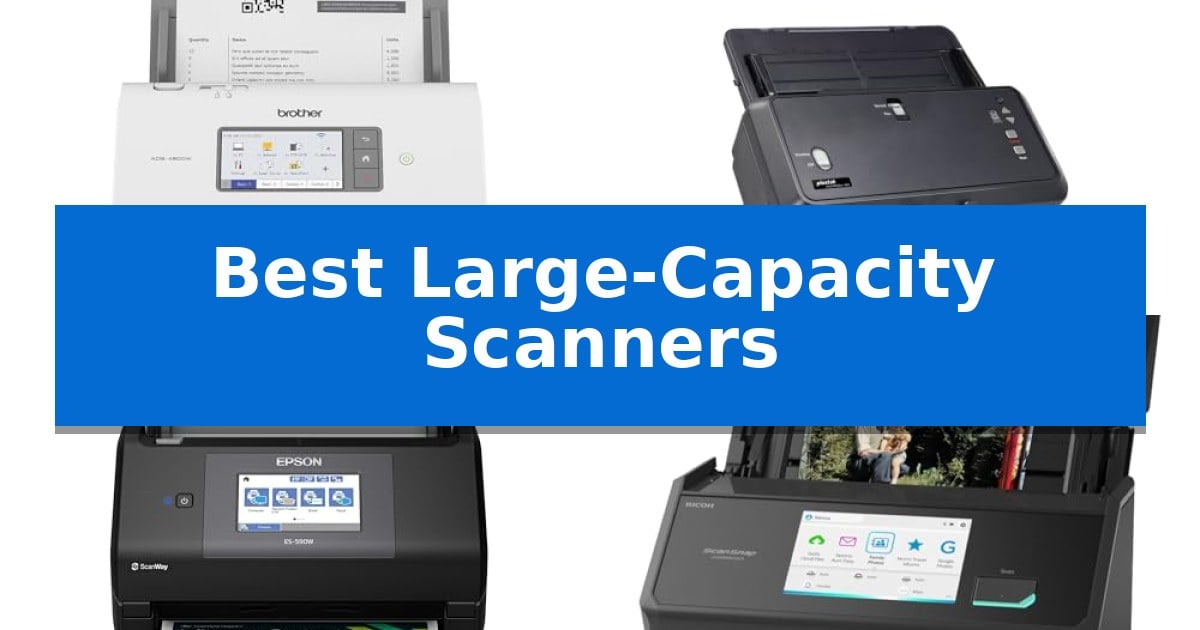
Managing large volumes of physical documentation requires hardware that balances throughput with reliability. When your daily workflow involves hundreds of pages, standard flatbed devices often become a bottleneck, leading to time-consuming manual intervention and increased risk of paper jams.
The Best Large-Capacity Scanners are engineered to address these challenges by combining high-speed automatic document feeders with intelligent software integration. Whether you are digitizing bound books, oversized blueprints, or stacks of financial records, selecting the right hardware ensures your archiving process remains efficient and accurate.
Best Large-Capacity Scanners in 2026
Quick Comparison
| Product | Best For | Key Strength | Score |
|---|---|---|---|
| Brother ADS-4900W Desktop Scanner | Best Overall | Fast 60ppm scanning for both single and double-sided documents. | 4.9 |
| Plustek S60 Large Format Scanner | Handles Oversized Ledger Documents | Wide-format support for documents up to 12" x 17" and long-paper mode up to 200 inches. | 4.4 |
| Epson Workforce ES-590W Desktop Scanner | Smart AI-Ready Document Processing | Fast 45 ppm duplex scanning for efficient batch processing. | 4.6 |
| ScanSnap iX2500 Photo Edition Scanner | Versatile for Photos and Documents | Large 5-inch touchscreen for intuitive profile management. | 4.5 |
| VIISAN S21 Large Format Scanner | Overhead Capture for Bound Books | A2 large format scanning capability for oversized documents. | 4.5 |
How We Chose
- Document Feeder Capacity and Reliability
- Scanning Speed and Duplex Throughput
- Support for Diverse Paper Sizes and Media Types
- Software Integration and Workflow Automation Features
- Connectivity Options for Networked Environments
1 Brother ADS-4900W Desktop Scanner — Fastest High-Volume Office Workhorse
Managing high-volume document workflows requires hardware that balances speed with consistent reliability. The Brother ADS-4900W Professional Desktop Scanner addresses these demands by offering a robust capture solution designed for busy office environments, featuring a 100-page capacity auto document feeder that handles multi-page batches with ease.
Efficiency is central to this model's design, as it delivers scan speeds of up to 60ppm for both single and double-sided materials. The integration of dual-band wireless (2.4GHz/5GHz) and Ethernet connectivity ensures the device fits seamlessly into existing network infrastructures, while a USB 3.0 interface provides a dependable option for local, direct-to-PC scanning.
Usability is enhanced by a 4.3-inch color touchscreen display, which allows users to navigate menus and configure up to 56 customizable shortcuts. These shortcuts enable one-touch scanning to common destinations, including email, cloud services like Google Drive and Dropbox, and secure network locations via SSH Server (SFTP).
The device prioritizes document integrity and network safety through Triple Layer Security features. With broad driver support including TWAIN, WIA, ISIS, and SANE, the scanner integrates into diverse software environments, making it a versatile tool for organizations requiring a secure and adaptable digitizing workflow.
Best for: Busy offices and workgroups requiring high-speed, secure, and networked document digitization.
Skip if: Users who only require occasional, low-volume scanning or those who lack the desk space for a dedicated, high-capacity desktop unit.
PROS
- Fast 60ppm scanning for both single and double-sided documents.
- Large 100-page auto document feeder capacity for batch processing.
- Flexible connectivity including dual-band Wi-Fi, Ethernet, and USB 3.0.
- Triple Layer Security to protect sensitive documents and network connections.
- Customizable touchscreen with 56 shortcuts for streamlined workflows.
CONS
- Large physical footprint may not be suitable for compact or crowded workspaces.
2 Plustek S60 Large Format Scanner — Handles Oversized Ledger Documents
Digitizing oversized documents requires hardware that can accommodate width and length without compromising throughput. The Plustek S60 Large Format Scanner addresses this by supporting media up to 12 inches wide and 200 inches long, making it a specialized tool for engineering blueprints, financial ledgers, and continuous data charts.
Efficiency in high-volume environments is supported by a 64 ppm / 128 ipm scan speed in landscape orientation. The unit features a 100-sheet Auto Document Feeder (ADF), which allows for batch processing of large stacks. To maintain document integrity during rapid scanning, the device integrates ultrasonic multi-feed detection to identify and prevent overlapping pages.
The physical design prioritizes workspace management with a 50% collapsible structure that reduces the scanner's footprint when not in use. For specialized media, a straight paper path allows for the manual feeding of thick items like passports, while 9 customizable one-touch keys enable users to route digital files directly to specific folders or email destinations.
Connectivity is handled via USB 3.2 for high-bandwidth data transfer, and the unit maintains broad compatibility through TWAIN compliance across Windows 7, 8, 10, and 11. This combination of wide-format support and automated workflow features makes it a functional choice for commercial-grade document archiving.
Best for: Professional offices and engineering firms requiring high-speed digitization of large-format documents like blueprints, ledgers, and long-form charts.
Skip if: Users with limited desk space who only require standard A4/Letter scanning, as the wide-format footprint and specialized ADF are unnecessary for smaller document types.
PROS
- Wide-format support for documents up to 12" x 17" and long-paper mode up to 200 inches.
- High-capacity 100-sheet ADF with a 18,000-sheet daily duty cycle.
- Ultrasonic multi-feed detection ensures accuracy during high-speed batch scanning.
- Collapsible design saves significant desktop space when the scanner is idle.
CONS
- Large physical footprint even when collapsed compared to standard compact document scanners.
- Manual feed requirement for thick items like passports rather than automated batch processing.
3 Epson Workforce ES-590W Desktop Scanner — Smart AI-Ready Document Processing
High-volume document digitization requires hardware that balances speed with intelligent processing. The Epson Workforce ES-590W Desktop Scanner addresses this by integrating a 100-sheet Auto Document Feeder capable of handling large batches in a single session. This unit is designed to maintain efficiency, reaching speeds of up to 45 ppm while performing double-sided scanning in a single pass.
Beyond raw speed, the device emphasizes workflow integration through its 4.3" color touchscreen. This interface enables ScanWay computer-free scanning, allowing users to route documents directly to email, cloud storage, or USB flash drives without needing a tethered PC. The inclusion of built-in Wi-Fi further supports flexible placement within an office environment, ensuring secure WPA2 connectivity for mobile or desktop users.
For organizations looking to bridge the gap between physical archives and digital workflows, the scanner utilizes Epson ScanSmart AI Technology. This feature is engineered to convert paper documents into AI-ready data, optimizing files for use with modern AI applications. This capability transforms the scanner from a simple imaging device into an active component of a data-processing pipeline.
The Epson Workforce ES-590W Desktop Scanner is built for high-productivity environments where space and connectivity are critical. By combining a robust feeder, wireless capabilities, and intelligent data conversion, it provides a comprehensive solution for heavy document loads.
Best for: High-volume office environments requiring fast, wireless, and AI-optimized document digitization.
Skip if: Users who only require occasional, low-volume scanning or those who lack the desk space for a dedicated high-capacity desktop unit.
PROS
- Fast 45 ppm duplex scanning for efficient batch processing.
- 100-sheet Auto Document Feeder reduces manual intervention.
- 4.3" color touchscreen enables convenient computer-free operation.
- AI-ready data conversion via integrated software.
CONS
- Large physical footprint may not suit compact workstations.
4 ScanSnap iX2500 Photo Edition Scanner — Versatile for Photos and Documents
The ScanSnap iX2500 Photo Edition Scanner simplifies the transition from physical archives to digital libraries by integrating a large 5-inch touchscreen that allows for direct profile selection and workflow management without needing a computer. This device is specifically engineered to handle diverse media, including delicate prints, through the inclusion of 3 photo carrier sheets and a specialized quick-start guide for photo scanning.
Designed for high-volume tasks, the scanner features an Automatic Document Feeder capable of holding up to 100 documents or 36 photos, with the ability to process up to 100 photos per minute. The integration of Wi-Fi 6 ensures stable, secure wireless connectivity, while the Quick Menu functionality enables users to drag and drop scanned files directly into preferred applications, streamlining the organization of receipts, business cards, and documents.
Versatility is a core component of this model, offering both Wi-Fi and USB-C connectivity to accommodate various workspace setups. The system includes automatic optimizations that handle file naming and sorting, reducing the manual effort required to manage large batches of scanned data. By supporting direct cloud service integration, it provides a flexible solution for users who need to digitize and share content across multiple platforms.
While the unit is built for efficiency, its physical footprint measures 11.5 inches in width and 6.34 inches in height, weighing 7.7 pounds. The 1-year manufacturer warranty covers the hardware, providing a baseline for reliability in office or home-use environments. This scanner balances high-speed processing with user-friendly controls, making it a functional tool for those managing significant quantities of paper and photographic media.
Best for: Users who need to digitize large volumes of mixed photos and documents with a streamlined, touchscreen-based workflow.
Skip if: Users who require a portable, battery-powered scanner or those who do not need the advanced photo-specific carrier sheets and high-capacity feeder.
PROS
- Large 5-inch touchscreen for intuitive profile management.
- High-speed processing of up to 100 photos per minute.
- Wi-Fi 6 and USB-C connectivity options for versatile integration.
- Includes photo carrier sheets for protecting delicate prints.
CONS
- Larger footprint compared to portable or single-sheet scanners.
- Requires AC power as it lacks a built-in battery.
5 VIISAN S21 Large Format Scanner — Overhead Capture for Bound Books
Capturing large-format documents and bound books requires a specialized approach that traditional flatbed scanners often cannot accommodate. The VIISAN S21 Large Format Scanner addresses this by utilizing an overhead document camera design, allowing users to scan materials up to A2 size (594 x 420 mm) without the constraints of a glass platen.
The device features an adjustable height design with a 90-degree foldable hinge, providing the flexibility to switch between A2 and A3 scanning areas. With a resolution of up to 26MP and software-enhanced capabilities reaching 600 DPI, it is engineered to capture fine details in manuscripts, maps, and journals. The integration of a built-in 3-level LED light control ensures consistent illumination, though it is optimized for use in environments without excessive ambient glare.
Efficiency is driven by the bundled OfficeCam software, which includes intelligent processing tools such as automatic page flattening, fingerprint removal, and edge repair. The software also supports multi-language OCR, enabling the conversion of physical pages into searchable PDF, Word, Excel, or Epub formats. For remote workflows, the scanner functions as a UVC/UAC compliant device, allowing it to be used as a camera for video conferencing or project demonstrations.
Compatibility is a key consideration for this hardware. The software suite is designed for x64 and x86 architectures on Windows and macOS, meaning it does not support ARM-based systems like the Surface Pro X. With its 1-year warranty and included scan pad, the VIISAN S21 Large Format Scanner offers a comprehensive solution for digitizing bulky or delicate materials that require a non-contact scanning method.
Best for: Users needing to digitize large-format bound books, maps, or delicate manuscripts using a non-contact overhead capture method.
Skip if: Users operating on ARM-based hardware or those requiring a traditional flatbed scanner for high-speed, automated sheet-fed document processing.
PROS
- A2 large format scanning capability for oversized documents.
- Intelligent software features including auto-flattening and OCR.
- Adjustable height design with a foldable hinge for portability.
- UVC/UAC compliance for use in remote collaboration and video calls.
CONS
- Incompatibility with ARM-based devices such as the Surface Pro X.
- Performance limitations when used in high-glare lighting conditions.
Best Large-Capacity Scanners Buying Guide
Understanding Document Feeder Capacity
The capacity of the Automatic Document Feeder (ADF) is the primary metric for high-volume scanning. A larger feeder allows you to load substantial stacks of paper at once, significantly reducing the time spent standing by the machine to reload.
For busy workgroups, look for feeders that hold at least 100 sheets. This capacity minimizes interruptions and allows for continuous scanning modes, which are essential when digitizing archives or large project files.
Evaluating Scanning Speed and Efficiency
Scanning speed is measured in pages per minute (ppm) and images per minute (ipm) for double-sided documents. High-performance scanners should handle duplex scanning in a single pass to maximize productivity.
Consider how the device handles different paper weights and sizes. A scanner that maintains consistent speed regardless of document type will prevent bottlenecks during mixed-media batches.
Connectivity and Workflow Integration
Modern scanners must integrate seamlessly into your existing digital infrastructure. Options like dual-band wireless and Ethernet connectivity allow for flexible placement and shared access across a network.
Look for devices that support standard drivers such as TWAIN, WIA, and ISIS. These ensure compatibility with document management systems, cloud services, and specialized software, allowing you to route files directly to their final destination.
Handling Oversized and Specialized Media
Standard scanners are often limited to letter or legal sizes. If your work involves blueprints, ledger sheets, or bound journals, you need a device designed for large-format or overhead capture.
Overhead scanners provide a non-contact solution for fragile or bound materials, using software to flatten curved pages and remove artifacts like fingers from the final digital image.
Security and Data Protection
When handling sensitive financial or legal documents, security is paramount. Features such as triple-layer security help protect data during transmission and ensure that only authorized users can access the device.
Additionally, ultrasonic multi-feed detection is a critical feature that prevents errors by identifying when two or more pages are fed simultaneously, ensuring 100% accuracy in your digital archives.
Frequently Asked Questions
What is the difference between an ADF scanner and an overhead scanner?
An ADF scanner pulls sheets through a motorized path, making it ideal for stacks of loose documents. An overhead scanner uses a camera to capture images from above, which is better for bound books or fragile items that cannot be fed through a traditional path.
Do I need TWAIN compliance for my scanner?
TWAIN is a standard interface that allows your scanner to communicate with various software applications. If you plan to scan directly into document management systems or specific business software, TWAIN compliance is highly recommended.
How does ultrasonic multi-feed detection work?
This feature uses sound waves to detect the thickness of the paper passing through the scanner. If the sensor detects that two sheets are stuck together, it pauses the scan to prevent data loss or jams.
Can I scan long documents like strip charts?
Some scanners offer a long-paper mode that allows you to digitize continuous data or specialized forms that exceed standard page lengths, sometimes up to 200 inches.
Is wireless connectivity secure for office scanning?
Yes, provided the scanner supports secure protocols like WPA2. Many professional-grade scanners include built-in security layers to safeguard documents during wireless transmission.
Conclusion: Our Top Pick
For offices and workgroups requiring a reliable, high-speed solution, the Brother ADS-4900W Desktop Scanner stands out as the most capable choice. Its combination of a 100-page ADF, rapid duplex scanning speeds, and robust network integration makes it well-suited for demanding, high-volume environments.
While other models offer specialized features for large-format or overhead capture, the Brother ADS-4900W provides the best balance of speed, security, and workflow flexibility for standard document digitization tasks.