
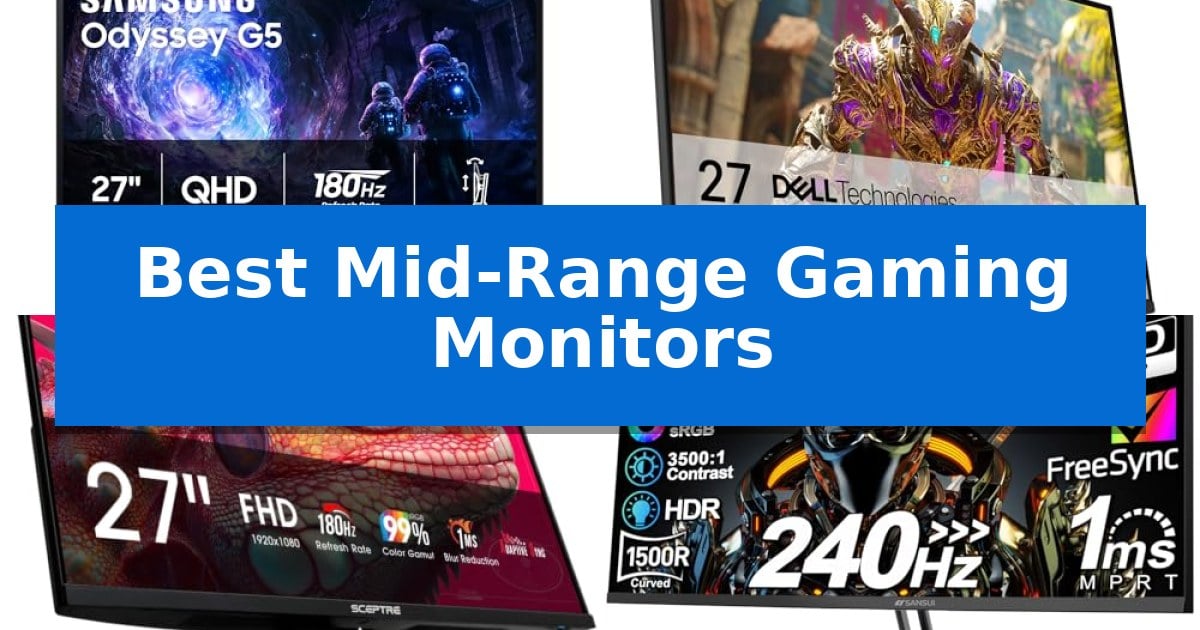
Finding the right display for your setup often feels like a compromise between resolution, speed, and color depth. The Best Mid-Range Gaming Monitors aim to bridge this gap, offering high refresh rates and sharp visuals without the extreme costs associated with top-tier professional displays.
Whether you prioritize fluid motion for competitive shooters or vibrant, high-contrast imagery for immersive single-player titles, selecting the right panel requires balancing technical specifications against your specific hardware capabilities. This guide examines five distinct models to help you identify which features genuinely impact your daily gaming experience.
You may also want to compare Best Mid-Range Gaming Monitor, Best Mid-Range Gaming Microphones, and Best Mid-Range Gaming Mice.
Best Mid-Range Gaming Monitors
Quick Comparison
| Product | Best For | Key Strength | Score |
|---|---|---|---|
| Samsung Odyssey G5 Gaming Monitor | Best Overall | QHD resolution for detailed, sharp imagery. | 4.9 |
| Dell 24 Gaming Monitor | Fast IPS Motion Clarity | 240Hz refresh rate for fluid motion | 4.5 |
| Sceptre Prime Gaming Monitor | Versatile High Refresh Connectivity | 180Hz refresh rate for smooth motion. | 4.5 |
| SANSUI Curved Gaming Monitor | Immersive High-Speed Curvature | High 240Hz refresh rate for smooth motion | 4.7 |
| Samsung Odyssey OLED G6 Monitor | Premium QD-OLED Color Accuracy | 240Hz refresh rate and 0.03ms response time for smooth motion. | 4.9 |
How We Chose
- Refresh Rate and Response Time: Assessing the monitor's ability to handle fast-paced action with minimal ghosting or input lag.
- Resolution and Panel Technology: Comparing pixel density and color reproduction capabilities to ensure visual clarity and depth.
- Adaptive Sync Compatibility: Verifying support for variable refresh rate technologies to eliminate screen tearing during gameplay.
- Ergonomic Adjustability: Evaluating the flexibility of stands for tilt, pivot, and height adjustments to maintain long-term comfort.
- Connectivity and Interface: Checking for sufficient HDMI and DisplayPort inputs to accommodate multiple gaming devices.
1 Samsung Odyssey G5 Gaming Monitor — Balanced QHD Visuals
The Samsung 27" Odyssey G5 (G51F) Series provides a high-density visual experience through its QHD (2560 x 1440) resolution, offering 1.7 times the pixel density of standard Full HD displays. This monitor is engineered for competitive environments, utilizing a 180Hz refresh rate and a 1ms response time to minimize motion blur and input lag during fast-paced gameplay.
To maintain visual consistency, the monitor integrates AMD FreeSync technology, which works to reduce screen tearing and stuttering. The inclusion of HDR10 support enhances the contrast between highlights and shadows, contributing to a more vivid image profile. For tactical advantages, the Black Equalizer feature allows users to manually adjust the brightness of dark areas, potentially revealing hidden details in shadowed game environments.
The physical design focuses on user comfort and versatility, featuring an ergonomic stand that supports tilt, pivot, and height adjustments. This allows for a customized viewing angle suitable for various desk setups. Additionally, the Auto Source Switch+ functionality simplifies the transition between connected devices, while the Virtual Aim Point tool provides a static crosshair overlay for increased precision.
While this monitor offers a robust set of gaming-focused specifications, it is a 27-inch display that requires sufficient desk space for the stand's footprint. The 1ms response time and high refresh rate are optimized for gaming, making it a specialized tool for those prioritizing motion clarity and resolution in their mid-range setup.
Best for: Gamers seeking a balance of high-resolution QHD visuals and smooth 180Hz motion performance.
Skip if: Users requiring a smaller display or those who prioritize professional-grade color accuracy for creative work over gaming-specific features.
PROS
- QHD resolution for detailed, sharp imagery.
- 180Hz refresh rate and 1ms response time for smooth motion.
- Ergonomic stand with tilt, pivot, and height adjustments.
- Black Equalizer for improved visibility in dark scenes.
CONS
- Large footprint may not suit compact desk spaces.
2 Dell 24 Gaming Monitor — Fast IPS Motion Clarity
The Dell 24 Gaming Monitor (SE2426HG) prioritizes fluid visuals through its 240Hz refresh rate and a rapid 0.5ms response time, designed to minimize input lag during fast-paced gameplay. This 23.8-inch display utilizes Fast IPS technology, which balances high-speed motion clarity with the wide viewing angles and color accuracy typically associated with IPS panels.
Engineered for consistency, the monitor covers 99% of the sRGB color gamut, ensuring vivid and detailed imagery. To maintain smooth performance across both PC and console platforms, it integrates AMD FreeSync Premium and HDMI VRR support, which work to eliminate screen tearing and stuttering during intensive gaming sessions.
The design emphasizes user comfort and connectivity. It includes TÜV Rheinland 3-star certification for blue light reduction, helping to manage eye strain during extended use. Connectivity is handled via two HDMI ports and a DisplayPort 1.4 interface, providing flexibility for multi-device setups, while the integrated tilt functionality allows for basic ergonomic adjustment.
This monitor is a focused solution for users who prioritize motion performance and color fidelity in a compact 24-inch form factor. By combining high-refresh-rate capabilities with the visual benefits of IPS technology, it serves as a capable centerpiece for a competitive gaming environment.
Best for: Competitive gamers seeking high refresh rates and color accuracy in a compact 24-inch desktop footprint.
Skip if: Users requiring a larger screen size, higher resolution than 1080p, or advanced ergonomic adjustments like height and swivel.
PROS
- 240Hz refresh rate for fluid motion
- 0.5ms response time to reduce input lag
- 99% sRGB coverage for accurate color reproduction
- AMD FreeSync Premium and HDMI VRR for tear-free gaming
CONS
- Limited ergonomic adjustments restricted to tilt only
- 1080p resolution may lack the pixel density of larger or higher-resolution displays
3 Sceptre Prime Gaming Monitor — Versatile High Refresh Connectivity
Achieving a fluid visual experience during fast-paced gaming requires a display capable of keeping up with high frame rates. The Sceptre Prime Gaming Monitor addresses this demand by offering a 180Hz refresh rate, ensuring that motion remains fluid across both DisplayPort and HDMI connections.
Beyond its refresh rate, this 27-inch display prioritizes a distraction-free environment through its nearly bezel-free design. This aesthetic choice is particularly effective for users looking to set up a dual-monitor configuration, as it minimizes the gap between screens for a more cohesive field of view.
To support diverse use cases, the monitor includes custom gaming modes specifically optimized for First Person Shooters (FPS) and Real-Time Strategy (RTS) titles. These settings allow users to adjust display performance to match the specific requirements of their preferred game genres.
Comfort and convenience are integrated into the hardware through Blue-Light Shift technology, which helps reduce eye strain during extended sessions. Additionally, the inclusion of built-in speakers and an audio out jack provides a streamlined solution for sound, helping to keep desk space organized by reducing the need for external peripherals.
Best for: Gamers seeking a high-refresh-rate display with a minimal bezel design for multi-monitor setups.
Skip if: Users who require specialized ergonomic adjustments like height-adjustable stands or VESA mounting capabilities, as these features are not supported.
PROS
- 180Hz refresh rate for smooth motion.
- Nearly bezel-free design ideal for dual-monitor setups.
- Custom gaming modes for FPS and RTS genres.
- Blue-Light Shift technology to mitigate eye strain.
CONS
- Integrated speakers may not replace dedicated audio systems.
- Limited ergonomic flexibility due to the fixed stand design.
4 SANSUI Curved Gaming Monitor — Immersive High-Speed Curvature
The SANSUI Curved Gaming Monitor centers its design around a pronounced 1500R curvature, intended to wrap the display field around the user's peripheral vision. This 32-inch panel is engineered for high-motion scenarios, pairing its curved form factor with a 240Hz refresh rate and a 1ms MPRT response time to facilitate fluid visual transitions during gameplay.
Visual fidelity is supported by a 125% sRGB color gamut and a 3500:1 contrast ratio, which work alongside HDR technology to provide depth to on-screen imagery. The monitor reaches a peak brightness of 300 Nits and utilizes FreeSync technology to assist in managing frame synchronization, while integrated low blue light and anti-flicker settings aim to reduce visual strain during extended sessions.
Connectivity is handled through HDMI and DP 1.4 ports, both of which support the full 240Hz refresh rate capability. The chassis includes a metal stand that allows for a -5°~15° tilt adjustment and is VESA compatible (100 x 100mm) for users who prefer custom mounting solutions. Note that this model does not feature built-in speakers, requiring external audio hardware.
For optimal results, the manufacturer recommends a viewing distance of approximately 1.2 meters. This monitor serves as a dedicated display solution for users prioritizing high-refresh-rate performance and immersive curvature within a standard Full HD resolution framework.
Best for: Gamers seeking a large, immersive curved display with high-refresh-rate capabilities for fast-paced titles.
Skip if: Users requiring 4K resolution for professional creative work or those who prefer a flat panel display for productivity tasks.
PROS
- High 240Hz refresh rate for smooth motion
- Immersive 1500R curved design
- Wide 125% sRGB color gamut
- Includes DP 1.4 cable for immediate setup
CONS
- No built-in speakers
- Full HD resolution on a 32-inch screen may result in lower pixel density
5 Samsung Odyssey OLED G6 Monitor — Premium QD-OLED Color Accuracy
The Samsung 27" Odyssey OLED G6 (G61SH) distinguishes itself with a high-performance QD-OLED display that leverages QHD resolution to produce vibrant colors and deep contrast. Designed for competitive environments, this monitor integrates OLED Safeguard technology, a thermal modulation system that actively works to prevent burn-in during extended gaming sessions.
Speed is a primary focus for this model, evidenced by its 240Hz refresh rate and a rapid 0.03ms response time. These specifications are complemented by AMD FreeSync Premium, which functions to minimize screen tearing and choppiness. The display also features Glare-Free Technology, ensuring visibility remains consistent even when external light sources are present in the room.
Visual fidelity is supported by Pantone Validation, which ensures the reproduction of over 2,100 colors and 110 skin tones. For content that supports it, HDR10 provides enhanced depth through brighter highlights and nuanced shadows. The monitor is housed on a highly adjustable ergonomic stand that allows for pivoting, tilting, and swiveling to accommodate various desk setups.
Durability and peace of mind are addressed through a 3-year manufacturer warranty, providing long-term support for the panel. With its combination of high-speed motion handling and color accuracy, this monitor serves as a versatile choice for users who prioritize both competitive gaming performance and high-quality visual output.
Best for: Gamers who require a high-refresh-rate display with professional-grade color accuracy and advanced burn-in protection.
Skip if: Users who require a 4K resolution display or those who prefer a traditional flat-panel IPS monitor over OLED technology.
PROS
- 240Hz refresh rate and 0.03ms response time for smooth motion.
- QD-OLED display with Pantone Validated color accuracy.
- OLED Safeguard thermal modulation to help prevent burn-in.
- Glare-Free Technology reduces distracting reflections.
CONS
- QHD resolution may not satisfy users seeking 4K pixel density.
- OLED technology requires active thermal management features.
Best Mid-Range Gaming Monitors Buying Guide
Understanding Panel Technology
The type of panel—such as IPS, VA, or QD-OLED—is the most significant factor in your visual experience. IPS panels are generally favored for their wide viewing angles and color accuracy, making them ideal for a variety of tasks beyond gaming.
Conversely, VA panels often provide superior contrast ratios, which can help in dark environments, while QD-OLED technology offers exceptional color reproduction and near-instantaneous response times, though it typically comes at a higher price point.
Refresh Rate vs. Resolution
A higher refresh rate (measured in Hz) is critical for competitive gaming, as it allows the screen to update more frequently, resulting in smoother motion. However, pairing a high refresh rate with a high resolution (like QHD) requires a powerful graphics card to maintain consistent frame rates.
If your system cannot push high frame rates at higher resolutions, a lower-resolution monitor with a high refresh rate might provide a more stable and responsive experience than a high-resolution display that struggles to maintain fluidity.
The Role of Adaptive Sync
Technologies like AMD FreeSync are essential for modern gaming, as they synchronize the monitor's refresh rate with your graphics card's output. This synchronization prevents screen tearing and stuttering, which occur when the frame rate and refresh rate are mismatched.
Always ensure that the monitor you choose supports the specific adaptive sync technology compatible with your graphics card to ensure the smoothest possible performance during intense gaming sessions.
Ergonomics and Desk Space
Gaming for extended periods requires proper posture, which is why ergonomic stands are a vital consideration. Look for monitors that offer height, tilt, and pivot adjustments to align the screen with your eye level, reducing neck and eye strain.
Additionally, consider the physical footprint of the monitor stand. Some stands are wide and take up significant desk space, while others are more compact or support VESA mounting, which allows you to clear your desk by attaching the monitor to an arm.
Connectivity and Future-Proofing
Your monitor should have enough ports to connect all your devices, including PCs and consoles. DisplayPort 1.4 and HDMI 2.1 are preferred for high-bandwidth signals, allowing for high refresh rates at higher resolutions.
Check for additional features like built-in speakers or audio-out jacks if you prefer a cleaner desk setup without external audio equipment, though dedicated speakers often provide better sound quality.
Frequently Asked Questions
What is the difference between 144Hz and 240Hz?
A 240Hz monitor updates the screen twice as often as a 144Hz monitor, which can result in smoother motion and lower input latency. This is most noticeable in fast-paced competitive shooters.
Do I need a curved monitor for gaming?
Curved monitors are designed to provide a more immersive experience by matching the natural curvature of the human eye, which can reduce distortion at the edges of larger screens.
What does 1ms response time mean?
Response time refers to how quickly a pixel can change from one color to another. A 1ms response time helps minimize motion blur and ghosting, keeping fast-moving objects sharp.
Is QHD better than FHD?
QHD (1440p) offers significantly higher pixel density than FHD (1080p), resulting in sharper images and more screen real estate, which is beneficial for both gaming and productivity.
Can I use a gaming monitor for work?
Yes, most gaming monitors are excellent for work. Models with IPS panels are particularly good due to their color accuracy and wide viewing angles, though you should ensure the resolution is sufficient for your tasks.
Conclusion: Our Top Pick
Selecting the right monitor depends heavily on your hardware and the types of games you play most frequently. For a balanced experience that excels in both visual clarity and motion performance, the Samsung Odyssey G5 Gaming Monitor stands out as a versatile choice that handles high-resolution gaming with impressive fluidity.
While other options in this list offer specialized features like higher refresh rates or OLED panels, the Samsung Odyssey G5 provides a well-rounded feature set that meets the needs of most gamers without requiring a premium investment. Ensure your graphics card can support the QHD resolution to get the most out of this display.