
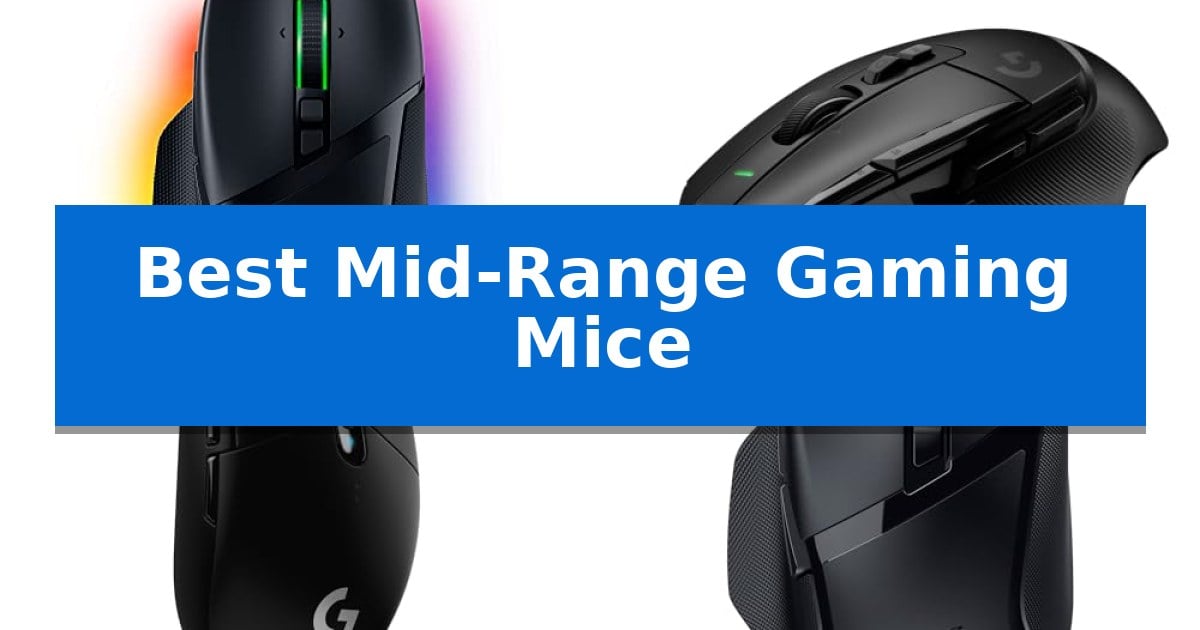
Finding the right peripheral can significantly impact your accuracy and comfort during long sessions. When you are looking for the Best Mid-Range Gaming Mice, the goal is to identify a balance between high-end sensor performance and essential features without paying for unnecessary extras.
Our selection focuses on models that provide reliable tracking, ergonomic shapes, and programmable inputs suited for various gaming genres. By evaluating these options, we aim to help you select a mouse that fits your specific grip style and performance requirements.
You may also want to compare Best Mid-Range Gaming Laptops, Best Mid-Range Gaming Laptop, and Best Mid-Range Gaming Keyboards.
Best Mid-Range Gaming Mice
Quick Comparison
| Product | Best For | Key Strength | Score |
|---|---|---|---|
| Razer Basilisk V3 Gaming Mouse | Best Overall | HyperScroll Tilt Wheel offers both free-spin and tactile modes. | 4.9 |
| Logitech G502 X Gaming Mouse | Precision Hybrid Optical Switches | LIGHTFORCE hybrid switches for reliable actuation | 4.5 |
| Logitech G305 LIGHTSPEED Gaming Mouse | Reliable Wireless Performance | LIGHTSPEED wireless technology ensures a lag-free 1 ms report rate. | 4.5 |
| Razer Basilisk V3 X Gaming Mouse | Extended Battery Life Freedom | Dual-mode wireless connectivity offers flexibility between performance and battery efficiency. | 4.6 |
| Redragon M810 PRO Gaming Mouse | Budget-Friendly Wireless Versatility | Wireless 2.4Ghz connectivity for a cable-free gaming experience. | 4.5 |
How We Chose
- Sensor accuracy and DPI range for consistent tracking.
- Ergonomic design and weight distribution for long-term comfort.
- Programmability of buttons for macro and shortcut support.
- Connectivity options including wired stability and wireless latency.
- Build quality and switch reliability for consistent click feedback.
1 Razer Basilisk V3 Gaming Mouse — Advanced Ergonomics and Customization
Precision control and physical customization define the Razer Basilisk V3 Gaming Mouse, a wired peripheral built to adapt to diverse gaming styles. Its standout feature is the HyperScroll Tilt Wheel, which allows users to toggle between a free-spin mode for rapid navigation and a tactile mode for precise, stepped scrolling during weapon or skill selection.
The mouse is equipped with 11 programmable buttons, providing ample space for macros and secondary functions. Internally, it utilizes Optical Mouse Switches Gen 2, rated for up to 70 million clicks with a 0.2ms actuation speed. These switches are designed to eliminate unintended misclicks, ensuring consistent responsiveness during intense play.
Tracking is handled by a Focus+ 26K DPI Optical Sensor, which provides high-resolution movement detection without smoothing. The physical design features an iconic ergonomic shape with a dedicated thumb rest, intended to support the hand during extended sessions. Aesthetic customization is provided through 11 Razer Chroma RGB lighting zones that can react dynamically to integrated game events.
To maintain peak performance, the device integrates with the Razer Synapse App, where users can adjust sensor settings and button assignments. The mouse is optimized for accuracy when Windows-level pointer precision settings are disabled, allowing the sensor to operate with its intended pixel-precise tracking.
Best for: Gamers who require high levels of button customization and a versatile scroll wheel for both productivity and gaming tasks.
Skip if: Users who prefer a lightweight, minimalist mouse or those who require wireless connectivity for their gaming setup.
PROS
- HyperScroll Tilt Wheel offers both free-spin and tactile modes.
- 11 programmable buttons allow for extensive macro mapping.
- Optical Mouse Switches Gen 2 provide fast 0.2ms actuation.
- Ergonomic design includes a dedicated thumb rest for comfort.
CONS
- Wired-only connection limits desk cable management options.
- Heavier footprint compared to ultra-lightweight competitive gaming mice.
2 Logitech G502 X Gaming Mouse — Precision Hybrid Optical Switches
The Logitech G502 X Wired Gaming Mouse centers its design around the proprietary LIGHTFORCE hybrid optical-mechanical switches, which are engineered to provide a balance of speed and reliable, crisp actuation. This model updates the legacy of the G502 series by focusing on weight reduction and refined control mechanisms to suit modern gaming demands.
At the heart of its performance is the HERO 25K gaming sensor, which offers high-precision tracking with zero smoothing, filtering, or acceleration. This sensor is designed to maintain accuracy across various surfaces, ensuring consistent input for competitive play. The mouse features a thin-wall exoskeleton that brings the total weight down to 89 grams, enhancing maneuverability during extended sessions.
Usability is enhanced through a redesigned hyperfast scroll wheel that allows users to toggle between a free-spin mode and a precise ratcheting mode, with the added functionality of tilt-left and tilt-right inputs. The DPI-shift button is both reversible and removable, providing flexibility for different grip styles and preferences. With a total of 13 programmable buttons, the mouse offers extensive customization for complex game commands.
The Logitech G502 X Wired Gaming Mouse is built for users who prioritize tactile feedback and precise sensor performance in a wired form factor. While it lacks the cable-free convenience of wireless alternatives, its wired connection ensures consistent power and data transmission without the need for battery management.
Best for: Gamers who require high-precision sensor tracking and extensive button customization in a lightweight, wired chassis.
Skip if: Users who prioritize a wireless setup or those who prefer an ultra-minimalist mouse with fewer buttons.
PROS
- LIGHTFORCE hybrid switches for reliable actuation
- HERO 25K sensor with high-precision tracking
- 89-gram lightweight design for improved handling
- Hyperfast scroll wheel with dual-mode functionality
CONS
- Wired-only connection limits desk cable management options
3 Logitech G305 LIGHTSPEED Gaming Mouse — Reliable Wireless Performance
The Logitech G305 LIGHTSPEED Gaming Mouse prioritizes high-speed performance through its proprietary LIGHTSPEED wireless technology, which provides a 1 ms report rate for competition-level responsiveness. This device is engineered for users who require a lag-free connection without the tether of a cable, making it a versatile choice for both desktop gaming and mobile setups.
At the core of this mouse is the HERO sensor, which offers up to 12,000 DPI and 400 IPS precision. This sensor is designed for power efficiency, allowing the device to operate for up to 250 hours of continuous gameplay on a single AA battery. For extended use, users can toggle to Endurance mode via the Logitech G HUB software to stretch battery life up to 9 months.
The physical design emphasizes maneuverability, weighing only 3.4 oz. Its compact form factor includes 6 programmable buttons and integrated on-board memory, allowing users to save their settings directly to the mouse. The inclusion of built-in nano receiver storage further enhances its utility for those who frequently travel with a gaming laptop.
While the mouse offers significant flexibility, its reliance on a AA battery rather than an internal rechargeable cell represents a distinct design choice. This approach ensures immediate power replacement without downtime, though it requires users to keep spare batteries on hand to maintain the device's lightweight profile.
Best for: Gamers and professionals who need a lightweight, portable wireless mouse with long battery life and high-precision tracking.
Skip if: Users who prefer a built-in rechargeable battery or require a larger, ergonomic shape for specific palm-grip styles.
PROS
- LIGHTSPEED wireless technology ensures a lag-free 1 ms report rate.
- HERO sensor provides high-precision tracking up to 12,000 DPI.
- Extended battery life reaching up to 250 hours of continuous play.
- Compact, lightweight design with integrated storage for the nano receiver.
CONS
- AA battery requirement instead of an internal rechargeable battery.
- Compact dimensions may not suit all hand sizes or grip preferences.
4 Razer Basilisk V3 X Gaming Mouse — Extended Battery Life Freedom
The Razer Basilisk V3 X Gaming Mouse prioritizes versatility through its dual-mode connectivity, allowing users to toggle between ultra-low-latency HyperSpeed Wireless for competitive play and Bluetooth for extended battery life. This ergonomic peripheral is designed to support various grip styles, providing a comfortable foundation for long gaming sessions or daily productivity tasks.
Equipped with the Razer 5G Advanced 18K Optical Sensor, this mouse delivers pixel-precise tracking across a wide range of game genres, including FPS and RPG titles. The inclusion of Razer Mechanical Mouse Switches Gen-2 ensures consistent, reliable actuation, with a durability rating of up to 60 million clicks to withstand intensive use over time.
Customization remains a core strength, as the device features 9 programmable controls that work in tandem with Razer Hypershift to enable complex macros and shortcuts. The integration of Razer Chroma RGB allows for dynamic lighting personalization, while the onboard profile storage ensures your preferred settings remain accessible across different systems.
Designed for longevity, the mouse offers up to 285 hours of battery life in HyperSpeed mode and up to 535 hours via Bluetooth. The build includes 100% PTFE mouse feet to facilitate smooth movement, ensuring that the hardware remains a reliable component of any gaming or professional setup.
Best for: Gamers and professionals who require a versatile, ergonomic wireless mouse with long battery life and extensive button customization.
Skip if: Users who prefer an ultra-lightweight mouse or those who require a wired-only connection for specific tournament environments.
PROS
- Dual-mode wireless connectivity offers flexibility between performance and battery efficiency.
- 9 programmable controls allow for advanced macro and shortcut customization.
- Extended battery life provides up to 535 hours of usage in Bluetooth mode.
- Ergonomic shape supports multiple grip styles for improved comfort.
CONS
- AA battery requirement adds weight compared to integrated rechargeable lithium-ion designs.
- 1000 Hz polling rate is standard but may not meet the needs of enthusiasts seeking higher-frequency performance.
5 Redragon M810 PRO Gaming Mouse — Budget-Friendly Wireless Versatility
The Redragon M810 PRO Gaming Mouse eliminates the friction of wired play by utilizing a 2.4Ghz nano receiver, providing a cable-free experience designed to maintain consistent input during fast-paced gaming sessions. By removing the physical tether, this mouse allows for fluid, unrestricted movement that can be critical when split-second reactions determine the outcome of a match.
Equipped with the PAW3325 Optical Pixart sensor, this device offers adjustable DPI levels up to 10,000, which can be cycled through five on-board presets. This flexibility allows users to tailor sensitivity to specific game requirements or personal preference, while the 1000Hz polling rate ensures rapid communication between the device and the computer for responsive tracking.
For those who rely on complex inputs, the mouse features 8 programmable buttons, including dedicated rapid-fire and side macro keys. These can be customized via the Redragon Pro driver software, which also manages the adjustable RGB lighting modes, such as dynamic streaming and breathing effects, to match a specific aesthetic or gaming environment.
The device is built for endurance, featuring a rechargeable battery that supports up to 45 hours of operation in eco-mode. Its ergonomic design is intended to provide comfort during extended use, balancing functional utility with a competitive visual style. The integration of dual-mode connectivity and software-based customization makes it a versatile tool for both gaming and productivity tasks.
Best for: Gamers seeking a wireless, customizable mouse with programmable macro buttons and adjustable DPI settings for varied playstyles.
Skip if: Users who require a high-end sensor for professional-grade competitive esports or those who prefer a lightweight, minimalist design without RGB lighting.
PROS
- Wireless 2.4Ghz connectivity for a cable-free gaming experience.
- 8 programmable buttons with macro support for enhanced control.
- Adjustable DPI up to 10,000 with five customizable levels.
- Rechargeable battery providing up to 45 hours of use.
CONS
- Limited battery life compared to higher-end wireless gaming mice.
- Software-dependent customization for full feature access.
Best Mid-Range Gaming Mice Buying Guide
Sensor Performance and DPI
The optical sensor is the heart of any gaming mouse, responsible for translating your physical movements into on-screen actions. Look for sensors that offer zero smoothing or acceleration, which ensures that your aim remains predictable and precise regardless of your movement speed.
While higher DPI (Dots Per Inch) ratings are often marketed, the most important factor is the sensor's ability to track accurately at your preferred sensitivity. Most players find that a sensor capable of handling high DPI settings provides enough headroom for fine-tuned adjustments in competitive titles.
Ergonomics and Grip Style
Your grip style—whether palm, claw, or fingertip—dictates which mouse shape will be most comfortable. Mice with thumb rests or contoured sides can provide better support during extended sessions, reducing hand fatigue.
Consider the physical dimensions and weight of the device. A lightweight build can improve maneuverability, while a heavier mouse might offer more stability for players who prefer a slower, more deliberate aiming style.
Button Customization
Programmable buttons allow you to map complex macros, secondary functions, or quick-access commands directly to your mouse. This is particularly useful in MMOs, MOBAs, or strategy games where you need to execute multiple actions rapidly.
Ensure the buttons are positioned for easy access without requiring awkward finger stretches. High-quality mechanical switches or hybrid optical-mechanical switches are preferred for their crisp tactile feedback and durability over millions of clicks.
Connectivity: Wired vs. Wireless
Wired mice offer the advantage of a constant power supply and zero latency concerns, making them a reliable choice for competitive play. Modern wired designs often feature flexible cables that minimize drag during intense movements.
Wireless technology has advanced significantly, with many models now providing lag-free performance that rivals wired connections. If you choose wireless, consider the battery life and whether the mouse supports multiple connectivity modes like Bluetooth for productivity tasks.
Build Quality and Switches
A gaming mouse is a tool that sees heavy use, so build quality is paramount. Look for durable materials and high-quality feet, such as 100% PTFE, which allow for smooth gliding across your mousepad.
The switches under your primary buttons should be rated for a high number of clicks to ensure longevity. Features like on-board memory are also beneficial, as they allow you to save your custom profiles directly to the mouse, making it easy to switch between different computers.
Frequently Asked Questions
What is the advantage of a high DPI sensor?
A high DPI sensor allows for faster cursor movement, which can be useful on high-resolution displays. However, most gamers prefer lower DPI settings for better control and consistency.
Do I need a wireless gaming mouse?
Wireless mice offer greater freedom of movement and a cleaner desk setup. Modern wireless technology is highly reliable, though you will need to manage battery life.
How do I choose between palm and claw grip?
Palm grip users typically prefer larger, ergonomic mice that support the full hand. Claw grip users often benefit from shorter, more arched designs that allow for quick, precise movements.
Are programmable buttons necessary for FPS games?
While not strictly necessary, extra buttons are useful for mapping actions like melee, grenades, or push-to-talk, which can improve your reaction time in fast-paced games.
What does the polling rate mean?
The polling rate is how often the mouse reports its position to the computer. A 1000Hz polling rate is standard for gaming, ensuring smooth and responsive tracking.
Conclusion: Our Top Pick
Selecting the right mouse depends on your specific needs, but the Razer Basilisk V3 Gaming Mouse stands out as a versatile choice for many gamers. Its combination of an ergonomic thumb rest, customizable buttons, and a high-precision sensor makes it a strong contender for those seeking a balance of comfort and performance.
While other options offer unique benefits like extended wireless battery life or hybrid switches, the Razer Basilisk V3 provides a comprehensive feature set that adapts well to various gaming styles. Ensure you consider your preferred grip and connectivity needs before making your final decision.