
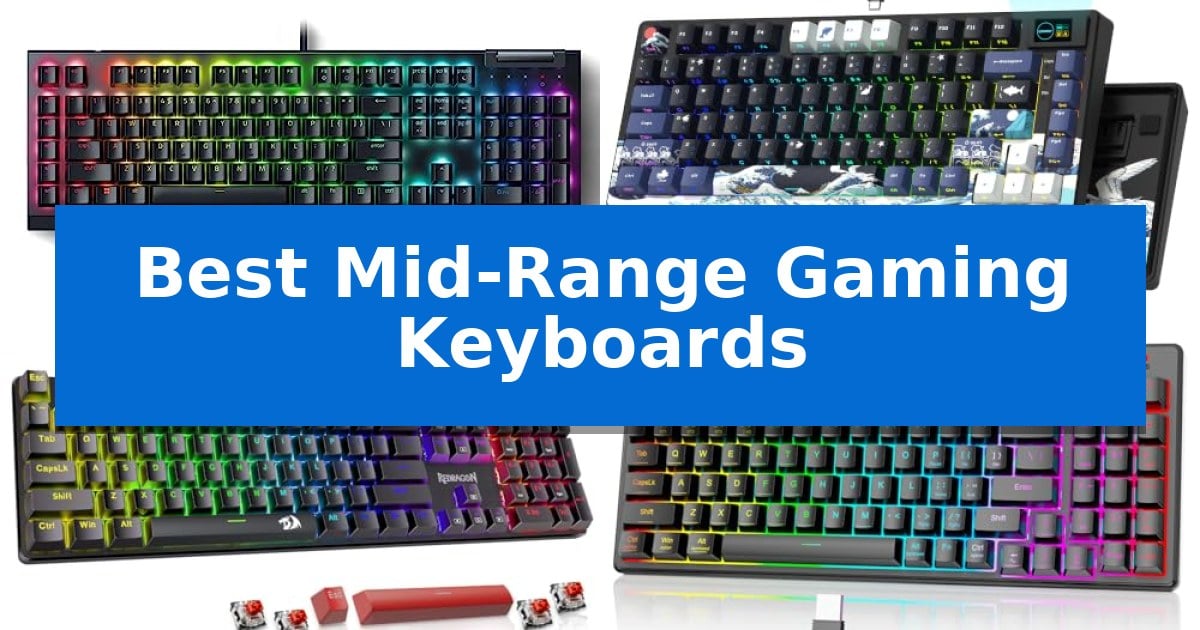
Finding the right gear for your desk shouldn't require a massive investment. The market is currently filled with high-performance options that offer professional-grade features at a fraction of the cost, making it easier than ever to upgrade your setup.
In this guide, we evaluate the Best Mid-Range Gaming Keyboards to help you identify which models deliver the most value for your specific playstyle. Whether you prioritize rapid-fire inputs, compact designs, or wireless versatility, these selections provide the essential tools needed for competitive play.
You may also want to compare Best Mid-Range Gaming Headset for PS4, Best Mid-Range Gaming Headset, and Best Mid-Range Gaming GPU.
Best Mid-Range Gaming Keyboards
Quick Comparison
| Product | Best For | Key Strength | Score |
|---|---|---|---|
| Razer BlackWidow V4 X Gaming Keyboard | Best Overall | Rapid-fire linear switches with a short 1.2mm actuation distance. | 4.9 |
| Womier SK80 75% Gaming Keyboard | Customizable Multimedia Display Screen | Integrated multimedia display screen for real-time system monitoring and customization. | 4.4 |
| Redragon K671 Mechanical Gaming Keyboard | Hot-Swappable Linear Red Switches | Hot-swappable switches for easy maintenance and longevity. | 4.4 |
| Redragon K517 Pro Wireless Gaming Keyboard | Versatile Tri-Mode Connectivity | Tri-mode connectivity allows for easy switching between wired and wireless devices. | 4.9 |
| Womier WK61 Pro 60% Gaming Keyboard | Ultra-Compact Anime Themed Design | VIA open-source software support for deep customization. | 4.5 |
How We Chose
- Switch performance and actuation feel
- Layout efficiency and physical footprint
- Connectivity options including wired and wireless modes
- Customization capabilities via software or hardware
- Build materials and acoustic dampening features
1 Razer BlackWidow V4 X Gaming Keyboard — Premium Linear Switch Performance
The Razer BlackWidow V4 X Gaming Keyboard centers its performance on proprietary Yellow Mechanical Linear Switches, which utilize a 1.2mm actuation point and 45g of force to facilitate rapid-fire inputs. This design choice prioritizes speed and responsiveness, supported by integrated sound dampeners that minimize noise during intense gaming sessions.
Beyond its switches, the keyboard features 6 dedicated macro keys that allow for custom command mapping to suit various playstyles. The inclusion of a multi-function roller and secondary media keys provides direct control over volume and playback, while the Chroma RGB per-key lighting offers extensive customization across 16.8 million colors, compatible with numerous Chroma-integrated titles.
Durability and acoustics are addressed through doubleshot ABS keycaps with thick walls, designed to resist wear over time. The internal construction incorporates a layer of special foam and lubricated stabilizers to refine the typing sound, ensuring a consistent experience that balances tactile feedback with noise reduction.
Measuring 18.36 inches in length, this full-sized keyboard provides a stable, weighted footprint for desktop setups. It connects via a wired interface, ensuring consistent communication with the host system without the need for battery management, making it a reliable choice for dedicated gaming environments.
Best for: Gamers who prioritize rapid-fire linear switches and programmable macro keys for complex command execution.
Skip if: Users who require a compact, tenkeyless, or wireless form factor for limited desk space or travel.
PROS
- Rapid-fire linear switches with a short 1.2mm actuation distance.
- 6 dedicated macro keys for enhanced command customization.
- Improved acoustics via internal foam and lubricated stabilizers.
- Durable doubleshot ABS keycaps that resist label fading.
CONS
- Wired-only connectivity limits placement flexibility compared to wireless models.
- Full-sized footprint occupies significant desk space.
2 Womier SK80 75% Gaming Keyboard — Customizable Multimedia Display Screen
Finding the right balance between aesthetic appeal and functional performance is a common challenge for enthusiasts building a custom desk setup. The Womier SK80 75% Gaming Keyboard addresses this by integrating a vibrant color multimedia screen directly into the chassis, allowing users to monitor system status, adjust RGB settings, or display custom GIFs without leaving the game.
This 75% gasket-mounted mechanical keyboard prioritizes a refined typing experience through its EVA positioning plate and bottom filling, which work together to dampen noise and provide a softer, more responsive feel. The inclusion of pre-lubed linear switches ensures a consistent, clean sound profile straight out of the box, while the hot-swappable PCB offers the flexibility to swap in preferred 3-pin or 5-pin switches later.
Customization extends beyond the hardware with dedicated software that enables deep control over the 19 RGB lighting effects and macro assignments. The south-facing light diffusers ensure that backlighting remains clear and vibrant, even with the included cherry profile art theme keycaps. Its detachable Type-C connection and compatibility with both Mac and Windows systems make it a versatile addition to any workspace.
Designed with an 11-degree oblique angle for the multimedia display, the keyboard ensures that critical information remains easily visible during intense sessions. By combining a unique visual interface with a stable gasket-mount structure, this board provides a distinct set of features for those looking to upgrade their peripheral game.
Best for: Gamers and desk enthusiasts who want a compact 75% layout with integrated hardware monitoring and high levels of aesthetic customization.
Skip if: Users who require a full-sized layout with a dedicated number pad or those who prefer a wireless connection for their gaming setup.
PROS
- Integrated multimedia display screen for real-time system monitoring and customization.
- Gasket-mounted design for a softer, more stable typing feel.
- Hot-swappable PCB compatible with 3-pin and 5-pin switches.
- Pre-lubed linear switches provide a consistent, clean sound profile.
CONS
- Wired-only connectivity limits desk placement flexibility compared to wireless models.
- 75% layout lacks a dedicated number pad, which may be a drawback for productivity-focused users.
3 Redragon K671 Mechanical Gaming Keyboard — Hot-Swappable Linear Red Switches
Precision and customization define the Redragon K671 Mechanical Gaming Keyboard, a wired peripheral built to streamline both competitive gaming and productivity workflows. Its standout feature is the hot-swappable linear red switch design, which allows users to replace individual switches easily using the provided spare parts, ensuring the board remains functional even if a specific key fails.
Designed with full-key anti-ghosting, this keyboard ensures that every input is registered accurately, even during complex, simultaneous key presses. The inclusion of macro editing support enables users to remap keys or combine multiple functions into a single keystroke, providing a significant advantage for those managing intricate commands in RPGs or MMOs.
The build quality centers on double-shot PBT keycaps, which offer durability and a clear path for the 11 unique backlighting modes. Users can adjust the brightness and speed of these lights across five levels to suit their environment. Additionally, the integrated 12 multimedia shortcuts provide quick access to essential system controls like volume and media playback without interrupting gameplay.
While the software allows for extensive customization of lighting effects and macros, it is important to note that the LED backlight colors are fixed and cannot be changed. This keyboard is a practical choice for users seeking a reliable, responsive, and highly configurable input device that balances essential gaming features with a straightforward, wired connection.
Best for: Gamers and professionals who prioritize switch longevity through hot-swappable technology and require customizable macro functions for complex tasks.
Skip if: Users who require wireless connectivity or prefer the ability to customize the specific color of their keyboard backlighting.
PROS
- Hot-swappable switches for easy maintenance and longevity.
- Full-key anti-ghosting ensures reliable input during intense gaming.
- Macro editing support for efficient key remapping and shortcuts.
- Double-shot PBT keycaps provide durability and clear illumination.
CONS
- Fixed backlight colors limit aesthetic customization.
- Wired-only connection lacks the flexibility of wireless peripherals.
4 Redragon K517 Pro Wireless Gaming Keyboard — Versatile Tri-Mode Connectivity
The Redragon K517 Pro Wireless Gaming Keyboard distinguishes itself with a versatile tri-mode connection system, allowing users to toggle between USB-C wired, Bluetooth 3.0/5.0, and 2.4GHz wireless modes via a physical switch. This flexibility is complemented by a 94-key layout that balances space efficiency with the inclusion of a dedicated number pad and four macro keys for streamlined control.
Designed for both utility and aesthetics, the keyboard features customizable RGB illumination with 8 preset modes, 7 solid colors, and 5 brightness levels. The typing experience is defined by high-elasticity rubber domes that provide a mechanical-like feel, engineered to offer responsiveness while maintaining a quieter profile than traditional mechanical switches.
Efficiency is a core focus of this model, highlighted by a dual-system switch that enables seamless transitions between Windows and Mac environments. The integrated 4000mAh battery supports extended usage, while the inclusion of four dedicated macro keys allows for the execution of shortcuts without the need for additional software, simplifying complex workflows.
Practical design considerations are evident in the numeric keypad layout, which includes specific operational safeguards to prevent accidental inputs. For instance, the 'DEL' key requires a secondary 'SHIFT' + '. Del' command, and the layout omits standard '-, +, and ENTER' keys on the pad to minimize unintended touches during intense gaming or productivity tasks.
Best for: Users who require a space-saving, multi-device keyboard that supports both Windows and Mac systems with flexible wireless connectivity.
Skip if: Users who specifically require the tactile feedback and durability of genuine mechanical switches, as this model utilizes rubber dome technology.
PROS
- Tri-mode connectivity allows for easy switching between wired and wireless devices.
- Four dedicated macro keys enable quick shortcut execution without extra software.
- Dual-system compatibility simplifies switching between Windows and Mac.
- 94-key compact layout preserves desk space while retaining a number pad.
CONS
- Rubber dome switches may not satisfy users seeking authentic mechanical switch performance.
- Modified numeric keypad lacks standard keys like 'Enter' and '+', requiring a learning curve.
5 Womier WK61 Pro 60% Gaming Keyboard — Ultra-Compact Anime Themed Design
The Womier WK61 Pro 60% Gaming Keyboard distinguishes itself through a unique Kanagawa anime-themed aesthetic, featuring intricate patterns on both the front and back of its compact chassis. This 60% layout is designed to maximize desk space while providing a dedicated platform for intense gaming sessions.
Performance is supported by POM linear red mechanical switches, which offer a soft, consistent travel and are rated for 50 million keypresses. To enhance the typing experience, the keyboard incorporates multi-layer sound-dampening fillings that minimize hollow resonance and metal-on-metal noise, resulting in a more stable feel.
Customization is a core component of this model, utilizing open-source VIA software to allow users to remap keys, configure macros, and adjust lighting effects. While key remapping requires a wired connection, the configuration persists across both wired and wireless modes once saved. The keyboard connects via a Type-C USB cable for stable data transmission.
Visual appeal is provided by vibrant RGB backlighting paired with PBT pudding keycaps. The use of north-facing LEDs ensures that light is distributed evenly through the keycaps, creating a dynamic look that complements the anime-inspired design. The unit is compatible with PC, PS4, and Xbox consoles, offering versatility for various gaming platforms.
Best for: Gamers who prioritize a compact, highly customizable keyboard with a distinct anime-inspired aesthetic.
Skip if: Users who require a full-sized layout with a dedicated number pad or those who prefer tactile or clicky switches over linear ones.
PROS
- VIA open-source software support for deep customization.
- Multi-layer sound-dampening construction for improved acoustics.
- Hot-swappable switches allow for easy mechanical customization.
- Distinctive Kanagawa anime theme design.
CONS
- Wired-only key remapping requirement for VIA software.
- Compact 60% layout lacks dedicated arrow keys and function row.
Best Mid-Range Gaming Keyboards Buying Guide
Mechanical Switch Types
The heart of any gaming keyboard is its switch mechanism. Linear switches are generally preferred by gamers for their smooth, consistent keystroke without a tactile bump, allowing for rapid, repeated inputs.
Some models offer hot-swappable capabilities, which allow you to change the switches later without soldering. This is a significant advantage if you want to experiment with different typing feels or replace a damaged switch over time.
Keyboard Layouts and Sizes
Layouts range from full-sized boards with dedicated number pads to 60% compact designs that maximize desk space for mouse movement. Choosing the right size depends on your available desk real estate and whether you rely on the number pad for productivity tasks.
A 75% layout is often considered the sweet spot for many users, as it retains the arrow keys and function row while still providing more room than a standard full-sized keyboard.
Connectivity and Versatility
Modern keyboards often feature tri-mode connectivity, allowing you to switch between wired USB-C, Bluetooth, and 2.4GHz wireless modes. This flexibility is essential if you use the same keyboard for both a gaming PC and a work laptop.
Wired connections remain the standard for competitive gaming due to their consistent power delivery and lack of interference, but high-quality wireless options have largely closed the gap in terms of responsiveness.
Build Quality and Acoustics
The materials used in the chassis and keycaps impact both longevity and typing sound. Doubleshot ABS or PBT keycaps are highly recommended because the legends are molded into the plastic, ensuring they never fade or wear off.
Many mid-range boards now include sound-dampening foam or lubricated stabilizers. These additions significantly reduce hollow resonance and metallic pinging, resulting in a more satisfying, 'creamy' typing experience.
Programmability and Software
The ability to remap keys or create macros can provide a tactical edge in complex games. Look for keyboards that support macro editing or open-source software like VIA, which allows for deep customization of layouts and lighting.
Onboard memory is another useful feature, as it allows you to save your custom profiles directly to the keyboard, ensuring your settings remain intact even when you plug the device into a different computer.
Frequently Asked Questions
What does hot-swappable mean?
A hot-swappable keyboard allows you to remove and replace mechanical switches without needing to solder them to the circuit board, making customization or repairs much easier.
Are 60% keyboards good for gaming?
Yes, 60% keyboards are popular for gaming because they free up significant desk space for large mouse movements, though they lack dedicated arrow keys and a number pad.
What is the benefit of linear switches?
Linear switches provide a smooth, consistent keystroke from top to bottom without a tactile bump, which is favored by many gamers for fast-paced, repetitive actions.
Can I use a gaming keyboard with a Mac?
Many modern gaming keyboards are compatible with both Windows and macOS, often featuring a physical switch or software toggle to adjust the layout for Mac-specific functions.
Why does keyboard acoustics matter?
Acoustics affect the sound profile of your typing. Features like sound-dampening foam and lubricated stabilizers help eliminate harsh metallic noises, creating a more pleasant and professional sound.
Conclusion: Our Top Pick
When selecting from the Best Mid-Range Gaming Keyboards, the Razer BlackWidow V4 X Gaming Keyboard stands out as our top recommendation. Its combination of rapid-fire yellow mechanical switches, dedicated macro keys, and integrated sound-dampening foam offers a refined experience that caters to both competitive gaming and daily typing needs.
While other models offer unique features like multimedia screens or extreme portability, the Razer provides a balanced, high-performance foundation that is difficult to surpass in this price category. It is an excellent choice for gamers who want reliable, feature-rich hardware without compromising on build quality or responsiveness.