
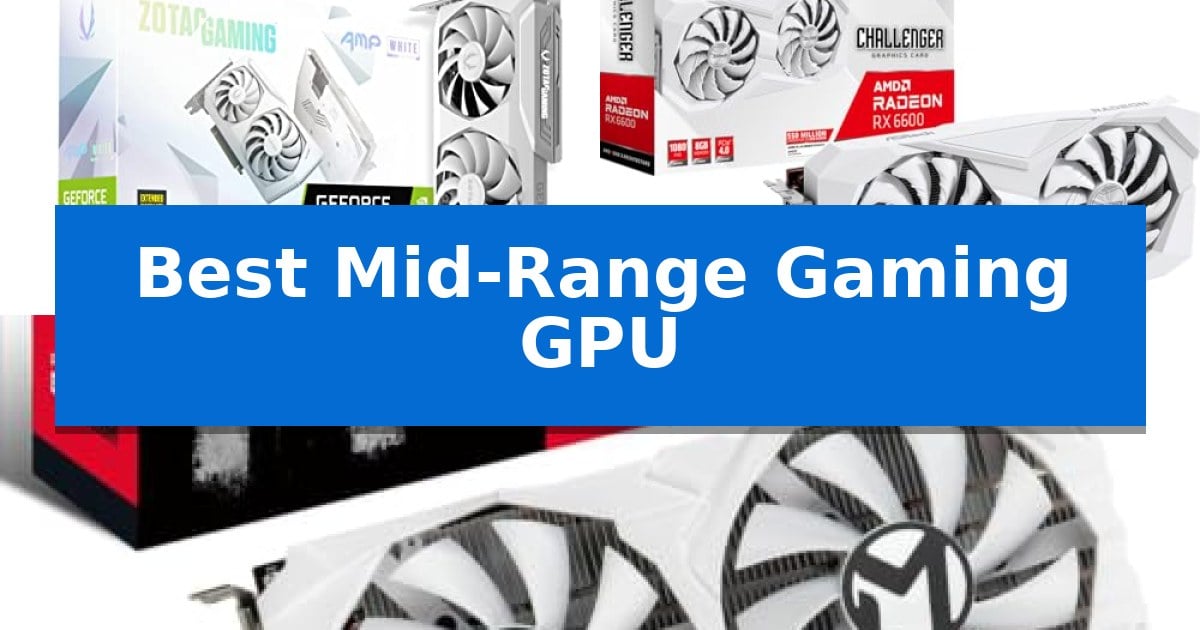
Selecting the right graphics card for your system involves balancing raw frame rate output with your specific thermal and power constraints. Whether you are building a new rig or upgrading an aging component, finding the Best Mid-Range Gaming GPU requires a clear understanding of how different architectures handle modern rendering tasks at 1080p resolution.
Our evaluation focuses on how these specific models integrate into your current setup, considering factors like power requirements, physical dimensions, and cooling efficiency. By examining the technical specifications provided, we help you determine which card aligns with your performance goals and aesthetic preferences without overspending on unnecessary overhead.
You may also want to compare Best Mid-Range Gaming Desktop PCs, Best Mid-Range Gaming CPU and Motherboard Combos, and Best Mid-Range Gaming CPU.
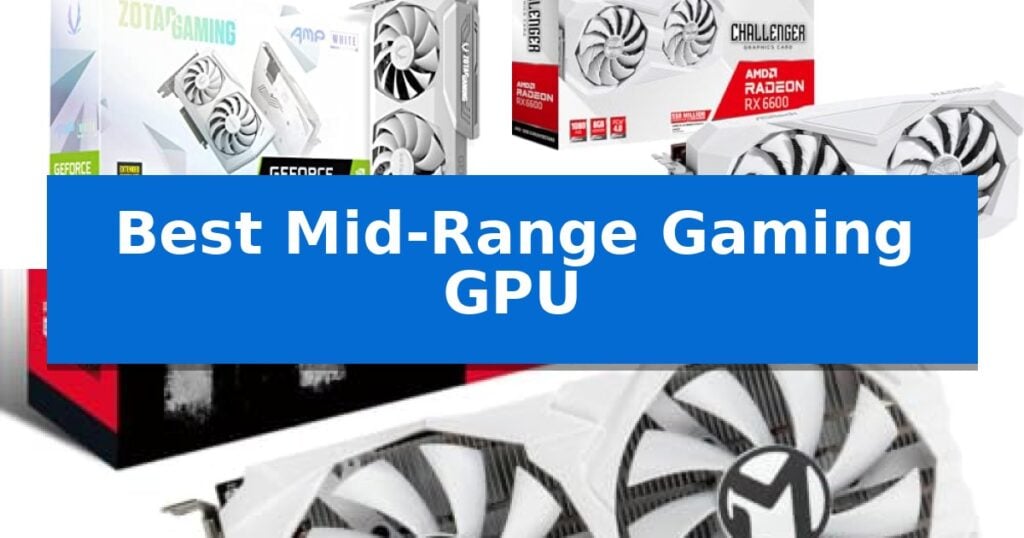
Best Mid-Range Gaming GPU
Quick Comparison
| Product | Best For | Key Strength | Score |
|---|---|---|---|
| ZOTAC Gaming GeForce RTX 3060 | Best Overall | 12GB GDDR6 VRAM provides ample capacity for high-resolution textures. | 4.9 |
| ASRock Radeon RX 6600 | Efficient White Aesthetic Build | Stunning white design ideal for aesthetic-focused builds | 4.3 |
| MAXSUN Radeon RX 580 | Budget Friendly Gaming | White aesthetic design ideal for themed PC builds. | 4.9 |
How We Chose
- Architecture and VRAM capacity for reliable 1080p rendering.
- Thermal management systems, including fan control and heat dissipation technology.
- Physical dimensions and power connector requirements for case compatibility.
- Display connectivity options for multi-monitor and high-refresh-rate support.
- Aesthetic design choices for themed system builds.
1 ZOTAC Gaming GeForce RTX 3060 — Reliable 1080p Performance
The ZOTAC Gaming GeForce RTX 3060 distinguishes itself with a specialized IceStorm 2.0 cooling system that integrates Active Fan Control and Freeze Fan Stop technology, ensuring the card manages thermal output efficiently during intensive gaming sessions. This model is built on the NVIDIA Ampere architecture, providing the foundation for 2nd Gen Ray Tracing Cores and 3rd Gen Tensor Cores to handle modern graphical demands.
Equipped with 12GB of GDDR6 memory on a 192-bit bus, this card supports a boost clock of 1867 MHz, offering a balance of capacity and speed for high-fidelity gaming. The hardware is 8K Ready and 4 Display Ready, featuring a versatile output configuration of three DisplayPort 1.4a ports and one HDMI 2.1 port, which facilitates multi-monitor setups and high-bandwidth connectivity.
Designed for durability and aesthetic integration, the card includes a metal backplate that provides structural rigidity. Its compact form factor, measuring 9.1 inches in length and 1.6 inches in height, allows for installation in a variety of chassis sizes while maintaining compatibility with PCIe 4.0 interfaces. The unit is also VR Ready and supports DirectX 12 Ultimate, ensuring it meets current software standards for gaming and creative workflows.
The ZOTAC Gaming GeForce RTX 3060 serves as a capable solution for users seeking reliable performance for 1080p gaming and beyond. By combining efficient thermal management with substantial VRAM, it addresses the needs of gamers who require a stable, feature-rich graphics card that fits into standard mid-range builds.
Best for: Gamers looking for a reliable, cool-running GPU with 12GB of VRAM for 1080p and 1440p gaming.
Skip if: Users requiring extreme 4K ultra-settings performance or those with ultra-small form factor cases that cannot accommodate a 9.1-inch card.
PROS
- 12GB GDDR6 VRAM provides ample capacity for high-resolution textures.
- IceStorm 2.0 cooling with Freeze Fan Stop reduces noise during idle periods.
- Metal backplate enhances structural integrity and protection.
- HDMI 2.1 and DisplayPort 1.4a support for modern high-refresh-rate displays.
CONS
- Limited to 192-bit memory bus, which may impact performance in bandwidth-heavy scenarios.
- Requires sufficient chassis clearance for a 9.1-inch length.
2 ASRock Radeon RX 6600 — Efficient White Aesthetic Build
The ASRock Radeon RX 6600 is defined by its striking white aesthetic, making it a standout choice for builders prioritizing a clean, monochromatic look without sacrificing 1080p gaming capability. This graphics card leverages the AMD RDNA 2 architecture to provide hardware-accelerated raytracing and DirectX 12 Ultimate support, ensuring modern visual fidelity for current titles.
Engineered for efficiency, the card features a dual-fan cooling system equipped with 0dB silent cooling technology. This allows the fans to stop completely during low-load scenarios, providing a silent environment for non-gaming tasks. The inclusion of a white metal backplate serves a dual purpose: it reinforces the structural integrity to prevent GPU sag while assisting in thermal dissipation.
Performance is driven by a boost clock reaching up to 2491 MHz, paired with 8GB of GDDR6 memory. Connectivity is handled by three DisplayPort 1.4 ports with DSC and one HDMI 2.1 VRR port, offering broad compatibility with high-refresh-rate monitors and variable refresh rate technology. The card requires only a single 8-pin power connector, simplifying power supply requirements for various system configurations.
The ASRock Radeon RX 6600 balances its aesthetic appeal with practical utility. Its compact dual-fan design ensures it fits into most standard PC cases, while the focus on energy efficiency makes it a straightforward upgrade for users looking to improve their gaming experience at 1080p resolution.
Best for: Gamers building a white-themed PC who prioritize 1080p performance and quiet operation.
Skip if: Users requiring high-resolution 1440p or 4K gaming performance, or those with non-white PC aesthetics.
PROS
- Stunning white design ideal for aesthetic-focused builds
- 0dB silent cooling for quiet operation during light tasks
- Efficient power consumption requiring only a single 8-pin connector
- Robust metal backplate prevents GPU sag and adds durability
CONS
- Limited to 1080p resolution for optimal gaming performance
- White color scheme may clash with non-matching build themes
3 MAXSUN Radeon RX 580 — Budget Friendly Gaming
Achieving a cohesive visual style in a custom PC build often requires matching components, and the MAXSUN Radeon RX 580 offers a distinct white aesthetic designed to integrate into light-themed chassis configurations. Built on the 14 nm process using the Polaris 20 XL graphics processor, this card is engineered to support DirectX 12, ensuring compatibility with a wide range of modern gaming titles for users seeking a reliable mid-range solution.
Equipped with 8GB of GDDR5 memory and a 256-bit interface, the card is designed to handle demanding graphical tasks. It features three digital video outputs, including one HDMI and two DisplayPort connections, which facilitate multi-monitor configurations for expanded workspace or immersive gaming environments. These connectivity options provide the flexibility needed for users managing multiple displays simultaneously.
Beyond its primary gaming utility, the GPU supports advanced standards such as Vulkan, Shader Model 5.0, and OpenGL 4.6/4.5. It also includes integrated 4K video decode and encode capabilities, making it a versatile component for users who engage in both media consumption and content creation. These features allow the card to assist with hardware-accelerated video tasks, benefiting those who edit or stream media.
With a compact design measuring approximately 8.46 inches in length, this graphics card fits into various chassis sizes while maintaining a clean, white visual profile. It is backed by a 3-year warranty, providing long-term support for your hardware investment. This balance of size and functionality makes it a practical choice for builders prioritizing a specific look without sacrificing essential display and processing capabilities.
Best for: Builders focusing on a white-themed PC aesthetic who need a reliable GPU for 1080p gaming and multi-monitor setups.
Skip if: Users requiring high-end ray tracing or extreme 4K gaming performance, as this card is optimized for mid-range requirements.
PROS
- White aesthetic design ideal for themed PC builds.
- 8GB GDDR5 memory with a 256-bit interface for stable performance.
- Multi-monitor support via three digital video outputs.
- Broad API compatibility including DirectX 12, Vulkan, and OpenGL.
CONS
- Polaris architecture is an older generation compared to current flagship GPUs.
- Limited to mid-range gaming performance expectations.
Best Mid-Range Gaming GPU Buying Guide
Understanding GPU Architecture
The underlying architecture, such as NVIDIA Ampere or AMD RDNA 2, dictates how efficiently a card handles ray tracing and high-fidelity textures. Choosing a card with modern architecture ensures better support for current APIs like DirectX 12 Ultimate, which is essential for maintaining smooth frame rates in recent game titles.
When comparing options, look at the generation of the chip. Newer architectures often provide better power efficiency and improved feature sets, such as hardware-accelerated ray tracing, which can significantly impact the visual quality of your gaming experience.
Thermal Management and Cooling
Graphics cards generate significant heat under load, making effective cooling a critical factor for longevity and consistent performance. Features like active fan control, zero-decibel modes, and specialized heatpipes help maintain optimal operating temperatures during extended gaming sessions.
A well-cooled card not only prevents thermal throttling—where the GPU slows down to protect itself from heat—but also operates more quietly. Look for cards with robust metal backplates and dual-fan designs if you prioritize a balance between cooling performance and noise levels.
Physical Compatibility and Power
Before finalizing your purchase, verify the physical dimensions of the GPU against your PC case's clearance. A card that is too long or thick may interfere with other components or prevent the case from closing properly. Always check the length, height, and width specifications provided by the manufacturer.
Power supply compatibility is equally important. Ensure your power supply unit (PSU) has the correct connectors, such as an 8-pin or 6-pin power interface, to support the card's power draw. Using an underpowered PSU can lead to system instability or unexpected shutdowns during intensive tasks.
Display Connectivity
The number and type of display outputs determine how many monitors you can connect and what refresh rates they can support. Most mid-range cards offer a combination of DisplayPort 1.4 and HDMI 2.1 ports, which are standard for modern high-refresh-rate gaming monitors.
If you plan to use multiple screens or require specific features like Variable Refresh Rate (VRR), ensure the card's output ports match your monitor's requirements. HDMI 2.1, in particular, is beneficial for users who want to connect to high-bandwidth displays or televisions.
Aesthetic and Build Quality
For many users, the visual appeal of the GPU is a significant factor, especially in builds with glass side panels. Manufacturers now offer various color schemes, such as white editions, which are designed to complement specific case themes and internal lighting setups.
Beyond aesthetics, the build quality—such as the inclusion of a metal backplate—serves a functional purpose by preventing GPU sag and providing extra structural rigidity. This helps protect the PCIe slot on your motherboard from the weight of the card over time.
Frequently Asked Questions
What does VRAM capacity mean for gaming performance?
VRAM, or Video Random Access Memory, stores textures and frame data. A higher capacity, such as 8GB or 12GB, allows the GPU to handle higher-resolution textures and more complex game environments without needing to swap data from the system's slower main memory, which can cause stuttering.
Do I need a specific power supply for these GPUs?
Yes, you must ensure your power supply has the necessary PCIe power connectors (usually 8-pin) and enough wattage to handle the card's peak power consumption. Check the manufacturer's recommended PSU wattage for the specific card you choose.
What is the benefit of a zero-decibel fan mode?
Zero-decibel or silent cooling technology stops the fans from spinning when the GPU is under low load, such as when browsing the web or watching videos. This results in completely silent operation during non-gaming tasks.
Will a white GPU perform differently than a black one?
No, the color of the shroud or backplate does not affect the performance of the GPU. The internal components, clock speeds, and cooling efficiency are determined by the model's design, not its exterior color.
How do I know if a GPU will fit in my case?
Compare the length, width, and height dimensions listed in the product specifications with the maximum GPU clearance dimensions provided by your PC case manufacturer. Always leave a small margin for airflow and cable management.
Conclusion: Our Top Pick
When selecting the ZOTAC Gaming GeForce RTX 3060 as your primary choice, you gain access to 12GB of GDDR6 memory and NVIDIA's Ampere architecture, which provides a robust foundation for modern 1080p gaming. Its IceStorm 2.0 cooling system and active fan control offer reliable thermal management, making it a dependable option for systems that require consistent performance under load.
While other models like the ASRock Radeon RX 6600 or MAXSUN Radeon RX 580 offer unique aesthetic or budget-focused advantages, the ZOTAC card stands out for its balance of memory capacity and cooling features. Ensure your case has the necessary clearance for its dimensions before installation to get the most out of this capable graphics solution.