
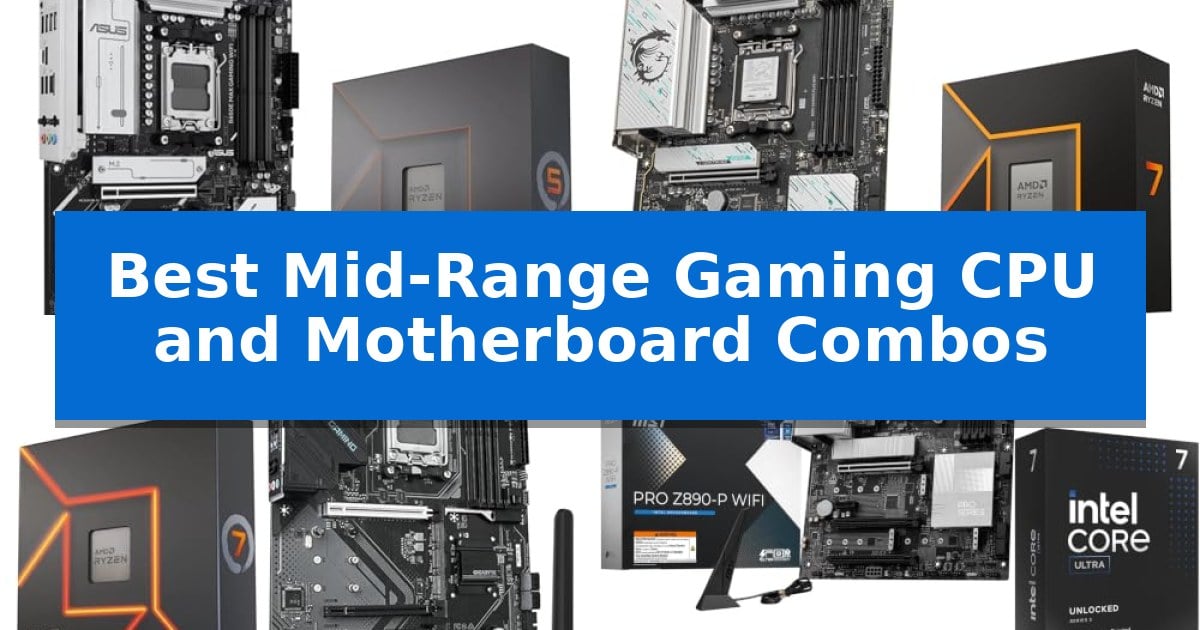
Building a gaming PC requires finding the right synergy between your processor and motherboard to ensure stable performance without overspending. The Best Mid-Range Gaming CPU and Motherboard Combos provide a balanced foundation, allowing you to allocate your budget effectively toward other critical components like your graphics card or high-speed memory.
Whether you are looking for the latest platform support or a reliable entry point for modern gaming, selecting a pre-matched bundle simplifies the installation process. This guide examines several options that pair current-generation processors with capable motherboards, focusing on connectivity, power delivery, and long-term compatibility for your next build.
You may also want to compare Best Mid-Range Gaming CPU, Best Mid-Range Gaming Chairs, and Best Mid-Range Gaming Chair.
Best Mid-Range Gaming CPU and Motherboard Combos
Quick Comparison
| Product | Best For | Key Strength | Score |
|---|---|---|---|
| Micro Center AMD Ryzen 7600X Motherboard Combo | Best Overall | PCIe 5.0 support for both GPU and M.2 storage | 4.9 |
| Micro Center AMD Ryzen 9700X Motherboard Combo | Future-Proofed With Wi-Fi 7 | Advanced connectivity with Wi-Fi 7 and 5G LAN support. | 4.8 |
| Inland AMD Ryzen 7700X Motherboard Combo | High-Performance PCIe 5.0 Ready | PCIe 5.0 support for both GPU and M.2 storage. | 4.3 |
| Micro Center Intel Core Ultra 7 Combo | Efficient Next-Gen Intel Power | High-performance 20-core processor with up to 5.5 GHz clock speeds. | 4.9 |
| Micro Center AMD Ryzen 5500 Motherboard Combo | Budget-Friendly Entry Point | Pre-matched compatibility between the Ryzen 5 5500 and A520M chipset. | 4.4 |
How We Chose
- Socket Compatibility: Ensuring the CPU and motherboard utilize the same socket for seamless integration.
- Power Delivery: Assessing the phase design and thermal management capabilities of the motherboard.
- Connectivity Standards: Verifying support for modern interfaces like PCIe 5.0, DDR5, and high-speed networking.
- Expansion Potential: Evaluating the number of M.2 slots and PCIe lanes available for future upgrades.
- Form Factor: Confirming the motherboard size fits standard ATX or Micro-ATX gaming chassis.
1 Micro Center AMD Ryzen 7600X Motherboard Combo — Balanced AM5 Gaming Foundation
The Micro Center AMD Ryzen 7600X Motherboard Combo centers on the AMD Ryzen 5 7600X processor, a 6-core, 12-thread chip capable of a 5.3 GHz Max Boost. This combination provides a foundation for gaming systems by pairing the processor with the ASUS B650E MAX GAMING WIFI motherboard, which supports the AM5 socket and modern DDR5 memory.
The included motherboard features an 8+2+1 phase power design on a 6-layer PCB, utilizing alloy chokes and durable capacitors to maintain stable power delivery. For storage and expansion, the board offers PCIe 5.0 support, including one PCIe 5.0 x4 M.2 slot alongside two additional PCIe 4.0 M.2 slots and four SATA 6Gb/s ports.
System builders benefit from integrated connectivity options such as Wi-Fi 6E and Bluetooth v5.3, complemented by USB 10Gbps Type-C ports for high-speed peripheral support. The board is designed for ease of assembly with a pre-mounted I/O shield, BIOS FlashBack functionality, and Q-LED Core diagnostics to assist during the setup process.
Thermal management is addressed through dedicated VRM and M.2 heatsinks and a PCH heatsink. The system also supports ASUS Aura Sync RGB lighting via three addressable Gen 2 headers, allowing for aesthetic customization within the ATX form factor.
Best for: Users building a new gaming PC on the AM5 platform who require a balanced, feature-rich motherboard with PCIe 5.0 support.
Skip if: Users who already own an AM4 processor or those requiring a compact Mini-ITX form factor for smaller chassis builds.
PROS
- PCIe 5.0 support for both GPU and M.2 storage
- Robust power delivery with 8+2+1 phase design
- Modern connectivity including Wi-Fi 6E and USB 10Gbps Type-C
- DIY-friendly features like pre-mounted I/O shield and BIOS FlashBack
CONS
- Cooler not included in the package
- ATX form factor may be too large for compact cases
2 Micro Center AMD Ryzen 9700X Motherboard Combo — Future-Proofed With Wi-Fi 7
The Micro Center AMD Ryzen 9700X Motherboard Combo centers on the 8-core, 16-thread Ryzen 7 9700X processor, providing a high-performance foundation for gaming systems with a 5.5 GHz max boost clock. This bundle pairs the CPU with the MSI B850 Gaming Plus WiFi motherboard, which utilizes the AM5 platform to support modern standards including DDR5 memory and PCIe 5.0 connectivity.
The motherboard is engineered for stability and high-speed data transfer, featuring a 12+2+1 Duet Rail Power System and 6-layer PCB construction with 2oz thickened copper. To maintain thermal efficiency during intense gaming sessions, the board includes an extended heatsink, 7W/mK rated MOSFET thermal pads, and the EZ M.2 Shield Frozr II for cooling NVMe drives.
Connectivity options are extensive, highlighted by Wi-Fi 7 and 5G LAN for high-speed networking. The board provides three M.2 NVMe slots, including one PCIe 5.0 x4 interface, and supports dual-channel DDR5 memory up to 8200+ MT/s via overclocking. The inclusion of front USB Type-C and studio-grade audio components further enhances the utility for modern desktop builds.
Designed for ease of assembly, the MSI board incorporates several 'EZ DIY' features such as the EZ M.2 Clip II and EZ PCIe Clip II, which simplify the installation of storage and graphics hardware. This combination offers a balanced approach for users looking to build a capable gaming PC on the current AM5 socket architecture.
Best for: Gamers and PC builders seeking a high-performance foundation with support for current-gen PCIe 5.0 and Wi-Fi 7 standards.
Skip if: Users who require an integrated thermal cooling solution for the CPU, as a cooler is not included in this bundle.
PROS
- Advanced connectivity with Wi-Fi 7 and 5G LAN support.
- Robust power delivery with a 12+2+1 Duet Rail system.
- Future-ready storage via PCIe 5.0 x4 M.2 support.
- Simplified installation using EZ DIY clips for M.2 and PCIe components.
CONS
- Thermal solution not included for the processor.
- Requires DDR5 memory, which may necessitate an upgrade from older DDR4 systems.
3 Inland AMD Ryzen 7700X Motherboard Combo — High-Performance PCIe 5.0 Ready
Building a high-performance gaming rig requires a foundation that balances processing power with modern connectivity standards. The Inland AMD Ryzen 7700X Motherboard Combo centers around the 8-core, 16-thread Ryzen 7 7700X processor, which features a 5.4 GHz max boost and 40 MB of cache to handle demanding gaming workloads. By pairing this CPU with the GIGABYTE B850 Gaming WiFi motherboard, the kit provides a ready-to-build solution for the AM5 platform.
The motherboard is designed for longevity and speed, featuring a digital 6+2+2 phases VRM solution and support for DDR5 memory overclocking up to 8200MT/s. It includes a dedicated PCIe 5.0 x4 M.2 slot for ultra-fast storage, alongside two additional PCIe 4.0 x4 slots. The inclusion of PCIe EZ-Latch Plus and WIFI EZ-Plug simplifies the assembly process, allowing for quick hardware installation without complex tools.
For connectivity, the system integrates Wi-Fi 6 and Bluetooth 5.3, ensuring stable wireless networking and peripheral support. The rear I/O provides essential display outputs including HDMI and DisplayPort, while the USB 3.2 Gen 1 Type-C port offers modern interface compatibility. The board also features VRM Thermal Armor to maintain stable temperatures during extended gaming sessions.
This combo is a strategic choice for users looking to leverage the latest AMD socket technology without sourcing components individually. While the kit requires a separate cooler and thermal solution, it provides a robust, future-ready architecture for high-frame-rate gaming and productive multitasking.
Best for: Gamers and PC builders seeking a pre-matched, PCIe 5.0-ready foundation for the AMD AM5 platform.
Skip if: Users who already own a compatible AM5 motherboard or those who prefer to select specific cooling solutions and memory kits individually.
PROS
- PCIe 5.0 support for both GPU and M.2 storage.
- High-speed DDR5 memory overclocking capabilities up to 8200MT/s.
- Simplified assembly with EZ-Latch and EZ-Plug features.
- Integrated Wi-Fi 6 and Bluetooth 5.3 connectivity.
CONS
- Cooler and thermal solution are not included in the package.
4 Micro Center Intel Core Ultra 7 Combo — Efficient Next-Gen Intel Power
The Micro Center Intel Core Ultra 7 Combo centers on the high-performance Intel Core Ultra 7 265KF processor, which utilizes a 20-core architecture—comprising 8 P-cores and 12 E-cores—to balance demanding gaming workloads with power efficiency. By pairing this unlocked CPU with the MSI PRO Z890-P WiFi motherboard, users gain a foundation built for the latest LGA 1851 socket, supporting high-speed DDR5 memory up to 256GB.
Designed for modern connectivity and thermal management, the included motherboard features Wi-Fi 7 capabilities, capable of reaching speeds up to 5.8Gbps via a 320MHz channel. The system integrates Frozr AI Cooling, which monitors CPU and GPU temperatures to dynamically adjust fan speeds, ensuring the hardware operates within optimal thermal parameters during intensive gaming sessions.
The combo simplifies the assembly process with pre-installed I/O shielding, providing both convenience and EMI protection. With a 125W processor base power and support for high-bandwidth memory, this bundle provides a robust platform for users looking to build a responsive, current-generation desktop capable of handling multitasking and gaming without the need for manual component matching.
While this bundle offers a streamlined path to a high-performance system, it requires a discrete graphics card, as the 265KF processor does not include integrated graphics. This makes it an ideal choice for gamers who already possess or plan to purchase a dedicated GPU to complete their build.
Best for: Gamers and professionals seeking a high-performance, current-generation foundation for a new PC build.
Skip if: Users who require integrated graphics for their display output or those who prefer a smaller form factor than standard ATX.
PROS
- High-performance 20-core processor with up to 5.5 GHz clock speeds.
- Advanced Wi-Fi 7 connectivity for high-speed wireless networking.
- Frozr AI Cooling technology for automated thermal management.
- Support for up to 256GB of DDR5 memory.
CONS
- Discrete graphics card required as the CPU lacks integrated graphics.
- ATX form factor may be too large for compact PC cases.
5 Micro Center AMD Ryzen 5500 Motherboard Combo — Budget-Friendly Entry Point
Building a gaming PC on a budget requires balancing processing power with a stable foundation, and the Micro Center AMD Ryzen 5500 Motherboard Combo provides a streamlined entry point for the AM4 platform. By pairing the 6-core, 12-thread Ryzen 5 5500 processor with the ASUS TUF Gaming A520M-PLUS WIFI motherboard, this kit addresses the core requirements for modern gaming without the complexity of sourcing individual components.
The included processor offers a 4.2 GHz Max Boost clock speed and supports unlocked memory overclocking, allowing users to tune their system for better responsiveness. Because the Ryzen 5 5500 lacks integrated graphics, the system relies on a discrete graphics card to handle rendering, making it suitable for users who already have or plan to purchase a dedicated GPU to achieve high frame rates in popular titles.
The ASUS TUF Gaming A520M-PLUS WIFI motherboard serves as the backbone of this combo, featuring a compact mATX form factor that fits into a wide variety of cases. It supports up to 128GB of DDR4 memory across dual channels and includes an M.2 Socket 3 for high-speed storage, alongside integrated 802.11ac Wi-Fi for flexible network connectivity without needing an extra PCIe card.
Durability and customization are integrated through the 5X Protection III hardware safeguards and Aura Sync RGB lighting, which provides headers for aesthetic control. The inclusion of a BIOS FlashBack button and comprehensive cooling options like Fan Xpert 2+ ensures that users have the necessary tools to maintain system stability and perform updates easily.
Best for: Budget-conscious gamers looking for a pre-matched CPU and motherboard foundation to build a dedicated gaming desktop.
Skip if: Users who require integrated graphics, PCIe 4.0 support, or a full-ATX motherboard for extensive expansion cards.
PROS
- Pre-matched compatibility between the Ryzen 5 5500 and A520M chipset.
- Integrated 802.11ac Wi-Fi for flexible connectivity.
- Unlocked memory overclocking support for performance tuning.
- Compact mATX design suitable for smaller builds.
CONS
- Requires a discrete graphics card as the CPU lacks integrated graphics.
- Limited to PCIe 3.0 interface speeds.
Best Mid-Range Gaming CPU and Motherboard Combos Buying Guide
Understanding Platform Compatibility
The most critical factor when selecting a combo is the CPU socket. For modern builds, the AM5 socket for AMD processors offers a clear upgrade path for future generations, while Intel's LGA 1851 socket is designed for their latest architecture. Always ensure your chosen motherboard supports the specific generation of the processor included in the bundle.
Beyond the socket, consider the chipset. Mid-range chipsets often provide the best balance of features, such as multiple M.2 slots and sufficient USB connectivity, without the premium cost associated with enthusiast-grade boards. Check that the motherboard BIOS is compatible with the CPU out of the box or supports easy updates.
Power Delivery and Thermal Management
A motherboard's VRM (Voltage Regulator Module) design determines how efficiently it delivers power to the CPU. A robust phase design with high-quality chokes and capacitors ensures stability during intense gaming sessions or when utilizing the processor's boost clock speeds.
Look for boards that feature dedicated heatsinks for the VRMs and M.2 slots. Efficient heat dissipation prevents thermal throttling, which can degrade performance over time. Proper thermal management is essential for maintaining consistent frame rates during long gaming sessions.
Memory and Storage Standards
Modern gaming builds are increasingly moving toward DDR5 memory, which offers significantly higher bandwidth compared to older DDR4 standards. Ensure your motherboard supports the speed and capacity of the RAM you intend to install to avoid bottlenecks.
For storage, prioritize motherboards that include at least one PCIe 5.0 or 4.0 M.2 slot. These slots allow you to take advantage of the fastest NVMe SSDs, resulting in quicker game load times and snappier system responsiveness.
Connectivity and Networking
High-speed networking is vital for online gaming. Look for motherboards that include Wi-Fi 6E or Wi-Fi 7 and high-bandwidth LAN ports, such as 2.5G or 5G Ethernet. These features ensure lower latency and more stable connections during multiplayer matches.
Check the rear I/O panel for sufficient USB 10Gbps Type-C ports and other necessary connections. Having a variety of ports ensures you can easily connect your peripherals, external drives, and audio equipment without needing additional hubs.
Form Factor Considerations
The ATX form factor is the standard for most gaming builds, offering the most space for expansion cards and cooling solutions. It is generally the easiest to work with for first-time builders due to the generous layout.
Alternatively, Micro-ATX (mATX) boards provide a more compact footprint, which is ideal for smaller cases. While they may have fewer expansion slots, they often provide all the essential features required for a high-performance gaming rig at a lower price point.
Frequently Asked Questions
Do these bundles include a CPU cooler?
Most of these combos do not include a thermal solution or CPU cooler. You will need to purchase a compatible air or liquid cooler separately based on the TDP of your processor.
Can I upgrade the CPU later on these motherboards?
Yes, provided the new CPU uses the same socket as the motherboard. For example, AM5 motherboards are designed to support multiple generations of Ryzen processors.
Is DDR5 memory required for these combos?
Most modern mid-range combos, especially those using the AM5 or LGA 1851 platforms, require DDR5 memory. Always check the specific motherboard specifications to confirm memory compatibility.
What is the benefit of PCIe 5.0 support?
PCIe 5.0 provides double the bandwidth of PCIe 4.0, allowing for faster data transfer speeds for future graphics cards and high-performance NVMe SSDs.
Are these bundles suitable for first-time builders?
Yes, these bundles are excellent for beginners as they ensure the CPU and motherboard are compatible, reducing the risk of installation errors.
Conclusion: Our Top Pick
Selecting the right hardware foundation is essential for a reliable gaming experience. The Micro Center AMD Ryzen 7600X Motherboard Combo stands out as the top choice for most users due to its balanced performance, robust AM5 platform support, and excellent connectivity options.
This combination provides a solid, future-proof base that handles modern gaming demands with ease. While other options offer specific advantages like Wi-Fi 7 or higher core counts, this bundle delivers the most consistent value and ease of use for a wide range of gaming builds.