
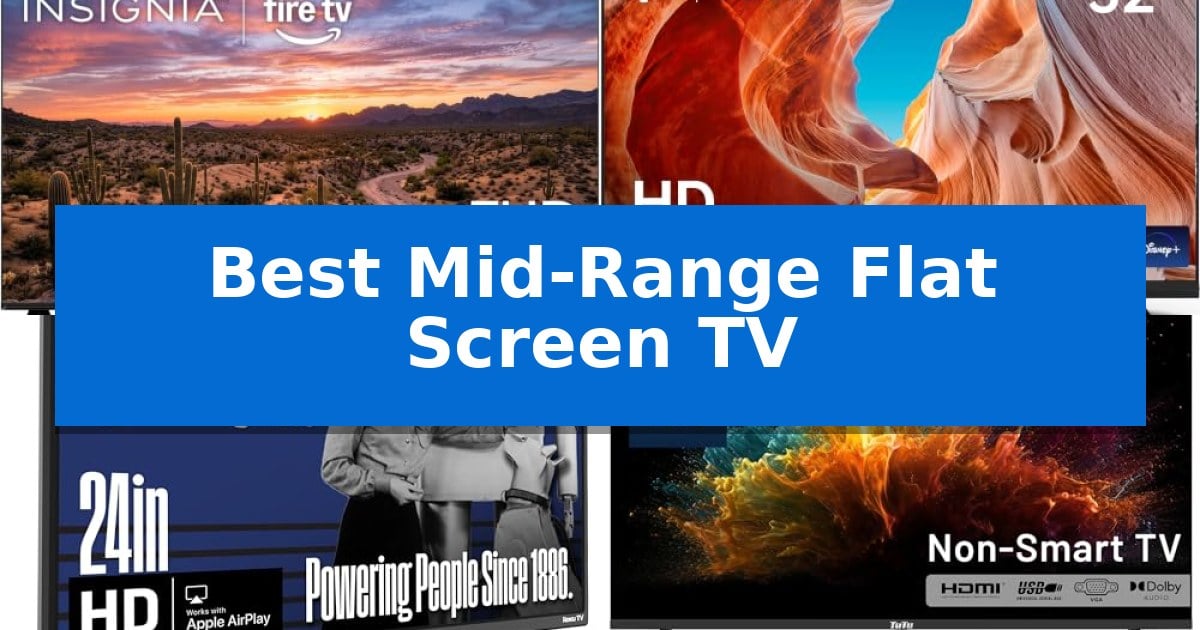
Selecting the Best Mid-Range Flat Screen TV requires balancing screen size, smart platform integration, and essential connectivity options to suit your specific viewing environment. Whether you are upgrading a bedroom setup, outfitting a dorm, or looking for a secondary display, identifying a model that matches your daily habits is key to a satisfying experience.
Our evaluation focuses on how these displays integrate into your existing ecosystem, prioritizing ease of use and hardware versatility. By examining the technical specifications and functional design of each model, we provide a clear path to choosing a television that delivers reliable performance without unnecessary complexity.
You may also want to compare Best Mid-Range Earbuds, Best Mid-Range DSLR Cameras Under $1000, and Best Mid-Range DSLR Cameras.
Best Mid-Range Flat Screen TV
Quick Comparison
| Product | Best For | Key Strength | Score |
|---|---|---|---|
| Insignia F40 Series Smart Fire TV | Best Overall | Direct LED backlight for improved brightness uniformity. | 4.9 |
| FPD Tizen OS Smart TV | Best for Cloud Gaming | Samsung Gaming Hub enables console-free cloud gaming. | 4.7 |
| Westinghouse Roku Smart TV | Best for Smart Home Control | Integrated Roku platform for seamless access to streaming apps. | 4.5 |
| TuTu FHD Flat Screen TV | Best for Ad-Free Viewing | Plug and play simplicity with no complex smart menus or learning curve. | 4.7 |
| Westinghouse Full HD Non-Smart TV | Best for Simple Connectivity | Direct connectivity via HDMI and VGA inputs for versatile device support. | 4.5 |
How We Chose
- Display Resolution and Backlight Technology
- Smart Platform Integration and Ease of Use
- Connectivity Options including HDMI and Wireless Standards
- Physical Dimensions and Mounting Compatibility
- Audio Output and External Device Support
1 Insignia F40 Series Smart Fire TV — Best for Integrated Streaming
Finding a reliable display for smaller spaces requires balancing picture clarity with smart functionality. The Insignia 32" Class F40 Series 1080P Full HD Direct LED Smart Fire TV utilizes a Direct LED backlight to provide consistent brightness across the screen, offering a performance upgrade over traditional edge-lit models. This compact television is designed to fit into tighter areas while maintaining high-definition visual standards.
Navigation is powered by the Fire TV Smart OS, which integrates directly with a Voice Remote with Alexa for hands-free control over your media. Users can access a wide library of content, including 400+ free streaming channels, ensuring that entertainment options are available immediately upon setup. The inclusion of Dual-Band Wi-Fi supports stable streaming performance for high-speed internet connections.
Connectivity is a primary focus, featuring two HDMI inputs, one of which supports eARC for streamlined audio integration with soundbars or receivers. For those who prefer private listening, the television includes Bluetooth Personal Audio support, allowing for direct pairing with headphones. Additionally, Apple AirPlay 2 compatibility enables users to share photos, videos, and music from Apple devices directly to the screen.
With dimensions of 28.6 inches in width and a weight of 9.3 pounds, the Insignia F40 Series Smart Fire TV is built for versatility in bedrooms, kitchens, or home offices. It provides a straightforward, feature-rich solution for those who prioritize integrated streaming capabilities and modern connectivity standards in a 32-inch form factor.
Best for: Small rooms or secondary spaces where integrated streaming and voice-controlled navigation are the primary requirements.
Skip if: You require a larger screen size for a primary living room or need advanced gaming features beyond standard HDMI connectivity.
PROS
- Direct LED backlight for improved brightness uniformity.
- Voice Remote with Alexa for integrated smart control.
- Bluetooth Personal Audio support for private listening.
- Apple AirPlay 2 for easy media sharing from Apple devices.
CONS
- Limited to two HDMI inputs, which may restrict the number of connected devices.
2 FPD Tizen OS Smart TV — Best for Cloud Gaming
Integrating a dedicated gaming ecosystem into a compact display, the FPD 32 Inch Smart TV offers a streamlined experience for those who want to access cloud-based titles without a console. By utilizing the Samsung Gaming Hub, this television allows users to stream over 1,000 games directly from services like Xbox Cloud Gaming and NVIDIA GeForce NOW, requiring only a connected controller to begin.
Beyond its gaming capabilities, the FPD 32 Inch Smart TV functions as a versatile home entertainment hub. It features 720P HD resolution with HDR support to enhance color and detail, paired with Dolby Audio for sound output. The inclusion of Tizen OS provides a familiar, responsive interface for navigating popular streaming platforms like Netflix and Prime Video without lag.
For those managing a connected household, the integrated SmartThings functionality allows the television to serve as a command center for compatible smart home devices. Users can also leverage Miracast to wirelessly mirror content from mobile devices or laptops, eliminating the need for physical cable connections in bedroom or dorm room setups.
The device also provides immediate access to 350+ free live channels via Samsung TV Plus, ensuring a wide variety of news, sports, and entertainment content is available without requiring additional subscriptions. This combination of streaming, gaming, and smart home control makes it a highly functional choice for smaller living spaces.
Best for: Users seeking a compact, all-in-one entertainment display for cloud gaming and streaming in small rooms.
Skip if: Users who require 4K resolution or a larger screen size for a primary living room home theater setup.
PROS
- Samsung Gaming Hub enables console-free cloud gaming.
- Tizen OS provides a fast, intuitive streaming interface.
- SmartThings integration allows for centralized smart home control.
- 350+ free live channels included via Samsung TV Plus.
CONS
- 720p resolution may lack the sharpness of higher-end displays.
- 32-inch screen size is limited to smaller room environments.
3 Westinghouse Roku Smart TV — Best for Smart Home Control
The Westinghouse Roku Smart TV offers a compact 24-inch display designed for versatile placement, featuring a 720p progressive scan resolution that minimizes flicker during fast-motion content. This unit integrates the Roku platform, providing direct access to a wide array of streaming services including Netflix, Prime Video, and Disney+ without requiring external hardware.
Connectivity is a primary focus for this model, which includes 3 HDMI inputs, a composite video input, and an optical digital audio output. These ports allow for the simultaneous connection of multiple devices such as cable boxes, game consoles, and soundbars. Users can also utilize Apple AirPlay2 or the free Roku mobile app to cast videos, music, and photos directly from mobile devices.
Smart home integration is built into the system, supporting voice control through Amazon Alexa, Google Assistant, and Apple HomeKit. This compatibility enables users to power the TV on, control streaming playback, and manage entertainment through existing smart home ecosystems.
This television serves as a functional solution for smaller spaces where a secondary display or a dedicated streaming hub is required. While it lacks the higher resolution of 4K panels, its focus on connectivity and integrated smart features provides a streamlined experience for those prioritizing ease of use and multi-device support.
Best for: Best for users needing a compact, smart-integrated display for small rooms or secondary setups.
Skip if: Skip this if you require 4K resolution or a larger screen size for a primary home theater experience.
PROS
- Integrated Roku platform for seamless access to streaming apps.
- Extensive connectivity with 3 HDMI ports and optical audio.
- Smart home compatibility with Alexa, Google Assistant, and Apple HomeKit.
- Versatile casting options via Apple AirPlay2 and the Roku mobile app.
CONS
- 720p resolution limits image detail compared to higher-definition displays.
4 TuTu FHD Flat Screen TV — Best for Ad-Free Viewing
The TuTu 43 Inch FHD TV simplifies the home theater experience by focusing on a plug and play design that removes the complexity of built-in smart menus. By eliminating a native operating system, this display provides an ad-free environment that avoids privacy concerns and potential software slowdowns, allowing users to maintain full control over their viewing setup.
Designed to function as a dedicated streaming hub, this television is built to pair with external devices like Roku, Fire Stick, Apple TV, and gaming consoles. The 43 inch Full HD 1080p display ensures that content from these sources is rendered with sharp, detailed imagery, while the integrated Dolby Audio provides clear sound output, often removing the immediate requirement for external speakers.
For those who value traditional broadcast options alongside modern streaming, the unit includes a future-ready ATSC tuner. This allows for the reception of free over-the-air HD channels, providing access to local news and sports without recurring monthly fees. The television is also engineered for energy efficiency, consuming less power than many smart-integrated alternatives while maintaining a durable, straightforward build.
Choosing this model is an exercise in prioritizing hardware reliability and interface simplicity. Because it lacks a smart OS, it avoids the common pitfalls of bloatware, ensuring the display remains responsive throughout its lifespan. It is a practical solution for users who prefer to manage their apps through a single preferred streaming stick rather than navigating proprietary television menus.
Best for: Users who prefer a simple, ad-free display and rely on external streaming devices or gaming consoles for their content.
Skip if: Users who require built-in smart apps, integrated voice assistants, or a pre-installed streaming interface directly on the television.
PROS
- Plug and play simplicity with no complex smart menus or learning curve.
- Ad-free viewing experience with no forced advertisements or privacy-invasive tracking.
- Future-ready ATSC tuner for accessing free over-the-air HD local broadcasts.
- Integrated Dolby Audio for clear, rich sound performance.
CONS
- No built-in smart OS, requiring an external device for streaming services.
- Limited standalone functionality without an attached streaming stick or console.
5 Westinghouse Full HD Non-Smart TV — Best for Simple Connectivity
Finding a reliable display for secondary spaces often leads to complex smart interfaces that are unnecessary for simple tasks. The Westinghouse Full HD Non-Smart TV simplifies this by focusing on direct connectivity, acting as a straightforward 1080p Full HD monitor or display for dedicated devices.
This 40-inch flat-screen unit is built for versatility, featuring HDMI and VGA inputs that allow it to function as a PC monitor or a dedicated screen for gaming consoles and streaming sticks. By omitting integrated smart software, it avoids the common clutter of menu-heavy interfaces, providing a clean, direct signal path for your external hardware.
Designed with a compact, space-saving footprint, this model is suited for environments where space is at a premium, such as bedrooms, kitchens, or even RVs when paired with a 12V inverter. It includes a Parental Control V-Chip for managing content access, alongside standard antenna and cable box support for traditional broadcast viewing.
The display utilizes progressive scan technology to minimize flicker, aiming for smoother motion during video playback. With its combination of input flexibility and a streamlined, non-smart design, it serves as a practical solution for users who prefer to manage their content through external devices rather than built-in apps.
Best for: Users seeking a simple, non-smart display for use with external streaming sticks, gaming consoles, or as a secondary PC monitor.
Skip if: Users who prefer an all-in-one television with built-in streaming apps, voice control, or integrated Wi-Fi connectivity.
PROS
- Direct connectivity via HDMI and VGA inputs for versatile device support.
- 1080p Full HD resolution with progressive scan technology for clear motion.
- Compact design ideal for smaller rooms, offices, or mobile setups.
- Built-in V-chip for parental content management.
CONS
- Lacks integrated smart features, requiring an external device for streaming services.
Best Mid-Range Flat Screen TV Buying Guide
Understanding Display Resolution
The resolution of your screen, typically measured in 1080p Full HD or 720p HD, dictates the clarity and detail of your content. For smaller screens under 32 inches, 720p is often sufficient, while 1080p is preferred for 40-inch displays and larger to maintain image sharpness.
Consider the viewing distance when selecting your resolution. A higher resolution provides a more immersive experience when sitting closer to the screen, which is common in bedrooms or smaller office spaces.
Smart OS vs. Non-Smart Displays
Smart TVs come with built-in operating systems like Fire TV or Tizen OS, which offer direct access to streaming services without extra hardware. This is ideal for users who want a streamlined, all-in-one setup.
Alternatively, non-smart TVs provide a "blank canvas" approach. By connecting your own streaming device, you gain full control over the interface and privacy settings, often avoiding the bloatware found on some smart platforms.
Connectivity and External Devices
The number and type of HDMI inputs are critical if you plan to connect gaming consoles, cable boxes, or soundbars. Look for models that include eARC support if you intend to use a high-quality external audio system.
Wireless connectivity, such as Dual-Band Wi-Fi and Bluetooth, allows for flexible placement and private listening. Ensure the TV supports the specific wireless standards required for your home network and peripheral devices.
Physical Design and Placement
Before purchasing, verify the physical dimensions of the television, especially if you have limited shelf space or are mounting it in an RV or kitchen. The weight and VESA mount compatibility are essential factors for wall-mounting.
Consider the bezel design and stand footprint. A compact stand is beneficial for narrow media consoles, while a slim bezel ensures the focus remains on the content rather than the hardware.
Audio Performance
While most mid-range TVs include integrated speakers, their performance can vary. Look for features like Dolby Audio to ensure clear dialogue and balanced sound for everyday television viewing.
If you are an audiophile or prefer a cinematic experience, ensure the TV has an Optical Digital Audio output or Bluetooth capability to easily pair with external soundbars or headphones.
Frequently Asked Questions
What is the main advantage of a non-smart TV?
A non-smart TV allows you to choose your own streaming hardware, which can offer a more customizable, ad-free, and privacy-focused viewing experience without the software updates of a built-in OS.
Can I use these TVs as a PC monitor?
Yes, many models with HDMI and VGA inputs can function as a PC monitor, provided the resolution and refresh rate meet your computing needs.
What does eARC mean for my audio setup?
eARC (Enhanced Audio Return Channel) allows for higher-quality audio transmission from your TV to a compatible soundbar or AV receiver using a single HDMI cable.
Are these TVs suitable for gaming?
Yes, models with gaming hubs or multiple HDMI inputs are capable of supporting gaming consoles and cloud gaming services, though performance will depend on the specific TV's refresh rate and input lag.
Do I need a separate streaming device for a smart TV?
No, smart TVs have built-in apps for services like Netflix and YouTube, but you can still add a streaming device later if you prefer a different interface.
Conclusion: Our Top Pick
When choosing the Best Mid-Range Flat Screen TV, the Insignia F40 Series Smart Fire TV stands out for its balanced feature set, including 1080p resolution, integrated Fire TV OS, and versatile connectivity options like eARC and Bluetooth.
This model is an excellent choice for those seeking a reliable, all-in-one streaming solution that integrates seamlessly into a smart home environment. While it excels in streaming, users with specific non-smart requirements or those needing specialized gaming features may also consider the other models in our list to ensure the best fit for their unique setup.