
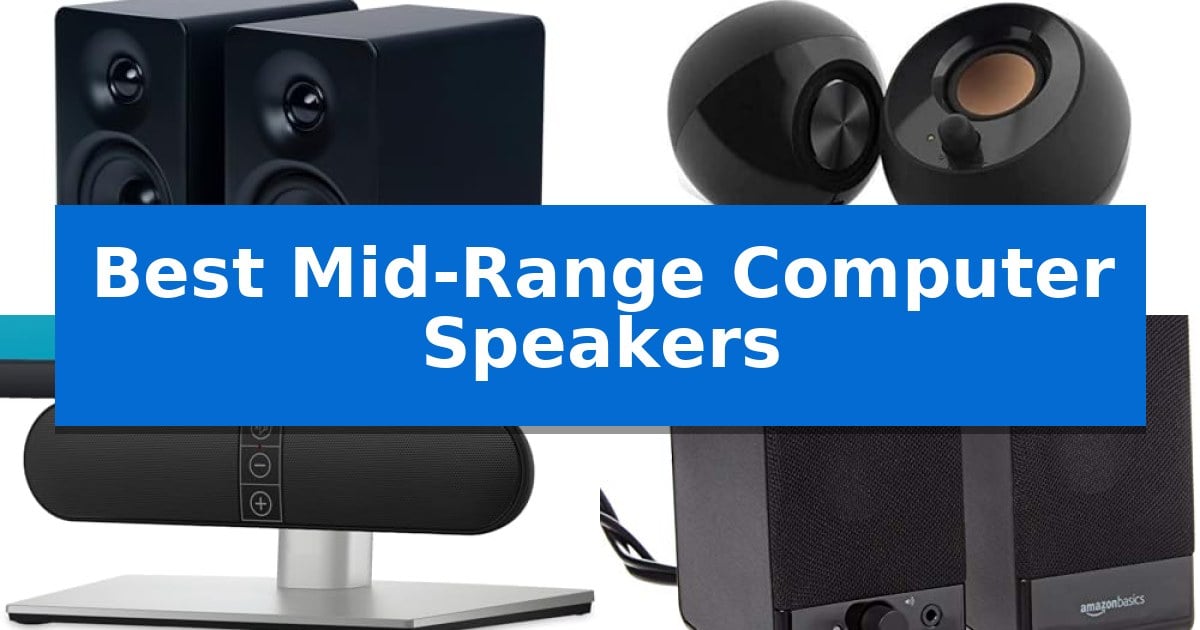
Finding the right balance between compact desktop design and high-fidelity sound is essential for any modern workspace. Whether you are editing video, enjoying high-resolution music, or simply need clearer audio for daily tasks, the Best Mid-Range Computer Speakers offer a significant upgrade over standard monitor or laptop audio.
Selecting the right pair involves more than just looking at power ratings. You need to consider how these speakers integrate with your existing setup, whether you require wireless flexibility or prefer a reliable wired connection. This guide examines top options to help you identify which features truly matter for your specific listening environment.
You may also want to compare Best Mid-Range Computer Monitors, Best Mid-Range Computer Case, and Best Mid-Range Compact Digital Cameras.
Best Mid-Range Computer Speakers
Quick Comparison
| Product | Best For | Key Strength | Score |
|---|---|---|---|
| Edifier M60 Multimedia Speaker | Best Overall | High-resolution audio support via LDAC codec. | 4.9 |
| Creative Pebble 2.0 Desktop Speakers | Minimalist Space-Saving Design | Single USB cable connectivity simplifies setup and reduces cable mess. | 4.7 |
| XKX Computer Soundbar | Versatile Monitor-Mounting Capability | Adaptive-Channel-Switching automatically corrects stereo orientation based on mounting position. | 4.7 |
| Amazon Basics USB Computer Speakers | Essential Budget-Friendly Audio | USB-powered design eliminates the need for an extra power outlet. | 4.7 |
| LENRUE G11 Computer Speakers | Immersive Desktop Lighting Effects | Compact, low-profile design fits easily under standard monitors. | 4.9 |
How We Chose
- Audio fidelity and driver configuration
- Connectivity options including Bluetooth and wired inputs
- Physical footprint and mounting versatility
- Build quality and material construction
- Ease of control and user interface
1 Edifier M60 Multimedia Speaker — High-Fidelity Wireless Audio
Achieving high-fidelity audio in a space-constrained environment requires a balance of power and precision, which is exactly what the Edifier M60 Multimedia Speaker delivers. These speakers utilize a 66W RMS total output, driven by 1" silk dome tweeters and 3" long-throw aluminum diaphragm mid-low drivers, ensuring a balanced sound profile for desktop use.
The system is built for modern connectivity, featuring Bluetooth 5.3 with LDAC support, which allows for high-resolution audio streaming up to 24-bit/96kHz from compatible devices. For those requiring a stable wired connection, the speakers include both USB-C and AUX inputs, providing flexibility for various audio sources.
Design and usability are central to the M60 experience. Each unit measures a compact 100mm (W) x 168mm (H) x 147mm (D), making them suitable for crowded desks. The speakers feature a cap-sensitive touch panel with an automatic backlight that responds to proximity, and they come bundled with 15-degree aluminum speaker stands to optimize the listening angle.
Internal audio processing is handled by a built-in DSP that provides a two-way active crossover and dynamic range control. The system is certified for Hi-Res Audio across both wired and wireless modes, ensuring consistent performance regardless of your chosen input method.
Best for: Desktop users who require high-resolution wireless audio streaming and a compact footprint without sacrificing power.
Skip if: Users who prefer a dedicated external subwoofer for deep bass frequencies may find the 3-inch mid-bass drivers insufficient for their needs.
PROS
- High-resolution audio support via LDAC codec.
- Versatile connectivity including USB-C, AUX, and Bluetooth 5.3.
- Compact, space-saving design with included 15-degree angled stands.
- Intuitive touch controls with proximity-sensing backlighting.
CONS
- Lack of a dedicated subwoofer output for extended low-frequency performance.
2 Creative Pebble 2.0 Desktop Speakers — Minimalist Space-Saving Design
Achieving a clear, immersive audio experience on a crowded desk often requires a balance between footprint and output. The Creative Pebble 2.0 Desktop Speakers address this by utilizing 45° elevated drivers, which angle the sound directly toward your ears to improve projection and clarity in personal listening environments.
These speakers are designed for simplicity, relying on a single USB cable for power, which eliminates the need for bulky external power adapters and helps keep cable clutter to a minimum. The system features a custom-tuned far-field driver solution paired with rear-facing passive radiators, a combination engineered to enhance bass reproduction despite the compact 2.0 stereo form factor.
Usability is centered on the user's immediate workspace, with front-facing controls that allow for instant volume adjustments without reaching behind the unit. The modern and stylish aesthetics are intended to integrate cleanly into contemporary home or office setups, maintaining a professional look while occupying minimal desk space.
With a frequency response of 100 Hz to 17 kHz, these speakers are built for standard desktop audio tasks. While they provide a streamlined, hassle-free setup, they are best suited for users who prioritize desk real estate and a tidy, cable-managed environment over high-fidelity, room-filling sound systems.
Best for: Users seeking a compact, USB-powered audio solution that minimizes desk clutter while providing directed sound for personal listening.
Skip if: Users who require deep, powerful bass or high-volume output for large rooms, as the 2.0 compact design is optimized for near-field, personal use.
PROS
- Single USB cable connectivity simplifies setup and reduces cable mess.
- 45° elevated drivers provide better audio projection toward the listener.
- Compact, minimalist design fits easily into small or crowded workspaces.
- Front-facing volume control allows for quick and convenient adjustments.
CONS
- Limited frequency range (100 Hz – 17 kHz) may lack the deep sub-bass found in larger systems.
- No dedicated power adapter means the system relies entirely on the host device's USB power output.
3 XKX Computer Soundbar — Versatile Monitor-Mounting Capability
Maximizing desk real estate often requires creative hardware placement, and the XKX Computer Soundbar addresses this by offering a versatile mounting system that clamps directly to the top, side, or bottom of a monitor. This design choice effectively clears cluttered workspaces while maintaining a direct audio path to the user.
Beyond its physical flexibility, the unit features Adaptive-Channel-Switching driven by an integrated G-sensor. This technology automatically adjusts the stereo orientation, ensuring that left and right audio channels remain accurate regardless of whether the soundbar is mounted above or below the display. For connectivity, the device includes a built-in USB-C to USB adapter, providing compatibility with a wide range of Windows, macOS, ChromeOS, and Linux systems.
The audio profile is generated by dual ultra-magnetic drivers paired with dual passive radiators, which work in tandem to produce stereo sound with enhanced bass output. Users can manage playback through three intuitive touch control buttons located on the front panel, allowing for quick adjustments to volume and muting without needing to navigate software menus.
Installation is straightforward, though users should ensure their computer's audio drivers are current and the playback device is correctly selected in the system settings. The unit is designed for a clean, integrated look, with dimensions measuring approximately 9.17 inches in width and 2.83 inches in height, and it is backed by a 24-month warranty.
Best for: Users with limited desk space who require a flexible, monitor-mounted audio solution with automatic channel orientation.
Skip if: Those who need audio output for televisions, projectors, or devices lacking a functional USB interface.
PROS
- Adaptive-Channel-Switching automatically corrects stereo orientation based on mounting position.
- Versatile clamp design allows for mounting on the top, side, or bottom of monitors to save space.
- Dual passive radiators contribute to a deeper bass response in a compact form factor.
- Broad compatibility with major operating systems via included USB-C adapter.
CONS
- Incompatible with standalone displays, televisions, and projectors that lack a computer-based USB audio interface.
4 Amazon Basics USB Computer Speakers — Essential Budget-Friendly Audio
Desktop audio often suffers from limited space, making a compact, integrated solution essential for maintaining a clean workspace. The Amazon Basics USB Computer Speakers provide a streamlined alternative to bulky setups by utilizing a single USB-powered (5V) connection, which eliminates the need for an external power brick and simplifies cable management.
These speakers are designed for straightforward operation, featuring a plug-and-play interface that requires no driver installation. The front-mounted control dial serves a dual purpose, allowing users to power the unit on or into standby mode while simultaneously adjusting volume levels. This tactile control is positioned for quick access during daily tasks.
Despite their small footprint, measuring just 2.76 by 3.55 by 5.3 inches, the speakers deliver audio across a frequency range of 103 Hz to 20 KHz. With a total RMS power of 2.2 watts, they are intended for near-field listening environments such as a home office or a workstation. For added versatility, a 3.5mm headphone jack is integrated directly into the housing, allowing for private listening without needing to reach behind the computer tower.
The lightweight construction, weighing approximately 1.4 pounds, makes this system a portable choice for users who frequently move their setup between different laptops or desktop stations. By prioritizing a minimalist design and essential connectivity, these speakers offer a functional, space-saving audio solution for standard computing needs.
Best for: Users seeking a space-saving, USB-powered audio solution for basic desktop or laptop sound output.
Skip if: Users requiring high-fidelity audio, deep bass performance, or high-wattage output for media production or large rooms.
PROS
- USB-powered design eliminates the need for an extra power outlet.
- Integrated 3.5mm headphone jack allows for quick switching to private listening.
- Compact dimensions fit easily on crowded desks.
- Plug-and-play setup requires no software or drivers.
CONS
- Low power output (2.2 watts total) limits volume and audio depth.
- Wired connection is required for both power and audio input.
5 LENRUE G11 Computer Speakers — Immersive Desktop Lighting Effects
Maximizing desk real estate while upgrading audio output is a common challenge for PC users, and the LENRUE G11 Computer Speakers address this with a slim, low-profile design that fits neatly under most monitors. These speakers utilize a 4-horn amplifier IC configuration to deliver stereo sound, providing a straightforward audio solution for desktop environments without requiring external drivers.
The unit features Touch Angular Game Lights, allowing users to toggle lighting effects with a single touch rather than relying on mechanical switches. This design choice contributes to a cleaner aesthetic while keeping the footprint compact at approximately 15 inches in width. The integrated cabling system helps manage desktop clutter by consolidating connections into a single interface.
Setting up the system is a plug-and-play process that requires only a USB connection for power and a 3.5mm AUX cable for audio input. A top-mounted volume knob provides tactile control over sound levels. The package includes a Type C adapter, ensuring compatibility with a wide range of modern laptops, desktops, and PCs running Windows, Mac OS, or Chrome OS.
While these speakers offer a streamlined audio experience, they are strictly designed for desktop use and lack certain connectivity options. They do not support Bluetooth, nor do they feature a dedicated headphone port or integrated microphone, which may limit their utility for users who frequently switch between speakers and headsets.
Best for: Users seeking a compact, plug-and-play audio solution that integrates directly under a monitor to save desk space.
Skip if: Users who require Bluetooth connectivity, a dedicated headphone jack, or microphone input for communication.
PROS
- Compact, low-profile design fits easily under standard monitors.
- Plug-and-play connectivity requires no software or drivers.
- Integrated touch-control lighting for a simplified aesthetic.
- Type C adapter included for broader device compatibility.
CONS
- No Bluetooth support for wireless audio streaming.
- Lacks headphone and microphone ports for private listening or voice input.
Best Mid-Range Computer Speakers Buying Guide
Understanding Audio Drivers
The quality of your sound is largely determined by the drivers inside the speaker cabinet. Mid-range speakers often utilize a two-way system, pairing a dedicated tweeter for high-frequency clarity with a mid-bass driver for lower-end response. Look for materials like silk domes or aluminum diaphragms, which are designed to reduce distortion.
Consider the size of your desk when choosing driver size. Larger drivers can move more air, resulting in deeper bass, but they require more physical space. If you lack desk real estate, look for systems that incorporate passive radiators to enhance bass reproduction without needing a massive enclosure.
Connectivity and Compatibility
Modern computer speakers must play nicely with your existing hardware. USB-C connectivity has become the standard for many laptops, offering both power and audio signal through a single cable. This reduces clutter and ensures a stable connection compared to older analog inputs.
For those who prefer a wireless setup, Bluetooth 5.3 provides a reliable way to stream audio from tablets or phones. If you prioritize high-resolution audio, check for support for advanced codecs like LDAC, which allows for higher bitrates and better sound quality during wireless transmission.
Placement and Ergonomics
Where you place your speakers significantly impacts how they sound. Directing audio toward your ears is crucial for an immersive experience. Many mid-range speakers now include angled stands or monitor-mounting capabilities to ensure the sound reaches you directly rather than bouncing off your desk surface.
If you are limited by space, a soundbar-style speaker that clips to your monitor can be a game-changer. These designs keep your workspace clean while providing stereo separation that is often superior to built-in monitor speakers.
Controls and Usability
How you interact with your speakers matters during daily use. Touch-sensitive panels or front-facing volume knobs provide quick access to adjustments without forcing you to reach behind the unit. Some models even feature automatic backlighting that activates when your hand approaches, which is helpful in dim environments.
Software integration is another factor. Some manufacturers offer mobile apps that allow you to customize your sound profile or manage firmware updates. Ensure the control scheme matches your workflow so you aren't constantly fumbling with settings.
Power and Amplification
The RMS power rating indicates the continuous power output of the speakers. While higher wattage generally allows for louder volume without distortion, the quality of the Class-D amplifier is equally important. A well-engineered amplifier ensures that the power is delivered efficiently to the drivers.
Always check the power source requirements. Some speakers are fully USB-powered, which is convenient for travel or minimalist setups, while others require a dedicated wall adapter to reach their full potential. Choose based on your available power outlets and portability needs.
Frequently Asked Questions
Do I need a separate subwoofer for mid-range speakers?
Most mid-range speakers are designed to provide a balanced sound profile on their own. If you require deep, cinematic bass for gaming or movies, a subwoofer is beneficial, but for general music and productivity, high-quality 2.0 systems are usually sufficient.
What is the benefit of USB-C connectivity?
USB-C allows for a single-cable solution that handles both power and high-quality digital audio. This minimizes cable clutter and often bypasses the noisy internal sound cards found in some computers.
Can I use these speakers with my TV?
Compatibility varies by model. While many computer speakers work with PCs and laptops, some are not designed for TV or projector interfaces. Always check the manufacturer's specifications regarding device compatibility.
How do I know if a speaker will fit on my desk?
Check the dimensions provided in the product specifications. If you have limited space, look for compact designs or monitor-mount options that utilize vertical space rather than desk surface area.
What does LDAC support mean for my audio?
LDAC is a high-resolution audio codec that allows for higher bitrates during Bluetooth transmission. It is ideal if you stream high-quality audio files from compatible Android devices.
Conclusion: Our Top Pick
When evaluating the options, the Edifier M60 Multimedia Speaker stands out as a versatile and high-performing choice for those seeking a balance of connectivity and audio fidelity. Its inclusion of Hi-Res Audio certification, LDAC support, and bundled aluminum stands makes it a comprehensive package for any desktop.
While other models offer specific advantages like space-saving monitor mounts or budget-friendly simplicity, the M60 provides the most robust feature set for a wide range of uses. If you prioritize sound quality and modern wireless features, it is the most well-rounded option in this category.