
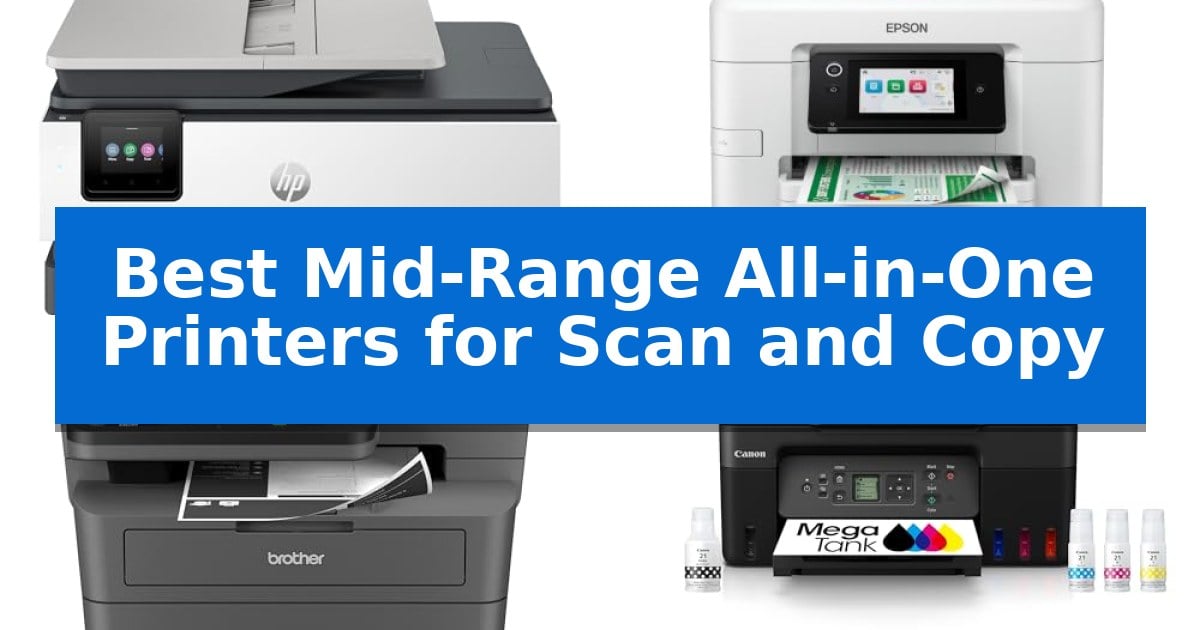
Finding the right hardware for your home office requires balancing daily document needs with long-term reliability. When you require a machine that handles high-frequency scanning and copying without occupying excessive desk space, selecting from the Best Mid-Range All-in-One Printers for Scan and Copy becomes a critical decision for your workflow.
These devices bridge the gap between basic home units and industrial office equipment, offering features like automatic document feeders, duplex printing, and cloud-integrated scanning. We have analyzed current models to help you identify which printer aligns with your specific volume requirements and connectivity preferences.
You may also want to compare Best Mid-Range All-in-One Printer for Small Business, Best Mid-Range All-in-One Printer, and Best Mid-Range All-in-One Inkjet Printer.
Best Mid-Range All-in-One Printers for Scan and Copy
Quick Comparison
| Product | Best For | Key Strength | Score |
|---|---|---|---|
| HP OfficeJet Pro 8125 All-in-One Printer | Best Overall | Auto document feeder and duplex printing for efficient document handling. | 4.9 |
| Epson Workforce Pro WF-4935 All-in-One Printer | High-Volume Productivity Champion | High-volume paper capacity with dual 250-sheet trays. | 4.5 |
| Brother DCP-L2640DW Monochrome All-in-One Printer | Fastest Monochrome Copying | Compact footprint ideal for space-constrained office environments. | 4.5 |
| Canon MegaTank G3270 All-in-One Printer | Lowest Cost Per Page | Refillable tank system significantly lowers long-term ink costs. | 4.9 |
| Brother Work Smart 1360 All-in-One Printer | Compact Cloud-Connected Scanning | Compact design with a 20-sheet Automatic Document Feeder. | 4.8 |
How We Chose
- Scanning and Copying Throughput: We prioritized models featuring automatic document feeders (ADF) for efficient multi-page processing.
- Connectivity and Cloud Integration: We assessed the ease of scanning directly to cloud services and mobile devices via dedicated applications.
- Operational Cost and Maintenance: We examined ink management systems and paper capacity to determine long-term value for home office users.
- Physical Footprint: We evaluated the dimensions and design to ensure the units fit comfortably in standard home office environments.
- Duplex Functionality: We confirmed the presence of automatic two-sided printing and copying to minimize paper waste.
1 HP OfficeJet Pro 8125 All-in-One Printer — Best for Professional Home Offices
Managing professional-grade documentation requires a device that balances speed with consistent output quality. The HP OfficeJet Pro 8125 All-in-One Printer addresses this need by combining high-speed printing capabilities with a robust suite of scanning and copying tools, making it a versatile addition to any home office environment.
Designed for productivity, this unit features an auto document feeder and auto 2-sided printing, which streamline the handling of multi-page reports and business documents. Users can navigate settings through a 2.7-inch color touchscreen that utilizes a phone-like interface for intuitive operation. The printer is also AI-capable, using HP technology to optimize print formatting for web pages and emails, ensuring layouts are clean and professional.
Connectivity is prioritized through dual-band Wi-Fi, which is engineered to detect and resolve network issues automatically. For mobile workflows, the HP App allows for direct printing, scanning, and copying from a smartphone. Security is bolstered by HP Wolf Essential Security, which helps protect the device and network from potential cyber threats.
The printer is constructed with more than 45% recycled plastic content, reflecting a focus on sustainable design. It includes a 3-month trial of Instant Ink, a service that delivers cartridges directly to your door. Note that this model is designed to function exclusively with original HP chips and circuitry, and it will block cartridges that utilize non-HP components.
Best for: Home office professionals who require a reliable, connected all-in-one device for high-volume document scanning, copying, and professional-quality printing.
Skip if: Users who prefer the flexibility of using third-party or non-original ink cartridges, as this device is restricted to original HP chips.
PROS
- Auto document feeder and duplex printing for efficient document handling.
- Dual-band Wi-Fi for reliable wireless connectivity.
- HP Wolf Essential Security for enhanced network protection.
- 2.7-inch touchscreen interface for simplified navigation.
CONS
- Restricted to original HP cartridges and chips for operation.
- Periodic firmware updates required to maintain security and cartridge compatibility.
2 Epson Workforce Pro WF-4935 All-in-One Printer — High-Volume Productivity Champion
Efficiency in a high-volume office environment often hinges on the ability to process documents without constant intervention, and the Epson Workforce Pro WF-4935 All-in-One Printer is engineered specifically for this demand. Featuring PrecisionCore Heat-Free technology, this device prioritizes consistent output speeds of 25 ISO ppm for black and 12 ISO ppm for color documents, ensuring that heavy workloads are managed with minimal downtime.
The printer is designed for comprehensive document handling, offering auto 2-sided printing, copying, scanning, and faxing. To further streamline repetitive tasks, it includes a 50-sheet Automatic Document Feeder (ADF), which allows for hands-free processing of multi-page documents. Users can navigate these functions easily through the integrated 4.3-inch color touchscreen.
Productivity is supported by a robust paper handling system that features a 500-sheet total capacity, split between two 250-sheet trays. This configuration reduces the frequency of paper refills during large print runs. Additionally, the use of DURABrite Ultra instant-dry pigment inks ensures that every page produced maintains professional-quality clarity and accurate dot placement.
While the unit is built for durability, its footprint and weight are factors to consider for smaller workspaces. Measuring 16.7 inches in width and weighing 23.6 pounds, it is a substantial piece of office equipment. The Epson Workforce Pro WF-4935 All-in-One Printer is a specialized tool for environments where high-volume, reliable document management is the primary objective.
Best for: Small to medium-sized offices requiring high-volume, reliable duplex printing, scanning, and copying capabilities.
Skip if: Home users with limited desk space or those who rarely need to process large multi-page documents via an ADF.
PROS
- High-volume paper capacity with dual 250-sheet trays.
- Fast print speeds powered by PrecisionCore Heat-Free technology.
- Complete duplex functionality for automated two-sided printing, scanning, and copying.
- Intuitive 4.3-inch color touchscreen for simplified operation.
CONS
- Substantial physical footprint may be too large for compact home offices.
3 Brother DCP-L2640DW Monochrome All-in-One Printer — Fastest Monochrome Copying
Efficiency in a small office environment often hinges on the ability to transition between printing, scanning, and copying without sacrificing desk space. The Brother DCP-L2640DW Monochrome All-in-One Printer addresses this by integrating these three distinct functions into a single, compact footprint that measures approximately 16.1 by 15.7 inches.
For document-heavy workflows, the device supports print speeds up to 36 ppm, ensuring that high-volume tasks are completed with minimal delay. Scanning is equally prioritized, featuring an auto document feeder (ADF) that holds up to 50 pages, which facilitates time-saving multi-page scanning and copying without requiring manual intervention for every sheet.
Connectivity is designed to be versatile, offering dual-band wireless (2.4GHz / 5GHz) and Ethernet options to accommodate various network environments. Users can also manage tasks remotely through the Brother Mobile Connect App, which allows for printing, scanning, and monitoring toner levels directly from a mobile device.
The printer is optimized for monochrome output, making it a specialized tool for text-heavy documents and business reports. To maintain consistent quality and operational efficiency, the system is compatible with Brother Genuine TN830 or TN830XL replacement toner, and users can opt into the Refresh EZ Print Subscription Service to manage supply replenishment automatically.
Best for: Small businesses and home offices requiring a compact, high-speed monochrome laser printer with reliable multi-page scanning capabilities.
Skip if: Users who require high-quality color printing or photo reproduction will find this monochrome-only laser device unsuitable for their needs.
PROS
- Compact footprint ideal for space-constrained office environments.
- 50-page auto document feeder for efficient multi-page scanning and copying.
- Dual-band wireless connectivity and Ethernet for flexible network integration.
- Fast print speeds up to 36 ppm for high-productivity workflows.
CONS
- Monochrome-only output limits the device to black and white printing.
- Requires specific Brother Genuine toner for optimal performance and subscription service compatibility.
4 Canon MegaTank G3270 All-in-One Printer — Lowest Cost Per Page
Managing high-volume document tasks requires a reliable system that balances print quality with long-term maintenance costs. The Canon MegaTank G3270 All-in-One Wireless Color Printer addresses this by utilizing a refillable tank system that significantly reduces the frequency of cartridge replacements compared to traditional ink-based models.
This device offers wireless print, copy, and scan functionality, making it a versatile choice for home or office environments. Its compact desktop design ensures it fits into tight workspaces without sacrificing the ability to handle daily document needs. The inclusion of a 1.35” square LCD display provides a straightforward interface for monitoring printer status and navigating basic settings.
Efficiency is a core focus of this model, as it is engineered to print up to 6,000 black and white or 7,700 color pages using a single set of inks. By including up to two years of ink in the box, the printer offers a practical solution for users looking to minimize recurring supply expenses over time.
While the unit is designed for high-capacity output, it is limited to single-sided printing. Users who require automatic duplexing for professional reports or double-sided documents will need to manage page orientation manually. This trade-off is common in compact, tank-based printers prioritized for high-volume, low-cost output rather than advanced paper handling features.
Best for: Home and office users who prioritize low cost-per-page and high-volume printing over automatic duplexing features.
Skip if: Users who require automatic double-sided printing or high-speed professional document finishing capabilities.
PROS
- Refillable tank system significantly lowers long-term ink costs.
- High page yield of up to 6,000 black and 7,700 color pages per ink set.
- Compact desktop design saves valuable workspace.
- Includes wireless connectivity for flexible placement and mobile printing.
CONS
- Limited to single-sided printing only.
- Lacks automatic document feeder for multi-page scanning.
5 Brother Work Smart 1360 All-in-One Printer — Compact Cloud-Connected Scanning
Managing document workflows in a home office requires a device that balances space with utility, and the Brother Work Smart 1360 All-in-One Printer addresses this by integrating a 20-sheet Automatic Document Feeder (ADF) into a compact 7.2-inch high frame. This design choice allows for efficient multi-page scanning and copying without requiring a large footprint, making it a practical addition to crowded workspaces.
The printer is engineered for versatility, offering automatic duplex (2-sided) printing to reduce paper consumption and a 150-sheet paper tray to minimize the frequency of refills. With print speeds reaching up to 16 ppm in black and 9 ppm in color, it provides a consistent output for everyday reports and schoolwork. Connectivity is handled through either a wireless network or a direct USB interface, providing flexibility for various home office setups.
Usability is centered around a 1.8-inch color display and the Brother Mobile Connect app. These tools enable direct interaction with cloud services such as Google Drive, Dropbox, Box, and OneDrive, allowing users to scan documents directly to or print from their preferred storage platforms. The app also includes a Page Gauge feature, which helps monitor ink usage to assist in planning for replacements.
For those who prefer voice-activated controls, the unit is compatible with Alexa, adding a layer of convenience to device management. By combining essential office functions—printing, scanning, and copying—into one wireless, cloud-connected package, this model serves as a functional tool for users who need reliable performance without the bulk of larger enterprise hardware.
Best for: Home office users who need a compact, cloud-connected device for routine scanning, copying, and duplex printing.
Skip if: Users who require high-volume professional printing or large-format media handling will find the 150-sheet tray and standard print speeds insufficient.
PROS
- Compact design with a 20-sheet Automatic Document Feeder.
- Automatic duplex printing for efficient paper usage.
- Direct Cloud app integration for scanning and printing.
- Mobile Connect app for convenient device management.
CONS
- 150-sheet paper tray capacity may require frequent refills for heavy users.
- 1.8-inch display is functional but small for complex navigation.
Best Mid-Range All-in-One Printers for Scan and Copy Buying Guide
Understanding Document Throughput
The primary advantage of a mid-range all-in-one is its ability to process multi-page documents without manual intervention. An Automatic Document Feeder (ADF) is essential if your work involves regular scanning or copying of reports, contracts, or multi-page invoices.
When evaluating these machines, consider the scan speed and the capacity of the ADF. A higher page capacity allows you to load a stack of documents and attend to other tasks while the machine handles the digitization process.
Connectivity and Digital Workflow
Modern office printers should integrate seamlessly with your existing digital infrastructure. Look for dual-band Wi-Fi support, which ensures a more stable connection and reduces the likelihood of dropped print jobs or scanning errors.
Many current models offer mobile app integration, allowing you to scan documents directly to your smartphone or cloud storage services like Google Drive or Dropbox. This feature is vital for maintaining a paperless office environment.
Ink and Toner Efficiency
The cost per page is a significant factor in the total cost of ownership. Some models utilize refillable ink tank systems, which drastically lower the cost of consumables compared to traditional cartridge-based printers.
Alternatively, subscription-based ink delivery services can ensure you never run out of supplies. Evaluate your typical monthly print volume to decide whether a high-yield tank system or a subscription model provides better value for your specific needs.
Space and Design Considerations
Mid-range printers often pack more features into a larger chassis than entry-level models. Before purchasing, verify the physical dimensions of the unit, including the clearance required for the paper tray and the ADF mechanism.
Consider the accessibility of the control panel. A larger, intuitive touchscreen interface can significantly improve the speed at which you initiate scans or copies, especially if you frequently switch between different settings.
Security and Data Protection
As printers become more connected, they also become potential points of entry for network security threats. Look for devices that incorporate built-in security features designed to protect your data and network integrity.
Features like encrypted communication and firmware protection help safeguard your sensitive documents. Always ensure your printer's firmware is kept up to date to maintain the effectiveness of these security measures.
Frequently Asked Questions
What is the main benefit of an Automatic Document Feeder (ADF)?
An ADF allows you to scan or copy multiple pages automatically without having to place each sheet on the scanner glass manually, significantly saving time on large documents.
Are ink tank printers better than cartridge printers?
Ink tank printers generally offer a much lower cost per page over the life of the machine, making them ideal for high-volume users, whereas cartridge printers may have lower upfront costs.
Can I scan directly to my phone?
Yes, most modern all-in-one printers include companion mobile apps that allow you to scan documents directly to your smartphone or tablet.
Why is dual-band Wi-Fi important?
Dual-band Wi-Fi supports both 2.4GHz and 5GHz frequencies, providing a more stable and reliable connection, which is crucial for wireless printing and scanning.
How do I choose between monochrome and color printers?
Choose a monochrome printer if your work is strictly text-based documents, as they are typically faster and more economical. Choose a color printer if you frequently print reports, flyers, or presentations that require color graphics.
Conclusion: Our Top Pick
Selecting the right printer depends on your specific balance of scanning volume and print requirements. For those who prioritize professional-quality color output combined with robust security and reliable connectivity, the HP OfficeJet Pro 8125 All-in-One Printer stands out as a versatile solution for the modern home office.
While other models offer specific advantages like lower cost-per-page or faster monochrome speeds, this unit provides a well-rounded feature set that handles daily scanning and copying tasks with consistent performance.