
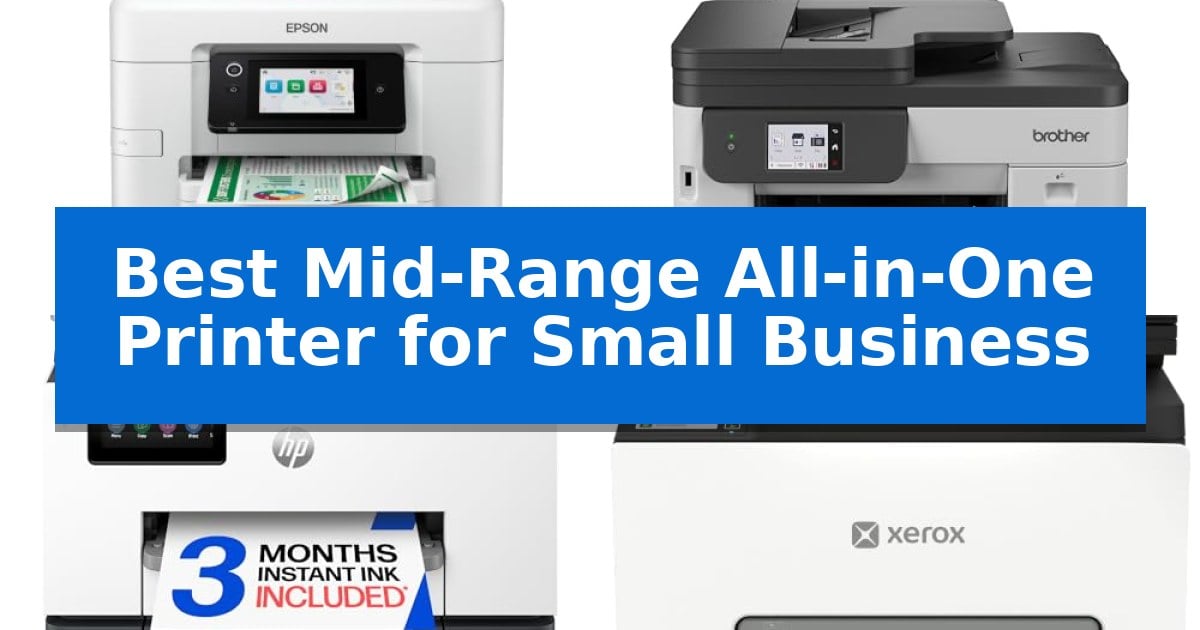
Selecting the Best Mid-Range All-in-One Printer for Small Business requires balancing high-volume output with the space constraints of a professional office. Modern multifunction devices must handle diverse tasks—from scanning multi-page contracts to producing sharp, professional-grade color marketing materials—without disrupting your daily workflow.
Our analysis focuses on printers that offer reliable connectivity, efficient paper handling, and consistent print quality. Whether you need to support a hybrid team or manage a busy front office, these machines provide the necessary tools to streamline document management and maintain productivity throughout the work week.
You may also want to compare Best Mid-Range All-in-One Printer, Best Mid-Range All-in-One Inkjet Printer, and Best Mid-Range All-in-One Desktop Computers.
Best Mid-Range All-in-One Printer for Small Business
Quick Comparison
| Product | Best For | Key Strength | Score |
|---|---|---|---|
| Epson WorkForce Pro WF-4935 Printer | Best Overall | PrecisionCore Heat-Free technology for high-volume reliability. | 4.9 |
| Brother INKvestment MFC-J5010DW Printer | Productivity-Focused Business Workflow | 50-page single-pass duplex ADF for efficient multi-page processing. | 4.5 |
| HP OfficeJet Pro 9135 Printer | Fast Professional Color Output | Fast print speeds of up to 25 ppm black and 20 ppm color. | 4.6 |
| Xerox C245 Wireless Printer | Compact Footprint for Hybrid Teams | Compact 3-in-1 design that fits easily on small desks. | 4.8 |
| Brother MFC-L8930CDW Laser Printer | Advanced Security for Professional Use | High-speed duplex scanning at 104ipm | 4.5 |
How We Chose
- Print Speed and Efficiency: We prioritized models with competitive ISO pages-per-minute ratings for both black and color documents.
- Paper Handling Capabilities: We assessed the total input capacity and the presence of automatic document feeders for streamlined scanning and copying.
- Connectivity and Workflow: We examined wireless, Ethernet, and mobile printing options that support diverse office environments.
- Duplex Functionality: We looked for built-in automatic two-sided printing, scanning, and copying to reduce paper waste and save time.
- Professional Features: We evaluated security protocols, touchscreen interfaces, and the availability of high-yield ink or toner supplies.
1 Epson WorkForce Pro WF-4935 Printer — High-Volume Heat-Free Efficiency
Efficiency in a small business environment often hinges on how quickly you can process high-volume documentation without sacrificing space or reliability. The Epson WorkForce Pro WF-4935 Printer addresses these demands by utilizing PrecisionCore Heat-Free technology, which is engineered to minimize downtime and provide consistent output speeds of 25 ISO ppm for black and 12 ISO ppm for color.
Designed for heavy-duty office workflows, this device includes a complete duplex solution, allowing for automatic two-sided printing, copying, scanning, and faxing. The inclusion of a 50-sheet automatic document feeder (ADF) streamlines multi-page tasks, while the 500-sheet paper capacity—split across two 250-sheet trays—ensures that you spend less time refilling paper during busy workdays.
The printer features a 4.3-inch color touchscreen for intuitive navigation of settings and maintenance tasks. Beyond its mechanical capabilities, it uses DURABrite Ultra instant-dry pigment inks to ensure professional-quality prints with accurate dot placement, making it suitable for both internal reports and client-facing documents.
Measuring 15.3 inches in length and 16.7 inches in width, the unit offers a compact footprint relative to its high-capacity paper handling. It is a practical choice for businesses that require a robust, all-in-one solution that balances high-speed performance with the reliability of heat-free printing technology.
Best for: Small businesses requiring high-volume, reliable duplex printing and scanning with a large paper capacity.
Skip if: Users with very limited desk space or those who do not require high-volume document handling or faxing capabilities.
PROS
- PrecisionCore Heat-Free technology for high-volume reliability.
- 500-sheet total paper capacity with dual trays.
- Complete duplex functionality for print, copy, scan, and fax.
- 50-sheet ADF for efficient multi-page document processing.
CONS
- Larger footprint compared to entry-level compact printers due to dual paper trays.
2 Brother INKvestment MFC-J5010DW Printer — Productivity-Focused Business Workflow
Managing high-volume document workflows requires hardware that balances speed with consistent output, and the Brother INKvestment MFC-J5010DW Printer is engineered to address these specific small business demands. This all-in-one device integrates printing, copying, scanning, and faxing into a single footprint, anchored by a 50-page single-pass duplex automatic document feeder that streamlines multi-page scanning and copying tasks.
Efficiency is central to its design, featuring a 250-sheet paper tray and automatic duplex printing capability for documents up to 8.5’’x14’’. The unit supports a rapid workflow with print speeds reaching 28 pages per minute in black and 26 pages per minute in color, ensuring that business reports and presentations are produced without significant downtime.
Connectivity options are designed for modern, flexible office environments, offering Wi-Fi Direct, wireless network interfacing, Ethernet, and USB support. Users can manage operations directly through the 2.7’’ color touchscreen or utilize the Brother Mobile Connect app for remote device management, scanning, and printing from mobile devices. The system also enables direct interaction with popular cloud applications.
To maintain output quality, the printer utilizes the Brother PerfectPrint Auto Detection System, which is intended to provide consistent performance across various document types. The device is optimized for use with Brother Genuine LC506 Ink, which is quality-tested to ensure seamless integration and reliable operation throughout the life of the machine.
Best for: Small businesses that require a reliable, high-speed all-in-one printer with robust duplex scanning and mobile connectivity options.
Skip if: Users who require specialized wide-format printing beyond 8.5’’x14’’ or those who do not need integrated faxing and document feeder capabilities.
PROS
- 50-page single-pass duplex ADF for efficient multi-page processing.
- Fast print speeds of up to 28 ppm black and 26 ppm color.
- Versatile connectivity including Wi-Fi Direct, Ethernet, and mobile app integration.
- Automatic duplex printing for standard and legal-sized paper.
CONS
- Requires specific Brother Genuine LC506 ink for optimal, tested performance.
- Fixed 2.7’’ touchscreen size may be limiting for complex navigation compared to larger display interfaces.
3 HP OfficeJet Pro 9135 Printer — Fast Professional Color Output
Maintaining a productive workflow in a busy office requires equipment that balances speed with reliability. The HP OfficeJet Pro 9135 Printer is designed to streamline document management through its auto document feeder and single-pass 2-sided scanning capabilities, allowing for efficient digitization of multi-page presentations, brochures, and flyers.
Performance is driven by print speeds reaching up to 25 ppm for black and 20 ppm for color documents. To manage high-volume tasks, the unit includes two 250-sheet input trays, reducing the frequency of paper refills. Navigation is handled via a 4.3-inch color touchscreen that features a phone-like interface for intuitive control over print, copy, scan, and fax functions.
Connectivity and security are prioritized through dual-band Wi-Fi that automatically detects and resolves connection issues, alongside HP Wolf Pro Security to protect the network from cyber threats. For those managing digital workflows, the HP App enables printing and scanning directly from a smartphone, while HP AI optimizes print formatting for web pages and emails to prevent wasted paper.
The printer is constructed with more than 40% recycled plastic content, reflecting a focus on sustainable design. Users can also utilize the 3-month trial of Instant Ink included with the device, which automates supply replenishment to ensure the office remains operational without manual inventory tracking.
Best for: Small business environments requiring high-speed color printing, efficient two-sided document scanning, and robust network security features.
Skip if: Users who require the flexibility to use third-party ink cartridges, as this device is designed to work exclusively with original HP chips and circuitry.
PROS
- Fast print speeds of up to 25 ppm black and 20 ppm color.
- Dual 250-sheet input trays for high-capacity paper handling.
- Single-pass 2-sided scanning for efficient digitization.
- HP Wolf Pro Security for network protection.
CONS
- Restricted ink compatibility requiring original HP chips.
- Firmware updates may limit the use of non-HP cartridges.
4 Xerox C245 Wireless Printer — Compact Footprint for Hybrid Teams
Managing document workflows in a confined workspace requires hardware that balances footprint with utility. The Xerox C245 Wireless Color All-in-One Printer addresses this by integrating print, scan, and copy functions into a chassis measuring just 16.2 inches wide and 13.6 inches high, making it a practical choice for home offices and consultants who need professional-grade output without sacrificing desk space.
Efficiency is central to its design, featuring a 26 ppm print speed and a 50-sheet document feeder that streamlines the handling of multi-page reports and contracts. For those managing hybrid office environments, the device supports dual-band Wi-Fi, Apple AirPrint, and Mopria, allowing for direct printing and scanning from laptops, smartphones, and tablets.
Installation is simplified through the Xerox Easy Assist App, which provides a guided setup process to bypass traditional driver configuration hurdles. The printer is rated for a monthly duty cycle of up to 1,500 pages, utilizing standard-yield toner for occasional use or high-yield options to manage long-term operational costs for small professional teams.
While this Xerox C245 Wireless Color All-in-One Printer offers a robust feature set for its size, it is specifically optimized for low-to-moderate volume business environments. Users requiring high-volume industrial printing or specialized paper handling may find its compact design and monthly capacity limitations a trade-off compared to larger, floor-standing office units.
Best for: Small business owners and consultants who require a compact, multi-functional color printer for low-to-moderate monthly document volumes.
Skip if: High-volume offices requiring heavy-duty paper capacity or specialized media handling beyond standard document printing.
PROS
- Compact 3-in-1 design that fits easily on small desks.
- Wireless and mobile printing support via AirPrint and Mopria.
- Simplified setup using the Xerox Easy Assist App.
- Efficient document handling with a 50-sheet document feeder.
CONS
- Limited monthly duty cycle of 1,500 pages.
- Standard-yield toner may require more frequent replacement for high-volume users.
5 Brother MFC-L8930CDW Laser Printer — Advanced Security for Professional Use
Maintaining a secure and efficient document workflow is essential for modern office environments, and the Brother MFC-L8930CDW Business Color Laser All-in-One Printer is engineered to handle these demands through its robust Triple Layer Security and high-speed processing. With a compact footprint that is 25% smaller than its predecessor, this device integrates into tight workspaces while providing professional-grade color and black-and-white output.
Productivity is at the core of this model, featuring print and copy speeds reaching 33ppm. The inclusion of an 80-page auto document feeder and high-speed, two-sided scanning up to 104ipm allows users to digitize large batches of documents quickly. The interface is managed via a 7-inch color touchscreen, which supports up to 64 customized shortcuts for frequently accessed tasks, such as scanning directly to cloud services or SharePoint.
For businesses focused on operational costs, the printer supports TN635XXL super high yield toner cartridges, which provide a capacity of 7,500 pages for black and 6,500 pages for color. This helps manage long-term printing budgets effectively. Connectivity is equally flexible, offering dual-band wireless networking (2.4GHz/5GHz) and Gigabit Ethernet to ensure reliable integration into existing office networks.
Security remains a priority with an integrated NFC card reader for badge authentication, ensuring that sensitive documents are protected during transit and at the device. The unit is also built with sustainability in mind, holding an EPEAT Gold rating and ENERGY STAR certification, while utilizing packaging free from expanded polystyrene.
Best for: Small businesses requiring high-speed duplex scanning, advanced network security, and cost-effective high-yield toner options.
Skip if: Users with limited desk space who do not require heavy-duty scanning or high-volume color laser printing capabilities.
PROS
- High-speed duplex scanning at 104ipm
- Triple Layer Security with integrated NFC badge authentication
- Cost-efficient printing via super high yield toner support
- Dual-band wireless and Gigabit Ethernet connectivity
CONS
- Large physical footprint at 71.2 pounds
- Higher initial investment compared to standard inkjet alternatives
Best Mid-Range All-in-One Printer for Small Business Buying Guide
Evaluating Print Technology
Small businesses generally choose between inkjet and laser technology. Inkjet printers often provide vibrant color output suitable for presentations and brochures, while laser printers are typically favored for high-speed text documents and long-term cost efficiency.
Consider your specific document needs. If your business relies heavily on color graphics, an inkjet model with pigment-based inks may be ideal. If you primarily print high volumes of black-and-white invoices or reports, a laser printer will likely offer a lower cost per page.
Connectivity and Mobile Integration
Modern office printers should support multiple connection methods, including dual-band Wi-Fi, Ethernet, and mobile apps. These features allow team members to print directly from smartphones, tablets, or cloud-based storage services.
Ensure the printer supports standard protocols like AirPrint or Mopria for seamless integration with existing office hardware. Reliable wireless connectivity is essential for hybrid teams that need to print from various locations within the office.
Paper Capacity and Handling
The frequency of paper refills can significantly impact office productivity. Look for printers that offer at least a 250-sheet input tray, with some mid-range models providing dual trays to increase total capacity to 500 sheets.
An automatic document feeder (ADF) is a critical component for small businesses that scan or copy multi-page documents. A single-pass duplex ADF is particularly efficient, as it scans both sides of a page simultaneously, saving time on large projects.
Security and Data Protection
Protecting sensitive business information is a priority for any professional office. Many mid-range printers now include advanced security features, such as network protection, encrypted data transmission, and badge authentication.
Verify that the device supports firmware updates to maintain security against emerging cyber threats. These features ensure that your printer remains a secure endpoint within your office network.
Total Cost of Ownership
Beyond the initial purchase price, consider the long-term cost of consumables like ink, toner, and maintenance kits. High-yield cartridges often reduce the cost per page, making them a better investment for high-volume printing.
Some manufacturers offer subscription services for ink or toner delivery, which can help manage costs and prevent supply shortages. Evaluate these programs based on your average monthly print volume to determine if they offer genuine value for your business.
Frequently Asked Questions
What is the main difference between inkjet and laser printers for small business?
Inkjet printers typically excel at high-quality color printing, making them suitable for marketing materials, while laser printers are generally faster and more cost-effective for high-volume text and document printing.
Why is an automatic document feeder (ADF) important?
An ADF allows you to scan, copy, or fax multi-page documents automatically without having to manually place each page on the scanner glass, which significantly improves office efficiency.
Can I print from my smartphone?
Most modern all-in-one printers support mobile printing through manufacturer-specific apps, Wi-Fi Direct, or standard protocols like Apple AirPrint, allowing you to print directly from your mobile device.
How do I choose the right paper capacity?
If your office prints frequently, choose a printer with at least 250 to 500 sheets of input capacity to minimize the time spent refilling paper trays during the workday.
Are there security risks with network-connected printers?
Yes, printers are network devices. Look for models with built-in security features such as encrypted connections, firewall protection, and regular firmware updates to safeguard your business data.
Conclusion: Our Top Pick
For businesses seeking a balance of speed, durability, and professional output, the Epson WorkForce Pro WF-4935 Printer stands out as a highly capable solution. Its combination of heat-free technology, high-volume paper capacity, and comprehensive duplex functionality makes it well-suited for demanding office environments.
While other models offer specific advantages in security or compact design, the Epson WorkForce Pro WF-4935 Printer provides the most versatile feature set for general small business needs. Its focus on reliability and high-precision printing ensures that your team can maintain a consistent, efficient workflow without frequent interruptions.