
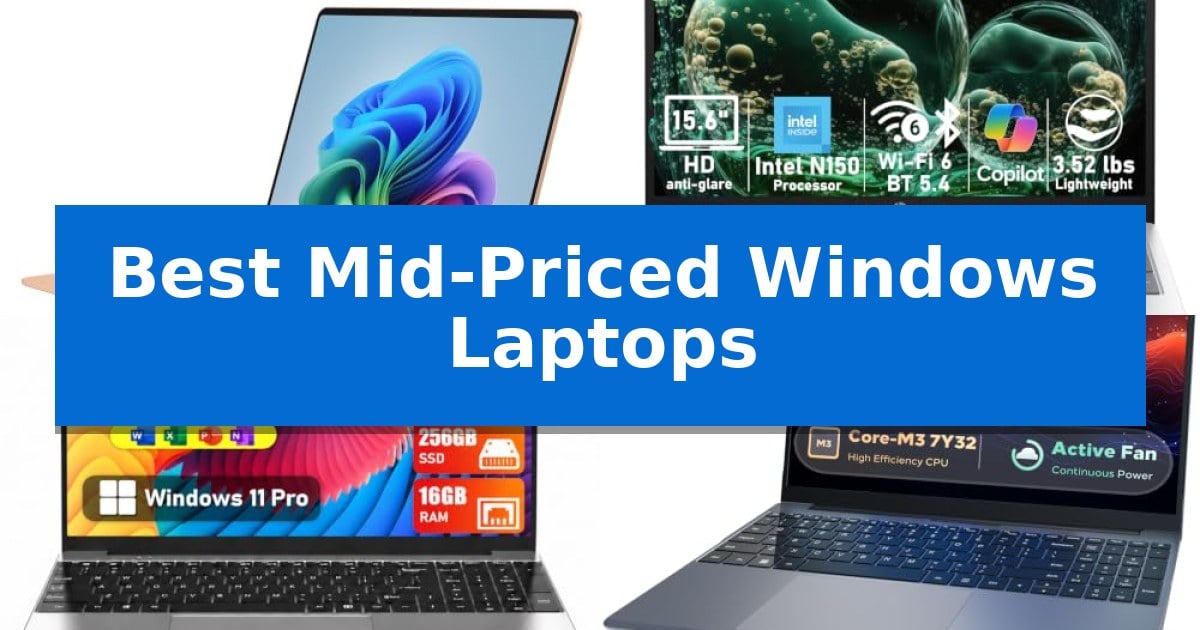
Finding the right balance between cost and capability is essential when shopping for a new computer. Whether you are a student managing a heavy course load or a professional handling daily administrative tasks, the Best Mid-Priced Windows Laptops offer the necessary power without the premium price tag of high-end workstations.
Our guide focuses on identifying machines that provide reliable performance, clear displays, and long-lasting battery life. By examining the specific hardware and design choices of each model, we help you determine which device best fits your daily workflow and personal computing requirements.
You may also want to compare Best Mid-Priced Video Drone, Best Mid-Priced Video Camera, and Best Mid-Priced Surround Sound Speakers.
Best Mid-Priced Windows Laptops
Quick Comparison
| Product | Best For | Key Strength | Score |
|---|---|---|---|
| Microsoft Surface Laptop | Best Overall | Qualcomm Snapdragon X2 Elite processor for AI-accelerated performance. | 4.9 |
| HP 15.6 Inch Laptop | Reliable Daily Productivity | Lightweight 3.52 lb design for enhanced portability. | 4.9 |
| MITUNTUN 15.6 Inch Laptop | Generous Memory for Multitasking | 16GB of RAM ensures smooth multitasking for office and study applications. | 4.4 |
| Phatom 15.6 Inch Laptop | Crisp Visuals for Students | Lightweight and portable design at 3.46 lbs. | 4.5 |
| Unowo 15.6 Inch Laptop | Silent Fanless Design | Silent fanless cooling design for noise-free operation. | 4.4 |
How We Chose
- Processor efficiency and multitasking capability
- Display resolution and visual clarity
- Battery longevity for mobile use
- Port selection and connectivity standards
- Overall build quality and portability
1 Microsoft Surface Laptop — Premium AI-Powered Performance
Finding a balance between portability and high-end processing power often leads to compromises, but the Microsoft Surface Laptop (2026) aims to bridge that gap with its integration of the Qualcomm Snapdragon X2 Elite processor. This 13.8-inch machine is built for users who prioritize a balance of AI-accelerated performance and all-day mobility, housed in a premium aluminum alloy chassis.
The device features a 13.8-inch PixelSense touchscreen that emphasizes deep blacks and vibrant color saturation, making it suitable for both creative tasks and high-definition streaming. Its internal architecture is designed to handle demanding workloads, while the inclusion of Copilot on Windows 11 provides an integrated AI companion for productivity and communication tasks.
Portability is a primary focus, with the laptop offering up to 20 hours of battery life to support extended use away from a power source. Connectivity is managed through two USB-C / USB4 ports, which allow for data transfers and the creation of a desktop setup, ensuring the device remains functional as a central hub for various peripherals.
Available in four distinct colors—Black, Platinum, Dune, and Jade—the Microsoft Surface Laptop (2026) offers aesthetic variety without sacrificing its professional build quality. It serves as a versatile option for those who need a reliable, high-performance Windows machine that fits comfortably into a mobile workflow.
Best for: Professionals and students who require a highly portable, AI-capable Windows laptop with long battery life for daily productivity.
Skip if: Users who require specialized legacy ports like HDMI or USB-A, or those who need a larger 15-inch display for expansive multitasking.
PROS
- Qualcomm Snapdragon X2 Elite processor for AI-accelerated performance.
- 20-hour battery life for all-day portability.
- PixelSense touchscreen with high color saturation.
- Premium aluminum alloy chassis in four color options.
CONS
- Limited port selection restricted to two USB-C / USB4 ports.
2 HP 15.6 Inch Laptop — Reliable Daily Productivity
Balancing the need for daily productivity with a portable design, the HP 15.6 Inch Laptop offers a streamlined experience for users who prioritize mobility and essential computing. Its lightweight 3.52 lb frame and integrated 45W AC power adapter make it a practical companion for transitioning between home, school, and office environments.
At the core of this device is the Intel Processor N150, which provides the necessary power for standard web browsing, document editing, and streaming. The 15.6-inch anti-glare display features micro-edge bezels, resulting in an 85% screen-to-body ratio that maximizes the viewing area while minimizing distractions during use.
Connectivity and security are integrated through thoughtful design choices, including a dedicated Microsoft Copilot key and AI Noise Reduction for clearer communication. The inclusion of a camera privacy shutter and a physical microphone mute key provides users with direct control over their privacy during video calls.
With a battery rated for up to 11 hours and 45 minutes of video playback, the laptop is built to support extended work sessions. The bundle includes a 1-year Microsoft 365 Personal subscription with 1TB of cloud storage, ensuring that the system is ready for immediate use upon setup.
Best for: Students and professionals requiring a lightweight, portable device for everyday document editing, web research, and video conferencing.
Skip if: Users who require high-performance hardware for intensive tasks like video editing, 3D rendering, or heavy multitasking will find the 4GB of RAM and entry-level processor insufficient.
PROS
- Lightweight 3.52 lb design for enhanced portability.
- Dedicated privacy features including a camera shutter and microphone mute key.
- Long-lasting battery rated for up to 11 hours and 45 minutes of video playback.
- Bundled 1-year Microsoft 365 subscription with 1TB of cloud storage.
CONS
- Limited 4GB RAM may restrict performance during heavy multitasking.
- 128GB UFS storage provides relatively low capacity for large media libraries.
3 MITUNTUN 15.6 Inch Laptop — Generous Memory for Multitasking
Reliability in a portable package is the primary draw of the MITUNTUN 15.6 Inch Laptop, which features a 180-degree hinge design for flexible viewing angles. This device is built to serve as a mobile command center for students and professionals who require a balance of screen real estate and portability.
Equipped with an Intel Core M3 processor and 16GB of RAM, the laptop is configured to handle multitasking across various productivity applications and web browsers. The inclusion of a 256GB SSD facilitates faster boot times compared to traditional mechanical drives, while the 15.6-inch Full HD (1920×1080) display provides a standard resolution for document editing and media consumption.
The chassis weighs 3.5 lbs and measures 0.8 inches in thickness, making it a manageable option for transport between home, campus, or the office. A full-size keyboard is integrated into the design to support extended typing sessions, and the system is powered by a 5000mAh battery intended to support usage throughout the day.
To provide long-term support, the manufacturer includes a 2-year warranty and a 180-day return and replacement policy. This coverage is designed to offer peace of mind for users seeking a stable computing environment for daily tasks.
Best for: Students and professionals needing a portable, reliable device for daily productivity and multitasking.
Skip if: Users requiring high-performance gaming or intensive video editing capabilities should look for systems with dedicated GPUs and higher-tier processors.
PROS
- 16GB of RAM ensures smooth multitasking for office and study applications.
- 180-degree hinge allows for versatile positioning during presentations or collaborative work.
- 2-year warranty provides extended protection for the hardware investment.
- Full-size keyboard layout improves typing ergonomics for long-form tasks.
CONS
- 256GB SSD capacity may be limited for users with large media libraries or extensive software installations.
- Intel Core M3 processor is optimized for light productivity rather than demanding computational workloads.
4 Phatom 15.6 Inch Laptop — Crisp Visuals for Students
The Phatom 15.6 Inch Laptop is built to handle everyday academic and professional tasks, featuring a 15.6-inch Full HD IPS display that provides a clear, expansive workspace for documents, research, and streaming. Its design prioritizes portability, weighing just 3.46 lbs and measuring 0.76 inches in thickness, making it a practical choice for students or professionals who need to move between locations frequently.
Under the hood, the device is powered by a Core M3 2-core processor with a 1.1GHz base frequency, capable of reaching up to 3.0GHz in turbo mode. This configuration is optimized for standard productivity software, web browsing, and video conferencing. It includes 4GB of DDR3 1333MHz memory, which can be managed via two SO-DIMM slots, and a 128GB M.2 2280 SATA SSD that offers room for file expansion up to 2TB.
Connectivity is a primary focus of the Phatom 15.6 Inch Laptop, which includes two USB 3.0 Type-A ports, a USB-C port for charging, and an HDMI 1.4 output for external display support. Wireless communication is handled by dual-band Wi-Fi and Bluetooth 5.0, while the integrated 2.0MP webcam and dual microphones facilitate remote communication.
The system is powered by a 7.7V 5000mAh lithium-ion polymer battery and includes a cooling fan to manage thermal output during operation. With its combination of essential ports and a lightweight form factor, this laptop offers a straightforward solution for users requiring a dedicated machine for study or light office work.
Best for: Students and professionals needing a lightweight, portable device for web-based research, document editing, and video calls.
Skip if: Users requiring high-performance computing for video editing, 3D rendering, or intensive multitasking will find the processor and memory limitations restrictive.
PROS
- Lightweight and portable design at 3.46 lbs.
- Expandable storage via M.2 2280 SATA SSD slot up to 2TB.
- Versatile connectivity including USB-C, HDMI, and dual-band Wi-Fi.
- 15.6-inch FHD IPS display provides a clear, high-resolution viewing area.
CONS
- Limited base memory of 4GB may impact performance during heavy multitasking.
- Core M3 processor is intended for entry-level tasks rather than demanding software.
5 Unowo 15.6 Inch Laptop — Silent Fanless Design
The Unowo 15.6 Inch Laptop distinguishes itself with an advanced fanless cooling system, ensuring silent operation that makes it a practical choice for quiet environments like libraries or late-night study sessions. This design choice eliminates mechanical noise while maintaining a sleek, portable profile for students and commuters.
Equipped with a 15.6-inch Full HD (1920×1080) IPS display, the device provides wide viewing angles and narrow bezels, which are beneficial for streaming content or managing documents. The internal hardware, featuring an Intel Celeron N4020 processor and 4GB LPDDR4 RAM, is optimized for daily tasks such as web browsing, school projects, and light multitasking.
Connectivity and power management are addressed through a versatile Type-C PD 45W port, which supports both fast charging and high-speed data transfer. The inclusion of Dual-Band AC WiFi and Bluetooth ensures stable wireless connections for cloud-based work and video conferencing, while the 180-degree lay-flat hinge offers flexible positioning for various workspaces.
The laptop comes pre-installed with Windows 11 Home, providing a modern interface and security features right out of the box. With its lightweight construction and included power adapter, this notebook serves as a ready-to-use solution for users seeking a balance between portability and essential functionality for everyday computing.
Best for: Students and remote workers who require a silent, portable, and budget-friendly device for basic productivity and online learning.
Skip if: Users who need high-performance processing power for video editing, gaming, or heavy multitasking will find the Celeron processor and 4GB of RAM insufficient.
PROS
- Silent fanless cooling design for noise-free operation.
- Type-C PD 45W fast charging for modern power convenience.
- 15.6-inch FHD IPS display with narrow bezels.
- 180-degree lay-flat hinge for versatile usage angles.
CONS
- Limited 4GB RAM may restrict intensive multitasking capabilities.
- 128GB storage capacity is relatively small for large media libraries.
Best Mid-Priced Windows Laptops Buying Guide
Processor and Performance
The processor acts as the brain of your laptop, determining how quickly you can switch between applications and handle demanding tasks. For mid-priced machines, look for processors that balance power with energy efficiency to ensure smooth operation during daily use.
While higher core counts are beneficial for intensive workloads, most users find that modern mid-range chips provide more than enough speed for web browsing, document creation, and video streaming. Always check the base and turbo frequencies to understand the potential performance ceiling of the device.
Display Quality and Resolution
A high-quality display is crucial for reducing eye strain and improving your overall experience. Most mid-priced laptops now feature Full HD (1920×1080) resolution, which provides sharp text and clear images for both work and entertainment.
Consider the panel type and brightness levels, as these factors determine how well the screen performs in different lighting conditions. Anti-glare coatings are particularly useful if you frequently work in bright environments or near windows.
Battery Life and Portability
If you plan to carry your laptop between home, school, or the office, portability is a key factor. Look for a lightweight chassis that does not sacrifice structural integrity, allowing you to travel without adding unnecessary bulk to your bag.
Battery life is equally important for those who need to work away from a power outlet. Check the manufacturer's estimates for mixed usage, as this provides a more realistic expectation of how long the device will last during a typical day.
Connectivity and Ports
The available ports determine how easily you can connect external devices like monitors, mice, and storage drives. Modern laptops should at least include USB-C for versatile charging and data transfer, along with standard USB-A ports for legacy peripherals.
Wireless connectivity, such as Wi-Fi 6 and Bluetooth 5.x, ensures stable and fast connections to the internet and other wireless accessories. Having a variety of ports reduces the need for cumbersome adapters.
Storage and Memory
RAM and SSD storage are the two components that most directly impact your daily experience. A minimum of 8GB of RAM is recommended for smooth multitasking, while a solid-state drive (SSD) ensures fast boot times and quick file access.
If you store large amounts of media or project files, check if the laptop allows for storage expansion. Some models offer user-accessible slots, providing a cost-effective way to increase your capacity as your needs grow.
Frequently Asked Questions
What is the minimum RAM I should look for in a mid-priced laptop?
For most users, 8GB of RAM is the standard for smooth multitasking. If you frequently run many applications simultaneously, 16GB is a better choice for long-term performance.
Are fanless laptops better than those with cooling fans?
Fanless designs are completely silent, which is ideal for quiet environments like libraries. However, laptops with active cooling fans can often sustain higher performance levels for longer periods during demanding tasks.
Does a higher processor speed always mean a better laptop?
Not necessarily. A faster processor is beneficial, but it must be balanced with sufficient RAM and a fast SSD to prevent bottlenecks. Efficiency and thermal management are just as important as raw clock speed.
Can I upgrade the storage on these laptops later?
It depends on the specific model. Some laptops have user-accessible M.2 slots for SSD upgrades, while others have soldered storage that cannot be changed. Always verify the manufacturer's specifications before purchase.
What is the advantage of a 15.6-inch display?
A 15.6-inch display offers a larger workspace, which is excellent for productivity tasks like side-by-side document editing. It also typically allows room for a full-size keyboard with a numeric keypad.
Conclusion: Our Top Pick
When selecting from the Best Mid-Priced Windows Laptops, the Microsoft Surface Laptop stands out as a top choice due to its combination of high-end processing power and premium display technology. Its integration with Windows 11 and AI-accelerated performance makes it a versatile tool for both creative projects and demanding daily workloads.
While other models in this list offer specific benefits like silent operation or budget-friendly pricing, the Microsoft Surface Laptop provides the most well-rounded experience for users who prioritize speed and screen quality. It remains a reliable investment for those seeking a balance of modern features and long-term usability.