
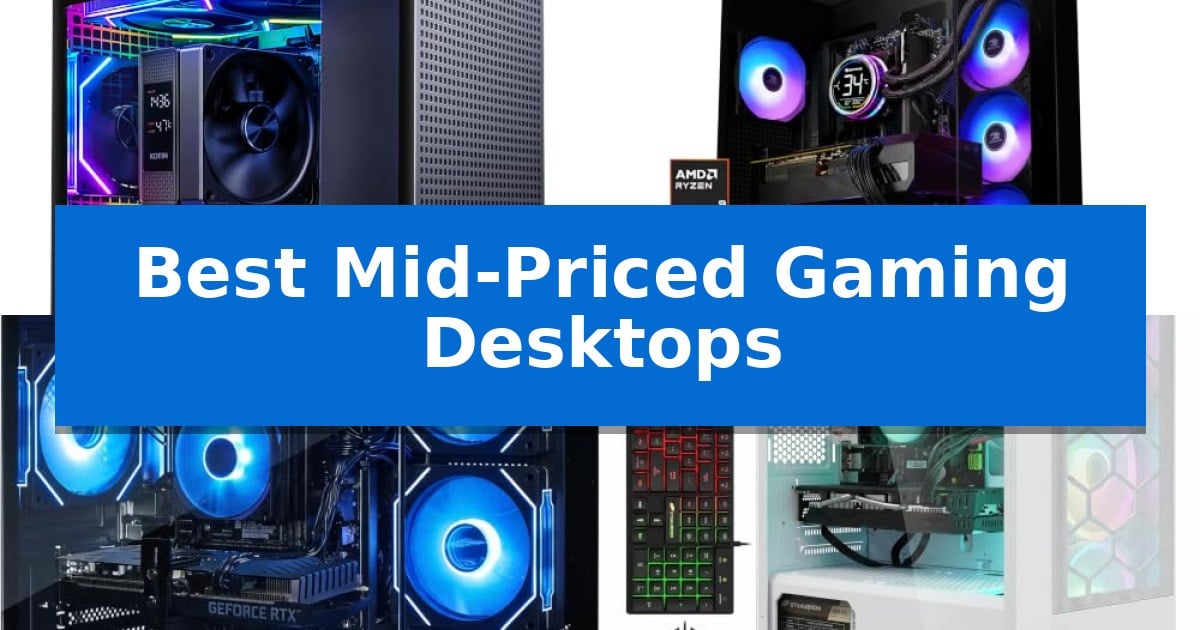
Finding the right machine for your desk can be challenging when you want a balance of price and capability. The Best Mid-Priced Gaming Desktops should handle modern titles at 1440p resolution without requiring a massive investment in enthusiast-grade hardware.
Our guide focuses on systems that prioritize essential gaming components like dedicated graphics cards, efficient thermal management, and sufficient memory to ensure your library runs smoothly. We have analyzed current market offerings to help you identify a tower that fits your specific gaming and multitasking needs.
You may also want to compare Best Mid-Priced Floor Standing Speakers, Best Mid-Priced Fitness Tracker, and Best Mid-Priced DSLR Cameras.
Best Mid-Priced Gaming Desktops
Quick Comparison
| Product | Best For | Key Strength | Score |
|---|---|---|---|
| KOTIN Gaming PC Desktop | Best Overall | Balanced performance for 1440p gaming and streaming. | 4.9 |
| iBUYPOWER Element Gaming PC | High-Refresh Rate 1440p Power | 12-core AMD Ryzen 9 9900X provides significant headroom for heavy multitasking and streaming. | 4.4 |
| Olialia Gaming PC | Value-Focused 2K Gaming Setup | RTX 3060 Ti provides capable 1440p gaming performance. | 4.9 |
| STGAubron Gaming PC | Versatile Tower for Multitasking | Includes RGB gaming peripherals for an immediate out-of-the-box setup. | 4.4 |
| Skytech Gaming Chronos Mini | Compact Build with Liquid Cooling | 360mm AIO liquid cooling prevents thermal throttling during heavy use. | 4.6 |
How We Chose
- Graphics Performance: We prioritized systems featuring dedicated GPUs capable of maintaining high frame rates at 1440p resolution.
- Thermal Management: We assessed cooling solutions, including air and liquid configurations, to ensure stability during extended gaming sessions.
- Memory and Storage: We looked for configurations offering at least 16GB of RAM and NVMe SSD storage for faster load times and system responsiveness.
- Upgrade Potential: We considered the inclusion of standard power supplies and available expansion slots for future component additions.
- Connectivity: We verified the presence of modern standards like Wi-Fi 6 and sufficient USB ports for peripherals.
1 KOTIN Gaming PC Desktop — Balanced Performance for 1440p Gaming
The KOTIN Gaming PC Desktop is built for users who need a balanced machine capable of handling modern 1080p and 1440p gaming without the complexity of building a system from scratch. At its core, the combination of an AMD Ryzen 7 8700F processor and a GeForce RTX 5060 Ti 8GB graphics card provides the necessary power for esports, AAA titles, and streaming, supported by DLSS 4 and ray tracing for enhanced visual fidelity.
Efficiency and multitasking are addressed through 32GB of DDR5 memory, which ensures responsiveness when running multiple applications or game launchers simultaneously. Storage needs are met by a 1TB PCIe Gen4 NVMe SSD, designed to reduce boot times and provide fast access to large game files and creative projects.
Thermal management is handled by a CPU air cooler featuring 6 copper heat pipes and a digital temperature display, complemented by five 120mm ARGB fans to maintain stable airflow. This cooling configuration is housed in a tower that prioritizes both aesthetics and practical heat dissipation during extended gaming sessions.
Connectivity and future-proofing are integrated via WiFi 6 and Bluetooth, which help minimize cable usage. The system is powered by a 650W 80 PLUS Gold power supply and includes four DDR5 DIMM slots along with three M.2 SSD slots, offering a clear path for hardware expansion as performance requirements evolve.
Best for: Gamers and streamers looking for a pre-configured, upgrade-ready desktop capable of 1440p performance.
Skip if: Users who require specific legacy port support or those who prefer a smaller form factor than a standard gaming tower.
PROS
- Balanced performance for 1440p gaming and streaming.
- Upgrade-ready with multiple M.2 slots and DDR5 DIMM slots.
- Efficient cooling system with digital temperature monitoring.
- Fast storage via 1TB PCIe Gen4 NVMe SSD.
CONS
- Tower footprint may be large for limited desk spaces.
- Manual port connection required for display output (must use GPU ports).
2 iBUYPOWER Element Gaming PC — High-Refresh Rate 1440p Power
The iBUYPOWER Element Gaming PC centers its performance around the AMD Ryzen 9 9900X processor, providing 12 cores and 24 threads designed to handle simultaneous gaming, streaming, and editing tasks. This prebuilt system is engineered for high-refresh 1440p gaming, utilizing the AMD Radeon RX 9070 GRE 12GB graphics card to achieve high settings at 100+ FPS in most titles.
Visual fidelity is enhanced through AI Upscaling and Frame Generation via AMD FSR Redstone technology, which uses machine learning to sharpen detail and increase frame rates. The system maintains thermal stability during intensive sessions with an iBUYPOWER AW5 360mm liquid cooler, which features an integrated LED display on the cooling block for real-time performance tracking.
The chassis is built for both aesthetics and utility, featuring tempered glass panels and an ARGB light strip. Internally, the machine includes 16GB of DDR5 RAM for multitasking and a 1TB NVMe SSD to facilitate fast boot and load times. Connectivity is managed through six USB 3.1 ports, gigabit Ethernet, and built-in Wi-Fi 5 and Bluetooth.
As a prebuilt solution, the iBUYPOWER Element Gaming PC arrives with Windows 11 Home pre-installed without bloatware, and the manufacturer includes a 1-year parts and labor warranty. The package also bundles an RGB gaming keyboard and mouse, ensuring the system is ready for immediate use upon arrival.
Best for: Gamers seeking a high-refresh 1440p experience with the multitasking power of a 12-core processor.
Skip if: Users requiring the latest Wi-Fi 6 or 7 standards for wireless networking will find the included Wi-Fi 5 connectivity limiting.
PROS
- 12-core AMD Ryzen 9 9900X provides significant headroom for heavy multitasking and streaming.
- 360mm liquid cooling includes a performance-tracking LED display.
- AMD Radeon RX 9070 GRE 12GB is optimized for high-refresh 1440p gaming.
- Clean software installation with no pre-installed bloatware.
CONS
- Wi-Fi 5 connectivity is dated compared to current Wi-Fi 6 or 7 standards.
- 16GB of RAM may be the minimum threshold for high-end creative workflows.
3 Olialia Gaming PC — Value-Focused 2K Gaming Setup
The Olialia Gaming PC is designed for users seeking a balanced entry into 1440p gaming without the complexity of building a custom rig. It centers on the RTX 3060 Ti GPU, which provides the necessary graphical overhead to maintain smooth frame rates in demanding titles, supported by DLSS technology for improved visual fidelity.
Under the hood, the system utilizes an AMD Ryzen 5 5500 processor, a 6-core, 12-thread CPU capable of speeds up to 4.2GHz. This is paired with 16GB of RAM and a 512GB SSD, ensuring that system responsiveness remains high during multitasking and game loading. The inclusion of Windows 11 means the machine is ready for immediate use upon arrival.
The chassis features a panoramic dual-chamber design with dual tempered glass panels, providing a clear view of the internal components. Thermal management is handled by a multi-fan layout, including six adjustable RGB case fans and a dedicated RGB CPU cooler, which work in tandem with ventilated top and side panels to maintain airflow.
Connectivity is well-rounded for a mid-tier desktop, offering high-speed Ethernet, multiple USB 3.0/2.0 ports, and dedicated HDMI and DisplayPorts for multi-monitor configurations. The unit is backed by a 1-year manufacturer’s warranty with all service and repairs conducted in the United States, providing a clear support path for the owner.
Best for: Gamers looking for a pre-built system capable of 1440p performance with an aesthetic focus on RGB lighting and glass paneling.
Skip if: Users who require extensive internal storage for large media libraries or those who prefer a more compact, non-tower form factor.
PROS
- RTX 3060 Ti provides capable 1440p gaming performance.
- 6-core AMD Ryzen 5 5500 processor handles multitasking efficiently.
- Panoramic dual-chamber design with six RGB fans for visual appeal and airflow.
- US-based support and 1-year manufacturer warranty.
CONS
- 512GB SSD capacity may be limited for users with large game libraries.
- Mid-tower footprint requires significant desk or floor space.
4 STGAubron Gaming PC — Versatile Tower for Multitasking
Finding the right hardware for a balanced gaming setup requires prioritizing core components that handle both high-intensity gaming and daily productivity. The STGAubron Gaming PC centers its performance on an Intel Core i7 processor capable of reaching 3.9GHz, paired with 16GB of memory to support multitasking across streaming, video editing, and modern gaming titles.
Equipped with a Radeon RX 7600 8G graphics card, this desktop is engineered to deliver 60+ FPS in a variety of popular titles, including Call of Duty Warzone, Apex Legends, and Hogwarts Legacy. The inclusion of a 512GB solid-state drive provides the necessary storage speed for quick system responsiveness, while the pre-installed Windows 11 Home 64-bit ensures a modern software environment out of the box.
The chassis features an integrated ARGB fan system that provides visual customization for your workspace. Connectivity is handled through a versatile array of ports, including HDMI and DisplayPort for 4K display support, alongside Wi-Fi 6 and Bluetooth 5.2 for wireless peripherals and networking. The package also includes a dedicated RGB gaming mouse and keyboard, offering a complete plug-and-play solution for users who need to get started immediately.
Designed for long-term utility, the system is backed by a one-year warranty covering parts and labor, supplemented by lifetime technical support. Its compact tower dimensions of 17.6 by 14.8 by 7.5 inches allow it to fit comfortably on most desks without sacrificing the airflow needed for the internal components.
Best for: Users seeking a pre-configured, all-in-one desktop solution for gaming, streaming, and creative productivity tasks.
Skip if: Enthusiasts who require specific high-end GPU configurations or massive internal storage arrays for professional-grade 4K video rendering.
PROS
- Includes RGB gaming peripherals for an immediate out-of-the-box setup.
- Features Wi-Fi 6 and Bluetooth 5.2 for modern wireless connectivity.
- Supports 4K output via dedicated HDMI and DisplayPort interfaces.
- Backed by lifetime technical support and a one-year parts and labor warranty.
CONS
- The 512GB SSD may require external storage expansion for users with large game libraries.
5 Skytech Gaming Chronos Mini — Compact Build with Liquid Cooling
The Skytech Gaming Chronos Mini distinguishes itself through a high-performance 360mm AIO liquid cooling system integrated into a compact chassis, ensuring that the internal components maintain optimal temperatures during intensive tasks. This desktop is engineered for users who require a balance of space-saving design and high-end thermal management, allowing the hardware to operate without the limitations often associated with smaller form factors.
Equipped with an Intel Core Ultra 7 U7 270K processor and 32GB of DDR5 5600 RAM, this machine is built to handle demanding gaming sessions and creative workloads. The inclusion of an NVIDIA GeForce RTX 5060 8GB GDDR7 graphics card provides the necessary graphical power for high-detail settings in modern titles, while the 1TB NVMe M.2 SSD ensures rapid data access compared to traditional storage solutions.
Designed for immediate utility, the system arrives with Windows 11 Home pre-installed and contains no bloatware, providing a clean environment from the first boot. Connectivity is supported via Wi-Fi 6 802.11ax and a variety of USB ports, including versions 2.0, 3.0, and 3.2 Gen1, offering flexibility for peripherals and external devices.
The Skytech Gaming Chronos Mini features a front mesh panel on its black edition case, which works in tandem with the liquid cooling setup to promote airflow. With a 650W Gold PSU providing stable power and a comprehensive one-year warranty on parts and labor, this desktop is a robust choice for those seeking a reliable, pre-assembled gaming solution.
Best for: Gamers and creators who need a compact, liquid-cooled desktop capable of handling modern titles at high settings.
Skip if: Users who require extensive internal expansion slots or a larger chassis for custom hardware modifications may find the compact design restrictive.
PROS
- 360mm AIO liquid cooling prevents thermal throttling during heavy use.
- 32GB DDR5 5600 RAM provides high-speed memory for multitasking.
- Compact footprint fits easily on desks without sacrificing performance.
- No bloatware ensures a clean and efficient software experience out of the box.
CONS
- Limited internal space due to the compact case design.
- Fixed component selection may not suit users looking for specific brand preferences for the GPU.
Best Mid-Priced Gaming Desktops Buying Guide
Understanding GPU and CPU Balance
The graphics card is the most critical component for gaming performance. In the mid-priced segment, look for cards that support AI upscaling or frame generation, as these technologies can significantly extend the lifespan of your system by boosting frame rates in demanding titles.
Pairing a capable GPU with a modern multi-core processor is essential to avoid bottlenecks. Ensure your chosen desktop features a CPU with at least six cores to handle background tasks and streaming applications while you play.
Thermal Efficiency and Airflow
Gaming desktops generate significant heat, which can lead to thermal throttling if not managed correctly. A well-designed tower should feature multiple intake and exhaust fans to maintain a steady flow of air across the GPU and CPU.
Some mid-priced models now include liquid cooling or high-performance air coolers with multiple heat pipes. These solutions are preferable for users who plan to keep their system running for long hours, as they keep internal temperatures within safe limits.
Memory and Storage Standards
For modern gaming, 32GB of DDR5 memory is becoming the new standard for responsiveness, though 16GB remains sufficient for most titles. DDR5 offers higher bandwidth than older memory types, which can improve performance in CPU-intensive games.
Always prioritize NVMe SSD storage over traditional hard drives. An SSD significantly reduces game load times and ensures your operating system boots in seconds, providing a much smoother overall experience.
Power Supply and Future-Proofing
The power supply unit (PSU) is often overlooked but is vital for system reliability. A 650W 80 PLUS Gold rated PSU is a solid baseline for mid-priced systems, providing enough headroom for the included components and potential future upgrades.
Check for the number of available M.2 slots and DIMM slots on the motherboard. Having extra slots allows you to add more storage or memory later without needing to replace the entire system.
Connectivity and Build Quality
Modern gaming requires stable network connections, making Wi-Fi 6 a highly recommended feature for those who cannot use a wired Ethernet connection. This standard reduces latency and improves stability in online multiplayer games.
Consider the physical build of the case. Features like tempered glass panels, tool-less access, and integrated ARGB lighting not only improve the aesthetics of your setup but can also make maintenance and cleaning much easier.
Frequently Asked Questions
Is 16GB of RAM enough for a mid-priced gaming desktop?
Yes, 16GB of RAM is sufficient for the vast majority of current PC games. However, if you plan to stream, edit video, or keep many browser tabs open while gaming, 32GB is a better choice for multitasking.
Do I need liquid cooling for a mid-priced PC?
Liquid cooling is not strictly necessary, but it is beneficial for high-performance processors that run hot. High-quality air coolers with multiple heat pipes are often just as effective and require less maintenance.
Can I upgrade the graphics card later?
Most prebuilt gaming desktops allow for GPU upgrades, provided the case has enough physical space and the power supply has sufficient wattage and the necessary power connectors for the new card.
What is the benefit of an NVMe SSD?
An NVMe SSD is significantly faster than traditional SATA SSDs or mechanical hard drives. It drastically reduces game load times and makes the entire Windows experience feel more responsive.
Should I connect my monitor to the motherboard or the GPU?
Always connect your monitor to the dedicated graphics card ports (usually located in a horizontal row on the back of the case). Connecting to the motherboard ports will often result in poor performance or no display at all.
Conclusion: Our Top Pick
For those seeking the best balance of performance and value, the KOTIN Gaming PC Desktop stands out as a highly capable option. Its combination of a powerful processor, modern memory, and a capable graphics card makes it well-suited for 1440p gaming and streaming right out of the box.
While other models may offer specific advantages like liquid cooling or different aesthetic designs, this system provides a reliable foundation that is easy to set up and ready for future expansion. It is an excellent choice for gamers who want a straightforward, high-performance solution without the complexity of building a PC from scratch.