
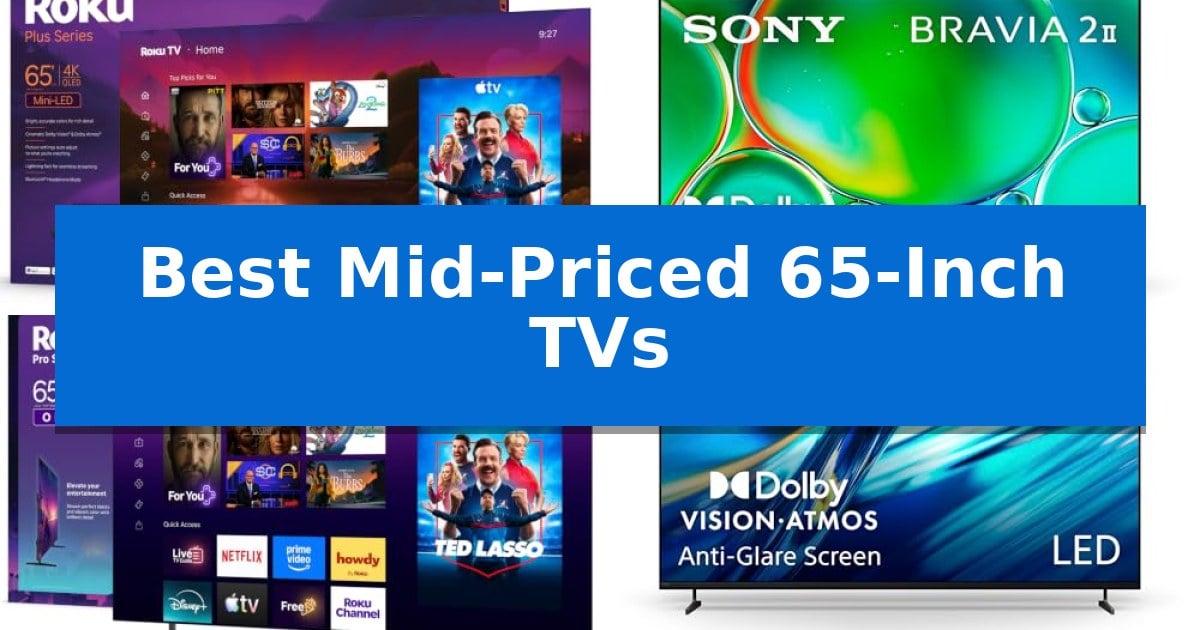
Finding the right television often feels like a balancing act between cutting-edge visual technology and staying within a reasonable budget. When you are looking for the Best Mid-Priced 65-Inch TVs, the goal is to identify a display that offers a significant upgrade in picture quality and smart functionality without the premium price tag of flagship models.
Whether you are a casual streamer, a dedicated console gamer, or someone who simply wants a reliable screen for movie nights, the current market offers several compelling options. By focusing on essential features like panel type, refresh rates, and ecosystem compatibility, you can secure a high-performing centerpiece for your living room that delivers long-term value.
You may also want to compare Best Mid-Priced 65-Inch LED TV, Best Mid-Priced 65-Inch HDR TV, and Best Mid-Priced 65-Inch 4K TV.
Best Mid-Priced 65-Inch TVs
Quick Comparison
| Product | Best For | Key Strength | Score |
|---|---|---|---|
| Roku Plus Series Smart TV | Best Overall | Mini-LED backlighting provides superior contrast and color vibrancy. | 4.9 |
| Sony BRAVIA 2 LED Smart TV | Optimized for PlayStation Gaming | Exclusive PlayStation 5 features like Auto HDR Tone Mapping and Auto Genre Picture Mode. | 4.6 |
| Roku Pro Series OLED TV | Premium Contrast for Movies | OLED panel providing superior contrast and black levels. | 4.6 |
| Sony BRAVIA 3 LED Smart TV | AI-Enhanced Picture Clarity | AI-powered XR Processor for real-time picture optimization. | 4.8 |
| VIZIO V-Series Smart TV | Budget-Friendly 4K Performance | V-Gaming Engine reduces input lag for responsive console gameplay. | 4.9 |
How We Chose
- Display Technology: Assessing the benefits of Mini-LED, OLED, and LED panels for contrast, brightness, and color accuracy.
- Gaming Performance: Evaluating support for high refresh rates, variable refresh rates, and dedicated gaming modes.
- Smart Platform Integration: Checking for intuitive interfaces, app availability, and voice control support.
- Connectivity and Standards: Reviewing HDMI 2.1 support, wireless streaming capabilities, and audio output options.
- Build and Design: Considering physical dimensions, stand versatility, and overall aesthetic profile.
1 Roku Plus Series Smart TV — Simple Setup for Streamers
Achieving a high-quality home theater experience often hinges on balancing advanced display technology with intuitive software, and the Roku 65-Inch Plus Series Smart TV addresses this by integrating Mini-LED backlighting with a QLED screen. This combination allows for rich detail and vivid highlights, supported by Dolby Vision for enhanced visual depth.
Beyond the display, the Roku Plus Series Smart TV prioritizes ease of use. The RokuTV interface offers a simplified home screen that consolidates streaming services, reducing the time spent searching for content. The included enhanced voice remote features a lost remote finder and allows for personalized app shortcuts, making navigation straightforward.
For audio, the television includes Dolby Atmos technology and a built-in subwoofer, providing a more robust sound profile than standard integrated speakers. Users can also utilize Bluetooth Headphone Mode for private listening, or turn off the display while keeping the audio active for music playback.
The device is designed for modern connectivity, offering Apple AirPlay support and compatibility with Siri, Alexa, and Google Assistant. Its AI-powered Roku Smart Picture Max automatically refines color and sharpness based on the incoming signal, ensuring consistent image quality across various types of media.
Best for: Streamers who want a balance of advanced Mini-LED picture quality and a simplified, voice-controlled interface.
Skip if: Users who require a high-refresh-rate panel specifically for competitive gaming or those who prefer a non-Roku operating system ecosystem.
PROS
- Mini-LED backlighting provides superior contrast and color vibrancy.
- Built-in subwoofer enhances audio performance compared to standard TV speakers.
- Enhanced voice remote includes a convenient lost remote finder feature.
- Roku Smart Picture Max automatically optimizes signal quality using AI.
CONS
- Fixed operating system limits users who prefer alternative smart TV platforms.
- Integrated audio may still require external soundbars for large room acoustics.
2 Sony BRAVIA 2 LED Smart TV — Optimized for PlayStation Gaming
The Sony 65 Inch BRAVIA 2 II LED 4K HDR Smart Google TV (K-65S20M2) integrates specialized gaming enhancements directly into its display architecture, specifically designed to streamline the experience for PlayStation 5 users. By utilizing Auto HDR Tone Mapping and Auto Genre Picture Mode, the television automatically adjusts its settings to optimize visual output when a console is detected, removing the need for manual calibration between gaming and streaming sessions.
At the heart of the display is the 4K Processor X1, which works alongside 4K X-Reality PRO to upscale content to near-4K resolution. This processing engine focuses on restoring lost texture and detail, ensuring that non-native 4K sources maintain clarity. The inclusion of Triluminos Pro technology expands the color palette, aiming for more natural and precise reproduction of shades and dynamic contrast.
For fast-paced content, the Motionflow XR feature manages motion handling to reduce blur, which is particularly relevant for sports and action-oriented media. Beyond its core display capabilities, the unit functions as a central hub via Google TV, providing integrated access to streaming applications. It also supports Apple AirPlay 2 and Google Cast for wireless content sharing from mobile devices.
Practical utility is addressed through the Game Menu, which consolidates all gaming-specific picture settings and assist features into a single interface. Additionally, the Eco Dashboard provides a centralized location for managing energy efficiency settings, allowing users to monitor and adjust power consumption directly from the screen.
Best for: Gamers who own a PlayStation 5 and want a display with automated, console-specific optimization features.
Skip if: Users who require high-end gaming features like 120Hz refresh rates or VRR, as this model focuses on standard motion handling and 60Hz-class performance.
PROS
- Exclusive PlayStation 5 features like Auto HDR Tone Mapping and Auto Genre Picture Mode.
- 4K Processor X1 with 4K X-Reality PRO for effective content upscaling.
- Google TV integration for streamlined access to streaming services.
- Game Menu interface for quick access to assist features and settings.
CONS
- Limited gaming-specific refresh rate information suggests it may not be the primary choice for competitive high-frame-rate gaming.
- Standard LED panel lacks the contrast depth found in higher-tier OLED or Mini-LED alternatives.
3 Roku Pro Series OLED TV — Premium Contrast for Movies
Finding the Best Mid-Priced 65-Inch TVs requires balancing advanced display technology with smart features that simplify daily use. The Roku Pro Series OLED TV addresses this by integrating a high-contrast OLED panel with an intuitive interface designed for those who want premium picture quality without complex calibration.
This 65-inch television utilizes OLED technology to deliver deep black levels and vibrant color reproduction. To ensure the picture remains consistent across different content types, the Roku Smart Picture Max feature automatically adjusts settings in real-time. For sports and gaming enthusiasts, the display supports a 120Hz refresh rate, which works alongside Freesync Premium, ALLM, and VRR to maintain smooth motion and reduce input lag.
Design and usability are central to the Roku Pro Series OLED TV. The unit features an ultra-thin profile and includes tool-less stands that offer two height options, allowing for flexible placement. Cable management is built into the design to maintain a clean aesthetic. The included backlit voice remote adds convenience, particularly with the integrated remote finder button located on the side of the TV, which helps locate the controller if it is misplaced.
Audio and connectivity options round out the package. The TV supports Dolby Vision for enhanced visual dynamic range and Dolby Atmos for immersive sound. For private listening, the Bluetooth Headphone Mode allows users to stream audio directly to wireless headphones, ensuring entertainment can be enjoyed without disturbing others in the home.
Best for: Viewers seeking a high-contrast OLED display with a simplified, user-friendly interface and integrated gaming features.
Skip if: Users who require a specific, highly granular manual picture calibration suite or those who prefer a non-Roku smart ecosystem.
PROS
- OLED panel providing superior contrast and black levels.
- 120Hz refresh rate with VRR and Freesync support for gaming.
- Backlit voice remote with a built-in remote finder feature.
- Tool-less stand with adjustable height settings.
CONS
- Limited manual picture adjustment options compared to professional-grade displays.
4 Sony BRAVIA 3 LED Smart TV — AI-Enhanced Picture Clarity
The Sony 65 Inch BRAVIA 3 II LED 4K HDR Smart Google TV utilizes an advanced XR Processor with AI-driven scene recognition to dynamically optimize color, contrast, and clarity in every frame. This model is engineered to transform living spaces into home theaters through its large-format display and integrated Dolby Vision and Dolby Atmos support, providing a cinematic audio-visual experience.
Designed for versatility, the television features Anti-Glare Screen technology specifically for the 65-inch class, which minimizes distractions from ambient lighting and windows. The XR Triluminos Pro display reproduces over a billion colors, while XR Clear Image technology works to restore detail and reduce noise in lower-quality content, ensuring a crisp picture across various media sources.
Gamers benefit from dedicated HDMI 2.1 connectivity, which supports 4K/120Hz, Variable Refresh Rate (VRR), and Auto Low Latency Mode (ALLM) for responsive gameplay. The TV includes a specialized Game Menu and exclusive PlayStation 5 optimizations, such as Auto HDR Tone Mapping, to streamline settings for high-performance console sessions.
Beyond hardware, the integration of Google TV with Gemini allows for natural language interaction, enabling users to search for content, control smart home devices, and receive information through voice commands. The package also includes access to SONY PICTURES CORE, providing a selection of movies with Pure Stream technology and an IMAX Enhanced collection to complement the high-resolution display.
Best for: Users seeking a high-performance, AI-enhanced display that balances cinematic home theater capabilities with advanced gaming features for PlayStation 5.
Skip if: Users who require an OLED panel for infinite contrast ratios or those who prefer a smaller screen size than the 65-inch class.
PROS
- AI-powered XR Processor for real-time picture optimization.
- HDMI 2.1 support with 4K/120Hz and VRR for responsive gaming.
- Anti-Glare Screen technology to maintain clarity in bright rooms.
- Integrated Google TV with Gemini for intuitive smart home and content control.
CONS
- Anti-Glare technology is limited to specific screen sizes.
- Large footprint requires significant space for placement.
5 VIZIO V-Series Smart TV — Budget-Friendly 4K Performance
The VIZIO V-Series Smart TV centers its performance around the VIZIO IQ Active 4K HDR Processor, which manages picture processing and 4K upscaling to enhance HD content. This 65-inch display is designed to balance visual clarity with integrated smart features, making it a functional centerpiece for diverse home entertainment setups.
For those focused on gaming, the V-Gaming Engine provides an Auto Game Mode that optimizes responsiveness and minimizes input lag when connected to consoles like the Xbox One or PlayStation. This focus on latency management is complemented by Active Pixel Tuning, which adjusts brightness at the pixel level to maintain contrast and accuracy across various scenes.
The integrated VIZIO SmartCast platform offers direct access to streaming services such as Netflix, Disney+, and Prime Video through a dedicated smart remote or mobile app. Additionally, the inclusion of Free Streaming Channels provides a selection of curated content without requiring extra subscriptions or logins, catering to users looking for immediate out-of-the-box utility.
This model includes essential connectivity options and a standard stand, emphasizing a straightforward setup process. By combining high-resolution upscaling with dedicated gaming and streaming tools, the VIZIO V-Series Smart TV serves as a versatile option for viewers who prioritize integrated software and responsive display technology.
Best for: Users seeking a 65-inch display that combines integrated streaming apps with dedicated gaming optimization features.
Skip if: Viewers who require advanced panel technologies like OLED or high-end local dimming arrays for professional-grade color accuracy.
PROS
- V-Gaming Engine reduces input lag for responsive console gameplay.
- VIZIO IQ Active 4K HDR Processor enables intelligent upscaling of HD content.
- Free Streaming Channels provide immediate access to content without subscriptions.
- Active Pixel Tuning improves contrast through precise brightness adjustments.
CONS
- Limited to standard LED backlighting compared to higher-tier display technologies.
Best Mid-Priced 65-Inch TVs Buying Guide
Understanding Display Technology
The choice between Mini-LED, OLED, and standard LED panels is the most significant factor in your viewing experience. OLED technology is prized for its ability to produce perfect blacks and infinite contrast, making it an excellent choice for dark-room movie watching.
Conversely, Mini-LED and advanced LED displays often provide higher peak brightness, which is beneficial for rooms with significant ambient light. Consider your typical viewing environment before selecting a panel type, as it dictates how well the screen handles glare and color depth.
Gaming-Specific Features
For gamers, a 120Hz refresh rate is a critical specification that ensures smooth motion during fast-paced action. Look for models that include HDMI 2.1 ports, which support high-bandwidth signals necessary for modern consoles.
Features like Auto Genre Picture Mode and Variable Refresh Rate (VRR) can further enhance the experience by reducing screen tearing and automatically optimizing settings for specific game genres. These tools provide a competitive edge and ensure your hardware is fully utilized.
Smart TV Ecosystems
The operating system determines how easily you can access your favorite content. Platforms like Roku TV are known for their straightforward, uncluttered navigation, while Google TV offers deep integration with smart home devices and personalized recommendations.
Ensure the TV supports the streaming services you use most frequently. Additionally, check for compatibility with voice assistants like Alexa, Siri, or Google Assistant, which can simplify navigation and device control without needing to touch the remote.
Audio and Connectivity
While many users opt for a dedicated soundbar, the internal audio capabilities of your TV still matter. Look for support for Dolby Atmos, which provides a more immersive, spatial sound experience.
Connectivity options such as Bluetooth Headphone Mode allow for private listening, which is ideal for late-night viewing. Always verify that the TV has enough HDMI ports to accommodate all your devices, including consoles, streaming sticks, and audio equipment.
Placement and Dimensions
A 65-inch screen requires careful consideration of your room's layout. Check the physical dimensions, including the height and width, to ensure it fits your media console or wall mount setup.
Some models offer tool-less stands with adjustable heights, providing flexibility if you need to fit a soundbar underneath the display. Proper cable management systems can also help keep your setup looking clean and organized.
Frequently Asked Questions
What is the main benefit of a 120Hz refresh rate?
A 120Hz refresh rate allows the screen to update 120 times per second, resulting in significantly smoother motion. This is particularly noticeable in gaming and fast-moving sports content.
Do I need HDMI 2.1 for my TV?
If you are a gamer using a modern console like the PlayStation 5, HDMI 2.1 is recommended to take advantage of 4K resolution at 120Hz and other gaming-specific features.
How do I know if a TV will fit my smart home setup?
Look for compatibility with your existing voice assistant, such as Alexa, Google Assistant, or Siri. Many modern smart TVs also support Apple AirPlay for easy media sharing from mobile devices.
Is OLED better than LED for bright rooms?
OLED displays offer superior contrast, but Mini-LED or high-end LED displays generally provide higher peak brightness, which can be more effective at overcoming glare in brightly lit rooms.
Can I use wireless headphones with these TVs?
Many modern smart TVs include Bluetooth Headphone Mode, allowing you to pair wireless headphones directly to the television for private listening.
Conclusion: Our Top Pick
When selecting from the Best Mid-Priced 65-Inch TVs, the Roku Plus Series Smart TV stands out as the most well-rounded choice for the majority of users. Its combination of Mini-LED backlighting, QLED color technology, and the highly intuitive Roku interface provides a premium viewing experience that remains accessible and easy to manage.
While other models may offer specialized features for specific gaming consoles or niche display preferences, the Roku Plus Series delivers consistent, high-quality performance across streaming, sports, and general entertainment. Its straightforward setup and robust smart features make it a reliable centerpiece for any modern living room.