
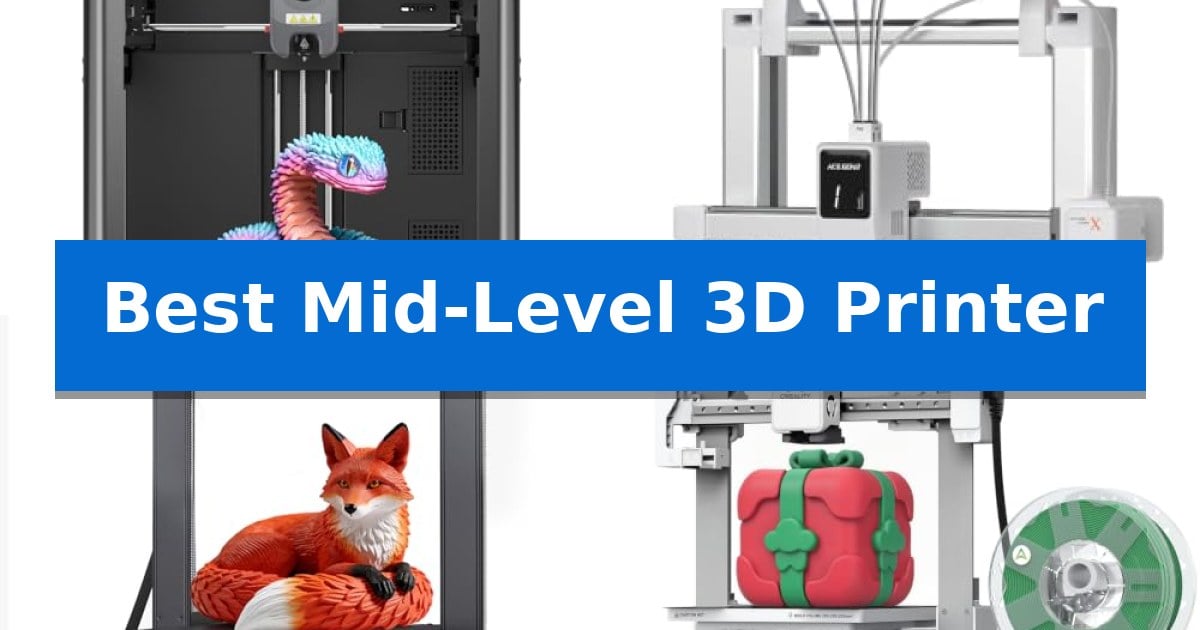
Finding the right machine for your workshop can be a challenge when you need more than a basic entry-level model but aren't ready for industrial-grade equipment. A Best Mid-Level 3D Printer should bridge this gap by offering reliable performance, faster print speeds, and advanced features like automatic bed leveling without the complexity of professional systems.
Whether you are prototyping functional parts or creating intricate models, selecting a machine that balances build volume with consistent layer adhesion is essential. We have analyzed the latest options to help you identify which features truly matter for your specific workflow and creative goals.
You may also want to compare Best Mid-Grade Headphones, Best Mid-Grade Bookshelf Speakers, and Best Mid-Grade 3D Printers.
Best Mid-Level 3D Printer
Quick Comparison
| Product | Best For | Key Strength | Score |
|---|---|---|---|
| Flashforge Adventurer 5M 3D Printer | Best Overall | 600mm/s max travel speed for efficient production. | 4.9 |
| Anycubic Kobra X 3D Printer | Native Multicolor Printing Capability | Native 4-color printing capability with expansion to 19 colors. | 4.9 |
| Creality Ender 3 V3 SE 3D Printer | Reliable Direct Drive Speed | CR Touch Auto Leveling for consistent first-layer reliability. | 4.3 |
| Creality Ender-3 V3 Neo 3D Printer | Advanced Vibration Compensation | High-speed printing up to 500mm/s for efficient prototyping. | 4.9 |
How We Chose
- Print Speed and Acceleration: Assessing the machine's ability to maintain precision during high-speed operations.
- Bed Leveling Systems: Evaluating the reliability of automated calibration to ensure consistent first-layer adhesion.
- Extrusion Technology: Examining the type of extruder and nozzle system for material compatibility and maintenance ease.
- Build Volume and Stability: Reviewing the physical print area and the motion system's ability to minimize vibration.
- Connectivity and Monitoring: Checking for remote management tools and real-time status reporting capabilities.
1 Flashforge Adventurer 5M 3D Printer — High-Speed CoreXY Performance
Achieving rapid, high-precision results in a desktop format requires a machine capable of managing both speed and thermal consistency. The FLASHFORGE Adventurer 5M 3D Printer distinguishes itself through a robust CoreXY structure that supports travel speeds up to 600mm/s and acceleration of 20000mm/s², significantly reducing production cycles for rapid prototyping.
Efficiency is central to this model's design, featuring a 280°C direct drive extruder paired with a high-flow 32mm³/s nozzle. To minimize downtime between projects, it incorporates a 3-second nozzle swap system and a rapid 35-second warm-up to 200°C. The 220x220x220mm build volume provides ample space for most mid-level projects, while the dual-sided PEI platform ensures reliable adhesion and straightforward print removal.
For users prioritizing a streamlined workflow, the printer includes one-click automatic bed leveling, which eliminates the need for manual adjustments and ensures consistent first-layer quality. The integration of vibration compensation and dual-fan cooling works to maintain structural integrity during high-speed operations, while the Flash Studio app enables remote monitoring and status alerts for improved oversight.
The FLASHFORGE Adventurer 5M 3D Printer offers a balanced approach for creators who need to scale their output without moving to industrial-grade hardware. Its combination of high-speed mechanical architecture and user-friendly automation makes it a practical choice for those transitioning from entry-level machines to more demanding, time-sensitive fabrication tasks.
Best for: Creators and hobbyists who require high-speed production and automated leveling for rapid prototyping.
Skip if: Users who require a larger build volume than 220x220x220mm or those who prefer a fully enclosed chamber for printing specialized high-temperature engineering filaments.
PROS
- 600mm/s max travel speed for efficient production.
- One-click automatic bed leveling simplifies setup.
- 3-second nozzle swap reduces maintenance downtime.
- Remote monitoring via Flash Studio app.
CONS
- 220x220x220mm build volume may limit large-scale projects.
2 Anycubic Kobra X 3D Printer — Native Multicolor Printing Capability
The Anycubic Kobra X 3D Printer introduces a native multicolor printing capability that streamlines complex projects by allowing users to manage up to 4 colors simultaneously, with the potential to expand to 19 colors using additional ACE 2 Pro units. This system is designed to reduce filament waste and machine travel time by over 81%, significantly accelerating the production process for both hobbyists and professional makers.
Engineered for high-speed output, the printer supports a maximum speed of 600mm/s, enabling the completion of standard test prints like the Benchy in just 14 minutes. The inclusion of a hardened steel nozzle and vibration compensation technology ensures that high-speed movements do not compromise layer smoothness or structural integrity. A LeviQ 3.0 auto bed leveling system uses 49-point calibration to maintain a consistent first layer, facilitating a quick setup time of approximately 15 minutes.
The device features a generous print volume of 260mm x 260mm x 260mm and maintains a quiet operation at 45dB. Connectivity is handled through dual-band Wi-Fi (2.4G/5G) and LAN, supporting remote management via the Anycubic App. Integrated AI monitoring provides spaghetti and foreign object detection, adding a layer of security for long-duration prints. The unit is compatible with a wide range of materials, including PLA, PETG, TPU, PVA, and ASA, thanks to a nozzle capable of reaching 300℃.
Designed with a top-mount spool holder to maximize desktop space, this printer balances advanced features with practical usability. While it offers robust performance for diverse material types, users should note that filament is not included, and the full multicolor potential requires the purchase of additional ACE 2 Pro units. It remains a versatile choice for those requiring precision, speed, and multi-material versatility in a single, compact footprint.
Best for: Makers and professionals who require high-speed, multicolor printing and remote AI-monitored workflows.
Skip if: Users who only require basic single-color printing and do not need the advanced multicolor or AI-monitoring features.
PROS
- Native 4-color printing capability with expansion to 19 colors.
- High-speed performance reaching 600mm/s.
- AI-powered monitoring for spaghetti and foreign object detection.
- LeviQ 3.0 auto-leveling for consistent first-layer quality.
CONS
- Multicolor expansion requires purchasing additional ACE 2 Pro units.
- Filament is not included with the base printer package.
3 Creality Ender 3 V3 SE 3D Printer — Reliable Direct Drive Speed
Achieving consistent layer adhesion and reliable first-layer performance is often the primary hurdle for those moving beyond entry-level machines. The Creality Ender 3 V3 SE 3D Printer addresses this through the integration of CR Touch Auto Leveling and automatic Z-offset calibration, which work in tandem to minimize the manual intervention typically required to prepare a print bed.
Designed for efficiency, this model supports 250mm/s high-speed printing with 2500mm/s² acceleration, allowing for faster turnaround on prototypes and functional components. The Sprite Direct Drive Extruder is a core component here, engineered to provide smooth filament feeding across diverse materials including PLA, PETG, and TPU, which expands the range of projects you can tackle.
Structural stability is maintained through dual synchronized Z-axis lead screws and precision Y-axis linear shafts. These elements are intended to reduce vibration and Z-wobble, promoting accurate layer alignment during longer print cycles. The inclusion of a 32-bit silent mainboard further refines the user experience by lowering operational noise, while the flexible PC spring steel build plate simplifies the post-printing process by allowing for quick model removal.
While this printer offers a robust feature set for its class, it is important to consider the physical footprint of approximately 15 by 19.6 inches. It is built for users who prioritize automated calibration and speed, though those requiring specialized high-temperature materials or significantly larger build volumes may need to look toward industrial-grade alternatives.
Best for: Beginners and hobbyists who want a fast, reliable printer with automated leveling and direct drive extrusion.
Skip if: Users who require a massive build volume or need to print advanced engineering-grade filaments that demand high-temperature enclosures.
PROS
- CR Touch Auto Leveling for consistent first-layer reliability.
- Sprite Direct Drive Extruder ensures smooth, versatile filament feeding.
- High-speed printing capabilities up to 250mm/s.
- 32-bit silent mainboard for reduced noise during operation.
CONS
- Fixed build volume may be restrictive for large-scale projects.
- Manual assembly steps required despite the beginner-friendly design.
4 Creality Ender-3 V3 Neo 3D Printer — Advanced Vibration Compensation
The Creality Ender-3 V3 Neo 3D Printer streamlines the entry into additive manufacturing by integrating smart vibration compensation and a high-speed printing capability of up to 500mm/s. This combination allows users to transition from initial setup to functional prototyping with significantly reduced wait times compared to standard desktop models.
Designed with a 220 × 220 × 220mm build volume, this machine provides a versatile workspace for creating organizers, props, and functional components. The inclusion of a direct drive extruder enhances compatibility with flexible materials like TPU 90A, enabling the production of specialized parts such as protective grips and connectors that require more pliable filament types.
Maintenance is simplified through a quick-swap nozzle design, which reduces downtime during routine upkeep. To ensure consistent output, the system incorporates smart monitoring features, including filament runout and tangle detection alongside flow calibration, which helps maintain print reliability during longer sessions.
For those focused on efficiency, the printer supports high acceleration up to 8,000mm/s², making it a practical tool for makers who need to iterate on designs quickly. The auto-leveling feature further assists in achieving a consistent first layer, minimizing the manual calibration often required in mid-level 3D printing setups.
Best for: Beginners and DIY makers seeking a balance of high-speed performance and reliable, automated features for functional prototyping.
Skip if: Users requiring a significantly larger build volume for industrial-scale parts or those who prefer a fully enclosed chamber for advanced engineering-grade materials.
PROS
- High-speed printing up to 500mm/s for efficient prototyping.
- Smart monitoring features including filament runout and tangle detection.
- Direct drive extruder supports flexible materials like TPU 90A.
- Quick-swap nozzle design simplifies routine maintenance.
CONS
- Fixed build volume of 220mm cubed may limit larger project dimensions.
Best Mid-Level 3D Printer Buying Guide
Understanding Motion Systems
The motion system is the backbone of any 3D printer, dictating how quickly and accurately the print head moves. Many mid-level printers now utilize a CoreXY structure, which is designed to reduce the weight of the moving parts, allowing for significantly higher travel speeds and acceleration without sacrificing print quality.
When choosing a printer, consider how the motion system handles vibration. Features like vibration compensation are critical for maintaining smooth surfaces on your prints, especially when pushing the machine to its maximum speed limits.
The Importance of Auto-Leveling
Manual bed leveling is often the most frustrating part of the 3D printing process for beginners and intermediates alike. An automatic bed leveling system uses sensors to map the build plate, ensuring that the first layer is perfectly positioned across the entire surface.
This technology not only saves time but also significantly reduces the rate of failed prints. Look for systems that offer one-click calibration or advanced algorithms to ensure consistent adhesion, which is vital for long, complex print jobs.
Extruder and Nozzle Maintenance
The extruder is responsible for pushing filament through the nozzle, and a direct drive extruder is generally preferred for its ability to handle a wider variety of materials, including flexible filaments like TPU. This setup provides better control over retraction, which helps prevent stringing.
Maintenance is inevitable, so prioritize printers with quick-swap nozzle designs. Being able to change a nozzle in seconds allows you to easily switch between different line widths for detail-oriented work or faster, bulkier prints.
Build Volume and Material Versatility
Your choice of printer should align with the size of the projects you intend to create. A standard 220x220x220mm build volume is sufficient for most hobbyist needs, but if you frequently print larger functional parts, you may need to look for machines that offer a larger footprint.
Additionally, check the maximum nozzle temperature. A printer capable of reaching 280°C or 300°C provides greater flexibility, allowing you to experiment with advanced materials like PETG or ASA that require higher heat for proper bonding.
Smart Monitoring and Connectivity
Modern 3D printers are increasingly connected, offering features like Wi-Fi integration and mobile app monitoring. These tools allow you to check on your print progress from anywhere, receive status alerts, and even detect common issues like spaghetti formation.
While not strictly necessary for the printing process, these smart features can significantly improve your workflow, especially if you run long prints overnight or while you are away from your workspace.
Frequently Asked Questions
What is the main benefit of a CoreXY printer?
A CoreXY design allows the print head to move with less mass, enabling faster print speeds and higher acceleration while maintaining structural stability.
Do I really need auto-leveling?
While manual leveling is possible, auto-leveling ensures a consistent first layer, which is the most common point of failure in 3D printing.
Can these printers handle flexible filaments?
Yes, printers equipped with direct drive extruders are generally well-suited for flexible materials like TPU, as they provide a shorter, more controlled path for the filament.
How often should I change my nozzle?
Nozzle replacement depends on the materials used; abrasive filaments wear them down faster. Printers with quick-swap systems make this maintenance much easier.
What is the advantage of remote monitoring?
Remote monitoring allows you to track print progress and receive alerts, helping you intervene quickly if a print fails or if there is a filament issue.
Conclusion: Our Top Pick
Choosing the right machine depends on your specific needs for speed, material compatibility, and ease of use. For most users looking for a balance of high-speed performance and reliable, user-friendly features, the Flashforge Adventurer 5M 3D Printer stands out as a highly capable option.
Its CoreXY architecture and one-click auto-leveling system make it an excellent choice for those who want to spend more time creating and less time troubleshooting. While other models offer specific advantages like multicolor printing or larger build volumes, the overall efficiency and build quality of this unit make it our top recommendation for a mid-level machine.