
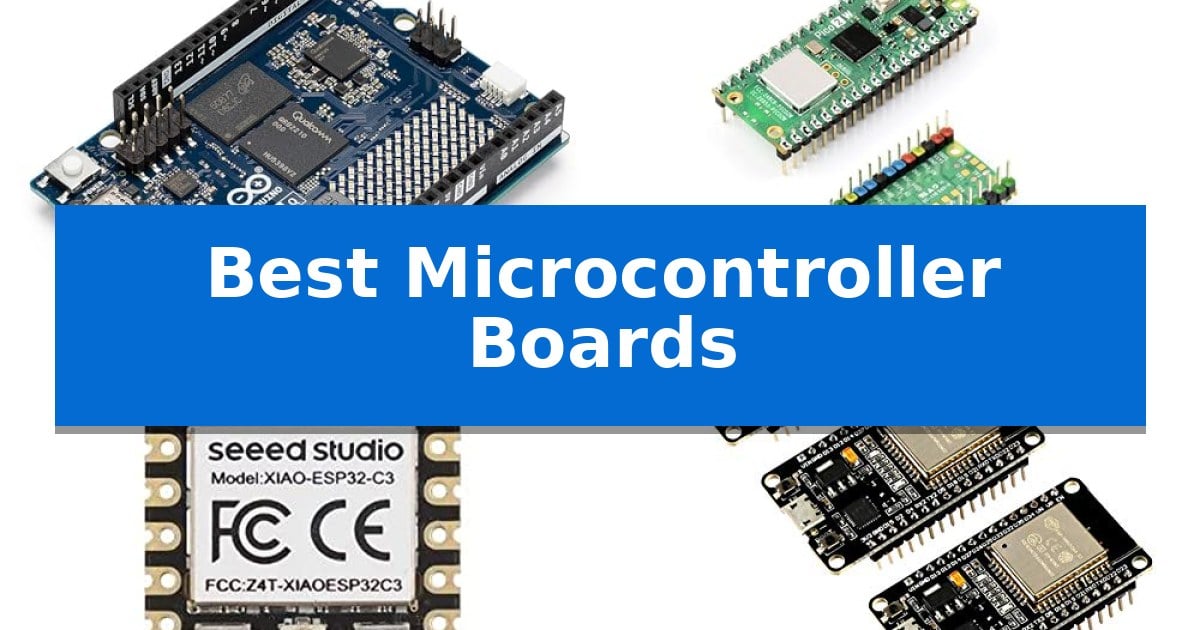
Selecting the right hardware is the foundation of any successful electronics project, whether you are building a simple sensor array or a complex AI-driven robot. The market offers a vast array of options, making it challenging to identify the Best Microcontroller Boards that align with your specific technical requirements and skill level.
Our guide evaluates five distinct boards to help you understand their unique capabilities, from high-performance hybrid processors to ultra-compact modules designed for wearables. By focusing on core architecture, connectivity, and ease of integration, we provide the insights you need to select a platform that balances power, efficiency, and project compatibility.
You may also want to compare Best Microcontroller Board, Best Microcassette Voice Recorders, and Best Microcassette Recorders for Dictation.
Best Microcontroller Boards
Quick Comparison
| Product | Best For | Key Strength | Score |
|---|---|---|---|
| Arduino UNO Q Microcontroller Board | Best Overall | Dual-Brain Hybrid Power for advanced AI and real-time processing. | 4.9 |
| UeeKKoo Pico 2 W Microcontroller Board | Dual-Architecture Wireless Performance | Dual-core and dual-architecture processing (Arm Cortex-M33 and RISC-V). | 4.9 |
| Seeed Studio XIAO ESP32C3 Board | Tiny Form Factor for Wearables | Ultra-compact 21×17.5mm design ideal for wearables. | 4.6 |
| AITRIP ESP32 Development Board | Versatile Connectivity for IoT | Integrated 2.4GHz WiFi and Bluetooth dual-mode connectivity. | 4.7 |
| ELEGOO UNO R3 Microcontroller Board | Standard Foundation for Beginners | ATmega328P core provides a stable and widely supported foundation for coding. | 4.9 |
How We Chose
- Processing power and architecture type (MCU vs. MPU).
- Wireless connectivity standards including Wi-Fi and Bluetooth versions.
- Physical form factor and I/O pin availability for hardware expansion.
- Software ecosystem support and programming language compatibility.
- Power efficiency and suitability for battery-operated or portable applications.
1 Arduino UNO Q Microcontroller Board — Hybrid Power for Advanced AI
The Arduino UNO Q Microcontroller Board distinguishes itself through a unique Dual-Brain Hybrid Power architecture, integrating a Qualcomm Dragonwing QRB2210 microprocessor with an STM32U585 microcontroller. This combination allows developers to handle high-level processing tasks, such as AI-powered vision and voice recognition, alongside real-time, low-power operations on a single, compact platform.
Designed for versatility, the board runs the Linux Debian OS, enabling the use of Python scripts and containerized AI models. With 4 GB LPDDR4 RAM and 32 GB eMMC built-in storage, it functions effectively as a single-board computer for complex projects. The inclusion of Wi-Fi 5 and Bluetooth 5.1 ensures robust connectivity for IoT applications, while the USB-C interface provides modern power and data transfer capabilities.
The physical design maintains the classic UNO form factor, ensuring compatibility with existing shields for seamless hardware expansion. It features an integrated 8×13 LED matrix and a Qwiic connector, simplifying the addition of sensors and peripherals via the Modulino ecosystem. This layout provides a familiar environment for those transitioning from standard Arduino projects to more advanced robotics and edge computing.
By bridging the gap between simple microcontroller tasks and advanced microprocessor-based computing, this board offers a unified development experience. It supports the standard Arduino ecosystem, including libraries and Sketches, while simultaneously empowering users to deploy sophisticated AI and machine learning solutions in a single, integrated interface.
Best for: Developers and innovators building advanced robotics or IoT projects that require both real-time control and high-level AI processing capabilities.
Skip if: Users seeking a simple, low-cost microcontroller for basic hobbyist tasks may find the hybrid architecture and Linux-based complexity unnecessary for their needs.
PROS
- Dual-Brain Hybrid Power for advanced AI and real-time processing.
- Linux Debian OS support for Python and containerized models.
- Classic UNO form factor ensures compatibility with existing shields.
- 4 GB RAM and 32 GB eMMC storage for intensive computing tasks.
CONS
- Higher complexity compared to standard, single-processor microcontroller boards.
2 UeeKKoo Pico 2 W Microcontroller Board — Dual-Architecture Wireless Performance
The UeeKKoo Pico 2 W Microcontroller Board leverages a sophisticated dual-core and dual-architecture design, integrating both Arm Cortex-M33 and Hazard3 RISC-V processors to provide versatile computing power. This board is built upon the official RP2350 chip, offering a flexible clock speed that reaches up to 150 MHz for demanding embedded tasks.
Connectivity is a primary focus of this model, featuring an onboard Infineon CYW43439 wireless chip. This integration enables 2.4GHz 802.11n Wi-Fi 4 and Bluetooth 5.2 capabilities, supported by an onboard antenna for streamlined wireless projects. The board also includes 520KB of SRAM and 4MB of on-board Flash memory to accommodate complex code and data storage.
Designed for ease of integration, the UeeKKoo Pico 2 W Microcontroller Board arrives with a pre-soldered color-coded header, simplifying the prototyping process. Its castellated module design allows for direct soldering onto carrier boards, while the USB 1.1 interface supports both device and host modes, facilitating simple drag-and-drop programming via mass storage.
For power-sensitive applications, the board incorporates low-power sleep and dormant modes. This combination of high-performance dual-architecture processing and wireless connectivity makes it a robust choice for developers seeking a compact, versatile platform for IoT and automation projects.
Best for: Developers requiring a versatile, dual-architecture platform with integrated wireless connectivity for IoT and embedded projects.
Skip if: Users who do not require integrated wireless communication or those whose projects are strictly limited to single-architecture environments.
PROS
- Dual-core and dual-architecture processing (Arm Cortex-M33 and RISC-V).
- Integrated Wi-Fi 4 and Bluetooth 5.2 wireless connectivity.
- Pre-soldered color-coded header for immediate use.
- Castellated module design for flexible mounting options.
CONS
- USB 1.1 interface may limit data transfer speeds compared to newer standards.
3 Seeed Studio XIAO ESP32C3 Board — Tiny Form Factor for Wearables
The Seeed Studio XIAO ESP32C3 Board provides a highly integrated solution for space-constrained IoT projects by packing the ESP32-C3 32-bit RISC-V chip into a compact 21×17.5mm footprint. This board is designed for developers who need to balance processing power with physical size, offering a 160MHz clock speed suitable for edge AI and TinyML applications.
Connectivity is a primary focus, featuring a U.FL antenna connector that enables reliable Wi-Fi and BLE 5.0 communication over distances exceeding 100 meters. The board supports four distinct power modes, including a deep sleep state that consumes only 44μA, making it an efficient choice for battery-powered wearables or remote sensor nodes.
Integration is streamlined through an onboard battery charge IC that supports Li-ion and LiPo chemistries. The layout is optimized for production, featuring single-sided component mounting and a pin configuration that is both breadboard-friendly and suitable for surface-mount assembly.
For interface flexibility, the board provides 11 digital I/O pins with PWM support and 4 analog I/O pins, alongside standard communication protocols including UART, IIC, SPI, and IIS. This rich I/O set allows the device to serve as a versatile controller for complex sensor arrays or small-scale automation tasks.
Best for: Developers building compact, battery-powered IoT devices or wearables that require wireless connectivity and edge AI capabilities.
Skip if: Users who require a larger board with more physical pins or those who need integrated sensors that are not provided on this minimalist platform.
PROS
- Ultra-compact 21×17.5mm design ideal for wearables.
- Low power consumption with a 44μA deep sleep mode.
- Integrated battery charging for Li-ion/LiPo cells.
- Long-range connectivity via external U.FL antenna.
CONS
- Limited physical space for complex breadboarding or large-scale prototyping.
4 AITRIP ESP32 Development Board — Versatile Connectivity for IoT
The AITRIP ESP32 Development Board provides a compact, versatile foundation for IoT projects by integrating 2.4GHz Dual-Mode WiFi and Bluetooth capabilities directly onto a single controller. This board is designed for developers who require a scalable, reliable processor that supports AP, STA, and AP+STA modes, making it highly adaptable for various wireless communication requirements.
Engineered for efficiency, the hardware supports the LWIP protocol and Freertos, ensuring it can handle complex networking tasks while maintaining ultra-low power consumption. Its compatibility with the Arduino IDE streamlines the development workflow, allowing users to leverage existing libraries and tools to deploy code quickly to the dual-core processor.
Measuring just 2.05 by 1.18 inches, the board is optimized for space-constrained environments without sacrificing connectivity. The inclusion of an integrated antenna and RF amplifier/filter simplifies the physical setup, as it removes the immediate need for external signal-boosting components in standard applications.
This package includes three units, offering a practical solution for multi-node setups or concurrent prototyping. By providing a scalable, safe, and reliable platform, the AITRIP ESP32 Development Board serves as a robust choice for those building connected sensors, remote controllers, or automated home systems.
Best for: Developers and hobbyists building IoT projects that require integrated wireless connectivity and low power consumption.
Skip if: Users who require a board with a higher pin count for complex peripheral interfacing or those who need a specific form factor not compatible with this ESP32 footprint.
PROS
- Integrated 2.4GHz WiFi and Bluetooth dual-mode connectivity.
- Supports AP, STA, and AP+STA networking modes.
- Ultra-low power consumption design for efficient operation.
- Full Arduino IDE compatibility for simplified programming.
CONS
- Requires familiarity with ESP32 architecture and firmware development.
- Small form factor may limit physical expansion options without additional breakout boards.
5 ELEGOO UNO R3 Microcontroller Board — Standard Foundation for Beginners
The ELEGOO UNO R3 Microcontroller Board serves as a versatile foundation for electronics projects, featuring an ATmega328P core that provides a 16 MHz clock speed and 32 KB of flash memory. This board is designed to integrate into maker desks, classrooms, and robotics labs, offering a practical way to manage sensors, motors, and displays through its 14 digital I/O pins.
Engineered for reliability, the board utilizes an ATmega16U2 USB interface to facilitate consistent sketch uploads and serial communication. The inclusion of 6 PWM outputs and 6 analog inputs allows for precise control over external components like servos and relays, while the clearly labeled headers simplify the process of connecting jumper wires and expansion shields.
Power flexibility is a key design choice, as the board can be operated via a standard USB connection or an external 7-12 V power supply. This adaptability makes it suitable for various applications, including data logging, automation, and custom test fixtures. The package includes the board and a USB-A to USB-B data cable to get started immediately.
While the ELEGOO UNO R3 Microcontroller Board is a robust tool for learning and prototyping, users should note that it is a bare-bones development platform. It does not include breadboards, sensors, or additional modules, which must be sourced separately. Younger learners are encouraged to work alongside an experienced adult to ensure proper handling and configuration.
Best for: Beginners and makers looking for a reliable, standard-compliant platform for learning electronics and building custom automation projects.
Skip if: Users who require a board with built-in wireless connectivity or specialized sensors, as this model focuses on core wired functionality and requires external expansion modules.
PROS
- ATmega328P core provides a stable and widely supported foundation for coding.
- Versatile I/O configuration with 14 digital pins and 6 analog inputs.
- Reliable USB-based programming via the dedicated ATmega16U2 interface.
- Broad compatibility with standard shields and the Arduino IDE.
CONS
- No onboard sensors or breadboard included in the package.
- Wired-only operation requires additional modules for wireless projects.
Best Microcontroller Boards Buying Guide
Understanding Microcontroller Architecture
The core of any board is its processor, which dictates the complexity of tasks it can handle. A standard Microcontroller Unit (MCU) is ideal for real-time tasks like reading sensors or controlling motors, while a Microprocessor Unit (MPU), often found in hybrid boards, allows for running full operating systems like Linux. Choosing between these depends on whether your project requires simple automation or heavy data processing.
Consider the dual-core or multi-architecture designs if you need to separate time-critical tasks from high-level application logic. This approach ensures that your system remains responsive even when performing intensive operations like machine learning or complex network communication.
Connectivity and IoT Integration
Modern projects often require seamless communication with other devices or the internet. Boards equipped with Wi-Fi and Bluetooth allow for remote monitoring and control, which is essential for smart home or industrial IoT applications. Always check the supported frequency bands and antenna types, as these significantly impact signal stability and range.
If your project involves mobile or remote deployment, look for boards that support low-power wireless modes. These features allow the device to remain connected while minimizing energy consumption, extending battery life during long-term operation.
Form Factor and Expansion
The physical size of a board determines where it can be installed. Compact or thumb-sized boards are perfect for wearable technology or space-constrained enclosures, while standard form factors like the UNO layout provide easier access to shields and modular components.
Expansion headers and connectors, such as Qwiic or standard GPIO pins, simplify the process of adding sensors, displays, and actuators. A well-designed board should offer enough I/O flexibility to accommodate your current project needs while allowing for future hardware upgrades.
Power Management and Efficiency
For battery-powered projects, power management is a critical factor. Boards that include onboard battery charging ICs and multiple power-saving modes, such as deep sleep, are significantly more practical for portable use. These features prevent unnecessary energy drain when the device is idle.
Always evaluate the power requirements of your board against your intended power source. Some high-performance boards require more stable voltage regulation, while simpler microcontrollers can operate efficiently on a wider range of power inputs.
Software Ecosystem and Development Tools
The ease of programming is often determined by the available software ecosystem. Boards compatible with the Arduino IDE or CircuitPython benefit from vast libraries and community support, which can drastically reduce development time. A strong ecosystem ensures you have access to pre-written code for common tasks.
If you are working with AI or machine learning, ensure the board supports the necessary frameworks and containerized models. A unified development interface that allows you to mix scripts and sketches can simplify the transition from prototyping to a production-ready device.
Frequently Asked Questions
What is the difference between an MCU and an MPU?
An MCU (Microcontroller Unit) is designed for specific, real-time control tasks and typically runs simple firmware. An MPU (Microprocessor Unit) is more powerful, capable of running complex operating systems like Linux, and is better suited for high-level tasks like AI or vision processing.
Can I use these boards for wearable projects?
Yes, boards with a small form factor, such as the Seeed Studio XIAO ESP32C3, are specifically designed for wearables. Look for boards with low power consumption and compact dimensions to ensure they fit comfortably in your design.
Do I need to know C++ to program these boards?
While many boards are compatible with C++ via the Arduino IDE, several also support Python or CircuitPython, which are often easier for beginners to learn and implement.
How do I choose the right connectivity for my IoT project?
Choose based on your range and power needs. Wi-Fi is excellent for high-bandwidth data transfer near a router, while Bluetooth is ideal for short-range communication with mobile devices and low-power sensors.
Are these boards compatible with existing shields?
Compatibility depends on the board's form factor. Boards that follow the classic UNO layout are generally compatible with a wide range of standard shields, while smaller or specialized boards may require custom wiring or specific adapter modules.
Conclusion: Our Top Pick
Choosing the right hardware is essential for the success of your development journey. For those seeking a versatile and powerful platform, the Arduino UNO Q Microcontroller Board stands out as a top recommendation due to its unique hybrid architecture that combines an MPU and MCU in a single, familiar form factor.
This board provides the flexibility to handle both real-time control and high-level AI tasks, making it an excellent choice for innovators looking to push the boundaries of robotics and IoT. While other boards in this list excel in specific niches like ultra-compact wearables or basic learning, the Arduino UNO Q offers the most comprehensive set of features for advanced prototyping.