
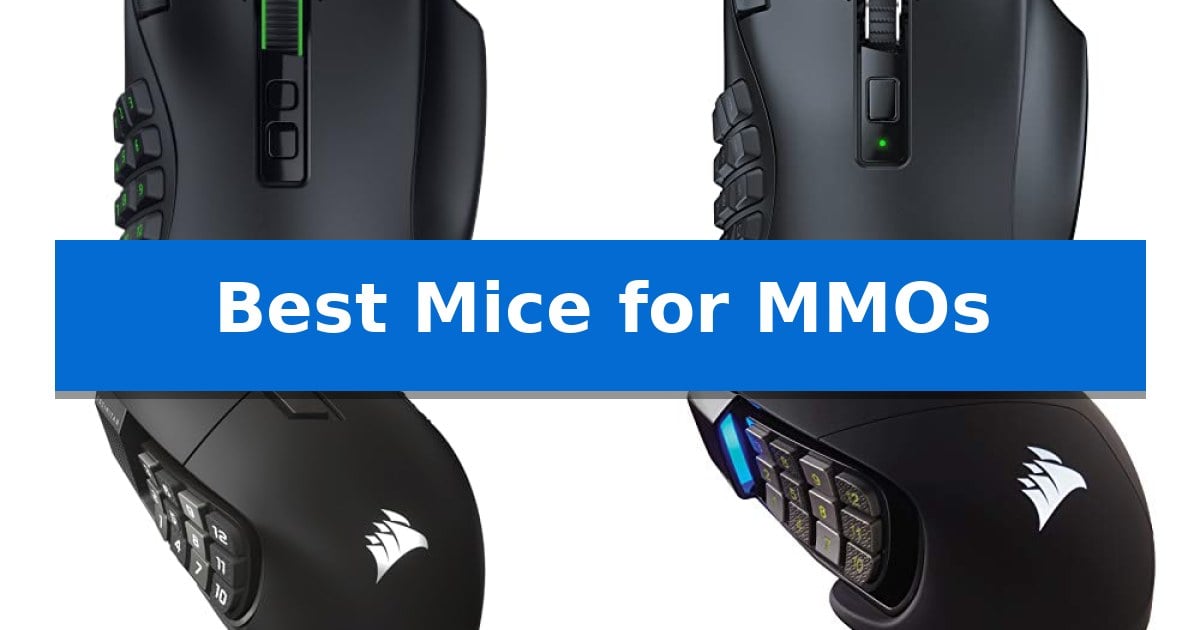
Navigating complex ability rotations and inventory management in massive multiplayer games requires more than just standard clicking. The Best Mice for MMOs are engineered to provide a high volume of programmable inputs, allowing you to map essential spells, macros, and items directly to your thumb for faster reaction times.
Selecting the right hardware depends on how you balance button density with comfort and connectivity. Whether you prioritize a wireless setup with long battery life or a wired mouse with a physical button slider, finding the right fit ensures your hand remains comfortable during long gaming sessions.
You may also want to compare Best Mice for MMO FFXIV, Best Mice for macOS, and Best Mice for MacBook Air M2.
Best Mice for MMOs
Quick Comparison
| Product | Best For | Key Strength | Score |
|---|---|---|---|
| Razer Naga V3 Pro Gaming Mouse | Best Overall | Swappable magnetic side plates for versatile button configurations. | 4.9 |
| Razer Naga V2 HyperSpeed Gaming Mouse | Extended Wireless Battery Life | 19 programmable buttons for advanced macro and command mapping. | 4.8 |
| Corsair Scimitar Elite Wireless Gaming Mouse | Integrated Stream Deck Controls | 16 programmable buttons for extensive macro and ability mapping. | 4.5 |
| Corsair Scimitar RGB Elite Gaming Mouse | Adjustable Side Button Slider | 17 fully programmable buttons for complex macro management. | 4.5 |
| Redragon M908 Wired Gaming Mouse | Budget-Friendly Macro Customization | 12 dedicated side buttons for efficient macro and ability management. | 4.4 |
How We Chose
- Programmable button count and layout accessibility.
- Sensor precision and DPI adjustability for consistent tracking.
- Connectivity options including low-latency wireless and wired modes.
- Ergonomic features such as swappable plates or adjustable button sliders.
- Battery performance and charging convenience for wireless models.
1 Razer Naga V3 Pro Gaming Mouse — Versatile Swappable Side Plates
The Razer Naga V3 Pro Wireless MMO Gaming Mouse provides a highly adaptable control interface through its three swappable magnetic side plates, allowing users to switch between 12, 6, or 2-button layouts to suit specific game genres. This modular design, complemented by a lockable ring finger button and two quick-access edge buttons, offers a total of 23 programmable inputs for complex macro management.
Performance is driven by the Razer Focus Pro 50K Optical Sensor Gen-3, which supports up to 50,000 DPI and 930 IPS for precise tracking. The integration of Razer Optical Mouse Switches Gen-4 ensures consistent actuation with 12% lighter force and a durability rating of 100 million clicks, maintaining responsiveness during extended play sessions.
Navigation and productivity are enhanced by the Razer HyperScroll Tilt Wheel Gen-2, which features dual tactile modes, free-spin scrolling, and Smart-Reel auto-switching. These mechanical adjustments allow for rapid inventory management or precise document scrolling, depending on the current task requirements.
Connectivity options include Razer HyperSpeed Wireless for low-latency gaming, Bluetooth for extended battery life, and a USB-C wired mode for simultaneous charging. The device supports up to 155 hours of use via HyperSpeed or up to 280 hours on Bluetooth, with additional compatibility for wireless charging systems like the Mouse Dock Pro.
Best for: MMO and MOBA players who require a high number of programmable buttons and the flexibility to switch between different button layouts for various game genres.
Skip if: Users who prefer a lightweight, minimalist mouse design or those who do not require extensive macro-management capabilities will likely find the modular side plates and higher button count unnecessary.
PROS
- Swappable magnetic side plates for versatile button configurations.
- High-precision 50K DPI optical sensor with advanced tracking capabilities.
- Long battery life reaching up to 280 hours on Bluetooth.
- Razer Optical Mouse Switches Gen-4 for improved durability and tactile feedback.
CONS
- Complex customization requires Razer Synapse software for full functionality on Windows.
- Heavier footprint due to the modular design and internal battery compared to standard gaming mice.
2 Razer Naga V2 HyperSpeed Gaming Mouse — Extended Wireless Battery Life
Managing complex ability rotations in MMO titles requires hardware that keeps your most critical commands within immediate reach. The Razer Naga V2 HyperSpeed Wireless MMO Gaming Mouse addresses this with a dedicated array of 19 programmable buttons, allowing for extensive macro mapping and hotkey management directly at your thumb.
This mouse prioritizes versatility through its Razer HyperScroll Technology, which lets you toggle between free-spin mode for rapid scrolling and tactile mode for precise, step-by-step feedback. The inclusion of Razer HyperSpeed Wireless (2.4 GHz) technology provides a low-latency connection, while the secondary Bluetooth mode offers an alternative for extended usage scenarios.
At the core of its performance is the Focus Pro 30K Optical Sensor, engineered to maintain tracking accuracy across diverse surfaces, including glass. Durability is addressed through Mechanical Mouse Switches Gen-2, which utilize gold-plated contact points to support a lifespan of up to 60 million clicks, reducing the likelihood of degradation over time.
Power management is a significant design focus, with the device offering up to 400 hours of battery life on Bluetooth or 250 hours via the low-latency HyperSpeed connection. This extended capacity ensures that the mouse remains functional through long gaming sessions without frequent power interruptions.
Best for: Players who require extensive macro mapping and long battery life for complex MMO ability rotations.
Skip if: Users who prefer an ultra-lightweight mouse or those who do not require a high number of side-mounted programmable buttons.
PROS
- 19 programmable buttons for advanced macro and command mapping.
- Extended battery life reaching up to 400 hours on Bluetooth.
- HyperScroll Technology for customizable tactile or free-spin scrolling.
- Focus Pro 30K Optical Sensor for high-precision tracking on multiple surfaces.
CONS
- Heavier build compared to standard FPS-focused gaming mice.
- Complex button layout may require a learning curve for new users.
3 Corsair Scimitar Elite Wireless Gaming Mouse — Integrated Stream Deck Controls
Managing complex ability rotations in MMO titles requires hardware that keeps your most critical commands within immediate reach. The Corsair Scimitar Elite Wireless Gaming Mouse addresses this through its signature 16 programmable buttons, which allow players to map consumables, spells, and macros directly to the side panel for rapid execution.
At the heart of the device is the MARKSMAN S 33k DPI optical sensor, providing high-precision tracking for both intense combat and map navigation. The mouse utilizes SLIPSTREAM WIRELESS technology to maintain a stable, low-latency connection at a 1,000Hz polling rate, ensuring that inputs are registered without the constraints of a physical cable.
A standout feature for power users is the native Elgato Stream Deck integration. By mapping functions directly through the Stream Deck App, users can transform the mouse into a dedicated control surface for streaming, productivity, or complex game profiles. This functionality is further extended by the Elgato Virtual Stream Deck, which adds layers of utility to the existing button layout.
Designed for long sessions, the mouse supports up to 150 hours of battery life and includes fast-charging capabilities. The adjustable key slider allows users to physically reposition the side buttons to match their specific grip style, ensuring that all 16 inputs remain accessible without straining the thumb.
Best for: MMO players who require extensive macro mapping and want to integrate Elgato Stream Deck controls into their hardware.
Skip if: Users who prefer a lightweight, minimalist mouse or those who do not utilize programmable side buttons for their playstyle.
PROS
- 16 programmable buttons for extensive macro and ability mapping.
- Native Elgato Stream Deck integration for advanced control profiles.
- Adjustable key slider to customize side button positioning for ergonomics.
- High-precision 33k DPI optical sensor for accurate tracking.
CONS
- Increased weight and complexity due to the high button count and internal battery.
4 Corsair Scimitar RGB Elite Gaming Mouse — Adjustable Side Button Slider
The Corsair Scimitar RGB Elite Gaming Mouse is built specifically for players who require extensive input options, featuring 17 fully programmable buttons that allow for the execution of complex macros and frequent actions. Its standout design element is the patented Key Slider control system, which lets you physically reposition the 12-button side panel to align with your thumb's natural resting position, ensuring comfort regardless of your specific grip style.
Engineered for precision, the mouse utilizes a native 18,000 DPI optical sensor based on the PixArt PMW3391, which supports adjustments in 1 DPI resolution steps for granular tracking control. The chassis is designed with a comfortable contoured shape and includes a dedicated right-side finger rest to provide additional support during extended gaming sessions.
Durability is a core focus of the construction, incorporating 50 million click-rated Omron switches and a sturdy scroll wheel. The device is connected via a braided cable for added resilience against wear and tear. It maintains broad compatibility across PC, Mac, PS5, PS4, and Xbox platforms, while offering deep customization through iCUE software.
This mouse is a specialized tool for users who prioritize button density and ergonomic customization over weight reduction or wireless freedom. Its focus on a high-button count and adjustable side panel makes it a functional choice for managing complex ability bars in MMO and MOBA titles.
Best for: Players who need high-density button layouts and require physical adjustment of side buttons to match their specific grip.
Skip if: Users who prefer an ultra-lightweight mouse or require wireless connectivity for their gaming setup.
PROS
- 17 fully programmable buttons for complex macro management.
- Patented Key Slider system allows for precise thumb-button positioning.
- 18,000 DPI optical sensor provides high-resolution tracking accuracy.
- Durable Omron switches rated for 50 million clicks.
CONS
- Wired-only connection limits desk cable management options.
- Higher button count increases the physical footprint and weight of the device.
5 Redragon M908 Wired Gaming Mouse — Budget-Friendly Macro Customization
Managing complex ability rotations in MMOs requires hardware that keeps your most critical commands within immediate reach. The Redragon M908 Wired Gaming Mouse addresses this need by integrating 12 dedicated side buttons, specifically engineered for rapid macro execution and complex keybinding setups.
Beyond its button density, the device is built around the Pixart PAW3327 sensor, which supports an adjustable DPI range up to 12,400. Users can toggle between five distinct DPI levels, allowing for sensitivity shifts that accommodate both precise targeting and rapid camera movement. The inclusion of a 1000 Hz polling rate and 30G acceleration provides a consistent input stream for high-intensity gameplay.
Customization extends to the physical weight of the mouse, which includes an 8-piece weight tuning set (2.4g each) to adjust the chassis feel to personal preference. The ergonomic design is complemented by durable TEFLON feet pads that facilitate smooth movement across various surfaces, while the 6ft braided-fiber cable and gold-plated USB connector prioritize long-term connection stability.
Software integration allows for the configuration of 18 total programmable buttons across five distinct memory profiles, each identifiable by specific RGB lighting colors. This functionality ensures that players can switch between different character setups or game profiles without manually remapping keys for every session.
Best for: Players who require extensive macro support and physical weight customization for complex MMO ability bars.
Skip if: Users who prefer a lightweight, minimalist mouse or those who primarily play titles that do not require high-density button layouts.
PROS
- 12 dedicated side buttons for efficient macro and ability management.
- Adjustable weight system with eight 2.4g weights for personalized handling.
- High-precision Pixart PAW3327 sensor with a wide 12,400 DPI range.
- Five onboard memory profiles with customizable RGB color identification.
CONS
- Wired-only connection may limit cable management options for some desk setups.
- Software-dependent configuration required for full remapping and DPI adjustments.
Best Mice for MMOs Buying Guide
Understanding Programmable Inputs
The primary advantage of an MMO-focused mouse is the high number of programmable buttons. These allow you to move complex keybinds from your keyboard to your thumb, reducing finger fatigue and increasing the speed at which you can execute abilities.
When choosing a layout, consider the physical placement of these buttons. Some designs use a grid, while others offer ergonomic curves. Ensure the layout matches your grip style to avoid accidental clicks during intense encounters.
Wired vs. Wireless Connectivity
Modern wireless technology has largely eliminated the latency concerns that once plagued gaming peripherals. High-end wireless models now offer performance parity with wired counterparts, providing the freedom of movement without the drag of a cable.
Wired mice remain a reliable choice for those who prefer to avoid battery management entirely. They are typically lighter and often come at a lower price point, making them a practical choice for budget-conscious gamers.
Sensor Precision and Tracking
A high-quality optical sensor is essential for accurate cursor placement, especially when navigating dense UI elements or performing precise movements in competitive environments. Look for sensors that offer adjustable DPI settings to match your personal sensitivity preferences.
Advanced sensors often include features like frame sync and high IPS tracking, which ensure that your movements are translated accurately regardless of the surface or speed of your flick.
Ergonomics and Customization
MMO gaming sessions can last for hours, making ergonomic design a critical factor. Features like adjustable side button sliders or swappable side plates allow you to tailor the mouse shape and button position to your specific hand size and grip style.
A well-contoured body with a dedicated finger rest can significantly reduce strain on your wrist and hand, allowing for more comfortable play over extended periods.
Software and Macro Support
The software suite accompanying your mouse is what unlocks its full potential. Robust macro support allows you to chain multiple actions into a single button press, which is invaluable for complex ability rotations.
Check for compatibility with your operating system. While most software is optimized for Windows, some features may be limited on macOS, so verify that the core functionality meets your needs before purchasing.
Frequently Asked Questions
How many buttons do I actually need for MMOs?
The number of buttons depends on your playstyle. While 12-button side grids are standard for MMOs, some players prefer fewer buttons if they rely heavily on keyboard modifiers.
Are wireless MMO mice reliable?
Yes, modern wireless gaming mice utilize low-latency protocols that provide performance equivalent to wired connections, making them perfectly suitable for competitive play.
Can I use these mice for other game genres?
Absolutely. Many MMO mice feature swappable side plates or programmable buttons that can be remapped for FPS, MOBA, or productivity tasks, making them highly versatile.
What is the benefit of an adjustable side button slider?
An adjustable slider allows you to physically move the side button cluster forward or backward, ensuring that every button is within easy reach regardless of your hand size.
Do I need to install software to use the programmable buttons?
While you can often use the mouse with default settings, installing the manufacturer's software is usually required to remap buttons, create complex macros, and save custom profiles to the mouse's onboard memory.
Conclusion: Our Top Pick
For gamers seeking the ultimate balance of customization and performance, the Razer Naga V3 Pro Gaming Mouse stands out as the most versatile option. Its ability to swap between 12, 6, or 2-button layouts makes it adaptable not just for MMOs, but for any genre you choose to play.
With its high-precision optical sensor, multi-mode connectivity, and long battery life, it provides a comprehensive solution for demanding users. While it represents a significant investment, the combination of hardware flexibility and software customization ensures it remains a reliable tool for years to come.