
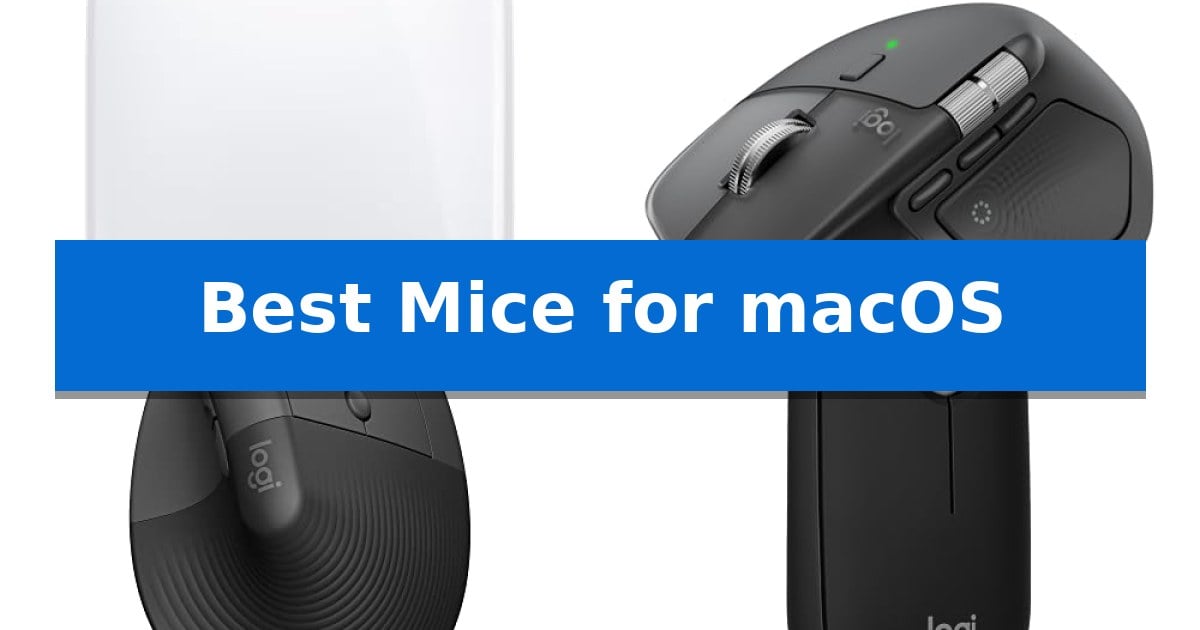
Finding the right peripheral for your Apple ecosystem can significantly impact your daily efficiency. Whether you are navigating complex creative projects or simply browsing the web, the Best Mice for macOS should offer seamless integration, reliable connectivity, and a shape that supports your natural hand posture.
Our selection focuses on devices that prioritize compatibility with macOS features, ensuring that your hardware works in harmony with your operating system. From advanced gesture-enabled surfaces to ergonomic designs tailored for long hours of desk work, we evaluate the essential factors that define a superior mouse experience for Mac users.
You may also want to compare Best Mice for MacBook Air M2, Best Mice for MacBook Air, and Best Mice for MacBook.
Best Mice for macOS
Quick Comparison
| Product | Best For | Key Strength | Score |
|---|---|---|---|
| Apple Magic Mouse | Best Overall | Multi-Touch surface enables native macOS gesture control. | 4.9 |
| Logitech MX Master 4 Mouse | Advanced Performance for Power Users | Haptic Sense Panel for tactile feedback on shortcuts and notifications. | 4.8 |
| Logitech Lift Vertical Mouse | Ergonomic Posture for Daily Comfort | 57-degree vertical angle promotes a more natural forearm posture. | 4.6 |
| Logitech Pebble 2 Mouse | Slim Portable Design for Travel | Silent Touch Technology reduces click noise by 90%. | 4.5 |
| Logitech M240 Silent Mouse | Quiet Clicks for Focused Work | Bluetooth connectivity eliminates the need for USB dongles. | 4.3 |
How We Chose
- Connectivity reliability via Bluetooth or dedicated wireless receivers.
- Compatibility with macOS gesture controls and system-level shortcuts.
- Ergonomic design and physical dimensions for various hand sizes.
- Battery longevity and ease of charging.
- Build materials and overall durability for long-term use.
1 Apple Magic Mouse — Seamless macOS Gesture Integration
Navigating the macOS ecosystem requires hardware that integrates seamlessly with Apple's specific interface, and the Apple Magic Mouse is designed precisely for this purpose. Its defining characteristic is the Multi-Touch surface, which allows for intuitive gestures like swiping between web pages or scrolling through documents, mirroring the fluid navigation found on trackpads.
Beyond its touch-sensitive top, the mouse features an optimised foot design that facilitates smooth movement across various desk surfaces. It arrives ready to use straight out of the box and pairs automatically with your Mac, ensuring a straightforward setup process. The device includes a woven USB-C Charge Cable, allowing users to pair and charge by connecting directly to a USB-C port on their Mac.
Power management is handled by an internal rechargeable battery that provides approximately a month or more of usage between charges. This wireless functionality eliminates the need for disposable batteries, contributing to a cleaner workspace. With its low-profile design, the mouse maintains a compact footprint while offering the essential controls required for daily productivity tasks on macOS.
The Apple Magic Mouse is a specialized tool for users who value native gesture integration over traditional ergonomics. While the lack of physical side buttons may limit complex macro-heavy workflows, the seamless pairing and gesture-based navigation provide a cohesive experience for standard macOS navigation and productivity.
Best for: Users who prioritize native macOS gesture support and a low-profile, rechargeable design that integrates seamlessly with Apple hardware.
Skip if: Users who prefer a high-profile, ergonomic shape or require additional programmable side buttons for complex workflows.
PROS
- Multi-Touch surface enables native macOS gesture control.
- Automatic pairing ensures immediate connectivity with Mac devices.
- Rechargeable battery provides long-lasting power for up to a month.
- Optimised foot design allows for smooth gliding across surfaces.
CONS
- Low-profile shape may not suit users seeking traditional ergonomic support.
- Lack of physical side buttons limits customization for advanced power users.
2 Logitech MX Master 4 Mouse — Advanced Performance for Power Users
Precision meets productivity with the Logitech MX Master 4 Mouse, a device engineered to refine complex workflows through tactile feedback and advanced navigation. By integrating a Haptic Sense Panel, this mouse provides customizable physical responses to specific actions, shortcuts, and notifications, allowing for a more intuitive interaction with your software environment.
The Logitech MX Master 4 Mouse features the MagSpeed scroll wheel, capable of scrolling 1,000 lines per second while maintaining pixel-level precision. This mechanism is designed to be both fast and quiet, minimizing distractions during intensive tasks. Complementing this is the Actions Ring, a dynamic, customizable overlay that adapts to your active application, placing essential filters and adjustments directly at your cursor.
Ergonomics remain a priority, as the Logitech MX Master 4 Mouse incorporates a natural tilt and a dedicated thumb scroll wheel to reduce hand stress during extended use. The Quiet Clicks technology further enhances the user experience by reducing click noise by 90%, making it suitable for focused, professional settings. Connectivity is handled via a high-performance USB-C dongle or Bluetooth, ensuring reliable performance across your devices.
Built with sustainability in mind, the Logitech MX Master 4 Mouse utilizes recycled plastics in its construction—54% in the Graphite model—and features 100% recycled cobalt in the battery. With its improved stain resistance and robust build, this mouse is designed for long-term reliability in demanding professional environments.
Best for: Power users and creative professionals seeking high-precision navigation, haptic feedback, and ergonomic support for complex software workflows on macOS.
Skip if: Users who prefer a lightweight, ambidextrous design or those who do not require advanced customization and haptic features will find this mouse overly complex and heavy.
PROS
- Haptic Sense Panel for tactile feedback on shortcuts and notifications.
- MagSpeed scroll wheel allows for ultra-fast and precise navigation.
- Actions Ring provides a customizable, app-specific tool overlay.
- Quiet Clicks technology reduces operational noise by 90%.
CONS
- Heavier ergonomic design may not suit users preferring ultra-lightweight mice.
- Advanced features require software customization to reach full potential.
3 Logitech Lift Vertical Mouse — Ergonomic Posture for Daily Comfort
Maintaining a natural forearm posture during extended desk sessions is the primary focus of the Logitech Lift Vertical Ergonomic Wireless Mouse. By utilizing a 57-degree vertical shape, this device is specifically engineered to reduce wrist strain for users with small to medium-sized hands, providing a more neutral, handshake-like position compared to traditional flat mice.
The mouse integrates a SmartWheel for precise scrolling and features four customizable buttons that allow users to tailor their workflow to specific macOS applications. Designed for a quiet environment, it includes whisper-quiet clicks to minimize distractions during focused tasks, making it a suitable addition to shared workspaces or quiet home offices.
Connectivity is handled via Bluetooth Low Energy or the included Logi Bolt USB-A receiver, ensuring broad compatibility with macOS, Windows, iPadOS, Chrome OS, and Linux. The device is built with sustainability in mind, incorporating certified post-consumer recycled plastic—up to 70% in the Graphite model—and is ergo-certified by leading experts to ensure long-term comfort.
With a focus on reliability, the unit supports up to two years of battery life, reducing the frequency of maintenance. This makes it a practical choice for those seeking a balance between ergonomic comfort and wireless convenience for their daily computing tasks.
Best for: Users with small to medium hands seeking a vertical ergonomic design to improve forearm posture during daily computer work.
Skip if: Users with large hands or those who prefer a traditional low-profile mouse design will likely find the vertical orientation uncomfortable or ill-fitting.
PROS
- 57-degree vertical angle promotes a more natural forearm posture.
- Whisper-quiet clicks reduce noise in shared or quiet workspaces.
- Dual connectivity options via Bluetooth or Logi Bolt receiver.
- Customizable buttons allow for personalized workflow adjustments.
CONS
- Size limitation specifically tailored for small to medium hands.
- Vertical form factor requires an adjustment period for users accustomed to standard mice.
4 Logitech Pebble 2 Mouse — Slim Portable Design for Travel
The Logitech M350s Pebble 2 Bluetooth Wireless Mouse is a compact, minimalist peripheral designed for users who prioritize portability and a clutter-free workspace. Its slim, round profile is constructed using a minimum of 58% certified post-consumer recycled plastic, making it a conscious choice for those seeking a lightweight input device that fits easily into a bag.
Equipped with Silent Touch Technology, this mouse is engineered to reduce click noise by 90%, allowing for quiet operation in shared environments. Connectivity is handled via Bluetooth, enabling seamless pairing with up to three devices across macOS, Windows, iPadOS, ChromeOS, and Android. Users can toggle between these connected devices instantly using the dedicated Easy-Switch button located on the underside.
Functionality can be expanded through the Logi Options+ app, which allows for the customization of the middle button. Users can assign specific shortcuts to this button to streamline workflows in applications like Spotify or WhatsApp. The device is powered by a battery that provides up to 2 years of life, supported by an integrated auto-sleep power-saving mode to maximize longevity.
This mouse is a practical solution for those who frequently switch between multiple computing devices and require a low-profile, quiet tool. While it lacks a dedicated USB receiver (Logitech Bolt not included), its instant Bluetooth integration ensures a clean, cable-free setup for modern laptops and tablets.
Best for: Users who need a slim, quiet, and portable mouse to switch between multiple devices via Bluetooth.
Skip if: Users who require a high-performance gaming sensor, a dedicated USB receiver, or a larger, ergonomic shape for long-duration desktop use.
PROS
- Silent Touch Technology reduces click noise by 90%.
- Easy-Switch button allows seamless toggling between 3 wireless devices.
- Slim, lightweight design is highly portable for travel.
- Customizable middle button via Logi Options+ app for app-specific shortcuts.
- Long battery life of up to 2 years with auto-sleep mode.
CONS
- Logitech Bolt receiver is not included in the package.
- Minimalist, slim shape may not provide ergonomic support for extended daily use.
5 Logitech M240 Silent Mouse — Quiet Clicks for Focused Work
The Logitech M240 Compact Silent Bluetooth Wireless Mouse simplifies your workspace by eliminating the need for a USB receiver, relying instead on a direct Bluetooth wireless connection that pairs instantly with your Mac. This compact peripheral is designed for portability, featuring an ambidextrous shape that fits comfortably in either hand while remaining small enough to stow in any travel bag.
Focus is a priority with this device, which incorporates silent click technology to reduce noise by 90% compared to standard mice, maintaining a quiet environment for you and those nearby. Despite its small footprint, it provides reliable performance with a long-range wireless signal that functions up to 10 meters away from your computer.
Efficiency is built into the hardware, offering an 18-month battery life supported by an energy-efficient auto sleep feature that activates when the mouse is not in use. The construction also reflects a commitment to sustainability, as the plastic components include a significant percentage of certified post-consumer recycled plastic.
Compatibility is seamless across major operating systems, including macOS, iPadOS, and Windows, making it a versatile choice for users who switch between multiple devices. With its simple, three-button layout, the Logitech M240 Compact Silent Bluetooth Wireless Mouse provides a straightforward, clutter-free input solution for daily productivity.
Best for: Users seeking a quiet, portable, and dongle-free mouse for macOS and multi-device setups.
Skip if: Users who require programmable side buttons, high-precision DPI adjustments, or a larger ergonomic form factor for extended professional use.
PROS
- Bluetooth connectivity eliminates the need for USB dongles.
- Silent click technology reduces noise by 90%.
- 18-month battery life with energy-efficient auto sleep.
- Ambidextrous, travel-friendly design.
CONS
- Three non-customizable buttons limit advanced productivity workflows.
- Compact size may be less comfortable for users with larger hands.
Best Mice for macOS Buying Guide
Connectivity and Compatibility
The most critical factor for any peripheral is how it communicates with your computer. For Mac users, Bluetooth connectivity is often the preferred standard, as it eliminates the need for bulky USB dongles and frees up your limited ports. Ensure the device supports stable, low-latency connections to prevent input lag during critical tasks.
Some mice also include proprietary receivers, such as the Logi Bolt, which can offer a more stable connection in environments with heavy wireless interference. Always verify that the mouse supports macOS natively or through dedicated software to ensure all buttons and features function as intended.
Ergonomics and Hand Health
Choosing a mouse that fits your hand size and grip style is essential for preventing strain. Vertical mice are designed to promote a more natural forearm posture by reducing wrist twisting, which can be a game-changer for users who spend eight or more hours at a desk.
Consider the physical dimensions and weight of the mouse. A heavier, larger mouse might provide more stability for precision work, while a slim, lightweight design is often better suited for travel and portability. Look for textured grips and thoughtful button placement to maximize comfort.
Gesture Integration and Productivity
macOS relies heavily on multi-touch gestures for navigation, such as swiping between spaces or accessing Mission Control. A mouse that incorporates a multi-touch surface or customizable buttons can replicate these actions, allowing you to maintain your workflow without constantly reaching for a trackpad.
Advanced power users should look for models that offer customizable buttons and software-based overlays. These features allow you to map specific shortcuts to your most-used applications, effectively turning your mouse into a dedicated productivity tool.
Battery Life and Charging
Nobody wants to deal with a dead mouse in the middle of a project. Modern wireless mice offer impressive battery life, often lasting months on a single charge. Look for models with auto-sleep power-saving modes to extend the time between charging cycles.
Charging methods also vary, with many newer devices moving toward USB-C charging. This is particularly convenient for Mac users, as it allows you to use the same cables you already have for your MacBook, reducing cable clutter on your desk.
Build Quality and Sustainability
A reliable mouse should be built to last. Look for high-quality materials, such as recycled plastics or durable coatings that resist staining and wear. The quality of the scroll wheel and the tactile feel of the clicks are also indicators of a well-engineered device.
Quiet-click technology is another feature worth considering if you work in a shared office or a quiet home environment. Reducing click noise by up to 90% can help you maintain focus and minimize distractions for those around you.
Frequently Asked Questions
Do I need special software to use these mice with macOS?
While most mice will work as basic pointing devices immediately via Bluetooth, using manufacturer-specific software like Logi Options+ can unlock advanced features, button customization, and gesture support.
Are vertical mice better for everyone?
Vertical mice are specifically designed to reduce wrist strain by promoting a neutral forearm position. While they are excellent for many, some users may prefer a traditional low-profile design depending on their specific hand comfort and desk setup.
Can I connect these mice to multiple devices?
Many modern wireless mice feature 'Easy-Switch' technology, allowing you to pair with up to three devices simultaneously and toggle between them with a single button press.
How do I know if a mouse is compatible with my Mac's ports?
Most of the mice listed here use Bluetooth, which requires no physical ports. If a mouse includes a USB receiver, ensure your Mac has a compatible port or that you have the necessary USB-C adapter.
What is the benefit of a multi-touch surface?
A multi-touch surface allows you to perform gestures like scrolling, swiping, and zooming directly on the mouse, mimicking the functionality of an Apple trackpad.
Conclusion: Our Top Pick
Selecting the right mouse depends heavily on your specific workflow, whether you prioritize ergonomic support, portability, or advanced gesture controls. For those deeply integrated into the Apple ecosystem, the Apple Magic Mouse stands out for its seamless gesture integration and sleek, rechargeable design that pairs instantly with your Mac.
While the Magic Mouse offers a unique, intuitive experience for macOS users, those requiring specialized ergonomic support or heavy-duty productivity features may find more value in the Logitech MX series. Regardless of your choice, ensuring your device supports your preferred connectivity and comfort needs will make your daily interaction with macOS significantly more efficient.