
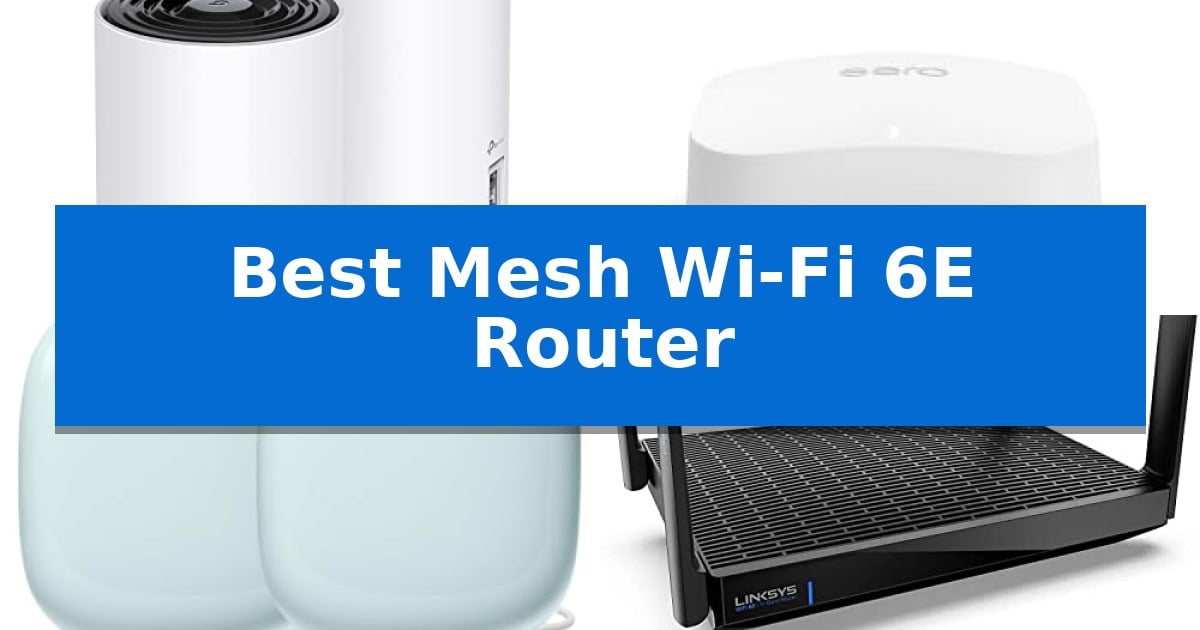
Struggling with inconsistent internet speeds or persistent dead zones in your home can be incredibly frustrating, especially when multiple devices are competing for bandwidth. Upgrading to a Best Mesh Wi-Fi 6E Router system provides a robust solution, leveraging the expanded 6GHz spectrum to reduce interference and deliver more stable, high-speed connectivity across larger living spaces.
Whether you are managing a high-traffic smart home, streaming 4K content, or handling professional workloads, choosing the right mesh network is essential for performance. We have analyzed current market options to help you identify which system aligns with your specific household layout, device count, and connectivity requirements.
You may also want to compare Best Mesh Wi-Fi 6 Systems, Best Mesh Wi-Fi 5 Systems, and Best Mesh Routers with Ethernet Ports.
Best Mesh Wi-Fi 6E Router
Quick Comparison
| Product | Best For | Key Strength | Score |
|---|---|---|---|
| TP-Link Deco XE75 Mesh Router | Best Overall | Tri-band connectivity with a dedicated 6 GHz backhaul for improved stability. | 4.9 |
| Amazon eero Pro 6E Mesh Router | Easiest to Maintain | Supports Wi-Fi 6E and the 6 GHz band for lower latency. | 4.6 |
| Google Nest WiFi Pro Mesh Router | Smart Home Integration | Utilizes the 6 GHz band via Wi-Fi 6E for reduced interference. | 4.9 |
| Linksys Hydra Pro 6E Mesh Router | High-Speed Multi-Gigabit Performance | Dedicated 6 GHz band for reduced interference. | 4.4 |
How We Chose
- Coverage Area: Assessing the square footage capacity to ensure consistent signal strength throughout the home.
- Tri-Band Performance: Evaluating the utilization of the 6GHz band for reduced latency and improved backhaul stability.
- Device Capacity: Determining the system's ability to maintain stable connections for a high volume of concurrent users.
- Setup and Management: Reviewing the accessibility of mobile applications for network configuration and parental controls.
- Security Features: Examining built-in protection protocols and firmware maintenance commitments.
1 TP-Link Deco XE75 Mesh Router — Best for Large Households
Managing high-bandwidth traffic across a large home requires a robust foundation, and the TP-Link Deco XE75 Mesh Router addresses this by leveraging the 6 GHz band to eliminate interference from legacy devices. This tri-band system is engineered to provide seamless coverage for up to 5,500 square feet, ensuring that dead zones and buffering are minimized through its AI-Driven Mesh technology that adapts to your specific network environment.
The system delivers a total speed of up to 5,400 Mbps across three bands, supporting up to 200 devices simultaneously. By utilizing the 6 GHz band as a dedicated backhaul, the nodes maintain stable connections between each other, which is essential for maintaining performance during heavy gaming or streaming sessions. The inclusion of HE160 support on both the 6 GHz and 5 GHz bands further enhances network efficiency and capacity.
Security is integrated at the core of the device, as TP-Link is a signatory of the CISA Secure-by-Design pledge. Users can manage their network through the Deco app, which provides clear visual guidance for setup and includes TP-Link HomeShield for ongoing protection. This suite offers network security scans, basic parental controls, and IoT device identification to help keep connected hardware safe.
Designed for versatility, the TP-Link Deco XE75 Mesh Router is compatible with all major internet service providers. While it requires a separate modem for most setups, its straightforward management features and voice command compatibility with Alexa make it a practical choice for modern households looking to upgrade to Wi-Fi 6E capabilities.
Best for: Large households requiring extensive coverage and high-capacity bandwidth for numerous simultaneous devices.
Skip if: Users who do not own Wi-Fi 6E compatible devices or those who lack a high-speed internet plan that would benefit from the 6 GHz frequency band.
PROS
- Tri-band connectivity with a dedicated 6 GHz backhaul for improved stability.
- Extensive coverage of up to 5,500 square feet with a 2-pack system.
- AI-Driven Mesh that automatically optimizes the network based on user behavior.
- Advanced security features included via TP-Link HomeShield.
CONS
- Requires a separate modem to function with most internet service providers.
- 6 GHz band benefits are limited to Wi-Fi 6E compatible client devices.
2 Amazon eero Pro 6E Mesh Router — Easiest to Maintain
The Amazon eero Pro 6E Mesh Router integrates the 6 GHz band to provide direct access to Wi-Fi 6E, specifically designed to reduce latency for compatible devices. This unit serves as a versatile foundation for a home network, functioning either as a standalone gateway to replace an existing router or as an expansion node to broaden coverage within an established eero system.
Equipped with a 2.5 Gb Ethernet port, the device supports gigabit+ internet plans, enabling wired speeds up to a gigabit and wireless speeds reaching 1.6 Gbps. It is engineered to handle high-bandwidth demands, with a rated coverage area of up to 2,000 sq. ft. and the capacity to manage over 100 connected devices simultaneously.
Reliability is managed through the company's patented TrueMesh technology, which performs intelligent traffic routing to minimize dead spots and signal drop-offs. The system is maintained via the eero app, which provides guided setup and remote network management capabilities.
The hardware features a compact design, measuring approximately 5.47 by 5.47 by 2.21 inches. While the router receives automatic security updates, users should note that advanced network management tools and specific online security features are gated behind a separate subscription service.
Best for: Users seeking an easy-to-maintain, expandable mesh network that supports Wi-Fi 6E and gigabit+ internet speeds.
Skip if: Users who require advanced, subscription-free granular network control or those with a home layout that does not benefit from mesh-specific traffic routing.
PROS
- Supports Wi-Fi 6E and the 6 GHz band for lower latency.
- Includes a 2.5 Gb Ethernet port for gigabit+ internet plans.
- Patented TrueMesh technology for intelligent traffic routing.
- Backward-compatible with previous-generation eero devices.
CONS
- Advanced network management features require a separate subscription.
- Limited to a single 2.5 Gb Ethernet port for high-speed wired input.
3 Google Nest WiFi Pro Mesh Router — Smart Home Integration
Managing a modern smart home requires a network that can handle high-bandwidth traffic without bottlenecks. The Google Nest WiFi Pro Mesh Router utilizes the latest Wi-Fi 6E technology, providing access to the 6 GHz band to deliver faster, more reliable connections across your living space. By offloading traffic to this dedicated spectrum, it ensures that high-priority tasks like video calls remain stable even when multiple devices are active.
Designed for seamless integration, this system features automatic network adjustment that prioritizes traffic based on activity. The Google Nest WiFi Pro Mesh Router actively monitors its own health, diagnosing and resolving common connectivity issues without manual intervention. This self-healing capability is paired with secure booting and consistent software updates, which help protect your home network from unauthorized access and potential vulnerabilities.
The system is highly scalable, allowing you to customize your coverage by adding units to create a unified mesh environment. A single router covers up to 4400 square feet, and the setup process provides tools to manage your network directly, such as pausing access for unknown devices or creating a dedicated guest network. Note that because it utilizes Wi-Fi 6E, it is not backward compatible with previous generations of Google Wifi or Nest Wifi hardware.
With its compact dimensions of 3.35 inches in height and 5.16 inches in length, the hardware is unobtrusive in any room. It balances advanced networking standards with user-friendly management, making it a practical choice for households looking to upgrade to the latest wireless protocols while maintaining a clean, managed smart home ecosystem.
Best for: Users seeking a streamlined, self-managing mesh network that supports the latest Wi-Fi 6E standard for high-speed smart home connectivity.
Skip if: Users who already own older Google Wifi or Nest Wifi systems and want to expand their existing network, as this model is not backward compatible.
PROS
- Utilizes the 6 GHz band via Wi-Fi 6E for reduced interference.
- Features automatic network optimization to prioritize video calls and high-traffic applications.
- Includes self-monitoring and diagnostic tools to resolve common connectivity issues.
- Provides secure booting and automated software updates for enhanced network protection.
CONS
- Not compatible with previous generations of Google Wifi or Nest Wifi hardware.
- Requires a Wi-Fi 6E-capable device to fully utilize the benefits of the 6 GHz band.
4 Linksys Hydra Pro 6E Mesh Router — High-Speed Multi-Gigabit Performance
Modern home networks often struggle with signal congestion, but the Linksys Hydra Pro 6E Mesh Router addresses this by utilizing a dedicated 6 GHz band. This specific frequency allows for high-speed data streaming and stable connections, effectively reducing interference for bandwidth-heavy tasks like VR gaming and 4K video streaming.
Designed to cover up to 2,700 square feet, this router integrates Intelligent Mesh Technology to eliminate dead zones throughout a home. The system is equipped with five Ethernet ports for wired connectivity, providing flexibility for stationary devices that require a direct, stable link to the network.
Management of the network is handled via the free Linksys App, which facilitates a straightforward setup process and ongoing control from anywhere. With the capacity to connect 55+ devices simultaneously, it is built to support a high density of smart home hardware and personal electronics.
The Linksys Hydra Pro 6E Mesh Router offers a robust 3.5-year warranty, providing long-term support for its hardware. While it provides significant coverage, users should note that expanding the range further requires the addition of compatible nodes to maintain the mesh network's performance.
Best for: Households requiring high-capacity, low-latency connectivity for numerous devices across a large floor plan.
Skip if: Users living in smaller apartments or those who do not have devices compatible with the 6 GHz Wi-Fi 6E standard.
PROS
- Dedicated 6 GHz band for reduced interference.
- Supports 55+ devices simultaneously.
- Includes five Ethernet ports for wired connections.
- Intelligent Mesh Technology for wide-area coverage.
CONS
- Requires additional nodes to extend beyond the base 2,700 sq ft range.
- 6 GHz performance is limited to Wi-Fi 6E compatible client devices.
Best Mesh Wi-Fi 6E Router Buying Guide
Understanding Wi-Fi 6E Benefits
The primary advantage of Wi-Fi 6E is the introduction of the 6GHz frequency band. Unlike the crowded 2.4GHz and 5GHz bands used by legacy devices, the 6GHz spectrum is exclusive to Wi-Fi 6E hardware, significantly reducing signal congestion.
This dedicated band allows for higher data throughput and lower latency, making it ideal for bandwidth-intensive tasks like VR gaming and high-definition streaming. If you have a modern device ecosystem, this standard provides the clearest path to peak performance.
Evaluating Coverage Requirements
Mesh systems are designed to eliminate dead zones by using multiple nodes that communicate to form a single, unified network. When selecting your system, consider the total square footage of your home and the physical layout, such as the number of floors or thick walls.
Most manufacturers provide estimated coverage ranges, but real-world performance often depends on placement. Positioning nodes in open areas, rather than inside cabinets, ensures the backhaul connection between units remains strong and reliable.
Device Capacity and Traffic Management
Modern households often have dozens of connected devices, from smartphones and laptops to smart home sensors and cameras. A high-quality mesh router uses AI-driven traffic management to prioritize data flow, ensuring that critical tasks like video calls receive the necessary bandwidth.
Check the manufacturer's specifications regarding the maximum number of supported devices. Systems designed for larger households typically offer better QoS (Quality of Service) features to prevent individual devices from hogging the network.
Security and Network Maintenance
Network security is a critical consideration for any home installation. Look for systems that support WPA3 encryption, which provides enhanced protection against unauthorized access compared to older security standards.
Additionally, many modern routers include integrated security suites that offer features like network scanning, IoT device identification, and parental controls. Regular firmware updates are vital, so prioritize brands with a proven track record of long-term software support.
Wired Connectivity Options
While mesh systems are primarily wireless, the number and speed of Ethernet ports on each node remain important. These ports allow you to hardwire stationary devices like gaming consoles, desktop PCs, or smart TVs for the most stable connection possible.
Some advanced routers offer multi-gigabit Ethernet ports, which are necessary if you subscribe to internet plans exceeding 1 Gbps. Ensure your chosen system has enough ports to accommodate your most important wired hardware.
Frequently Asked Questions
Is Wi-Fi 6E compatible with my older devices?
Yes, Wi-Fi 6E routers are backward compatible with older Wi-Fi standards. However, your older devices will connect to the 2.4GHz or 5GHz bands and will not be able to access the 6GHz band.
Do I need a modem for these mesh systems?
Most mesh systems function as routers and require a separate modem provided by your internet service provider to establish the initial connection to the internet.
How many nodes do I need for my home?
The number of nodes depends on your home's size and construction. A 2-pack is often sufficient for mid-sized homes, while larger or multi-story homes may benefit from a 3-pack to ensure full coverage.
Can I mix different brands of mesh routers?
Generally, you cannot mix different brands of mesh routers. For the best performance and seamless roaming, it is recommended to use nodes from the same manufacturer and product line.
What is the benefit of a dedicated backhaul?
A dedicated backhaul uses one of the router's bands exclusively for communication between the mesh nodes. This prevents the nodes from competing with your devices for bandwidth, resulting in faster and more stable speeds.
Conclusion: Our Top Pick
Selecting the right mesh system depends on your specific home layout and the number of devices you need to support. For most users, the TP-Link Deco XE75 Mesh Router stands out as the most balanced option, offering robust 6GHz performance and comprehensive coverage for larger households.
While other models like the Amazon eero Pro 6E offer simpler maintenance and the Google Nest WiFi Pro provides excellent smart home integration, the TP-Link system's combination of speed, security features, and ease of setup makes it a highly versatile choice for modern connectivity needs.