
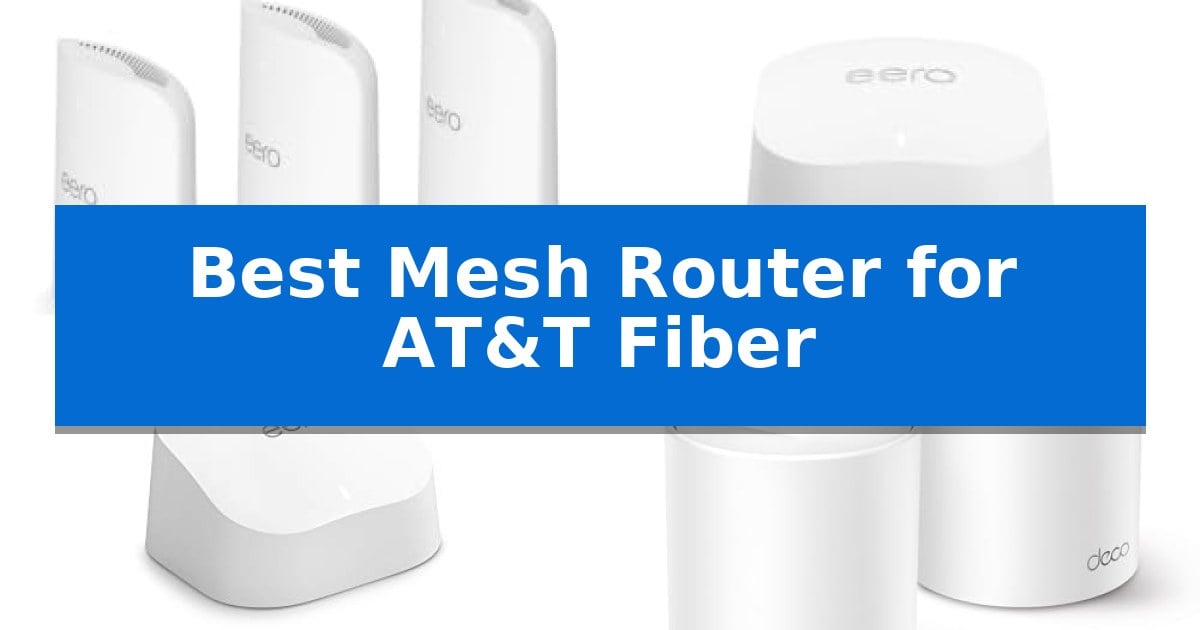
Finding the right networking hardware for high-speed internet can be a challenge, especially when you need to maintain consistent performance across a large home. If you are looking for the Best Mesh Router for AT&T Fiber, you need a system that handles high bandwidth without creating bottlenecks or dead zones.
Our guide evaluates current mesh systems based on their ability to support fiber-optic speeds, device capacity, and ease of management. Whether you are upgrading your home office or ensuring seamless streaming for the entire family, selecting the right equipment ensures you get the full value out of your fiber connection.
You may also want to compare Best Mesh Router for Apple Products, Best Mesh Router for Adding to Existing Router, and Best Mesh Router.
Best Mesh Router for AT&T Fiber
Quick Comparison
| Product | Best For | Key Strength | Score |
|---|---|---|---|
| Amazon eero Pro 7 Mesh Router | Best Overall | Supports internet plans up to 5 Gbps. | 4.9 |
| Amazon eero 6+ Mesh Router | Gigabit Performance on a Budget | Supports Gigabit internet speeds at an accessible price point. | 4.9 |
| Amazon eero 6 Mesh Router | Reliable Whole-Home Coverage | Wi-Fi 6 support for faster and more efficient device connectivity. | 4.8 |
| TP-Link Deco W4500 Mesh Router | Scalable Multi-Room Connectivity | Wi-Fi 6 technology provides faster speeds and lower latency. | 4.3 |
How We Chose
- Wi-Fi standard support and backward compatibility
- Maximum rated throughput and internet plan compatibility
- Total square footage coverage and device capacity
- Ease of setup and network management features
- Availability of wired backhaul and multi-gigabit port options
1 Amazon eero Pro 7 Mesh Router — Maximum Speed for Fiber Plans
Maximizing the potential of high-speed fiber internet requires hardware capable of handling multi-gigabit throughput without creating bottlenecks. The Amazon eero Pro 7 Mesh Router addresses this by supporting internet plans up to 5 Gbps, ensuring that your network infrastructure keeps pace with the demands of modern fiber connections.
Engineered for high-bandwidth environments, this system utilizes Wi-Fi 7 technology, including multi-link operation (MLO), to deliver faster speeds and increased reliability. The inclusion of two auto-sensing 5 GbE ports provides the necessary physical interface to maintain high-speed data transfer from your fiber modem to your wired devices, which is essential for users who require stable, high-speed connections for gaming or professional workstations.
Coverage is a primary strength, with the 3-pack system providing up to 6,000 sq. ft. of signal range. The TrueMesh software works continuously to manage traffic, utilizing TrueRoam and TrueChannel to maintain the most stable connection across your home, effectively eliminating dead spots by proactively keeping devices on the optimal signal path.
Integration is seamless, as the system remains backward compatible with all previous eero generations, allowing for an easy upgrade path. For those seeking enhanced network management, an optional eero Plus subscription offers tools like advanced security, parental controls, and integrated malware protection to secure your fiber-connected home.
Best for: Households with high-speed fiber plans up to 5 Gbps requiring extensive coverage and Wi-Fi 7 performance.
Skip if: Users who do not have multi-gigabit internet plans or those who prefer manual, granular control over advanced routing settings.
PROS
- Supports internet plans up to 5 Gbps.
- Includes two auto-sensing 5 GbE ports.
- Features Wi-Fi 7 with multi-link operation.
- Provides up to 6,000 sq. ft. of coverage.
CONS
- Advanced security and parental control features require an optional subscription.
2 Amazon eero 6+ Mesh Router — Gigabit Performance on a Budget
Managing high-speed internet connectivity requires hardware capable of handling modern bandwidth demands, and the Amazon eero 6+ mesh wifi router is designed to support internet plans up to a Gigabit without the premium price tag. This unit serves as a versatile foundation for your home network, replacing your existing router or integrating into an existing eero system to expand coverage.
The Amazon eero 6+ mesh wifi router leverages Wi-Fi 6 technology, specifically utilizing the 160 MHz radio channel to provide increased bandwidth for simultaneous activities like streaming, video chatting, and working. Its TrueMesh technology is a core feature, designed to intelligently route traffic to minimize dead spots and reduce connection drop-offs throughout your home.
Beyond its primary networking capabilities, this device functions as a built-in smart home hub. It supports Thread and Zigbee protocols, allowing you to connect compatible smart home devices directly to your network and manage them via Alexa, which eliminates the need for additional proprietary hubs.
Setup is managed through the eero app, which provides guided installation and remote network management. The system is designed to evolve, receiving automatic updates to maintain network security. While the base unit provides essential functionality, additional advanced security and network management features are available through a separate subscription service.
Best for: Users seeking a budget-friendly, Wi-Fi 6 compatible mesh router that can handle Gigabit internet speeds and integrate smart home devices.
Skip if: Users who require advanced, granular manual network configuration or those who prefer not to rely on app-based management and subscription services for additional features.
PROS
- Supports Gigabit internet speeds at an accessible price point.
- Includes a built-in smart home hub for Thread and Zigbee devices.
- Utilizes TrueMesh technology to intelligently reduce dead spots.
- Supports the 160 MHz radio channel for improved Wi-Fi 6 bandwidth.
CONS
- Advanced network management and security features require a separate subscription.
- Limited to app-based management rather than a traditional web interface.
3 Amazon eero 6 Mesh Router — Reliable Whole-Home Coverage
Managing high-speed connectivity across a home requires a system capable of handling multiple streams without interruption. The Amazon eero 6 Mesh Router addresses this by providing Wi-Fi 6 support, which enables faster wireless performance and efficient traffic management for up to 75+ connected devices simultaneously.
At the core of its performance is TrueMesh technology, designed to intelligently route data traffic to minimize dead spots and buffering. This is particularly beneficial for households that rely on consistent bandwidth for 4K video streaming, online gaming, and video conferencing, ensuring that the network remains stable even as the number of active devices grows.
Beyond its primary routing capabilities, the unit includes a built-in Zigbee smart home hub. This feature allows for the direct connection of compatible smart devices to the network, simplifying home automation setups by removing the need for additional proprietary hubs. The system is managed through the eero app, which provides a guided setup process and remote network management tools.
The hardware is designed for longevity and scalability, receiving automatic updates to maintain security and performance standards. Users can also expand their network coverage by adding more eero units, as the system features cross-compatible hardware that adapts to changing spatial requirements within a home.
Best for: Users looking for a simple, expandable Wi-Fi 6 mesh system that integrates smart home devices via a built-in Zigbee hub.
Skip if: Users who require advanced manual network configuration or multi-gigabit wired backhaul ports for specialized high-bandwidth setups.
PROS
- Wi-Fi 6 support for faster and more efficient device connectivity.
- TrueMesh technology to reduce dead zones and buffering.
- Built-in Zigbee smart home hub for streamlined device integration.
- Automatic software updates to maintain network security.
CONS
- Limited to 900 Mbps internet plan support.
- Single-pack coverage may not be sufficient for larger homes without additional units.
4 TP-Link Deco W4500 Mesh Router — Scalable Multi-Room Connectivity
Maintaining a consistent, high-speed connection across a large home requires hardware that can handle the demands of modern fiber-optic bandwidth. The TP-Link Deco W4500 Mesh Router addresses this by utilizing Wi-Fi 6 technology to deliver speeds up to 1,500 Mbps, ensuring that the high-speed data provided by your service is effectively distributed throughout your living space.
This system is designed for environments with high device density, utilizing OFDMA and MU-MIMO technology to quadruple capacity. This allows the network to manage up to 120 devices simultaneously, which is essential for households with numerous smart home gadgets, streaming devices, and gaming consoles. By forming a unified network, the system automatically directs devices to the strongest signal node as you move between rooms, eliminating the need to manually switch connections.
Beyond raw capacity, the TP-Link Deco W4500 Mesh Router focuses on stability and latency reduction. The integration of Wi-Fi 6 provides a clearer, more robust signal compared to older standards, which helps in maintaining responsive performance for real-time applications like video chatting and online gaming. The system is built to provide seamless coverage for areas up to 5,600 square feet, making it a viable solution for multi-story homes or sprawling floor plans.
The setup includes integrated parental controls, allowing for management of online time and content access. While the system is robust, users should note that it is provided as a renewed unit, which includes a 90-day manufacturer warranty. This mesh system serves as a comprehensive replacement for standard ISP-provided hardware, offering a scalable approach to home networking.
Best for: Large households with many connected devices that require a unified, high-capacity Wi-Fi 6 network.
Skip if: Users who require multi-gigabit wired backhaul or advanced enterprise-grade network management features.
PROS
- Wi-Fi 6 technology provides faster speeds and lower latency.
- Quadruple capacity via OFDMA and MU-MIMO for up to 120 devices.
- Seamless roaming across a unified network covering up to 5,600 sq. ft.
- Integrated parental controls for network management.
CONS
- Renewed condition with a limited 90-day manufacturer warranty.
Best Mesh Router for AT&T Fiber Buying Guide
Understanding Wi-Fi Standards
The Wi-Fi standard is the most critical factor when selecting a router for fiber internet. Modern systems supporting Wi-Fi 6 or Wi-Fi 7 provide the necessary bandwidth to prevent your router from becoming a bottleneck for your high-speed fiber connection.
Newer standards like Wi-Fi 7 introduce features such as multi-link operation (MLO), which allows devices to connect across multiple bands simultaneously. This significantly reduces latency and improves stability for demanding tasks like 4K streaming or competitive gaming.
Coverage and Node Placement
Mesh systems rely on multiple nodes to eliminate dead spots in your home. When planning your setup, consider the total square footage you need to cover and the physical layout of your residence, as walls and floors can degrade signal strength.
Most mesh systems use TrueMesh or similar proprietary software to intelligently route traffic. Placing nodes in central locations and maintaining a clear line of sight between them helps the system maintain a strong, reliable connection across all rooms.
Device Capacity and Traffic Management
A modern household often connects dozens of devices, from smartphones and laptops to smart home sensors. Look for routers that explicitly state their device capacity to ensure your network remains responsive even during peak usage hours.
Advanced traffic management features, such as MU-MIMO and OFDMA, allow the router to communicate with multiple devices at once. This prevents individual devices from hogging bandwidth and ensures a smoother experience for everyone on the network.
Wired vs. Wireless Backhaul
While mesh systems are designed for wireless convenience, many support wired backhaul. This involves connecting your mesh nodes directly to each other via Ethernet cables, which frees up wireless bandwidth for your devices.
If your home is pre-wired with Ethernet, utilizing a wired backhaul can provide a more stable and faster connection between nodes. Always check for the presence of auto-sensing Ethernet ports to simplify the installation process.
Security and Network Management
Managing your network should be straightforward. Most modern mesh routers utilize a dedicated mobile app for setup, monitoring, and parental controls. These apps provide a centralized interface to see which devices are connected and how much data they are consuming.
Many systems also offer optional subscription-based security services. These can provide features like ad blocking, malware protection, and VPN integration, which add a layer of defense for your connected home environment.
Frequently Asked Questions
Can I use a mesh router with my existing AT&T gateway?
Yes, you can typically connect a mesh router to your AT&T gateway. You may need to configure the gateway to 'IP Passthrough' mode to avoid double-NAT issues and ensure your mesh system handles all routing tasks.
What is the difference between Wi-Fi 6 and Wi-Fi 7?
Wi-Fi 7 is the latest standard, offering significantly higher throughput and lower latency compared to Wi-Fi 6. It includes advanced features like multi-link operation, making it ideal for high-bandwidth fiber plans.
How many mesh nodes do I need?
The number of nodes depends on your home's square footage and layout. A single node may suffice for smaller apartments, while larger homes or those with multiple floors often require a 2-pack or 3-pack system to ensure consistent coverage.
Does a mesh router improve my internet speed?
A mesh router does not increase the speed provided by your ISP, but it ensures that the speed you pay for is delivered more consistently throughout your home by eliminating dead zones and managing traffic efficiently.
Are all mesh routers compatible with each other?
Generally, you should stick to the same brand and product line when expanding your mesh network. While some systems support cross-compatibility, using components from the same ecosystem ensures the best performance and easiest management.
Conclusion: Our Top Pick
For users seeking the highest performance, the Amazon eero Pro 7 Mesh Router stands out as the most capable option for fiber-optic internet. Its support for Wi-Fi 7 and multi-gigabit ports ensures that you can take full advantage of high-speed fiber plans, while its robust software keeps your network stable and secure.
While it represents a significant investment, the ability to handle over 600 devices and provide extensive coverage makes it a reliable choice for modern, data-heavy households. If your priority is maximum speed and future-ready performance, this system is an excellent foundation for your home network.