
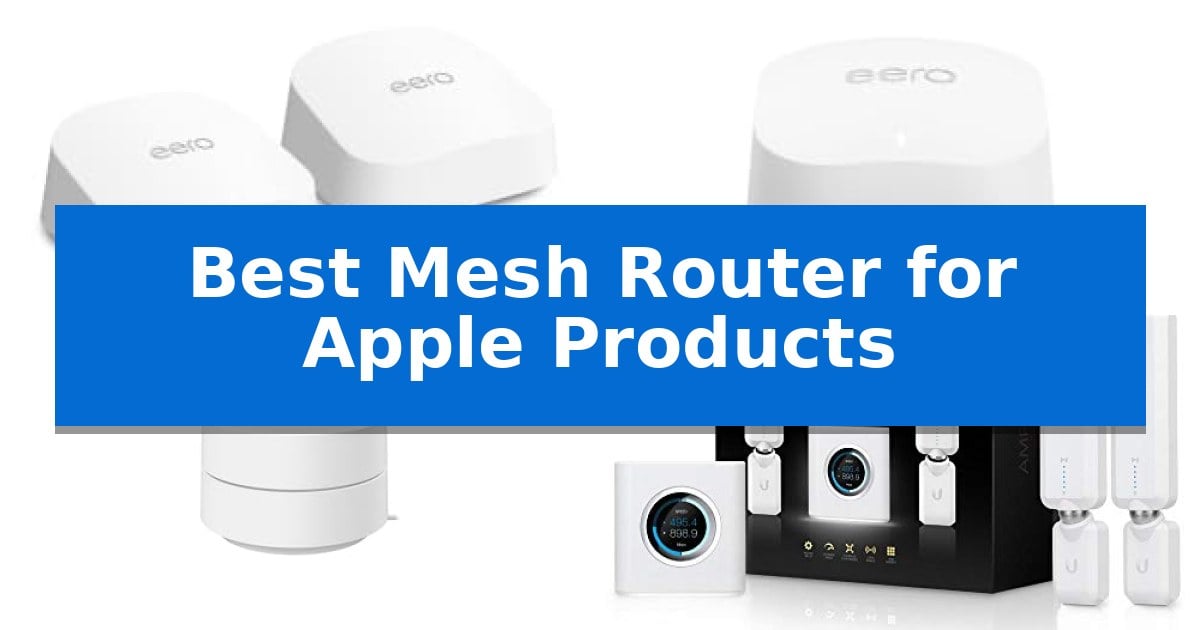
Finding the Best Mesh Router for Apple Products requires balancing high-speed wireless standards with the specific networking requirements of iOS and macOS devices. Apple hardware relies on stable, low-latency connections to maintain features like AirPlay, Handoff, and iCloud synchronization, making a robust mesh system essential for modern homes.
Whether you are looking to eliminate dead zones in a large house or simply want to ensure your devices maintain a consistent signal, selecting the right hardware is critical. We have evaluated several mesh systems based on their technical specifications, coverage capabilities, and ease of integration to help you choose the right network foundation for your Apple ecosystem.
You may also want to compare Best Mesh Router for Adding to Existing Router, Best Mesh Router, and Best Mesh Range Extender.
Best Mesh Router for Apple Products
Quick Comparison
| Product | Best For | Key Strength | Score |
|---|---|---|---|
| Amazon eero 7 Mesh Router | Best Overall | Wi-Fi 7 support with multi-link operation for improved efficiency. | 4.9 |
| Amazon eero 6+ Mesh Router | Gigabit speeds for Apple devices | TrueMesh technology for intelligent traffic routing. | 4.7 |
| Google Wifi Mesh Router | Simple setup for iOS users | Scalable mesh design allows for easy expansion by adding more points. | 4.9 |
| AmpliFi HD Mesh Router | Intuitive app-based network control | Intuitive app-based setup and network management. | 4.4 |
| NETGEAR Orbi Mesh Router | High-capacity coverage for homes | Extensive 10,000 sq. ft. coverage suitable for large homes. | 4.9 |
How We Chose
- Wireless Standards: Evaluating support for Wi-Fi 6 and Wi-Fi 7 to ensure long-term performance.
- Coverage Capacity: Assessing the square footage and device density supported by each system.
- Setup and Management: Reviewing the accessibility of mobile applications for network configuration.
- Hardware Connectivity: Checking for multi-gigabit Ethernet ports and backward compatibility.
- Security Features: Identifying built-in tools for network protection and parental controls.
1 Amazon eero 7 Mesh Router — Future-proof Wi-Fi 7 performance
Maintaining a seamless connection across an ecosystem of devices requires a network capable of handling high-bandwidth traffic without bottlenecks. The Amazon eero 7 Mesh Router addresses this by integrating Wi-Fi 7 technology, which utilizes multi-link operation (MLO) to optimize data flow across your home. This system is designed to provide reliable coverage for up to 4,000 sq. ft., ensuring that your stationary and mobile devices remain connected as you move between rooms.
Performance is driven by the inclusion of two auto-sensing 2.5 GbE ports, allowing the system to support internet plans reaching up to 2.5 Gbps. This hardware capability ensures that your wired backhaul or high-speed devices are not restricted by the router's interface. Furthermore, the Amazon eero 7 Mesh Router is built to manage heavy traffic loads, supporting over 120 devices simultaneously, which is essential for modern households with numerous smart home accessories.
The system relies on patented TrueMesh software to manage signal distribution. This technology works alongside TrueRoam and TrueChannel to proactively adjust your connection to the most stable path available. For users invested in the Amazon ecosystem, the router offers compatibility with eero Built-in on select Echo devices, simplifying the integration of smart home components into your existing mesh network.
Setup and maintenance are designed for accessibility, supported by a three-year warranty and a dedicated support team. While the base system provides core networking, users can opt for an eero Plus subscription to access additional tools such as Advanced Security, Ad Blocking, and Parental Controls. This modular approach allows you to tailor the network's security features to your specific requirements.
Best for: Users seeking to future-proof their home network with Wi-Fi 7 capabilities and high-speed wired port support for large coverage areas.
Skip if: Users who do not have high-speed internet plans exceeding 1 Gbps or those who prefer advanced manual configuration settings not provided by the eero ecosystem.
PROS
- Wi-Fi 7 support with multi-link operation for improved efficiency.
- Dual 2.5 GbE ports to support high-speed internet plans.
- TrueMesh software for automated, reliable connection management.
- Backward compatibility with all previous eero generations.
CONS
- Subscription-based security features require an additional eero Plus plan.
- Limited manual configuration options compared to traditional power-user routers.
2 Amazon eero 6+ Mesh Router — Gigabit speeds for Apple devices
Maintaining a stable network for multiple Apple devices requires hardware that prioritizes consistent connectivity and efficient traffic management. The Amazon eero 6+ Mesh Router addresses this by utilizing TrueMesh technology, which intelligently routes data to minimize dead zones and signal drop-offs across your home, ensuring that your devices remain connected as you move between rooms.
Designed for modern households, this router supports Wi-Fi 6 and utilizes the 160 MHz radio channel to provide increased bandwidth. This is particularly beneficial for environments where multiple devices are simultaneously streaming, video chatting, or working, as the wider channel allows for faster data throughput compared to older standards. By supporting high-demand tasks, it ensures that your Apple ecosystem remains responsive even when several devices are active at once.
Beyond its core routing capabilities, the unit functions as a built-in smart home hub. It supports Thread and Zigbee protocols, allowing for direct integration with compatible smart devices and Alexa. This simplifies your network architecture by removing the need for additional standalone hubs, creating a more streamlined setup for your automated home accessories.
Installation is managed through the eero app, which provides a guided setup process and remote network management tools. The system is designed to be scalable, allowing users to add additional units to expand coverage as needed, while automatic updates ensure the router receives security enhancements over time. This combination of ease-of-use and technical capability makes it a practical choice for those looking to improve their home network infrastructure.
Best for: Users seeking a streamlined, scalable mesh network that integrates smart home connectivity with reliable Wi-Fi 6 performance.
Skip if: Users who require advanced manual network configuration settings or professional-grade hardware features not included in the eero ecosystem.
PROS
- TrueMesh technology for intelligent traffic routing.
- Built-in smart home hub for Thread and Zigbee devices.
- 160 MHz channel support for improved bandwidth.
- Simple app-based setup and management.
CONS
- Subscription required for advanced security and management features.
- Limited manual configuration options compared to traditional routers.
3 Google Wifi Mesh Router — Simple setup for iOS users
Maintaining a consistent network connection across an Apple-centric home requires hardware that prioritizes seamless integration and ease of management. The Google Wifi Mesh Router is a compact, scalable solution designed to replace traditional routers by creating a unified mesh network that blankets up to 1500 square feet per point.
This system is engineered to function intelligently in the background, ensuring that bandwidth remains optimized for streaming and daily tasks. For users managing multiple devices, the Google Home app provides a centralized interface to prioritize specific hardware, monitor network speeds, and configure guest access without complex technical configurations.
Beyond connectivity, the system includes integrated parental controls that allow users to pause internet access to specific devices, set screen time limits, and restrict access to adult content. Its modular design means that if your coverage needs grow, you can easily add additional points to expand the network, as it remains compatible with existing Nest Wifi systems.
Measuring approximately 4.17 inches in width and 2.7 inches in height, the unit features a minimal footprint that fits unobtrusively into most home environments. While it offers a straightforward setup process, users should note that the limited warranty is specific to purchases made through Amazon.com or products featuring the official Google Seal for Online Marketplace.
Best for: Users seeking a simple, app-managed mesh network that integrates easily into a home with multiple connected devices.
Skip if: Users who require advanced manual network configuration, specialized gaming features, or high-speed multi-gigabit wired backhaul capabilities.
PROS
- Scalable mesh design allows for easy expansion by adding more points.
- Centralized management via the Google Home app simplifies network control.
- Integrated parental controls provide easy device-level access management.
- Compact dimensions allow for discreet placement in any room.
CONS
- Warranty coverage is restricted to specific purchase channels.
- Limited advanced settings compared to enthusiast-grade networking hardware.
4 AmpliFi HD Mesh Router — Intuitive app-based network control
Managing a home network that supports a variety of Apple devices requires a system capable of handling high-bandwidth tasks like iCloud syncing, 4K streaming, and FaceTime calls without interruption. The AmpliFi HD WiFi System addresses these needs by integrating a touchscreen-equipped router with two dedicated MeshPoints, ensuring that your wireless signal reaches every corner of your home.
Designed by Ubiquiti Labs, this system utilizes 802.11ac technology and multiple self-configuring radios to maintain a stable connection across your Apple ecosystem. The MeshPoints feature adjustable super antennas that allow for precise placement to eliminate dead zones, while integrated signal strength LEDs provide immediate feedback to ensure optimal positioning for your specific home layout.
Setup is streamlined through the intuitive AmpliFi app, which is fully compatible with iOS. Within five minutes, you can manage your network, configure parental controls, and set up guest access. The base unit includes four Gigabit Ethernet ports and a WAN port, providing the necessary wired connectivity for stationary devices like Apple TV or desktop computers, while the sleek industrial design ensures it fits discreetly into any modern living space.
By replacing traditional routers and range extenders with this unified system, you gain enterprise-strength network management with consumer-focused simplicity. Whether you are managing smart home devices or high-definition media consumption, the AmpliFi HD WiFi System provides the robust, reliable foundation required for a modern, connected home.
Best for: Homeowners seeking a user-friendly, app-managed mesh system to eliminate Wi-Fi dead zones across multiple rooms.
Skip if: Users requiring the latest Wi-Fi 6 or 6E standards for ultra-high-speed multi-gigabit internet plans.
PROS
- Intuitive app-based setup and network management.
- Touchscreen display on the router for at-a-glance status updates.
- Adjustable MeshPoints with signal strength LEDs for precise coverage.
- Four Gigabit Ethernet ports for reliable wired connections.
CONS
- 802.11ac standard may not offer the maximum throughput found in newer Wi-Fi 6 systems.
5 NETGEAR Orbi Mesh Router — High-capacity coverage for homes
Managing a high-density home network requires hardware capable of handling multiple simultaneous connections without bottlenecking. The NETGEAR Orbi Whole Home Tri-Band WiFi 6 Mesh Network System (RBK754P) addresses this by providing a robust infrastructure designed to support up to 75 devices across a massive 10,000 square foot area, making it a strong candidate for households heavily invested in Apple's ecosystem.
This system utilizes WiFi 6 technology to deliver AX5200 gigabit speeds, which facilitates smooth performance for bandwidth-intensive tasks such as web conferencing and high-definition streaming. By replacing your existing router and connecting directly to your cable modem, the system creates a unified mesh network that maintains connectivity as you move throughout your home.
Connectivity options are extensive, featuring 3 x 1 Gig Ethernet ports on the main router and 2 x 1 Gig Ethernet ports on each satellite. These ports allow for reliable, wired connections for stationary devices like game consoles or storage drives, ensuring that your most critical hardware maintains a stable link. Setup and ongoing management are handled through the dedicated Orbi app.
Security is integrated directly into the hardware, with NETGEAR Armor providing a suite of tools designed to protect against malware, hackers, and identity theft. While the system is powerful, it is specifically intended for use within the U.S. and requires an existing internet service provider connection of up to 1Gbps to function at its peak capacity.
Best for: Large households with numerous smart devices and high-bandwidth requirements that need consistent, wide-reaching coverage.
Skip if: Users living in smaller apartments or those who do not require extensive range will find the four-piece footprint and capacity excessive for their needs.
PROS
- Extensive 10,000 sq. ft. coverage suitable for large homes.
- Supports up to 75 simultaneous devices.
- Includes multiple Ethernet ports on both the router and satellites for wired connectivity.
- Integrated NETGEAR Armor security suite.
CONS
- Large physical footprint due to the four-piece system design.
- Region-locked for use in the U.S. only.
Best Mesh Router for Apple Products Buying Guide
Understanding Mesh Networking
A mesh network consists of a main router and satellite nodes that work together to create a single, unified Wi-Fi signal. Unlike traditional range extenders, which often create separate networks and reduce throughput, a mesh system allows your Apple devices to roam seamlessly between nodes without dropping the connection.
This technology is particularly beneficial for homes with multiple levels or complex layouts. By placing nodes strategically, you ensure that your iPhone, iPad, or Mac maintains a strong signal regardless of where you are located, preventing the buffering and latency often associated with weak Wi-Fi.
Wi-Fi Standards and Future-Proofing
When selecting a router, consider the Wi-Fi standard it supports. Wi-Fi 7 is the latest iteration, offering increased bandwidth and reduced interference, which is ideal for high-demand tasks like 4K streaming or large file transfers. Wi-Fi 6 remains a highly capable and cost-effective standard for most household needs.
Investing in newer standards helps ensure that your network remains relevant as Apple continues to update its hardware. Backward compatibility is a standard feature, meaning your existing devices will continue to function perfectly even if you upgrade to a newer, faster router.
Coverage and Device Density
The total square footage coverage is a primary factor in choosing a system. Larger homes require more nodes to ensure consistent signal strength. It is important to verify the manufacturer's coverage claims against the physical layout of your home, as walls and furniture can impact signal propagation.
Equally important is the device capacity. If your home is filled with smart home accessories, computers, and tablets, look for a system that can handle a high number of concurrent connections without slowing down. This prevents network congestion during peak usage times.
Network Management and Security
Most modern mesh routers are managed via a dedicated mobile app. These apps simplify the setup process, allowing you to get your network running in minutes. They also provide tools for monitoring connected devices, setting up guest networks, and prioritizing traffic for specific hardware.
Digital security is another critical consideration. Many systems offer optional subscription services that provide advanced protection against malware, ad blocking, and parental controls. These features add a layer of safety, keeping your network and personal data secure from external threats.
Wired Connectivity Options
While mesh systems are primarily wireless, the presence of Ethernet ports is essential for connecting stationary devices like desktop computers, gaming consoles, or smart TVs. These wired connections provide the most stable and fastest possible speeds, bypassing the potential for wireless interference.
Look for routers with auto-sensing ports that can support high-speed internet plans. Having multiple ports on both the main router and the satellite nodes provides the flexibility to create a hybrid network that combines the convenience of wireless mesh with the reliability of wired connections.
Frequently Asked Questions
Do I need a special router for Apple devices?
No, Apple devices are compatible with all standard Wi-Fi routers. However, choosing a mesh system ensures better roaming and stability for Apple's ecosystem features.
Can I mix different brands of mesh routers?
Generally, it is best to stick to a single brand for your mesh system to ensure all nodes communicate effectively and the network remains unified.
How many nodes do I need for my home?
The number of nodes depends on your home's square footage and layout. Most manufacturers provide guidelines based on total area, but adding more nodes is often necessary for homes with thick walls or multiple floors.
Will a new router improve my internet speed?
A new router can improve your local network speed and coverage, but it cannot exceed the maximum speed provided by your internet service provider.
Are mesh routers difficult to set up?
Most modern mesh routers are designed for simplicity and can be set up in minutes using a smartphone app that guides you through every step.
Conclusion: Our Top Pick
For users seeking the most advanced networking performance, the Amazon eero 7 Mesh Router stands out as the premier choice. Its support for Wi-Fi 7, combined with multi-gigabit port capabilities, ensures that your network is prepared for high-speed internet plans and a large number of connected devices, making it an ideal foundation for a modern Apple-centric home.
While other options provide excellent coverage and ease of use, the eero 7 offers the best balance of future-proof technology and reliable software management. By choosing this system, you ensure that your Apple devices maintain the stable, high-speed connection required for seamless daily operation.