
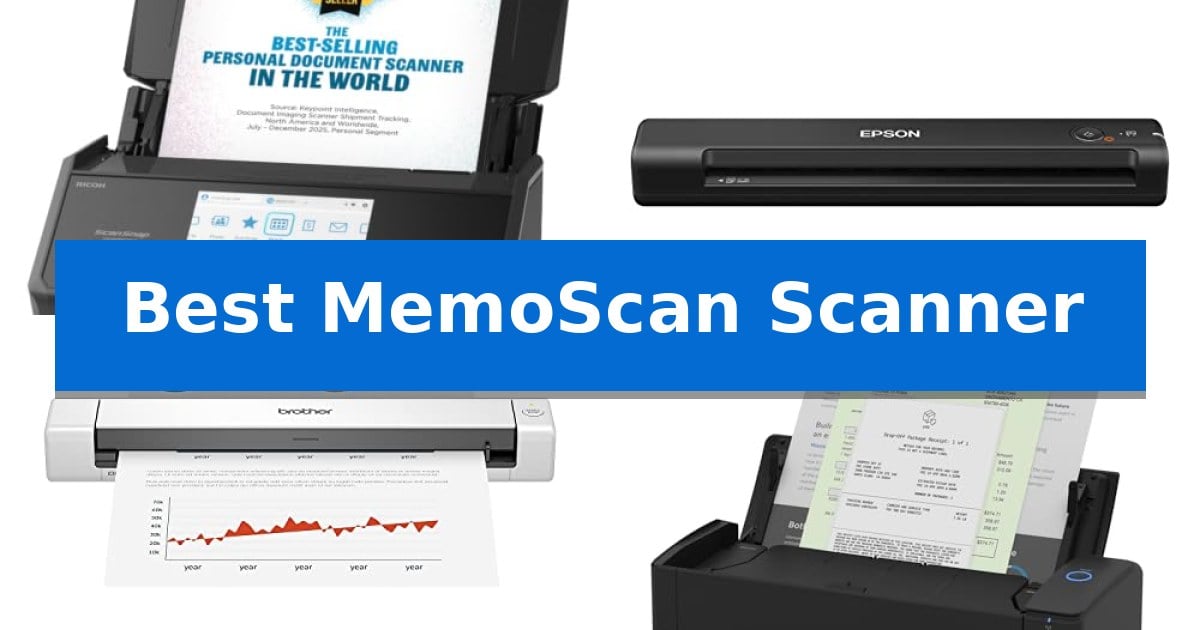
Finding the right hardware to convert physical paper into digital files is essential for maintaining an organized workspace. Whether you are managing high-volume office invoices or need a portable solution for field receipts, the Best MemoScan Scanner for your specific needs depends on your daily volume and desk space constraints.
This guide examines five distinct scanning solutions, ranging from advanced desktop units with high-speed feeders to ultra-compact mobile devices. By focusing on connectivity, throughput, and physical footprint, we help you identify which scanner aligns with your document management requirements.
You may also want to compare Best Memory Tablets for Students, Best Memory Stick Duo Card, and Best Memory RAM for Ryzen 7 9800X3D.
Best MemoScan Scanner
Quick Comparison
| Product | Best For | Key Strength | Score |
|---|---|---|---|
| ScanSnap iX2500 Document Scanner | Best Overall | High-speed 45ppm scanning with a 100-sheet capacity feeder. | 4.9 |
| Epson Workforce ES-50 Mobile Scanner | Fastest Ultra-Compact Mobile Pick | Ultra-compact and lightweight design for maximum portability. | 4.6 |
| Brother DS-640 Mobile Document Scanner | Reliable Portable Document Digitizer | Ultra-compact design weighing approximately 1lb. | 4.8 |
| ScanSnap iX1300 Document Scanner | Space-Saving Design for Small Desks | Innovative space-saving design that maintains a small footprint during operation. | 4.9 |
| HP PS100 Mobile Document Scanner | Simple On-the-Go Simplex Scanning | Ultra-lightweight and compact design for maximum portability. | 4.3 |
How We Chose
- Document throughput speed measured in pages per minute.
- Physical footprint and portability for different workspace environments.
- Connectivity options including Wi-Fi 6, USB-C, and cloud-enabled workflows.
- Advanced paper handling features such as multi-feed detection and skew correction.
- Software compatibility with standard operating systems like Windows and macOS.
1 ScanSnap iX2500 Document Scanner — Advanced High-Speed Desktop Scanning
Managing high-volume document digitization requires hardware that balances speed with reliability, and the ScanSnap iX2500 Document Scanner addresses this through an integrated 100-sheet document feeder capable of handling 45 pages per minute. This desktop unit is engineered to streamline workflows by allowing users to select personalized scan profiles directly from a large, intuitive touchscreen, effectively replacing the need for complex computer-side menus.
Connectivity is a primary focus for this model, which features Wi-Fi 6 for secure, high-speed wireless operation, alongside a standard USB-C connection for wired setups. The device is designed to support direct-to-cloud scanning, enabling users to route documents to mobile devices or cloud services without requiring a dedicated computer connection. This makes it a versatile tool for environments where space and efficiency are at a premium.
To ensure document integrity during high-speed operation, the scanner incorporates a brake roller system designed to feed paper smoothly and prevent jams. It also includes a multi-feed sensor that detects when pages are stuck together, as well as skew detection to minimize the risk of data loss or physical damage to sensitive documents, receipts, or photos.
The ScanSnap iX2500 Document Scanner provides a comprehensive solution for organizing digital files, with built-in software that automatically optimizes, names, and sorts scanned data. By utilizing the Quick Menu, users can drag and drop scanned files into their preferred applications, creating a seamless bridge between physical paper and digital storage.
Best for: The ScanSnap iX2500 Document Scanner is best for professionals and home offices requiring high-speed, reliable digitization of mixed media like receipts, photos, and documents.
Skip if: Skip this model if you require a portable, battery-operated scanner, as this unit is designed for stationary desktop use and requires a constant power source.
PROS
- High-speed 45ppm scanning with a 100-sheet capacity feeder.
- Large touchscreen interface for easy profile selection and management.
- Advanced paper handling features including skew detection and multi-feed sensors.
- Flexible connectivity options with Wi-Fi 6 and USB-C.
CONS
- Stationary desktop design lacks portability for mobile scanning needs.
2 Epson Workforce ES-50 Mobile Scanner — Fastest Ultra-Compact Mobile Pick
Managing paper clutter requires a tool that balances speed with a minimal physical footprint. The Epson Workforce ES-50 Mobile Scanner addresses this by providing a single-sheet-fed design that measures only 1.3 inches in height, making it an unobtrusive addition to a desk or a travel bag.
This device prioritizes efficiency through its ultra-fast scanning capability, capable of processing a single page in as little as 5.5 seconds. Because it is USB-powered, it eliminates the need for bulky power adapters or batteries, relying on a standard USB 2.0 connection to your computer for both power and data transfer.
Versatility is a core component of its operation, as it handles documents up to 8.5 x 72 inches, including receipts and ID cards. The inclusion of Epson ScanSmart Software and Nuance Optical Character Recognition (OCR) allows users to convert physical paper into searchable PDFs or editable Word and Excel files, simplifying the digitization of accounting and bookkeeping records.
Workflow integration is supported by an automatic feeding mode that combines multi-page scans into a single file as sheets are inserted. Furthermore, the scanner includes a Twain driver, ensuring compatibility with a wide range of imaging software, while the software suite enables direct scanning to cloud storage accounts for streamlined organization.
Best for: Professionals and students who need a highly portable, USB-powered solution for digitizing receipts and single-page documents on the go.
Skip if: Users who require high-volume batch scanning or automatic double-sided document processing will find the single-sheet-fed design limiting.
PROS
- Ultra-compact and lightweight design for maximum portability.
- USB-powered operation removes the need for external power supplies.
- Fast scanning speed of 5.5 seconds per page.
- Versatile paper handling for documents up to 72 inches long.
CONS
- Single-sheet-fed mechanism requires manual insertion for multi-page documents.
3 Brother DS-640 Mobile Document Scanner — Reliable Portable Document Digitizer
Digitizing physical documents on the go requires a balance of portability and reliable software integration. The Brother DS-640 Compact Mobile Document Scanner addresses this by providing a lightweight, sub-1.5lb solution that fits easily into a bag or pocket, making it a practical choice for mobile professionals who need to capture paperwork outside of a traditional office environment.
Performance is driven by a scan speed of up to 16ppm for both color and black and white documents, ensuring that high-volume tasks do not become a bottleneck. The device is designed for immediate use, drawing power directly from a PC or laptop via an included micro USB 3.0 cable, which eliminates the need for external power outlets or bulky adapters.
The Brother DS-640 Compact Mobile Document Scanner integrates with the Brother iPrint&Scan desktop app, facilitating direct transmission to cloud services, email, or local network folders. It supports a wide range of drivers, including TWAIN, WIA, ICA, and SANE, ensuring broad compatibility across Windows, Mac, and Linux systems.
To maintain document clarity, the scanner includes built-in image optimization tools such as automatic color detection, background removal, and text enhancement. These features help refine digital copies, reducing the need for manual post-processing while utilizing the included OCR software for searchable document creation.
Best for: Mobile professionals and remote workers who require a lightweight, bus-powered scanner for digitizing documents on the move.
Skip if: Users who require high-volume batch scanning with an automatic document feeder (ADF) or those who need wireless/battery-operated functionality.
PROS
- Ultra-compact design weighing approximately 1lb.
- USB-powered operation eliminates the need for external power supplies.
- Broad driver support including TWAIN, WIA, ICA, and SANE.
- Integrated image optimization features like text enhancement and background removal.
CONS
- Single-sheet feed design requires manual insertion for each page.
- Lacks wireless connectivity or internal battery power.
4 ScanSnap iX1300 Document Scanner — Space-Saving Design for Small Desks
Managing physical paperwork in a cramped office requires hardware that respects your limited surface area. The ScanSnap iX1300 Document Scanner addresses this by utilizing an innovative, space-saving design that remains compact even while actively feeding documents, ensuring your workspace stays functional during high-volume tasks.
Performance is driven by a 30ppm duplex scanning capability that handles a wide variety of media, including thick plastic cards and standard documents. To streamline your workflow, the device features an exclusive Quick Menu that allows for immediate drag-and-drop integration with your preferred computer applications, removing the need for complex driver configurations.
Versatility is a core component of this model, offering both USB and Wi-Fi connectivity. This allows users to scan directly to Mac, PC, or mobile devices, and even supports scanning to Chromebooks via the mobile app. For added convenience, the unit can operate without a dedicated computer connection, providing flexibility for various office environments.
The ScanSnap Home all-in-one software simplifies the post-scan experience by centralizing document management, editing, and organization. With automatic de-skew, color optimization, and blank page removal, the system ensures high-quality digital captures without requiring manual adjustments or technical expertise.
Best for: Home and small office users who need a high-speed, space-efficient document management solution that handles diverse media types.
Skip if: Users requiring high-volume industrial batch processing or those who need a flatbed scanner for scanning bound books or fragile, non-feedable items.
PROS
- Innovative space-saving design that maintains a small footprint during operation.
- Fast 30ppm duplex scanning with automated image optimization features.
- Flexible connectivity including Wi-Fi and USB, with support for mobile and cloud services.
- Versatile media handling for documents, photos, and plastic cards.
CONS
- Limited to sheet-fed scanning, which may not suit all document types like thick books.
5 HP PS100 Mobile Document Scanner — Simple On-the-Go Simplex Scanning
The HP PS100 Mobile Document Scanner offers a streamlined solution for digitizing paper records while on the move, featuring a compact design that weighs just 0.1875 pounds. This device is engineered for portability, allowing users to slip it into a briefcase or bag to convert invoices, contracts, and receipts into digital files without the need for bulky, stationary equipment.
Designed for efficiency, this single sheetfed scanner delivers a 15ppm operating speed, processing documents in black and white or color in a single pass. It supports a wide range of paper sizes, from a minimum of 2" x 2.9" to a maximum of 8.5" x 14", providing flexibility for business cards, photos, and standard letter-sized documents.
The unit connects via USB 2.0 and is compatible with both PC and Mac environments. To simplify the digitization process, it includes the HP WorkScan software, which provides tools for auto-scan, size detection, and image optimization, including background and hole cleanup, ensuring professional-quality results with minimal technical input.
With its 1200 dpi resolution and straightforward plug-and-play setup, the scanner is a practical tool for commuters, legal professionals, and small business owners who require reliable document management outside of a traditional office setting.
Best for: Travelers, commuters, and small business professionals who need a lightweight, portable device for quick, one-sided document scanning on the go.
Skip if: Users who require high-volume, double-sided (duplex) scanning or automatic document feeders for large stacks of paper will find this single-sheet model too limited for their needs.
PROS
- Ultra-lightweight and compact design for maximum portability.
- 15ppm scanning speed for efficient small-batch processing.
- Versatile paper handling supporting sizes from 2" x 2.9" up to 8.5" x 14".
- HP WorkScan software included for easy image editing and file conversion.
CONS
- Simplex-only scanning requires manual flipping for double-sided documents.
- Single-sheet feed design is not suitable for large, unattended batch scanning.
Best MemoScan Scanner Buying Guide
Understanding Scanning Throughput
Throughput, typically measured in pages per minute (ppm), is a critical factor for users who process large batches of documents. High-speed desktop scanners often feature automatic document feeders (ADF) that allow for rapid, hands-free processing, which is vital for office environments.
Conversely, mobile scanners are designed for single-sheet or low-volume tasks. While they offer slower speeds, they provide the necessary flexibility for users who need to digitize receipts or contracts while traveling, prioritizing portability over raw batch-processing power.
Connectivity and Cloud Integration
Modern scanners often include wireless connectivity, allowing users to send files directly to cloud services or mobile devices without a computer. Wi-Fi 6 support ensures stable, secure data transmission, which is particularly useful in busy office networks.
For users who prefer a direct connection, USB-C provides reliable power and data transfer. Many scanners now include software suites that automate the naming and sorting of files, significantly reducing the manual effort required to organize digital archives.
Physical Design and Workspace Constraints
The physical dimensions of a scanner dictate where it can be placed. Desktop models with large feeders require dedicated space but offer greater stability for heavy-duty tasks. Compact, space-saving designs are better suited for small desks or home offices where surface area is at a premium.
Portable scanners are engineered to be lightweight and slim, often fitting into a laptop bag or briefcase. These units are ideal for professionals who need to maintain a paperless workflow while working remotely or commuting between locations.
Paper Handling and Image Quality
Advanced scanners include features like brake roller systems and multi-feed sensors to prevent paper jams and document damage. These mechanisms are essential when scanning mixed batches of documents, such as receipts, business cards, and standard letter-sized paper.
Skew detection and automatic image optimization ensure that digital copies are clear and properly aligned. These automated features remove the need for manual editing, allowing users to focus on their core tasks rather than troubleshooting scanning errors.
Software and Driver Compatibility
The effectiveness of a scanner is heavily dependent on its software. Look for devices that offer native support for both Windows and macOS, as well as TWAIN or WIA drivers for compatibility with third-party imaging applications.
Many manufacturers provide proprietary software that simplifies the scanning process with one-touch profiles. These tools often include OCR (Optical Character Recognition) capabilities, which convert scanned images into searchable PDFs or editable documents, enhancing the utility of your digital files.
Frequently Asked Questions
What is the primary difference between a desktop and a mobile scanner?
Desktop scanners are built for high-volume, batch processing with large document feeders, while mobile scanners are designed for portability and single-sheet feeding on the go.
Do I need a computer to use a wireless scanner?
Many modern wireless scanners can connect directly to cloud services or mobile devices, allowing you to scan without being tethered to a computer.
How do I prevent paper jams during scanning?
Using scanners with built-in multi-feed sensors and brake roller systems helps detect stuck pages and ensures smooth paper feeding, reducing the risk of jams.
Are these scanners compatible with both Mac and PC?
Yes, most current document scanners are designed to be compatible with both Windows and macOS environments, often including specific drivers for each.
What is OCR and why is it useful?
OCR stands for Optical Character Recognition. It converts scanned images of text into machine-readable data, allowing you to search for keywords within your documents or edit the text.
Conclusion: Our Top Pick
Selecting the right scanner depends on your specific volume and workspace needs. For those requiring high-speed, reliable batch processing with advanced cloud integration, the ScanSnap iX2500 Document Scanner stands out as a robust solution. Its large touchscreen and 100-sheet document feeder make it highly efficient for demanding office environments.
While the desktop model offers superior throughput, users who prioritize mobility should consider the compact alternatives listed above. Regardless of your choice, ensuring the device supports your preferred operating system and document management software will provide the best long-term results for your digital workflow.