
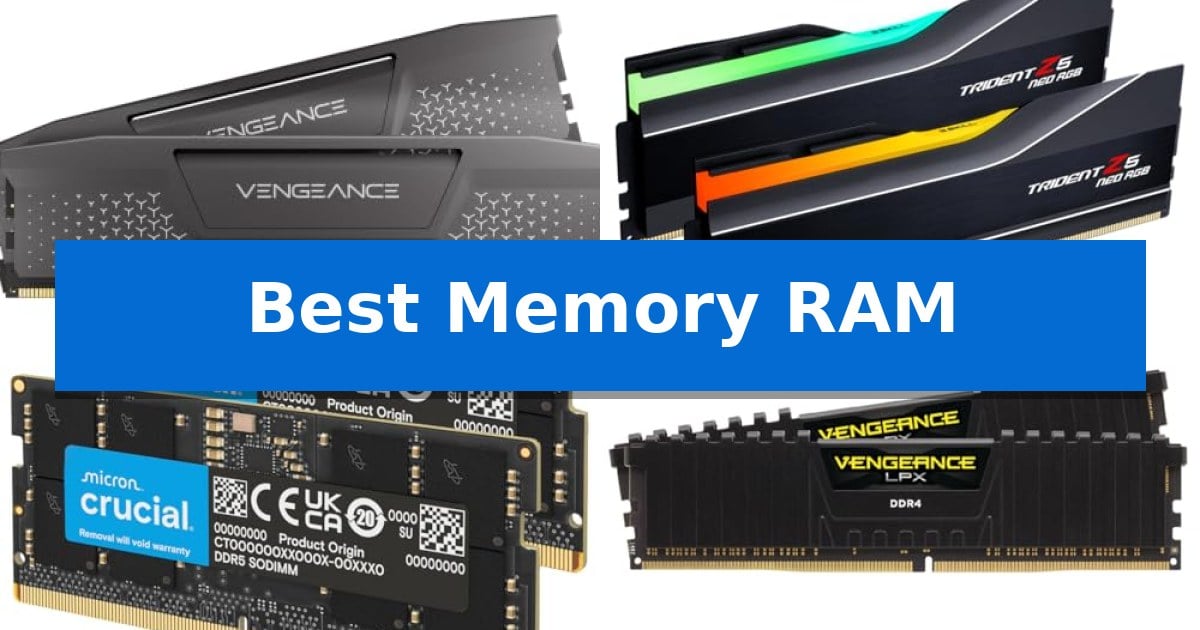
Upgrading your system memory is one of the most effective ways to improve multitasking responsiveness and overall computing efficiency. Whether you are building a new high-performance rig or looking to breathe new life into an aging laptop, selecting the Best Memory RAM requires careful consideration of your motherboard's architecture and your specific workload requirements.
The transition from DDR4 to DDR5 has introduced significant changes in bandwidth and power management, making compatibility the most critical factor in your decision. This guide examines a range of memory kits, focusing on technical specifications and practical application to ensure you choose hardware that aligns with your existing components and performance goals.
You may also want to compare Best Memory PC Build, Best Memory Latency for RAM, and Best Memory for iMac Retina.
Best Memory RAM
Quick Comparison
| Product | Best For | Key Strength | Score |
|---|---|---|---|
| Corsair Vengeance RS DDR5 Memory | Best Overall | Dual-platform support with both AMD EXPO and Intel XMP 3.0 profiles. | 4.9 |
| G.Skill Trident Z5 Neo RGB Memory | Optimized for High-Frequency Gaming | Dual-platform support for both AMD EXPO and Intel XMP 3.0 profiles. | 4.9 |
| Crucial DDR5 Laptop Memory | Boosts Mobile Multitasking Speed | 32GB total capacity for heavy multitasking. | 4.8 |
| Corsair Vengeance LPX DDR4 Memory | Low-Profile Fit for Compact Builds | Low-profile 34mm height fits in most compact cases. | 4.4 |
| G.Skill RipjawsV DDR4 Memory | Reliable Performance for Desktop Upgrades | 32GB high-capacity kit (2x16GB) for multitasking. | 4.5 |
How We Chose
- Platform Compatibility: Verifying support for Intel XMP 3.0 or AMD EXPO profiles to ensure seamless integration with current CPU and motherboard standards.
- Memory Architecture: Distinguishing between DDR4 and DDR5 standards to match the physical slot requirements and performance capabilities of the target system.
- Thermal Management: Assessing the inclusion of heat spreaders and low-profile designs that facilitate stable operation and physical fitment in various chassis sizes.
- Capacity and Speed: Analyzing the provided frequency and density specifications to determine suitability for gaming, professional multitasking, or general system upgrades.
1 Corsair Vengeance RS DDR5 Memory — Stable Overclocking for Modern Systems
Maximizing system responsiveness often starts with the memory foundation, and the Corsair Vengeance RS DDR5 Memory provides a robust 32GB capacity designed to handle intensive multitasking and modern gaming demands. By utilizing hand-sorted, tightly-screened memory chips, this kit ensures consistent high-frequency performance, allowing users to push their systems further with confidence.
Compatibility is a core strength of this Corsair Vengeance RS DDR5 Memory kit, as it features dual profiles for both AMD EXPO and Intel XMP 3.0. This dual-platform support simplifies the process of selecting optimized settings in the BIOS, ensuring that whether you are building on an AMD or Intel motherboard, you can achieve the intended performance without complex manual configuration.
Beyond raw speed, the inclusion of onboard voltage regulation offers a significant advantage for users interested in fine-tuning their hardware. Through the CORSAIR iCUE software, you can achieve more stable and precise overclocking compared to traditional motherboard-based control, providing a more granular level of system management.
While the kit is optimized for maximum bandwidth and tight response times, it is important to note that reaching the highest rated speeds requires specific BIOS adjustments. This memory is a suitable choice for enthusiasts looking for a reliable, high-capacity upgrade that balances ease of use with advanced control options.
Best for: Enthusiasts and gamers building modern DDR5-based systems who want flexible, dual-platform compatibility and advanced software-based voltage control.
Skip if: Users with older motherboards that do not support the DDR5 standard or those who prefer a 'plug-and-play' experience without any BIOS configuration.
PROS
- Dual-platform support with both AMD EXPO and Intel XMP 3.0 profiles.
- Onboard voltage regulation allows for stable, fine-tuned overclocking via iCUE software.
- Hand-sorted, tightly-screened chips for consistent high-frequency operation.
- Optimized for peak performance on the latest DDR5-compatible motherboards.
CONS
- Requires BIOS adjustments to reach maximum rated speeds.
- DDR5-only compatibility limits use to modern motherboard platforms.
2 G.Skill Trident Z5 Neo RGB Memory — Optimized for High-Frequency Gaming
The G.SKILL Trident Z5 Neo RGB Series DDR5 RAM provides a high-performance memory solution specifically engineered for modern desktop platforms, offering a capacity of 64GB through a 2x32GB configuration. This kit is designed to operate at speeds up to 6000MT/s with a CAS latency of CL36, catering to users who require substantial memory overhead for intensive computing tasks.
Compatibility is a central focus for this memory kit, as it supports both AMD EXPO and Intel XMP 3.0 overclocking profiles. This dual-standard support allows for streamlined performance tuning across a wide range of platforms, including Intel Z890, Z790, Z690, B860, B760, B660, and AMD X870, X670, B850, B840, and B650 chipsets. Users should consult the G.SKILL QVL or RAM Configurator tool to ensure specific motherboard validation.
As a DDR5 U-DIMM module, this kit utilizes a 288-pin design and requires manual BIOS adjustments to achieve its rated speed. Out of the box, the modules will boot at JEDEC default SPD settings. The kit features a matte black finish and integrated RGB lighting, combining aesthetic customization with functional memory density for desktop builds.
To maintain system stability, the manufacturer emphasizes that these modules are sold as matched kits. Mixing different memory kits is discouraged, as it can lead to system failure or instability. Proper installation requires adherence to manufacturer specifications, as operating outside these parameters may result in performance degradation or hardware damage.
Best for: Enthusiasts and gamers building on modern Intel or AMD platforms who require high-capacity 64GB memory with validated overclocking profiles.
Skip if: Users with motherboards that do not support DDR5 memory or those who prefer a plug-and-play solution without the need for BIOS configuration.
PROS
- Dual-platform support for both AMD EXPO and Intel XMP 3.0 profiles.
- High-density 64GB capacity suitable for demanding workloads.
- Validated for a wide range of current-generation Intel and AMD chipsets.
- Integrated RGB lighting for aesthetic system customization.
CONS
- Requires manual BIOS/overclocking adjustments to reach advertised speeds.
- Strict matched-kit requirement prevents mixing with other memory modules.
3 Crucial DDR5 Laptop Memory — Boosts Mobile Multitasking Speed
Upgrading your laptop's memory capacity can significantly improve multitasking responsiveness and system fluidity. The Crucial 32GB DDR5 RAM Kit (2x16GB) offers a substantial 32GB total capacity, designed to handle demanding workloads and intensive applications by providing the necessary overhead for modern computing tasks.
This memory kit is engineered for versatility, supporting speeds of 5600MHz, 5200MHz, or 4800MHz. This flexibility allows the system to adapt to various hardware configurations while ensuring compatibility with 12th Gen Intel Core and AMD Ryzen 7000 Series processors. It also features support for Intel XMP 3.0 and AMD EXPO profiles for streamlined configuration.
Built with 1Rx8 configuration and operating at a low 1.1V, this 262-pin SODIMM module is optimized for power efficiency in mobile environments. The kit is Non-ECC and undergoes rigorous component and module-level testing to ensure consistent operation under varied conditions.
For users looking to enhance gaming or productivity, the Crucial DDR5 Laptop Memory provides a straightforward path to increased system overhead. Its design focuses on reliable performance for compatible laptops, making it a practical choice for those requiring higher memory density for complex software environments.
Best for: Users with compatible laptops looking to increase memory capacity for improved multitasking and system responsiveness.
Skip if: Users whose laptops do not support DDR5 SODIMM memory or those requiring ECC memory for specialized workstation tasks.
PROS
- 32GB total capacity for heavy multitasking.
- Supports Intel XMP 3.0 and AMD EXPO for optimized profiles.
- Versatile 5600MHz, 5200MHz, and 4800MHz speed support.
- Rigorous testing at component and module levels.
CONS
- Non-ECC memory is not suitable for systems requiring error-correcting code.
- Requires DDR5-compatible motherboard and processor.
4 Corsair Vengeance LPX DDR4 Memory — Low-Profile Fit for Compact Builds
The CORSAIR Vengeance LPX DDR4 RAM 32GB is engineered for space-constrained environments, featuring a low-profile height of just 34mm that ensures compatibility with most small-form-factor builds. This compact design allows for high-density memory installation without interfering with bulky CPU air coolers or cramped chassis layouts, making it a practical choice for users balancing performance with limited internal space.
Performance is supported by hand-sorted memory chips that provide generous overclocking headroom for users looking to push beyond standard speeds. The modules are equipped with a solid aluminum heatspreader designed to dissipate heat efficiently from each module, maintaining consistent operation during intensive computing tasks.
Optimized for broad utility, this memory kit is compatible with the latest Intel and AMD DDR4 motherboards. It supports Intel XMP and AMD EXPO profiles, which simplify the process of achieving rated speeds through BIOS adjustments. Users should note that reaching maximum performance requires manual configuration within the system BIOS, as performance is dependent on the specific motherboard and CPU combination.
This 32GB kit, consisting of two 16GB modules, offers a balance of capacity and physical efficiency. With a Limited Lifetime Warranty, it provides a reliable foundation for systems requiring stable, high-capacity memory in a compact footprint.
Best for: Users building high-capacity, small-form-factor PCs who need reliable memory that fits under large cooling components.
Skip if: Users requiring DDR5 memory for newer platforms or those who prefer aesthetic features like integrated RGB lighting.
PROS
- Low-profile 34mm height fits in most compact cases.
- Solid aluminum heatspreader for efficient thermal management.
- Hand-sorted chips offer reliable overclocking headroom.
- Wide compatibility with Intel and AMD DDR4 systems.
CONS
- Maximum speed requires manual BIOS adjustments for optimal performance.
- Lacks RGB lighting options for visual customization.
5 G.Skill RipjawsV DDR4 Memory — Reliable Performance for Desktop Upgrades
Upgrading your desktop system with the G.SKILL RipjawsV Series DDR4 RAM provides a substantial 32GB capacity, split into two 16GB modules, designed to support demanding computing environments. This memory kit features Intel XMP support, allowing users to leverage overclocking profiles for optimized performance beyond standard JEDEC defaults.
The G.SKILL RipjawsV Series DDR4 RAM is engineered as a non-ECC, 288-pin U-DIMM specifically for desktop PCs. Because this kit is sold as a matched set, it is critical to install them together to maintain system stability. Mixing this kit with other memory modules is not recommended, as it may lead to system failure or performance inconsistencies.
Installation requires attention to system compatibility, as maximum speeds depend heavily on your specific motherboard and CPU. Users should consult the G.SKILL QVL (Qualified Vendor List) or the online RAM Configurator tool to ensure the hardware is validated for their build. Note that the system will initially boot at the default SPD speed, requiring BIOS adjustments to reach the rated performance levels.
Designed with a sleek black finish, these modules fit standard desktop configurations while offering a limited lifetime manufacturer warranty. By adhering to the manufacturer's specifications and avoiding inconsistent usage, users can integrate this high-capacity memory into their workstation or gaming setup for reliable operation.
Best for: Users looking to increase their desktop system memory to 32GB for gaming or productivity tasks.
Skip if: Users with motherboards or CPUs that do not support DDR4 U-DIMM memory or those who are uncomfortable performing BIOS/XMP overclocking adjustments.
PROS
- 32GB high-capacity kit (2x16GB) for multitasking.
- Includes Intel XMP profile for easier overclocking.
- Backed by a limited lifetime manufacturer warranty.
- Designed as a matched kit for improved stability.
CONS
- Requires BIOS/overclocking adjustments to reach rated speeds.
- Performance is strictly dependent on motherboard and CPU compatibility.
Best Memory RAM Buying Guide
Understanding Memory Standards
The primary distinction in modern memory is between DDR4 and DDR5. These standards are not interchangeable; your motherboard is physically and electrically designed for one or the other. DDR5 offers higher bandwidth and improved power efficiency, making it the standard for new high-performance builds, while DDR4 remains a cost-effective and reliable choice for legacy systems.
Always check your motherboard's QVL (Qualified Vendor List) to confirm that the specific memory kit you are considering is validated for your hardware. Using incompatible memory can lead to system instability or failure to boot.
The Role of Overclocking Profiles
Memory kits often advertise high speeds that require overclocking to achieve. Technologies like Intel XMP 3.0 and AMD EXPO simplify this process by providing pre-configured profiles that you can enable in your BIOS. These profiles automatically adjust voltage and timing settings to reach the rated performance.
Without enabling these profiles, your RAM will typically run at a slower, default JEDEC speed. It is essential to ensure your motherboard supports the specific profile type used by your chosen memory kit.
Physical Fit and Cooling
Memory modules with large heat spreaders or RGB lighting can interfere with bulky CPU air coolers. If you are working within a small-form-factor (SFF) build, prioritize low-profile memory to avoid clearance issues. The height of the module is a critical dimension to verify before purchase.
Heat spreaders are not just for aesthetics; they play a role in dissipating heat during high-frequency operation. A well-designed aluminum heat spreader helps maintain consistent performance during sustained heavy workloads.
Capacity for Multitasking
For most modern gaming and productivity tasks, 32GB is considered the current sweet spot. It provides enough headroom to run multiple applications, browser tabs, and background processes without hitting a memory bottleneck.
If you are involved in professional video editing, 3D rendering, or running virtual machines, you may benefit from 64GB or more. Always ensure your motherboard supports the total capacity you intend to install.
Laptop vs. Desktop Memory
Desktop computers use U-DIMM modules, which are larger and designed for standard motherboard slots. Laptops and some compact mini-PCs use SODIMM modules, which are significantly smaller and have a different pin configuration.
Never attempt to force a desktop module into a laptop slot or vice versa. Always verify the form factor required by your device's manual or manufacturer specifications.
Frequently Asked Questions
Can I mix different brands of RAM?
It is strongly recommended to use matched kits sold together. Mixing different brands, speeds, or capacities can lead to system instability, crashes, or the system failing to boot.
What happens if I don't enable XMP or EXPO?
If you do not enable these profiles in your BIOS, your memory will default to the standard JEDEC speed, which is typically lower than the advertised speed on the box.
Does higher frequency RAM always mean better performance?
Higher frequency increases bandwidth, but performance also depends on latency (CL timings) and your CPU's ability to handle that speed. There is a point of diminishing returns where the cost of faster RAM does not translate into noticeable real-world gains.
Is DDR5 backward compatible with DDR4 slots?
No, DDR5 is not physically or electrically compatible with DDR4 slots. You must use the memory type that your motherboard was specifically designed for.
Why is my RAM running at a lower speed than advertised?
This is usually because the XMP or EXPO profile has not been enabled in the BIOS. Additionally, ensure your motherboard and CPU officially support the speed of the memory kit you purchased.
Conclusion: Our Top Pick
Choosing the right memory is a balance of platform compatibility, physical constraints, and your specific performance needs. For users on modern platforms looking for a reliable balance of speed and stability, the Corsair Vengeance RS DDR5 Memory stands out as a versatile choice.
This kit offers robust compatibility with both AMD and Intel systems and features onboard voltage regulation to assist with stable overclocking. While it provides excellent performance, always remember to verify your motherboard's QVL and ensure your cooling solution provides sufficient clearance for the modules.