
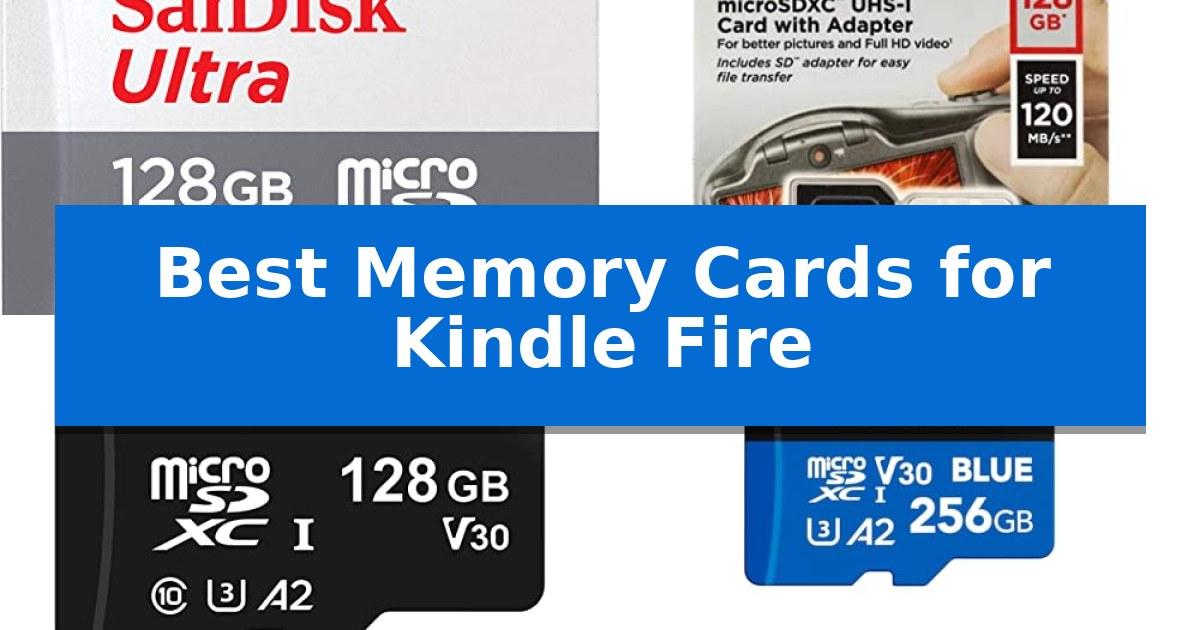
Running out of space on your tablet can be frustrating, especially when you want to download more books, movies, or games for your next trip. Finding the Best Memory Cards for Kindle Fire is the most effective way to ensure your device keeps up with your media library without needing to delete your favorite content.
Because these tablets have specific hardware requirements, selecting a card that is fully compatible is essential for smooth performance. Whether you are looking to store high-definition videos or simply need extra room for your growing collection of digital novels, the right storage expansion makes a significant difference in your daily user experience.
You may also want to compare Best Memory Cards for HD Video, Best Memory Cards for GoPro Session, and Best Memory Cards for GoPro Max.
Best Memory Cards for Kindle Fire
Quick Comparison
| Product | Best For | Key Strength | Score |
|---|---|---|---|
| SanDisk microSD Memory Card | Best Overall | Certified compatibility specifically tested for Amazon Fire tablets and Fire TV. | 4.9 |
| SanDisk Ultra microSD Memory Card | Optimized for faster app loading | A1-rated performance for faster application loading. | 4.6 |
| Amazon Basics microSDXC Memory Card | Reliable high-speed media storage | UHS-I U3 and A2 certified for fast app performance. | 4.6 |
| Lexar Blue microSDXC Memory Card | High-speed performance for 4K media | A2-rated for improved application loading performance. | 4.7 |
| Bliksem TF Memory Card | Dual pack for multi-device expansion | Dual pack configuration provides immediate value and flexibility for multiple devices. | 4.3 |
How We Chose
- Device Compatibility: Ensuring the card meets the specific hardware requirements for Fire tablets.
- Read and Write Speeds: Evaluating performance classes to support smooth app loading and media playback.
- Capacity Options: Assessing available storage tiers to match different user needs, from casual readers to media power users.
- Durability Standards: Checking for resistance to environmental factors like temperature and water for long-term reliability.
- Value and Versatility: Considering whether the card includes adapters or multi-pack options for broader device utility.
1 SanDisk microSD Memory Card — Certified for Fire device compatibility
Expanding the storage capacity of a Fire tablet or Fire TV requires a reliable solution that integrates seamlessly with the device's operating system. The Made for Amazon SanDisk 128GB microSD Memory Card for Fire Tablets and Fire-TV is engineered specifically to meet this need, serving as the only option tested and certified for guaranteed compatibility with these devices.
This memory card provides a straightforward way to increase space for media, allowing users to store more photos, music, and movies directly on the card. Beyond simple storage, it supports the direct download of apps and games, which helps manage internal device memory more effectively. The card is built to handle multiple simultaneous activities, ensuring that performance remains stable without lag or delay during operation.
Designed with Class 10 performance standards, this card is capable of handling Full HD (1080p) video recording and playback. This makes it a practical choice for users who frequently stream or save high-definition content on their Fire devices. By offloading data to the card, users can maintain a smoother experience across their tablet or TV interface.
The SanDisk microSD Memory Card offers a balance of capacity and specialized design, focusing on the unique requirements of the Amazon ecosystem. Its certification ensures that users do not have to worry about compatibility issues often associated with generic storage media, providing a reliable path to expanding their digital library.
Best for: Users who want a guaranteed, plug-and-play storage expansion specifically certified for their Amazon Fire tablet or Fire TV device.
Skip if: Users who require extreme high-speed data transfer rates for professional 4K video editing or high-end photography, as this card is optimized for standard media playback and app storage.
PROS
- Certified compatibility specifically tested for Amazon Fire tablets and Fire TV.
- Supports direct app and game downloads to the card to free up internal storage.
- Class 10 performance rated for reliable Full HD (1080p) video playback.
- Designed to handle multiple simultaneous activities without lag.
CONS
- Fixed capacity of 128GB may be limiting for users with massive high-definition media libraries.
2 SanDisk Ultra microSD Memory Card — Optimized for faster app loading
Expanding the storage capacity of your tablet is a straightforward way to keep more media and applications ready for use. The SanDisk Ultra microSD Memory Card is engineered specifically to integrate with devices like the Kindle Fire, providing a reliable way to manage your digital library without constant file management.
This memory card offers up to 128GB of storage, allowing for extensive collections of photos, music, and full HD video files. Beyond simple capacity, it features A1-rated performance, which is designed to help load applications faster on compatible hardware. With read IOPS of 1500 and write IOPS of 500, it provides a consistent baseline for daily tablet operations.
Efficiency is a core focus of this design, as evidenced by its transfer speeds of up to 120MB/s. This speed allows users to move large volumes of content, such as 1000 photos in a minute, reducing wait times during data transfers. Its compact and durable build ensures it remains a stable, long-term storage solution for portable devices.
Choosing the right card involves balancing your storage needs with the device's capabilities. This card is optimized for users who prioritize quick app responsiveness and need a secure, high-capacity repository for their media files.
Best for: Users who need to expand their Kindle Fire storage for apps, photos, and HD video content.
Skip if: Users who require specialized high-speed recording capabilities for professional 4K video production or those whose devices do not support microSD expansion.
PROS
- A1-rated performance for faster application loading.
- 120MB/s transfer speeds for quick file management.
- 128GB capacity provides ample space for media and files.
- Compact and durable design suitable for mobile devices.
CONS
- Performance may vary based on the specific host device and app type.
3 Amazon Basics microSDXC Memory Card — Reliable high-speed media storage
Expanding the storage capacity of a tablet allows for more offline media, apps, and documents, making the Amazon Basics microSDXC Memory Card a practical addition for users who frequently hit their device's internal limit. This card is engineered to handle demanding tasks, ensuring that high-bitrate video and large files remain accessible without performance degradation.
The Amazon Basics microSDXC Memory Card is built with UHS-I U3 and A2 certification, which supports fast app loading and responsive multitasking. With read speeds reaching up to 100MB/s, it is optimized for smooth 4K UHD playback and burst-mode photography. Its Video Speed Class V30 rating confirms it is ready for high-bitrate recording, providing a reliable buffer for intensive data operations.
Designed for versatility, this card is shock-resistant, IPX6 water-resistant, and capable of operating in extreme temperatures ranging from −10°C to +80°C. It also offers protection against X-rays and magnetic fields, making it a durable choice for users who travel or use their devices in varied environments. The inclusion of a full-size adapter adds further utility, allowing for easy file transfers to laptops or other compatible hardware.
When selecting a card, it is essential to verify the maximum capacity supported by your specific device to ensure full compatibility. The card provides reliable real-world storage, though users should note that available space may vary slightly from the labeled capacity due to standard OS formatting and binary calculation differences.
Best for: Users who need reliable, high-speed expandable storage for media, apps, and high-bitrate video playback.
Skip if: Users whose devices have a lower maximum storage capacity limit than the card size being purchased.
PROS
- UHS-I U3 and A2 certified for fast app performance.
- Durable construction with water, shock, and temperature resistance.
- Includes a full-size SD adapter for broader device compatibility.
- Optimized for 4K UHD video and high-bitrate data handling.
CONS
- Capacity variance due to OS formatting requirements.
4 Lexar Blue microSDXC Memory Card — High-speed performance for 4K media
Expanding the storage capacity of your tablet allows for more media, games, and documents without the constant need to delete files. The Lexar Blue microSDXC Memory Card provides a reliable solution for users looking to increase their device's internal space, utilizing UHS-I technology to support efficient data management.
This memory card is engineered for versatility, featuring a V30 rating that supports high-quality media recording and playback. With its A2 rating, the card is optimized for faster application loading, which can contribute to a more responsive experience when navigating through various apps on your tablet.
Durability is a core component of this design, as the card has been tested against eight environmental factors, including water resistance (IPX7), shock resistance, and temperature fluctuations. These protections help safeguard your data against common accidents, such as drops of up to 1.5 meters or exposure to X-rays.
To assist with long-term file management, the card includes a 10-year limited warranty and access to the Lexar Recovery Tool. This utility provides a method for attempting to retrieve accidentally deleted or formatted files, offering an additional layer of security for your digital library.
Best for: Users who need to expand their tablet's storage capacity for media, apps, and documents with a focus on durability and data recovery support.
Skip if: Users requiring specialized high-speed interfaces beyond UHS-I or those who do not need additional storage for their device.
PROS
- A2-rated for improved application loading performance.
- V30 rating ensures support for high-quality video playback and storage.
- Extensive durability testing including water, shock, and temperature resistance.
- 10-year limited warranty and included data recovery software.
CONS
- Peak read speeds require specific compatible card readers.
- Actual usable capacity may differ slightly from the advertised 256GB due to formatting.
5 Bliksem TF Memory Card — Dual pack for multi-device expansion
Expanding the storage capacity of a tablet often requires a reliable and compact solution. The Bliksem TF Memory Card provides a practical approach to this need by including a dual pack of 128GB cards, allowing users to manage data across multiple devices without needing separate purchases for each.
These cards utilize high-speed C10 and A1 grade chips, which are designed to provide stable data handling for various file types. With rated data transfer speeds of up to 80Mb/s, the cards facilitate the movement of photos, videos, and documents. Performance may vary based on the specific hardware and operating system of the host device.
Each card comes with a bonus adapter, which increases the versatility of the storage media by allowing it to fit into standard SD card slots found in computers and other hardware. This design choice ensures that the cards remain useful even when moving data away from a tablet or mobile device.
The Bliksem TF Memory Card is built for broad utility, supporting a range of applications from tablets and game consoles to cameras and surveillance equipment. With a 3-year warranty included, the cards offer a straightforward path to increasing available space for media and applications.
Best for: Users who need to expand storage across multiple devices simultaneously and want a convenient, all-in-one package with an included adapter.
Skip if: Users who require extreme high-speed performance for professional 4K video recording or heavy-duty burst photography, as transfer speeds are capped at 80Mb/s.
PROS
- Dual pack configuration provides immediate value and flexibility for multiple devices.
- Includes a bonus adapter for broader compatibility with SD card slots.
- Utilizes C10 and A1 grade chips for stable data management.
- Backed by a 3-year warranty.
CONS
- Transfer speeds are limited to 80Mb/s, which may not meet the requirements of high-end professional equipment.
Best Memory Cards for Kindle Fire Buying Guide
Understanding Storage Classes
Memory cards are categorized by speed classes, such as Class 10 or UHS-I, which dictate how quickly data can be read or written. For a tablet, a Class 10 card is generally the minimum requirement to ensure that high-definition video playback remains smooth and free of stuttering.
Beyond basic speed, look for A1 or A2 application performance ratings. These certifications indicate that the card is optimized for running apps directly from the storage, which is crucial if you plan to install games or productivity software on your external card.
Capacity Requirements
The amount of storage you need depends entirely on your usage habits. If you primarily download e-books and a few audiobooks, a 64GB or 128GB card is often more than sufficient to hold thousands of titles.
However, if you frequently download long-form movies or high-resolution games, you should consider higher capacities like 256GB or more. Always check your specific tablet model’s maximum supported capacity to avoid purchasing a card that exceeds the device's hardware limits.
The Importance of Compatibility
Not all microSD cards are created equal, and some generic cards may face recognition issues or performance bottlenecks. Choosing cards that are specifically tested or certified for Amazon devices can help minimize the risk of data errors or slow loading times.
Using a card that is not optimized for your tablet may result in apps failing to launch or media files becoming corrupted. Sticking to reputable brands that provide clear compatibility information is the safest approach for long-term data integrity.
Durability and Build Quality
Since tablets are often used on the go, the memory card inside should be able to handle varying conditions. Look for cards that are shock-resistant and temperature-proof, which provides extra peace of mind if you travel frequently or use your device in different environments.
While these features might seem secondary to speed, they protect your photos, documents, and downloaded media from accidental loss due to hardware failure caused by extreme heat or physical impact.
Managing Your Media
Once you have installed your new memory card, remember that you can often configure your tablet settings to save new downloads directly to the external storage. This keeps your internal system memory free, which helps the operating system run more efficiently.
Periodically checking your storage usage in the settings menu allows you to see exactly how much space your apps, videos, and books are consuming. This proactive management prevents your device from slowing down as it reaches maximum capacity.
Frequently Asked Questions
How do I know if a memory card is compatible with my Kindle Fire?
Check your tablet's user manual or the settings menu to identify the maximum supported microSD capacity. Look for cards that explicitly state compatibility with Fire tablets or meet the required speed class for your specific model.
Can I run apps directly from the memory card?
Yes, many Fire tablets allow you to install and run apps directly from a microSD card. Cards with an A1 or A2 rating are specifically designed to handle the read/write demands of running applications smoothly.
Will a faster memory card make my tablet run faster?
A faster card will improve the speed at which apps load and media files open from the card itself. However, it will not increase the processing speed of the tablet's internal CPU or system memory.
What should I do if my tablet doesn't recognize the memory card?
First, ensure the card is inserted correctly. If it still isn't recognized, try restarting your tablet. If the issue persists, you may need to format the card using the tablet's storage settings, though be aware this will erase any existing data on the card.
Is it better to get one large card or multiple smaller ones?
For most users, one large card is more convenient as it avoids the need to physically swap cards to access different content. Multiple cards are only recommended if you have a specific need to organize different types of media on separate physical drives.
Conclusion: Our Top Pick
Choosing the right storage expansion is a simple yet impactful way to get more out of your tablet. After reviewing the available options, the SanDisk microSD Memory Card stands out as the most reliable choice for users who want guaranteed compatibility and consistent performance without the guesswork.
By opting for a card specifically tested for your device, you ensure that your photos, apps, and media remain accessible and secure. While other high-speed options exist for specialized needs, this card provides the most straightforward and dependable solution for standard tablet expansion.