
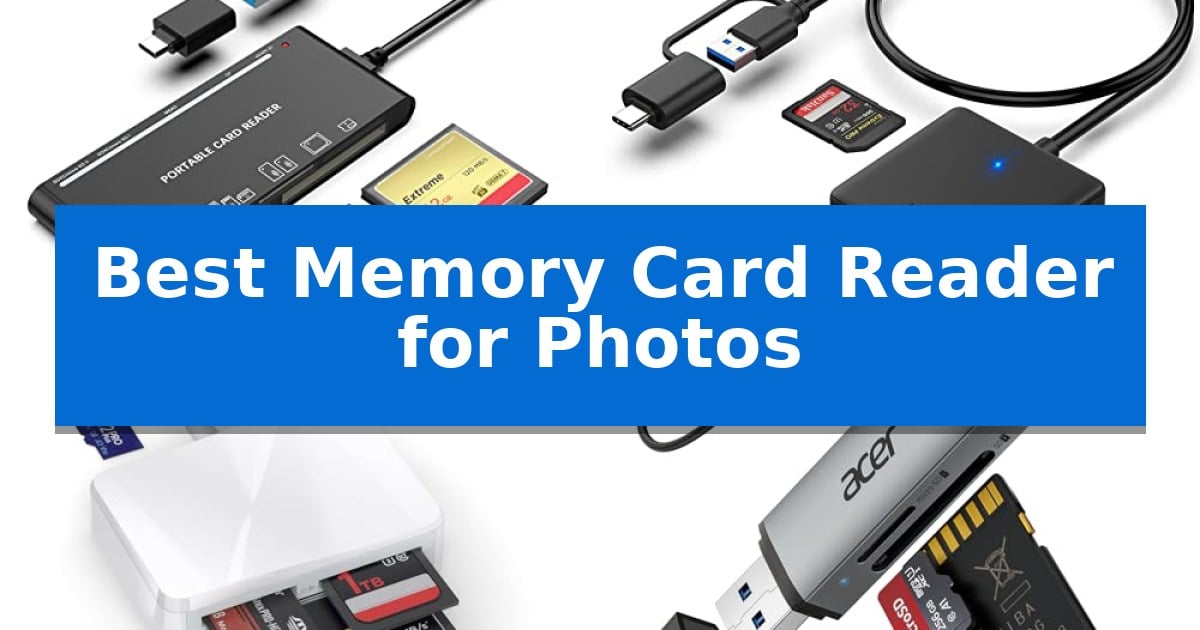
Managing large volumes of high-resolution images requires a reliable connection between your camera media and your editing workstation. Finding the Best Memory Card Reader for Photos is essential for photographers who need to move files quickly without compromising data integrity or wasting time on slow transfers.
Whether you are working in a studio or on location, the right adapter ensures your workflow remains seamless across different devices. We have analyzed current market options to help you identify which reader best fits your specific card formats and hardware requirements.
You may also want to compare Best Memory Card Reader for Photographers, Best Memory Card Reader for PC, and Best Memory Card Reader for iPhone.
Best Memory Card Reader for Photos
Quick Comparison
| Product | Best For | Key Strength | Score |
|---|---|---|---|
| Rocketek 7-in-1 Multi Card Reader | Best Overall | Simultaneous multi-card access for five cards at once. | 4.9 |
| BENFEI 4-in-1 Card Reader | Broad Multi-Format Compatibility | Simultaneous read/write capability across four different card slots. | 4.5 |
| RRSITIAU 4-in-1 Card Reader | Versatile CF and MS Support | 4-in-1 card slot versatility supporting CF, SD, TF, and MS formats. | 4.6 |
| Acer USB-C Dual Slot Reader | Fast Aluminum Build | Dual-header design provides native connectivity for both USB-C and USB-A ports. | 4.3 |
| JOOPSHEE 5-in-1 Card Reader | Charging While Transferring | Simultaneous charging allows for uninterrupted data transfers. | 4.9 |
How We Chose
- Interface versatility, specifically the inclusion of USB-C and USB-A connectors for cross-platform use.
- Simultaneous read and write capabilities to handle multiple memory cards at once.
- Support for a wide range of card formats including SD, Micro SD, CF, and MS.
- Data transfer speeds supported by the internal controller and connection protocol.
- Build quality and portability for field use.
1 Rocketek 7-in-1 Multi Card Reader — Handles Five Cards Simultaneously
Managing multiple memory cards during a shoot requires a reliable interface that can handle diverse formats without bottlenecking your workflow. The Rocketek 7-in-1 Multi Card Reader distinguishes itself by allowing you to read and write to five different cards simultaneously, providing a significant efficiency boost for photographers juggling various media types.
This device features a 7-in-1 design that accommodates a wide array of formats, including CF, SD, TF, Micro SD, XD, and MS cards. It supports high-speed CF (UDMA) cards and SDXC cards up to 2TB, ensuring compatibility with high-capacity storage used in modern professional cameras. The inclusion of dedicated slots for each format eliminates the need for multiple adapters.
Connectivity is handled via a 2-in-1 connector that integrates both USB-C and USB 3.0, allowing for seamless integration with laptops, tablets, and phones. It is a true plug-and-play solution that requires no additional drivers, maintaining compatibility across major operating systems like Windows, Mac OS, Linux, and Android.
Data transfer speeds reach up to 5Gbps, which helps minimize wait times when offloading large batches of high-resolution images or video files. The unit is also backward compatible with USB 2.0 and 1.1 ports, ensuring it remains functional even when connected to older hardware configurations.
Built for durability, the reader is constructed from high-quality materials tested for longevity. It includes a 12-month warranty, providing a safety net for your investment in this essential piece of photography gear.
Best for: Photographers and creators who need to offload data from multiple memory card formats simultaneously across both USB-C and USB-A devices.
Skip if: Users who require specialized high-speed protocols like UHS-II or CFexpress, as this reader is limited to standard USB 3.0 transfer speeds.
PROS
- Simultaneous multi-card access for five cards at once.
- Dual USB-C and USB 3.0 connectivity for broad device compatibility.
- Broad card support including CF, SD, Micro SD, XD, and MS.
- Plug-and-play operation with no driver installation required.
CONS
- Standard USB 3.0 speed limits may not match the potential of the fastest professional-grade memory cards.
2 BENFEI 4-in-1 Card Reader — Broad Multi-Format Compatibility
Managing multiple memory card formats across different devices often requires a versatile hardware solution. The BENFEI 4-in-1 Card Reader simplifies this workflow by offering an integrated design that supports SD, Micro SD, MS, and CF cards simultaneously. This allows for efficient data management, enabling users to read from and write to four different cards at the same time.
Engineered for modern connectivity, this adapter features a 2-in-1 USB-C and USB 3.0 interface. This dual-connector approach ensures compatibility with a wide range of hardware, from the latest USB-C equipped laptops and smartphones like the iPhone 15 series to legacy systems utilizing standard USB 3.0 or 2.0 ports. An advanced IC chip is built into the device to maintain signal stability during high-speed data transfers.
Performance is optimized for UHS-I cards, supporting transfer rates up to 160MB/sec. This capability facilitates quick access to high-resolution photos and HD video files, provided the connected card and host port support these speeds. The device is designed to be a plug-and-play solution, requiring no additional drivers for most modern operating systems.
The reader is built to be a reliable component of a digital workflow, backed by an 18-month unconditional warranty. While it offers broad compatibility with various platforms, users should note that it is not compatible with standard Memory Stick, Memory Stick Micro (M2), or CF Type I cards. It serves as a practical, multi-format tool for photographers and creators who need to bridge the gap between various storage media and their primary computing devices.
Best for: Photographers and creators who need to transfer data from multiple card formats to both legacy USB-A and modern USB-C devices.
Skip if: Users who specifically require support for CF Type I, standard Memory Stick, or Memory Stick Micro (M2) cards.
PROS
- Simultaneous read/write capability across four different card slots.
- Dual-interface design featuring both USB-C and USB 3.0 connectors.
- Broad compatibility with modern smartphones, tablets, and laptops.
- 18-month warranty provided by the manufacturer.
CONS
- Incompatible with CF Type I, standard Memory Stick, and M2 cards.
- File format limitations on older operating systems for large-capacity SDXC cards.
3 RRSITIAU 4-in-1 Card Reader — Versatile CF and MS Support
Managing diverse file formats across multiple devices requires a versatile interface, and the RRSITIAU 4-in-1 Card Reader addresses this by integrating four distinct slots—CF, SD, TF, and MS—into a single, compact housing. This design allows users to consolidate their workflow without needing separate adapters for different memory card standards.
The device features a dual connector design, utilizing a USB-C interface for modern smartphones, tablets, and laptops, while including a detachable USB-A adapter for legacy computer compatibility. This plug and play functionality requires no additional drivers or software, enabling immediate access to files across iOS, Android, Windows, and macOS systems with full OTG support.
Engineered for efficiency, the reader supports high-speed data transfers for standard photo formats like JPEG and RAW, as well as common video formats including H.264 and MPEG-4. Its slim dimensions of 5.91 x 2.62 x 0.68 inches make it a portable solution for photographers who need to move media from cameras to mobile devices or workstations while on location.
Compatibility is broad, covering a wide range of devices from recent iPhone models and iPad Pros to various Android tablets and PC hardware. By providing a unified path for data ingestion, this reader simplifies the process of sharing high-definition content directly from professional-grade memory cards.
Best for: Photographers and content creators who need to transfer files from multiple card formats, including CF and MS, to both USB-C mobile devices and traditional computers.
Skip if: Users who exclusively require support for Wi-Fi enabled SD cards, as this specific model does not support that feature.
PROS
- 4-in-1 card slot versatility supporting CF, SD, TF, and MS formats.
- Dual connector design with included USB-C to USB-A adapter for cross-platform use.
- Plug and play operation with no driver installation required.
- Broad device compatibility including modern smartphones, tablets, and laptops.
CONS
- No support for Wi-Fi SD cards.
- Physical footprint may be larger than single-slot compact readers.
4 Acer USB-C Dual Slot Reader — Fast Aluminum Build
Efficiently managing high-resolution media files requires a reliable bridge between your camera's storage and your workstation. The Acer USB-C Dual Slot Reader simplifies this workflow by offering a dual-header design that accommodates both USB-C and USB-A ports, ensuring you can connect directly to modern laptops, tablets, and smartphones without needing extra adapters.
Built with heat-resistant aluminum, this reader is engineered for durability during extended file transfer sessions. It supports 5Gbps data transfer speeds via USB 3.0, providing a quick way to move photos and videos from SD or microSD cards. The unit is plug-and-play, meaning it functions immediately upon connection without the need for manual driver installations or specialized software.
The device features simultaneous dual-card reading, allowing you to access files from both an SD card and a microSD card at the same time. This capability is particularly useful for photographers and editors who need to organize media from multiple sources quickly. Its slim, lightweight profile and protective port covers make it a practical choice for travel, fitting easily into a camera bag or laptop sleeve.
Compatibility is broad, covering Windows, macOS, and most Android devices, including the latest iPhone 15 and 16 series. While it excels at file management, users should note that it is not designed to connect directly to cameras, and thick device cases may interfere with the physical connection to the port.
Best for: Photographers and content creators who need a portable, dual-slot solution for transferring media between cameras and various USB-C or USB-A devices.
Skip if: Users who require support for specialized memory formats like CFexpress, XQD, or Memory Stick, as this reader is strictly limited to SD and TF card types.
PROS
- Dual-header design provides native connectivity for both USB-C and USB-A ports.
- Simultaneous dual-card reading allows for efficient management of multiple memory cards.
- Heat-resistant aluminum construction enhances durability during long-term use.
- Plug-and-play functionality eliminates the need for software or driver setup.
CONS
- Thick device cases may prevent the reader from seating fully into the port.
- Limited card support excludes professional formats like CFexpress, XQD, or MS cards.
5 JOOPSHEE 5-in-1 Card Reader — Charging While Transferring
Managing high-resolution photo transfers on the go requires a reliable connection, and the JOOPSHEE 5-in-1 Card Reader simplifies this by integrating multiple interfaces into a single, travel-friendly device. Designed for versatility, this reader features dedicated slots for SD and microSD cards, allowing for efficient data management across various mobile and computing platforms without the need for additional drivers or network connectivity.
A standout feature of this JOOPSHEE 5-in-1 Card Reader is its integrated charging port for iOS devices. Unlike many standard adapters, this design enables users to charge their phone or tablet while simultaneously transferring files, effectively eliminating concerns about battery depletion during large RAW photo or HD video imports. The device supports two-way transfer, facilitating quick data movement between cameras, smartphones, and computers.
Beyond its primary card reading capabilities, the device functions as a multi-peripheral hub. It includes a USB port that allows for the connection of external accessories such as keyboards, mice, or flash drives to a phone or tablet. This expands the utility of mobile devices, turning them into more capable workstations for editing or organizing images on the fly.
Compatibility is broad, supporting iOS 9.1 and above as well as OTG-enabled Android devices. The reader accommodates memory cards up to 1TB and supports standard photo formats like JPEG and RAW. With its compact dimensions of 5.6 x 2.7 x 0.4 inches, it is built to fit easily into a camera bag, making it a practical tool for photographers who need to clear space on their memory cards while traveling.
Best for: Photographers and mobile users who need to transfer large photo files to phones or tablets while simultaneously keeping their device charged.
Skip if: Users requiring high-speed USB 3.0 transfer rates for massive professional video archives, as this device is optimized for standard photo and video file management.
PROS
- Simultaneous charging allows for uninterrupted data transfers.
- Plug and play functionality requires no extra drivers or software.
- Multi-functional USB port supports external peripherals like keyboards and mice.
- Compact, travel-ready design fits easily into small accessory pouches.
CONS
- USB 3.0 flash drive capacity is limited to 128GB.
- No internal storage; requires external cards or drives to function.
Best Memory Card Reader for Photos Buying Guide
Understanding Card Formats
Before purchasing, verify which memory card formats your camera uses. While many modern cameras rely on SD or Micro SD cards, professional equipment often utilizes Compact Flash (CF) or Memory Stick (MS) formats. A multi-slot reader is often the most practical choice for photographers who switch between different camera bodies.
Ensure the reader explicitly lists support for your specific card type and capacity. Some older readers may struggle with high-capacity SDXC cards or specific UDMA-rated CF cards, so checking the technical specifications for card compatibility is a critical first step.
Connectivity and Interface
The physical connector on your card reader determines how easily it integrates with your computer or tablet. Modern readers often feature USB-C connectors, which are standard on current laptops and tablets, while some include dual-header designs that also provide a USB-A interface for older desktop workstations.
Choosing a reader with a dual interface eliminates the need for extra dongles or adapters, reducing the risk of connection issues. Always confirm that the reader is compatible with your operating system, such as macOS, Windows, or Android, to ensure a true plug-and-play experience.
Transfer Speed and Efficiency
Data transfer speed is dictated by the reader's internal controller and the USB standard it utilizes. Readers supporting USB 3.0 or higher are capable of significantly faster throughput, which is vital when moving large RAW image files or high-bitrate video footage.
Keep in mind that the final transfer speed is a combination of the card's own speed rating, the reader's capabilities, and the port on your computer. Using a high-speed reader with an older USB 2.0 port will result in bottlenecked performance, so match your hardware accordingly.
Simultaneous Multi-Card Access
For photographers who shoot with multiple cameras or need to back up data from several sources, a reader that supports simultaneous read and write is a major productivity booster. This feature allows you to access files from different cards at the same time without having to eject one to use another.
This capability is particularly useful during long shoots where you may be cycling through several cards. It also simplifies the process of copying files between cards or moving data directly to an external drive if your workflow requires it.
Portability and Build Quality
If you frequently shoot on location, the physical durability of your card reader matters. Look for units constructed from heat-resistant aluminum or robust plastics that can withstand the rigors of being carried in a camera bag.
Compact designs with protective covers for the ports are ideal for travel. A well-built reader will protect your data and the delicate pins inside the card slots, ensuring that your equipment remains functional even after extensive use in varied environments.
Frequently Asked Questions
Do I need to install drivers for these card readers?
Most modern card readers are plug-and-play devices and do not require additional drivers or software to function on Windows, macOS, or Android systems.
Can I use these readers with my smartphone?
Yes, if your smartphone has a USB-C port and supports OTG (On-The-Go) functionality, you can connect these readers to transfer photos directly to your mobile device.
Why is my transfer speed slower than advertised?
Transfer speeds are limited by the slowest component in the chain, which could be your memory card's speed rating, the USB port version on your computer, or the file size being transferred.
Are these readers compatible with all SD card capacities?
Most current readers support standard SD, SDHC, and SDXC cards. Always check the product specifications to ensure it supports the specific capacity of your card, such as 1TB or 2TB.
Can I charge my phone while using the card reader?
Some specific models, such as the JOOPSHEE 5-in-1, feature a dedicated charging port that allows you to power your device while simultaneously transferring files.
Conclusion: Our Top Pick
Choosing the right hardware for your photography workflow depends on your specific card formats and the devices you use for editing. For most users, a versatile, multi-slot reader that supports simultaneous transfers offers the best balance of speed and convenience.
The Rocketek 7-in-1 Multi Card Reader stands out as our top recommendation due to its extensive format support and ability to handle five cards at once. Its dual USB-C and USB 3.0 design ensures compatibility across a wide range of modern and legacy hardware, making it a reliable choice for professional and hobbyist photographers alike.