
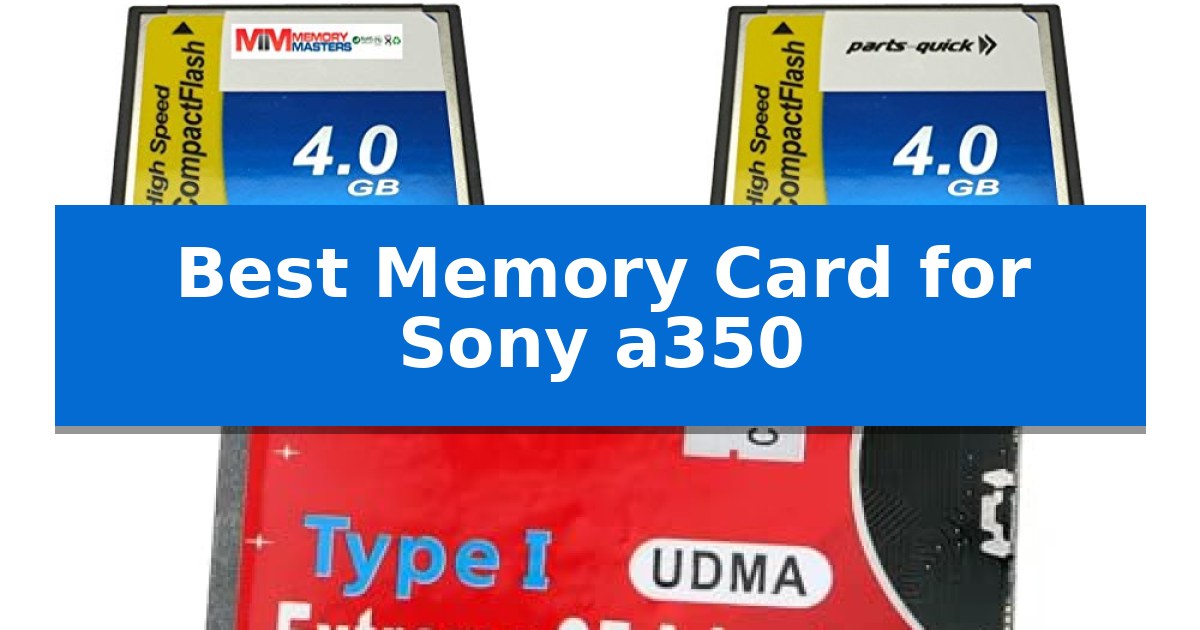
The Sony a350 is a classic DSLR that relies on the CompactFlash (CF) interface for image storage. Finding the Best Memory Card for Sony a350 requires balancing the specific physical requirements of the camera's Type I slot with the current availability of legacy storage media.
Whether you are looking for a direct replacement card to keep your gear running or considering an adapter to use more modern SD media, understanding your options is essential. This guide examines the available storage solutions to help you maintain your workflow with this reliable camera body.
You may also want to compare Best Memory Card for Sony a77 II, Best Memory Card for Sony a77, and Best Memory Card for Sony a65.
Best Memory Card for Sony a350
Quick Comparison
| Product | Best For | Key Strength | Score |
|---|---|---|---|
| MemoryMasters CompactFlash Memory Card | Best Overall | Native compatibility with Sony Alpha DSLR A350 card slots. | 4.9 |
| parts-quick CompactFlash Memory Card | Direct replacement for older DSLRs | Direct compatibility with the Sony Alpha DSLR A350. | 4.3 |
| NAKVMN SD to CF Adapter | Use modern cards in older slots | Broad compatibility with various legacy camera brands including Sony, Canon, and Nikon. | 4.5 |
How We Chose
- Physical interface compatibility with the CompactFlash Type I slot.
- Reliability of storage media for long-term archival of digital images.
- Ease of integration with existing camera firmware and hardware.
- Availability and accessibility of legacy-style storage formats.
- Functionality of adapters for bridging modern SD cards with older hardware.
1 MemoryMasters CompactFlash Memory Card — Standard storage for legacy cameras
The MemoryMasters CompactFlash Memory Card provides a dedicated storage solution for the Sony Alpha DSLR A350, utilizing the Compact Flash Type 1 interface. This card is specifically engineered to integrate with the legacy storage requirements of the A350, ensuring compatibility for photographers who rely on this classic DSLR system.
With a capacity of 4GB, this card offers sufficient space for standard-resolution image capture. As a Type 1 Compact Flash device, it adheres to the physical dimensions and interface standards necessary for the A350's card slot, allowing for a straightforward installation and retrieval process during field use.
Choosing the right storage for older camera models involves prioritizing interface compatibility over modern speed ratings. By utilizing a Compact Flash card, users maintain the intended workflow of the Sony A350 without needing adapters or risking connection issues associated with newer, incompatible formats.
This card serves as a functional, purpose-built accessory for maintaining the utility of the Sony A350. It is a practical choice for those looking to replace or supplement their existing media with a reliable, standardized storage medium designed for this specific camera architecture.
Best for: Photographers using the Sony Alpha DSLR A350 who require a compatible, dedicated Compact Flash Type 1 storage medium.
Skip if: Users seeking high-capacity storage for long-duration HD video or high-speed burst photography will find the 4GB limit restrictive.
PROS
- Native compatibility with Sony Alpha DSLR A350 card slots.
- Standardized Compact Flash Type 1 form factor.
- Reliable storage solution for legacy camera systems.
CONS
- Limited 4GB capacity may require frequent file transfers.
- Not suitable for modern high-speed data transfer requirements.
2 parts-quick CompactFlash Memory Card — Direct replacement for older DSLRs
The parts-quick 4GB Memory Card for Sony Alpha DSLR A350 serves as a direct replacement storage solution for older digital SLR cameras that rely on the Compact Flash interface. This 4GB Compact Flash Memory Card Type 1 provides the necessary physical compatibility for the Sony a350, ensuring that the camera can recognize and record image data without requiring modern adapter hardware.
Designed specifically for legacy hardware, this card adheres to the standard form factor required by the Sony a350. By utilizing the Type 1 Compact Flash specification, it maintains a reliable connection within the camera's dedicated card slot. This ensures that users of this specific DSLR model have a functional path for capturing and storing photographs.
Choosing this memory card is a practical step for maintaining the utility of older photographic equipment. Because the Sony a350 is built around the Compact Flash standard, this card provides the exact interface match needed to avoid compatibility issues often found with newer, non-native storage formats.
When integrating this card into a workflow, it is important to note that the 4GB capacity is tailored to the file sizes typical of the era in which the Sony a350 was released. This capacity offers a balanced amount of space for standard shooting sessions without the overhead of modern, high-capacity cards that the camera may not fully support.
Best for: Owners of the Sony Alpha DSLR A350 who require a compatible Compact Flash storage medium for their camera.
Skip if: Users seeking high-capacity storage for modern high-resolution video or burst-mode photography, as this card is limited to 4GB.
PROS
- Direct compatibility with the Sony Alpha DSLR A350.
- Standard Compact Flash Type 1 form factor.
- Reliable replacement storage for legacy DSLR systems.
CONS
- Limited 4GB capacity compared to modern storage standards.
3 NAKVMN SD to CF Adapter — Use modern cards in older slots
The NAKVMN SD to CF Adapter provides a practical bridge for legacy hardware, allowing you to use modern SD, SDHC, and SDXC cards in cameras that originally required Type I Compact Flash media. By converting these formats to a standard CF Card type II, it enables continued use of older digital devices without needing to source obsolete storage media.
Designed for versatility, this adapter supports capacities up to 2TB and is compatible with a wide range of legacy cameras, including the Sony a350, a200, and various Canon EOS models. It features a manual insertion and removal design, ensuring the card remains securely in place during operation. It is compatible with Windows 2000, XP, Vista, and Mac 10.4 or higher systems.
When using this adapter, it is important to note that performance can vary by camera model. Some devices may exhibit slower response times compared to native Compact Flash cards. Additionally, while the adapter supports mainstream WiFi SD cards, certain camera bodies like the Sony Alpha series are not compatible with the WiFi functionality of those cards.
This adapter is a specialized tool for photographers who wish to keep their older equipment functional. It offers a straightforward, low-profile solution for storage compatibility, though users should manage expectations regarding write speeds and specific feature limitations inherent to legacy camera interfaces.
Best for: Photographers looking to use modern SD cards in legacy cameras that require Compact Flash Type I slots.
Skip if: Users who require high-speed data transfer rates or full functionality of WiFi-enabled SD cards in older camera bodies.
PROS
- Broad compatibility with various legacy camera brands including Sony, Canon, and Nikon.
- Supports high-capacity SD, SDHC, and SDXC cards up to 2TB.
- Cost-effective solution for maintaining older camera equipment.
CONS
- Slower response times may occur depending on the specific camera model.
- Manual card handling required as the unit does not feature auto-ejecting mechanisms.
- Limited functionality for WiFi SD cards in certain camera models.
Best Memory Card for Sony a350 Buying Guide
Understanding CompactFlash Compatibility
The Sony a350 utilizes a CompactFlash Type I slot, which is a standard interface for many DSLRs from that era. It is critical to ensure that any card you purchase adheres to the Type I physical dimensions, as Type II cards are thicker and may not fit correctly in the camera's card compartment.
Because the camera was designed during a specific period of digital photography, it may have limitations regarding the maximum capacity it can address. While some modern cards might physically fit, the camera's internal file system support often dictates the practical limit for usable storage.
Direct Replacement vs. Adapters
Choosing between a dedicated CompactFlash card and an SD-to-CF adapter involves a trade-off between simplicity and versatility. A dedicated card offers a straightforward, plug-and-play experience that mirrors the original intended workflow of the camera.
Adapters, however, allow you to use more common SD, SDHC, or SDXC cards. While this can be convenient for transferring files to modern computers, users should be aware that some adapters may result in slower write speeds or compatibility quirks depending on the specific SD card used.
Managing Storage Capacity
For a camera like the Sony a350, massive storage capacities are often unnecessary and can sometimes lead to file system errors. A 4GB capacity is frequently cited as a stable choice that balances the number of shots per card with the camera's ability to manage the file index efficiently.
When using high-capacity adapters, it is important to remember that the camera may not be able to utilize the full space of a large card. Always check the supported file system formats to ensure the camera can correctly initialize and write to the media.
Handling and Maintenance
CompactFlash cards are known for their durability, but the pins inside the camera's card slot are delicate. Always ensure the card is aligned correctly before applying pressure to prevent bending the pins, which can cause permanent damage to the camera.
If you are using an adapter, the manual insertion and removal process requires extra care. Since these adapters are not always designed for auto-ejecting, avoid forcing the unit if it feels stuck, as this can strain the internal connector.
Performance Expectations
The Sony a350 is a legacy device, and its write speed is limited by the camera's internal processor rather than the speed of the memory card. Investing in ultra-high-speed cards will not necessarily result in faster burst shooting or quicker buffer clearing.
Focusing on reliable, standard-speed media is generally more cost-effective and sufficient for the camera's sensor resolution. Prioritize cards from reputable manufacturers to ensure data integrity over the long term.
Frequently Asked Questions
Can I use any SD card with a CF adapter in my Sony a350?
While many SD cards work, compatibility can vary. Some models may respond slowly or have issues with specific file system formats. It is best to use standard SD or SDHC cards rather than the newest high-capacity SDXC variants.
Does the Sony a350 support WiFi SD cards via an adapter?
No, the Sony a350 does not support WiFi-enabled SD cards even when used with an adapter. The camera's hardware is not designed to interface with the wireless features of those specific cards.
What is the difference between Type I and Type II CompactFlash?
The primary difference is physical thickness. Type I cards are 3.3mm thick, while Type II cards are 5mm thick. The Sony a350 is designed for Type I, so Type II cards will not fit.
Will a faster memory card make my Sony a350 shoot faster?
No. The write speed of the Sony a350 is limited by its internal hardware. Using a faster card will not improve burst rates or buffer clearing times.
How should I format my memory card for the Sony a350?
It is always recommended to format the memory card directly within the camera's menu. This ensures the file system is optimized for the camera's specific requirements.
Conclusion: Our Top Pick
For most users, the MemoryMasters CompactFlash Memory Card remains the most reliable choice for the Sony a350. By providing a dedicated 4GB Type I storage solution, it avoids the potential compatibility hurdles associated with adapters and ensures a stable connection with the camera's internal hardware.
While adapters offer a path to using modern SD cards, they introduce additional points of failure and potential speed inconsistencies. For those seeking to maintain the original performance and reliability of their legacy DSLR, sticking to a proven CompactFlash card is the most straightforward and effective approach.