
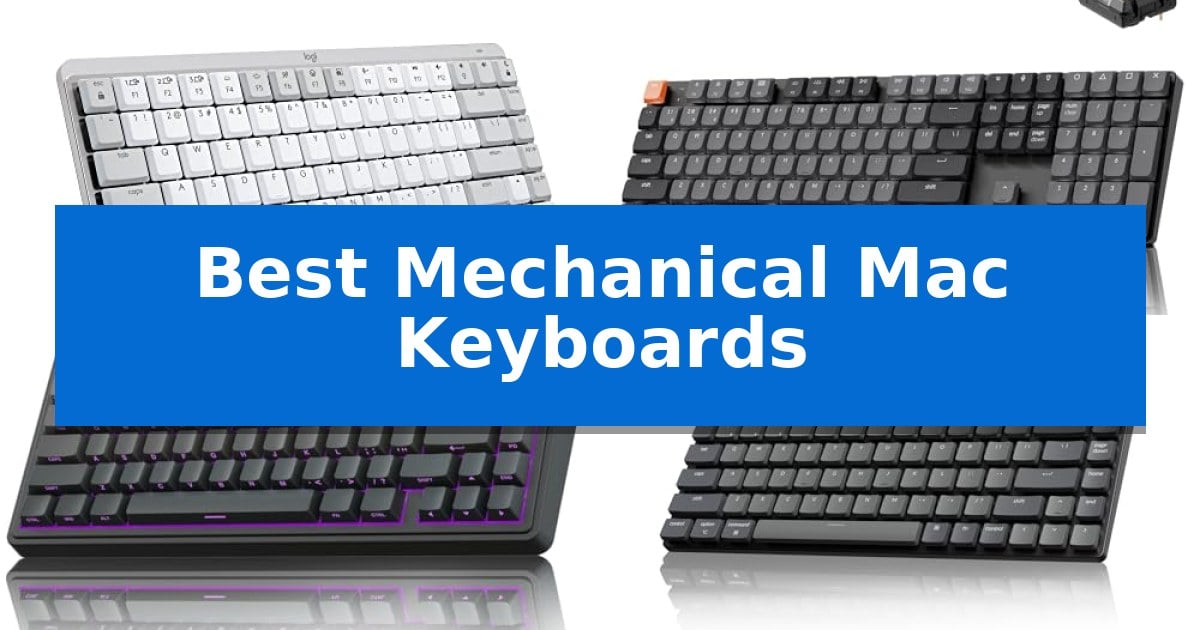
Finding the right typing experience for a macOS environment requires balancing tactile feedback with specific Apple-centric layout requirements. Many standard mechanical boards lack the dedicated media keys or command-key placement that power users rely on, leading to constant software remapping or frustration. The Best Mechanical Mac Keyboards bridge this gap by offering native support for macOS shortcuts while providing the satisfying, responsive feel that mechanical switches deliver.
Whether you are a writer seeking a quiet, tactile experience or a developer needing a full-sized layout with a number pad, the market offers diverse solutions. We have analyzed several models to help you identify which design aligns with your desk space, connectivity needs, and typing preferences, ensuring your hardware supports your productivity rather than hindering it.
You may also want to compare Best Mechanical Low-Profile Keyboards, Best Mechanical Keyboards with Wired and Wireless Modes, and Best Mechanical Keyboards with Screen.
Best Mechanical Mac Keyboards
Quick Comparison
| Product | Best For | Key Strength | Score |
|---|---|---|---|
| Logitech MX Mechanical Mini Mac Keyboard | Best Overall | Mac-specific layout ensures native compatibility with Apple function keys and modifiers. | 4.9 |
| Keychron K5 Version 2 Mechanical Keyboard | Ultra-Slim Full-Size Wireless | QMK/VIA support for deep, open-source customization. | 4.6 |
| AULA F75 Pro Mechanical Keyboard | Creamy Sound with Hot-Swappable Keys | Tri-mode connectivity supports up to five devices. | 4.4 |
| Keychron K3 Version 2 Mechanical Keyboard | Low-Profile 75% Wireless Design | Ultra-slim 75% layout for portability and desk space efficiency. | 4.6 |
| Keychron C2 Mechanical Keyboard | Reliable Wired Full-Size Typing | Full-size layout with integrated number pad for maximum productivity. | 4.6 |
How We Chose
- macOS Layout Integration: We prioritized keyboards that feature native Mac-specific keycaps and function row support, reducing the need for external software customization.
- Switch Type and Feel: We assessed the tactile feedback and noise profiles of the mechanical switches to ensure they suit various environments, from shared offices to private studios.
- Connectivity Versatility: We examined the balance between reliable wired USB-C connections and multi-device wireless capabilities, including Bluetooth stability.
- Ergonomics and Form Factor: We considered how different layouts—ranging from compact 75% designs to full-size boards—impact desk space and wrist positioning.
- Customization and Firmware: We looked for features like hot-swappable switches and open-source firmware support that allow users to tailor the hardware to their specific typing style.
1 Logitech MX Mechanical Mini Mac Keyboard — Compact Layout for Apple Users
The Logitech MX Mechanical Mini Mac Wireless Keyboard distinguishes itself through a specialized layout optimized for macOS, iPadOS, and iOS, ensuring that command and option keys align with Apple hardware workflows. This low-profile mechanical keyboard utilizes Tactile Quiet switches, providing a distinct physical bump without the high-pitched noise often associated with mechanical typing, making it a suitable choice for shared workspaces or quiet environments.
Designed with a minimalist, compact form factor, the device prioritizes desk space and ergonomic posture. The keys feature smart illumination that activates upon proximity and adjusts brightness based on ambient light, which helps extend the battery life. Users can pair the keyboard with up to three devices via Bluetooth Low Energy, allowing for seamless switching between a Mac, iPad, or other compatible hardware.
Customization is handled through the Logi Options+ software, which allows for the reassignment of function keys and the configuration of backlighting effects. The keyboard is rechargeable via a USB-C to USB-C connection, offering up to 15 days of use with backlighting enabled or up to 10 months with the lighting turned off. Its construction incorporates significant amounts of post-consumer recycled plastic, specifically 36% in the Pale Grey model.
While the compact layout is efficient for travel and desk organization, it omits a dedicated number pad, which may be a consideration for users who perform heavy data entry. The integration with the Logi Options+ ecosystem provides additional workflow enhancements, such as Flow cross-computer control when paired with a compatible mouse, though this requires specific software installation to function.
Best for: Users seeking a compact, low-profile mechanical keyboard specifically tuned for Apple device layouts and multi-machine workflows.
Skip if: Users who require a dedicated numeric keypad or prefer the deep travel distance of standard-height mechanical switches.
PROS
- Mac-specific layout ensures native compatibility with Apple function keys and modifiers.
- Tactile Quiet switches provide mechanical feedback without excessive noise.
- Multi-device Bluetooth pairing allows for quick switching between three separate Apple devices.
- Smart backlighting automatically adjusts to ambient conditions to save power.
CONS
- Compact form factor lacks a dedicated numeric keypad.
- Software-dependent features like advanced key customization require the Logi Options+ application.
2 Keychron K5 Version 2 Mechanical Keyboard — Ultra-Slim Full-Size Wireless
The Keychron K5 Version 2 Mechanical Keyboard brings a full-size layout into an ultra-slim, travel-friendly profile, bridging the gap between desktop mechanical performance and laptop-style portability. By integrating QMK firmware and the Keychron Launcher web app, it allows for deep customization, including key remapping and layer creation, ensuring the device adapts precisely to specific professional workflows.
Designed for versatility, this keyboard features Bluetooth 5.2 for seamless multi-device multitasking across laptops, phones, and tablets, alongside a USB-C wired mode that supports a 1000 Hz polling rate for low-latency input. The hardware includes tactile banana switches and a specialized acoustic architecture featuring IXPE, EPDM, and latex foams to refine typing tone and dampen unwanted ping.
Compatibility is a core strength, with dedicated Multi-OS support that allows users to switch between Mac and Windows modes while maintaining consistent media and function key shortcuts. The 2000 mAh battery provides reliable endurance, rated for up to 105 hours of use at low brightness, making it a practical choice for long sessions without frequent charging.
Measuring just 0.99 inches in height, the Keychron K5 Version 2 Mechanical Keyboard maintains a sleek aesthetic while providing a full 100% layout. Its combination of wireless flexibility, open-source firmware, and tuned acoustics makes it a robust tool for users requiring a high-performance, low-profile typing experience.
Best for: Users who require a full-size, low-profile mechanical keyboard with extensive customization options and multi-device wireless connectivity.
Skip if: Users who prefer high-profile keycaps, a traditional deep-travel typing feel, or those who do not require a full-size number pad.
PROS
- QMK/VIA support for deep, open-source customization.
- Low-profile design that maintains mechanical tactile feedback.
- Tri-device connectivity via Bluetooth 5.2.
- Tuned acoustic foam layers for a refined typing sound.
CONS
- Full-size layout may be too wide for users with limited desk space.
- Low-profile switches offer a different feel than standard mechanical switches.
3 AULA F75 Pro Mechanical Keyboard — Creamy Sound with Hot-Swappable Keys
The AULA F75 Pro Mechanical Keyboard distinguishes itself with a specialized internal architecture featuring an extended integrated silicone pad and PCB single key slotting, which work together to minimize cavity noise and provide a distinct, elastic typing feel. This 75% layout keyboard is engineered for users who prioritize desk space without sacrificing essential navigation keys.
Connectivity is a primary strength, offering tri-mode flexibility via Bluetooth 5.0, 2.4GHz wireless, and USB-C wired connections. It supports pairing with up to five devices simultaneously, allowing for seamless transitions between PCs, laptops, tablets, and mobile devices. A built-in 4000mAh battery provides the necessary power for extended wireless use.
For those interested in customization, the hot-swappable base accommodates both 3-pin and 5-pin switches, enabling users to modify their typing experience without soldering. The board arrives with pre-lubricated stabilizers and LEOBOG reaper switches, which are designed to produce a consistent, smooth sound profile right out of the box.
The keyboard includes a multi-function knob that toggles between gaming and office modes. In office mode, it manages volume and media playback, while gaming mode allows for adjustments to the 16.8 million color RGB lighting. The side-printed PBT keycaps utilize a double-injection molding process, ensuring the legends remain durable and resistant to wear over time.
Best for: Users seeking a compact, customizable mechanical keyboard that offers versatile wireless connectivity for multiple devices.
Skip if: Users who require a full-sized layout with a dedicated number pad for intensive data entry tasks.
PROS
- Tri-mode connectivity supports up to five devices.
- Hot-swappable PCB allows for easy switch customization.
- Advanced internal dampening reduces cavity noise for a solid typing feel.
- Multi-function knob provides intuitive media and lighting control.
CONS
- 75% compact layout lacks a dedicated numeric keypad.
4 Keychron K3 Version 2 Mechanical Keyboard — Low-Profile 75% Wireless Design
The Keychron K3 Version 2 Mechanical Keyboard prioritizes a slim, portable form factor by utilizing a reinforced aluminum body and a low-profile design that measures just 0.87 inches in height. This 75% layout keyboard is engineered for users who require a balance between a compact footprint and the tactile feedback of mechanical switches, specifically featuring Brown switches for a balanced typing feel.
Connectivity is handled through a Broadcom Bluetooth 5.1 chipset, allowing for stable wireless pairing with up to three devices simultaneously. Users can switch between a laptop, tablet, or phone, or opt for a USB-C wired connection for a direct interface. The inclusion of white LED backlighting with modern legends ensures visibility in various lighting conditions while maintaining a minimalist aesthetic.
For those who value customization, the keyboard supports open-source QMK firmware. This allows for extensive key remapping, macros, and shortcut configuration via the Keychron Launcher web app. The integration of a beta AI assistant further simplifies the customization process, enabling users to adjust settings through plain language prompts.
Designed with a unique Mac layout, the device includes essential multimedia keys out of the box, though it remains fully compatible with Windows systems. The package includes extra keycaps to accommodate both operating systems, ensuring the hardware fits seamlessly into diverse computing environments.
Best for: Users seeking a slim, portable mechanical keyboard that supports multi-device wireless connectivity and deep firmware customization for macOS and Windows.
Skip if: Users who prefer a full-sized keyboard with a dedicated number pad or those who require hot-swappable switch functionality not explicitly detailed in the provided specifications.
PROS
- Ultra-slim 75% layout for portability and desk space efficiency.
- Bluetooth 5.1 connectivity for seamless switching between three devices.
- QMK firmware support allows for advanced macro and key remapping.
- Mac-specific layout with included Windows-compatible keycaps.
CONS
- Low-profile design may not suit users who prefer the travel distance of standard-height mechanical switches.
- Plastic bottom frame construction contrasts with the reinforced aluminum top plate.
5 Keychron C2 Mechanical Keyboard — Reliable Wired Full-Size Typing
The Keychron C2 Mechanical Keyboard provides a dedicated, full-size layout that integrates a number pad and specific multimedia keys optimized for macOS, ensuring immediate compatibility without the need for complex remapping. Its retro-inspired aesthetic is paired with a wired USB-C connection, which maintains a consistent power supply for reliable performance during extended typing sessions or light gaming.
Built for durability, this keyboard features tactile switches rated for a 50-million keystroke lifespan. The chassis includes an inclined bottom frame and two-level adjustable feet, allowing users to set the typing angle at 6° or 9° to suit personal ergonomic preferences.
The Keychron C2 Mechanical Keyboard ships with extra keycaps specifically labeled for both Mac and Windows operating systems, alongside a dedicated key for Siri or Cortana. Its non-backlit design maintains a clean, professional look suitable for office environments, while the braided cable ensures long-term cable integrity.
While this model excels in stability and layout, its wired-only connection means it lacks the portability of wireless alternatives. It is a straightforward, functional tool for users who prioritize a consistent, plug-and-play experience on a full-sized desk setup.
Best for: Users who require a reliable, full-sized wired mechanical keyboard with a dedicated number pad and native macOS layout support.
Skip if: Users who prioritize a clutter-free desk space and require wireless connectivity or backlighting for low-light environments.
PROS
- Full-size layout with integrated number pad for maximum productivity.
- Native Mac compatibility including dedicated multimedia and function keys.
- Durable tactile switches rated for 50 million keystrokes.
- Adjustable typing angles via two-level feet for improved ergonomics.
CONS
- Wired-only connection limits desk placement flexibility.
- Non-backlit design may be difficult to use in dark rooms.
Best Mechanical Mac Keyboards Buying Guide
Understanding Mechanical Switch Types
Mechanical switches are categorized by their actuation feel: linear, tactile, or clicky. Linear switches offer a smooth, consistent keystroke without a bump, making them popular for gaming and fast typing. Tactile switches provide a subtle physical bump at the point of actuation, which many users find helpful for confirming key presses without looking.
For Mac users working in shared spaces, the noise profile is a critical consideration. Tactile quiet switches are often the best middle ground, providing the satisfying mechanical feedback you expect while remaining subtle enough to avoid distracting colleagues or disrupting quiet home environments.
Layouts and Desk Space
The physical footprint of your keyboard significantly impacts your ergonomics. A full-size layout includes a dedicated number pad, which is essential for data entry and heavy spreadsheet work. However, it requires more desk space and places your mouse further to the right, which can lead to shoulder strain.
Compact layouts, such as 75% or mini designs, remove the number pad to bring your mouse closer to your body. This setup is often more ergonomic for general productivity and creative work. If you frequently need a number pad but want a smaller footprint, consider a separate mechanical numpad that you can move aside when not in use.
Connectivity: Wired vs. Wireless
Wired connections via USB-C offer the most reliable performance with zero latency and no need to manage battery life. This is ideal for stationary setups where the keyboard never leaves your desk. A braided cable can also add durability and a cleaner aesthetic to your workspace.
Wireless connectivity provides a clutter-free desk and the flexibility to switch between multiple devices, such as a MacBook, an iPad, and a desktop PC. When choosing a wireless board, check the battery life and the ease of switching between paired devices to ensure it fits your multitasking workflow.
Keycap Materials and Durability
The material of your keycaps affects both the sound and the longevity of your keyboard. PBT plastic is highly regarded for its textured feel and resistance to the shine that develops on cheaper ABS keycaps over time. It is a durable choice for heavy typists.
Double-injection molding is a manufacturing process that ensures the legends on your keys will never fade, as they are molded into the plastic rather than printed on the surface. This is a vital feature for long-term readability, especially on backlit keyboards where light must pass through the characters.
Customization and Hot-Swappability
A hot-swappable PCB allows you to change your mechanical switches without soldering. This feature is a significant advantage for users who want to experiment with different switch types—such as swapping to a heavier switch for gaming or a lighter one for long writing sessions—without buying a new keyboard.
Advanced users may also look for support for open-source firmware like QMK or VIA. This software allows for deep customization of key layers, macros, and lighting effects, enabling you to program your keyboard to perform complex tasks with a single keypress.
Frequently Asked Questions
Can I use a Windows mechanical keyboard on my Mac?
Yes, most mechanical keyboards are compatible with macOS. However, you may need to swap the Command and Option key functions in your System Settings, and you will lack the specific Mac-labeled media keys found on dedicated boards.
What is a hot-swappable keyboard?
A hot-swappable keyboard features a PCB that allows you to pull out and replace mechanical switches without using a soldering iron. This makes it easy to repair a faulty switch or customize the typing feel.
Are mechanical keyboards louder than membrane keyboards?
Generally, yes. However, the noise level depends on the switch type and the keyboard's internal dampening. Tactile quiet or silent linear switches are designed to minimize noise, making them suitable for office environments.
Do I need special software to use these keyboards?
Most mechanical keyboards are plug-and-play. However, if you want to customize lighting, remap keys, or create macros, you may need to use manufacturer-provided software or open-source tools like VIA.
How do I clean my mechanical keyboard?
You should use a keycap puller to remove the keys, then use compressed air to clear debris from the board. You can wash PBT keycaps in warm, soapy water, but ensure they are completely dry before reattaching them.
Conclusion: Our Top Pick
For most users seeking a refined, Mac-native experience, the Logitech MX Mechanical Mini Mac Keyboard stands out as the most balanced choice. Its low-profile design provides a comfortable, ergonomic typing angle that mimics the feel of a laptop keyboard while delivering the precise, tactile feedback of mechanical switches. The integration with Logi Options+ allows for deep customization of function keys, and the smart backlighting is a practical addition for low-light work sessions.
While other options offer more extreme customization or full-sized layouts, this model excels in its specific focus on Apple users. It offers a seamless transition for those coming from the Magic Keyboard who want to upgrade to a mechanical experience without sacrificing the compact, minimalist aesthetic that defines the modern Mac workspace.