
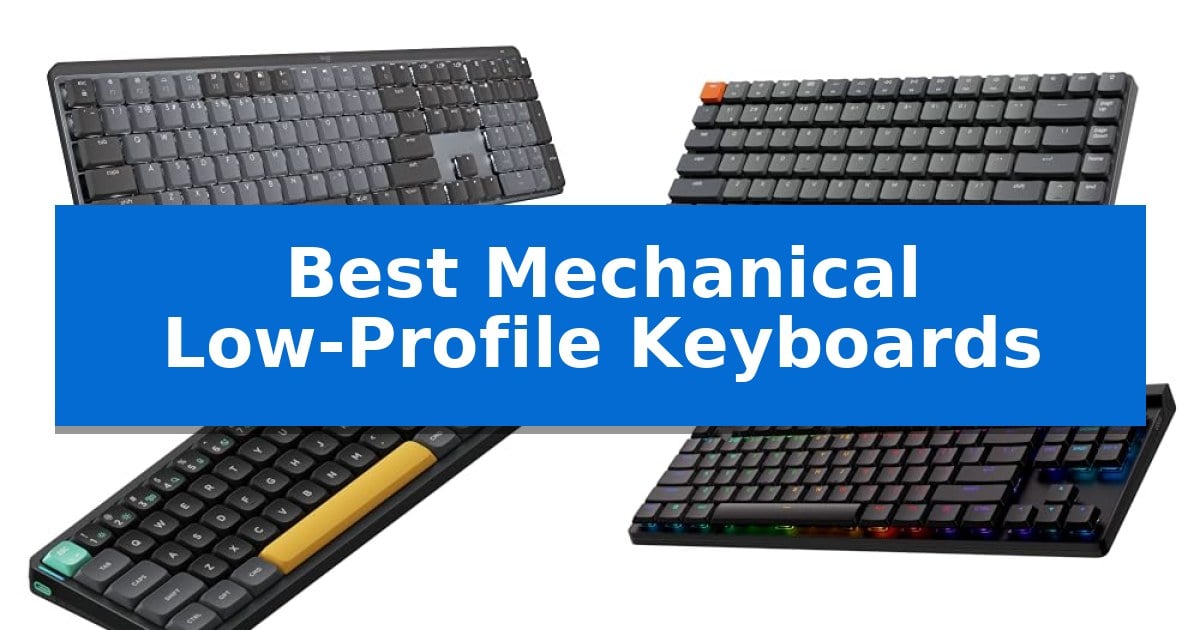
Finding the right typing experience often involves balancing the tactile feedback of mechanical switches with the sleek, ergonomic profile of modern hardware. The Best Mechanical Low-Profile Keyboards offer a refined solution for users who want the precision of a mechanical deck without the excessive height that can strain wrists during long work sessions.
Whether you are looking for a full-size layout for data entry or an ultra-portable design for mobile workflows, these keyboards provide a distinct feel that bridges the gap between laptop-style chiclet keys and traditional high-profile mechanical boards. We have analyzed the latest options to help you identify which design fits your specific desk setup and typing habits.
You may also want to compare Best Mechanical Keyboards with Wired and Wireless Modes, Best Mechanical Keyboards with Screen, and Best Mechanical Keyboards with Numpad.
Best Mechanical Low-Profile Keyboards
Quick Comparison
| Product | Best For | Key Strength | Score |
|---|---|---|---|
| Logitech MX Mechanical Wireless Keyboard | Best Overall | Tactile Quiet mechanical switches provide satisfying feedback while minimizing noise. | 4.9 |
| Keychron K3 Version 2 Mechanical Keyboard | Compact 75% Layout for Productivity | Ultra-slim and lightweight design with a reinforced aluminum frame. | 4.4 |
| NuPhy Air60 V2 Wireless Keyboard | Ultra-Portable 60% Form Factor | Ultra-slim 60% form factor for maximum portability. | 4.9 |
| Logitech G515 LIGHTSPEED TKL Keyboard | High-Performance Wireless Gaming | Tri-mode connectivity featuring LIGHTSPEED wireless, Bluetooth, and wired options. | 4.6 |
| Keychron K5 Version 2 Mechanical Keyboard | Full-Size Layout with Numeric Pad | Full-size 100% layout including a dedicated numeric pad in a slim profile. | 4.5 |
How We Chose
- Switch tactile feedback and noise profile for office or home environments.
- Layout versatility, including full-size, 75%, and 60% form factors.
- Wireless connectivity options such as Bluetooth and 2.4GHz for multi-device support.
- Customization capabilities through software like QMK or proprietary configuration tools.
- Battery efficiency and charging standards for sustained wireless use.
1 Logitech MX Mechanical Wireless Keyboard — Premium Typing for Office Workflows
Achieving a refined typing experience often requires balancing tactile feedback with a slim profile that reduces wrist strain. The Logitech MX Mechanical Wireless Keyboard addresses this by integrating low-profile mechanical switches into a full-size layout, providing a distinct tactile bump without the bulk of traditional mechanical boards.
This keyboard prioritizes modern workflow efficiency through its smart illumination system, which automatically adjusts backlighting based on ambient light and detects hand proximity to save power. Connectivity is handled via Bluetooth Low Energy or the included Logi Bolt receiver, allowing for seamless switching between up to three devices across different operating systems.
For power management, the device features USB-C quick charging, offering up to 15 days of use with backlighting enabled or up to 10 months with the lights turned off. The Logi Options+ software further enhances utility by enabling custom key assignments and cross-computer control, making it a versatile tool for professional environments.
Designed with ergonomics in mind, the low-profile keys promote a more natural hand position during extended typing sessions. The construction also incorporates sustainability, with the Graphite model utilizing 45% post-consumer recycled plastic in its components.
Best for: Professionals who require a full-size, multi-device mechanical keyboard that balances tactile feedback with a low-profile, ergonomic design.
Skip if: Users who prefer a compact tenkeyless layout or those who require hot-swappable switches for custom key feel will find this fixed-switch, full-size model limiting.
PROS
- Tactile Quiet mechanical switches provide satisfying feedback while minimizing noise.
- Multi-device connectivity supports up to three devices via Bluetooth or Logi Bolt.
- Smart backlighting adjusts automatically to ambient conditions to optimize battery life.
- USB-C rechargeable battery offers up to 15 days of operation with backlighting.
CONS
- Fixed switch type does not allow for user customization or hot-swapping.
- Full-size form factor occupies more desk space than compact or TKL alternatives.
2 Keychron K3 Version 2 Mechanical Keyboard — Compact 75% Layout for Productivity
The Keychron K3 Version 2 Mechanical Keyboard is an ultra-slim 75% layout device, measuring just 0.87 inches in height, designed to provide a tactile mechanical typing experience within a compact, space-saving footprint. Its reinforced aluminum body balances durability with a lightweight profile, making it a practical choice for users who prioritize a clean, minimalist desk setup without sacrificing key functionality.
Connectivity is facilitated by a stable Broadcom Bluetooth 5.1 chipset, allowing for seamless multitasking across up to three devices such as laptops, tablets, and phones. For users requiring a hardwired connection, the integrated USB-C interface provides consistent performance. The keyboard includes specific keycaps for both macOS and Windows, ensuring broad compatibility regardless of the operating system.
Advanced customization is supported through open-source QMK firmware and the Keychron Launcher web app. These tools allow for extensive remapping of keys, the creation of macros, and the definition of custom shortcuts. A beta AI assistant is also available to simplify the configuration process, helping users tailor their typing workflows with plain-language commands.
The floating keycap design is paired with white LED backlighting, offering a modern aesthetic that adapts to various work environments. By combining a slim mechanical profile with robust software support, this keyboard serves as a versatile tool for productivity-focused users who switch between multiple devices.
Best for: Productivity-focused users who switch between multiple devices and require a compact, low-profile mechanical typing experience.
Skip if: Users who require a full-sized keyboard with a dedicated number pad or those who prefer high-profile, deep-travel mechanical switches.
PROS
- Ultra-slim and lightweight design with a reinforced aluminum frame.
- Multi-device connectivity via stable Bluetooth 5.1 for up to three devices.
- Extensive customization options through open-source QMK firmware and Keychron Launcher.
- Broad compatibility with both Mac and Windows layouts, including extra keycaps.
CONS
- Compact 75% layout lacks a dedicated number pad.
- Plastic bottom frame construction despite the aluminum top.
3 NuPhy Air60 V2 Wireless Keyboard — Ultra-Portable 60% Form Factor
The NuPhy Air60 V2 Wireless Keyboard prioritizes portability through its ultra-slim 60% layout, measuring just 0.53 inches in height. This compact design removes the dedicated function row while retaining full functionality, making it a practical choice for users who need a space-saving input device that fits easily into a travel bag.
Engineered for versatility, the keyboard supports QMK/VIA firmware, allowing for extensive key remapping across Windows, macOS, and Linux. Connectivity is equally flexible, offering Bluetooth 5.1, 2.4GHz wireless, and a wired USB-C interface. For gaming or high-demand tasks, the 1000Hz polling rate in wireless mode provides responsive input performance.
The integrated 2500mAh battery supports extended use, with lab-tested runtimes reaching up to 150 hours when the backlighting is disabled. The aluminum frame features dual RGB light bars that serve functional roles, indicating connection status, battery levels, and system modes alongside customizable lighting effects.
With its Gateron Aloe switches and low-profile architecture, this keyboard balances a shallow travel distance with mechanical feedback. It supports multi-device workflows by allowing connections to up to four devices simultaneously, enabling quick switching between different workstations or mobile setups.
Best for: Travelers and minimalists who require a highly portable, programmable mechanical keyboard that supports multi-device connectivity.
Skip if: Users who rely heavily on a dedicated number pad or physical function row keys for their daily workflow.
PROS
- Ultra-slim 60% form factor for maximum portability.
- QMK/VIA support for deep customization of key maps and lighting.
- Tri-mode connectivity including Bluetooth 5.1, 2.4GHz, and wired USB-C.
- 1000Hz polling rate for responsive wireless performance.
CONS
- Lack of a dedicated function row may require a learning curve for some users.
- 60% layout is not suitable for tasks requiring a full-sized number pad.
4 Logitech G515 LIGHTSPEED TKL Keyboard — High-Performance Wireless Gaming
The Logitech G515 LIGHTSPEED TKL Keyboard is designed for users who prioritize a streamlined workspace without compromising on mechanical performance. Measuring just under an inch in height, this low-profile device provides a compact footprint that is ideal for environments where desk real estate is at a premium.
Equipped with factory-lubed GL Brown switches, the keyboard delivers a discernible tactile bump during each keystroke, offering the feedback mechanical enthusiasts expect in a thinner form factor. The construction utilizes double-shot PBT keycaps, which are engineered to resist oil buildup and maintain a consistent, premium feel even during intensive use.
Connectivity is handled through a tri-mode system, giving users the flexibility to switch between LIGHTSPEED wireless, Bluetooth, or a wired connection. For those relying on wireless operation, the internal battery supports up to 36 hours of continuous play, though actual runtime will vary based on specific usage conditions and settings.
Advanced customization is managed via the KEYCONTROL software, which allows for the programming of up to 15 functions per key. This capability enables a highly personalized control scheme, making the keyboard a versatile tool for both gaming and professional workflows despite the absence of a dedicated numeric keypad.
Best for: Gamers and professionals who require a compact, low-profile mechanical keyboard with versatile wireless connectivity and deep customization options.
Skip if: Users who rely on a dedicated number pad for data entry or those who prefer the longer travel distance of traditional full-height mechanical switches.
PROS
- Tri-mode connectivity featuring LIGHTSPEED wireless, Bluetooth, and wired options.
- Low-profile design that maintains a slim, tenkeyless footprint.
- Double-shot PBT keycaps for enhanced durability and anti-oil resistance.
- Factory-lubed GL Brown switches providing consistent, discernible tactile feedback.
CONS
- Tenkeyless layout lacks a dedicated numeric keypad.
- 36-hour battery life may require frequent charging depending on usage patterns.
5 Keychron K5 Version 2 Mechanical Keyboard — Full-Size Layout with Numeric Pad
The Keychron K5 Version 2 Mechanical Keyboard provides a full-size 100% layout in an ultra-slim, low-profile form factor, making it a versatile choice for users who require a dedicated numeric pad without sacrificing desk space. By integrating QMK firmware and the Keychron Launcher web app, this keyboard allows for granular customization, including key remapping and layer creation, to suit specific professional workflows.
Designed for both mobility and desktop stability, the unit features a low-profile body paired with tactile Milk POM Banana switches. The internal construction incorporates IXPE, EPDM, and latex acoustic foams to dampen sound and refine the typing tone, balancing the responsiveness of a mechanical board with the portability often associated with laptop-style typing.
Connectivity is handled via Broadcom Bluetooth 5.2, supporting simultaneous pairing with up to three devices for seamless multitasking across tablets, phones, and computers. For scenarios requiring high-precision input, the USB-C wired mode offers a 1000 Hz polling rate and ultra-low latency, ensuring consistent performance for demanding tasks.
The device is engineered for broad compatibility, featuring dedicated Multi-OS support that allows users to switch between Mac and Windows modes while maintaining consistent media and function key shortcuts. Powering these features is a 2000 mAh Li-polymer battery, which provides up to 105 hours of use at low brightness settings, extending to 160 hours under specific lab conditions.
Best for: Users who need a full-size, low-profile mechanical keyboard with deep customization options for both Mac and Windows environments.
Skip if: Users who prefer a compact 60% or 75% layout or those who require hot-swappable switches for frequent hardware customization.
PROS
- Full-size 100% layout including a dedicated numeric pad in a slim profile.
- Open-source QMK firmware support for advanced key remapping and customization.
- Triple-device Bluetooth 5.2 connectivity with an optional high-polling USB-C wired mode.
- Tuned acoustics using layered foam to reduce ping and improve typing feel.
CONS
- Fixed low-profile switch design limits the ability to swap in standard mechanical switches.
- Large physical footprint compared to compact or tenkeyless mechanical alternatives.
Best Mechanical Low-Profile Keyboards Buying Guide
Understanding Switch Profiles
The primary advantage of a low-profile mechanical keyboard is the reduced travel distance and overall height of the keycaps and switches. This design naturally promotes a more neutral wrist position, which can reduce fatigue during extended typing sessions. Because the switches are physically shorter, they often provide a faster, more responsive feel compared to standard mechanical switches.
When choosing a switch, consider whether you prefer a tactile bump for confirmation or a linear feel for smoother, faster keystrokes. Many low-profile options are specifically engineered to minimize noise, making them suitable for shared office spaces where loud clicking might be a distraction.
Layout and Form Factor
Your choice of layout should be dictated by your primary use case. A full-size keyboard includes a dedicated numeric pad, which is essential for accounting, data entry, or any task requiring frequent numerical input. These boards occupy more desk space but offer the most comprehensive set of keys.
For those who prioritize desk real estate or portability, 75% or 60% layouts are excellent alternatives. These compact designs remove the numeric pad and sometimes the function row, allowing for a more ergonomic mouse position. If you travel frequently, a 60% keyboard offers the smallest footprint while retaining the mechanical typing experience.
Connectivity and Multi-Device Support
Modern mechanical keyboards often support multiple connection methods, including Bluetooth, 2.4GHz wireless, and wired USB-C. Bluetooth is ideal for switching between tablets, phones, and laptops, while 2.4GHz receivers typically offer lower latency for gaming or high-performance tasks.
Check if your keyboard supports multi-device pairing. This feature allows you to switch between your workstation and a mobile device with a single key press, significantly streamlining your workflow if you manage multiple screens or devices throughout the day.
Customization and Firmware
Advanced users should look for boards that support QMK or VIA firmware. These open-source tools allow you to remap every key, create complex macros, and customize layers to suit your specific software shortcuts. This level of control can turn a standard keyboard into a highly specialized productivity tool.
Even without advanced firmware, many manufacturers provide proprietary software to manage backlighting, function key assignments, and battery settings. Ensure the software is compatible with your operating system, whether you are using Windows, macOS, or Linux.
Battery Life and Charging
Since low-profile keyboards are often used in wireless configurations, battery capacity is a critical factor. Look for models that offer USB-C quick charging and efficient power management. Some keyboards can last for weeks with backlighting off, while others may require more frequent charging if you use high-intensity RGB lighting.
Consider the standby time and auto-sleep features. A well-designed keyboard will automatically enter a low-power state when not in use, extending the time between charges and ensuring your device is ready when you return to your desk.
Frequently Asked Questions
Are low-profile mechanical keyboards better for ergonomics?
Yes, they are generally considered more ergonomic because the lower height of the keys allows for a flatter wrist angle, which can reduce strain compared to traditional, taller mechanical keyboards.
Can I use a low-profile mechanical keyboard for gaming?
Absolutely. Many low-profile models, such as those with dedicated 2.4GHz wireless technology, offer the fast response times and reliability required for competitive gaming while maintaining a slim profile.
Do I need special keycaps for low-profile switches?
Yes, low-profile switches typically require specific, shorter keycaps. You cannot use standard mechanical keycaps on these boards, so ensure any replacements are explicitly compatible with your specific switch type.
What is the benefit of QMK/VIA support?
QMK and VIA allow you to fully customize your keyboard layout, including remapping keys and creating complex macros, which can significantly improve your efficiency in professional software.
How do I clean a low-profile mechanical keyboard?
Use a keycap puller to remove the caps, then use compressed air to clear debris from the switch stems. Since the switches are low-profile, be gentle when wiping the surface to avoid damaging the exposed mechanisms.
Conclusion: Our Top Pick
Choosing the right keyboard depends on your specific balance of desk space, connectivity needs, and typing preferences. For most users seeking a blend of high-end build quality, tactile satisfaction, and professional features, the Logitech MX Mechanical Wireless Keyboard stands out as the most versatile option. Its full-size layout and smart backlighting make it a reliable companion for daily office tasks.
If you require a more compact footprint for travel or a specialized layout for custom workflows, the other models in this list offer excellent alternatives. Evaluate your desk setup and primary tasks to decide whether you need the numeric pad of a full-size board or the portability of a 60% or 75% design.