
Finding the right hardware for your workspace can significantly impact your daily comfort and output. When you spend hours typing reports or emails, the tactile feedback and build quality of your input device become essential factors in maintaining focus and reducing fatigue.
We have analyzed the Best Mechanical Keyboards for Office Use to help you identify which features—such as switch type, layout, and connectivity—align with your specific work environment. Read on to see how these models compare in terms of ergonomics, noise levels, and overall desk utility.
You may also want to compare Best Mechanical Keyboards for MacBook, Best Mechanical Keyboards for Mac, and Best Mechanical Keyboards for League of Legends.
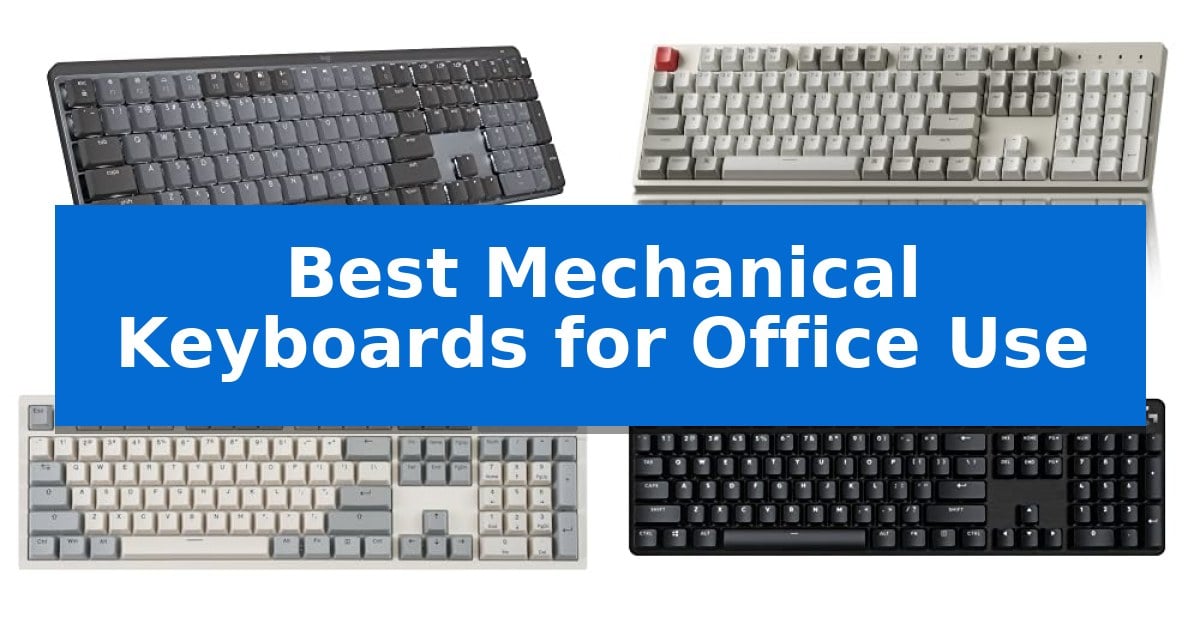
Best Mechanical Keyboards for Office Use
Quick Comparison
| Product | Best For | Key Strength | Score |
|---|---|---|---|
| Logitech MX Mechanical Wireless Keyboard | Best Overall | Tactile Quiet switches provide satisfying feedback without excessive noise. | 4.9 |
| Keychron C2 Wired Mechanical Keyboard | Reliable Full-Size Productivity | Full-size layout with a dedicated number pad for efficient data entry. | 4.3 |
| Perixx PERIBOARD-108M Mechanical Keyboard | Classic Retro Ergonomic Design | Gateron brown tactile switches provide balanced, responsive feedback. | 4.7 |
| Logitech G413 SE Mechanical Keyboard | Durable Aluminum Build Quality | Brushed aluminum-magnesium alloy top case for high durability. | 4.4 |
| MageGee MK-Box Mechanical Keyboard | Compact Layout for Desk Space | Compact 60% layout saves significant desk space. | 4.5 |
How We Chose
- Switch characteristics and noise profiles for shared workspaces
- Layout efficiency and ergonomic features for long-term comfort
- Connectivity options including wireless flexibility and wired reliability
- Build quality and material durability for daily high-volume use
- Compatibility with common operating systems like Windows and macOS
1 Logitech MX Mechanical Wireless Keyboard — Quiet Tactile Typing Experience
The Logitech MX Mechanical Wireless Keyboard utilizes low-profile mechanical switches to provide a tactile typing experience that balances precise feedback with reduced noise, making it suitable for shared office environments. Its full-size form factor includes a dedicated number pad, while the low-profile design aims to improve ergonomics by keeping hands in a more natural position during extended typing sessions.
Designed for versatility, this keyboard features smart illumination that automatically adjusts backlighting based on proximity and ambient light levels. It supports multi-device connectivity, allowing users to pair with up to three devices via Bluetooth Low Energy or the included Logi Bolt receiver. Users can manage these connections and customize function keys through the Logi Options+ software.
Power management is handled via USB-C quick charging, with a battery life rated for up to 15 days on a single charge with backlighting enabled, or up to 10 months if the backlight is turned off. The construction incorporates 45% post-consumer recycled plastic in its Graphite finish, reflecting a focus on material sourcing.
This keyboard is a practical choice for professionals who require a reliable, multi-device input tool that minimizes desk clutter through its wireless design. While it offers a robust feature set for productivity, users should ensure their workspace setup accommodates a full-size layout before purchase.
Best for: Professionals who need a quiet, tactile mechanical keyboard capable of switching between multiple devices in an office workspace.
Skip if: Users who prefer a compact tenkeyless or 60% layout, or those who require a wired-only connection for their specific security or performance requirements.
PROS
- Tactile Quiet switches provide satisfying feedback without excessive noise.
- Multi-device pairing allows seamless switching between three devices.
- Smart backlighting adjusts automatically to ambient conditions.
- USB-C rechargeable battery offers long-lasting performance.
CONS
- Full-size footprint occupies more desk space than compact alternatives.
- Limited to wireless connectivity via Bluetooth or Logi Bolt.
2 Keychron C2 Wired Mechanical Keyboard — Reliable Full-Size Productivity
The Keychron C2 Wired Mechanical Keyboard is a 104-key full-size solution engineered to streamline office workflows through its dedicated number pad and optimized layout. By utilizing a reliable USB Type-C wired connection with a braided cable, it ensures a constant power supply without the latency or battery management concerns associated with wireless peripherals.
Built for versatility, the device features a layout compatible with both macOS and Windows, including dedicated multimedia keys and a specific key for Siri or Cortana. The inclusion of extra keycaps allows users to customize the board to match their specific operating system, ensuring that function keys align with standard software expectations.
Typing comfort is addressed through an inclined bottom frame and two-level adjustable feet, offering 6-degree and 9-degree angles to suit different ergonomic preferences. The pre-installed tactile switches are rated for a 50-million keystroke lifespan, providing consistent responsiveness for high-volume typing tasks.
With its retro-inspired color scheme, the keyboard maintains a professional aesthetic suitable for office environments while remaining robust enough for light gaming. Its full-size form factor provides a comprehensive typing experience, though its wired-only design necessitates a permanent connection to your workstation.
Best for: Office professionals who require a reliable, full-size wired keyboard with a dedicated number pad and cross-platform compatibility.
Skip if: Users who prioritize a clutter-free desk and require wireless connectivity or a compact, portable form factor.
PROS
- Full-size layout with a dedicated number pad for efficient data entry.
- Cross-platform compatibility with specific keys and keycaps for both Mac and Windows.
- Durable tactile switches rated for 50 million keystrokes.
- Adjustable ergonomics with two-level feet for comfortable typing angles.
CONS
- Wired-only connection limits desk placement and portability.
- Non-backlit design may be difficult to use in low-light office environments.
3 Perixx PERIBOARD-108M Mechanical Keyboard — Classic Retro Ergonomic Design
The Perixx PERIBOARD-108M Mechanical Keyboard brings a distinct retro aesthetic to the workspace, featuring a classic gray and white color scheme paired with SA spherical keycaps. These keycaps are engineered with a curved design, featuring a flatter top and contoured back edges that align with the natural shape of fingertips to support extended typing sessions.
Built for consistent feedback, this full-size keyboard utilizes Gateron brown tactile switches. These switches provide a noticeable tactile bump during actuation, offering a balance between responsiveness and the auditory feedback often preferred in office environments. The long key structure ensures a satisfying travel distance for each keystroke.
Designed with practicality in mind, the Perixx PERIBOARD-108M Mechanical Keyboard features a durable construction and removable keycaps that simplify maintenance and cleaning. The full-size layout includes a standard number pad, making it a functional choice for data entry and general office productivity tasks.
Compatibility is straightforward, as the device connects via a standard USB port and supports Windows 7, 8, 10, and 11. Measuring 17.95 x 6.65 x 1.34 inches, it provides a stable footprint for desk setups where a traditional, full-sized mechanical experience is desired.
Best for: Office professionals who prefer a tactile mechanical typing experience with a classic retro aesthetic and full-size layout.
Skip if: Users who require wireless connectivity, compact desk footprints, or silent switches for noise-sensitive environments.
PROS
- Gateron brown tactile switches provide balanced, responsive feedback.
- SA spherical keycaps offer an ergonomic, comfortable typing surface.
- Full-size layout includes a dedicated number pad for productivity.
- Removable keycaps allow for easy cleaning and maintenance.
CONS
- Wired-only connection limits desk placement flexibility.
- Large footprint may not suit smaller or minimalist workspaces.
4 Logitech G413 SE Mechanical Keyboard — Durable Aluminum Build Quality
The Logitech G413 SE Mechanical Keyboard is engineered with a brushed aluminum-magnesium alloy top case, providing a rigid, minimal-flex foundation that ensures structural stability during intense typing sessions. This full-size layout is designed for professionals who require a reliable, wired connection that eliminates the need for battery management or wireless interference concerns.
Performance is driven by tactile mechanical switches, which provide consistent physical feedback for every keystroke. This tactile response is particularly beneficial for users who maintain a high typing cadence and need to verify input accuracy. The keyboard also features 6-key rollover anti-ghosting, ensuring that simultaneous key presses are registered correctly, which is a significant advantage over standard membrane office keyboards.
Durability is a core focus of the design, highlighted by the inclusion of PBT keycaps. This material is specifically chosen for its heat- and wear-resistant properties, allowing the keycaps to maintain their texture and appearance even after extensive daily use in a busy office environment. The white LED lighting enhances visibility across various workspace conditions, ensuring keys remain legible.
Functionality is streamlined through twelve FN media keys, allowing users to manage volume, playback, and system shortcuts without navigating through software menus. The keyboard is compatible with both Windows and macOS, offering versatility for diverse workstation setups. While the full-size footprint occupies more desk space than compact alternatives, it provides a complete typing experience for those who rely on a dedicated number pad for data entry.
Best for: Office professionals who prioritize a durable, aluminum-chassis keyboard with tactile feedback and long-lasting PBT keycaps.
Skip if: Users who require wireless connectivity, dedicated macro keys, or a compact footprint, as this is a wired, full-size layout.
PROS
- Brushed aluminum-magnesium alloy top case for high durability.
- Heat- and wear-resistant PBT keycaps for long-term use.
- Tactile mechanical switches provide consistent typing feedback.
- FN media controls for efficient system management.
CONS
- Wired-only connection limits desk placement flexibility.
- Full-size layout occupies more desk space than TKL or compact alternatives.
5 MageGee MK-Box Mechanical Keyboard — Compact Layout for Desk Space
The MageGee MK-Box Mechanical Keyboard utilizes a space-saving 60% compact layout, making it a practical choice for crowded office desks. By integrating 68 keys while retaining essential functionality like separate arrow keys and F1-F12 functions, it provides a streamlined typing experience without sacrificing the utility required for daily professional tasks.
Equipped with mechanical red switches, this keyboard offers a linear and smooth keystroke with minimal resistance. This design choice is intended to facilitate fast action during typing, as the switches lack a tactile bump or significant audible click, which can be advantageous in shared office environments where noise reduction is a priority.
The device features full anti-ghosting capabilities, ensuring that all 68 keys register accurately during rapid input. The build includes ergonomic suspension keycaps and double kickstand feet, allowing users to adjust the typing angle for improved comfort during extended work sessions. A detachable USB cable is included to simplify cable management and portability.
Customization is supported through a classic blue LED backlight system. Users can toggle between approximately 16 different lighting modes, with dedicated controls for adjusting both the speed and brightness of the illumination to suit personal preferences or office lighting conditions.
Compatibility is straightforward, as the keyboard uses a standard USB 2.0 interface. It is designed for plug-and-play functionality across Windows, Linux, and Mac operating systems, requiring no additional drivers or software installations to operate effectively.
Best for: Office professionals who need to maximize desk space without losing access to essential function keys and arrow keys.
Skip if: Users who require a dedicated number pad for frequent data entry or those who prefer the tactile feedback of clicky mechanical switches.
PROS
- Compact 60% layout saves significant desk space.
- Linear red switches provide a smooth, quiet typing experience.
- Full anti-ghosting ensures reliable input registration.
- Adjustable LED backlighting with multiple modes and brightness controls.
CONS
- Lacks a dedicated number pad, which may hinder heavy numerical data entry.
- Wired-only connection limits desk placement options compared to wireless models.
Best Mechanical Keyboards for Office Use Buying Guide
Understanding Mechanical Switches
Mechanical switches are the core of any keyboard, defining how each keypress feels and sounds. For office environments, tactile switches are often preferred because they provide a noticeable bump without the loud, sharp click associated with 'clicky' switches.
Linear switches offer a smooth, consistent press that is generally quieter, making them a strong alternative if you work in an open-plan office. Always consider the actuation force and travel distance to ensure the typing experience matches your personal preference.
Layout and Form Factor
The physical size of your keyboard dictates how much desk space remains for other tools. A full-size keyboard includes a dedicated number pad, which is vital for data entry and accounting tasks.
If your workspace is limited, a compact or 60% layout can provide more room for your mouse, though you may lose quick access to function keys or navigation clusters. Choose a layout that balances your specific software needs with your available desk real estate.
Connectivity: Wired vs. Wireless
Wired connections offer the benefit of a constant power supply and zero latency, which is ideal for stationary setups where you never want to worry about battery levels. These models often use USB-C cables for a secure, modern connection.
Wireless keyboards provide a cleaner desk aesthetic and the flexibility to move your device. Many modern wireless options support multi-device pairing, allowing you to switch between a laptop, tablet, and desktop with a single button press.
Ergonomics and Build Materials
Long-term typing comfort is heavily influenced by the keyboard's angle and keycap profile. Look for models with adjustable feet that allow you to set a typing angle that reduces wrist strain.
Materials like brushed aluminum or high-quality plastics contribute to the overall durability of the chassis. A rigid frame prevents the keyboard from flexing during intense typing sessions, providing a more stable and premium feel.
Compatibility and Customization
Ensure your chosen keyboard is compatible with your primary operating system. Many mechanical keyboards now offer Mac and Windows specific keycaps or software that allows you to remap keys to suit your workflow.
Customization software can also be used to adjust backlighting or program macro keys, which can automate repetitive tasks. Check if the keyboard requires specific drivers or if it is a true plug-and-play device for your setup.
Frequently Asked Questions
Are mechanical keyboards too loud for an office?
Not necessarily. Many mechanical keyboards designed for office use feature tactile or linear switches that are significantly quieter than traditional 'clicky' gaming switches, making them suitable for professional environments.
Do I need a full-size keyboard for work?
A full-size keyboard is recommended if your work involves frequent data entry or spreadsheet management, as the dedicated number pad significantly speeds up numerical input.
Can I use a mechanical keyboard with both Mac and Windows?
Yes, many modern mechanical keyboards are designed to be cross-platform compatible. Some even include extra keycaps specifically for Mac or Windows layouts to ensure the function keys match your OS.
How long do mechanical keyboard batteries last?
Battery life varies significantly based on usage and backlighting settings. Some wireless models can last up to 15 days with backlighting enabled, or several months if the lighting is turned off.
What is the benefit of a low-profile mechanical keyboard?
Low-profile keyboards have shorter switches and keycaps, which can lead to a more natural wrist position and a faster, more effortless typing feel compared to traditional high-profile mechanical boards.
Conclusion: Our Top Pick
Selecting the right tool for your desk depends on your specific balance of space, connectivity, and tactile preference. For those seeking a versatile, high-performance option that integrates seamlessly into a modern professional workflow, the Logitech MX Mechanical Wireless Keyboard stands out as the most balanced choice.
Its combination of quiet tactile switches, multi-device connectivity, and low-profile ergonomics makes it exceptionally well-suited for long hours of office work. While wired alternatives offer simplicity, the wireless flexibility and smart features of this model provide a significant advantage for users managing multiple devices.