
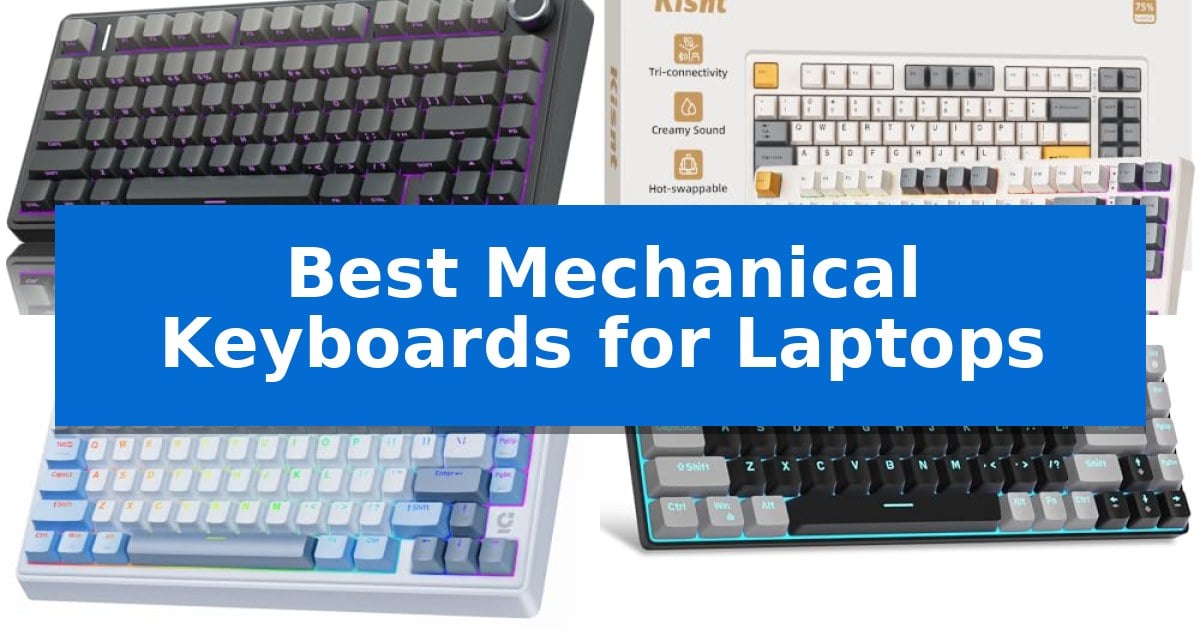
Upgrading from a flat laptop keyboard to a mechanical alternative can transform your daily typing experience, offering superior tactile feedback and improved ergonomics. Whether you are a writer seeking a satisfying "thocky" sound or a gamer requiring precision, finding the right board is essential for a productive setup.
We have evaluated the Best Mechanical Keyboards for Laptops to help you identify which features—such as wireless connectivity, compact layouts, or hot-swappable switches—best suit your specific workflow and desk space requirements.
You may also want to compare Best Mechanical Keyboards for Gaming on a Budget, Best Mechanical Keyboards for Gaming, and Best Mechanical Keyboards for FPS Gaming on a Budget.
Best Mechanical Keyboards for Laptops
Quick Comparison
| Product | Best For | Key Strength | Score |
|---|---|---|---|
| AULA F75 Pro Mechanical Keyboard | Best Overall | Tri-mode connectivity allows for seamless switching between up to five devices. | 4.9 |
| Kisnt KN85 Mechanical Keyboard | Gasket-Mounted for Soft Typing | Gasket-mounted structure for a dampened, marbly typing sound. | 4.5 |
| wegear 75% Mechanical Keyboard | Long-Lasting Battery for Wireless Work | Tri-mode connectivity for flexible wired and wireless integration. | 4.6 |
| MageGee MK-Box Mechanical Keyboard | Ultra-Compact 60% Layout | 60% compact layout saves significant desk space. | 4.5 |
| AULA WIN68 HE Mechanical Keyboard | Magnetic Switches for Fast Response | Adjustable actuation points (0.02mm-3.44mm) for personalized key sensitivity. | 4.3 |
How We Chose
- Connectivity options including Bluetooth, 2.4GHz wireless, and USB-C for seamless multi-device switching.
- Layout efficiency, prioritizing 60% to 75% form factors that save desk space without sacrificing essential keys.
- Switch customization, specifically looking for hot-swappable sockets that allow for easy maintenance and personalization.
- Battery capacity and power management for reliable performance during extended wireless use.
- Acoustic and structural design, focusing on gasket-mounting and dampening materials that provide a refined typing feel.
1 AULA F75 Pro Mechanical Keyboard — Creamy Sound with Triple Connectivity
The AULA F75 Pro Mechanical Keyboard distinguishes itself with a specialized internal structure featuring an extended integrated silicone pad and PCB single key slotting, which optimizes resilience for a softer, more elastic typing feel. This 75% layout keyboard is engineered to minimize cavity noise through five layers of filling silencer, providing a solid, consistent acoustic profile for users who prioritize a premium tactile experience.
Designed for versatility, the AULA F75 Pro Mechanical Keyboard offers a tri-mode connection system, supporting Bluetooth 5.0, 2.4GHz wireless, and USB-C wired interfaces. It allows for simultaneous connection to up to five devices, making it a practical choice for users managing multiple laptops, tablets, or mobile devices. The inclusion of a 4000mAh high-capacity battery ensures extended usage between charges.
The keyboard features hot-swappable sockets compatible with 3-pin or 5-pin switches, allowing for customization without soldering. It comes equipped with pre-lubricated stabilizers and LEOBOG reaper switches for a smooth response. The aesthetic is defined by side-printed PBT keycaps, which utilize double-injection molding and heat sublimation for increased durability and resistance to sweat.
Functionality is further enhanced by a multi-function control knob that toggles between gaming and office modes, enabling quick adjustments to lighting brightness, media playback, or volume. The 81-key layout retains essential arrow keys while saving desk space, and the device supports full N-key rollover and macro programming via the AULA driver for tailored productivity or gaming workflows.
Best for: Users who require a compact, highly customizable mechanical keyboard with versatile multi-device wireless connectivity and a refined, dampened typing sound.
Skip if: Users who prefer a full-sized keyboard layout with a dedicated number pad or those who do not require hot-swappable switch functionality.
PROS
- Tri-mode connectivity allows for seamless switching between up to five devices.
- Hot-swappable PCB supports easy customization with 3-pin or 5-pin switches.
- Advanced acoustic dampening with five layers of silencer and silicone padding.
- Multi-function knob provides intuitive control over media and lighting settings.
CONS
- 75% compact layout lacks a dedicated number pad, which may limit data entry efficiency.
- Software-dependent features like macro programming require the AULA driver for full functionality.
2 Kisnt KN85 Mechanical Keyboard — Gasket-Mounted for Soft Typing
Achieving a tactile, responsive typing experience on a laptop often requires moving beyond the integrated keyboard, and the Kisnt KN85 Wireless Mechanical Keyboard provides a specialized solution through its gasket-mounted design. This construction absorbs vibrations to produce a distinct, marbly sound profile, offering a cushioned feel that differs significantly from standard laptop keys.
Designed with a 75% layout, this keyboard retains essential keys like arrows and F1–F12 while eliminating the number pad to save 25% of desk space. This compact footprint is tailored for users with limited workspace who still require full functionality. The inclusion of pre-lubed Bsun linear switches ensures a smooth, buttery actuation force of 45-50gf, and the hot-swappable PCB supports both 3-pin and 5-pin switches for future customization without soldering.
Connectivity is handled via tri-mode support, allowing users to switch between USB-C wired, 2.4GHz wireless, and Bluetooth 5.0 across multiple devices including laptops, tablets, and consoles. A 4000mAh rechargeable battery powers the unit, and the keyboard remains functional while charging via a wired connection. For those working in low-light environments, the RGB backlighting provides an ambient glow, with remapping and macro capabilities available via driver software on Windows.
To maintain the integrity of the Kisnt KN85 Wireless Mechanical Keyboard, users should note that fast chargers may cause damage; a 5V 1A charger is recommended. The device includes a 2-year manufacturer warranty and is built to integrate into diverse workflows, from programming to hybrid office setups.
Best for: Hybrid workers and minimalists who need a compact, multi-device mechanical keyboard with a soft, cushioned typing feel.
Skip if: Users who require a dedicated number pad for frequent data entry should look for a full-size layout instead.
PROS
- Gasket-mounted structure for a dampened, marbly typing sound.
- Tri-mode connectivity supports seamless switching between three devices.
- Hot-swappable PCB allows for easy switch customization.
- 75% compact layout optimizes desk space for laptop users.
CONS
- Windows-only software for key remapping and macro customization.
- No dedicated number pad may limit productivity for specific data-heavy tasks.
3 wegear 75% Mechanical Keyboard — Long-Lasting Battery for Wireless Work
The wegear 75% Mechanical Keyboard offers a distinct advantage for laptop users who require a compact footprint without sacrificing tactile feedback. Its 5-layer gasket mount design, featuring a 3 mm thickened IXPE bottom pad, is specifically engineered to absorb bottom-out noise, resulting in a refined, dampened typing experience that is often missing from standard laptop keyboards.
Designed for versatility, this keyboard utilizes tri-mode connectivity, allowing users to switch between USB-C wired, 2.4 GHz wireless, and Bluetooth connections. The Bluetooth functionality supports seamless switching between three devices, making it a practical choice for those who manage multiple workstations or mobile setups simultaneously.
Performance is supported by self-lubricating linear switches rated for 50 million clicks, which are hot-swappable for users who prefer to customize their switch feel. The internal 5000 mAh rechargeable battery provides significant longevity, with a tested runtime of up to 3700 hours when using Bluetooth with the RGB lighting disabled.
Aesthetically, the keyboard features 16.8 million color RGB backlighting with 12 preset modes, controllable via dedicated software. The double-shot ABS keycaps include shine-through legends, ensuring visibility in low-light environments, while the 79-key layout maintains essential functionality within a space-saving 12.6-inch wide frame.
Best for: Users who need a compact, multi-device mechanical keyboard with long battery life for mobile or desk-constrained laptop setups.
Skip if: Users who require a full-sized layout with a dedicated number pad for intensive data entry tasks.
PROS
- Tri-mode connectivity for flexible wired and wireless integration.
- Hot-swappable switches allow for easy customization without soldering.
- Extended battery life rated for up to 3700 hours.
- Gasket-mounted design provides a dampened, consistent typing feel.
CONS
- 75% compact layout lacks a dedicated number pad.
- ABS keycaps may be less durable than PBT alternatives over long-term use.
4 MageGee MK-Box Mechanical Keyboard — Ultra-Compact 60% Layout
The MageGee MK-Box Mechanical Keyboard is engineered for users who require a space-saving input device without sacrificing the tactile benefits of mechanical switches. Its 60% compact layout features 68 keys, integrating essential navigation tools like dedicated arrow keys and F1-F12 functions into a footprint that maximizes desk real estate for laptop users.
Equipped with mechanical red switches, this keyboard offers a linear, smooth keystroke with minimal resistance and no tactile bump, facilitating rapid input. The design includes ergonomic suspension double-color injection keycaps and adjustable kickstand feet, allowing for a customized typing angle to suit different desk setups.
Aesthetically, the device features classic blue LED backlighting with 16 customizable modes, adjustable for both speed and brightness. The full anti-ghosting capability ensures that all 68 keys register accurately during simultaneous presses, which is beneficial for both intensive typing tasks and gaming sessions.
Compatibility is straightforward with a plug and play design using a USB 2.0 connector. It supports Windows, Linux, and Mac systems without requiring additional software or drivers, making it a versatile accessory for various laptop environments.
Best for: Users seeking a compact, space-saving mechanical keyboard with linear switches for both work and gaming on a laptop.
Skip if: Users who require a full-sized layout with a dedicated number pad or those who strictly prefer wireless connectivity.
PROS
- 60% compact layout saves significant desk space.
- Linear red switches provide smooth, fast action.
- Full anti-ghosting ensures reliable key registration.
- Plug and play compatibility across multiple operating systems.
CONS
- Wired-only connection limits desk cable management options.
5 AULA WIN68 HE Mechanical Keyboard — Magnetic Switches for Fast Response
The AULA WIN68 HE Mechanical Keyboard utilizes advanced Hall Effect magnetic switches to provide an ultra-precise typing and gaming experience. By allowing users to adjust the actuation point between 0.02mm and 3.44mm with 0.1mm increments, this device offers a level of customization that adapts to specific keystroke habits for both productivity and gaming.
Engineered for high-performance input, this keyboard features an 8,000Hz polling rate and an ultra-low latency of 0.3ms. These specifications deliver significantly faster response times compared to traditional mechanical keyboards, ensuring that commands are registered with minimal delay. The inclusion of a customizable web driver enables users to manage key mapping, macro editing, and RGB lighting effects directly on Windows systems.
The 60% compact layout is specifically designed to save up to 40% of desktop space while retaining essential arrow and function keys via FN combinations. Its lightweight, portable design and detachable USB cable make it a practical choice for users who need a high-performance input device that is easy to transport for business trips or mobile setups.
Aesthetically, the keyboard incorporates 16.8 million color RGB backlighting with south-facing LEDs and 14 preset effects. The lighting and brightness are adjustable through the driver or onboard key combinations, providing a flexible visual environment that can be disabled entirely if a more minimalist appearance is preferred.
Best for: Gamers and professionals seeking a compact, highly responsive keyboard with adjustable actuation points for specialized input needs.
Skip if: Users who rely on macOS, as the required web driver for advanced customization is only compatible with Windows systems.
PROS
- Adjustable actuation points (0.02mm-3.44mm) for personalized key sensitivity.
- 8,000Hz polling rate and 0.3ms latency for rapid input response.
- 60% compact form factor saves significant desk space and enhances portability.
- South-facing RGB LEDs provide improved lighting visibility.
CONS
- Windows-only driver limits advanced customization for Mac users.
- Wired-only connection lacks the flexibility of wireless options.
Best Mechanical Keyboards for Laptops Buying Guide
Understanding Keyboard Layouts
When choosing a mechanical keyboard for a laptop, the layout is the most significant factor for space management. A 60% layout removes the number pad, function row, and arrow keys to provide the smallest footprint, which is ideal for cramped coffee shop tables or small desks.
A 75% layout is often the sweet spot for laptop users. It retains the function row and dedicated arrow keys while still remaining significantly more compact than a full-sized board. This balance ensures you don't lose productivity-essential keys while keeping your mouse closer to your hands.
Connectivity and Multi-Device Support
Since laptops are inherently mobile, tri-mode connectivity is a major advantage. Keyboards that support Bluetooth 5.0, 2.4GHz wireless, and USB-C wired connections allow you to switch between your laptop, tablet, and phone effortlessly.
Look for boards that allow you to pair with multiple devices simultaneously. This feature enables a clean, cable-free workspace, which is particularly beneficial when you are frequently moving your laptop setup between different locations.
The Importance of Hot-Swappable Switches
A hot-swappable PCB allows you to change your mechanical switches without the need for soldering. This is a crucial feature for beginners who want to experiment with different typing feels—such as linear, tactile, or clicky switches—without buying an entirely new keyboard.
This modularity also increases the longevity of your device. If a single switch fails over time, you can simply pull it out and replace it with a new one, ensuring your keyboard remains functional for years to come.
Acoustics and Gasket Mounting
The internal structure of a keyboard significantly impacts the sound and feel of every keystroke. Gasket-mounted designs use soft materials to isolate the plate from the case, which helps absorb vibrations and produces a softer, more "creamy" or "thocky" sound profile.
Additional internal dampening, such as silicone pads or IXPE foam, further reduces hollow cavity noise. For users working in shared office spaces or quiet environments, these features are essential for maintaining a pleasant, non-disruptive typing experience.
Keycap Materials and Durability
The material of your keycaps affects both the durability and the tactile texture of your typing. PBT keycaps are generally preferred over ABS because they are more resistant to the "shine" that develops from finger oils over time and offer a more textured, premium feel.
Modern designs, such as side-printed PBT keycaps, offer a sleek, minimalist aesthetic while allowing RGB lighting to shine through the fonts effectively. This combination of durability and style is a hallmark of high-quality mechanical keyboards designed for modern setups.
Frequently Asked Questions
Can I use a mechanical keyboard with a MacBook?
Yes, most modern mechanical keyboards with Bluetooth or USB-C connectivity are compatible with macOS. Ensure the keyboard supports a Mac-specific mode or allows for key remapping via software to maintain your preferred shortcuts.
What is a 75% layout keyboard?
A 75% layout is a compact keyboard design that includes the main typing area, a function row (F1-F12), and arrow keys, but excludes the dedicated number pad found on full-sized keyboards.
Do I need special software to use these keyboards?
Many mechanical keyboards are plug-and-play. However, if you want to customize RGB lighting, remap keys, or set up macros, you may need to download the manufacturer's driver software, which is typically compatible with Windows.
How do I know if a switch is hot-swappable?
A hot-swappable keyboard will explicitly state this feature in its specifications. It means the PCB is equipped with sockets that allow you to pull out and push in switches without soldering.
Does a mechanical keyboard drain my laptop battery?
When using a wireless mechanical keyboard, the battery drain on your laptop is negligible. The keyboard itself uses its own internal rechargeable battery, which is the primary power source for the device's wireless connection and RGB lighting.
Conclusion: Our Top Pick
After reviewing the available options, the AULA F75 Pro Mechanical Keyboard stands out as the most versatile choice for laptop users. Its combination of a space-saving 75% layout, tri-mode connectivity, and a gasket-mounted structure provides a premium, creamy typing experience that is hard to beat in a portable package.
While it offers excellent features like a multi-function knob and hot-swappable switches, users should ensure they are comfortable with the 75% layout if they rely heavily on a dedicated number pad. For those prioritizing a balance of performance, aesthetics, and wireless freedom, this keyboard is a highly capable addition to any mobile workstation.