
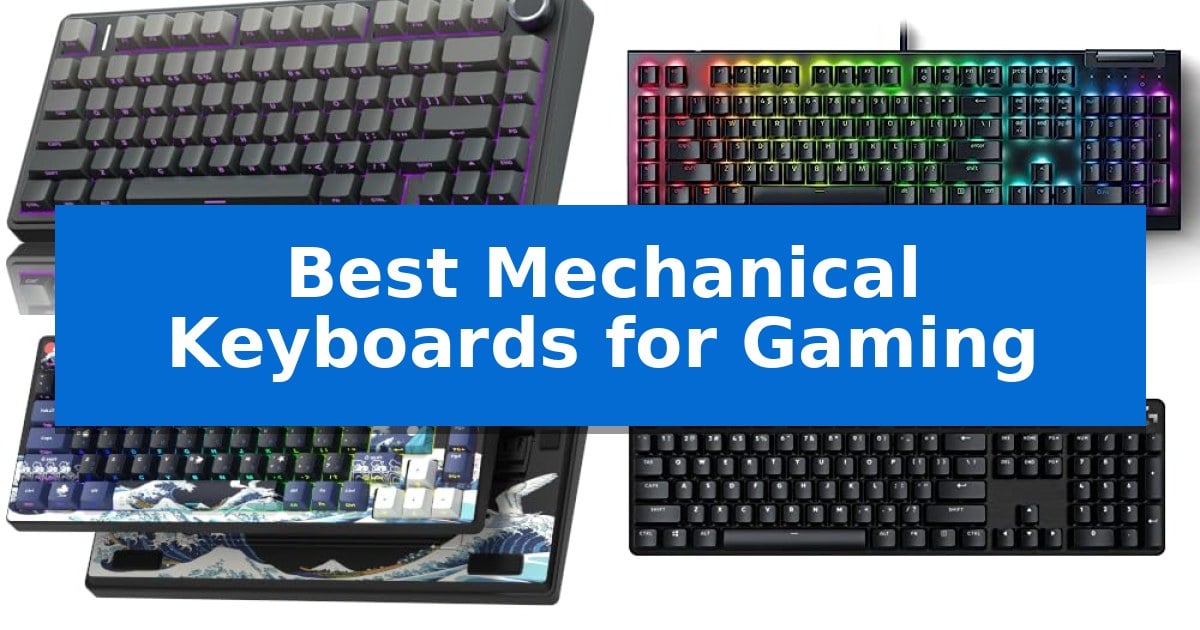
Finding the right gear can significantly impact your performance during intense sessions. The Best Mechanical Keyboards for Gaming offer a blend of tactile feedback, rapid response times, and durable construction that standard membrane keyboards simply cannot match.
Whether you prioritize a compact footprint to save desk space or need dedicated macro keys for complex commands, choosing the right board is essential. We have analyzed several models to help you understand which features align with your specific playstyle and hardware requirements.
You may also want to compare Best Mechanical Keyboards for FPS Gaming on a Budget, Best Mechanical Keyboards for Fast Typing, and Best Mechanical Keyboards for Developers.
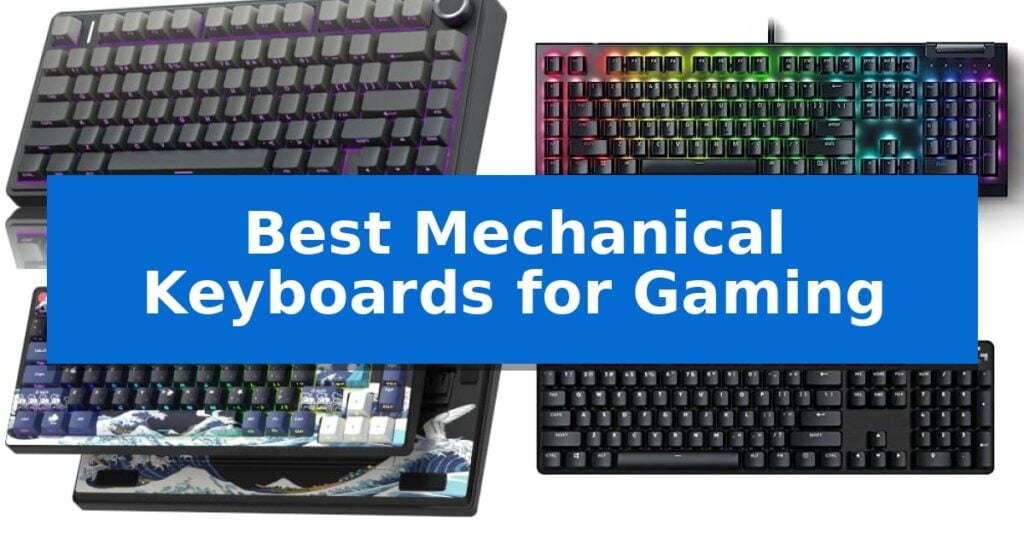
Best Mechanical Keyboards for Gaming
Quick Comparison
| Product | Best For | Key Strength | Score |
|---|---|---|---|
| AULA F75 Pro Mechanical Keyboard | Best Overall | Hot-swappable PCB supports 3-pin and 5-pin switches for easy customization. | 4.9 |
| Razer BlackWidow V4 X Mechanical Keyboard | Rapid-fire inputs with dedicated macros | Rapid-fire linear switches with a 1.2mm actuation point. | 4.3 |
| Womier SK80 Mechanical Keyboard | Customizable display for visual stats | Integrated multimedia display for custom GIFs and system monitoring. | 4.8 |
| Logitech G413 SE Mechanical Keyboard | Durable build for competitive play | Brushed aluminum-magnesium alloy top case provides a highly durable and stable build. | 4.9 |
| MageGee MK-Box Mechanical Keyboard | Compact layout for extra desk space | 60% compact layout saves significant desk space. | 4.7 |
How We Chose
- Switch responsiveness and actuation force for gaming precision.
- Build materials and structural integrity for long-term durability.
- Connectivity versatility, including wired, 2.4GHz, and Bluetooth options.
- Layout customization and the availability of programmable macro keys.
- Ergonomic features and keycap quality for sustained comfort.
1 AULA F75 Pro Mechanical Keyboard — Creamy sound with hot-swappable switches
The AULA F75 Pro Mechanical Keyboard distinguishes itself through a sophisticated internal structure featuring an extended integrated silicone pad and PCB single key slotting, which work together to minimize cavity noise and provide a soft, elastic typing feel. This 75% layout keyboard is built for those who prioritize both desk space and tactile satisfaction, utilizing pre-lubricated stabilizers and LEOBOG Reaper switches to deliver a smooth, creamy acoustic profile.
Designed for versatility, the keyboard supports a tri-mode connection, allowing users to switch between Bluetooth 5.0, 2.4GHz wireless, and USB-C wired modes across up to five devices. The inclusion of a 4000mAh high-capacity battery ensures extended usage, while the hot-swappable base accommodates both 3-pin and 5-pin switches, enabling customization without the need for soldering.
Functionality is further enhanced by a multi-function control knob that toggles between gaming and office modes. In gaming mode, it manages RGB lighting brightness and effects, while in office mode, it serves as a media controller for volume and playback. The board is finished with side-printed PBT keycaps, which utilize double-injection molding and heat sublimation for increased durability and a distinct aesthetic.
For competitive play, the AULA F75 Pro Mechanical Keyboard offers N-key rollover and a Windows key lock to prevent accidental interruptions. Users can further refine their experience using the dedicated driver to program macros and synchronize the 16.8 million color RGB lighting with music rhythm effects, making it a highly adaptable tool for both work and gaming environments.
Best for: Gamers and typists seeking a compact, hot-swappable mechanical keyboard with a premium, dampened acoustic profile and versatile connectivity.
Skip if: Users who require a full-sized keyboard layout with a dedicated number pad will find the 75% form factor limiting.
PROS
- Hot-swappable PCB supports 3-pin and 5-pin switches for easy customization.
- Tri-mode connectivity allows seamless switching between five devices.
- Advanced sound-dampening structure provides a soft, creamy typing feel.
- Multi-function knob offers intuitive control over media and lighting.
CONS
- 75% compact layout lacks a dedicated number pad.
- 6-month limited warranty period is relatively short.
2 Razer BlackWidow V4 X Mechanical Keyboard — Rapid-fire inputs with dedicated macros
Precision and rapid response are critical for competitive play, and the Razer BlackWidow V4 X Mechanical Gaming Keyboard addresses this with specialized Yellow Mechanical Linear Switches. These switches feature a short 1.2mm actuation distance and require only 45g of force, allowing for nearly instant inputs during intense gaming sessions.
Beyond raw speed, the keyboard is built for complex command execution. It includes 6 dedicated macro keys that can be programmed to match specific playstyles, alongside a multi-function roller and secondary media keys for quick adjustments to volume or lighting brightness without leaving the game window.
The construction emphasizes durability and long-term usability. The doubleshot ABS keycaps are designed with extra-thick walls to withstand heavy use, ensuring the labels remain legible over time. To maintain a focused environment, the board includes a layer of special foam under the circuit board and lubricated stabilizers to dampen noise and improve overall acoustics.
Customization is handled through Chroma RGB per-key lighting, which supports over 16.8 million colors. The switch housing is designed to promote brighter, more even light distribution, allowing for dynamic effects that integrate with hundreds of supported games for a more immersive visual experience.
Best for: Gamers who require rapid-fire linear switches and dedicated macro keys for complex command execution.
Skip if: Users who prefer the tactile bump and audible click of mechanical switches, as this model uses linear, silent switches.
PROS
- Rapid-fire linear switches with a 1.2mm actuation point.
- 6 dedicated macro keys for customizable command mapping.
- Improved acoustics via internal foam and lubricated stabilizers.
- Durable doubleshot ABS keycaps for long-term label clarity.
CONS
- Linear switch profile may not suit users who prefer tactile feedback.
3 Womier SK80 Mechanical Keyboard — Customizable display for visual stats
The Womier SK80 Mechanical Keyboard distinguishes itself with a vibrant multimedia display screen positioned at an 11-degree angle in the upper right corner, allowing users to visualize custom GIF images, system settings, and RGB configurations directly on the device. This 75% layout keyboard is built with a gasket-mounted design, utilizing an EVA positioning plate and bottom filling to provide a soft, responsive typing feel while reducing acoustic noise during intense gaming sessions.
Engineered for customization, the Womier SK80 Mechanical Keyboard features a hot-swappable PCB compatible with both 3-pin and 5-pin switches, enabling users to swap out the pre-lubed linear switches to suit their preference. The south-facing light diffusers ensure the RGB backlighting remains clear and vibrant, with 19 distinct lighting effects and 9 color modes accessible through dedicated software. This software also supports macro programming and music syncing, which synchronizes lighting patterns to audio output.
Designed for versatility, the keyboard includes a detachable Type-C connection and maintains compatibility with both Mac and Windows operating systems. The aesthetic is defined by the Kanagawa-themed cherry profile keycaps, which provide a consistent look across the 75% form factor. By combining a gasket-mounted structure with a high-resolution display and extensive software-driven customization, this keyboard serves as a central hub for both gaming performance and desktop personalization.
Best for: Gamers and desktop enthusiasts who prioritize aesthetic customization and want real-time system monitoring via an integrated display.
Skip if: Users who require a full-sized layout with a dedicated number pad or those who prefer a wireless connection for their gaming setup.
PROS
- Integrated multimedia display for custom GIFs and system monitoring.
- Gasket-mounted design provides a soft typing feel and reduced noise.
- Hot-swappable PCB supports 3-pin and 5-pin switches for easy customization.
- Comprehensive software for macro, lighting, and display management.
CONS
- Wired-only connection limits placement flexibility compared to wireless models.
- 75% compact layout lacks a dedicated number pad.
4 Logitech G413 SE Mechanical Keyboard — Durable build for competitive play
The Logitech G413 SE Mechanical Keyboard is built with a brushed aluminum-magnesium alloy top case, providing a rigid, minimal-flex backbone designed to withstand the rigors of competitive gaming. This full-size wired keyboard prioritizes structural integrity and consistent input, making it a reliable choice for players who need a stable foundation during intense sessions.
Equipped with tactile mechanical switches, this keyboard delivers the physical feedback necessary for precise keystrokes. To ensure durability, the keys feature PBT keycaps, which are engineered to be heat- and wear-resistant, maintaining their texture over time. The inclusion of 6-key rollover anti-ghosting performance ensures that multiple simultaneous inputs are registered accurately, a critical requirement for complex gaming maneuvers.
The keyboard enhances convenience through twelve (12) FN media control keys, allowing users to adjust volume, play or pause media, skip tracks, and toggle lighting without leaving the game. The aesthetic is defined by a sleek black finish complemented by white LED lighting, providing clear visibility in low-light environments. For those preferring a smaller footprint, a tenkeyless (TKL) version is also available.
Designed for compatibility with both Windows and macOS, the device connects via a standard wired interface. Its robust construction and focus on essential gaming features make it a straightforward, performance-oriented tool for users who value build quality and consistent mechanical feedback.
Best for: Competitive gamers who prioritize a durable, full-size mechanical keyboard with tactile feedback and a rigid aluminum frame.
Skip if: Users who require wireless connectivity, dedicated macro keys, or customizable RGB lighting will find this model too limited for their needs.
PROS
- Brushed aluminum-magnesium alloy top case provides a highly durable and stable build.
- PBT keycaps offer superior resistance to heat and wear compared to standard materials.
- 6-key rollover anti-ghosting ensures reliable input during complex gaming sequences.
- Integrated FN media controls allow for quick adjustments without exiting the game.
CONS
- Wired-only connection limits desk placement flexibility compared to wireless alternatives.
- White-only LED lighting lacks the customization options found in full RGB keyboards.
5 MageGee MK-Box Mechanical Keyboard — Compact layout for extra desk space
The MageGee MK-Box Mechanical Keyboard utilizes a space-saving 60% compact layout that integrates 68 keys while retaining essential functionality through dedicated arrow keys and F1-F12 function layers. This design prioritizes desk real estate without sacrificing the utility required for gaming or professional tasks.
Equipped with mechanical red switches, this keyboard provides a linear, smooth keystroke experience. These switches are engineered for fast action with minimal resistance and no tactile bump, which assists in rapid-fire inputs during intense gaming sessions. The full anti-ghosting capability ensures that all 68 keys register simultaneously, preventing input conflicts during complex key combinations.
Visual customization is managed through classic blue LED backlighting, which features 16 distinct lighting modes. Users can adjust both the speed and brightness of the illumination directly via onboard shortcuts, allowing for a tailored aesthetic. The build includes ergonomic suspension keycaps and dual kickstand feet, which allow for adjustable typing angles to improve comfort during extended use.
Designed for immediate integration, the MageGee MK-Box Mechanical Keyboard functions as a plug-and-play device via a detachable USB 2.0 cable. It maintains broad compatibility across Windows, Linux, and Mac operating systems without the need for additional drivers or software, making it a straightforward solution for multi-device setups.
Best for: Gamers and professionals who require a space-efficient, responsive mechanical keyboard for compact desk setups.
Skip if: Users who require a full-sized layout with a dedicated number pad or those who prefer the tactile feedback of clicky or brown-style switches.
PROS
- 60% compact layout saves significant desk space.
- Linear red switches provide smooth, fast-action typing.
- Full anti-ghosting support for reliable input during gaming.
- Plug-and-play compatibility with no driver installation required.
CONS
- Lack of a dedicated number pad may hinder data entry tasks.
- Single-color blue LED limits aesthetic customization compared to RGB models.
Best Mechanical Keyboards for Gaming Buying Guide
Understanding Switch Types
Mechanical switches are the heart of any gaming keyboard, typically categorized as linear, tactile, or clicky. Linear switches provide a smooth, consistent keystroke without a bump, which is often preferred for rapid-fire gaming inputs where speed is critical.
Tactile switches offer a subtle physical bump, providing feedback that a key has been registered. This can be beneficial for both typing accuracy and gaming, as it helps prevent accidental presses while ensuring each command is deliberate.
Layout and Form Factor
The physical size of your keyboard, or form factor, dictates how much desk space remains for your mouse. A full-size keyboard includes a dedicated number pad, which is useful for productivity but can force your hands further apart during gaming.
Compact layouts, such as 75% or 60%, remove redundant keys to maximize mouse movement area. These smaller designs are popular among competitive players who need a wider range of motion for low-sensitivity aiming.
Connectivity Options
Modern gaming keyboards offer various ways to connect to your PC. Wired connections via USB-C remain the standard for competitive play due to their reliability and lack of battery concerns, ensuring zero latency.
Wireless connectivity, including 2.4GHz dongles and Bluetooth, provides a cleaner desk aesthetic. High-quality 2.4GHz wireless tech is now virtually indistinguishable from wired performance, making it a viable choice for most gamers.
Keycap Materials
The durability of your keycaps is often overlooked. PBT plastic is widely considered superior to standard ABS because it is more resistant to shine and wear over time, maintaining a textured feel even after heavy use.
Many premium boards also feature double-shot injection molding, where the legend is molded into the keycap itself. This ensures that the characters will never fade, keeping your keyboard looking new for years.
Programmability and Macros
Advanced gaming keyboards allow you to remap keys or create complex macros. This is particularly useful in MMOs or strategy games where you need to trigger a sequence of actions with a single press.
Look for boards that support onboard memory or dedicated software drivers. These tools allow you to save your custom lighting profiles and key assignments directly to the keyboard, ensuring your settings persist even when moving between different computers.
Frequently Asked Questions
What is a hot-swappable keyboard?
A hot-swappable keyboard allows you to remove and replace the mechanical switches without soldering. This makes it easy to customize your typing feel or replace a faulty switch.
Are wireless keyboards good for gaming?
Yes, modern 2.4GHz wireless technology provides a stable, low-latency connection that is suitable for competitive gaming, provided the keyboard is designed with high-performance wireless protocols.
Why choose a 75% layout?
A 75% layout provides a balance between compactness and functionality, retaining essential keys like the arrow keys and function row while saving significant desk space compared to a full-size board.
What does N-key rollover mean?
N-key rollover ensures that every key pressed is registered simultaneously, preventing 'ghosting' where some inputs are missed during complex key combinations.
How do I clean my mechanical keyboard?
Regular maintenance involves using a keycap puller to remove caps for washing and using compressed air to clear dust from the switch housings. Always ensure the keyboard is disconnected before cleaning.
Conclusion: Our Top Pick
After evaluating the options, the AULA F75 Pro Mechanical Keyboard stands out as the most versatile choice for gamers. Its combination of tri-mode connectivity, hot-swappable switches, and a compact 75% layout provides a premium experience that adapts to both gaming and office environments.
While other models offer specific advantages like dedicated macro keys or full-size layouts, the AULA F75 Pro delivers the best overall balance of build quality and customization. It is an excellent investment for those looking to upgrade their setup with a reliable, high-performance mechanical keyboard.