
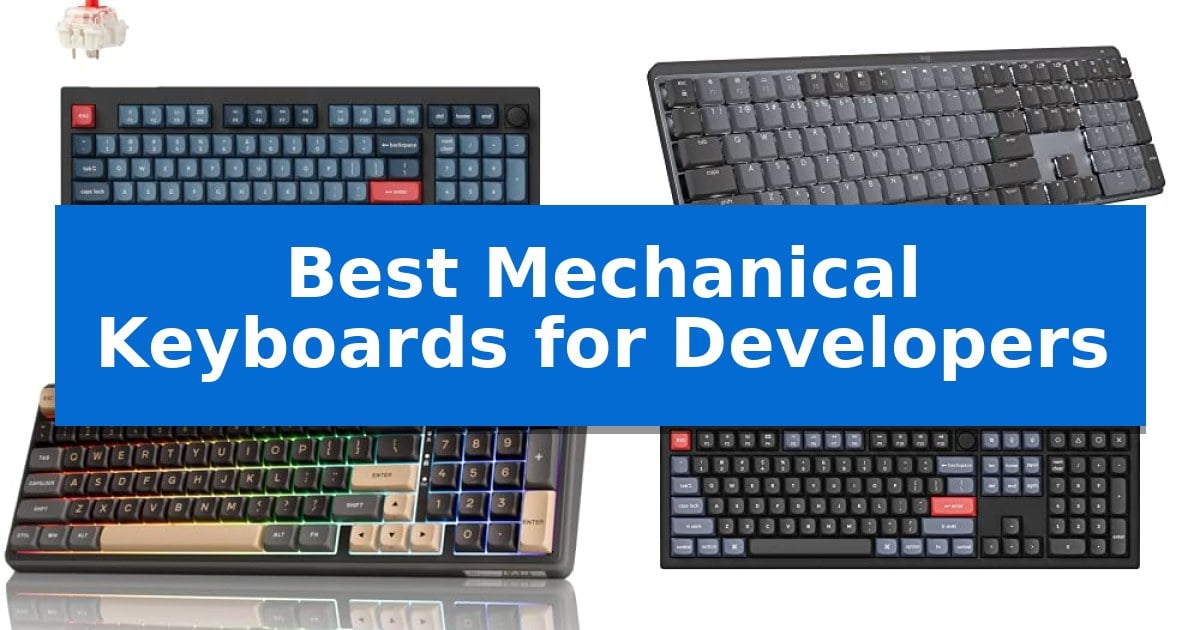
Finding the right input device is essential for long coding sessions where comfort and efficiency are paramount. The Best Mechanical Keyboards for Developers must balance tactile feedback with deep customization options to support complex workflows and repetitive keystrokes.
Whether you require a compact layout to save desk space or a full-size board with dedicated macro keys, selecting the right hardware impacts your daily output. This guide examines five distinct mechanical keyboards, focusing on their switch types, connectivity, and software support to help you find the ideal match for your development environment.
You may also want to compare Best Mechanical Keyboards for Customization, Best Mechanical Keyboards for CS2, and Best Mechanical Keyboards for CS:GO.
Best Mechanical Keyboards for Developers
Quick Comparison
| Product | Best For | Key Strength | Score |
|---|---|---|---|
| Keychron V5 Max Mechanical Keyboard | Best Overall | QMK Launcher enables easy key remapping and macro programming. | 4.9 |
| Logitech MX Mechanical Wireless Keyboard | Low-Profile Precision for Ergonomics | Tactile Quiet mechanical switches provide precise feedback with reduced noise. | 4.8 |
| RK ROYAL KLUDGE R98 Pro Keyboard | Creamy Typing Feel with Volume Control | Gasket mount design with five layers of foam for a refined typing sound. | 4.3 |
| Keychron V6 Wired Mechanical Keyboard | Fully Customizable Full-Size Layout | Full-size layout with dedicated number pad and navigation keys. | 4.4 |
| Keychron C2 Wired Mechanical Keyboard | Reliable Full-Size Retro Design | Full-size layout with dedicated number pad for high-volume data entry. | 4.6 |
How We Chose
- Switch responsiveness and tactile feedback for high-volume typing.
- Programmability and support for custom key remapping or macro software.
- Layout efficiency, including the presence of number pads and compact form factors.
- Connectivity options, specifically support for wired, Bluetooth, or 2.4 GHz wireless modes.
- OS compatibility, ensuring seamless integration with macOS, Windows, and Linux.
1 Keychron V5 Max Mechanical Keyboard — Programmable Layout for Fluid Workflows
The Keychron V5 Max Mechanical Keyboard streamlines complex development workflows through its QMK Launcher support, which allows for full key remapping and macro creation via a web-based interface. This 96% layout provides a dedicated number pad while maintaining a compact footprint, ensuring essential keys remain accessible without sacrificing desk space.
Engineered for versatility, the board features 2.4 GHz wireless, Bluetooth 5.1, and wired connectivity options. The 2.4 GHz connection supports a 1000 Hz polling rate, providing a responsive input experience for high-intensity coding sessions. Users can maintain connections with up to three devices simultaneously via Bluetooth, facilitating seamless transitions between different workstations.
Typing comfort is prioritized through an upgraded gasket design and integrated sound-absorbing foam. The board comes equipped with hot-swappable sockets, enabling the use of most 3-pin and 5-pin MX-style mechanical switches without the need for soldering. The included OSA profile double-shot PBT keycaps are designed for oil resistance and long-term legend durability.
Compatibility is built into the core, featuring a system toggle and dedicated keycaps for both macOS and Windows environments. The Keychron V5 Max Mechanical Keyboard is a practical choice for developers who require a programmable, multi-device capable interface that balances a full-sized feature set with a space-efficient design.
Best for: Developers who require a compact, programmable layout with multi-device wireless connectivity and hot-swappable switch flexibility.
Skip if: Users who prefer a full-sized 100% layout or those who do not require wireless connectivity or custom macro programmability.
PROS
- QMK Launcher enables easy key remapping and macro programming.
- Tri-mode connectivity supports 2.4 GHz, Bluetooth 5.1, and wired USB-C.
- Hot-swappable PCB allows for quick switch customization without soldering.
- Gasket-mounted design improves typing feel and sound profile.
CONS
- 96% layout may require an adjustment period for users accustomed to standard full-sized keyboards.
2 Logitech MX Mechanical Wireless Keyboard — Low-Profile Precision for Ergonomics
The Logitech MX Mechanical Wireless Keyboard prioritizes typing precision and workspace ergonomics through its low-profile mechanical switches. Designed with a full-size layout, this keyboard provides a tactile bump that offers clear feedback during long coding sessions while maintaining a quieter operation compared to traditional mechanical switches.
Efficiency is central to its design, featuring smart backlighting that activates as your hands approach the keys and adjusts automatically to ambient light. This responsiveness helps maintain visibility in various office environments without manual intervention. The keyboard is built to support a multi-device workflow, allowing you to pair with up to three devices via Bluetooth Low Energy or the included Logi Bolt receiver.
Customization is handled through the Logi Options+ software, which enables you to reassign Fn keys and configure backlighting effects to suit your specific development environment. The unit is constructed with 45% post-consumer recycled plastic in its Graphite finish, reflecting a focus on material sourcing. For power, the integrated battery supports up to 15 days of use on a single charge with backlighting enabled, or up to 10 months with the lighting turned off.
The low-profile design is intended to reduce wrist strain by keeping your hands in a more natural position during extended use. While it offers a robust feature set for multi-device users, the full-size form factor requires a larger desk footprint compared to compact or tenkeyless alternatives.
Best for: Developers who require a full-size, multi-device mechanical keyboard with low-profile ergonomics and customizable backlighting.
Skip if: Users who prefer a compact, tenkeyless, or 60% form factor to maximize desk space or those who require hot-swappable switches.
PROS
- Tactile Quiet mechanical switches provide precise feedback with reduced noise.
- Multi-device connectivity allows seamless switching between up to three devices.
- Smart backlighting adjusts automatically to ambient conditions to save power.
- Low-profile key design promotes improved ergonomic comfort.
CONS
- Full-size form factor occupies significant desk space.
- Non-hot-swappable switches limit customization of the typing feel.
3 RK ROYAL KLUDGE R98 Pro Keyboard — Creamy Typing Feel with Volume Control
The RK ROYAL KLUDGE R98 Pro Keyboard utilizes a gasket mount design paired with five layers of sound-absorbing foam, specifically engineered to deliver a distinct 'thocky' and creamy acoustic profile during extended typing sessions. This 96% layout retains a dedicated number pad and arrow keys, providing a space-efficient solution for developers who require a full-sized feature set without sacrificing desk real estate.
Performance is driven by pre-lubed linear cream switches, which are hot-swappable to support both 3-pin and 5-pin configurations. This allows for hardware-level customization without soldering. The keycaps feature an MDA profile made from double-shot PBT, offering a matte, non-fading surface that is contoured to fit the natural shape of fingertips for improved comfort during long coding sprints.
Functionality is enhanced by a detachable aluminum CNC volume knob and four dedicated indicator lights that provide real-time status updates for Num Lock, Caps Lock, Win Lock, and Mac Mode. The keyboard includes programmable online driver support, enabling users to remap keys, configure macros, and manage custom RGB lighting across more than 20 dynamic modes.
Designed for versatility, the RK ROYAL KLUDGE R98 Pro Keyboard is a wired device that maintains broad compatibility with both Windows and macOS systems. The combination of a high-density layout and enthusiast-grade internal dampening makes it a practical choice for professional environments where both tactile feedback and desk organization are priorities.
Best for: Developers who need a compact, full-featured layout with a refined acoustic profile and hot-swappable switch flexibility.
Skip if: Users who require wireless connectivity or Bluetooth multi-device switching, as this model is strictly a wired keyboard.
PROS
- Gasket mount design with five layers of foam for a refined typing sound.
- Hot-swappable PCB supports easy customization of 3/5-pin switches.
- MDA profile PBT keycaps provide enhanced durability and ergonomic finger positioning.
- Dedicated aluminum volume knob for quick, tactile audio control.
CONS
- Wired-only connection limits portability and cable-free desk setups.
- 96% layout may require an adjustment period for users accustomed to standard full-sized spacing.
4 Keychron V6 Wired Mechanical Keyboard — Fully Customizable Full-Size Layout
The Keychron V6 Wired Mechanical Keyboard offers a full-sized 108-key layout designed for users who require dedicated navigation and number pads. Its primary utility lies in its QMK/VIA support, which allows for granular control over key mapping, macros, and lighting effects, providing a foundation for a highly personalized workspace.
Built for longevity and tactile feedback, the board features pre-lubed mechanical tactile brown switches rated for a 50-million keystroke lifespan. The hot-swappable PCB design enables users to replace switches with most 3-pin or 5-pin MX mechanical alternatives without the need for soldering, accommodating different typing preferences over time.
The chassis incorporates an acoustic silicone pad and screw-in stabilizers to minimize wobbling on larger keys like the space bar and enter key. The double-shot PBT keycaps utilize an OSA profile, chosen for their oil resistance and durability, while the south-facing RGB backlight ensures visibility from the typist's perspective without interfering with alternative keycap profiles.
Compatibility is a core focus, featuring a physical system toggle to switch between macOS and Windows layouts. The package includes specific keycaps for both operating systems, allowing the board to integrate seamlessly into multi-platform environments. Its wired-only connection ensures consistent performance for intensive development tasks.
Best for: Developers who require a full-sized, highly programmable layout with the flexibility to swap switches and customize firmware.
Skip if: Users who prioritize a wireless connection or a compact, space-saving form factor for their desk setup.
PROS
- Full-size layout with dedicated number pad and navigation keys.
- QMK/VIA support for extensive macro and key-mapping customization.
- Hot-swappable PCB allows for easy switch replacement without soldering.
- Double-shot PBT keycaps provide high durability and oil resistance.
CONS
- Wired-only connection lacks the flexibility of wireless or Bluetooth options.
- Large physical footprint may occupy significant desk space.
5 Keychron C2 Wired Mechanical Keyboard — Reliable Full-Size Retro Design
The Keychron C2 Wired Mechanical Keyboard features a full-size 104-key layout that integrates a dedicated number pad, specifically engineered to streamline data entry and complex workflows for developers. Its retro-inspired aesthetic provides a distinct visual profile, while the inclusion of both Mac and Windows-compatible keycaps ensures immediate integration into diverse operating environments.
Built for consistent input, this keyboard utilizes a reliable USB Type-C wired connection with a braided cable, eliminating the need for battery management or wireless interference concerns. The chassis is designed with an inclined bottom frame and two-level adjustable feet, offering 6-degree and 9-degree typing angles to support ergonomic positioning during long coding sessions.
The device is equipped with tactile Keychron switches rated for a 50-million keystroke lifespan, providing consistent responsiveness. The layout is optimized for productivity, featuring dedicated multimedia and function keys, including a specific key for Siri or Cortana, which simplifies system-level navigation.
This non-backlit model prioritizes a classic, distraction-free design suitable for professional office environments. By focusing on core mechanical performance and broad OS compatibility, the Keychron C2 Wired Mechanical Keyboard offers a straightforward, durable tool for users who prefer a stable, wired connection for their primary workstation.
Best for: Developers and office professionals who require a reliable, full-size wired mechanical keyboard with a number pad and broad OS compatibility.
Skip if: Users who require wireless connectivity, customizable RGB backlighting, or a compact form factor for limited desk space.
PROS
- Full-size layout with dedicated number pad for high-volume data entry.
- Broad compatibility with both Mac and Windows operating systems.
- Reliable wired connection via USB-C eliminates battery maintenance.
- Tactile switches rated for a 50-million keystroke lifespan.
CONS
- Non-backlit design may be difficult to use in low-light conditions.
- Wired-only connection limits portability and cable management options.
Best Mechanical Keyboards for Developers Buying Guide
Understanding Switch Types
Mechanical switches are the heart of any keyboard, and for developers, the choice between linear, tactile, and clicky switches is a matter of personal preference and office environment. Tactile switches provide a physical bump that confirms a keypress, which many coders find helpful for reducing errors during rapid typing.
Linear switches offer a smooth, consistent keystroke without a bump, often preferred for their quieter operation and speed. When selecting your board, consider whether you need a hot-swappable PCB, which allows you to change switches later without soldering, providing long-term flexibility for your setup.
Layout and Form Factor
The physical layout of your keyboard dictates how much desk space you have for your mouse and other peripherals. A full-size layout includes a dedicated number pad, which is often essential for data entry or financial applications, though it occupies more space.
Alternatively, 96% or compact layouts condense the keys to save room while still retaining the number pad. Consider your specific workflow; if you frequently use navigation keys or function rows, ensure your chosen compact board does not hide these behind complex layers that slow down your coding speed.
Programmability and Firmware
Advanced developers often rely on custom keymaps to trigger complex macros or shortcuts. Keyboards that support QMK or VIA firmware are highly sought after because they allow you to remap every key on the board and store those settings directly on the device.
This level of customization ensures that your shortcuts remain consistent regardless of the machine you are plugged into. Always check if the keyboard offers a web-based launcher or software that is compatible with your primary operating system, such as macOS or Linux.
Connectivity Standards
Modern development setups often involve multiple devices, making multi-device connectivity a vital feature. Keyboards that support both wired USB-C connections and wireless modes like Bluetooth 5.1 or 2.4 GHz allow you to switch between a desktop and a laptop seamlessly.
Wired connections are generally preferred for the most stable, low-latency performance, while wireless options help maintain a clean, cable-free workspace. Ensure the battery life of a wireless model meets your daily usage requirements to avoid mid-session interruptions.
Ergonomics and Build Quality
Typing for hours requires attention to ergonomics to prevent strain. Look for boards with adjustable feet or an inclined frame that promotes a natural wrist position. Low-profile designs can also reduce the need for a wrist rest by keeping your hands closer to the desk surface.
Build materials, such as PBT keycaps, are superior to standard ABS plastic because they resist oil buildup and shine over time. A sturdy case with sound-absorbing foam can also improve the overall typing experience by reducing hollow resonance and metallic ping.
Frequently Asked Questions
What is a hot-swappable keyboard?
A hot-swappable keyboard features a PCB that allows you to pull out and replace mechanical switches without the need for soldering, making it easy to customize your typing feel.
Are mechanical keyboards better for coding than membrane keyboards?
Many developers prefer mechanical keyboards because they offer more consistent tactile feedback, greater durability, and the ability to customize key functions and layouts.
Do I need a full-size keyboard for development?
A full-size keyboard is useful if you frequently use a number pad, but many developers prefer compact layouts to keep their mouse closer to their body, which can improve ergonomic comfort.
What is QMK/VIA support?
QMK and VIA are open-source firmware and software tools that allow you to remap keys, create macros, and manage layers on your keyboard, storing these settings directly on the device hardware.
Can I use a mechanical keyboard with both Mac and Windows?
Yes, many modern mechanical keyboards include a system toggle switch and extra keycaps to ensure full compatibility with both macOS and Windows layouts.
Conclusion: Our Top Pick
For developers seeking the best balance of customization, connectivity, and build quality, the Keychron V5 Max Mechanical Keyboard stands out as our top recommendation. Its 96% layout provides a full-size experience in a compact footprint, while the QMK/VIA support ensures you can tailor every key to your specific coding workflow.
With its versatile 2.4 GHz and Bluetooth connectivity, combined with a hot-swappable design that allows for future switch upgrades, it offers the flexibility needed for a long-term professional setup. While other options like the Logitech MX Mechanical offer excellent low-profile ergonomics, the Keychron V5 Max remains the most adaptable choice for power users.