
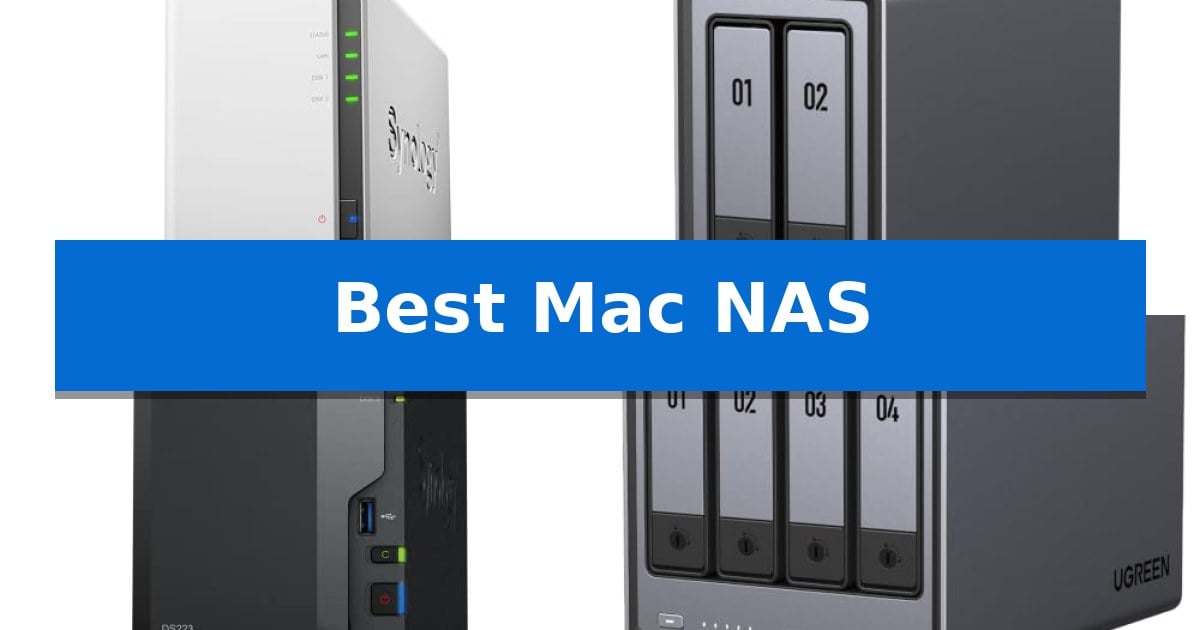
Managing digital files across multiple Apple devices often leads to fragmented storage and unreliable backups. A dedicated network-attached storage system solves this by providing a centralized hub for your documents, photos, and media libraries, ensuring your data remains accessible and secure.
Finding the Best Mac NAS requires balancing your specific storage needs with macOS compatibility. Whether you are looking for a simple, automated solution for Time Machine or a high-performance server for creative workflows, the right hardware can streamline your digital life and protect your most important work.
You may also want to compare Best Mac Mouse for Graphic Design, Best Mac Mouse for Gaming, and Best Mac Monitors with Built-in Webcams.
Best Mac NAS
Quick Comparison
| Product | Best For | Key Strength | Score |
|---|---|---|---|
| Synology DiskStation DS223j | Best Overall | Automated backup functionality for Macs and other devices. | 4.9 |
| UGREEN NAS DXP2800 | Fast Performance for Media Servers | Intel N100 processor and 8GB DDR5 RAM for efficient multitasking. | 4.9 |
| Synology DiskStation DS223 | Reliable Hub for File Collaboration | 100% data ownership without monthly subscription fees. | 4.7 |
| UGREEN NAS DXP4800 Plus | High-Speed Storage for Small Teams | High-speed 10GbE connectivity for rapid data transfers. | 4.3 |
| UGREEN NAS DXP4800 GT | Pro-Grade Editing and Transfers | Dual 10GbE ports enable high-bandwidth workflows and rapid data transfers. | 4.4 |
How We Chose
- macOS and Time Machine compatibility for seamless, automated backups.
- Hardware performance, including CPU and RAM, to handle concurrent file tasks.
- Network interface speeds to ensure rapid data transfers across your local network.
- Expandability options, such as M.2 NVMe slots or additional drive bays, for future-proofing.
- Ease of use for initial setup and ongoing file management through dedicated software.
1 Synology DiskStation DS223j — Best for Simple Mac Backups
Managing digital files across multiple devices requires a reliable, centralized hub, and the Synology 2-Bay DiskStation DS223j (Diskless) offers a streamlined approach to data storage. This compact unit is designed to function as a secure private cloud, granting you full ownership of your files while enabling multi-platform access from anywhere with an internet connection.
For those integrated into the Apple ecosystem, the Synology DiskStation DS223j simplifies maintenance with automated backup protection. You can configure set-and-forget backups for your Macs, PCs, and mobile devices, ensuring your critical data is replicated to multiple destinations, including external drives or cloud services, without requiring constant manual intervention.
Beyond basic storage, this device serves as a versatile home management tool. It supports 24/7 home security monitoring by connecting to multiple IP cameras, allowing for remote viewing of your property. The system is backed by a 2-year warranty and receives ongoing software updates, ensuring the hardware remains supported by Synology's technical resources.
The Synology DiskStation DS223j is built for efficiency, featuring a 2-bay design that fits easily into a home office setup. It balances the need for robust file sharing and synchronization with a user-friendly interface, making it a practical choice for keeping collaborators and household members on the same page.
Best for: Users seeking a centralized, private storage solution for automated Mac backups and remote file access.
Skip if: Users requiring high-performance RAID configurations or advanced virtualization capabilities, as this entry-level model is optimized for basic storage and backup tasks.
PROS
- Automated backup functionality for Macs and other devices.
- Secure private cloud access for multi-platform file management.
- Integrated home security system support for IP cameras.
- Includes a 2-year warranty with ongoing software updates.
CONS
- Diskless design requires separate purchase of hard drives.
- Limited to a 2-bay configuration, restricting total storage expansion.
2 UGREEN NAS DXP2800 — Fast Performance for Media Servers
Centralizing your digital library requires hardware that balances processing power with reliable storage management. The UGREEN NAS DXP2800 is designed for advanced home users and creators who need a dedicated hub for 4K media streaming, automated device backups, and intensive applications like Docker or virtual machines.
At the core of this system is an Intel N100 Quad-Core CPU paired with 8GB of DDR5 RAM, providing the necessary overhead for running multiple services simultaneously. The unit features 2.5GbE networking for faster data transfers and includes two M.2 NVMe SSD slots alongside two standard HDD bays, supporting up to 80TB of total storage for expansive photo and video collections.
Usability is enhanced through AI-powered photo management, which assists in organizing large libraries by recognizing people, objects, and locations. For those focused on security, the device functions as a centralized home surveillance hub, supporting local recording and AI-driven detection features when connected to compatible network cameras.
The UGREEN NAS DXP2800 offers a versatile solution for households with diverse hardware, allowing seamless file access and backups across Windows, macOS, Android, and iOS. As a diskless system, it provides the flexibility to select drives based on specific performance or capacity requirements, backed by a 2-year manufacturer warranty.
Best for: Advanced home users and creators needing a centralized media server, Docker host, and high-capacity backup solution.
Skip if: Users who prefer a pre-populated NAS with included hard drives or those requiring more than two primary HDD bays for massive enterprise-level storage.
PROS
- Intel N100 processor and 8GB DDR5 RAM for efficient multitasking.
- Dual M.2 NVMe slots for high-speed caching or storage.
- 2.5GbE port enables faster network file transfers.
- AI-enhanced software for automated photo and surveillance management.
CONS
- Diskless design requires separate purchase and installation of HDDs and SSDs.
- Limited to two HDD bays, which may restrict total capacity compared to larger multi-bay units.
3 Synology DiskStation DS223 — Reliable Hub for File Collaboration
Managing digital assets across multiple devices requires a reliable, centralized hub that grants you 100% ownership of your files. The Synology DiskStation DS223 serves as a dedicated backup and collaboration center, allowing you to consolidate scattered documents, photos, and media from various computers and mobile devices into one accessible location.
Designed for seamless integration, this 2-bay diskless NAS simplifies data management through automated backup protection. By utilizing set-and-forget protocols, you can ensure your Mac and PC files are continuously synced to multiple destinations, including external drives or cloud services, providing a layer of security without the recurring costs of third-party subscription services.
Beyond simple storage, the device excels at professional file collaboration. It enables teams and individuals to share projects and maintain version control directly, which is particularly useful for those managing large creative assets or client-facing documents. The interface is built to streamline these workflows, reducing the friction typically associated with manual file transfers.
For those looking to expand beyond file storage, the Synology DiskStation DS223 functions as a DIY surveillance system. By connecting IP cameras, you can transform the unit into a professional monitoring solution that supports motion alerts and recording schedules, all viewable remotely. The hardware is backed by a 2-year warranty and consistent software updates to maintain system integrity.
Best for: Home and office users who need a centralized, private hub for automated backups and collaborative file management.
Skip if: Users requiring high-performance multi-gigabit networking or more than two drive bays for large-scale RAID configurations.
PROS
- 100% data ownership without monthly subscription fees.
- Automated backup functionality for multiple devices.
- Integrated DIY surveillance capabilities with motion alerts.
- Supports professional file collaboration and version control.
CONS
- Diskless design requires separate purchase of hard drives.
- Limited to 2-bay capacity for storage expansion.
4 UGREEN NAS DXP4800 Plus — High-Speed Storage for Small Teams
The UGREEN NAS DXP4800 Plus provides a robust solution for centralized data management, featuring a powerful Intel 8505 processor and 8GB of DDR5 RAM to handle demanding tasks like virtual machines and Docker containers. This 4-bay device is engineered to streamline workflows for small teams and creators, offering a reliable alternative to scattered external drives.
Equipped with both 10GbE and 2.5GbE network ports, the system enables high-speed data transfers, allowing users to back up 1GB of data in less than a second. The unit includes a built-in 128GB SSD for system responsiveness and supports two M.2 NVMe slots for additional caching or storage performance, ensuring that media streaming and file access remain fluid.
Beyond raw performance, the UGREEN NAS DXP4800 Plus simplifies organization with an AI-powered photo album that automatically categorizes images by face, scene, and object. The system maintains data integrity through flexible RAID options and advanced encryption, ensuring that private clouds remain secure while providing seamless access across Windows, macOS, Linux, and mobile platforms.
Designed for versatility, the device is compatible with a wide range of third-party hard drives from manufacturers like Western Digital and Seagate. While the unit requires users to purchase their own storage drives, it offers a scalable capacity of up to 144TB, making it a long-term investment for those who need to manage massive libraries of photos, 4K media, or project files.
Best for: Small teams and creators requiring high-speed centralized storage, media transcoding, and advanced virtualization capabilities.
Skip if: Users who require a pre-populated storage solution or those who specifically need a NAS with built-in Wi-Fi connectivity.
PROS
- High-speed 10GbE connectivity for rapid data transfers.
- Powerful Intel 8505 processor supports virtualization and Docker.
- AI-powered photo organization for automated media management.
- Massive 144TB capacity potential for growing data needs.
CONS
- Diskless design requires separate purchase of hard drives.
- Wired Ethernet only with no support for Wi-Fi connections.
5 UGREEN NAS DXP4800 GT — Pro-Grade Editing and Transfers
The UGREEN NAS DXP4800 GT provides a high-performance foundation for storage-intensive workflows by utilizing an AMD Ryzen Embedded R2514 processor with four cores and eight threads. This hardware configuration, paired with 8GB of DDR4 RAM—which is expandable up to 64GB—allows for efficient multitasking across media processing, Docker applications, and multi-user environments.
Designed for high-speed data demands, the unit features dual 10GbE networking ports that support link aggregation for up to 2.5GB/s theoretical throughput. This connectivity enables direct, local-like editing of 4K and 8K video files stored on the NAS, bypassing the need for slower network transfers. The system also includes two M.2 NVMe slots and supports up to 144TB of total storage capacity using SATA drives and U.2 NVMe SSDs.
Usability is centered on the UGOS operating system, which provides a guided setup process and a centralized management interface accessible via phone, tablet, computer, or TV. For creators, the integrated SD card slot and high-speed USB-A and USB-C 10Gbps ports facilitate rapid file ingestion from cameras and external media without requiring a computer intermediary.
Security and data integrity are managed through local account modes and robust encryption standards, including TLS/SSL, RSA, AES, and SHA-512. The inclusion of a Surveillance Center allows for the management of ONVIF/RTSP IP cameras, providing a unified platform for local recording and event detection, ensuring that sensitive footage remains stored within the user's private network rather than on third-party cloud servers.
Best for: Creators and office teams requiring high-speed 10GbE connectivity for direct 4K/8K video editing and multi-user data management.
Skip if: Users who do not have 10GbE network infrastructure or those seeking a pre-populated storage solution, as this unit is sold diskless.
PROS
- Dual 10GbE ports enable high-bandwidth workflows and rapid data transfers.
- Expandable memory up to 64GB supports demanding virtual machine and Docker workloads.
- Integrated SD card slot simplifies media ingestion for photographers and videographers.
- Supports up to 144TB of total storage across four bays and M.2 slots.
CONS
- Diskless design requires separate purchase of HDDs or SSDs.
- Pre-installed RAM is non-ECC, requiring an upgrade for ECC error correction support.
Best Mac NAS Buying Guide
Understanding NAS Compatibility with macOS
The primary advantage of a NAS for Mac users is native support for Time Machine, Apple's built-in backup utility. When choosing a device, ensure it supports the SMB protocol, which is the standard for modern macOS file sharing and backup operations.
Beyond basic backups, look for devices that offer dedicated apps or web-based interfaces that are browser-compatible. This allows you to manage your storage, monitor drive health, and organize files without needing specialized software installed on your Mac.
Storage Capacity and RAID Configurations
Your storage needs dictate the number of bays you require. A 2-bay NAS is typically sufficient for personal backups and small media libraries, while a 4-bay system provides the redundancy and capacity necessary for growing creative projects or small office teams.
Utilizing RAID (Redundant Array of Independent Disks) is essential for data protection. By mirroring your data across multiple drives, you ensure that even if one drive fails, your files remain intact and accessible, providing a critical layer of security for your digital assets.
Network Speed and Connectivity
The speed of your file transfers is heavily dependent on your network infrastructure. While standard 1GbE (Gigabit Ethernet) is common, many modern NAS units now feature 2.5GbE or 10GbE ports, which significantly reduce wait times when moving large 4K video files or high-resolution RAW photos.
To take full advantage of these higher speeds, ensure your router and the network switches in your home or office also support these faster standards. A fast NAS connected to a slow network will create a bottleneck, limiting your productivity.
Performance for Media and Creative Work
If you plan to use your NAS as a media server or for direct editing, the processor and RAM become vital. Systems equipped with Intel N100 or Ryzen processors are better suited for transcoding video on the fly and handling multiple simultaneous connections.
For creative professionals, look for units that support SSD caching via M.2 NVMe slots. This technology stores frequently accessed files on high-speed flash storage, drastically improving response times when opening large projects or scrubbing through video timelines.
Data Security and Privacy
A private cloud offers 100% data ownership, keeping your files off third-party servers. Ensure your chosen NAS supports advanced encryption for data at rest and in transit, protecting your sensitive information from unauthorized access.
Many modern NAS units also function as a home security hub. By supporting IP cameras, these devices allow you to record and monitor your property locally, avoiding monthly cloud subscription fees while keeping your surveillance footage private.
Frequently Asked Questions
Can I use a NAS for Time Machine backups?
Yes, most modern NAS units are fully compatible with Time Machine. You can configure a specific folder on the NAS as a destination for your Mac's automated backups.
Do I need to buy hard drives separately?
Most NAS units are sold as 'diskless' systems, meaning the hard drives or SSDs are not included. You will need to purchase compatible drives separately based on your storage requirements.
Is it difficult to set up a NAS with a Mac?
Setup is generally straightforward. Most manufacturers provide web-based setup wizards that guide you through the process of initializing the drives and configuring your network settings.
Can I access my files on the NAS when I am away from home?
Yes, most NAS devices offer remote access features, allowing you to securely connect to your files via a web browser or mobile app from anywhere with an internet connection.
What is the benefit of using SSDs in a NAS?
SSDs provide significantly faster read and write speeds compared to traditional mechanical hard drives. They are ideal for tasks that require quick access to data, such as video editing or running virtual machines.
Conclusion: Our Top Pick
For most users seeking a reliable and straightforward backup solution, the Synology DiskStation DS223j stands out as the best choice. It offers a secure private cloud environment, automated protection for your Mac, and is fully supported by Synology's robust software ecosystem, making it an excellent entry point for centralized storage.
While other models in this list offer higher performance for professional creative workflows or media-heavy applications, the DS223j provides the most essential features for home users. Its ease of use, combined with the reliability of Synology's hardware, ensures your data remains protected without the complexity of more advanced enterprise systems.