
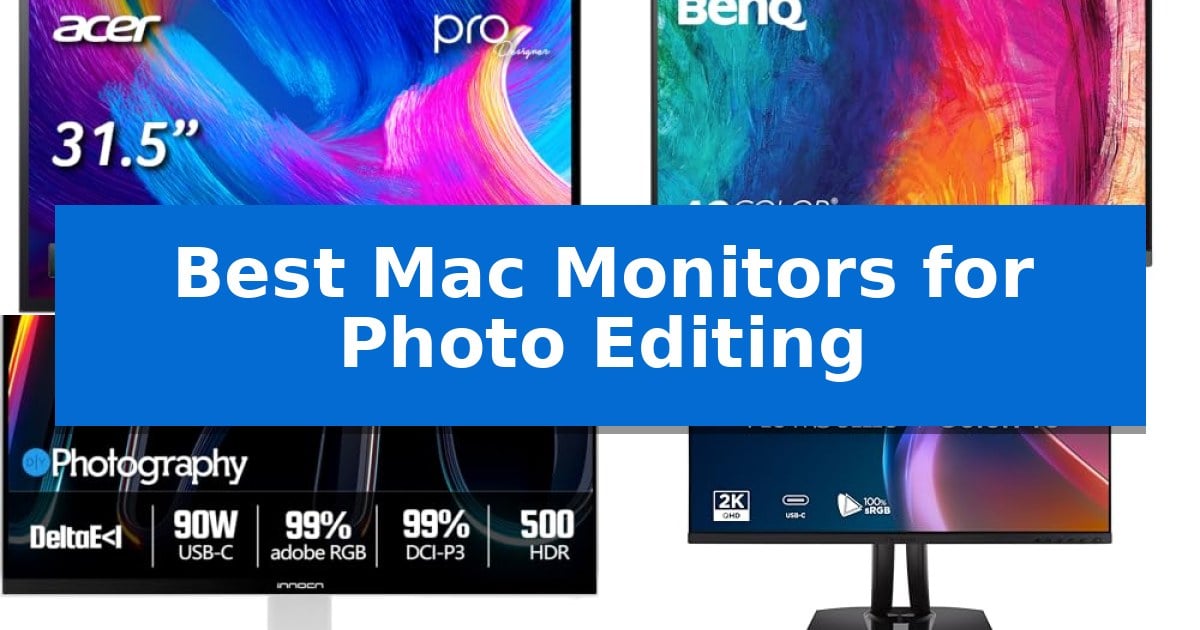
Finding the right display for your creative workflow can be challenging when you need absolute color fidelity and sharp detail. The Best Mac Monitors for Photo Editing must bridge the gap between high-resolution imagery and the specific color spaces required for professional print or digital output.
Whether you are retouching high-resolution RAW files or grading color for video, your monitor serves as the primary tool for every decision. We have analyzed current displays to identify which models offer the necessary calibration, connectivity, and ergonomic flexibility to support your specific editing needs.
You may also want to compare Best Mac Monitor for Graphic Design, Best Mac Minis, and Best Mac Mini Thunderbolt Docks.
Best Mac Monitors for Photo Editing
Quick Comparison
| Product | Best For | Key Strength | Score |
|---|---|---|---|
| Acer ProDesigner PE320QXT Monitor | Best Overall | Integrated 10-point touch and MPP 2.0 stylus support for direct on-screen editing. | 4.9 |
| BenQ PD2706U Monitor | Industry-Standard Color Accuracy | 90W USB-C power delivery simplifies cable management for Mac users. | 4.5 |
| INNOCN 2722A Monitor | High-Refresh 4K Creative Workflow | DeltaE < 1 factory calibration for professional-grade color accuracy. | 4.7 |
| ViewSonic VP2756A-2K Monitor | Pantone Validated Professional Display | Pantone Validated and factory-calibrated for high color fidelity. | 4.9 |
| ViewSonic VP2488-4K Monitor | Thunderbolt 4 Connectivity | Thunderbolt 4 connectivity with 100W power delivery. | 4.7 |
How We Chose
- Color Gamut Coverage: Assessing support for industry-standard spaces like Adobe RGB and DCI-P3.
- Calibration Standards: Prioritizing factory-calibrated units with verified Delta E values for out-of-the-box accuracy.
- Connectivity and Power Delivery: Ensuring single-cable solutions via USB-C or Thunderbolt for efficient workstation setups.
- Ergonomic Adjustability: Evaluating stands that provide the necessary tilt, swivel, and height adjustments for long editing sessions.
- Resolution and Clarity: Focusing on pixel density that allows for precise detail work without constant zooming.
1 Acer ProDesigner PE320QXT Monitor — Touch-Enabled 6K Precision
The Acer ProDesigner PE320QXT Monitor shifts the paradigm of professional displays by integrating a 10-point touch interface and MPP 2.0 stylus support directly into a 31.5-inch 6K panel. This design allows photographers and digital artists to retouch, sketch, and annotate directly on the screen, effectively merging the monitor and drawing tablet into a single, cohesive workspace.
Engineered for color-critical workflows, the display features a Quantum-Dot IPS panel that achieves 99% Adobe RGB and 99% DCI-P3 coverage. Each unit is factory-calibrated to a Delta E
Beyond its visual capabilities, the monitor serves as a comprehensive creative hub. It includes a built-in 8MP webcam and a 4-microphone array with hardware-level noise reduction for clear communication during client reviews. Connectivity is streamlined via a single USB-C cable that provides a 6K signal while delivering 90W of power to connected laptops, supported by the Acer Creator Hub for on-the-fly color space management.
The physical design prioritizes long-term comfort through the ErgoStand, which offers extensive adjustment options including a 7.87-inch height range and a -5° to 60° tilt. This flexibility ensures that the display can be positioned for both upright viewing and angled sketching, accommodating various creative postures throughout the workday.
Best for: Professional photographers and digital artists who require a high-resolution, color-accurate touch interface for direct on-screen retouching and annotation.
Skip if: Users who do not require touch-screen functionality or stylus support may find more cost-effective, non-touch 6K or 5K display options.
PROS
- Integrated 10-point touch and MPP 2.0 stylus support for direct on-screen editing.
- Factory-calibrated color accuracy with Delta E
- Comprehensive connectivity via USB-C with 90W power delivery.
- Ergonomic ErgoStand allows for significant tilt and height adjustments.
CONS
- Stylus not included in the package.
- Higher price point due to specialized touch and 6K hardware integration.
2 BenQ PD2706U Monitor — Industry-Standard Color Accuracy
Achieving consistent color accuracy during post-processing requires a display that bridges the gap between hardware and software. The BenQ PD2706U Monitor simplifies this workflow with its factory-calibrated IPS panel, which provides 99% sRGB and 95% P3 color space coverage to ensure your edits translate accurately across devices.
Designed specifically for creative professionals, this monitor features AQCOLOR technology and is both Pantone and Calman verified. The inclusion of the BenQ ICCsync utility allows for rapid color profile synchronization, saving time when switching between different color-managed environments. This ensures that the monitor's output remains consistent with your software's color profile, reducing the need for manual adjustments.
Connectivity is streamlined through a single 90W USB-C cable, which handles data, video, and power delivery for compatible Mac devices. This single-cable solution reduces desk clutter by eliminating the need for separate power bricks and video adapters. For those managing multiple systems, the integrated KVM switch allows you to control two computers using a single set of peripherals, effectively decluttering your workspace.
The ergonomic stand offers customizable height and tilt adjustments to support long editing sessions. Additionally, the monitor includes Eye-Care technology, incorporating flicker-free performance and low blue light settings to help reduce visual fatigue during extended periods of use. These features provide a more comfortable environment for color-critical work, allowing for sustained focus without the strain often associated with long hours at a display.
Best for: Professional photographers and designers who require high color accuracy and a streamlined, single-cable connection for their Mac setup.
Skip if: Users who require a larger screen real estate or higher than 4K resolution for specialized high-resolution video production workflows.
PROS
- 90W USB-C power delivery simplifies cable management for Mac users.
- Factory-calibrated color accuracy with Delta E ≤ 3 ensures reliable output.
- Integrated KVM switch allows for efficient multi-device control.
- Pantone and Calman verified for professional color standards.
CONS
- Fixed 27-inch size may not suit those needing ultra-wide or larger displays.
- 4K resolution is standard for this class but may be limiting for specific high-end cinema workflows.
3 INNOCN 2722A Monitor — High-Refresh 4K Creative Workflow
Achieving precise color accuracy is the primary challenge for digital artists, and the INNOCN 2722A Monitor addresses this with factory calibration that ensures a DeltaE < 1 color difference. This level of fidelity allows photographers and designers to trust the hues, gradients, and skin tones displayed on their screen, eliminating the guesswork often associated with standard consumer panels.
Beyond its color performance, this monitor functions as a comprehensive One-Cable Workstation via its USB-C port with 90W Power Delivery. This single-cable connection handles 4K video signals, data transfer, and laptop charging simultaneously, which simplifies cable management for MacBook and Mac Mini users who prefer a clean, minimalist desk setup.
The display offers a unique Dual-Mode capability that bridges the gap between professional productivity and entertainment. Users can toggle between a sharp 4K resolution at 120Hz for detailed creative work and a high-speed FHD at 240Hz mode for fluid motion, providing versatility for those who use the same hardware for both editing and gaming.
Designed with ergonomics in mind, the unit features a pivot stand that supports height adjustment and rotation, making it suitable for vertical photo editing or coding workflows. For those with specific desk configurations, the chassis is also VESA 100x100mm compatible, allowing for easy mounting on monitor arms to maximize workspace efficiency.
Best for: Creative professionals and Mac users who require high color accuracy and a single-cable connectivity solution for their workstation.
Skip if: Users who prioritize a higher native resolution than 4K or those who do not require high-refresh-rate gaming capabilities in their professional monitor.
PROS
- DeltaE < 1 factory calibration for professional-grade color accuracy.
- 90W USB-C Power Delivery enables single-cable charging and display for MacBooks.
- Dual-mode refresh rates (4K 120Hz / FHD 240Hz) provide flexibility for different tasks.
- VESA mount compatibility allows for flexible ergonomic positioning.
CONS
- High-refresh rate modes require switching resolution, which may not be ideal for all workflows.
- Fixed 27-inch size may not suit users requiring ultra-wide or larger display real estate.
4 ViewSonic VP2756A-2K Monitor — Pantone Validated Professional Display
Achieving professional-grade color fidelity requires hardware that bridges the gap between high-speed performance and precise visual reproduction. The ViewSonic VP2756A-2K Monitor is engineered to meet these demands, offering a 27-inch Quad HD (2560 x 1440) IPS panel that balances expansive screen real estate with a fluid 120Hz refresh rate, ensuring smooth interaction during intensive creative tasks.
Color accuracy remains the cornerstone of this display, which provides 100% sRGB and Rec.709 color coverage. Factory-calibrated to achieve a Delta E
Connectivity is streamlined through an integrated 90W USB-C docking station. This single-cable solution handles data, audio, and video transmission while simultaneously charging a connected laptop, effectively minimizing desktop clutter. For users managing complex multi-monitor setups, the inclusion of DisplayPort with daisy-chain support offers the flexibility to expand the workspace without additional hardware complexity.
The physical design emphasizes long-term utility with an advanced ergonomic stand. Users can customize their viewing position through precision tilt, swivel, rotate, and height adjustments, which helps maintain a comfortable posture during extended editing sessions. Backed by a 3-year limited warranty covering parts, labor, and the backlight, this monitor serves as a durable, reliable foundation for modern creative environments.
Best for: Professional designers and photo editors who require Pantone-validated color accuracy combined with the convenience of a 90W USB-C docking station.
Skip if: Users who require 4K resolution for ultra-high-density pixel work or those who need a wider color gamut beyond sRGB and Rec.709, such as Adobe RGB.
PROS
- Pantone Validated and factory-calibrated for high color fidelity.
- 90W USB-C docking simplifies cable management and laptop charging.
- 120Hz refresh rate provides smooth visual performance for professional workflows.
- Fully adjustable ergonomic stand supports portrait and landscape orientations.
CONS
- 1440p resolution may not satisfy users requiring 4K density for fine detail work.
- Limited color gamut support compared to monitors covering full Adobe RGB or DCI-P3 spaces.
5 ViewSonic VP2488-4K Monitor — Thunderbolt 4 Connectivity
Achieving precise color reproduction in professional photography requires a display that balances high resolution with accurate gamut coverage. The ViewSonic VP2488-4K Monitor addresses this by combining a 3840 x 2160 IPS panel with 98% DCI-P3 and 100% sRGB color space support, ensuring that fine details and subtle gradients in your images are rendered with fidelity.
Designed for streamlined creative workflows, this 24-inch monitor integrates Thunderbolt 4 connectivity, which provides 40 Gbps data transfer and 100W power delivery through a single cable. This setup allows you to connect your MacBook or PC directly, managing both video signal and device charging simultaneously to reduce desk clutter.
The monitor is built for professional utility, featuring Delta E under 2 color accuracy and VESA HDR400 certification for enhanced dynamic range. For users managing complex projects, the dual 4K daisy chain capability via Thunderbolt 4 allows for an expanded multi-monitor workspace, while the ergonomic stand offers height, swivel, tilt, and pivot adjustments to accommodate different viewing angles.
While the 24-inch form factor is efficient for compact workstations, it remains a robust tool for color-critical tasks. The inclusion of HDMI 2.1, DisplayPort 1.4, and built-in 5W speakers provides the necessary flexibility for varied professional environments, making it a capable choice for photographers and graphic designers seeking a reliable, high-resolution interface.
Best for: Professional photographers and graphic designers who require high color accuracy and single-cable connectivity for their Mac or PC workstations.
Skip if: Users who prefer a larger screen real estate for side-by-side editing might find the 24-inch display size restrictive compared to 27-inch or 32-inch alternatives.
PROS
- Thunderbolt 4 connectivity with 100W power delivery.
- High color precision with 98% DCI-P3 and Delta E < 2.
- Supports dual 4K daisy chain for multi-monitor setups.
- Fully adjustable ergonomic stand for pivot and swivel.
CONS
- 24-inch screen size may be too small for some professional editing workflows.
- Limited to 5W built-in speakers which may not replace dedicated studio monitors.
Best Mac Monitors for Photo Editing Buying Guide
Understanding Color Accuracy
For photo editing, color accuracy is the most critical factor. Look for monitors that offer high coverage of Adobe RGB and DCI-P3 color spaces. These standards ensure that the colors you see on your screen are the same ones that will appear in your final print or digital delivery.
A low Delta E value is essential, as it indicates how closely the monitor reproduces colors compared to the source. Factory-calibrated displays with a Delta E < 2 or lower provide the reliability needed for professional work, minimizing the need for manual adjustments.
Connectivity and Workflow Efficiency
Modern Mac workflows benefit significantly from USB-C or Thunderbolt connectivity. These interfaces allow a single cable to handle video, data, and power delivery, which helps keep your workspace clean and organized.
If you use multiple devices, look for monitors with built-in KVM switches. This feature allows you to control two different computers using the same keyboard and mouse, streamlining your desk setup and improving overall productivity.
Resolution and Panel Technology
IPS panel technology is generally preferred for photo editing due to its superior viewing angles and consistent color reproduction. When choosing a resolution, 4K or 6K displays offer the pixel density required to view fine details in high-resolution images without scaling artifacts.
Higher resolution also provides more screen real estate, allowing you to keep your toolbars and palettes open while maintaining a large, clear workspace for your primary image.
Ergonomics for Long Sessions
Editing photos often involves spending hours at your desk, making ergonomic design a necessity. A monitor with a fully adjustable stand—offering tilt, swivel, and height adjustment—helps maintain a comfortable posture and reduces strain on your neck and shoulders.
Ensure the monitor is also VESA mount compatible if you prefer using a custom monitor arm. This provides even greater flexibility for positioning your screen at the exact height and angle that suits your workflow.
HDR and Brightness
DisplayHDR certification is important if your work involves high-dynamic-range content. A monitor with high peak brightness, such as 500 or 600 nits, allows you to see the full range of highlights and shadows in your images.
Proper HDR support ensures that you can preview your content exactly as it will be seen by your audience on modern high-end displays, preventing surprises during the final export process.
Frequently Asked Questions
Why is Delta E important for photo editing?
Delta E measures the difference between the color displayed on the screen and the intended color. A lower value means higher accuracy, which is vital for professional color grading and retouching.
Do I need a 6K monitor for photo editing?
While 4K is sufficient for most tasks, a 6K display offers higher pixel density, which is beneficial for viewing fine details in high-resolution photography without needing to zoom in as often.
Can I use a Windows-focused monitor with my Mac?
Yes, most modern monitors with USB-C or DisplayPort connectivity are compatible with macOS. However, check for specific features like Mac-View modes or software support that might be optimized for Apple hardware.
What is the benefit of a KVM switch?
A KVM switch allows you to use one keyboard and mouse to control multiple computers connected to the same monitor, saving desk space and simplifying your setup.
How often should I calibrate my monitor?
Even with factory-calibrated monitors, it is good practice to periodically recalibrate your display to ensure color consistency over time, especially if you work in a professional environment.
Conclusion: Our Top Pick
Selecting the right monitor is a foundational step in building a professional photo editing suite. The Acer ProDesigner PE320QXT Monitor stands out as our top recommendation due to its exceptional 6K resolution, factory-calibrated accuracy, and unique touch-enabled workflow that allows for direct interaction with your images.
While other options offer excellent color accuracy and connectivity, the combination of high pixel density and the included stylus support makes this display a versatile choice for photographers who want to streamline their retouching process. It provides the precision and reliability required for demanding creative projects.