
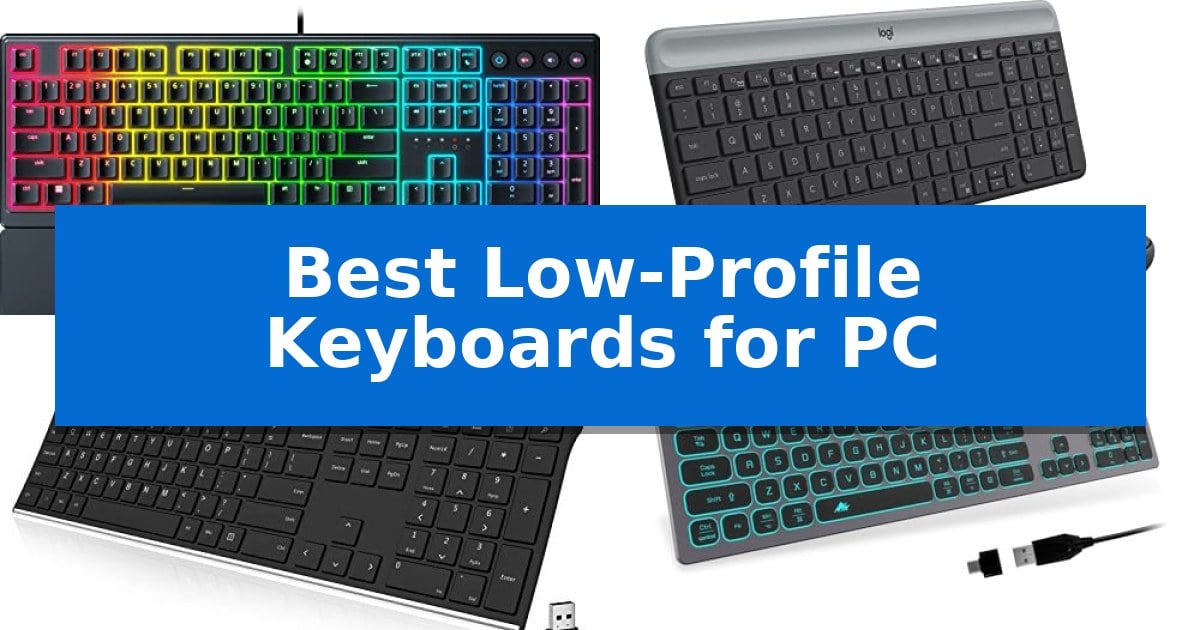
Finding the right input device can significantly change your daily computing experience. If you prefer a shorter travel distance and a more natural wrist position, the Best Low-Profile Keyboards for PC offer a refined alternative to traditional, bulky mechanical boards.
These keyboards focus on slim aesthetics and reduced key height, which can help minimize strain during long typing sessions. Whether you are looking for a quiet solution for a shared office or a responsive board for gaming, we have evaluated the top options to help you choose the right tool for your desk.
You may also want to compare Best Low-Profile Keyboards for Mac Users, Best Low-Profile Keyboards for Mac, and Best Low-Profile Keyboards for Hackintosh.
Best Low-Profile Keyboards for PC
Quick Comparison
| Product | Best For | Key Strength | Score |
|---|---|---|---|
| Razer Ornata V3 Gaming Keyboard | Best Overall | Low-profile design reduces wrist strain during extended use. | 4.9 |
| Logitech MK470 Slim Wireless Keyboard | Ultra-quiet for shared workspaces | Ultra-quiet typing and clicking experience suitable for shared spaces. | 4.6 |
| Arteck 2.4G Wireless Keyboard | Durable stainless steel frame | Stainless steel construction provides a sturdy, heavy-duty feel. | 4.3 |
| POWZAN Aluminum Wired Keyboard | Sleek aesthetic with RGB lighting | Quiet typing via high-end scissors switch keys | 4.6 |
| Arteck Backlit USB Wired Keyboard | Simple plug-and-play illumination | Scissors X structure for quiet, low-profile typing | 4.3 |
How We Chose
- Switch mechanism and tactile feedback quality
- Overall height and ergonomic profile
- Connectivity options including wired and wireless reliability
- Build materials and durability of keycap coatings
- Integrated features such as media controls and backlighting
1 Razer Ornata V3 Gaming Keyboard — Tactile hybrid switches for gaming
The Razer Ornata V3 Gaming Keyboard prioritizes ergonomic comfort through its low-profile keys and a slimmer keycap design, which promotes more natural hand positioning during extended use. This keyboard is built to reduce strain, making it a practical choice for users who spend long hours at their desk.
At the heart of its performance is the Mecha-Membrane switch technology. This hybrid design aims to combine the snappy, tactile feedback typically associated with mechanical switches with the softer, familiar feel of a conventional membrane keyboard. This allows for precise keystrokes while maintaining a comfortable typing experience.
Durability and convenience are integrated into the chassis, which features UV-coated keycaps designed to resist fading and wear from frequent contact. For media control, the keyboard includes backlit dedicated media keys, allowing users to adjust volume, brightness, or playback settings without leaving their current application.
The package includes a magnetic soft-touch wrist rest that snaps directly to the keyboard frame. This accessory provides essential support for the wrists, further emphasizing the focus on long-term comfort. With its 10-zone RGB lighting, the keyboard offers customizable visual flair to match various desktop setups.
Best for: Users seeking a hybrid typing feel with ergonomic support for long gaming or productivity sessions.
Skip if: Users who strictly prefer the deep travel distance and distinct actuation of traditional mechanical switches.
PROS
- Low-profile design reduces wrist strain during extended use.
- Mecha-Membrane switches provide a tactile, clicky feedback hybrid.
- UV-coated keycaps offer enhanced resistance to legend fading.
- Magnetic wrist rest provides integrated ergonomic support.
CONS
- Hybrid switch feel may not satisfy users accustomed to pure mechanical switches.
2 Logitech MK470 Slim Wireless Keyboard — Ultra-quiet for shared workspaces
Maintaining a clean, efficient workspace often requires input devices that minimize clutter without sacrificing utility. The Logitech MK470 Slim Wireless Keyboard addresses this by combining an ultra-thin, compact profile with a full-sized layout, including a dedicated number pad. This design choice provides a significant advantage for users who need to perform data entry or numerical tasks while keeping their desk footprint to a minimum.
The typing experience is defined by low-profile scissor keys, which are engineered to deliver a whisper-quiet operation. This makes the keyboard particularly well-suited for shared environments, such as open-plan offices or home workspaces where noise reduction is a priority. The accompanying ambidextrous mouse complements this focus on quiet performance, featuring a mechanical scroll wheel and high-precision optical tracking at 1000 DPI for consistent navigation.
Connectivity is handled through a simple plug-and-play USB nano receiver, which utilizes a 2.4 GHz wireless connection to ensure a reliable link between the devices and the PC. To support long-term usability, both the keyboard and mouse incorporate an auto-sleep feature that helps preserve battery life, with ratings of up to 36 months for the keyboard and 18 months for the mouse. Users can further refine their experience by using the Logi Options software to customize the 12 FN keys, allowing for personalized shortcuts that streamline daily workflows.
Best for: Users seeking a quiet, space-saving, and reliable wireless input solution for office or home productivity.
Skip if: Users who require mechanical switches for tactile feedback or those who prefer a full-sized, ergonomic layout with wrist support.
PROS
- Ultra-quiet typing and clicking experience suitable for shared spaces.
- Compact, slim design that maximizes limited desk real estate.
- Long battery life with auto-sleep functionality for both devices.
- Customizable FN keys to streamline personalized workflows.
CONS
- Non-mechanical keys may not meet the preferences of users seeking tactile feedback.
- USB receiver reliance requires an available USB-A port for connectivity.
3 Arteck 2.4G Wireless Keyboard — Durable stainless steel frame
The Arteck 2.4G Wireless Keyboard provides a distinct, heavy-duty feel through its stainless steel construction while maintaining an ultra-slim profile. This full-size keyboard integrates a numeric keypad and dedicated shortcut keys within a compact 16.9 x 4.9 x 0.6-inch frame, making it a space-efficient choice for crowded desks.
Designed for simplicity, the keyboard utilizes a nano USB receiver for a straightforward plug-and-play setup. The low-profile keys are engineered to provide quiet and comfortable typing, suitable for environments where noise reduction is a priority. Its lightweight build at 14.9oz ensures it remains portable without sacrificing the stability provided by the metallic chassis.
Power management is handled by an internal rechargeable lithium battery. The manufacturer specifies an industry-high capacity capable of lasting up to 6 months on a single charge, assuming a usage pattern of 2 hours per day. This reduces the need for frequent cable management or battery replacements.
Compatibility extends across various platforms including Windows 10, 8, and 7, as well as smart TVs and laptops. The package includes the necessary USB charging cable and a 24-month warranty, providing a clear expectation for support and maintenance over the life of the device.
Best for: Users seeking a durable, space-saving full-size keyboard with quiet typing and long-lasting rechargeable battery life.
Skip if: Users who require a mechanical switch feel or a wired connection for specific low-latency gaming requirements.
PROS
- Stainless steel construction provides a sturdy, heavy-duty feel.
- Rechargeable lithium battery offers up to 6 months of use per charge.
- Ultra-slim, compact design includes a full numeric keypad.
- Quiet low-profile keys minimize typing noise.
CONS
- Nano USB receiver requires an available USB-A port on the host device.
- Non-mechanical key switches may not suit users preferring tactile feedback.
4 POWZAN Aluminum Wired Keyboard — Sleek aesthetic with RGB lighting
The POWZAN Aluminum Wired Keyboard offers a refined, low-profile typing experience through its integrated high-end scissors switch keys. This full-size keyboard is designed to minimize noise during high-volume typing sessions, making it a practical choice for shared workspaces or quiet home offices where the sound of traditional mechanical switches might be distracting.
Built with a durable aluminum frame, the unit maintains a stable, low-profile footprint on any desk. It features 7-color LED lighting effects that can be customized for brightness or color cycling via dedicated function shortcuts. This aesthetic integration ensures the keyboard remains a functional yet visually cohesive part of a modern computer setup.
Functionality is centered on a plug-and-play USB connection, which eliminates the need for software or driver installations on Windows or Mac systems. The keyboard includes 12 dedicated hotkeys that adapt to the user's operating system. Users can toggle between Windows and Mac modes by holding the designated key for five seconds, allowing the device to align its shortcuts with the specific requirements of the connected computer.
This keyboard provides a consistent, slim profile for users who prioritize desk space and a quiet input method. By combining a standard layout with a numeric keypad and multi-OS support, it serves as a reliable, straightforward tool for daily productivity tasks without the complexity of wireless pairing or software management.
Best for: Users who require a quiet, full-size, low-profile keyboard with integrated numeric keypad and multi-OS compatibility.
Skip if: Users who prefer the tactile feedback and deep key travel of mechanical switches or those who require a wireless connection.
PROS
- Quiet typing via high-end scissors switch keys
- Plug-and-play compatibility with Windows and Mac
- 7-color LED lighting with adjustable brightness
- Dedicated hotkeys for both Windows and Mac OS
CONS
- Wired-only connection limits desk placement flexibility
- Requires manual mode switching to toggle between Windows and Mac layouts
5 Arteck Backlit USB Wired Keyboard — Simple plug-and-play illumination
The Arteck Backlit USB Wired Full Size Keyboard with Media Hotkey for PC and Laptop provides a streamlined typing solution for users who prioritize a slim, low-profile footprint. By utilizing a Scissors X structure, this keyboard delivers a quiet and tactile typing experience that minimizes the travel distance required for each keystroke.
Designed for immediate integration, the device features a simple plug-and-play setup via a 1.8-meter (6-foot) USB cable. Its compact dimensions of 16.7 x 4.5 x 0.24 inches and lightweight 17.4-ounce build make it a space-saving addition to any desk, while still maintaining a full-size layout that includes a dedicated number pad and arrow keys.
Visual customization is supported by 7 elegant LED backlight colors with three adjustable brightness levels, assisting with visibility in low-light environments. The inclusion of integrated media hotkeys allows for quick control over common computer functions, enhancing productivity without requiring additional software installation.
This keyboard is engineered for compatibility with standard PC and laptop systems, though it is not intended for use with Apple devices. With a 24-month warranty included, the unit balances a thin, ergonomic profile with the essential features required for daily computing tasks.
Best for: Users seeking a slim, corded, full-size keyboard with adjustable backlighting for standard PC and laptop workstations.
Skip if: Users who require wireless connectivity, mechanical switches, or compatibility with Apple operating systems.
PROS
- Scissors X structure for quiet, low-profile typing
- 7-color LED backlighting with adjustable brightness
- Full-size layout including a number pad in a thin, compact frame
- Plug-and-play wired USB connectivity
CONS
- Wired-only connection limits desk placement flexibility
- Not compatible with Apple devices
Best Low-Profile Keyboards for PC Buying Guide
Understanding Switch Types
Low-profile keyboards typically utilize scissor switches or hybrid mecha-membrane designs. Scissor switches are known for their short, stable travel, making them ideal for rapid, quiet typing. This design is common in slim, portable keyboards that prioritize a flat profile.
Hybrid switches attempt to bridge the gap between membrane and mechanical feel. They often provide a more distinct tactile bump compared to standard membrane keys, which can be beneficial for users who want a satisfying click without the bulk of traditional mechanical switches.
Ergonomics and Wrist Support
The primary benefit of a low-profile design is the reduced distance your fingers must travel to actuate a key. This naturally lowers the angle of your wrists, potentially reducing fatigue over long periods of use.
For those who spend hours at a desk, looking for models that include a magnetic wrist rest or a naturally sloped chassis can provide additional support. Even with a low profile, proper wrist alignment remains essential for long-term comfort.
Connectivity: Wired vs. Wireless
Wired keyboards offer a plug-and-play experience that eliminates the need for battery management or wireless interference concerns. They are often the most reliable choice for stationary desktop setups where the keyboard rarely moves.
Wireless models, typically using a 2.4 GHz USB nano receiver, provide a cleaner desk aesthetic. When choosing wireless, consider the battery life and whether the keyboard features an auto-sleep function to maximize efficiency between charges.
Build Quality and Aesthetics
Materials like stainless steel frames or high-grade aluminum not only add to the durability of the keyboard but also provide a stable, premium feel. A heavier base prevents the keyboard from sliding during intense typing or gaming sessions.
Keycap quality is another factor to consider. UV-coated keycaps are often used to prevent the legends from fading over time, ensuring the keyboard maintains its appearance even after months of heavy use.
Backlighting and Media Controls
Backlit keys are essential for working in low-light environments. Look for adjustable brightness levels and color options that suit your workspace. Some keyboards offer dedicated media keys that allow you to control volume, playback, and brightness without needing to navigate through software menus.
These shortcuts can significantly streamline your workflow, especially when integrated directly into the keyboard layout. Ensure the media controls are accessible and do not require complex key combinations to function.
Frequently Asked Questions
Are low-profile keyboards better for gaming?
Low-profile keyboards are often preferred by gamers who want faster actuation and a more natural hand position. Models with hybrid switches provide the tactile feedback required for gaming while maintaining a slim form factor.
Can I use a low-profile keyboard with both Mac and PC?
Many low-profile keyboards are designed to be compatible with both operating systems. Some models include specific hotkeys or modes that allow you to toggle between Windows and macOS layouts easily.
Do low-profile keyboards require special maintenance?
Generally, they require the same maintenance as standard keyboards. Regular dusting and using compressed air to clear debris from under the keys will help maintain performance. Avoid using harsh liquids on the keycaps.
How long does the battery last on wireless low-profile keyboards?
Battery life varies significantly based on usage and features like backlighting. Many modern wireless keyboards include power-saving features like auto-sleep, which can extend battery life to several months.
Are these keyboards quieter than mechanical ones?
Yes, most low-profile keyboards are significantly quieter than traditional mechanical keyboards. Their scissor or membrane-based switches produce a softer sound, making them ideal for shared workspaces or quiet home offices.
Conclusion: Our Top Pick
For users seeking the best balance of tactile feedback and ergonomic design, the Razer Ornata V3 Gaming Keyboard stands out as the premier choice. Its hybrid mecha-membrane switches provide a satisfying click while the low-profile keys ensure comfortable, long-term use.
The inclusion of a magnetic wrist rest and dedicated media keys adds significant value for both gamers and professionals. While it is a wired unit, the build quality and performance make it a reliable centerpiece for any PC setup.