
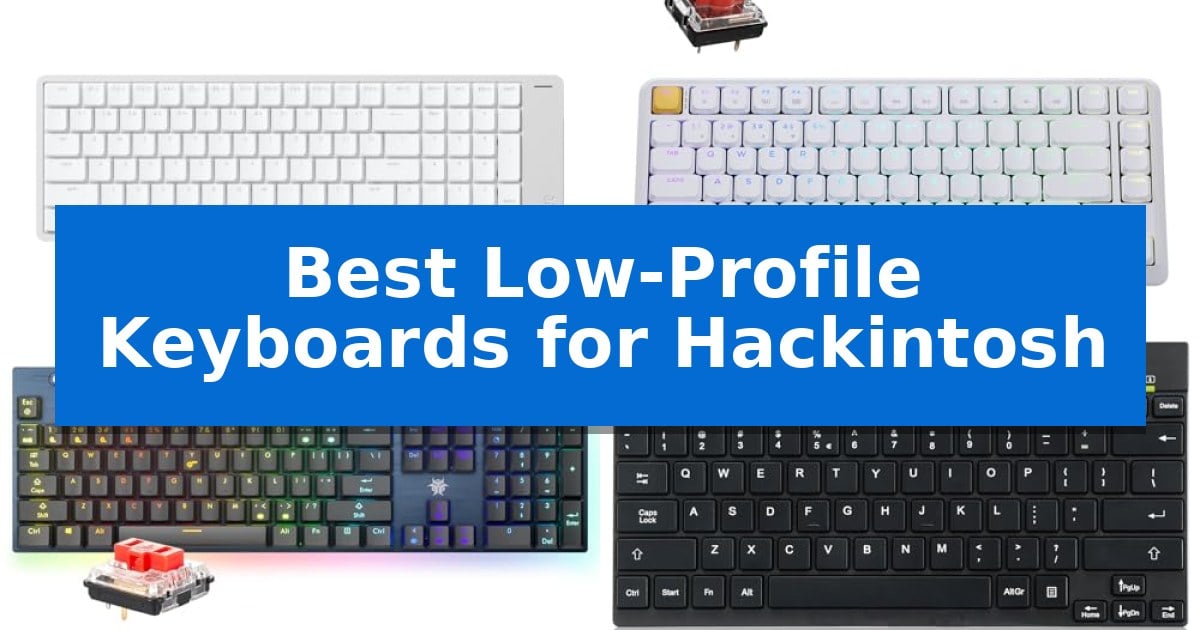
Building a custom Hackintosh requires hardware that respects the macOS ecosystem, particularly when it comes to input devices. Finding the Best Low-Profile Keyboards for Hackintosh involves balancing physical layout compatibility with the specific function keys and modifier sequences that Apple users rely on daily.
A keyboard that forces you to constantly remap keys or guess your shortcuts can break your workflow. We have analyzed several low-profile mechanical options to identify which models offer the most seamless integration for your custom build, focusing on native layout support and reliable connectivity.
You may also want to compare Best Low-Profile Keyboards for Gaming, Best Low-Profile Keyboards for Fast Typing, and Best Low-Profile Keyboards.
Best Low-Profile Keyboards for Hackintosh
Quick Comparison
| Product | Best For | Key Strength | Score |
|---|---|---|---|
| Lofree Flow2 Mechanical Keyboard | Best Overall | Native Mac layout with familiar key placement and Command key positioning. | 4.9 |
| Keychron KJ1 Mechanical Keyboard | QMK customizability for macOS workflows | Native Mac layout with dedicated multimedia and function keys. | 4.8 |
| Hexgears GK1702 Mechanical Keyboard | Full-size layout with volume roller | Dual-mode connectivity allows for seamless switching between five devices. | 4.4 |
| Perixx PERIBOARD-426 Mini Keyboard | Compact wired solution for minimalists | Compact, slim design that saves valuable desk space. | 4.6 |
How We Chose
- Native macOS layout support including the correct modifier key order.
- Connectivity stability across Bluetooth, 2.4GHz, and wired modes.
- Programmability options for custom key mapping and macro support.
- Switch feel and keycap quality for long-term typing comfort.
- Physical footprint and build materials for desk space efficiency.
1 Lofree Flow2 Mechanical Keyboard — Native Mac layout and touch controls
The Lofree Flow2 Mechanical Keyboard integrates a capacitive touch bar directly into its aluminum chassis, providing an intuitive interface for adjusting volume and brightness without the need for physical knobs. Designed with a layout that mirrors the MacBook, this keyboard ensures that macOS users can transition to a mechanical experience while maintaining familiar key placement and shortcut functionality.
Built for precision and comfort, the keyboard utilizes Cloud Surfer switches paired with a gasket mount structure. This combination incorporates five sound-absorbing layers to dampen vibration and soften keypress impact, resulting in a fluid, quiet typing experience suited for extended work sessions. The CNC-machined anodized aluminum frame provides a rigid, minimalist aesthetic that complements professional desk setups.
Connectivity is handled through a versatile tri-mode system, offering Bluetooth 5.3, 2.4GHz wireless, and USB-C wired options. Both the 2.4GHz and wired modes support a 1000Hz polling rate for responsive input. With a 3000mAh battery, the device provides up to 90 hours of use when the backlight is disabled, or 16 hours during active illumination.
Customization is a core component of the Lofree Flow2 Mechanical Keyboard, featuring full VIA compatibility for remapping keys and creating macros without proprietary software. The board is equipped with double-shot PBT+PC keycaps designed to resist shine and wear, while the switches feature enlarged light windows to ensure sharp, even backlighting across the legends.
Best for: Mac users who require a low-profile mechanical keyboard with native layout support and integrated touch-based media controls.
Skip if: Users who prefer a full-sized keyboard with a dedicated number pad, as this model utilizes a 100-key compact layout.
PROS
- Native Mac layout with familiar key placement and Command key positioning.
- Capacitive touch bar for efficient volume and brightness adjustments.
- VIA compatibility allows for advanced macro programming and key remapping.
- Gasket mount design with sound-absorbing layers for a refined typing feel.
CONS
- Limited battery life of 16 hours when the backlight is fully enabled.
- Compact 100-key layout may require an adjustment period for users accustomed to full-sized boards.
2 Keychron KJ1 Mechanical Keyboard — QMK customizability for macOS workflows
Achieving a seamless macOS experience requires hardware that respects the specific function key layout and multimedia shortcuts native to Apple ecosystems. The Keychron KJ1 Low Profile Wireless Mechanical Keyboard addresses this by offering a dedicated Mac layout that mirrors the utility of official Apple hardware while providing the tactile feedback of mechanical switches.
Designed for efficiency, this keyboard features 1.3 mm actuation switches, which are engineered to be 35% faster than standard mechanical alternatives. This allows for precise, rapid keystrokes, while the doubleshot low-profile PBT keycaps ensure long-term durability and consistent performance over 50 million cycles. The inclusion of Last Key Priority (LKP) further refines the input experience, allowing for smoother directional changes during intensive tasks by prioritizing the most recent input.
Connectivity is highly versatile, supporting 2.4 GHz wireless, Bluetooth 5.2, and USB-C wired modes. Users can pair up to three devices simultaneously via Bluetooth, making it a practical choice for multi-device workflows. For those requiring deep customization, the keyboard supports QMK/VIA advanced programming, allowing users to remap keys and create macros through a browser-based launcher without needing to install software or worry about OS restrictions.
With its 75% layout, the keyboard balances compact dimensions with essential function keys, fitting easily into crowded desk setups. It includes 22 types of RGB backlight settings and a static white option, providing visual clarity in various lighting conditions. The 2000mAh battery supports extended use, and the board remains fully compatible with Windows and Linux, ensuring it functions reliably across diverse computing environments.
Best for: Users seeking a compact, customizable mechanical keyboard that maintains native macOS multimedia and function key compatibility.
Skip if: Users who require a full-sized keyboard layout with a dedicated number pad for heavy data entry tasks.
PROS
- Native Mac layout with dedicated multimedia and function keys.
- Tri-mode connectivity including 2.4 GHz, Bluetooth 5.2, and wired USB-C.
- Advanced customization via QMK/VIA firmware and browser-based launcher.
- Fast 1.3 mm actuation switches for responsive typing.
CONS
- 75% layout lacks a dedicated numeric keypad.
3 Hexgears GK1702 Mechanical Keyboard — Full-size layout with volume roller
For users seeking a streamlined desktop aesthetic without sacrificing the tactile feedback of mechanical switches, the Hexgears GK1702 Mechanical Keyboard offers a low-profile solution that integrates seamlessly into a modern workspace. With a slim 27.70mm thickness and a durable aluminum frame, this keyboard provides a stable, professional foundation for both data entry and creative tasks.
The keyboard utilizes Kailh low-profile linear switches, rated for a 70 million keypress lifespan, ensuring consistent performance over time. Its 108-key full-size layout includes a dedicated number pad and navigation keys, providing the comprehensive control required for complex workflows. The inclusion of a volume roller and dedicated media controls allows for quick adjustments, maintaining focus during intensive sessions.
Connectivity is handled through dual-mode versatility, supporting both Bluetooth 5.0 for wireless freedom and a USB-C wired connection for reliability. Users can switch between up to five devices, making it a practical choice for multi-device environments. The 4000mAh battery supports this functionality with up to 360 hours of operation, reducing the frequency of charging interruptions.
Designed for precision, the Hexgears GK1702 Mechanical Keyboard features N-Key Rollover (NKRO), which ensures that simultaneous inputs are registered accurately. The visual experience is enhanced by per-key RGB backlighting and an underglow light bar, allowing for full customization to suit individual preferences or ambient lighting conditions.
Best for: Office typists and programmers who require a full-size, low-profile mechanical keyboard with multi-device wireless connectivity.
Skip if: Users who prefer a compact or tenkeyless form factor, or those who require tactile or clicky switch feedback instead of linear switches.
PROS
- Dual-mode connectivity allows for seamless switching between five devices.
- Robust 4000mAh battery provides up to 360 hours of use.
- Durable aluminum frame with a slim 27.70mm low-profile design.
- Full-size layout including a dedicated volume roller and media controls.
CONS
- Linear switches may not suit users who prefer the tactile bump or audible click of other mechanical switch types.
4 Perixx PERIBOARD-426 Mini Keyboard — Compact wired solution for minimalists
Maintaining a clean, efficient workspace while managing a Hackintosh setup often requires hardware that balances a small footprint with reliable input. The Perixx PERIBOARD-426 Wired Mini Low Profile Keyboard addresses this by offering a slim, lightweight design that occupies minimal desk space, measuring just 10.87 by 5.43 inches.
This keyboard utilizes a membrane switch mechanism paired with a low profile design, which provides a short travel distance for a responsive typing experience. The unit is constructed from high-quality ABS material, ensuring it remains a durable solution for daily office or home use.
Functionality is enhanced through the inclusion of built-in multimedia hot keys, allowing for quick media control without needing to navigate through system menus. As a wired USB device, it offers a straightforward plug-and-play experience, requiring only an available USB port for connection.
While the Perixx PERIBOARD-426 Wired Mini Low Profile Keyboard is optimized for compact environments, its wired nature means users must manage the 4.9-foot cable. It serves as a practical, no-fuss input device for those who prioritize desk real estate and consistent, wired connectivity.
Best for: Users seeking a compact, wired input device to save desk space in a minimalist workstation setup.
Skip if: Users who require wireless connectivity or mechanical switches for a specific tactile typing feel.
PROS
- Compact, slim design that saves valuable desk space.
- Responsive low-profile keys with short travel distance.
- Built-in multimedia hot keys for convenient media control.
- Durable ABS material construction.
CONS
- Wired-only connection requires managing a 4.9-foot cable.
- Membrane switch feel may not suit those preferring mechanical feedback.
Best Low-Profile Keyboards for Hackintosh Buying Guide
Understanding Layout Compatibility
The most critical factor for any Hackintosh user is the physical layout. macOS relies on the specific order of the Command, Option, and Control keys. Keyboards that offer a native Mac layout ensure that your muscle memory remains consistent with your experience on official Apple hardware.
Some keyboards provide VIA or QMK compatibility, which is a significant advantage. This allows you to remap keys at the firmware level, meaning your custom layout settings persist even if you switch between different machines or operating systems.
Connectivity and Polling Rates
Reliability is paramount when working in a custom environment. Look for keyboards that offer tri-mode connectivity, allowing you to switch between Bluetooth 5.3, 2.4GHz wireless, and USB-C wired connections. This flexibility helps troubleshoot potential connection issues during system updates or BIOS configuration.
For users who prioritize responsiveness, a 1000Hz polling rate in wired or 2.4GHz mode is essential. This ensures that your inputs are registered instantly, which is particularly important for professional tasks like video editing or programming.
Switch Types and Typing Feel
Low-profile keyboards use specialized switches that offer shorter travel distances compared to traditional mechanical boards. Linear switches are often preferred for their smooth, consistent keystroke, which minimizes noise and fatigue during long sessions.
The internal structure, such as a gasket mount design, can further improve the typing experience by absorbing vibrations and softening the impact of each keypress. This creates a more balanced and quiet response that is ideal for shared office environments.
Build Quality and Ergonomics
A CNC-machined aluminum chassis not only provides a premium aesthetic that complements a modern desk setup but also adds necessary weight to prevent the keyboard from sliding during use. The durability of the frame is a key indicator of the keyboard's longevity.
Consider the inclusion of dedicated media controls or touch bars. These features allow for quick adjustments to volume and screen brightness without needing to navigate through macOS system settings, effectively replicating the convenience of the Apple Magic Keyboard.
Keycap Materials
The material of your keycaps affects both the feel and the longevity of your keyboard. Double-shot PBT keycaps are highly recommended because they resist shine and wear much better than standard ABS plastic.
Look for keycaps that offer shine-through legends if you frequently work in low-light conditions. This ensures that your symbols remain visible and legible, preventing errors during late-night projects.
Frequently Asked Questions
Do I need special software to use these keyboards on a Hackintosh?
Most of these keyboards are plug-and-play. However, for advanced features like key remapping or macro creation, models with VIA or QMK support are preferred because they allow you to configure settings in a web browser without needing to install proprietary drivers.
Are low-profile mechanical keyboards quieter than standard ones?
Generally, yes. Because they have shorter travel distances and often utilize linear switches, they tend to produce less noise than traditional high-profile mechanical keyboards, making them suitable for quiet workspaces.
Can I use a Windows-layout keyboard on my Hackintosh?
You can, but you will likely need to adjust the modifier keys in the macOS System Settings. Using a keyboard with a native Mac layout is much more convenient as it avoids the need for software-based remapping.
What is the benefit of a gasket mount design?
A gasket mount design uses specialized materials to isolate the plate from the keyboard case. This results in a softer, more flexible typing feel and helps dampen the sound of bottoming out the keys.
Is a wired connection better than wireless for Hackintosh?
Wired connections are generally more stable and offer the highest polling rates. However, modern 2.4GHz wireless technology is now highly reliable and offers performance nearly identical to a wired connection while keeping your desk free of cables.
Conclusion: Our Top Pick
For those seeking the most refined experience, the Lofree Flow2 Mechanical Keyboard stands out as the top choice for a Hackintosh setup. Its native Mac layout, combined with a high-quality aluminum body and intuitive touch controls, provides a premium experience that aligns perfectly with the macOS workflow.
The inclusion of gasket-mounted switches ensures a comfortable, quiet typing experience, while the VIA compatibility offers the flexibility needed for custom key mapping. It is a reliable, well-built solution that minimizes the friction often associated with custom hardware configurations.