
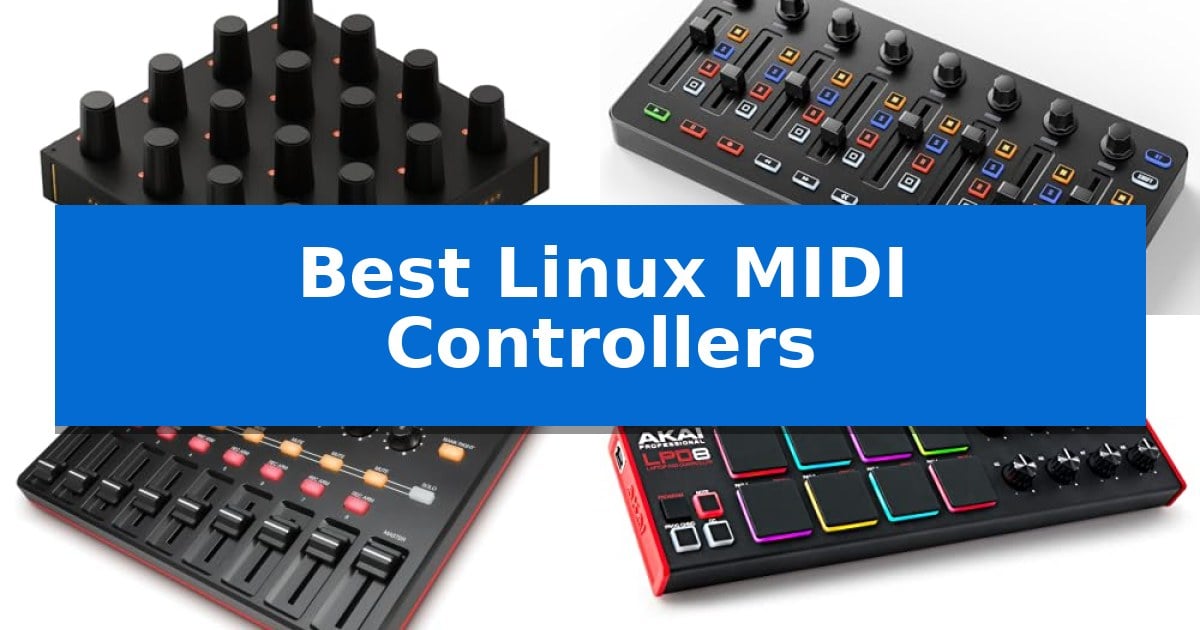
Finding reliable hardware for an open-source music production environment can be challenging, but the right gear makes all the difference. Whether you are managing complex virtual instruments or mixing tracks in your favorite DAW, the Best Linux MIDI Controllers provide the tactile precision needed to move beyond mouse-and-keyboard editing.
Selecting the right controller involves balancing your specific workflow needs with hardware compatibility. From compact, portable pads for beat making to modular rotary encoders for deep parameter manipulation, these devices help bridge the gap between your creative ideas and your digital workspace.
You may also want to compare Best Linux Lenovo Laptop, Best Linux Keyboard and Mouse Combos, and Best Linux Gaming Mouse.
Best Linux MIDI Controllers
Quick Comparison
| Product | Best For | Key Strength | Score |
|---|---|---|---|
| Intech Studio Grid EN16 MIDI Controller | Best Overall | 16 infinite-rotation encoders with tactile 20-detent feedback. | 4.9 |
| Donner StarryCtrl MIDI Controller | Wireless DAW Mixing | Low-latency wireless connectivity for a clutter-free workspace | 4.8 |
| Akai Professional MIDImix Controller | Comprehensive Mixer Layout | Compact and lightweight design for high portability | 4.3 |
| Akai Professional LPD8 MIDI Controller | Portable Beat Making | 8 RGB-backlit MPC pads provide responsive feedback for triggering loops and samples. | 4.8 |
| Korg NanoKONTROL2 MIDI Controller | Ultra-Slim Desktop Integration | Low-profile, multi-function control surface saves desk space. | 4.4 |
How We Chose
- Class-compliant MIDI support for plug-and-play functionality on Linux distributions.
- Tactile feedback and build quality of encoders, faders, and pads.
- Customization depth, including support for MIDI mapping, SysEx, or LUA scripting.
- Portability and form factor suitability for various studio and live performance setups.
- Connectivity options, including USB-C integration and wireless capabilities.
1 Intech Studio Grid EN16 MIDI Controller — Precision Rotary Control
Achieving precise control over digital audio workstations and creative software on Linux requires hardware that integrates seamlessly with open-source environments. The Intech Studio Grid EN16 Modular MIDI Controller provides a specialized solution, featuring 16 velocity-sensitive, infinite-rotation metal encoders that offer a tactile 20-detent click feel for granular parameter adjustment.
Beyond its primary function as a MIDI controller, this device offers hybrid functionality by operating as an HID device. This allows users to map encoders to mouse movements, keyboard shortcuts, or game controls, extending its utility to video editing and streaming workflows. The unit is built with a sturdy injection-molded base and utilizes a magnetic interface, enabling it to connect to other Grid modules in any direction for a custom layout.
Advanced users can leverage the free Grid Editor to define custom acceleration curves, MIDI ranges, and LED behaviors, with full support for bi-directional mapping to keep software values in sync with the hardware. For those requiring deeper integration, the module supports LUA scripting, allowing for complex handling of SysEx and NRPN messages alongside standard MIDI data.
The Intech Studio Grid EN16 Modular MIDI Controller connects via a high-speed USB-C port, ensuring reliable communication with Linux systems. Each encoder includes a built-in push switch, providing a secondary layer of control for toggling functions or resetting parameters, making it a versatile tool for power users who need a compact, programmable interface.
Best for: Creators and power users who require a highly programmable, modular interface for MIDI, streaming, or video editing on Linux.
Skip if: Users who prefer a traditional keyboard-style MIDI controller with piano keys will find this unit unsuitable as it is strictly a rotary encoder macro pad.
PROS
- 16 infinite-rotation encoders with tactile 20-detent feedback.
- Hybrid HID and MIDI functionality for versatile application control.
- LUA scripting support for advanced hardware and software integration.
- Modular magnetic interface allows for physical expansion with other Grid units.
CONS
- No traditional piano keys or drum pads included.
- Requires software configuration via the Grid Editor for full functionality.
2 Donner StarryCtrl MIDI Controller — Wireless DAW Mixing
The Donner StarryCtrl MIDI Controller streamlines digital audio workstation workflows through its integrated low-latency wireless technology and a rechargeable 780mAh lithium battery. This portable device removes the need for constant cable management in home studios or live performance environments, offering a flexible solution for producers who require mobility without sacrificing control.
Equipped with 8 faders and 8 knobs, the unit features a Smart LED Anti-jump Indicator that provides visual feedback when a physical control position does not align with the software track volume. This functionality supports Soft Takeover protocols, preventing sudden, unintended jumps in parameter values during live mixing or automation recording.
The controller simplifies integration with major DAWs via Mackie Control Universal (MCU) support, enabling one-click mapping for essential transport functions like Solo, Mute, Record, and Select. Users can further customize the 43 assignable keys to trigger specific CC messages, notes, or even external lighting and OBS scenes using the included MidiSuite software.
Designed for versatility, the Donner StarryCtrl MIDI Controller includes a USB Type-C port for rapid recharging and wired connectivity. While it offers extensive mapping capabilities, the reliance on software-based customization means users should be prepared to configure their specific DAW environment to fully utilize the assignable buttons and faders.
Best for: Music producers and performers who need a portable, wireless controller for DAW mixing and live automation.
Skip if: Users who require a full-sized keyboard interface or those who prefer a strictly plug-and-play hardware setup without software-based mapping.
PROS
- Low-latency wireless connectivity for a clutter-free workspace
- Smart LED Anti-jump Indicator prevents parameter value spikes
- Mackie Control Universal (MCU) support for rapid DAW integration
- 43 assignable keys allow for deep customization
CONS
- Software-dependent configuration requires initial setup via MidiSuite
3 Akai Professional MIDImix Controller — Comprehensive Mixer Layout
The Akai Professional MIDImix Controller provides a dedicated hardware interface for digital audio workstations, featuring 24 knobs and 16 buttons arranged to facilitate hands-on mixing. Its design prioritizes portability, measuring 1.2 inches in height and weighing 1.54 pounds, making it suitable for compact studio environments.
The unit includes 8 individual line faders and 1 master fader, allowing for tactile control over track volume, virtual instrument parameters, and effect settings. The 24 knobs are configured in banks of three per channel, providing direct access to EQ and bus sends. Additionally, the 16 buttons are organized into two banks to manage mute, solo, and record arm functions.
Designed for seamless integration, the device offers instant 1-to-1 mapping with Ableton Live, and includes Ableton Live Lite software. The controller is built to be lightweight and robust, intended for users who require a portable solution for managing mixer settings within their DAW workflow.
This controller serves as a dedicated hardware surface for those who prefer physical faders and knobs over mouse-based adjustments. By mapping mixer settings to the hardware with a single button push, it streamlines the mixdown process for home studio setups.
Best for: Music producers and home studio users who require a compact, tactile hardware interface for mixing and DAW control.
Skip if: Users who require built-in audio interfaces, motorized faders, or a larger surface area for complex multi-track orchestration.
PROS
- Compact and lightweight design for high portability
- Instant 1-to-1 mapping with Ableton Live
- Comprehensive control layout with 24 knobs and 9 faders
- Dedicated buttons for mute, solo, and record arming
CONS
- No motorized faders for automatic feedback
- Limited to MIDI control without integrated audio interface functionality
4 Akai Professional LPD8 MIDI Controller — Portable Beat Making
The Akai Professional LPD8 MIDI Controller provides a compact, tactile interface for music production, featuring 8 RGB-backlit responsive MPC drum pads. Its design focuses on portability and seamless integration, making it a practical choice for producers who require a lightweight, bus-powered device that fits easily into a laptop bag.
This controller offers 8 assignable Q-Link knobs, allowing for precise, hands-on mapping to DAW parameters, virtual instruments, and insert effects. The inclusion of 4 programmable preset slots enables users to store and recall specific configurations, which helps streamline workflow when switching between different software environments or project setups.
Built with a sturdy frame that mirrors the design of standalone MPC units, the device is engineered for durability despite its slim-line profile. It connects via USB, facilitating straightforward integration with various digital audio workstations, ensuring that creators can maintain a consistent production environment whether in a studio or on the move.
The Akai Professional LPD8 MIDI Controller balances portability with essential functionality, offering enough control for beat making and mixing without the bulk of larger keyboard-based controllers. Its simple, plug-and-play nature ensures that it remains a reliable tool for those who prioritize a mobile-first production setup.
Best for: Producers and beat makers who need a highly portable, tactile controller for triggering samples and mapping DAW parameters on the go.
Skip if: Users who require integrated piano-style keys or a larger surface area for complex multi-track mixing will find this compact pad-only controller insufficient for their needs.
PROS
- 8 RGB-backlit MPC pads provide responsive feedback for triggering loops and samples.
- 8 assignable Q-Link knobs allow for tactile control over DAW parameters and plugins.
- Portable, slim-line design makes it easy to transport in a standard laptop bag.
- 4 programmable preset slots enable quick recall of custom software mappings.
CONS
- Lacks piano-style keys, which may limit melodic composition for some users.
- Compact form factor offers fewer total controls compared to larger studio-grade MIDI controllers.
5 Korg NanoKONTROL2 MIDI Controller — Ultra-Slim Desktop Integration
The Korg NanoKONTROL2 MIDI Controller offers a low-profile, multi-function control surface designed to integrate directly into your digital audio workspace. With its compact dimensions of 14.6 by 3.7 by 1.6 inches, this unit provides a dedicated hardware interface for managing your tracks without occupying significant desk space.
This controller features new track select and marker advance parameters, allowing for efficient navigation through complex projects. By providing physical faders and transport controls, it bridges the gap between software-based mixing and tactile hardware interaction. It is engineered to support numerous software titles, including major DAW programs, ensuring broad utility for various production environments.
Weighing just under one pound, the device is built for portability and ease of placement within any studio setup. Its streamlined design focuses on essential mixing tasks, making it a practical addition for those who prefer physical sliders over mouse-driven automation. The unit includes a one-year manufacturer warranty to support its long-term operation.
When evaluating the Korg NanoKONTROL2 MIDI Controller, consider that its primary strength lies in its specialized control layout rather than general-purpose MIDI functionality. It is a dedicated mixing tool that prioritizes workflow efficiency through its specific button and fader configuration.
Best for: Producers and musicians who require a compact, tactile hardware interface for mixing and track navigation within their DAW.
Skip if: Users who need a full-sized keyboard controller or extensive drum pads, as this device is strictly a dedicated control surface for mixing tasks.
PROS
- Low-profile, multi-function control surface saves desk space.
- Dedicated track select and marker advance parameters improve workflow.
- Broad compatibility with major DAW software titles.
- Lightweight and portable design for mobile studios.
CONS
- Lacks keys or pads, limiting its use to mixing and transport control only.
Best Linux MIDI Controllers Buying Guide
Understanding MIDI Compatibility
Most modern MIDI controllers are class-compliant, meaning they do not require proprietary drivers to function on Linux. This is the most critical factor when shopping for the Best Linux MIDI Controllers, as it ensures your device will be recognized by your DAW or standalone software immediately upon connection.
While basic MIDI communication is standard, advanced features like bi-directional mapping or LED feedback may require specific software configuration. Always check if the manufacturer provides a cross-platform editor or if the device supports standard MIDI CC messages, which are universally recognized by Linux audio software.
Tactile Control and Workflow
The type of control you need depends on your primary tasks. Rotary encoders are essential for precise parameter stepping, such as adjusting EQ or filter cutoffs, while faders provide the linear control necessary for mixing volume levels across multiple tracks.
If your workflow involves triggering samples or drum loops, look for controllers with velocity-sensitive pads. These offer a more natural performance feel compared to buttons, allowing you to capture the nuance of your playing style directly into your sequencer.
Connectivity and Power
Modern controllers often utilize USB-C for both power and data, simplifying your cable management. Some units also include wireless connectivity, which can be a significant advantage for live performers who need to reduce stage clutter and maintain a flexible setup.
Consider the power requirements of your device. While most controllers are bus-powered via USB, some larger units or those with extensive LED arrays might benefit from a powered USB hub to ensure stable performance during long sessions.
Customization and Scripting
Power users often require more than standard MIDI mapping. Devices that support LUA scripting or deep SysEx integration allow you to create complex macros, enabling you to control non-musical software or perform intricate hardware-software handshakes.
Look for controllers that offer programmable preset slots. This feature allows you to save different mapping configurations for various projects, letting you switch between a mixing layout and a virtual instrument performance layout with a single button press.
Build Quality and Ergonomics
A controller is a tool that you will interact with constantly, so ergonomics matter. Injection-molded bases and metal encoders provide a level of durability that is essential for both studio longevity and the rigors of travel.
Consider the physical footprint of the unit. Ultra-slim designs are ideal for cramped desktop spaces, while modular interfaces allow you to expand your setup over time by magnetically connecting additional units as your production needs grow.
Frequently Asked Questions
Do I need special drivers for these controllers on Linux?
No, all featured controllers are class-compliant, meaning they work with standard Linux kernel MIDI drivers without needing proprietary software.
Can I use these controllers for non-music applications?
Yes, many of these devices support HID mode, allowing you to map buttons and knobs to keyboard shortcuts or mouse movements for video editing and streaming.
What is the benefit of velocity-sensitive pads?
Velocity sensitivity detects how hard you strike a pad, translating that force into volume or timbre changes for a more expressive and realistic performance.
How do I map these controllers to my DAW?
Most Linux DAWs feature a 'MIDI Learn' function. You simply enable this mode, move the physical control on your device, and then move the software parameter you wish to link.
Are these controllers compatible with all Linux distributions?
Yes, because they rely on standard USB MIDI protocols, they are compatible with virtually any Linux distribution that supports ALSA or JACK audio systems.
Conclusion: Our Top Pick
Choosing the right hardware for your Linux studio depends on your specific creative needs, whether you are mixing, performing, or editing. For those seeking the highest level of control and modular flexibility, the Intech Studio Grid EN16 MIDI Controller stands out as the premier choice. Its combination of 16 infinite-rotation encoders, LUA scripting support, and robust magnetic modularity makes it an exceptionally versatile tool for power users.
While other options like the Donner StarryCtrl offer excellent wireless convenience for live performance or the Akai MIDImix provides a classic console-style layout, the Intech Studio Grid EN16 offers a unique balance of precision and deep programmability. Its ability to function as both a MIDI and HID device ensures it remains a valuable asset in your setup long after you have finished your current project.