
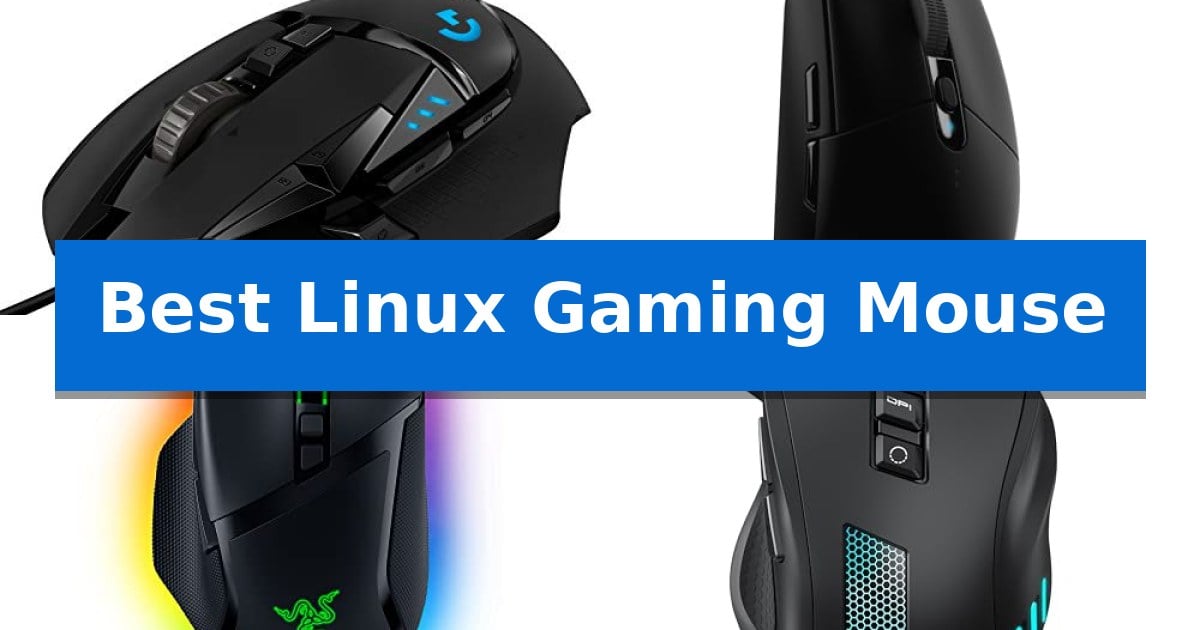
Finding a reliable peripheral for an open-source environment requires balancing hardware performance with software accessibility. While many modern devices offer plug-and-play functionality, the Best Linux Gaming Mouse must provide consistent tracking and button mapping that functions reliably across various distributions without requiring proprietary driver suites.
Whether you prioritize high-speed wireless connectivity or a wired connection for zero-latency input, selecting the right tool depends on your specific gaming requirements and desktop configuration. This guide examines five distinct models to help you identify which hardware best supports your Linux gaming workflow.
You may also want to compare Best Linux Document Scanners, Best Linux Distro for Raspberry Pi Touchscreen Tablet, and Best Linux Distro for Mini PCs.
Best Linux Gaming Mouse
Quick Comparison
| Product | Best For | Key Strength | Score |
|---|---|---|---|
| Logitech G502 HERO Gaming Mouse | Best Overall | HERO 25K sensor for high-precision tracking | 4.9 |
| Logitech G305 LIGHTSPEED Gaming Mouse | Lag-free wireless for clean setups | LIGHTSPEED wireless technology for lag-free performance. | 4.9 |
| Razer Basilisk V3 Gaming Mouse | Highly customizable ergonomic control | HyperScroll Tilt Wheel provides versatile scrolling modes. | 4.6 |
| Acer Wired Gaming Mouse | Reliable wired performance for Linux | Stable wired USB-A connection eliminates the need for batteries or charging. | 4.8 |
| BENGOO Gaming Mouse | Budget-friendly option for gamers | Plug-and-play functionality requires no drivers on Linux. | 4.4 |
How We Chose
- Sensor accuracy and DPI range for consistent tracking performance.
- Button layout and programmability for complex gaming inputs.
- Wired versus wireless connectivity and latency considerations.
- Ergonomic design and build quality for extended gaming sessions.
- Compatibility with Linux-based input management and configuration tools.
1 Logitech G502 HERO Gaming Mouse — Precision tracking for competitive play
The Logitech G502 HERO Gaming Mouse utilizes a high-performance HERO 25K sensor that provides tracking up to 25,600 DPI without smoothing, filtering, or acceleration. This sensor precision makes it a reliable candidate for users seeking consistent input accuracy on Linux systems where driver-level mouse acceleration can often be inconsistent.
Customization is a core strength of this device, featuring 11 programmable buttons and a dual-mode hyper-fast scroll wheel. The inclusion of adjustable weights—allowing for up to five 3.6g weights—enables users to fine-tune the physical balance and feel of the mouse to match their specific grip and play style.
The build incorporates mechanical switch button tensioning with metal pivot hinges in the primary buttons, designed to provide a crisp and rapid click feel. For visual customization, LIGHTSYNC technology offers RGB lighting that can be synchronized with gaming software, providing a tailored aesthetic for a desktop setup.
This wired mouse is built for users who prioritize tactile control and hardware-level customization. Its on-board memory allows for the storage of settings, which is particularly beneficial for maintaining configurations across different Linux distributions or systems without needing constant software intervention.
Best for: Gamers who require extensive button mapping, adjustable physical weight, and high-precision sensor tracking for their Linux desktop setup.
Skip if: Users who prefer a lightweight, minimalist, or wireless design will find the wired, multi-button, and weight-adjustable nature of this mouse potentially cumbersome.
PROS
- HERO 25K sensor for high-precision tracking
- Adjustable weight system for personalized balance
- 11 programmable buttons for complex control
- Mechanical switch tensioning for consistent click feedback
CONS
- Wired-only connectivity limits desk cable management
- Heavier design compared to ultra-lightweight gaming mice
2 Logitech G305 LIGHTSPEED Gaming Mouse — Lag-free wireless for clean setups
Maintaining a clean, cable-free workspace while ensuring high-precision input is a common challenge for Linux users who require reliable hardware for gaming. The Logitech G305 LIGHTSPEED Gaming Mouse addresses this by utilizing LIGHTSPEED wireless technology, which provides a 1 ms report rate designed to match the responsiveness of wired alternatives without the physical constraints of a cord.
At the core of its performance is the HERO optical sensor, capable of reaching up to 12,000 DPI with 400 IPS precision. This sensor is engineered for high power efficiency, allowing the device to operate for up to 250 hours of continuous gameplay on a single AA battery. For those prioritizing longevity over maximum performance, the Logitech G HUB software enables an Endurance mode that can extend battery life to as long as 9 months.
The mouse is built with a lightweight mechanical design, weighing only 3.4 oz, which aids in maneuverability during extended sessions. It features 6 programmable buttons and on-board memory, allowing users to save custom configurations directly to the device. This portability is further enhanced by an integrated storage slot for the nano receiver, making it a practical solution for users who transition between different desktop and laptop environments.
By combining a high-performance sensor with an efficient power management system, this device offers a balance of precision and convenience. Its compact form factor is designed for users who prefer a lighter, more agile mouse, ensuring that the hardware remains functional and responsive without the need for frequent battery changes.
Best for: Gamers and professionals who prioritize a lightweight, portable wireless mouse with long battery life and reliable connectivity.
Skip if: Users who prefer a larger, ergonomic shape or require a rechargeable internal battery rather than a replaceable AA battery.
PROS
- LIGHTSPEED wireless technology for lag-free performance.
- HERO sensor provides high precision and power efficiency.
- Long battery life of up to 250 hours on one AA battery.
- Portable design with integrated nano receiver storage.
CONS
- Requires AA battery instead of an internal rechargeable battery.
- Compact dimensions may not suit users with larger hands.
3 Razer Basilisk V3 Gaming Mouse — Highly customizable ergonomic control
The Razer Basilisk V3 Gaming Mouse features a HyperScroll Tilt Wheel that allows users to switch between a free-spin mode for rapid navigation and a tactile mode for precise, step-by-step control. This mechanical flexibility makes it a versatile tool for Linux users who require both speed and accuracy in their desktop environments and gaming sessions.
Designed with an iconic ergonomic shape and a dedicated thumb rest, this mouse is built to support the hand during extended periods of use. It incorporates 11 programmable buttons that can be configured for complex macros or secondary functions, providing a high degree of customization for specific workflows or game-specific actions.
Performance is driven by the Focus+ 26K DPI optical sensor, which is engineered to track movement with high precision. The device utilizes Gen 2 optical mouse switches that offer a 0.2ms actuation speed, designed to provide responsive execution while minimizing the risk of unintended misclicks during intense gameplay.
The mouse includes 11 Razer Chroma RGB lighting zones that offer extensive visual customization. While the hardware is highly capable, users should note that advanced configuration of these features and button mapping is managed through the Razer Synapse software, which is primarily designed for Windows environments.
Best for: Gamers and power users who prioritize ergonomic comfort and high-level button customization for complex macro execution.
Skip if: Users who require native, full-featured configuration software on Linux, as the advanced customization features rely on the Windows-based Razer Synapse app.
PROS
- HyperScroll Tilt Wheel provides versatile scrolling modes.
- 11 programmable buttons allow for extensive macro customization.
- Ergonomic design with a dedicated thumb rest for comfort.
- Gen 2 optical switches ensure responsive 0.2ms actuation.
CONS
- Software dependency on Windows for full feature configuration.
- Larger footprint may not suit users preferring ultra-lightweight or compact mice.
4 Acer Wired Gaming Mouse — Reliable wired performance for Linux
Reliable input control is essential for Linux users who prioritize stability and straightforward functionality without the need for complex, proprietary driver ecosystems. The Acer Wired Gaming Mouse provides a consistent, low-latency experience by utilizing a standard USB-A connection, ensuring it works immediately across various Linux distributions for basic navigation and gaming tasks.
Designed with a contoured right-hand shape and integrated thumb support, this mouse offers a balanced feel for medium-sized hands. The inclusion of a flexible braided cable and smooth skates facilitates steady, controlled movement, which is particularly beneficial for maintaining precision on high-resolution 4K displays.
Customization is handled through eight programmable buttons, allowing users to map essential actions or macros for specific workflows. While advanced lighting and macro features are managed via driver software, the mouse includes onboard memory to retain settings, ensuring that your configuration remains intact even when switching between different systems.
The optical sensor supports adjustable DPI settings, ranging from 1200 up to 12,800 DPI via software, providing flexibility for different sensitivity preferences. With 12 distinct RGB backlit modes, the device offers visual customization that can be cycled directly on the hardware or synchronized with audio for a more immersive environment.
Best for: Users seeking a reliable, corded mouse that offers consistent, low-latency performance and basic compatibility across Linux, Windows, and macOS.
Skip if: Users who require a wireless connection or those who prefer a symmetrical, ambidextrous shape rather than a contoured right-handed design.
PROS
- Stable wired USB-A connection eliminates the need for batteries or charging.
- Ergonomic contoured design provides comfort for medium-sized hands during extended use.
- Onboard memory stores custom settings for consistent use across different computers.
- Adjustable DPI up to 12,800 allows for precise sensitivity control.
CONS
- Wired-only design limits mobility compared to wireless alternatives.
- Right-handed ergonomic shape is not suitable for left-handed users.
5 BENGOO Gaming Mouse — Budget-friendly option for gamers
Finding a reliable input device for Linux often involves navigating driver compatibility issues, but the BENGOO Gaming Mouse simplifies this process with its plug-and-play design. By eliminating the need for specialized software, it provides an immediate, driver-free experience that integrates seamlessly into various Linux distributions, Windows, and macOS environments.
The mouse features a 4-level adjustable DPI switch that allows users to toggle between 1200, 1600, 2400, and 3600 DPI. This on-the-fly sensitivity adjustment enables quick transitions between high-precision tasks and faster cursor movements, providing practical control over input speed without requiring external configuration software.
Designed with an ergonomic shape and skin-friendly materials, the device is intended to minimize hand fatigue during extended sessions. It includes six programmable buttons, such as dedicated forward and back navigation keys, which can be mapped to enhance productivity or gaming workflows. The integrated RGB lighting adds a customizable aesthetic to the desktop setup.
As a wired optical mouse, the device ensures a consistent connection for power and data transmission, removing the maintenance overhead of batteries or charging cables. While it offers essential functionality, its hardware-limited nature means it lacks the deep macro customization or advanced sensor tuning found in high-end, software-dependent peripherals.
Best for: Linux users seeking a budget-friendly, plug-and-play gaming mouse with adjustable DPI settings.
Skip if: Users who require advanced software-based macro customization or high-precision sensors for competitive professional gaming.
PROS
- Plug-and-play functionality requires no drivers on Linux.
- 4-level adjustable DPI up to 3600 for quick speed changes.
- Ergonomic design with skin-friendly material for comfort.
- Six buttons provide essential navigation and gaming controls.
CONS
- No driver support for advanced software-based customization.
- Basic optical sensor may not meet the needs of professional-grade competitive gaming.
Best Linux Gaming Mouse Buying Guide
Understanding Sensor Technology
The optical sensor is the heart of any gaming mouse, responsible for translating your physical movements into digital actions. High-end sensors, such as those found in the Logitech G502 HERO, offer high DPI (dots per inch) settings and zero smoothing, which ensures that your cursor movement remains predictable and precise.
For Linux users, the sensor's performance is largely independent of the operating system, provided the mouse uses a standard USB interface. Look for sensors that offer adjustable DPI presets, allowing you to switch sensitivity on the fly to match different game genres, from fast-paced shooters to slower strategy titles.
Wired vs. Wireless Connectivity
Choosing between a wired gaming mouse and a wireless gaming mouse involves a trade-off between convenience and potential latency. Wired models provide a constant, stable connection and never require battery changes, making them ideal for competitive play where every millisecond counts.
Modern wireless technology, such as LIGHTSPEED, has significantly reduced input lag, offering performance that rivals wired counterparts. If you opt for wireless, consider the battery life and whether the device supports a nano receiver for a clean, cable-free desktop setup.
Ergonomics and Build Quality
Your mouse's shape dictates how comfortable it will be during long gaming sessions. Ergonomic designs that feature thumb rests or contoured grips help reduce hand fatigue by supporting a more natural wrist position. Consider your grip style—palm, claw, or fingertip—when evaluating the physical dimensions of a mouse.
Durability is equally important, particularly for the primary click buttons. Features like mechanical switch button tensioning ensure a crisp, tactile feel and a longer lifespan for the switches, preventing the "mushy" click sensation that can develop over time with lower-quality components.
Programmable Buttons and Customization
A multi-button layout is essential for gamers who rely on macros or secondary keybinds. Mice with 6 to 11 programmable buttons allow you to offload complex actions from your keyboard to your thumb or index finger, potentially improving your reaction times in fast-paced games.
On Linux, the ability to remap these buttons often relies on third-party utilities or the mouse's on-board memory. Models that store profiles directly on the device are particularly valuable, as they allow your custom settings to persist even when moving the mouse between different machines.
Linux Compatibility Considerations
While most gaming mice function as standard HID (Human Interface Device) units on Linux, advanced features like RGB lighting synchronization or complex macro recording may require specific software. Always check if the manufacturer provides Linux-compatible drivers or if the community has developed open-source alternatives for your chosen model.
Basic functionality, including movement and standard button clicks, is generally universal across all major Linux distributions. If you require advanced customization, prioritize models that save configurations to on-board memory, as this bypasses the need for constant software interaction.
Frequently Asked Questions
Do I need special drivers to use a gaming mouse on Linux?
Most gaming mice function as standard USB devices on Linux, providing basic movement and click functionality without extra drivers. Advanced features like RGB lighting or macro programming may require open-source tools or initial configuration on a system where the manufacturer's software is supported.
Are wireless gaming mice reliable for competitive Linux gaming?
Yes, modern wireless technologies like Logitech's LIGHTSPEED offer low-latency performance that is virtually indistinguishable from wired connections, making them highly reliable for competitive gaming environments.
How do I customize buttons on my mouse if the software is Windows-only?
Many gaming mice feature on-board memory. You can configure your button mappings and DPI settings on a Windows machine once, save them to the mouse's internal memory, and those settings will persist when you plug the device into your Linux system.
Does DPI matter for Linux desktop navigation?
High DPI settings are primarily beneficial for gaming, allowing for faster and more precise cursor movement. For general desktop navigation, lower DPI settings are often more comfortable, and most gaming mice allow you to toggle between these settings easily.
What is the benefit of adjustable weights in a gaming mouse?
Adjustable weights allow you to fine-tune the physical feel of the mouse to match your preference. A heavier mouse can provide more stability for slow, precise movements, while a lighter mouse is often preferred for rapid, flick-based aiming.
Conclusion: Our Top Pick
Selecting the right hardware for your Linux setup is about finding a balance between performance and compatibility. For most users, the Logitech G502 HERO Gaming Mouse stands out as the most versatile choice due to its high-precision sensor, extensive button customization, and the ability to store profiles on-board, which is a significant advantage for Linux users.
While other options like the G305 LIGHTSPEED offer excellent wireless freedom and the Razer Basilisk V3 provides unique ergonomic features, the G502 HERO's combination of adjustable weight, mechanical tensioning, and robust sensor performance makes it a reliable centerpiece for any gaming rig. Ensure you consider your preferred grip style and whether you require the simplicity of a wired connection before making your final decision.