
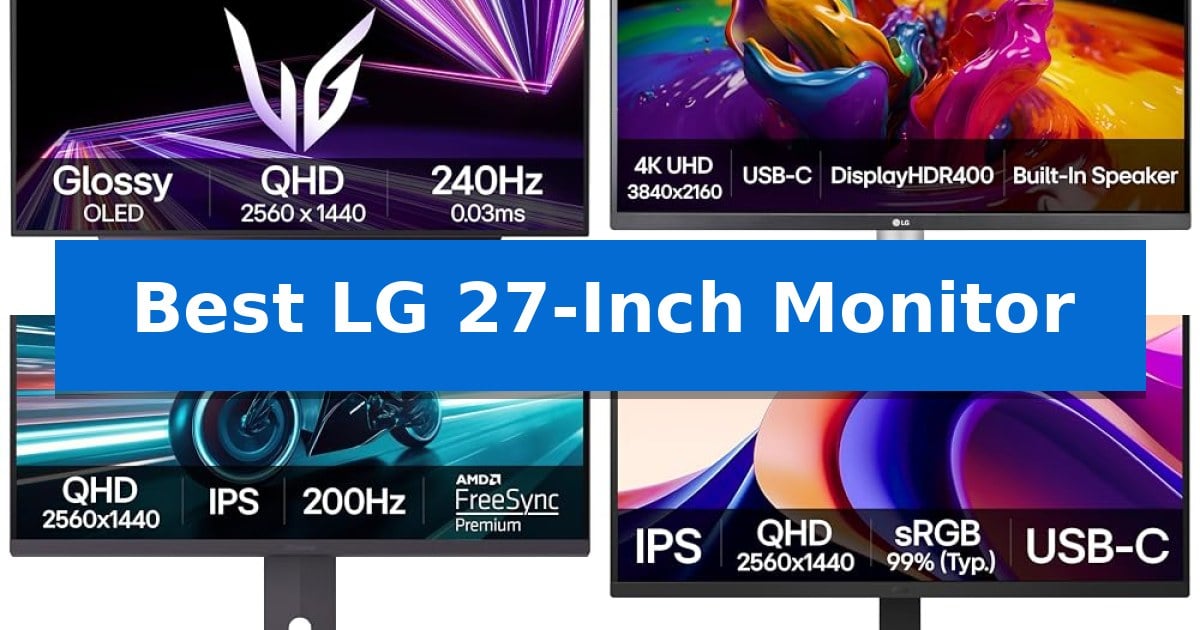
Choosing the right display requires balancing your primary tasks, whether you are editing high-resolution media, competing in fast-paced games, or managing complex spreadsheets. A 27-inch screen offers a versatile middle ground, providing enough workspace for multitasking without overwhelming your desk footprint.
Finding the Best LG 27-Inch Monitor involves evaluating specific panel technologies and connectivity options that align with your hardware. We have analyzed the current lineup to help you identify which model offers the right combination of visual fidelity and functional features for your specific setup.
You may also want to compare Best LG 24-Inch Monitor, Best LG 23.8-Inch FHD FreeSync Monitors, and Best LG 5.1 Soundbar.
Best LG 27-Inch Monitor
Quick Comparison
| Product | Best For | Key Strength | Score |
|---|---|---|---|
| LG UltraGear 27-Inch OLED Gaming Monitor | Best Overall | 0.03ms response time for minimal ghosting | 4.9 |
| LG UltraFine 27-Inch 4K Monitor | High-Resolution Creative Workstation | 90W USB-C Power Delivery for single-cable laptop connectivity. | 4.5 |
| LG UltraGear 27-Inch QHD Gaming Monitor | High Refresh Rate Competitive Play | 200Hz refresh rate for smooth motion in competitive titles. | 4.6 |
| LG 27-Inch QHD IPS Monitor | Versatile Productivity with USB-C | 100Hz refresh rate for smoother motion compared to standard monitors. | 4.3 |
| LG UltraGear 27-Inch Curved Gaming Monitor | Immersive Curved Screen Experience | 180Hz refresh rate and 1ms GtG response time for smooth motion. | 4.9 |
How We Chose
- Panel Technology: Assessing the visual benefits of OLED versus IPS for color accuracy and contrast.
- Refresh Rate and Response Time: Analyzing motion clarity for gaming and general desktop fluidity.
- Connectivity Standards: Verifying the utility of USB-C power delivery, HDMI 2.1, and DisplayPort configurations.
- Ergonomic Adjustability: Checking for height, tilt, and pivot options that support long-term comfort.
- Resolution and Color Gamut: Evaluating pixel density and color reproduction for professional or entertainment use.
1 LG UltraGear 27-Inch OLED Gaming Monitor — Premium OLED Speed and Contrast
The LG UltraGear 27-Inch OLED Gaming Monitor (model 27GX704A-B) centers its performance on a high-speed 240Hz refresh rate paired with a 0.03ms response time, designed to minimize ghosting for fluid motion during fast-paced gameplay. This 27-inch QHD display utilizes OLED technology to achieve a 1.5M:1 contrast ratio, ensuring deep blacks and vibrant highlights that meet the VESA DisplayHDR True Black 400 standard.
Visual clarity is enhanced by a glossy finish that works alongside a peak brightness of 1300 nits to maintain image intensity. The monitor covers up to 98.5% of the DCI-P3 color gamut, providing saturated color reproduction. To support various hardware configurations, the unit includes NVIDIA G-SYNC Compatible and AMD FreeSync Premium Pro certifications, which help maintain tear-free visuals across different graphics card outputs.
Connectivity options are tailored for modern setups, featuring dual HDMI 2.1 ports, a DisplayPort 1.4, and a USB hub consisting of one upstream and two downstream USB 3.2 ports. The monitor also includes a 3-pole headphone jack for audio output. For ergonomic adjustment, the stand supports height, tilt, swivel, and pivot positioning, allowing users to align the virtually borderless screen to their preferred viewing angle.
To address long-term maintenance, the monitor incorporates OLED Care features, including automatic pixel care cycles that run during standby or shutdown to help mitigate image retention. The display is also UL-certified for anti-glare, flicker-free operation, and low blue light emissions, prioritizing visual comfort during extended usage sessions.
Best for: Competitive gamers and enthusiasts seeking high-speed motion clarity and deep contrast in a 27-inch QHD form factor.
Skip if: Users who require a 4K resolution display for professional creative work or those who prefer a matte screen finish for highly lit environments.
PROS
- 0.03ms response time for minimal ghosting
- 240Hz refresh rate for smooth motion
- VESA DisplayHDR True Black 400 certification
- Dual HDMI 2.1 connectivity for modern consoles and PCs
CONS
- Glossy screen finish may be prone to reflections in bright rooms
2 LG UltraFine 27-Inch 4K Monitor — High-Resolution Creative Workstation
Achieving a streamlined workspace often begins with the display, and the LG 27UP850K-W 27-inch UltraFine 4K UHD IPS Display offers a high-resolution solution for those balancing creative tasks with daily productivity. This monitor provides a sharp 3840 x 2160 resolution and supports VESA DisplayHDR 400, ensuring that color and brightness levels meet specific standards for visual clarity.
Connectivity is a primary focus for this model, which features a USB Type-C port with 90W Power Delivery. This allows users to transmit data and power a connected laptop through a single cable, effectively reducing desk clutter. Beyond the USB-C interface, the monitor includes DisplayPort, two HDMI ports, and two USB 3.0 ports to accommodate various peripherals without the need for external adapters.
For users who prioritize color accuracy, the display covers 95% of the DCI-P3 color gamut. This wide spectrum is designed to assist creators in realizing their visual projects with precision. The inclusion of the Switch App further enhances the experience by allowing users to split the screen into up to six sections, facilitating more efficient multitasking across different applications.
The physical design emphasizes ergonomics, featuring a stand that supports tilt, height, and pivot adjustments. This flexibility helps in positioning the screen for comfort during long sessions. Additionally, the monitor is equipped with stereo speakers featuring Waves MaxxAudio for integrated sound, while gamers may benefit from features like Black Stabilizer and Dynamic Action Sync to improve visibility and responsiveness in fast-paced scenarios.
Best for: Professionals and creators who require a high-resolution 4K display with single-cable USB-C power delivery and ergonomic adjustment options.
Skip if: Users who require a high refresh rate gaming monitor, as this model is limited to a 60Hz refresh rate.
PROS
- 90W USB-C Power Delivery for single-cable laptop connectivity.
- 95% DCI-P3 color gamut for accurate color reproduction.
- Ergonomic stand with height, tilt, and pivot adjustments.
- Switch App for efficient screen multitasking and layout management.
CONS
- 60Hz refresh rate may not meet the needs of competitive gamers.
- Integrated speakers may not replace dedicated audio solutions for critical listening.
3 LG UltraGear 27-Inch QHD Gaming Monitor — High Refresh Rate Competitive Play
The LG UltraGear 27-Inch QHD Gaming Monitor (model 27GS75Q-B) centers its performance on a high-speed 200Hz refresh rate and a 1ms GtG response time, designed to minimize motion blur during fast-paced competitive gameplay. This 27-inch display utilizes an IPS panel to deliver a QHD (2560×1440) resolution, balancing visual clarity with the fluid motion required for responsive gaming.
To maintain visual consistency, the monitor includes NVIDIA G-SYNC Compatible and AMD FreeSync certifications, which work to reduce screen tearing and stuttering by synchronizing the display's refresh rate with the GPU output. The inclusion of HDR10 and a 99% sRGB color gamut provides a wider range of color expression, ensuring that games appear vibrant and detailed.
The physical design prioritizes utility for the user's workspace, featuring a three-side virtually borderless aesthetic that maximizes screen real estate. The stand is fully adjustable, offering tilt, height, and pivot functionality to accommodate different viewing angles. Connectivity is handled via two HDMI ports and a DisplayPort, allowing for flexible integration into various PC setups.
For competitive players, the monitor integrates specialized software tools such as Dynamic Action Sync to reduce input lag, a Black Stabilizer to improve visibility in dark scenes, and on-screen crosshair overlays for increased precision. These features are managed through an Enhanced Gaming GUI, which allows users to toggle between specific modes like FPS or RTS to optimize the display settings for their current activity.
Best for: Competitive gamers seeking a high-refresh-rate QHD display with versatile ergonomic adjustments and adaptive sync support.
Skip if: Users requiring 4K resolution for professional creative work or those who prefer a curved display for immersive single-player experiences.
PROS
- 200Hz refresh rate for smooth motion in competitive titles.
- IPS panel provides consistent color accuracy and wide viewing angles.
- Fully adjustable stand supports height, tilt, and pivot configurations.
- G-SYNC and FreeSync compatibility eliminates screen tearing.
CONS
- QHD resolution may be less sharp than 4K for non-gaming productivity tasks.
- Limited port selection compared to premium professional-grade monitors.
4 LG 27-Inch QHD IPS Monitor — Versatile Productivity with USB-C
Managing a modern workspace requires hardware that balances visual clarity with functional versatility. The LG 27U631A-B 27-inch QHD IPS Computer Monitor addresses this by combining a high-resolution display with integrated multitasking tools and convenient connectivity options, making it a practical choice for those who need to streamline their desk setup.
At the core of this display is a 27-inch QHD (2560×1440) IPS panel, which provides wide viewing angles and consistent color reproduction. The monitor supports HDR10 and covers up to 99% sRGB color gamut, ensuring that visuals remain vibrant. For users prioritizing fluid motion, the 100Hz refresh rate and 5ms (GTG) response time offer a noticeable upgrade over standard 60Hz panels, rendering on-screen action with increased clarity.
The design emphasizes efficiency through an ultra-slim stand and a virtually borderless screen on three sides, which helps minimize desktop clutter. Connectivity is handled via USB Type-C with 15W power delivery, allowing for a single-cable connection to compatible devices. Furthermore, the included Switch app enables users to split the screen into up to six sections, effectively turning the monitor into a dedicated hub for productivity and streaming.
To support extended work sessions, the monitor includes Reader Mode to reduce blue light and Flicker Safe technology to mitigate eye fatigue. Gamers can also utilize features like Dynamic Action Sync to reduce input lag and Black Stabilizer to improve visibility in dark scenes, ensuring the monitor performs well across both professional and entertainment use cases.
Best for: Users who need a versatile 27-inch QHD monitor that combines high-refresh-rate visuals with USB-C connectivity and built-in multitasking software.
Skip if: Users requiring high-wattage laptop charging or professional-grade color accuracy beyond sRGB, as the 15W power delivery is limited.
PROS
- 100Hz refresh rate for smoother motion compared to standard monitors.
- USB Type-C connectivity with 15W power delivery for simplified cable management.
- Switch app allows for advanced screen splitting and multitasking.
- IPS panel technology ensures vivid colors and wide viewing angles.
CONS
- 15W power delivery is insufficient for charging most high-performance laptops.
- Limited ergonomic adjustments due to the fixed ultra-slim stand design.
5 LG UltraGear 27-Inch Curved Gaming Monitor — Immersive Curved Screen Experience
The LG UltraGear 27-Inch Curved Gaming Monitor (model 27GS60QC-B) centers its design around a steep 1000R curved screen, engineered to wrap the display around your field of view for a more immersive gaming experience. This 27-inch QHD panel is built for speed, offering a 180Hz refresh rate and a 1ms GtG response time to maintain fluid motion during fast-paced sequences.
To ensure visual clarity during intense gameplay, the monitor integrates AMD FreeSync technology, which works to minimize screen tearing and stuttering. The display also supports HDR10 and covers 99% of the sRGB color gamut, providing a wide range of color expression for enhanced image quality. For competitive players, the monitor includes specialized tools such as a Black Stabilizer to improve visibility in dark environments, a built-in FPS Counter, and a custom Gaming GUI that allows for quick toggling between FPS, RTS, and Gamer display modes.
The physical design prioritizes a clean, functional setup with a three-side virtually borderless aesthetic. Connectivity is handled via two HDMI ports and a DisplayPort, allowing for flexible integration with multiple devices. The stand is tilt-adjustable, enabling users to find a comfortable viewing angle, while the overall footprint is optimized to save space on a desk or battlestation.
This monitor is a balanced choice for users who prioritize high-refresh-rate performance and immersion through a curved form factor. While it excels in gaming scenarios, the inclusion of Dynamic Action Sync further reduces input lag, ensuring that on-screen responses remain as immediate as possible.
Best for: Gamers seeking an immersive, high-refresh-rate curved display with specialized tools for competitive play.
Skip if: Users who require a flat screen for professional color-critical creative work or those who prefer a height-adjustable stand.
PROS
- 180Hz refresh rate and 1ms GtG response time for smooth motion.
- 1000R curvature provides an immersive, wrap-around viewing experience.
- 99% sRGB color gamut coverage for vibrant visuals.
- Black Stabilizer and FPS Counter features support competitive gaming.
CONS
- Tilt-only stand limits ergonomic adjustments compared to height-adjustable models.
- Curved panel may not be ideal for users who perform precise graphic design or architectural drawing.
Best LG 27-Inch Monitor Buying Guide
Understanding Panel Technologies
The choice between OLED and IPS panels is the most significant factor in your viewing experience. OLED technology provides self-lit pixels, resulting in near-infinite contrast ratios and deep blacks, which are ideal for immersive gaming and high-end media consumption.
Conversely, IPS panels are the standard for productivity and creative work. They offer consistent color reproduction and wide viewing angles, making them reliable for tasks where color accuracy is critical. Choosing between them depends on whether your priority is absolute contrast or color stability.
Refresh Rates and Motion Clarity
For gamers, the refresh rate—measured in Hertz (Hz)—determines how many frames the monitor can display per second. Higher rates like 240Hz or 200Hz significantly reduce motion blur, providing a smoother experience in fast-paced titles.
Response time is equally vital, particularly in competitive scenarios. A lower GtG (Gray-to-Gray) response time, such as 0.03ms, minimizes ghosting, ensuring that fast-moving objects remain sharp. For non-gaming tasks, a standard 60Hz to 100Hz refresh rate is typically sufficient.
Connectivity and Multitasking
Modern monitors act as hubs for your entire workstation. Models featuring USB-C with Power Delivery allow you to connect your laptop, transfer data, and charge the device using a single cable, which significantly reduces desk clutter.
For those using multiple devices, look for monitors with a mix of HDMI 2.1 and DisplayPort inputs. These interfaces support higher bandwidths, ensuring that your monitor can handle high resolutions and refresh rates without bottlenecks.
Ergonomics and Physical Design
A monitor's stand is often overlooked, yet it dictates your daily comfort. Look for models with height, tilt, and pivot adjustments to ensure the screen is at eye level, which helps prevent neck and shoulder strain during long sessions.
The physical footprint also matters. A borderless design not only looks cleaner but also facilitates a more seamless experience if you decide to use a dual-monitor setup, as the gap between screens is minimized.
Resolution and Visual Fidelity
The resolution determines the clarity of your content. A QHD (2560×1440) resolution on a 27-inch screen provides a sharp image with plenty of screen real estate for multitasking. It is often considered the 'sweet spot' for balance between performance and visual quality.
For creative professionals, 4K UHD (3840×2160) is preferred. It offers four times the pixels of 1080p, allowing for finer detail in photo and video editing. Ensure your computer's GPU can handle the higher pixel count before opting for 4K.
Frequently Asked Questions
Is 27 inches the right size for a QHD monitor?
Yes, 27 inches is widely considered the ideal size for QHD resolution. It provides a high pixel density that makes text and images look sharp without requiring the aggressive scaling often needed on smaller 4K displays.
Do I need HDMI 2.1 for my monitor?
HDMI 2.1 is primarily beneficial if you are connecting a next-gen console or a high-end PC that requires the extra bandwidth for 4K at high refresh rates. For standard office work, older HDMI versions are perfectly adequate.
What is the benefit of USB-C power delivery?
USB-C power delivery allows you to charge your laptop directly through the monitor. This simplifies your cable management by combining video, data, and power into one connection.
Are curved monitors better for productivity?
Curved monitors are designed to match the natural curvature of the human eye, which can reduce eye strain and provide a more immersive experience. While popular for gaming, some users also find them beneficial for productivity by keeping the edges of the screen closer to their field of view.
How do I prevent image retention on an OLED monitor?
Most modern OLED monitors include built-in 'OLED Care' features, such as automatic pixel cleaning cycles and brightness limiters. Keeping these features enabled and avoiding static elements on the screen for extended periods will help maintain panel health.
Conclusion: Our Top Pick
Selecting the right display depends on how you prioritize speed, color, and connectivity. For users who demand the highest level of motion clarity and contrast, the LG UltraGear 27-Inch OLED Gaming Monitor stands out as the top recommendation. Its combination of a 240Hz refresh rate and the inherent benefits of OLED technology makes it exceptionally responsive for gaming and visually striking for media.
While the OLED model is our top pick for performance, those focused on creative tasks or office productivity may find more value in the IPS-based options, which offer excellent color accuracy and versatile USB-C connectivity. Always consider your primary use case to ensure the monitor you choose complements your existing hardware and workspace requirements.