
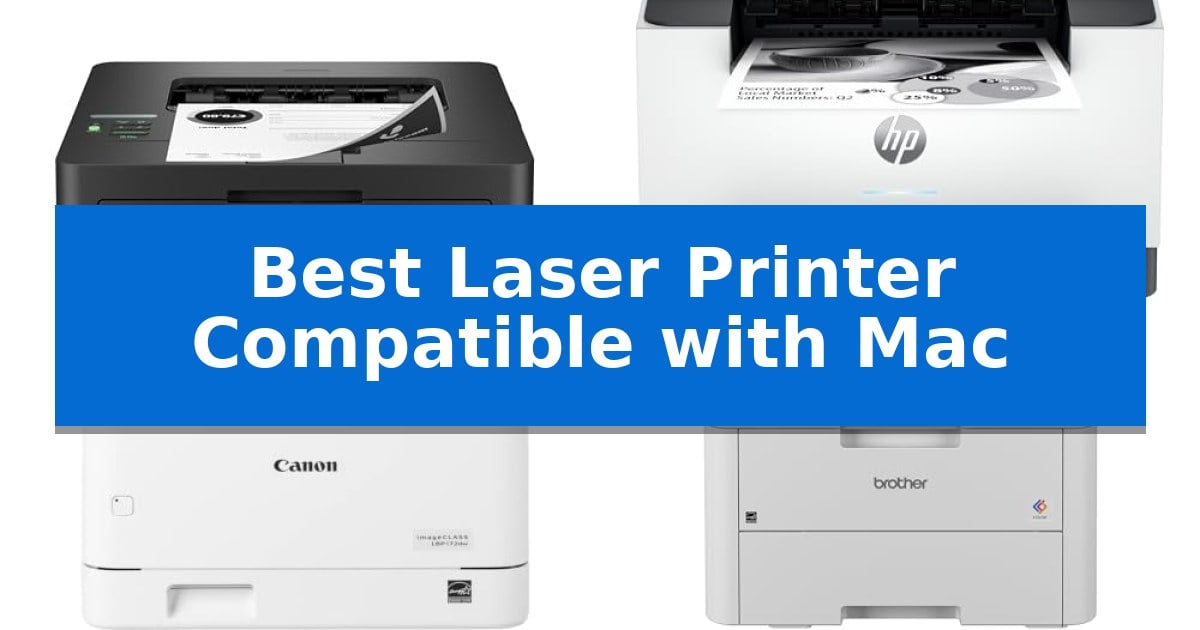
Finding the Best Laser Printer Compatible with Mac requires more than just checking a box for connectivity; it demands a device that integrates smoothly with macOS drivers and AirPrint protocols. Whether you are managing a busy home office or a small team, the right printer should offer consistent performance without the frustration of constant setup errors.
Our guide focuses on laser printers that prioritize reliable wireless connectivity, fast document output, and macOS compatibility. By evaluating these essential features, we help you identify a machine that keeps your workflow moving efficiently while maintaining the high print quality your professional documents require.
Best Laser Printer Compatible with Mac in 2026: Seamless macOS Printing
Quick Comparison
| Product | Best For | Key Strength | Score |
|---|---|---|---|
| Brother HL-L2460DW Laser Printer | Best Overall | Fast print speeds up to 36 pages per minute. | 4.9 |
| HP LaserJet M207dw Laser Printer | Fastest Two-Sided Printing in Class | Fastest two-sided printing in its class for increased productivity. | 4.6 |
| Canon imageCLASS LBP172dw Laser Printer | High-Volume Monochrome Productivity | Fast 35 PPM print speed for high-volume efficiency. | 4.7 |
| Brother HL-L3220CDW Color Laser Printer | Vibrant Graphics for Home Offices | Automatic duplex printing for efficient double-sided document creation. | 4.4 |
| HP LaserJet MFP M140w Laser Printer | Ultra-Compact Print Scan Copy | Ultra-compact design that fits in small workspaces. | 4.7 |
How We Chose
- macOS and AirPrint compatibility for driver-free printing.
- Print speed and duplexing capabilities for document efficiency.
- Wireless connectivity options including dual-band Wi-Fi and Ethernet.
- Paper handling versatility for envelopes and specialty media.
- Physical dimensions and space-saving design for home office environments.
1 Brother HL-L2460DW Laser Printer — High-Speed Duplex for Busy Offices
Finding a reliable printer that integrates seamlessly with a macOS environment requires hardware that prioritizes standard connectivity and consistent output. The Brother HL-L2460DW Laser Printer addresses this by offering robust dual-band wireless (2.4GHz/5GHz), Ethernet, and USB interface options, ensuring it fits into various home office network configurations without complex setup hurdles.
Efficiency is central to this model, which prints at speeds up to 36ppm. For users who frequently handle multi-page documents, the automatic duplex printing feature provides a practical way to manage paper usage. The device is built with a 250-sheet capacity paper tray, reducing the frequency of refills during high-volume tasks, while a dedicated manual feed slot accommodates envelopes and specialty media.
Managing the printer from a Mac or mobile device is streamlined through the Brother Mobile Connect App. This software allows for remote management, toner tracking, and printing on-the-go. For those seeking to simplify supply management, the printer includes a Refresh EZ Print Subscription Service trial, which automates toner replenishment to prevent mid-project interruptions.
With a compact footprint measuring approximately 14.2 by 14 inches, this monochrome laser printer is designed to occupy minimal desk space. It is backed by a 1-year limited warranty and includes access to Brother’s support channels, providing a stable foundation for users who need a dedicated, no-nonsense black and white printing solution.
Best for: Home offices and small teams needing a compact, high-speed monochrome printer with reliable wireless connectivity for Mac and mobile devices.
Skip if: Users who require color printing, scanning, or copying capabilities will need a multifunction inkjet or color laser device instead.
PROS
- Fast print speeds up to 36 pages per minute.
- Automatic duplex printing to reduce paper waste.
- Versatile connectivity including dual-band Wi-Fi, Ethernet, and USB.
- Compact design suitable for limited workspace.
CONS
- Monochrome-only output limits document versatility.
- No integrated scanning or copying functionality.
2 HP LaserJet M207dw Laser Printer — Fastest Two-Sided Printing in Class
Maintaining a streamlined workflow requires hardware that integrates seamlessly with your existing ecosystem. The HP LaserJet M207dw Laser Printer is engineered for small offices of 1-5 people, offering high-efficiency black-and-white output for documents, brochures, and presentations. Its compact footprint of roughly 14 by 11 inches ensures it fits into tight workspaces without sacrificing professional-grade output.
This printer distinguishes itself with the fastest two-sided printing in its class, reaching up to 28 pages per minute for single-sided tasks. For Mac users, the device supports AirPrint and wireless connectivity, allowing for direct printing from tablets, mobile devices, and computers. The inclusion of dual-band Wi-Fi with self-reset technology helps maintain a stable connection by automatically detecting and resolving network interruptions.
Security is a primary focus, featuring built-in protections to safeguard the printer from potential network attacks. The unit also includes an Ethernet port for those who prefer a hardwired network connection over wireless. With its focus on monochrome efficiency and broad compatibility across Mac, Windows, and Chromebook platforms, it serves as a reliable workhorse for document-heavy environments.
The HP LaserJet M207dw Laser Printer balances performance with a practical design, though it is strictly a monochrome device. It lacks color printing capabilities, which is a necessary trade-off for users prioritizing high-speed, cost-effective black-and-white text and document production.
Best for: Small office teams of 1-5 people requiring high-speed, reliable monochrome document printing with seamless Mac and mobile integration.
Skip if: Users who require color printing for graphics, photos, or marketing materials will need a different type of printer.
PROS
- Fastest two-sided printing in its class for increased productivity.
- Dual-band Wi-Fi with self-reset for consistent wireless connectivity.
- Broad compatibility including native support for Mac, AirPrint, and mobile devices.
- Built-in security features to protect against network vulnerabilities.
CONS
- Monochrome-only output limits the printer to black-and-white documents.
- No color printing capability for brochures or presentations requiring color.
3 Canon imageCLASS LBP172dw Laser Printer — High-Volume Monochrome Productivity
Maintaining high-volume document output requires a reliable engine, and the Canon imageCLASS LBP172dw Laser Printer is engineered specifically to handle demanding workloads with a rated speed of up to 35 pages per minute. This monochrome, single-function device prioritizes efficiency in home office environments by integrating auto 2-sided printing, which helps reduce paper consumption during long print runs.
Connectivity is a central strength of this model, offering robust support for modern workflows. It is fully compatible with Apple AirPrint, the Canon PRINT app, and Mopria Print Service, allowing for seamless mobile printing directly from your devices. Its versatility extends to Chromebook compatibility, ensuring that users can manage schoolwork and professional documents without complex setup procedures.
Designed for consistent performance, the printer features a 250-sheet standard cassette to minimize the frequency of paper refills. It utilizes the Toner 072 or 072 high-capacity toner cartridges, which are designed to support the printer's high-output capabilities. The unit is also recognized for its energy efficiency, carrying both ENERGY STAR and EPEAT Silver certifications.
While this printer excels at high-speed text and document production, it is a dedicated monochrome device, meaning it does not support color printing or scanning functions. Its footprint is substantial, measuring 18.4 inches in height, so users should ensure adequate desk or shelf space is available for this robust office tool.
Best for: Home office users who require high-speed, reliable monochrome document printing with broad mobile and cloud-based device compatibility.
Skip if: Users who require color printing, integrated scanning, or a compact footprint for limited workspace environments.
PROS
- Fast 35 PPM print speed for high-volume efficiency.
- Auto 2-sided printing to reduce paper waste.
- Extensive mobile compatibility including AirPrint and Chromebook support.
- High-capacity toner options available for extended use.
CONS
- Monochrome only printing limits use to black-and-white documents.
- Large physical footprint requires significant desk space.
4 Brother HL-L3220CDW Color Laser Printer — Vibrant Graphics for Home Offices
Maintaining a productive home office requires hardware that integrates seamlessly into your existing workflow. The Brother HL-L3220CDW Color Laser Printer simplifies this by offering wireless connectivity that allows for direct printing from laptops, smartphones, and tablets, making it a highly capable Best Laser Printer Compatible with Mac for users who prioritize mobile integration and reliable document output.
Engineered for efficiency, this device delivers 19 pages per minute (PPM), ensuring that professional business documents with crisp text and vibrant graphics are produced without significant delay. The inclusion of automatic duplex printing further enhances productivity by allowing for double-sided document creation, which helps save on paper consumption during high-volume tasks.
The physical design focuses on utility, featuring a 250-sheet paper tray that reduces the frequency of manual refills. For specialized media such as envelopes, the printer includes a dedicated manual feed slot, providing the flexibility needed for diverse printing requirements. Its compact footprint ensures it fits comfortably in most home office setups while maintaining a robust build.
Security and compatibility are central to its operation. The printer supports advanced wireless security protocols to protect sensitive documents during transmission. Furthermore, its seamless compatibility with major mobile printing platforms and cloud services ensures that users can manage their printing tasks from their preferred devices with minimal configuration.
Best for: Home office users who require a reliable, wireless color laser printer with mobile device support and automatic duplexing.
Skip if: Users who require high-speed printing beyond 19 PPM or those who need an all-in-one device with scanning and copying capabilities.
PROS
- Automatic duplex printing for efficient double-sided document creation.
- Wireless connectivity supporting seamless mobile and cloud printing.
- 250-sheet paper tray capacity to minimize frequent paper refills.
- Professional color laser output with crisp text and vibrant graphics.
CONS
- Single-function design lacks integrated scanning or copying capabilities.
- 19 PPM speed may be slower than enterprise-grade laser printers.
5 HP LaserJet MFP M140w Laser Printer — Ultra-Compact Print Scan Copy
Finding a reliable Best Laser Printer Compatible with Mac requires a balance of compact design and seamless ecosystem integration. The HP LaserJet MFP M140w Wireless Black & White Printer addresses this by offering a footprint that qualifies as the world's smallest laser in its class, ensuring it fits into tight office spaces or home setups without sacrificing essential functionality.
Designed for small teams of one to three people, this unit handles printing, scanning, and copying with professional-quality output. It supports fast print speeds of up to 21 pages per minute for single-sided black-and-white documents, making it a practical tool for high-volume report generation. Its wireless connectivity features a self-reset function to maintain stable network links, which is critical for consistent performance in a Mac-based environment.
The device is built for modern workflows, offering broad compatibility with AirPrint and the HP Smart app. These tools allow users to print, scan to the cloud, or copy directly from a smartphone or tablet, effectively eliminating repetitive manual steps. A unique design feature is the ability to easily copy both sides of an ID card onto a single sheet of paper, simplifying administrative tasks.
As a specialized laser printer, it is engineered to work exclusively with original HP chips and circuitry. This ensures consistent operation but requires users to utilize original HP cartridges to avoid compatibility blocks. With its compact dimensions of 14.2 by 10.4 by 7.8 inches, it remains a highly efficient choice for those prioritizing space-saving hardware that integrates natively with macOS.
Best for: Small teams of 1-3 people who need a space-saving, wireless laser printer that integrates seamlessly with Mac and mobile devices.
Skip if: Users who require color printing or those who prefer to use third-party, non-HP ink cartridges will need to consider a different model.
PROS
- Ultra-compact design that fits in small workspaces.
- Seamless Mac and mobile integration via AirPrint and HP Smart app.
- Efficient ID card copying feature for professional documents.
- Fast print speeds of up to 21 pages per minute.
CONS
- Proprietary cartridge requirement restricts the use of non-HP chips.
- Monochrome only, limiting its use for color-specific projects.
Best Laser Printer Compatible with Mac Buying Guide
Understanding macOS Printer Compatibility
When selecting a printer for a Mac, the most important feature is AirPrint support. This Apple technology allows your computer to find and use the printer on your network without needing to install complex, third-party drivers. Most modern laser printers include this, but verifying it ensures a plug-and-play experience.
Beyond basic printing, consider how the printer manages its queue. A device with a robust mobile app allows you to monitor toner levels and manage print jobs directly from your Mac or mobile device, providing a more integrated experience than a simple USB-connected machine.
The Importance of Duplex Printing
Automatic duplex printing is a critical feature for anyone printing reports, contracts, or long documents. This function flips the paper automatically, allowing you to print on both sides without manual intervention. It is a significant time-saver and helps reduce paper waste.
If you frequently print high-volume documents, look for a printer that maintains a high pages-per-minute (PPM) rating even while printing in duplex mode. Some budget models slow down significantly when switching to double-sided printing, which can impact your productivity.
Connectivity and Network Stability
A stable connection is vital for a seamless workflow. Look for printers that offer dual-band Wi-Fi (2.4GHz/5GHz). This allows the printer to connect to the less congested 5GHz band, reducing the likelihood of dropped connections or print delays in a busy home network.
For offices where reliability is paramount, an Ethernet port provides a wired alternative that is generally more stable than Wi-Fi. If your workspace allows, a hardwired connection ensures that your Mac can always reach the printer, regardless of wireless interference.
Paper Handling and Tray Capacity
The size of the paper tray determines how often you need to refill the machine. A standard 250-sheet tray is usually sufficient for most home offices, but if you print hundreds of pages a week, you may want to look for models that support higher capacities or additional trays.
Additionally, check for a manual feed slot. This feature is incredibly useful for printing on envelopes, cardstock, or labels without having to empty and reconfigure your main paper tray. It adds a layer of versatility that is essential for diverse business needs.
Toner Efficiency and Maintenance
Laser printers are generally more cost-effective for text-heavy documents than inkjet printers. However, the cost of replacement toner varies. Look for printers that offer high-yield toner cartridges, which provide a lower cost-per-page and require less frequent replacement.
Some manufacturers offer toner subscription services that track your usage and ship replacements automatically. This can be a convenient way to ensure you never run out of ink, though you should compare the subscription costs against buying cartridges individually.
Frequently Asked Questions
Do I need to install special drivers for these printers on my Mac?
Most modern laser printers compatible with Mac use AirPrint, which is built into macOS. This means you can typically print without installing any extra software or drivers.
Can I print from my iPhone or iPad as well?
Yes, all the printers listed in this guide support mobile printing, allowing you to print directly from your Apple mobile devices using the same network protocols.
What is the difference between monochrome and color laser printers?
Monochrome laser printers only print in black and white, making them ideal for text documents and reports. Color laser printers can print graphics and charts, which is useful for presentations.
How do I know if a printer is compatible with my specific macOS version?
Because these printers use standard network protocols like AirPrint, they are generally compatible with all recent versions of macOS. Check the manufacturer's website if you are using a very old operating system.
Are these printers suitable for high-volume printing?
Yes, laser printers are designed for higher volumes than inkjet printers. Features like 250-sheet trays and fast PPM speeds make them well-suited for busy home offices.
Conclusion: Our Top Pick
When choosing the best laser printer for your Mac, the Brother HL-L2460DW Laser Printer stands out as the most reliable choice for consistent, high-speed monochrome output. Its seamless integration with macOS via AirPrint, combined with a compact design and efficient duplex printing, makes it an ideal fit for most home office environments.
While other models offer specific advantages like color printing or ultra-compact footprints, the Brother HL-L2460DW provides the best balance of performance and ease of use. It is a dependable workhorse that simplifies your printing tasks, ensuring you spend less time troubleshooting and more time focusing on your work.