
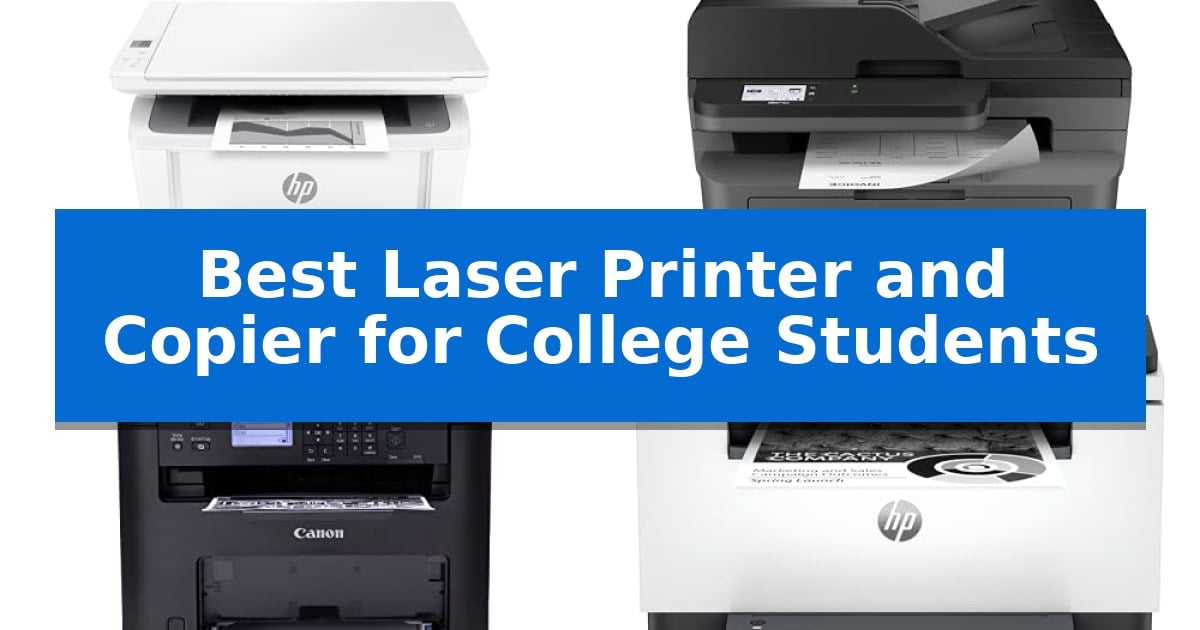
Navigating the academic demands of college requires reliable tools that can handle last-minute research papers and dense course materials without breaking the bank. Finding the Best Laser Printer and Copier for College Students means balancing a small physical footprint with the efficiency needed to manage high-volume printing tasks during finals week.
Whether you are working from a cramped dorm room or a shared apartment, the right machine should offer seamless wireless connectivity and consistent output. We have evaluated top-rated monochrome laser printers to help you identify a model that fits your space, budget, and specific study habits.
Best Laser Printer and Copier for College Students in 2026
Quick Comparison
| Product | Best For | Key Strength | Score |
|---|---|---|---|
| HP LaserJet MFP M140w Laser Printer | Best Overall | World's smallest laser in its class for maximum space savings. | 4.9 |
| Brother MFC-L2820DW Laser Printer | Efficient Multi-Page Scanning | Compact footprint ideal for small dorm desks or shared study areas. | 4.3 |
| Canon imageCLASS MF273dw Laser Printer | Fast First-Page Output | Fast first-page output of approximately 5.3 seconds. | 4.4 |
| HP LaserJet MFP M235sdw Laser Printer | Rapid Two-Sided Printing | Fastest in-class two-sided printing for efficient document production. | 4.5 |
| HP LaserJet Pro 3101sdw Laser Printer | Reliable High-Volume Performance | Fast print speeds of up to 35 ppm for efficient document production. | 4.6 |
How We Chose
- Physical footprint and space efficiency for limited dorm or desk areas.
- Print and scan speeds to ensure rapid completion of assignments.
- Wireless connectivity standards for mobile and multi-device integration.
- Document handling features such as automatic two-sided printing and document feeders.
- Reliability and maintenance requirements for long-term academic use.
1 HP LaserJet MFP M140w Laser Printer — Smallest Laser for Tight Dorms
Dorm room space is often at a premium, making the HP LaserJet MFP M140w Laser Printer a practical choice for students who need a compact, all-in-one solution. As the world's smallest laser in its class, this device manages to integrate printing, scanning, and copying capabilities into a footprint that measures just 14.2 by 10.4 inches, allowing it to fit easily on crowded desks or shelves.
Designed for efficiency, the printer delivers fast print speeds of up to 21 black-and-white pages per minute. For students handling heavy course loads, the HP Smart app simplifies the workflow by allowing for cloud scanning and mobile printing directly from a smartphone, tablet, or Chromebook. This wireless functionality is supported by a self-reset feature that helps maintain a stable connection.
Beyond standard documents, the unit includes a specialized feature to easily copy ID cards, enabling users to capture both sides of a small document onto a single sheet of paper. This is particularly useful for administrative tasks or student identification requirements. The printer is built to work exclusively with original HP chips and circuitry, ensuring consistent operation through periodic firmware updates.
While this model is an effective tool for individual students or small study groups, it is strictly a monochrome device. Those who require color printing for charts, diagrams, or creative projects will need to look toward alternative inkjet or color laser solutions. Its compact design is optimized for space-saving, prioritizing essential black-and-white output over multi-color capabilities.
Best for: College students living in small dorms who primarily need fast, reliable black-and-white printing and scanning for academic reports.
Skip if: Students who frequently need to print color charts, diagrams, or high-quality photos for creative assignments.
PROS
- World's smallest laser in its class for maximum space savings.
- Fast print speeds of up to 21 pages per minute.
- Mobile printing support via the HP Smart app for easy cloud access.
- Convenient ID card copy feature for quick document scanning.
CONS
- Monochrome-only printing limits use for color-coded academic materials.
- Proprietary cartridge requirement restricts the use of third-party or non-HP chips.
2 Brother MFC-L2820DW Laser Printer — Efficient Multi-Page Scanning
Managing heavy course loads and tight living spaces requires equipment that maximizes efficiency without occupying excessive desk real estate. The Brother MFC-L2820DW Laser Printer addresses this by integrating print, copy, scan, and fax capabilities into a single, compact footprint, making it a practical solution for students who need to digitize notes or produce high-quality monochrome documents on demand.
Performance is driven by a print speed of up to 36 ppm, ensuring that lengthy research papers or reading materials are ready in seconds. For multi-page assignments, the 50-page auto document feeder streamlines the process of scanning or copying, saving time during peak study sessions. The device also supports duplex printing, which helps conserve paper for long-term projects.
Connectivity is designed for modern campus environments, offering dual-band wireless (2.4GHz/5GHz) and Ethernet options. Students can manage tasks remotely via the Brother Mobile Connect App or use the 2.7" touchscreen to scan documents directly to cloud services like Google Drive, Dropbox, or OneNote. This integration simplifies the workflow between digital research and physical study materials.
To maintain consistent output, the printer is compatible with Brother Genuine TN830 or TN830XL toner. Users can also leverage the Refresh EZ Print Subscription Service, which monitors toner levels and automates replacements, helping to avoid the frustration of running out of supplies during critical exam periods.
Best for: College students living in shared spaces who require a compact, all-in-one monochrome printer with cloud-integrated scanning and high-speed document handling.
Skip if: Students who require high-volume color printing for graphic design or photography projects, as this model is strictly a monochrome laser printer.
PROS
- Compact footprint ideal for small dorm desks or shared study areas.
- High-speed monochrome printing at 36 ppm for rapid document production.
- Cloud-ready scanning via a 2.7" touchscreen for easy digital organization.
- Flexible connectivity including dual-band wireless, Ethernet, and mobile app support.
CONS
- Monochrome-only output limits utility for projects requiring color graphics or photos.
- Subscription-based toner management may not be preferred by students who prefer one-time supply purchases.
3 Canon imageCLASS MF273dw Laser Printer — Fast First-Page Output
For students balancing heavy course loads and tight living quarters, the Canon imageCLASS MF273dw offers a space-efficient solution that handles printing, scanning, and copying in one compact device. Measuring approximately 15.4 inches in width and 14.4 inches in height, this monochrome laser printer is designed to fit on crowded desks while providing the essential tools needed for academic assignments.
Efficiency is central to this model, which delivers a first print out in approximately 5.3 seconds. With a print speed of up to 30 pages per minute, it minimizes wait times during late-night study sessions. The inclusion of auto 2-sided printing helps reduce paper consumption, a practical feature for printing long research papers or lengthy reading materials.
Connectivity is streamlined through its wireless functionality, allowing for convenient printing from various devices without the need for a direct cable connection. The unit also features an auto document feeder, which simplifies the process of scanning or copying multi-page documents, saving time when digitizing notes or course handouts.
Maintenance is straightforward, as the printer utilizes the Toner 071 or 071 High-Capacity Toner cartridges. This system is built for reliable monochrome output, focusing on high-speed text documents rather than color graphics. Backed by a 1-year limited warranty, it provides a dependable hardware foundation for the duration of a school year.
Best for: College students who need a fast, reliable monochrome printer for high-volume text documents and multi-page scanning in a small dorm or apartment space.
Skip if: You require color printing for charts, diagrams, or creative projects, as this model is strictly a monochrome laser printer.
PROS
- Fast first-page output of approximately 5.3 seconds.
- Auto 2-sided printing to save paper.
- Wireless 3-in-1 functionality including scanning and copying.
- Compact footprint suitable for small desk spaces.
CONS
- Monochrome-only output limits printing to black and white.
- No color printing capability for graphics or presentations.
4 HP LaserJet MFP M235sdw Laser Printer — Rapid Two-Sided Printing
Managing heavy course loads and tight deadlines requires reliable document handling, and the HP LaserJet MFP M235sdw Laser Printer addresses this with its fastest in-class two-sided printing capability. Designed to handle the high-volume needs of 1-5 people, this all-in-one unit integrates printing, scanning, and copying into a compact footprint that fits easily into shared living spaces or small study areas.
Efficiency is central to its design, featuring automatic two-sided printing that helps conserve paper during long research projects or document drafts. The device reaches speeds of up to 28 pages per minute for single-sided output, ensuring that students spend less time waiting for assignments to finish. Its dual-band Wi-Fi with self-reset technology actively monitors and resolves connectivity drops, providing a stable wireless link for mobile devices, tablets, and laptops.
Beyond performance, the printer prioritizes data integrity with built-in security features designed to protect against potential network attacks. Connectivity is versatile, supporting AirPrint, Chromebook, and various mobile operating systems, allowing for seamless printing from virtually any device. The inclusion of an Ethernet port provides an alternative for those who prefer a wired connection for their home network.
While this model excels at monochrome document production, it is specifically engineered for black-and-white output, making it a focused tool for academic papers and presentations. Its compact dimensions of approximately 16.46 by 12.13 inches ensure it remains a practical addition to a desk without overwhelming a limited workspace.
Best for: College students who require high-speed, reliable monochrome printing and scanning for academic papers and shared study environments.
Skip if: Students who frequently need to print high-resolution color graphics, photographs, or creative projects that require a color inkjet printer.
PROS
- Fastest in-class two-sided printing for efficient document production.
- Dual-band Wi-Fi with self-reset for reliable wireless connectivity.
- Built-in security features to protect against network threats.
- Versatile all-in-one functionality including print, scan, and copy.
CONS
- Monochrome-only output limits printing to black-and-white documents.
- Larger footprint than basic single-function printers.
5 HP LaserJet Pro 3101sdw Laser Printer — Reliable High-Volume Performance
Managing high-volume coursework and professional reports requires a machine that balances speed with reliable document handling. The HP LaserJet Pro 3101sdw Laser Printer addresses this need by offering print speeds up to 35 ppm, ensuring that lengthy assignments are ready quickly. Its design integrates essential office functions, including printing, copying, and scanning, into a single footprint that fits into a study space.
Efficiency is central to this model's design, featuring an automatic document feeder that holds 50 sheets for streamlined scanning and copying tasks. The inclusion of automatic two-sided printing helps reduce paper usage during heavy study sessions, while the 250-sheet input tray minimizes the frequency of manual refills. These features are intended to support sustained productivity without constant maintenance.
Connectivity is managed through a wireless system designed to maintain a stable link for consistent operation. This allows for flexible placement within a room, removing the need for a direct wired connection to a computer. The printer is built to work exclusively with HP-chipped cartridges, a design choice that ensures consistent toner performance and print quality throughout the life of the device.
While this unit provides robust monochrome output, it is specifically engineered for black-and-white documents rather than color projects. Users should note that the system requires periodic firmware updates to maintain its security and cartridge compatibility measures, which is a standard aspect of its operation.
Best for: Students and small teams who require fast, reliable black-and-white document production and high-volume scanning capabilities.
Skip if: Users who require color printing for graphics or photography projects will need a different type of printer.
PROS
- Fast print speeds of up to 35 ppm for efficient document production.
- Automatic two-sided printing to save paper during long study sessions.
- Integrated 50-sheet auto document feeder for convenient scanning and copying.
- Dependable wireless connectivity for flexible placement.
CONS
- Monochrome-only printing limits use for color-dependent assignments.
- Proprietary cartridge requirement restricts the use of third-party toner options.
Best Laser Printer and Copier for College Students Buying Guide
Space and Dimensions
College living spaces are notoriously tight, making the physical size of your printer a primary concern. A compact laser printer should fit comfortably on a desk or shelf without obstructing your workspace.
Consider the total clearance required for paper trays and document feeders. While some models are incredibly small, they may require additional space when the input or output trays are fully extended.
Connectivity and Mobile Printing
Modern academic workflows rely heavily on cloud storage and mobile devices. Look for printers that support wireless connectivity and dedicated mobile apps, which allow you to print directly from your smartphone or tablet.
Features like self-resetting Wi-Fi are beneficial for maintaining a stable connection in busy campus network environments, reducing the need for manual troubleshooting.
Print Speed and Efficiency
When deadlines are approaching, print speed becomes critical. Monochrome laser printers typically offer faster output than inkjet alternatives, which is ideal for long research papers and reports.
Pay attention to the first-page-out time, as this determines how quickly you can start your print job after sending it from your computer.
Duplexing and Document Handling
Automatic two-sided printing, or duplexing, is a standard feature that saves paper and reduces the thickness of your printed documents. This is particularly useful for printing lengthy course readings.
An automatic document feeder (ADF) is a significant time-saver if you frequently need to scan or copy multi-page documents, as it allows you to process the entire stack without manual intervention.
Toner and Maintenance
Laser printers use toner cartridges, which generally have a higher page yield than inkjet cartridges, making them more cost-effective over the course of a semester.
Be aware that many manufacturers implement firmware updates that may restrict the use of non-original toner cartridges. Always check the specific requirements for your chosen model to avoid unexpected compatibility issues.
Frequently Asked Questions
Why should a college student choose a laser printer over an inkjet?
Laser printers are generally faster, more reliable for text-heavy documents, and have a lower cost-per-page, which is ideal for the high-volume printing often required in college.
Do I need a printer with a scanner for college?
Yes, having an all-in-one printer that includes a scanner is highly recommended for digitizing handwritten notes, signing forms, or submitting physical assignments electronically.
Can I print from my phone or tablet?
Most modern laser printers support mobile printing through manufacturer apps or standard protocols like AirPrint, allowing you to print directly from your mobile device.
How much space does a typical laser printer take up?
Compact models can be as small as 14 inches wide, but you should always account for the extra space needed for paper trays and access to the internal components.
Are laser printers difficult to set up?
Most current models are designed for easy setup, often utilizing mobile apps to guide you through the wireless configuration process in just a few minutes.
Conclusion: Our Top Pick
For students prioritizing a compact design without sacrificing core functionality, the HP LaserJet MFP M140w Laser Printer stands out as a highly efficient choice. Its small footprint is specifically engineered for tight spaces like dorm rooms, while still providing the essential print, scan, and copy features needed for academic success.
While it is an excellent space-saver, students with heavy-duty requirements, such as frequent multi-page scanning, might consider models with larger document feeders. However, for the vast majority of student printing needs, this model offers the best balance of size, speed, and reliability.