
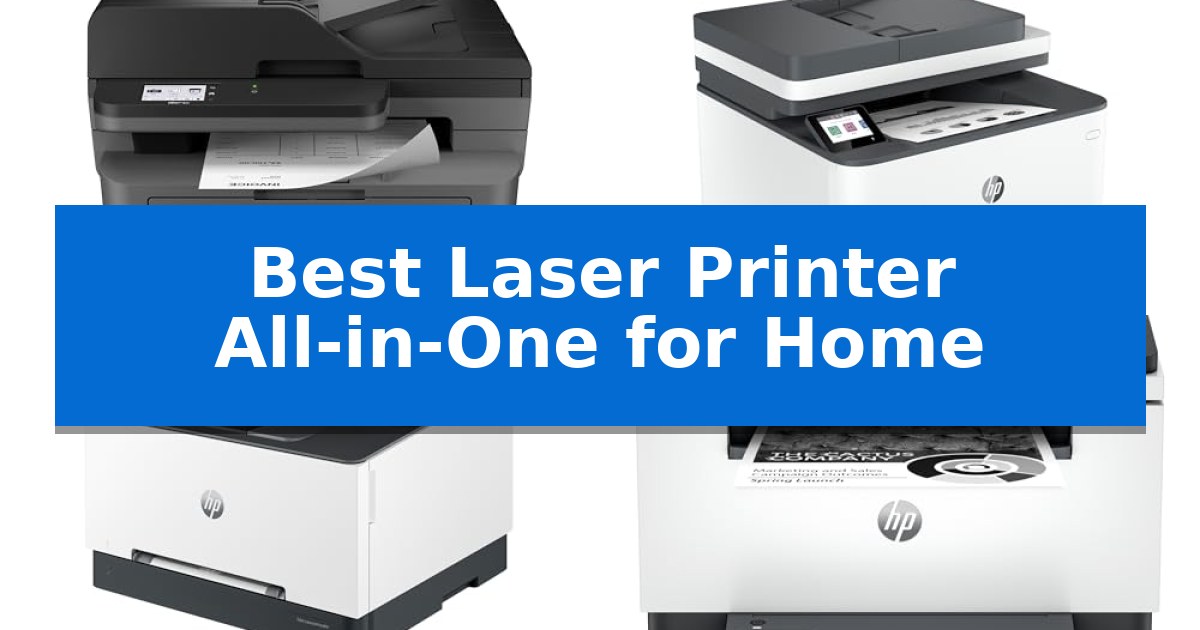
Finding the right machine for your workspace can be a challenge when you need to balance high-quality output with a limited footprint. The Best Laser Printer All-in-One for Home must handle daily document tasks while fitting seamlessly into a residential office environment without sacrificing professional-grade performance.
Whether you are managing a small business or handling high-volume personal projects, selecting a device that offers reliable scanning, copying, and fast printing is essential. We have analyzed the latest models to help you identify which printer best aligns with your specific workflow requirements and space constraints.
Best Laser Printer All-in-One for Home in 2026: Space-Saving Efficiency
Quick Comparison
| Product | Best For | Key Strength | Score |
|---|---|---|---|
| Brother MFC-L2820DW Laser Printer | Best Overall | Compact footprint ideal for space-constrained home offices. | 4.9 |
| HP LaserJet Pro 3101fdw Printer | Fastest for Multipage Documents | Fast print speeds up to 35 pages per minute. | 4.4 |
| HP Color LaserJet Pro 3301sdw Printer | Best for Professional Color Prints | Fast print speeds up to 26 ppm for both color and black documents. | 4.4 |
| HP LaserJet MFP M235sdw Printer | Reliable Monochrome Workhorse | Fastest two-sided printing in its class for efficient document handling. | 4.4 |
| HP LaserJet Pro 3101sdw Printer | High-Volume Productivity Choice | Fast print speeds up to 35 ppm for high-volume tasks. | 4.9 |
How We Chose
- Print speed and document handling capabilities
- Connectivity options including wireless and mobile integration
- Physical dimensions and space-saving design
- Multi-function versatility such as scanning, copying, and faxing
- Security features and ease of setup for home networks
1 Brother MFC-L2820DW Laser Printer — Compact Pick for Small Offices
Managing high-volume document tasks in a limited workspace requires a device that balances a small footprint with robust multi-functionality. The Brother MFC-L2820DW Wireless Compact Monochrome All-in-One Laser Printer addresses this need by integrating print, copy, scan, and fax capabilities into a single, space-saving chassis measuring approximately 16.1 by 15.7 inches.
Efficiency is central to this model's design, featuring print speeds of up to 36 ppm and a 50-page auto document feeder that streamlines multi-page processing. Users can navigate these functions through an intuitive 2.7-inch touchscreen, which also facilitates direct interaction with cloud-based services like Google Drive, Dropbox, and OneNote for flexible document management.
Connectivity options are designed for versatile office environments, offering dual-band wireless (2.4GHz/5GHz), Ethernet, and local USB interface support. The inclusion of the Brother Mobile Connect app further extends control, allowing for remote printing, scanning, and toner management directly from a mobile device.
To support ongoing operations, the printer utilizes the Refresh EZ Print Subscription Service, which helps automate toner replacement. This system is compatible with Brother Genuine TN830 or TN830XL replacement toner, ensuring consistent output quality for monochrome documents.
Best for: Small offices or home workspaces requiring a compact, high-speed monochrome laser printer with integrated scanning and faxing capabilities.
Skip if: Users who require color printing or those who prefer a larger-format device for heavy-duty commercial production environments.
PROS
- Compact footprint ideal for space-constrained home offices.
- High-speed monochrome printing up to 36 ppm.
- Versatile connectivity including dual-band Wi-Fi, Ethernet, and mobile app support.
- Integrated 50-page auto document feeder for efficient multi-page tasks.
CONS
- Monochrome-only output limits document versatility.
- Subscription-based toner service may not suit all user preferences.
2 HP LaserJet Pro 3101fdw Printer — Fastest for Multipage Documents
Efficiency in a home office often hinges on the ability to handle high-volume documentation without constant manual intervention. The HP LaserJet Pro 3101fdw Printer addresses this by integrating an auto document feeder and auto 2-sided printing, allowing users to manage multipage reports and copies with minimal oversight. Designed to support small teams of up to seven people, this unit consolidates printing, scanning, copying, and faxing into a single, compact footprint.
Performance is defined by its super-fast print speeds, capable of outputting up to 35 black-and-white pages per minute. This makes it a suitable choice for environments where time-sensitive documents are a daily requirement. The device ensures versatility through comprehensive connectivity options, including Ethernet, Bluetooth, and intelligent Wi-Fi that actively seeks the most stable connection to maintain uptime.
Security and accessibility are prioritized through the inclusion of HP Wolf Pro Security, which provides customizable settings to safeguard sensitive information. The printer is built for modern workflows, supporting wireless printing from a wide range of platforms such as Microsoft, Mac, AirPrint, Android, and Chromebook, ensuring that users can initiate tasks from virtually any mobile device, PC, or tablet.
Measuring 15 inches in height and weighing approximately 23 pounds, the HP LaserJet Pro 3101fdw Printer balances a robust feature set with a size that fits standard office furniture. While it excels at monochrome tasks, users should note its specific focus on black-and-white output, making it an ideal workhorse for text-heavy professional documents.
Best for: Small teams or home offices requiring fast, high-volume monochrome printing and document management.
Skip if: Users who require color printing or those with very limited desk space who do not need faxing or document feeder capabilities.
PROS
- Fast print speeds up to 35 pages per minute.
- Integrated auto document feeder and auto 2-sided printing.
- Comprehensive wireless and mobile connectivity support.
- Includes HP Wolf Pro Security for data protection.
CONS
- Limited to monochrome (black-and-white) printing only.
- Requires a dedicated footprint of 19.25 x 19.25 inches.
3 HP Color LaserJet Pro 3301sdw Printer — Best for Professional Color Prints
Efficiency in a home office often hinges on the ability to handle high-volume documents without constant intervention. The HP Color LaserJet Pro MFP 3301sdw addresses this by integrating an auto document feeder and auto 2-sided printing capabilities, allowing users to streamline complex scanning and copying tasks. Designed for small teams, this unit balances professional output with a compact footprint.
At the core of its performance is the use of next-generation TerraJet toner, which is engineered to produce more vivid colors for business reports and presentations. The device supports HP 218A standard and 218X high yield LaserJet toner cartridges, providing flexibility based on your monthly print volume. With print speeds reaching up to 26 ppm for both black and color documents, it is built to maintain productivity during demanding workdays.
Usability is enhanced by its all-in-one functionality, which consolidates printing, scanning, and copying into a single 37.7-pound machine. The 250-sheet input tray reduces the frequency of paper refills, while the wireless connectivity ensures it can be integrated into a modern home office setup without excessive cabling. It is a reliable choice for those who prioritize consistent, professional-quality document production.
Prospective buyers should note that this printer is designed to work exclusively with cartridges containing Original HP chips or circuitry. The system will block cartridges that utilize non-HP components, and the manufacturer employs periodic firmware updates to enforce this compatibility standard. This ensures a consistent experience but limits the use of third-party or refilled toner alternatives.
Best for: Small teams or home offices requiring high-speed, professional-quality color document production and scanning.
Skip if: Users who rely on third-party or remanufactured toner cartridges will find the strict chip-based compatibility requirements restrictive.
PROS
- Fast print speeds up to 26 ppm for both color and black documents.
- Integrated auto document feeder and auto 2-sided printing for efficient workflow.
- Uses TerraJet toner technology for enhanced color vibrancy.
- Compact all-in-one design suitable for home office environments.
CONS
- Strict compatibility with Original HP toner chips only.
- Firmware updates may limit the use of alternative cartridge options.
4 HP LaserJet MFP M235sdw Printer — Reliable Monochrome Workhorse
Efficient document management in a home office requires reliable hardware, and the HP LaserJet MFP M235sdw Printer offers a streamlined solution for small teams of 1-5 people. This monochrome laser printer is engineered to handle high-volume tasks such as printing, scanning, and copying business documents or brochures with consistent output.
Performance is anchored by the fastest two-sided printing in its class, which helps users complete multipage projects quickly. The device supports single-sided speeds of up to 28 pages per minute, ensuring that workflow remains steady during busy periods. Its compact design, measuring approximately 16.46 inches in width, allows it to fit into home workspaces without consuming excessive desk space.
Connectivity and security are prioritized through dual-band Wi-Fi with self-reset capabilities, which proactively manages network stability. Users can print wirelessly from various platforms, including mobile devices, tablets, and PCs, with broad compatibility across AirPrint, Chromebook, and major operating systems. Additionally, the unit includes built-in security features designed to protect against potential digital threats.
The HP LaserJet MFP M235sdw Printer balances functionality with ease of use, making it a practical choice for those who need a dedicated monochrome workhorse. While it lacks color printing, its focus on speed, secure wireless operation, and automatic duplexing provides a robust foundation for standard office documentation.
Best for: Small home offices or teams of 1-5 people requiring fast, reliable monochrome document printing and scanning.
Skip if: Users who require color printing for graphics, marketing materials, or photography will need a different type of printer.
PROS
- Fastest two-sided printing in its class for efficient document handling.
- Dual-band Wi-Fi with self-reset for reliable wireless connectivity.
- Built-in security features to help protect against unauthorized access.
- Versatile all-in-one functionality including print, copy, and scan capabilities.
CONS
- Monochrome only, limiting its use for color-dependent projects.
5 HP LaserJet Pro 3101sdw Printer — High-Volume Productivity Choice
Efficiency in a small office environment often hinges on the ability to handle high-volume documentation without constant manual intervention. The HP LaserJet Pro 3101sdw Printer addresses this by integrating a 50-sheet auto document feeder and automatic two-sided printing, allowing for streamlined processing of multi-page reports and business documents.
Designed for professional-quality output, this monochrome laser printer delivers speeds up to 35 ppm. The unit is engineered to maintain consistent performance, utilizing toner specifically formulated for sharp, professional-quality prints. Its compact footprint, measuring approximately 16.5 inches in width and 12.3 inches in height, allows it to fit into shared workspaces while providing a 250-sheet input tray to minimize the frequency of paper refills.
Connectivity is managed through a dependable wireless system designed to maintain a stable connection. For security and operational consistency, the device is intended to function exclusively with cartridges featuring original HP chips or circuitry. This ensures that the printer remains compatible with periodic firmware updates designed to maintain system effectiveness.
The HP LaserJet Pro 3101sdw Printer balances high-speed output with essential office functionality, including print, copy, and scan capabilities. It is a practical choice for teams that prioritize consistent, professional-grade black-and-white documentation over color printing requirements.
Best for: Small teams or home offices requiring high-speed, professional-quality monochrome printing and efficient document handling.
Skip if: Users who require color printing or those who prefer the flexibility of using third-party, non-HP branded toner cartridges.
PROS
- Fast print speeds up to 35 ppm for high-volume tasks.
- Automatic two-sided printing and a 50-sheet auto document feeder for increased productivity.
- Dependable wireless connectivity designed for stable network performance.
- Compact, space-saving design suitable for small office environments.
CONS
- Strict cartridge compatibility requiring HP chips or circuitry.
- Monochrome-only output limits document versatility.
Best Laser Printer All-in-One for Home Buying Guide
Understanding Print Technology
Laser printers utilize toner rather than ink, which is a significant advantage for users who primarily print text-heavy documents. This technology typically results in sharper text and faster output speeds compared to inkjet alternatives, making it a superior choice for professional reports and high-volume printing.
When choosing a laser device, consider the cost of replacement toner cartridges. Many modern printers offer subscription services or high-yield toner options that can reduce the long-term cost per page, which is a critical factor for home offices with fluctuating print needs.
Connectivity and Mobile Integration
Modern home printers should offer flexible connection options to accommodate various devices. Look for models that support dual-band Wi-Fi, Ethernet, and mobile printing apps, which allow you to manage tasks directly from your smartphone or tablet.
Seamless integration with cloud services like Google Drive or Dropbox can significantly streamline your workflow. Being able to scan documents directly to the cloud or print files from mobile storage is a major convenience for remote work environments.
Space and Ergonomics
A home office often requires a compact footprint. All-in-one models that combine printing, scanning, and faxing into a single unit save valuable desk space. Check the physical dimensions and ensure the paper tray capacity meets your daily volume without requiring constant refills.
Consider the accessibility of the touchscreen interface. An intuitive display makes it easier to navigate settings, monitor toner levels, and manage complex tasks like multi-page scanning without needing to interact with a computer.
Security for Home Networks
As home offices become more connected, printer security is increasingly important. Look for devices that include built-in security features to protect your data and prevent unauthorized access to your network.
Customizable security settings and firmware updates help ensure that your printer remains protected against potential vulnerabilities. This is particularly relevant if you handle sensitive business or personal documents regularly.
Handling Multi-Page Documents
An automatic document feeder (ADF) is a vital feature for anyone who frequently scans or copies multi-page reports. This feature allows you to load a stack of paper and let the printer handle the rest, saving significant time compared to manual placement.
Duplex printing, or automatic two-sided printing, is another essential feature that helps save paper and reduces the physical bulk of your printed documents. It is a standard requirement for efficient, professional-looking output.
Frequently Asked Questions
What is the main benefit of a laser printer over an inkjet for home use?
Laser printers are generally faster and produce crisper text for documents, making them ideal for high-volume printing and professional reports.
Can I print from my phone with these models?
Yes, most modern laser all-in-one printers support mobile printing through dedicated apps, allowing you to print and scan directly from your smartphone or tablet.
Do I need a wired connection for these printers?
While many models include Ethernet ports for a stable wired connection, they also feature wireless connectivity, allowing you to place the printer anywhere within range of your Wi-Fi network.
What does 'duplex printing' mean?
Duplex printing refers to the printer's ability to automatically print on both sides of a sheet of paper, which helps save paper and reduces document size.
Are these printers difficult to set up?
Most current models are designed for easy setup, often featuring intuitive touchscreens and mobile app guidance to help you connect to your network and start printing quickly.
Conclusion: Our Top Pick
Selecting the right printer depends on your specific volume and space requirements. For most home users, the Brother MFC-L2820DW Laser Printer stands out as the most balanced choice, offering a compact footprint combined with essential multi-function capabilities.
This model provides efficient print speeds and reliable scanning, making it a dependable workhorse for small offices. Its integration with cloud services and mobile apps ensures it fits perfectly into a modern, connected home workspace.