
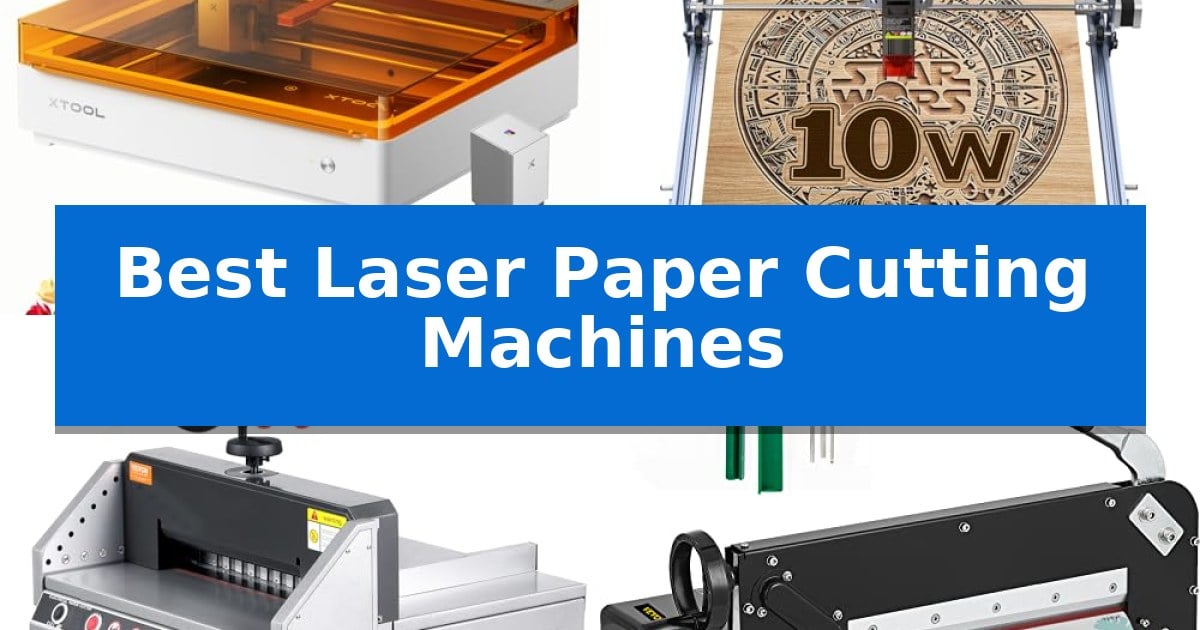
Finding the right tool for your paper projects can transform how you approach complex designs and batch production. Whether you are a hobbyist looking for intricate detail or a professional needing high-volume efficiency, the market offers diverse solutions ranging from advanced laser systems to robust manual guillotines.
In this guide, we evaluate the Best Laser Paper Cutting Machines to help you identify which tool aligns with your specific workflow. We focus on how these machines handle material thickness, cutting accuracy, and operational safety to ensure your next project is both efficient and precise.
Best Laser Paper Cutting Machines in 2026: Mastering Precision Crafting
Quick Comparison
| Product | Best For | Key Strength | Score |
|---|---|---|---|
| xTool M2 Laser Engraver | Best Overall | Seamless print-to-cut workflow combining CMYK inkjet and laser engraving. | 4.9 |
| Creality Falcon 10W Laser Engraver | High-Speed Detailed Cutting | High-precision 0.06mm spot focus for detailed engraving and cutting. | 4.9 |
| VEVOR Electric Paper Cutter | Best for High-Volume Stacks | 1.57-inch cutting thickness capacity for high-volume stacks. | 4.5 |
| VEVOR Guillotine Paper Cutter | Heavy-Duty Manual Trimming | High-capacity cutting of up to 400 sheets at once. | 4.9 |
| Swingline ClassicCut Lite Paper Cutter | Compact Pick for Home Offices | 10-sheet cutting capacity for efficient everyday tasks. | 4.3 |
How We Chose
- Cutting Precision: Evaluating the ability of the laser or blade to produce clean, intricate edges on various paper types.
- Material Versatility: Assessing whether the machine is limited to paper or can handle cardstock, leather, and other craft materials.
- Operational Safety: Reviewing built-in features like enclosed designs, sensors, and dual-key systems that protect the user.
- Workflow Efficiency: Comparing setup time, software integration, and the physical effort required for high-volume tasks.
- Build Quality: Examining the structural materials and long-term durability of the cutting mechanism.
1 xTool M2 Laser Engraver — Best for Precision Paper Crafting
Achieving precise, personalized results on delicate materials like cardstock, felt, and leather requires more than just a standard cutter. The xTool M2 10W Color Craft Laser Engraver distinguishes itself by integrating a CMYK inkjet printing module alongside its laser system, allowing users to print full-color designs directly onto materials before executing high-precision cuts in a single, seamless workflow.
Equipped with built-in dual cameras, this machine provides a real-time preview of the workspace, which the system uses to align designs with physical materials. This "Place & Go" functionality, supported by advanced motion control, is designed to eliminate the guesswork typically associated with manual alignment, ensuring that intricate patterns are cut exactly where intended.
The xTool M2 is built with a fully enclosed Class 1 safety design, making it suitable for home environments where protecting users from laser exposure is a priority. The unit includes real-time monitoring to maintain a safe operating environment while you work on projects ranging from custom stickers and home decor to personalized gifts.
Software integration is handled through xTool Studio, which offers a library of ready-to-use templates and an AI image generator to assist in the design process. Whether you are performing delicate engravings or high-speed batch cutting, the machine supports modular power options, allowing for the addition of a 3W IR laser for specialized tasks, ensuring the system adapts to diverse creative goals.
Best for: Crafters and DIY makers who need a hybrid machine capable of both full-color inkjet printing and precision laser cutting for a wide variety of materials.
Skip if: Users who require a dedicated, high-power industrial laser for thick metal cutting or those who do not need the integrated inkjet printing functionality.
PROS
- Seamless print-to-cut workflow combining CMYK inkjet and laser engraving.
- Dual-camera system for real-time workspace preview and high-accuracy alignment.
- Class 1 enclosed safety design suitable for home use.
- Beginner-friendly software with AI image generation and ready-to-use templates.
CONS
- Modular components like the 3W IR laser are sold separately.
- Enclosed design limits the maximum size of materials that can be processed compared to open-frame systems.
2 Creality Falcon 10W Laser Engraver — High-Speed Detailed Cutting
Precision cutting and engraving tasks require a stable, high-accuracy platform, and the Creality Falcon 10W Laser Engraver provides this through its all-aluminum alloy structure and steel shaft wheel guide rail design. This machine is engineered for users who need to process materials like wood, paper, leather, and acrylic with a 0.06mm super fine spot focus, ensuring that intricate designs are executed with high fidelity.
The core performance is driven by a 10W output power laser module, which allows for cutting through a 5mm basswood board or 3mm black acrylic in a single pass at speeds reaching 10,000mm/m. To maintain this performance, the unit includes a strong belt tension adjustment device, which helps keep the movement consistent and supports a repositioning accuracy of less than 0.007 inches.
Usability is a primary focus, featuring a tool-free focusing plate that simplifies setup, allowing for assembly in as little as 10 to 20 minutes. The system supports flexible connectivity, including Wi-Fi, USB cable, and SD card data transfer, and is compatible with industry-standard software like LightBurn and LaserGRBL, catering to both experienced creators and those new to laser technology.
Safety and maintenance are integrated into the design, with an anti-UV filter acrylic shield on the laser module that filters 97% of UV rays. The manufacturer also includes a 1-year free parts replacement policy and provides ongoing technical support to assist with operational questions or maintenance needs.
Best for: Creators and hobbyists who need a versatile, high-precision laser tool for cutting and engraving thin materials like wood, paper, and acrylic.
Skip if: Users requiring the ability to cut through thick materials or metal sheets, as the 10W output is optimized for lighter consumables.
PROS
- High-precision 0.06mm spot focus for detailed engraving and cutting.
- Tool-free focusing mechanism for quick setup and adjustments.
- Versatile connectivity options including Wi-Fi, USB, and SD card.
- Integrated safety features with a 97% UV-filtering acrylic shield.
CONS
- Limited material thickness capacity compared to higher-wattage industrial laser cutters.
3 VEVOR Electric Paper Cutter — Best for High-Volume Stacks
Processing thick stacks of material requires precision and reliable safety mechanisms to ensure consistent results. The VEVOR Electric Paper Cutter addresses this need with a robust steel plate construction and a generous 13-inch cutting width, capable of handling paper stacks up to 1.57 inches (40mm) thick. This desktop machine is engineered for environments like offices and print shops where efficiency and clean edges are paramount.
Operation is centered on a user-friendly control panel that manages the electric cutting process. To prioritize safety, the device utilizes a dual-key paper-cutting system that requires both hands to initiate a cut, alongside infrared sensors that trigger an immediate stop if foreign objects are detected. These features work in tandem to minimize risk during high-volume tasks.
For precise alignment, the machine includes a hand-cranked paper push design that allows for accurate micro-adjustments before the blade descends. The inclusion of high-speed steel blades ensures durability, while the provided spare blades and cutting rods help maintain performance over time. The unit is designed for a stable, flat workspace and requires assembly upon arrival.
While the VEVOR Electric Paper Cutter is highly effective for standard paper and soft leather, it is important to note that it is not compatible with gray board or PVC plastic sheets. Given its substantial weight of approximately 99 pounds, users should ensure the installation surface is sturdy and that sufficient personnel are available for setup.
Best for: Professional offices and print shops requiring frequent, precise cutting of thick paper stacks.
Skip if: Users who need to cut rigid materials like PVC plastic or gray board, or those requiring a lightweight, portable device.
PROS
- 1.57-inch cutting thickness capacity for high-volume stacks.
- Infrared safety sensors and dual-key operation for enhanced protection.
- Hand-cranked paper push for precise micro-adjustments.
- Durable high-speed steel blade construction.
CONS
- Heavy 99-pound weight requires a sturdy, permanent workspace.
- Material limitations exclude gray board and PVC plastic sheets.
4 VEVOR Guillotine Paper Cutter — Heavy-Duty Manual Trimming
Achieving precise, clean edges on large stacks of paper requires a tool built for high-volume consistency rather than delicate laser etching. The VEVOR Guillotine Paper Cutter is engineered for heavy-duty manual trimming, capable of slicing through a stack up to 4 cm thick in a single pass. This makes it a practical solution for print shops, offices, or hobbyists who need to process large volumes of paper or PVC materials efficiently.
Designed with a focus on structural stability, this 12-inch paper cutter features a robust metal base that provides a secure foundation for repetitive cutting tasks. The inclusion of a steel blade ensures durability, while the integrated handle grip is positioned to provide the leverage necessary to manage a full stack of up to 400 sheets. Its design prioritizes mechanical force, allowing for clean, straight cuts across a 30 cm width without the need for electronic power sources.
When evaluating manual cutting solutions, the trade-off lies in the physical effort required compared to automated systems. While this unit excels at handling thick stacks, it is a stationary, manual tool that requires manual alignment and consistent downward pressure. It is a straightforward, utilitarian device that avoids the complexity of software or digital interfaces, making it a reliable choice for those who prioritize mechanical simplicity and high-capacity throughput in their workspace.
Best for: This cutter is best for high-volume paper processing and trimming thick stacks of up to 400 sheets in a professional or workshop environment.
Skip if: Skip this model if you require precision laser engraving, intricate artistic patterns, or a compact, lightweight device for occasional, small-scale craft projects.
PROS
- High-capacity cutting of up to 400 sheets at once.
- Durable steel blade construction for long-term use.
- Sturdy metal base provides necessary stability for heavy-duty tasks.
- 4 cm maximum cutting thickness handles thick stacks and materials like PVC.
CONS
- Manual operation requires significant physical effort for thick stacks.
- Large, heavy footprint takes up considerable desk or table space.
5 Swingline ClassicCut Lite Paper Cutter — Compact Pick for Home Offices
Precision in paper trimming relies on a stable base and a sharp, reliable blade. The Swingline ClassicCut Lite Paper Cutter features a 12-inch cutting length, making it a practical tool for standard home and office paper processing tasks. Its design prioritizes portability, utilizing a sturdy plastic base that remains light enough for easy transport between workspaces.
Efficiency is supported by the unit's ability to cleanly slice through up to 10 sheets of 20-pound paper at once. To ensure accuracy, the trimmer includes an integrated alignment grid and a dual-scale ruler marked in both inches and centimeters. These features assist in consistent measuring regardless of the preferred unit system.
Safety remains a primary consideration during operation. The device is equipped with a guard rail to keep fingers away from the guillotine blade during use, and a blade latch hook securely locks the cutting arm in place when the machine is idle. The handle is designed with an easy-grip surface to maintain comfort during extended trimming sessions.
Backed by a limited 10-year warranty, this trimmer is built for longevity in everyday environments. Its compact footprint, measuring approximately 17.6 inches in width, allows it to fit conveniently on most desks or storage shelves without occupying excessive space.
Best for: Home office users or students requiring a compact, reliable trimmer for light-duty paper and photo cutting tasks.
Skip if: Users who need to cut high volumes of paper, heavy cardstock, or materials exceeding the 10-sheet capacity should look for a heavy-duty rotary or stack cutter.
PROS
- 10-sheet cutting capacity for efficient everyday tasks.
- Dual-scale ruler and alignment grid for precise measurements.
- Safety features including a guard rail and blade latch hook.
- Limited 10-year warranty provided by the manufacturer.
CONS
- Manual guillotine design is limited to smaller batch sizes compared to industrial stack cutters.
Best Laser Paper Cutting Machines Buying Guide
Understanding Laser vs. Mechanical Cutting
The primary distinction in paper cutting lies between laser technology and mechanical blades. Laser systems, such as the xTool M2, offer unparalleled flexibility for complex, non-linear shapes and intricate patterns that a standard blade cannot replicate. These machines are ideal for artists and crafters who prioritize design freedom and high-detail output.
Conversely, mechanical guillotines and electric paper cutters are designed for speed and straight-line accuracy. If your primary goal is to trim large stacks of paper for documents or print projects, a mechanical cutter provides a much faster and more cost-effective solution than a laser system.
Evaluating Cutting Capacity and Thickness
When selecting a machine, consider the maximum cutting thickness and width you require. Manual and electric guillotines often specify their capacity in terms of sheet count, such as 300 or 400 sheets, making them suitable for high-volume office or print shop environments.
Laser engravers operate differently, focusing on the depth of the cut per pass. While they may not slice through a 40mm stack of paper, they offer the ability to cut through individual sheets of cardstock or specialty materials with extreme precision, which is vital for custom packaging or stationery.
Safety Features and Operational Requirements
Safety is paramount when working with sharp blades or high-powered lasers. For laser machines, look for Class 1 safety enclosures and real-time monitoring, which prevent accidental exposure to the laser beam. These features are essential if you are working in a home environment with family or pets.
For mechanical cutters, look for guard rails and dual-key operation systems. These mechanisms ensure that the blade cannot be activated unless both hands are clear of the cutting area, significantly reducing the risk of injury during repetitive tasks.
Software and Workflow Integration
Modern laser cutters often rely on proprietary software to manage the design-to-cut workflow. Systems that offer ready-to-use templates and AI image generation can drastically reduce the learning curve for beginners, allowing you to move from a concept to a finished product in minutes.
Ensure the software is compatible with your existing computer setup, whether you use Windows, macOS, or Linux. Some machines also support data transfer via Wi-Fi, USB, or SD cards, providing flexibility in how you manage your design files and machine operations.
Maintenance and Longevity
To keep your machine performing at its peak, consider the ease of maintenance. Mechanical cutters often require periodic blade sharpening or replacement, so check if the manufacturer provides spare blades or easy access to the cutting mechanism.
Laser systems require regular cleaning of the lens and workspace to maintain accuracy. Machines with built-in cameras or automated focus adjustments can help maintain consistent results over time, ensuring that your investment remains productive for years.
Frequently Asked Questions
Can a laser cutter handle thick stacks of paper like a guillotine?
Generally, no. Laser cutters are designed for precision cutting of individual sheets or thin layers. For high-volume stacks, a mechanical guillotine is the appropriate tool.
What safety precautions should I take with a laser engraver?
Always use a machine with a fully enclosed design, ensure proper ventilation for smoke extraction, and never leave the machine unattended while in operation.
Is it difficult to learn how to use a laser paper cutting machine?
Many modern machines come with beginner-friendly software and pre-loaded templates, making it accessible for hobbyists to start creating immediately without a steep learning curve.
Do I need a special workspace for these machines?
Laser machines require a stable, flat surface and adequate ventilation. Mechanical guillotines are heavy and require a sturdy table that can support their weight and the force applied during cutting.
Can I cut materials other than paper with these machines?
Yes, many laser engravers can handle wood, leather, felt, and acrylic. Always check the manufacturer's specifications for material compatibility and safety guidelines.
Conclusion: Our Top Pick
Selecting the right tool depends on whether your priority is intricate design or high-volume trimming. For those who need both precision and versatility, the xTool M2 Laser Engraver stands out as a highly capable solution that integrates advanced camera-based alignment with a user-friendly software ecosystem.
While mechanical cutters like those from VEVOR are indispensable for heavy-duty, high-volume document processing, the xTool M2 offers the creative flexibility required for professional-grade paper crafting and personalized projects. It is our top recommendation for makers who want to expand their creative capabilities.