
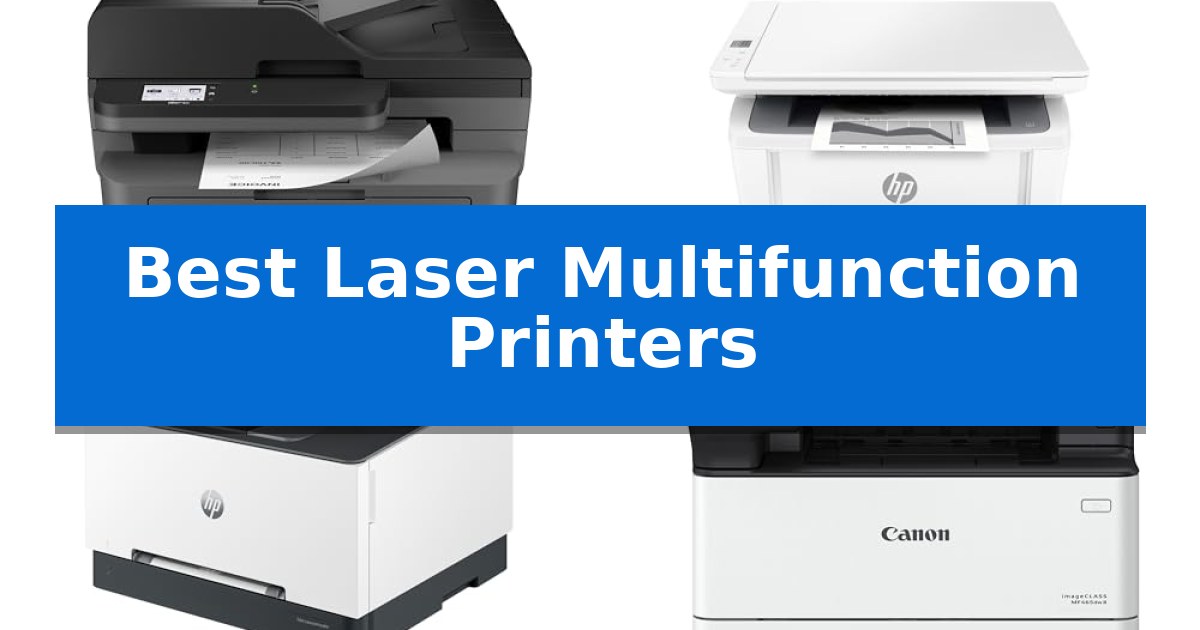
Finding the right office equipment often comes down to balancing high-volume output with a compact footprint. Whether you are managing a small team or a home-based business, the right hardware can significantly reduce downtime and streamline your daily document management.
We have analyzed the current market to identify the Best Laser Multifunction Printers that offer reliable performance, efficient scanning, and versatile connectivity. This guide focuses on machines that prioritize consistent print quality and ease of use for professional environments.
Best Laser Multifunction Printers in 2026
Quick Comparison
| Product | Best For | Key Strength | Score |
|---|---|---|---|
| Brother MFC-L2820DW Laser Printer | Best Overall | Compact footprint ideal for small office environments. | 4.9 |
| HP LaserJet MFP M140w Printer | Compact Pick for Tight Spaces | World's smallest laser printer in its class for space-saving placement. | 4.3 |
| HP Color LaserJet Pro MFP 3301sdw | Professional Color Output | Fast print speeds up to 26 ppm for both color and black documents. | 4.6 |
| Canon imageCLASS MF465dw II Printer | Fastest for High-Volume Tasks | 42 PPM print speed for high-volume efficiency | 4.3 |
| Canon Color imageCLASS MF652Cw | Reliable Color Multifunction | Wireless 3-in-1 functionality for printing, scanning, and copying. | 4.4 |
How We Chose
- Print and scan speeds for high-volume efficiency
- Connectivity options including wireless, Ethernet, and mobile app support
- Physical footprint and space-saving design
- Document handling capabilities such as auto document feeders and duplex printing
- Integration with cloud-based services and mobile management tools
1 Brother MFC-L2820DW Laser Printer — Best for Small Offices
Managing high-volume document workflows in a confined workspace requires hardware that balances a small footprint with robust output capabilities. The Brother MFC-L2820DW Wireless Compact Monochrome All-in-One Laser Printer addresses this need by integrating print, copy, scan, and fax functionality into a single, space-saving chassis measuring approximately 16.1 inches wide and 12.5 inches high.
Efficiency is central to this model's design, featuring print speeds of up to 36 ppm and a 50-page auto document feeder that streamlines multi-page scanning and copying tasks. The device supports flexible connectivity, including dual-band wireless (2.4GHz/5GHz), Ethernet, and local USB, ensuring compatibility with various office network environments.
Navigation is handled via an intuitive 2.7-inch touchscreen, which provides direct access to cloud-based applications like Google Drive, Dropbox, and OneNote for seamless document management. Users can further manage print jobs and monitor toner levels remotely through the Brother Mobile Connect app.
To maintain consistent performance, the printer is designed for use with Brother Genuine TN830 or TN830XL replacement toner. The inclusion of a Refresh EZ Print Subscription Service trial offers a pathway for automated supply replenishment, potentially reducing ongoing operational costs for high-volume users.
Best for: Small offices and home workspaces requiring a compact, multi-functional monochrome laser printer with cloud integration and robust document handling.
Skip if: Users who require color printing or those with extremely limited desk space who do not need fax or auto-document feeder capabilities.
PROS
- Compact footprint ideal for small office environments.
- Efficient 50-page auto document feeder for multi-page tasks.
- Dual-band wireless connectivity for stable network integration.
- Cloud-ready navigation via a 2.7-inch touchscreen.
CONS
- Monochrome-only output limits document versatility.
- Requires specific Brother Genuine toner for optimal operation.
2 HP LaserJet MFP M140w Printer — Compact Pick for Tight Spaces
Maintaining a productive workspace often requires equipment that balances functionality with a minimal footprint. The HP LaserJet MFP M140w Printer addresses this by positioning itself as the world's smallest laser printer in its class, designed specifically to handle printing, scanning, and copying within tight environments.
This device is engineered for small teams of 1-3 people who require professional-quality black & white documents. It delivers fast print speeds of up to 21 pages per minute for single-sided output. The inclusion of wireless connectivity with self-reset capability helps maintain a stable connection, allowing users to print from various mobile devices, PCs, tablets, and Chromebooks.
Usability is enhanced through the HP Smart app, which allows users to manage repetitive tasks, scan documents directly to the cloud, and initiate prints or copies from a smartphone. The printer also features a dedicated function to easily copy both sides of ID cards onto a single sheet of paper, simplifying common administrative tasks.
Designed with a compact form factor measuring approximately 14.2 by 10.4 by 7.8 inches, it fits easily on crowded desks or shelves. Users should note that this printer is intended to function exclusively with cartridges containing original HP chips or circuitry, and it will block the use of third-party alternatives to ensure consistent operation through periodic firmware updates.
Best for: Small teams of 1-3 people working in limited office spaces who prioritize a compact footprint and reliable wireless document handling.
Skip if: Users who require color printing, high-volume production, or the flexibility to use non-original, third-party toner cartridges.
PROS
- World's smallest laser printer in its class for space-saving placement.
- Fast print speeds reaching up to 21 pages per minute.
- Integrated mobile printing and cloud scanning via the HP Smart app.
- Dedicated ID card copy feature for efficient document processing.
CONS
- Strict cartridge compatibility requiring original HP chips or circuitry.
- Monochrome-only output limits document versatility.
3 HP Color LaserJet Pro MFP 3301sdw — Professional Color Output
The HP Color LaserJet Pro MFP 3301sdw is engineered for small teams that require a reliable, all-in-one solution for printing, scanning, and copying professional-quality color documents. This device features a 250-sheet input tray and an auto document feeder, streamlining high-volume tasks while maintaining a compact footprint of approximately 16.5 inches in height.
Performance is driven by print speeds reaching up to 26 ppm for both black and color documents. The printer utilizes next-generation TerraJet toner to enhance color vividness, ensuring that reports and business materials maintain a professional appearance. For ongoing maintenance, the unit is compatible with Original HP 218A standard and 218X high yield LaserJet toner cartridges.
Efficiency is further supported by auto 2-sided printing capabilities, which help manage paper usage during large print jobs. The system is designed to prioritize security and consistency, requiring the use of cartridges with HP chips or circuitry. Users should note that the printer will block cartridges utilizing non-HP components, and it relies on periodic firmware updates to maintain these operational standards.
With a weight of 37.7 pounds, the HP Color LaserJet Pro MFP 3301sdw provides a stable, business-ready platform. It is built to handle the demands of a busy office environment, offering a balance of fast output and versatile document handling in a single, integrated machine.
Best for: Small teams requiring a compact, reliable all-in-one printer for high-quality color documents and efficient duplex printing.
Skip if: Users who prefer the flexibility of using third-party or remanufactured toner cartridges, as this model strictly requires Original HP chips.
PROS
- Fast print speeds up to 26 ppm for both color and black documents.
- Includes auto 2-sided printing and an integrated auto document feeder.
- Utilizes TerraJet toner technology for improved color vividness.
- Supports high-yield toner cartridges to reduce replacement frequency.
CONS
- Strict cartridge compatibility requires Original HP chips or circuitry.
- Firmware updates may restrict the use of non-HP branded supplies.
4 Canon imageCLASS MF465dw II Printer — Fastest for High-Volume Tasks
Managing high-volume document workflows requires a device capable of sustained output, and the Canon imageCLASS MF465dw II addresses this with a rated print speed of up to 42 pages per minute. This monochrome laser printer is engineered for environments that demand rapid document production without sacrificing the versatility of a 4-in-1 system, which integrates printing, scanning, copying, and faxing into a single footprint.
The interface is centered around a 5-inch touchscreen, designed to simplify navigation through complex tasks and settings. For modern office connectivity, the unit includes easy wireless setup and supports mobile device printing, allowing users to initiate jobs directly from their smartphones or tablets. This wireless capability reduces the need for direct cabling while maintaining a secure connection to the office network.
Efficiency is further supported by duplex printing, which automatically handles double-sided documents to reduce paper consumption. The hardware is built for longevity and scalability, featuring expandable paper capacity to accommodate larger print runs with fewer interruptions. With a 3-year manufacturer warranty, the device is positioned as a reliable component for professional settings requiring consistent, high-speed monochrome output.
While the Canon imageCLASS MF465dw II excels in speed and multi-function utility, its physical dimensions of 22.5 inches in length and 21 inches in width require a dedicated space in the office. It is a specialized tool for monochrome tasks, meaning it is not suitable for users who require color printing capabilities for their daily operations.
Best for: Offices and high-volume workgroups that require rapid, reliable monochrome printing and document management.
Skip if: Users who require color printing or those with very limited desk space who do not need high-volume output.
PROS
- 42 PPM print speed for high-volume efficiency
- 4-in-1 functionality including fax and duplex printing
- 5-inch touchscreen for intuitive navigation
- Expandable paper capacity for long print runs
CONS
- Monochrome only, limiting use to black-and-white documents
- Large physical footprint requiring significant desk or floor space
5 Canon Color imageCLASS MF652Cw — Reliable Color Multifunction
Efficiency in a home or small office environment often hinges on consolidating tasks into a single, reliable footprint. The Canon Color imageCLASS MF652Cw addresses this by integrating printing, scanning, and copying capabilities into one wireless 3-in-1 unit. Designed for versatility, it supports mobile workflows through the Canon PRINT app, allowing users to manage documents directly from compatible mobile devices.
Performance is driven by a print speed of up to 22 pages per minute for both color and black-and-white documents, with a first print-out time of approximately 10.3 seconds. The device handles media through a 250-sheet standard cassette and a 1-sheet multipurpose tray, providing flexibility for different paper types. To support creative projects, it includes access to Poster Artist Online, a web-based suite for designing signage and banners.
Maintenance and longevity are prioritized through the use of Canon Genuine Toner 067 or high-capacity variants, ensuring consistent output quality. The unit is ENERGY STAR Certified and EPEAT Silver rated, reflecting its focus on power efficiency. Users benefit from a 3-year limited warranty, which provides long-term support for the hardware.
Compatibility is a core strength, as the printer is Chromebook compatible, making it a practical choice for diverse computing setups. Its compact design, measuring approximately 17.8 inches in width and 14.2 inches in height, allows it to fit into various office layouts without occupying excessive desk space.
Best for: Small offices or home workspaces requiring a reliable, compact, and mobile-ready color laser multifunction printer.
Skip if: Users who require high-volume production printing or advanced finishing features like automatic duplexing or large-capacity paper handling.
PROS
- Wireless 3-in-1 functionality for printing, scanning, and copying.
- Mobile-ready with support for the Canon PRINT app.
- 3-year limited warranty included for peace of mind.
- Chromebook compatible for modern computing environments.
CONS
- Limited paper capacity with a 250-sheet cassette and 1-sheet multipurpose tray.
Best Laser Multifunction Printers Buying Guide
Understanding Print Technology
Laser printers utilize a toner-based process to fuse text and images onto paper, which is generally faster and more durable than inkjet alternatives. This makes them ideal for text-heavy documents, reports, and high-volume printing where speed is a priority.
When selecting a model, consider whether you require monochrome or color output. Monochrome printers are often more cost-effective for daily administrative tasks, while color laser printers provide the versatility needed for professional presentations and marketing materials.
Connectivity and Mobile Integration
Modern office printers should offer flexible wireless connectivity to support multiple users across a network. Features like dual-band Wi-Fi and Ethernet ports ensure stable connections, reducing the likelihood of print job interruptions.
Many current devices also support mobile printing apps, allowing you to scan or print directly from your smartphone or tablet. This is particularly useful for remote teams or individuals who need to manage documents while away from their desks.
Efficiency Features
An Auto Document Feeder (ADF) is a critical feature for anyone who frequently scans or copies multi-page documents. It saves significant time by automating the process, allowing you to focus on other tasks while the machine works.
Duplex printing is another essential feature that helps reduce paper waste by automatically printing on both sides of the sheet. This is not only environmentally friendly but also helps lower your ongoing supply costs.
Space and Ergonomics
The physical dimensions of a printer are a major consideration for small offices or tight workspaces. Look for models that offer a compact footprint without sacrificing the capacity of the paper tray or the functionality of the scanner.
User interfaces, such as touchscreen displays, can greatly improve the ease of navigation. A well-designed control panel allows you to quickly access common tasks like scanning to cloud services or checking toner levels.
Maintenance and Supplies
Consider the long-term cost of ownership by looking at the toner replacement options. Some manufacturers offer subscription services that track your usage and automatically ship supplies, which can help prevent unexpected downtime.
Always verify the warranty coverage provided by the manufacturer. A longer warranty period often reflects the brand's confidence in the machine's reliability and can provide peace of mind for your business investment.
Frequently Asked Questions
What is the main advantage of a laser printer over an inkjet?
Laser printers are typically faster, produce sharper text, and have a lower cost per page for high-volume printing, making them better suited for professional office environments.
Do I need a color laser printer for my office?
If you frequently print reports with charts, graphs, or marketing materials, a color laser printer is necessary. If you only print invoices or text documents, a monochrome printer is usually more economical.
What does 'duplex' mean in a printer description?
Duplex printing means the printer can automatically print on both sides of the paper, which saves paper and is more efficient for long documents.
Can I print from my phone with these printers?
Yes, most modern laser multifunction printers include mobile app support or AirPrint capabilities, allowing you to print directly from mobile devices.
How often will I need to replace the toner?
Toner life varies by model and usage. Many printers offer high-yield toner cartridges that last longer, and some include software to track your remaining toner levels.
Conclusion: Our Top Pick
Choosing the right machine depends on your specific volume requirements and space constraints. For most small offices, the Brother MFC-L2820DW Laser Printer stands out as an exceptional choice due to its balance of speed, compact design, and versatile all-in-one functionality.
This model provides the reliability needed for daily tasks while offering modern connectivity options that make managing your documents simple and efficient. By focusing on essential features like the auto document feeder and duplex printing, it ensures that your office remains productive without taking up excessive space.